
Parental Control App - Kidsee



The all-in-one digital assistant for the modern parent. Track real-time location, block apps, and turn chores into earned screen time through one intuitive dashboard.
Publisher
Category
LifestyleDownloads
208K+User Rating
Total Ratings
4K+Locales
39Discover the interface used by 208K+ users.
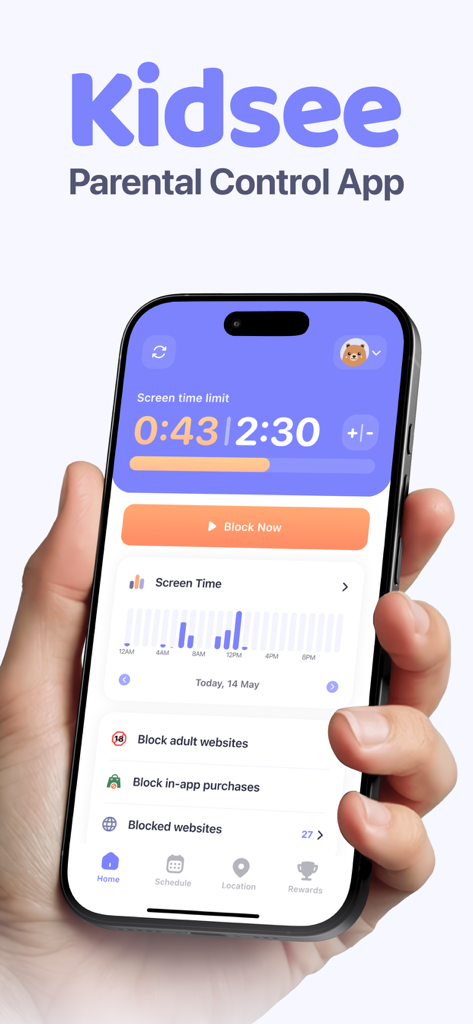
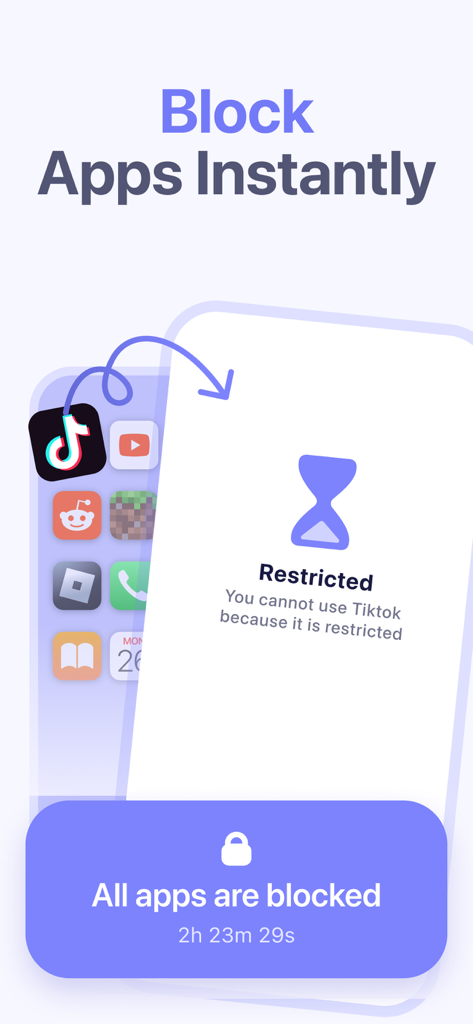
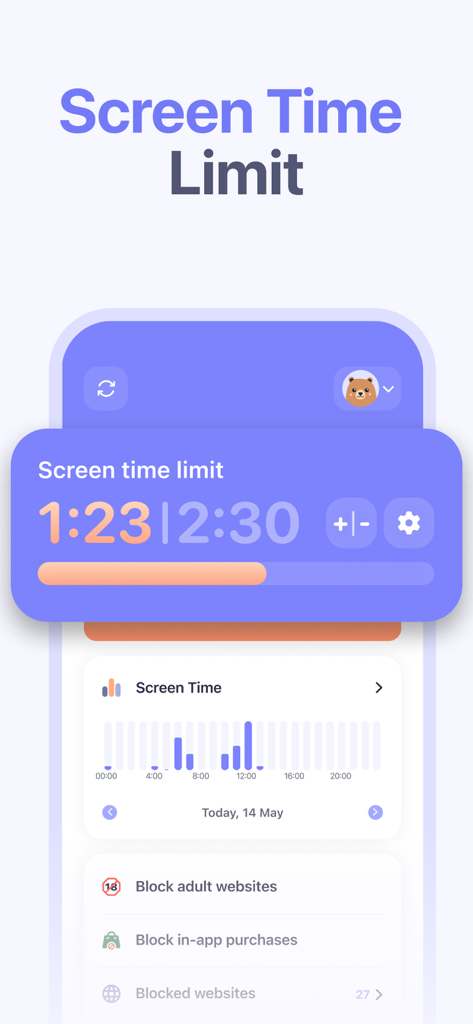
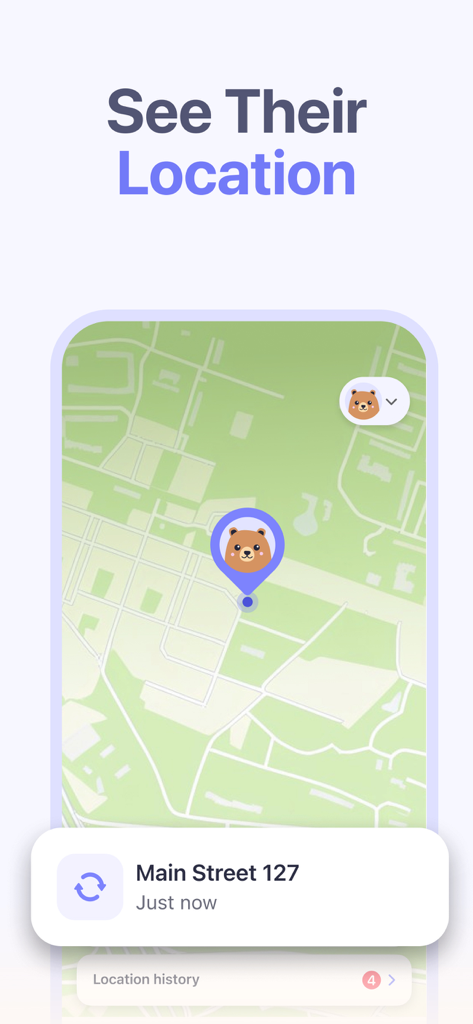
The tools that make this app stand out, trusted by 208K+ users.
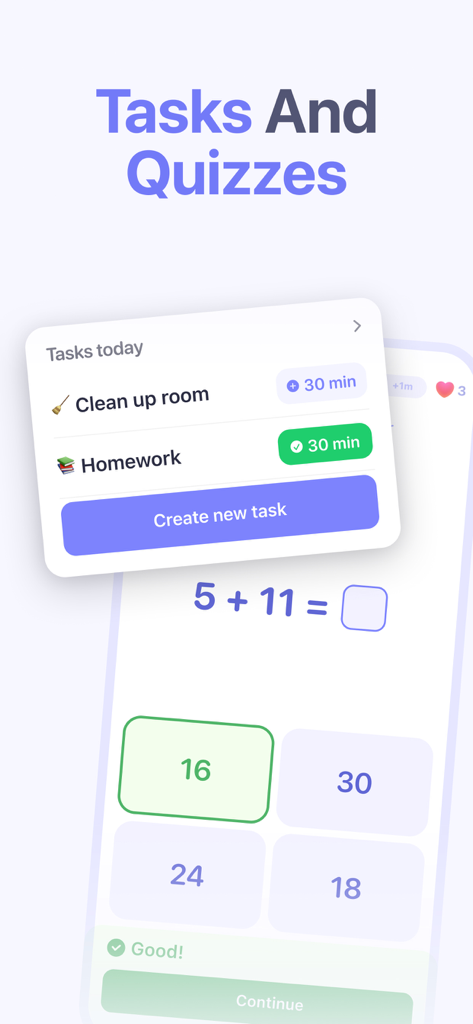
Transform chores and homework into rewards. Let your children earn extra screen time by completing tasks, teaching them the value of hard work over mindless scrolling.
Give them the freedom to explore while you stay informed. Track your child's live location and route history to ensure they are safe on their way to school or a friend's house.
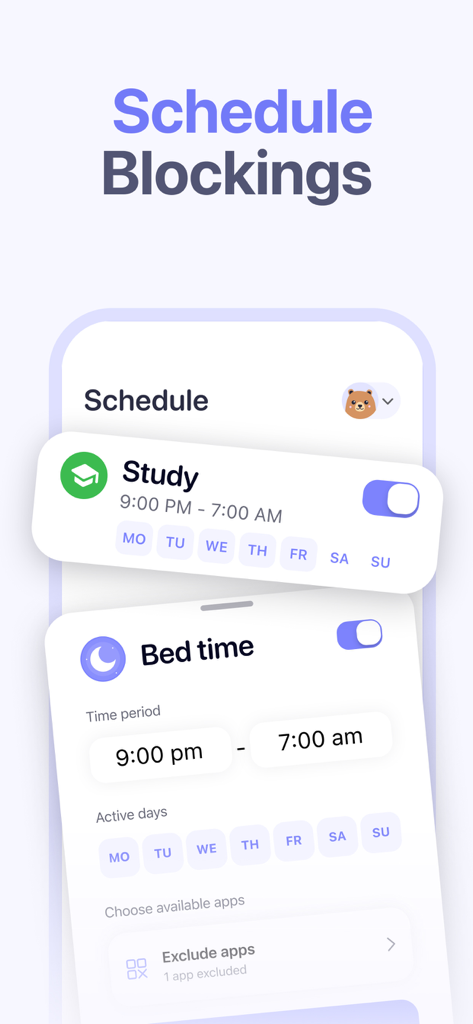
Stop being the 'bad guy' with automated limits. Schedule app-free hours for school or bedtime and block distracting apps with a single tap from your own device.
Trusted by 208K+ people who love this app.
"Finally, an app that turns the screen time battle into a reward system! My 8-year-old actually asks to help around the house now to earn her Minecraft time. Being able to manage both kids' schedules from my iPhone has been a total game-changer for my daily sanity."
"The real-time location tracking gives me so much peace of mind while my son walks home from school. I love that I can block distracting apps during class hours while still allowing him to use educational tools. It's the perfect balance of safety and digital independence."
Insights from user reviews.
Sentiment Score
Summary
The app receives overwhelmingly negative feedback due to pervasive issues with its core functionality, such as unreliable screen time limits, inconsistent locking/unlocking mechanisms, and general operational failures. Many users express frustration over billing, citing unexpected charges, features locked behind paywalls, and the app not working even after payment, leading to a perceived poor value for money. Additional concerns include children easily bypassing controls, app instability, difficulties with initial setup, and inaccurate location tracking. While the app's parental control concept and responsive customer support are occasionally praised, these positive aspects are largely overshadowed by its significant technical problems.
Common Themes
Everything you need to know about Parental Control App - Kidsee.
Description
Latest Version
15.3
Size
156.6 MB
First Released
Nov 16, 2024
Join over 200,000 parents using Kidsee to reward healthy habits, ensure safety, and bring balance back to your family's digital life. Start your 3-day free trial now.
Everything you need to know about Parental Control App - Kidsee
Kidsee is an innovative parental control app designed to keep children safe. It helps manage mobile device usage by tracking screen time, blocking apps, monitoring location, and encouraging responsible digital habits.
Yes, Kidsee offers real-time location tracking. Parents can monitor their child's current location and view their route history directly within the app to ensure their safety.
Yes, Kidsee allows parents to set daily screen time limits for their children on various apps and games. This feature helps balance fun and responsibilities by defining usage boundaries.
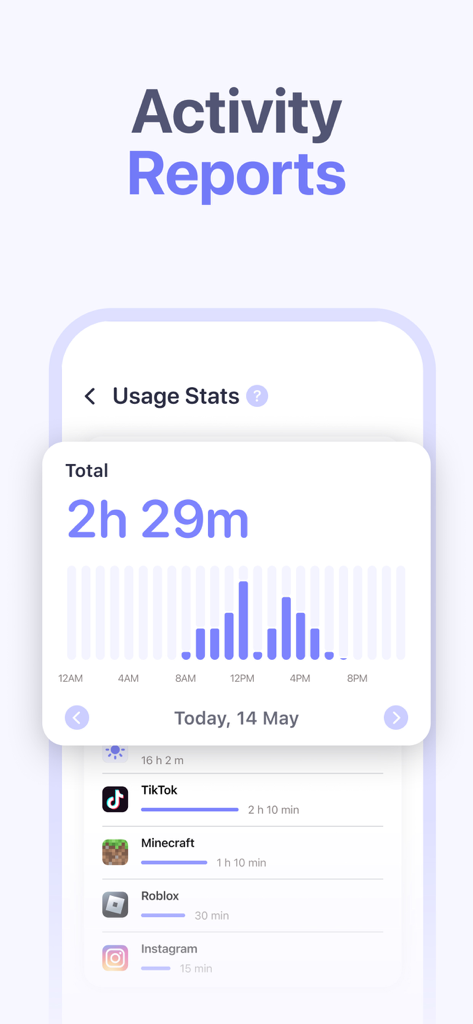
Kidsee allows parents to block unwanted apps to help children focus. It also provides detailed usage statistics, showing which apps children use, when, and for how long.
Yes, Kidsee supports monitoring multiple devices simultaneously. Parents create individual profiles for each child and manage all devices from one parent phone with personalized limits.
Yes, Kidsee includes 'Motivational Tasks.' Children earn extra screen time for completing tasks like homework or cleaning, which encourages responsible behavior and good habits.
Kidsee offers subscriptions with payment charged to your Apple ID upon purchase confirmation. Subscriptions automatically renew unless auto-renewal is turned off 24 hours before the period ends.
Yes, you can cancel your Kidsee subscription at any time. Manage subscriptions and turn off auto-renewal after purchase in your Apple ID account settings.
Yes, Kidsee may offer a 3-day free trial. After this period, the subscription automatically renews at the regular rate unless canceled before the trial ends.
Kidsee generates detailed app usage statistics. These reports show which apps a child uses, at what time, and for how long, providing insight into their digital habits.
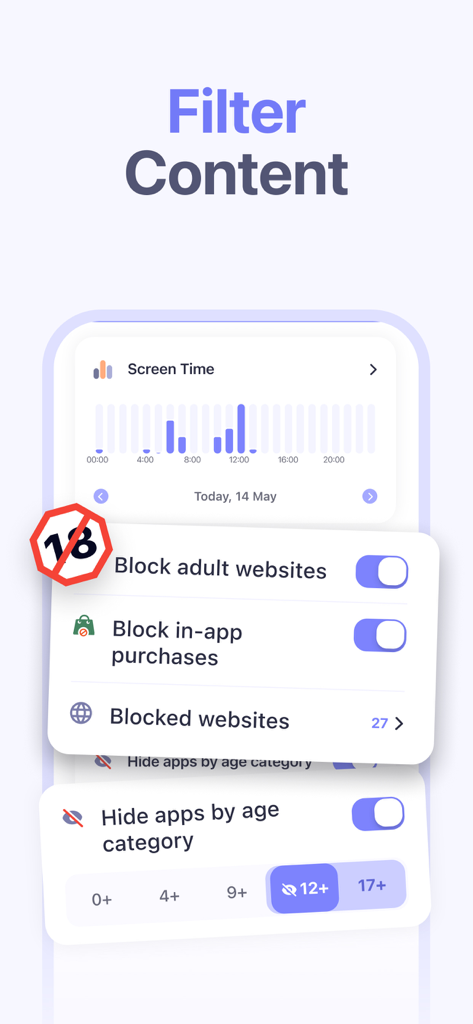
Yes, Kidsee allows parents to filter content by blocking adult websites. This feature helps create a safer digital environment and ensures children's online protection.
You can contact Kidsee support via email for technical issues, questions, or suggestions. The dedicated support email address is support@kidsee.app.
Yes, Kidsee offers the ability to schedule app blockings. Parents can define specific time periods during the day or week when certain apps are restricted.
Yes, Kidsee provides the option to block in-app purchases. This feature helps parents control spending and prevent unauthorized transactions by their children.
Yes, Kidsee sends push notifications. Parents receive alerts when their child reaches usage time limits, helping them stay informed about their child's activity.
Apps with similar features and user experience

Pollux Bilisim Teknolojileri Sanayi ve Ticaret Limited Sirketi

Smith Micro Software, Inc.

Google LLC

LETEM LTD

Nintendo Co., Ltd.

ANKO SOLUTIONS LLC

Ningbo Jus Internet Technology Co., Ltd.

HONGKONG FLASHGET NETWORK TECHNOLOGY CO., LIMITED

SAND STUDIO CORPORATION LIMITED