Norton Family Parental Control

Norton Family Parental Control

Download on App Store
Spark by MWM logo
Logo of Norton Family Parental Control

Norton Family Parental Control: Foster Healthy Habits and Safer Exploration

Manage screen time, block distractions during school hours, and stay connected with location tracking—all in one trusted app designed for modern families.

Download on App Store

Publisher

Gen Digital Inc.

Category

Utilities

Downloads

10K+

User Rating

3.9/5

Total Ratings

3K+

Locales

23

Protection You Can See

Discover the interface used by 10K+ users.
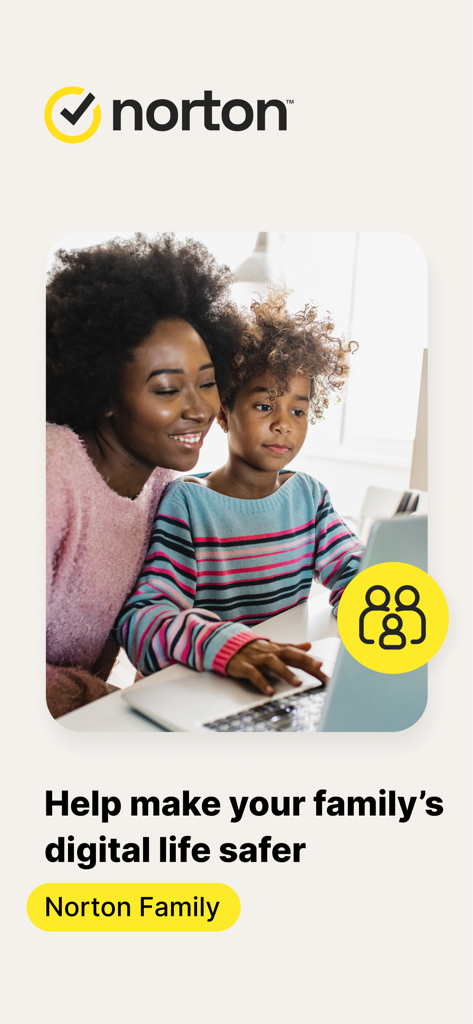
Mother and child looking at a laptop together with Norton Family app branding

Mother and child looking at a laptop together with Norton Family app branding

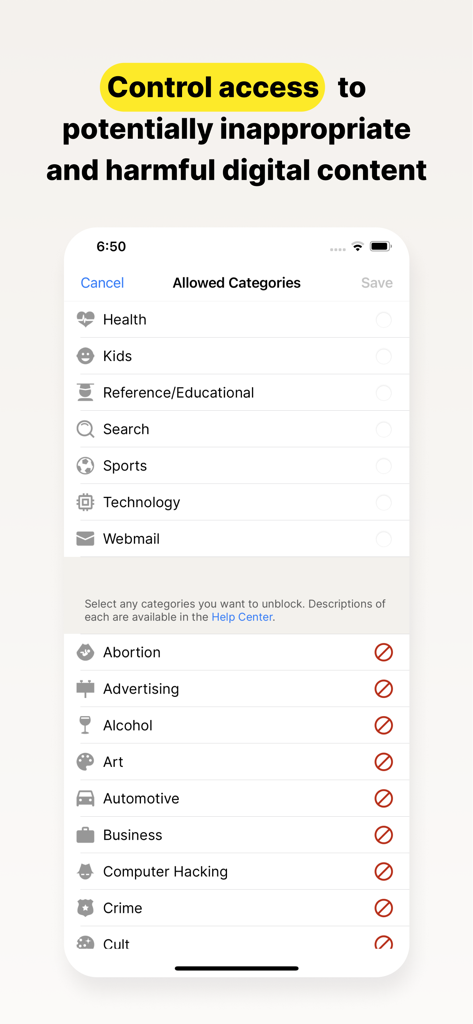
Norton Family app screen for controlling access to digital content categories

Norton Family app screen for controlling access to digital content categories

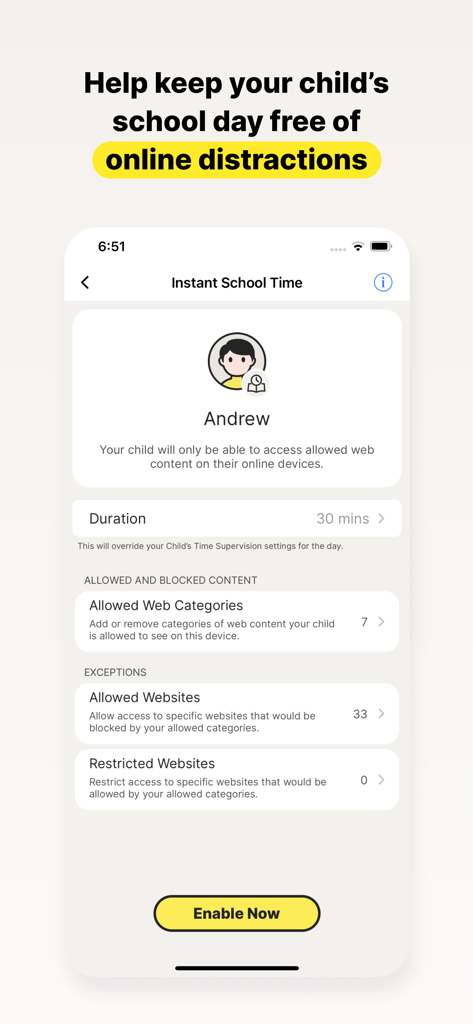
Screenshot of the Norton Family app showing the Instant School Time setting to block online distractions for children during school hours

Screenshot of the Norton Family app showing the Instant School Time setting to block online distractions for children during school hours

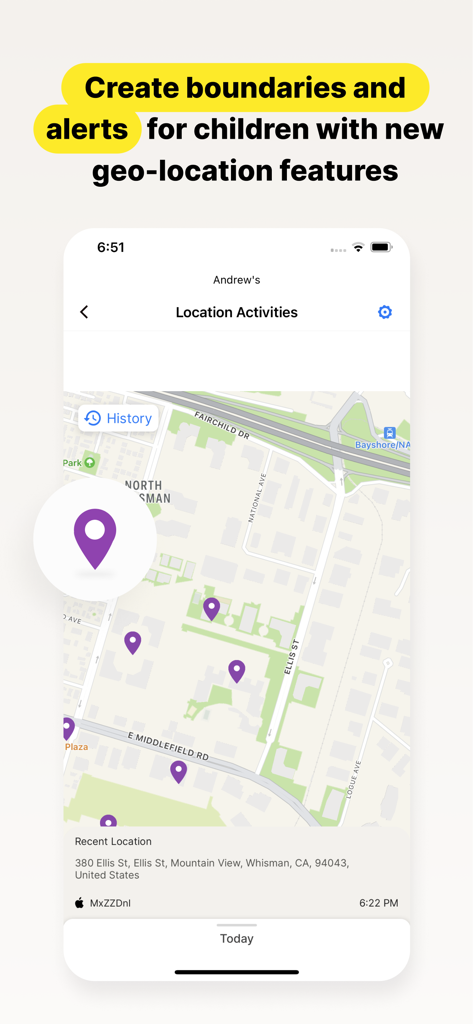
Norton Family app interface showing a child's location history and recent activities on a map

Norton Family app interface showing a child's location history and recent activities on a map

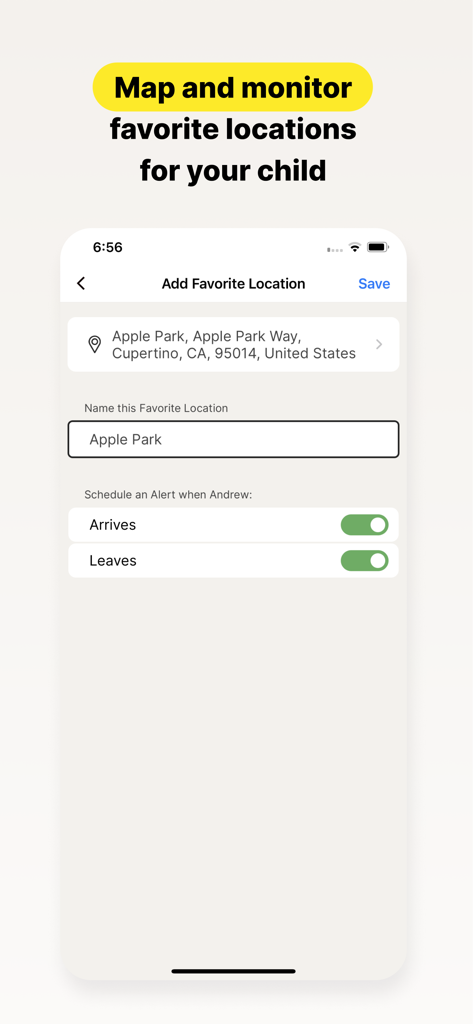
Norton Family app interface showing settings for adding a favorite location with arrival and departure alerts for a child

Norton Family app interface showing settings for adding a favorite location with arrival and departure alerts for a child

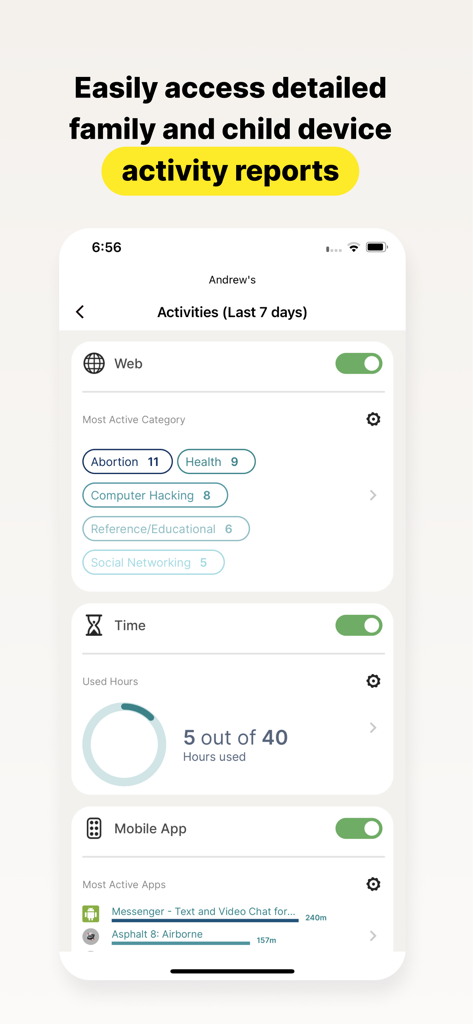
A detailed child activity report in the Norton Family app showing web categories screen time and app usage

A detailed child activity report in the Norton Family app showing web categories screen time and app usage

Smart Tools for Modern Parenting

The tools that make this app stand out, trusted by 10K+ users.

🎓

Maximize Focus with School Time

Keep your child on task during remote learning by managing access to educational websites while blocking distracting social media and games.

📍

Real-World Peace of Mind

Stay informed of your child's physical location with geo-fencing alerts that notify you when they safely arrive at school or extracurricular activities.

🛡️

Safe & Guided Exploration

Protect your kids from inappropriate content by monitoring search terms and filtering web traffic, turning digital risks into teaching moments.

Loved by users worldwide

Trusted by 10K+ people who love this app.

"

"Norton Family has been a lifesaver for our household. The School Time feature ensures my kids stay focused on their remote learning without me having to hover over their shoulders all day. It is perfect for teaching them how to manage their own digital habits while giving me the peace of mind I need during my work hours."

Sarah M., Remote Working Parent
"

"The geo-location and Favorite Locations alerts are incredibly accurate and helpful. I receive a notification the moment my daughter arrives at her music lesson, which is such a relief. Combined with the web supervision that blocks inappropriate content, I finally feel like I have a handle on her safety both online and offline."

David L., Suburban Father

Review Analysis

Insights from user reviews.

Sentiment Score

7%
Negative

Summary

This app receives overwhelmingly negative feedback from users, who frequently describe it as unreliable, buggy, and difficult to use. A major point of frustration is its poor compatibility with iOS devices, where many expected features like screen time control or comprehensive tracking are either missing or non-functional compared to Android. Users also report significant challenges with the app's configuration, an unintuitive interface, and the ease with which children can bypass its controls, often rendering it ineffective. Additionally, there are notable complaints regarding billing practices, including unexpected subscription charges and difficulties managing accounts post-cancellation.

Common Themes

Functionality & Reliability(28)
Screen Time & App Management(10)
iOS Compatibility(8)
Configuration & User Interface(8)
Child Bypassing Controls(8)
Subscription & Billing Issues(4)

About the app

Everything you need to know about Norton Family Parental Control.

Description

Norton Family provides tools that teach safe, smart, and healthy online habits. It also provides insights that help you foster a healthy online/offline balance for your children and their devices. At home, attending school, or on the go, Norton Family helps keep children focused on what’s most important. Norton Family empowers parents to keep track of their child’s online behavior. • Monitor the sites and content your child views Make the Web safer for your kids to explore — by keeping you informed of which sites your kids are visiting, and letting you block potentially harmful and inappropriate sites.‡ Norton Family also provides insights into the search terms and videos (3) that interest your kids and flags unsafe behavior so you can discuss online safety, as a family.‡ • Set limits on your child’s internet access Help your kids balance time spent online by scheduling screen time limits for their device usage.‡ This can helps you focus your child on schoolwork and avoid online distractions while remote learning or at bedtime.‡ • Stay informed about your child’s physical location Use geo-location features in the app to track your child’s location (4). Plus, receive alerts if you’re your child arrives in or goes beyond areas of interest established by you, using geo-location tools. • Access weekly/monthly reports Get detailed reports on what your kids are doing online, right in your Inbox or on the Parent Portal.‡ You can use these reports to foster dialog with your child about online safety. Here are some of the Norton Family features parents can use to help protect their child’s online activities. • School Time Remote learning requires the internet, so pausing the internet on your child’s device is not an option. Manage content access to relevant categories and websites to help your child maintain focus while school’s in session. • Favorite Locations This helps you establish approved boundaries for your child’s physical locations. When turned on, this feature will alert you when your child arrives in or goes beyond the permissible area or location established by you.1,2. • Web Supervision Let your kids explore the Web freely, with tools that help you block unsuitable websites while keeping you in the know about which sites they’re visiting. • Search Supervision See the words, terms, and phrases your kids are searching for to gain insights into their interests and help protect them from inappropriate content. ‡‡ Requires your device to have an Internet/data plan and be turned on. 1 Mobile app must be downloaded separately. However, parents can sign in to my.Norton.com or family.Norton.com and select Parental Control to view their child’s activity and manage settings from any supported browser on any device. 2 Location Supervision features are NOT available in all countries. Visit the feature support page here for details. To work, the child’s device must have Norton Family installed and be turned on. 3 Video Supervision monitors videos that your kids view on YouTube.com. It does not monitor or track YouTube videos that have been embedded in other websites or blogs. 4 Location Supervision requires parent activation before use. 5 Mobile app must be downloaded separately. Some features not available with in all countries. Privacy Statement Gen Digital respects your privacy and is dedicated to safeguarding your personal data. See https://www.gendigital.com/privacy​ for more information. No one can prevent all cybercrime or identity theft

Latest Version

1.18.0

Size

74.5 MB

First Released

Jan 8, 2019

Start Building Healthy Digital Habits Today

Join the parents who trust Norton to help their children stay safe, focused, and balanced. Download the app to manage your family's digital wellness from anywhere.

Download on App Store