OmniGraffle 3

OmniGraffle 3

Download on App Store
Spark by MWM logo
Logo of OmniGraffle 3

OmniGraffle 3: Professional Diagramming and Design for the Visual Architect

Transform your iPad and iPhone into a powerful workstation. Create precise wireframes, complex system maps, and stunning graphics with desktop-class tools and seamless Visio compatibility.

Download on App Store

Publisher

The Omni Group

Category

Graphics & Design

Downloads

467K+

User Rating

2.9/5

Total Ratings

400

Locales

11

Precision in Practice

Discover the interface used by 467K+ users.
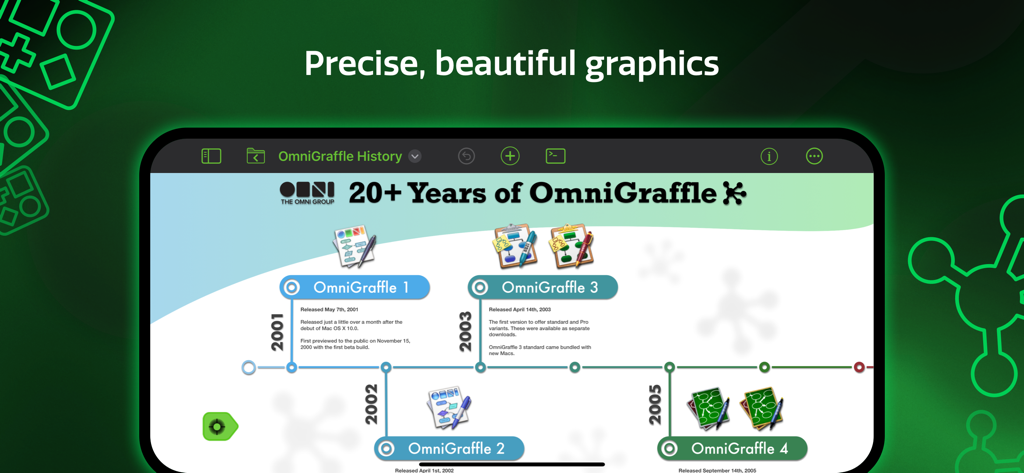
An iPad screen displaying a professional timeline diagram created with OmniGraffle 3

An iPad screen displaying a professional timeline diagram created with OmniGraffle 3

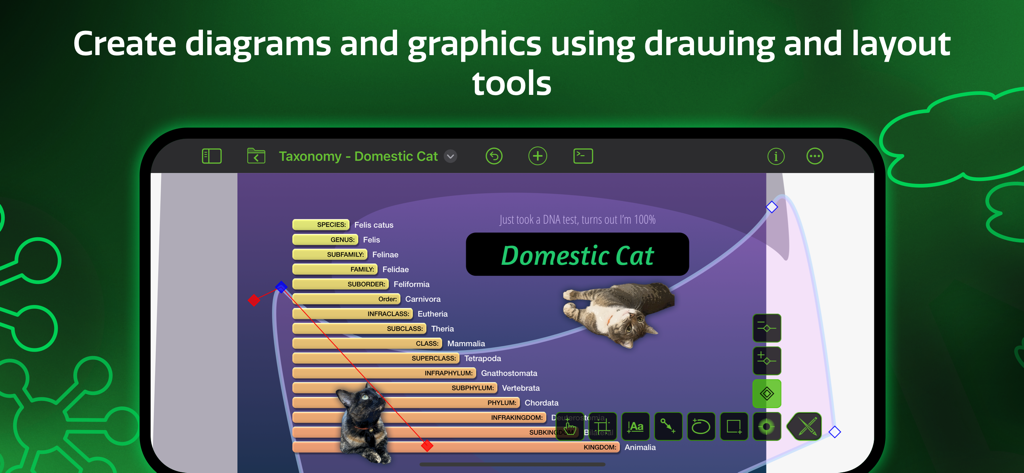
OmniGraffle 3 interface showing a taxonomy diagram of a domestic cat being created with professional drawing and layout tools

OmniGraffle 3 interface showing a taxonomy diagram of a domestic cat being created with professional drawing and layout tools

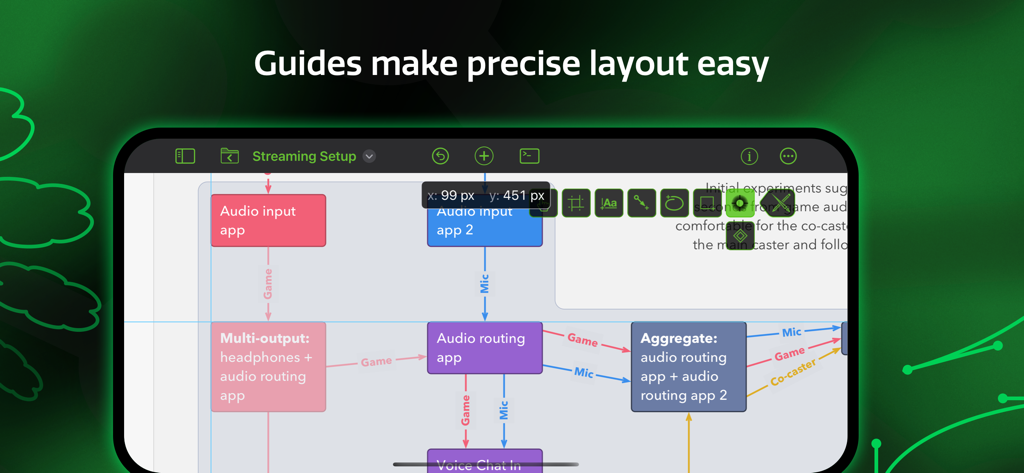
OmniGraffle 3 mobile app interface showing a complex diagram with smart guides for precise object placement

OmniGraffle 3 mobile app interface showing a complex diagram with smart guides for precise object placement

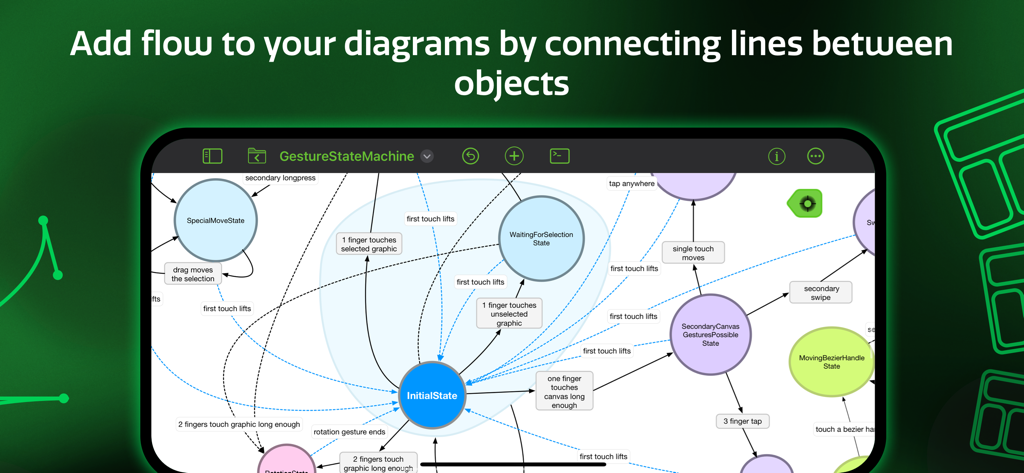
A state machine diagram with flow lines between objects in the OmniGraffle 3 app interface

A state machine diagram with flow lines between objects in the OmniGraffle 3 app interface

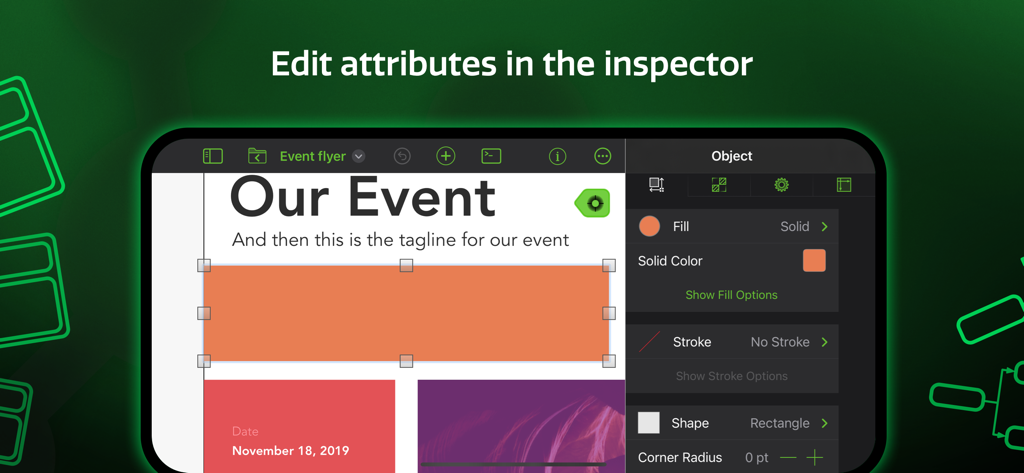
Screenshot of OmniGraffle 3 app showing the object inspector to edit attributes like fill color and stroke of a shape

Screenshot of OmniGraffle 3 app showing the object inspector to edit attributes like fill color and stroke of a shape

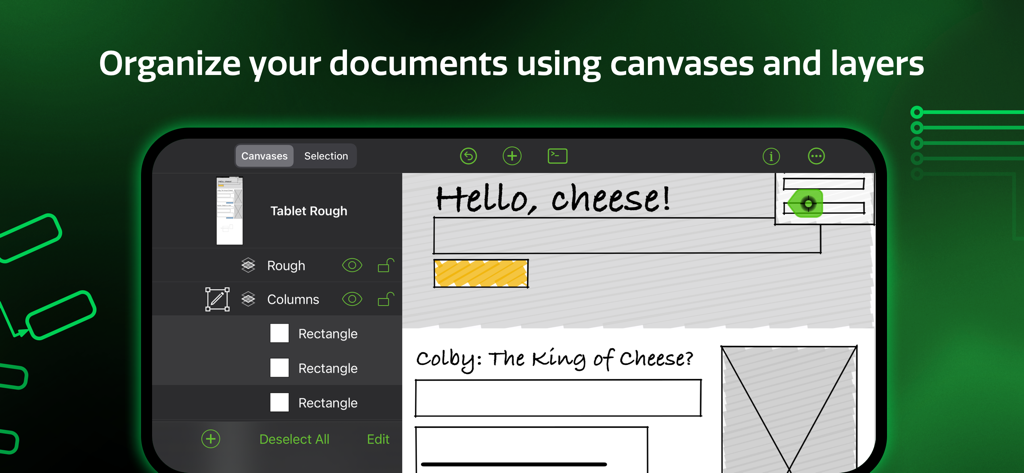
OmniGraffle 3 app interface showing document organization with canvases and layers

OmniGraffle 3 app interface showing document organization with canvases and layers

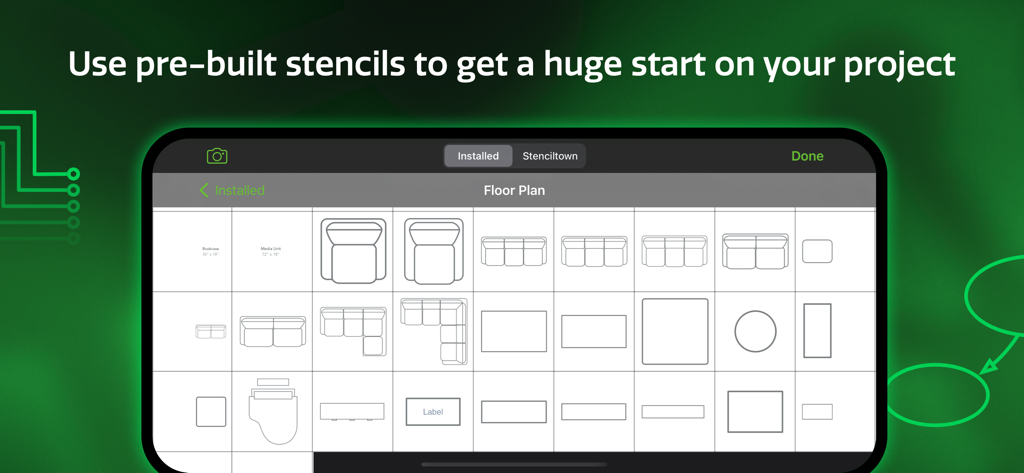
A library of floor plan stencils in the OmniGraffle 3 mobile app

A library of floor plan stencils in the OmniGraffle 3 mobile app

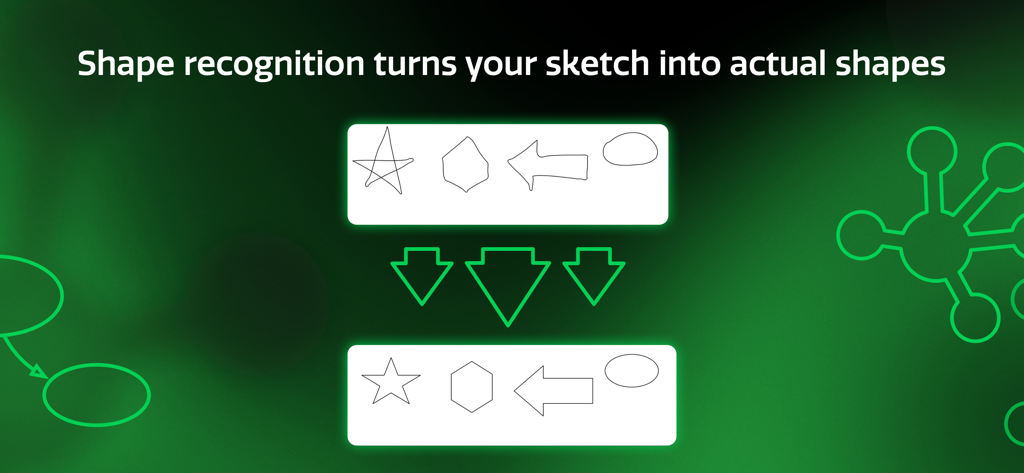
OmniGraffle 3 shape recognition feature converting hand-drawn sketches into clean geometric shapes.

OmniGraffle 3 shape recognition feature converting hand-drawn sketches into clean geometric shapes.

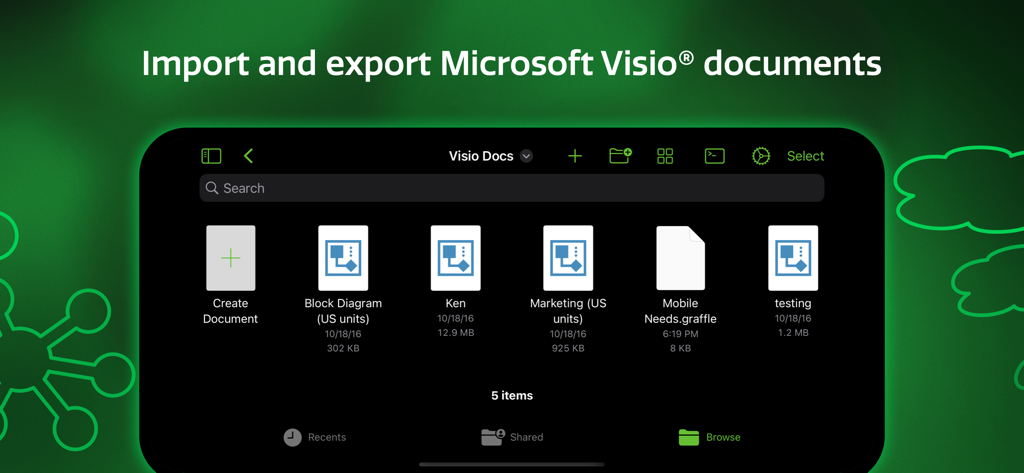
OmniGraffle 3 app interface showing the ability to import and export Microsoft Visio documents

OmniGraffle 3 app interface showing the ability to import and export Microsoft Visio documents

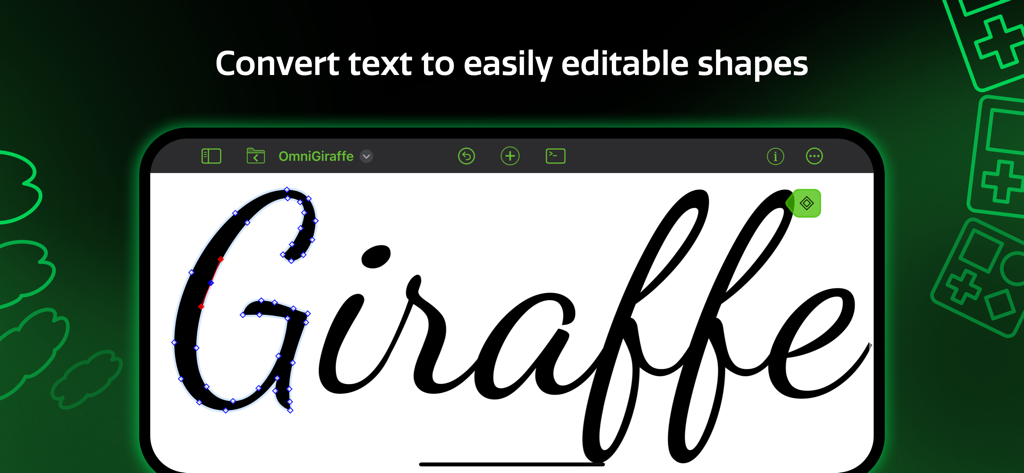
OmniGraffle 3 app interface demonstrating how to convert text into editable vector shapes on an iPad.

OmniGraffle 3 app interface demonstrating how to convert text into editable vector shapes on an iPad.

Master Visual Complexity with Precision Tools

The tools that make this app stand out, trusted by 467K+ users.

🔄

Seamless Enterprise Sync

Bridge the gap with Visio import and export, ensuring your pro-level diagrams are always team-ready and platform-agnostic.

🏗️

Precision Canvas & Stencils

Access thousands of specialized assets via Stenciltown to build everything from server racks to pixel-perfect UI mockups.

⚡

Desktop-Class Automation

Leverage cross-platform JavaScript automation and infinite canvases to scale your workflow for complex engineering projects.

Loved by users worldwide

Trusted by 467K+ people who love this app.

"

"OmniGraffle 3 has completely transformed my mobile workflow. As a UX designer, being able to move from a rough whiteboard sketch to a polished, high-fidelity wireframe using just my iPad Pro and Apple Pencil is incredible. The precision of the vector tools combined with the intuitive touch interface makes it the only professional-grade design tool I trust when I am away from my desk."

Marcus T., Senior UX Designer
"

"Managing complex infrastructure diagrams across a hybrid team used to be a headache, but OmniGraffle 3 solved that. The Visio import/export functionality is a lifesaver for enterprise collaboration, and the searchable stencils in Stenciltown allow me to map out server racks and network flows in minutes. It is the ultimate productivity power-tool for any systems architect."

Sarah L., Enterprise Systems Architect

Review Analysis

Insights from user reviews.

Sentiment Score

23%
Negative

Summary

This mobile app receives predominantly negative feedback, particularly regarding its user experience and stability on iPad and iPhone. While some users appreciate its core capabilities and elegant UI (especially when compared to its Mac counterpart), the mobile versions are plagued by frequent crashes, unresponsiveness, and frustrating object manipulation that hinders productivity. Many also express strong dissatisfaction with the high pricing model, subscription requirements, and the lack of a proper free trial. Specific issues include a perceived decline in usability with Version 3 compared to earlier iterations, and a notable bug in the current version causing crashes on Cmd+Z.

Common Themes

Pricing Model & Trial Experience(21)
Stability & Performance(18)
Usability & UI Issues(16)
Desktop Version Comparison(10)
Missing & Outdated Features(6)
Core Functionality(4)
Account Creation Process(4)

About the app

Everything you need to know about OmniGraffle 3.

Description

Design, create, sketch, and diagram. An incredibly powerful app for both beginners and professionals. Start the 2-week trial now. Create quick, beautiful, and portable charts, graphics, designs, mockups, and more. Use your iPad and iPhone screen as your paper, canvas, and whiteboard—all in one. It comes with thousands of searchable objects via Stenciltown, like server racks, space planning stencils, iconography, and more. OmniGraffle provides a thoughtful, professional interface for creating everything from basic wireframes to polished interface sketches, tools to construct SVG graphics for your next website, or designing the layout for your next hundred-server project. A thoughtful sketch or professional diagram communicates far better than words. When you need a clear understanding of how information needs to be presented or how processes are carried out, OmniGraffle 3 for iOS is the tool to help you organize your thoughts visually, document them beautifully, and communicate them to the world. OmniGraffle 3 has features and functionality you won’t find anywhere else, and it behaves exactly how you’d expect an iPad and iPhone app should with multitouch gestures, Share Sheet integration, and more. NEW IN 3: - Redesigned interface to make common tasks readily available. - Canvas Size Modes: choose between Fixed, Flexible, or Infinite. - Cross-Platform Automation with JavaScript - SVG Import - Unified Sidebar List of Canvases, Layers, and Objects - Group Visibility - Artboards and Artboard Layers (PRO) - App Lock - Hot Keys for Tools - Convert Text to Shape (PRO) - Zoom to Object, Scroll to Selection PRO features (in-app purchase): - Visio Import and Export - Blending Modes & Fill Effects - Artboards and Artboard Layers - Shared Layers - Shape Combinations - Shape Tables - Automation Plug-Ins and Actions STANDARD features (in-app purchase) include: - Layers - Grids - Automatic Layout - Unit Scaling - Shape Recognition - Bézier Lines & Shapes - Point Editing - Full Screen Split View - Smart Guides - Free Stencils via Stenciltown.com — search and download on the web or in the app - OmniOutliner Import & Export - Freehand Sketch - Automatic Diagram Layout - Create Multi-Page (canvas) documents - Share pages quickly with PNG, PDF Export - Wrap text within custom shapes - Quickly change a shape’s style with the Style Inspector - Save Documents to Photos Subscription Terms of Service: https://www.omnigroup.com/legal

Latest Version

3.22

Size

177.7 MB

First Released

Jul 12, 2017

Master Your Workflow with Pro-Grade Diagramming

Turn your iPad into a precision workstation. Start your free 2-week trial today and join over 467,000 professionals visualizing complex ideas with ease.

Download on App Store