Phonto

Phonto

Download on App Store
Spark by MWM logo
Logo of Phonto

Phonto: Design Professional Graphics, Flyers, and Quotes in Minutes

Elevate your brand with 300+ designer fonts and intuitive creative tools. Create stunning watermark-free banners, social media ads, and personal invitations directly from your phone.

Download on App Store

Publisher

Polymath Company Limited

Category

Photo & Video

Downloads

291K+

User Rating

4.3/5

Total Ratings

0

Locales

37

Design in Action

Discover the interface used by 291K+ users.
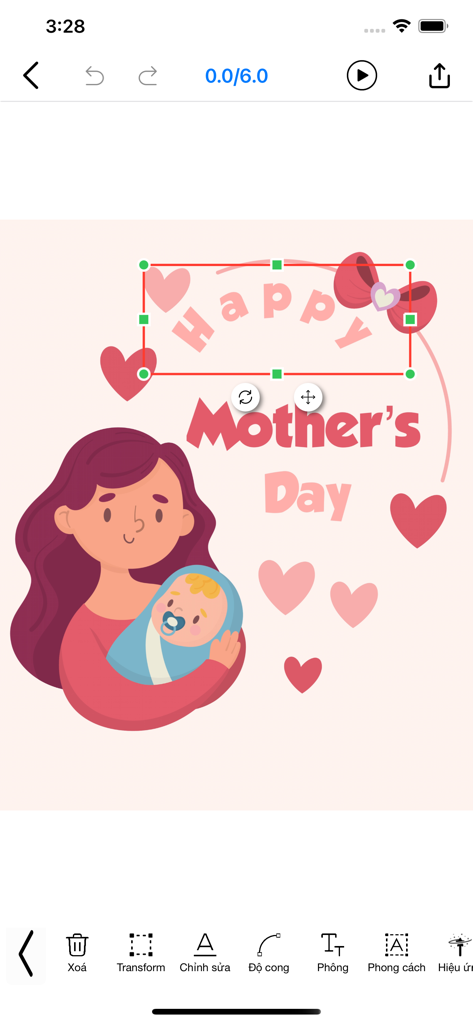
Editing a Mother's Day card with illustrations and curved text in the Phonto app.

Editing a Mother's Day card with illustrations and curved text in the Phonto app.

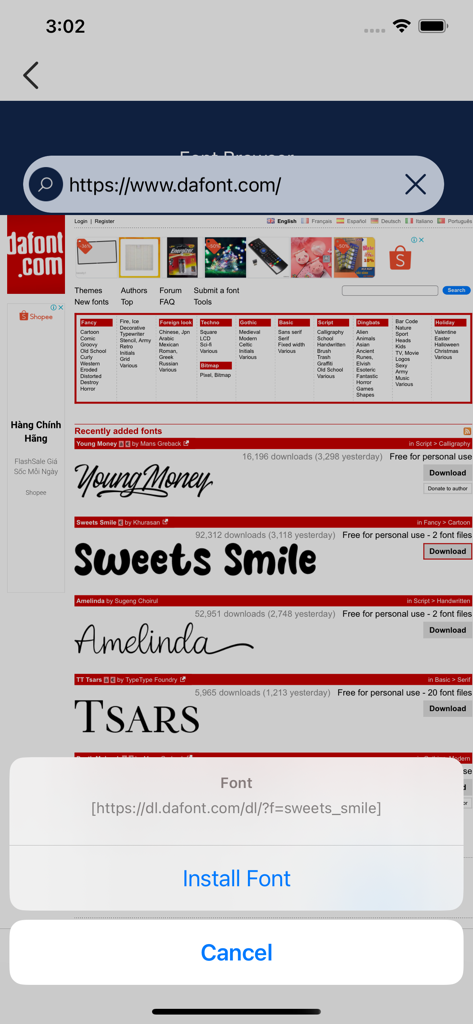
Interface of the Phonto app showing the font browser with an option to install a custom typeface from a website.

Interface of the Phonto app showing the font browser with an option to install a custom typeface from a website.

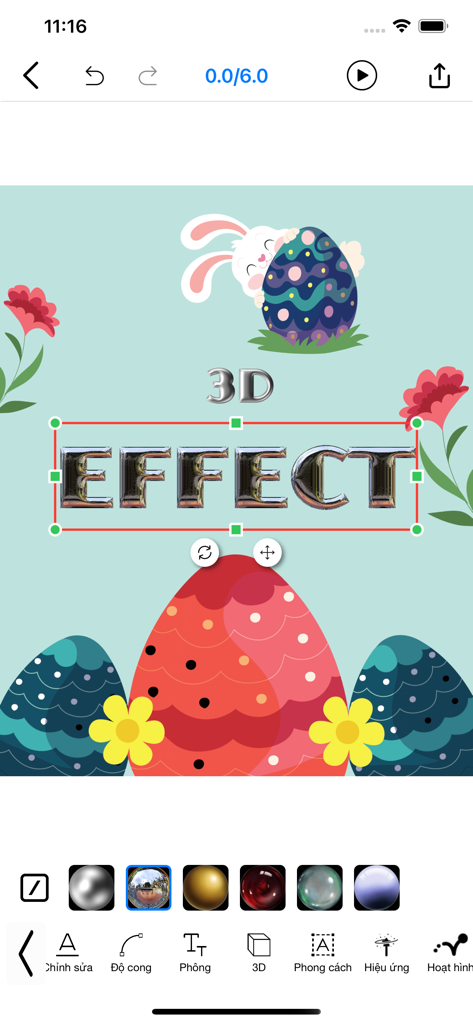
A mobile app interface demonstrating a 3D text effect on an Easter-themed graphic design

A mobile app interface demonstrating a 3D text effect on an Easter-themed graphic design

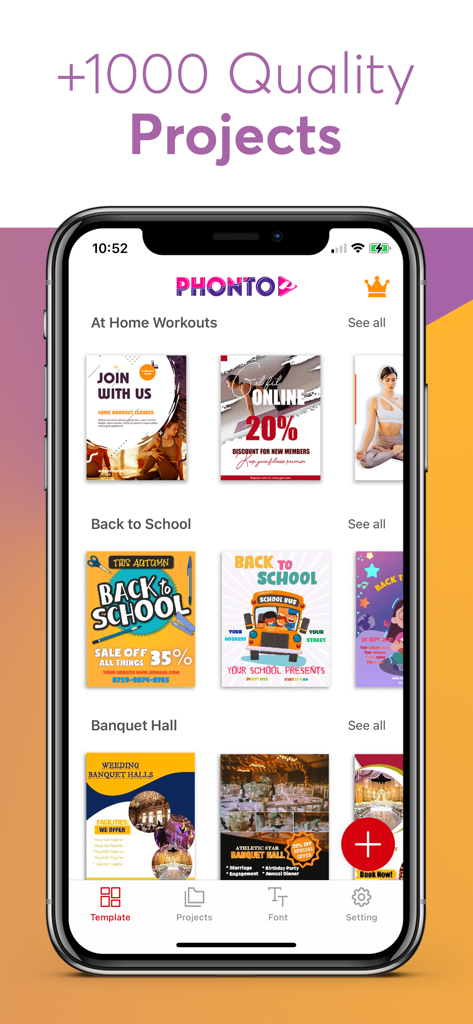
Phonto app interface showing a variety of graphic design templates for social media posters and flyers

Phonto app interface showing a variety of graphic design templates for social media posters and flyers

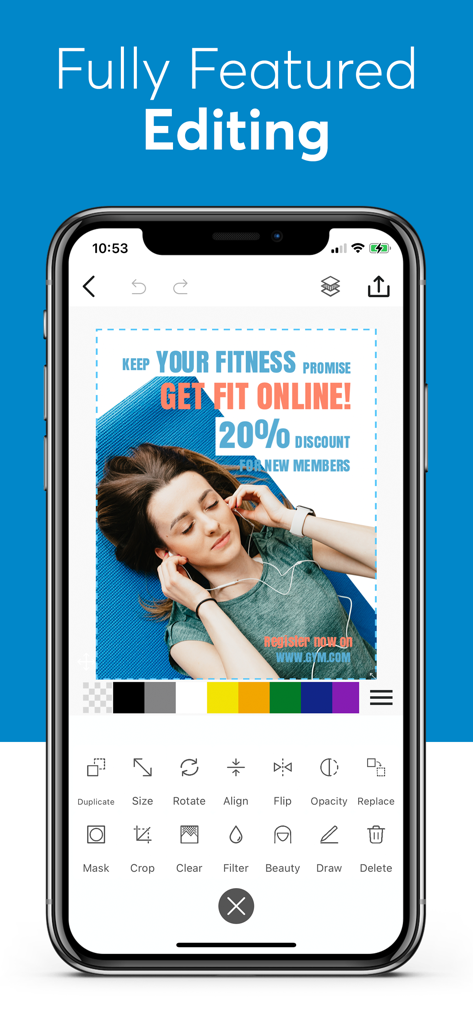
Phonto app interface displaying a fitness advertisement design with text overlay and editing options.

Phonto app interface displaying a fitness advertisement design with text overlay and editing options.

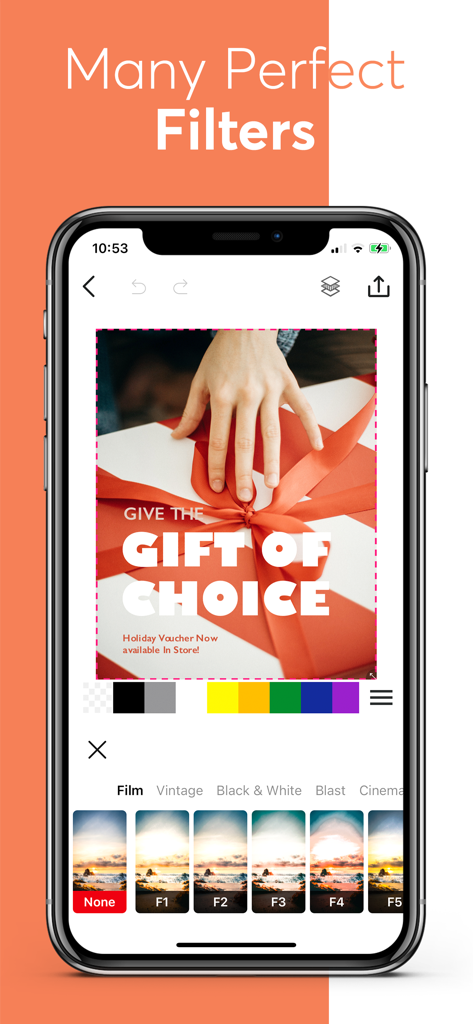
Smartphone screen displaying Phonto app photo filters and editing tools.

Smartphone screen displaying Phonto app photo filters and editing tools.

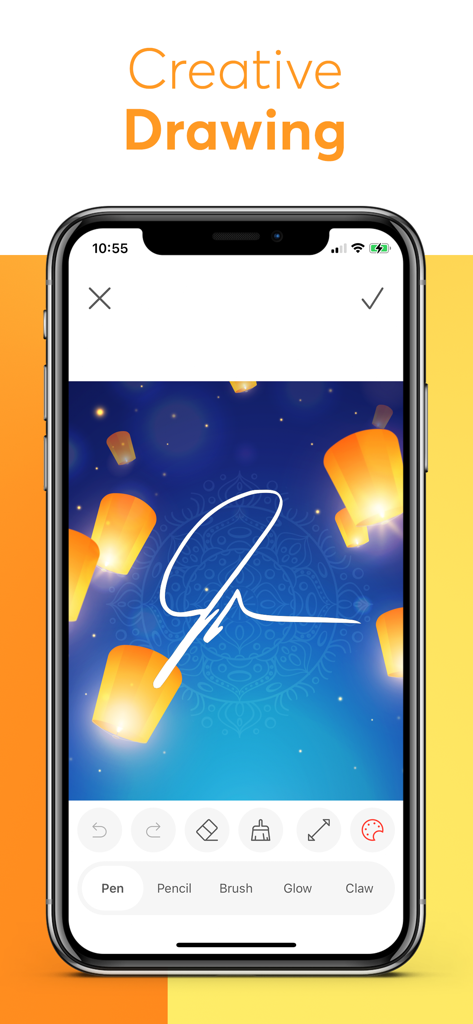
Screenshot of Phonto app showing the creative drawing tool being used to sketch a signature on a photo with floating lanterns

Screenshot of Phonto app showing the creative drawing tool being used to sketch a signature on a photo with floating lanterns

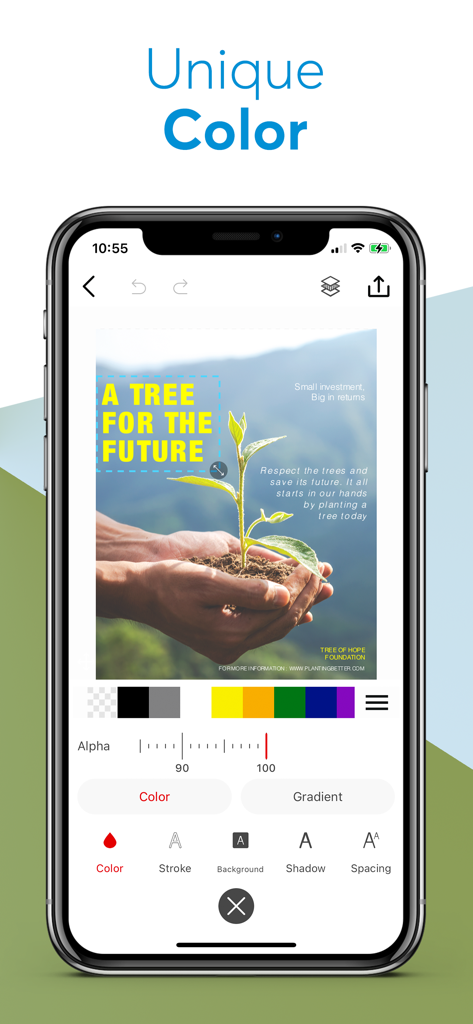
Screenshot of Phonto app interface showing unique color and text styling tools for photo editing

Screenshot of Phonto app interface showing unique color and text styling tools for photo editing

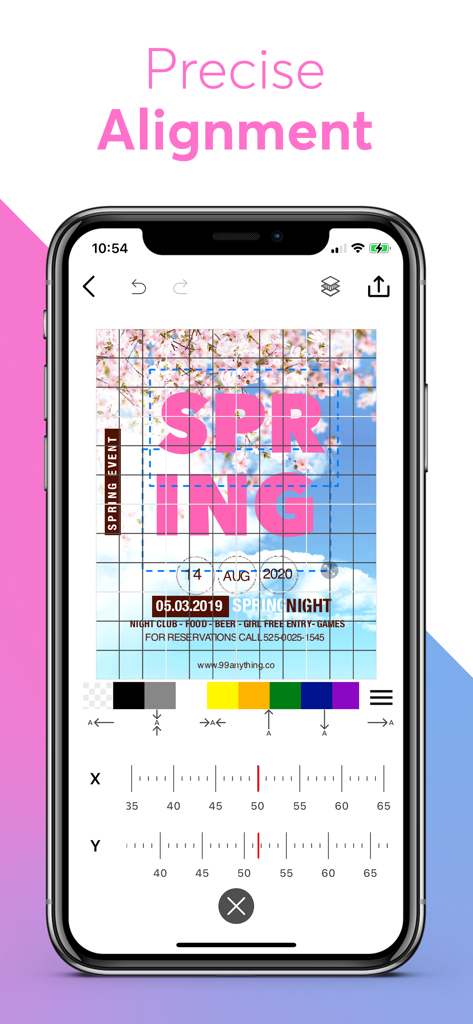
Interface of the Phonto app showing a grid overlay and coordinate sliders for precise alignment of text on a photo

Interface of the Phonto app showing a grid overlay and coordinate sliders for precise alignment of text on a photo

Elevate Your Brand with Professional Designs

The tools that make this app stand out, trusted by 291K+ users.

🖋️

300+ Premium Fonts

Find the perfect voice for your brand with a massive library of fonts, fully customizable for color, spacing, and professional typography styling.

📑

Precision Layer Management

Master complex designs easily. Lock, move, and organize elements with a pro-level layer manager that ensures a polished, watermark-free finish.

Ready-to-Use Templates

Don’t start from scratch. Use our weekly updated templates for sales, ads, and social media to launch your content faster than ever.

Loved by users worldwide

Trusted by 291K+ people who love this app.

"

"Phonto is a lifesaver for my small business! I can create professional-looking 'Flash Sale' banners and Instagram Stories in minutes without any watermarks. The layer management tool makes it feel like I'm using high-end software right on my phone."

Maya R., Small Business Owner
"

"I'm obsessed with the font selection! It's so much better than the standard social media options. I use it for all my travel quotes and aesthetic posters—the variety of stickers and artwork really helps my feed stand out."

Leo G., Content Creator

About the app

Everything you need to know about Phonto.

Description

Phonto is easy to help for create Posters, Flyer, Quotes, Add text on your photos and make advertisement banner, Promo Graphics of sales and offers of your business. - You can use without any watermark. Make designs of every part of your life. - Posters - Banner - Ads - Quotes - Advertisement - Blog banners - Invitations - Greetings cards - Wishes - Flyers - Cards - Logos HIGHLIGHT • Add text on photos Choose from over a 300+ fonts to suit your style, tone and voice. Adjust the font size, color, line height, line spacing, alignment, place and rotation of your words to get your design picture-perfect. • Add Sticker Choose from over over a 20+ categories of stickers and in every categories have more than 300+ stickers to make different kind of events designs for e.g. Sale, Offer, Birthday, Valentine, Sports, Music, Love, Nature, Days Celebrations, etc. • Add Artwork & Shapes Large collection of artworks shape for create flayer and add stylish quotes to elegant photos. Make beautiful graphics for social network. • Layers Manager No worries to manage layout because you have layer option to move up down layer easily and you can locks annoying layer. • Free Template we’ve free ready-made templates to get started and much more being added every week!!!. You can select like you want and start editing over on its. Don’t need to start from scratch. • Save & Share Save your template to your device gallery. Share your creation directly on your social media account like Facebook, Twitter, Instagram, Pinterest, WhatsApp, and more. Select best background from our library of more than 500+ images and design with hundreds of free stickers, artworks elements and fonts. You can choose images from your device gallery to your designs or take photos. Edit backgrounds with different 100+ overlay effect and select your template size, add text, elements, stickers, borders, frames and more. It also allows you to write on top of your photos and add stickers and frames. Poster Maker helps you to create posters, Flayer, text on photo, write memes on pictures and make social media banners. Also create day’s celebration, quotes, love’s albums, greetings card, invitation card, sales, offers and advertising photos and much more. #Poster Maker offers auto-renewing subscription options: •$0.99 per week • You can subscribe for unlimited access to all features and content offered for purchases within Intro.Maker • Subscriptions are billed monthly on the subscription plan • Payment will be charged to iTunes Account at confirmation of purchase • Subscription automatically renews unless auto-renew is turned off at least 24-hours before the end of the current period • Account will be charged for renewal within 24-hours prior to the end of the current period, and identify the cost of the renewal • Subscriptions may be managed by the user and auto-renewal may be turned off by going to the user’s Account Settings after purchase • Any unused portion of a free trial period, if offered, will be forfeited when the user purchases a subscription to that publication, where applicable Fanpage: https://www.facebook.com/Phonto-100276768510851/?modal=admin_todo_tour Youtube: https://www.youtube.com/channel/UC80O1BvWKj146EHrLYsGvLw?view_as=subscriber Terms of Use: https://tos.vidanimate.co Privacy Policy: https://privacy.vidanimate.co

Latest Version

4.22

Size

491.3 MB

First Released

Jan 25, 2019

Ready to Design Without Limits?

Join 291,000+ creators using Phonto to build their brand with professional, watermark-free posters and social graphics—all from the palm of your hand.

Download on App Store
FAQ

Frequently Asked Questions

Everything you need to know about Phonto

What is Phonto?

Phonto is an application designed to create posters, flyers, quotes, and advertisement banners by adding text and various design elements to photos.

Does Phonto offer free usage without watermarks?

Yes, Phonto allows users to create designs without any watermarks. This feature is explicitly stated in the app's description.

What types of designs can Phonto create?

Phonto creates posters, banners, ads, quotes, invitations, greeting cards, flyers, and logos. It supports diverse design needs for personal and business use.

Can users add custom fonts in Phonto?

Yes, Phonto allows users to add custom fonts. Screenshot #2 demonstrates the option to "Install Font" from an external source like dafont.com.

How many fonts are available in Phonto?

Phonto provides over 300 fonts to customize text style, tone, and voice. Users can adjust font size, color, line height, spacing, alignment, and rotation.

Does Phonto include stickers for designs?

Yes, Phonto includes stickers. It offers over 20 categories, with more than 300 stickers per category, for various events like sales, birthdays, and holidays.

Are there pre-made templates available in Phonto?

Yes, Phonto offers free ready-made templates. New templates are added weekly, allowing users to start editing without designing from scratch.

Can users manage layers in Phonto?

Yes, Phonto features a Layers Manager. This option allows users to easily move layers up or down and lock specific layers to manage layout effectively.

What are the subscription options for Phonto?

Phonto offers auto-renewing subscription options, including $0.99 per week. Subscriptions are billed monthly for unlimited access to all features.

How do Phonto subscriptions renew?

Phonto subscriptions automatically renew unless turned off at least 24 hours before the current period ends. Payment charges occur within 24 hours prior to renewal.

Can users save and share their creations from Phonto?

Yes, Phonto allows users to save templates to their device gallery and share creations directly to social media platforms like Facebook, Twitter, and Instagram.

Does Phonto support image filters and overlay effects?

Yes, Phonto supports image filters and offers over 100 overlay effects to edit backgrounds. Screenshot #6 demonstrates various available filters like Film and Vintage.

Can Phonto create 3D text effects?

Yes, Phonto can create 3D text effects. Screenshot #3 visually confirms this feature, showing text rendered with a three-dimensional appearance.

Does Phonto have drawing tools?

Yes, Phonto includes creative drawing tools. Screenshot #7 displays options such as Pen, Pencil, Brush, Glow, and Claw, allowing users to draw directly on designs.

Is it possible to adjust text alignment in Phonto precisely?

Yes, Phonto enables precise text alignment. Screenshot #9 shows alignment guides and X/Y coordinate adjustments for accurate positioning of text elements.