Photo Layers: Editor de fotos

Photo Layers: Editor de fotos

Download on App Store
Logo
Logo of Photo Layers: Editor de fotos
PhotoLeaf: Pro-Level Layer-Based Photo Editing at Your Fingertips

The ultimate creative toolkit for social media creators and mobile designers. Blend images, swap backgrounds, and master color correction with desktop-grade precision—no learning curve required.

Download on App Store

Publisher

Andor Communications Private Limited

Category

Photo & Video

Downloads

654K+

User Rating

4.6/5

Total Ratings

6K+

Locales

14

Creativity in Every Layer

Join over 654K+ musicians using our pro interface.

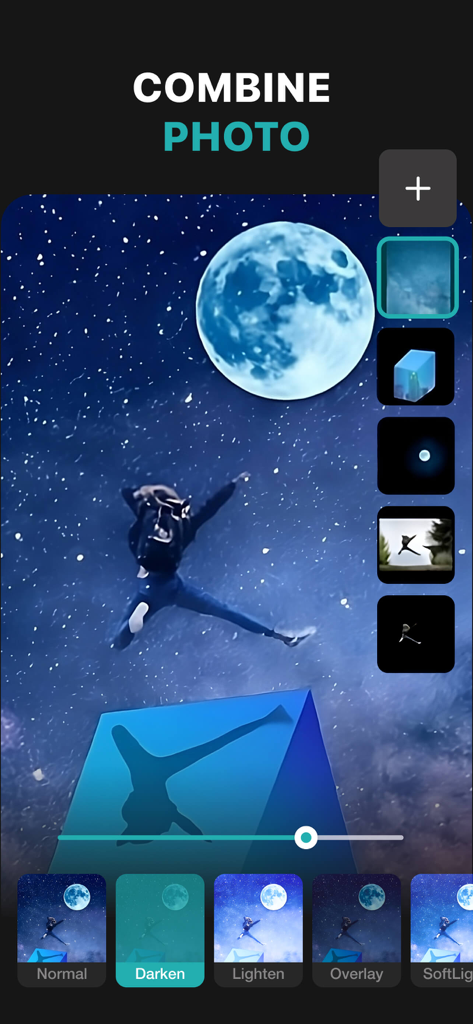
PhotoLeaf mobile app showing layer based photo editing and blending modes on a starry night image

PhotoLeaf mobile app showing layer based photo editing and blending modes on a starry night image

Screenshot of the PhotoLeaf app showing the background changer feature with a woman jumping over different scenery

Screenshot of the PhotoLeaf app showing the background changer feature with a woman jumping over different scenery

PhotoLeaf app interface for resizing photos with various aspect ratio options

PhotoLeaf app interface for resizing photos with various aspect ratio options

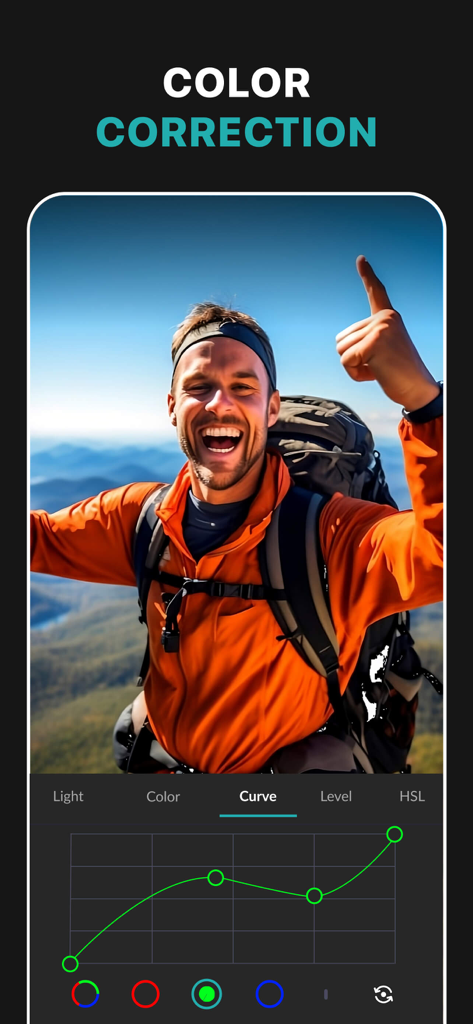
Screenshot of PhotoLeaf app showing the RGB curves tool for professional color correction on a hiking photograph

Screenshot of PhotoLeaf app showing the RGB curves tool for professional color correction on a hiking photograph

A woman portrait being edited with the PhotoLeaf blur background tool showing a before and after comparison

A woman portrait being edited with the PhotoLeaf blur background tool showing a before and after comparison

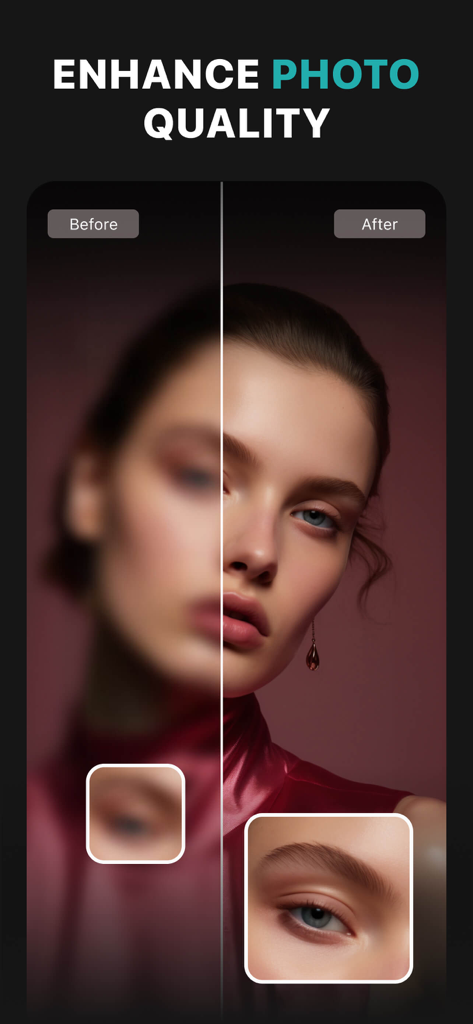
Before and after comparison of a portrait showing photo quality enhancement and sharpening in the PhotoLeaf app.

Before and after comparison of a portrait showing photo quality enhancement and sharpening in the PhotoLeaf app.

PhotoLeaf app screen showing before and after photo filter comparison

PhotoLeaf app screen showing before and after photo filter comparison

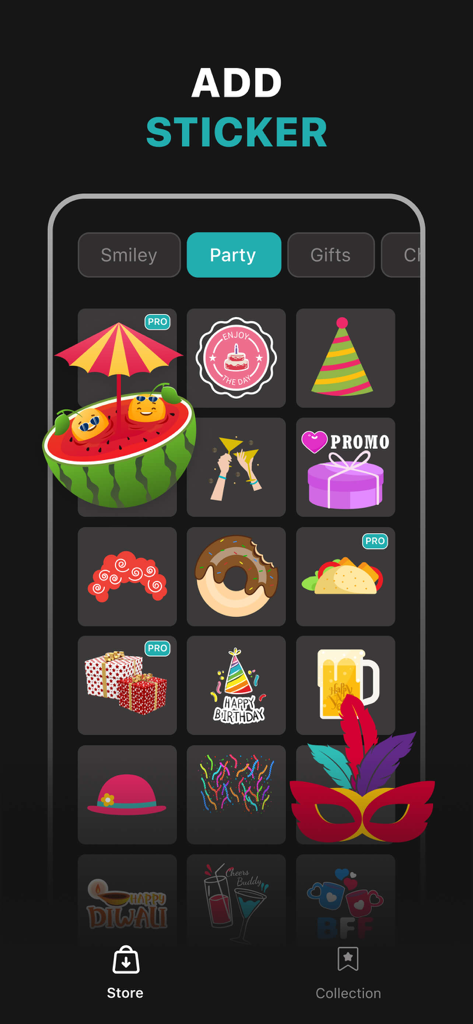
Screenshot of the PhotoLeaf app sticker store showing party-themed graphics like cakes party hats and gift boxes

Screenshot of the PhotoLeaf app sticker store showing party-themed graphics like cakes party hats and gift boxes

Professional Power in Your Pocket

Join 654K+ users who mastered their instrument with these tools.

🎭

Advanced Layer Blending

Combine multiple images with pro-level blending modes and masks to create breathtaking double exposures and artistic compositions.

✂️

Seamless Cutouts & Backgrounds

Use our smart lasso tool to remove backgrounds instantly—perfect for professional product shots, custom stickers, and viral graphics.

🎨

Precision Color Control

Master your palette with hardware-accelerated curves, levels, and luminance masks for professional-grade color grading on the go.

Loved by users worldwide

Trusted by 654K+ people who have transformed their experience with this app.

"

"I've tried every photo app out there, but PhotoLeaf is on another level. Having layer-based editing and curves on my phone is a game changer for my Instagram feed. The double exposure and blending modes allow me to create surreal edits that used to take hours on my desktop, now I do them in minutes while commuting."

Chloe R., Lifestyle Influencer
"

"Absolute lifesaver for my Etsy shop! The smart lasso tool makes removing backgrounds from my product shots so easy and precise. I can superimpose my items onto clean backgrounds and add stylish text in seconds. It has honestly saved me so much money on professional photography costs."

Marcus T., Small Business Owner

About the app

Everything you need to know about Photo Layers: Editor de fotos.

Description

PhotoLeaf : Explore creativity by sleight of hand 
PhotoLeaf is a powerful, full-featured, layer-based photo editing app at your fingertips. PhotoLeaf and a little imagination can make beautiful photo even more beautiful. PhotoLeaf is a photo editing app for everyone : whether you are novice, a pro user or mobile graphic designer. PhotoLeaf app will easily create amazing multi-layered creative with touch of your fingers. Enjoy All rendering, adjustments, brushes and filters are fully hardware accelerated. Overview: • Blend your photos, combine multiple images using layers • Superimpose photos using complex blending modes. • Remove unwanted objects from your image easily. • Custom overlay supported for more flexibility. • Add text layers, shapes and images to create stylish design creative. • Blur, sharpen, lighten, or darken portion/area of an image • Multiple mask modes can be applied on an area. Brush Mask, Color Mask, radial mask, Luminance mask Color correction Like A Pro: • Adjust the brightness and saturation of a color using Hue, Saturation, Lightness • Single-tap color correction presets with color balance, Temperature, Tint, Vibrance, Saturation. • Control the intensity of the respective color channels in the image with Curves: RGB, blue, red, green channels • Color correction with Levels • Tonal color correction with : Highlight and shadow tone, Tone balancing Light Adjustments: • Light: Exposure, Brightness, Contrast, Highlights, Shadows, Whites, Blacks, • Vignette: Amount, Highlights, Roundness General tools & features: 1. Cutout and Photo Background Changer • Use Lasso tool to recognise similar regions and change photo background • You can superimpose your cutout on any photo background and create new content 2. Color Splash Photo Effects • Selectively apply different color, light and gray photo effects on different regions of photos • Smart lasso tool to automatically select similar color splash regions • Powerful brush to selectively edit images 3. Merge photos • Mix photo to create impressive photo effects • Merge photos using different blend modes like darken blend, lighten blend to create double exposure, multiple exposure photo effects 4. Doodle and drawings • Use different doodle brush options to draw on your images • Change color, thickness and size of your doodle brush 5. Text on photo • Add different text on your images and create text memes as well • Option to change thickness, color, font, opacity of the added text 6. Blur Photo Editor • Apply different blur effects like lens blur, bokeh blur and use mask to blur background. • Apply vignette effect on inner and outer regions. 7. Unlimited social fun • Create your own stickers and cartoonize them • Superimpose stickers on different background images to wow your friends • Instantly share on Facebook,Twitter, WhatsApp, WeChat,Instagram and other social networks 8. Standard Editing • Apply global adjustments to your image by changing lighting, tonality and color of your image PHOTOLEAF PREMIUM SUBSCRIPTION : - You can subscribe PhotoLeaf premium subscription for unlimited access to all features within PhotoLeaf app. - Subscriptions are billed monthly, annually at the rate selected depending on the subscription plan. - Subscriptions auto-renew at the cost of the chosen package, unless cancelled 24-hours in advance prior to the end of the current period.  - The subscription fee is charged to your iTunes account at confirmation of purchase.  - You may manage your subscription and turn off auto-renewal by going to your Account Settings after purchase.  - Per Apple policy, no cancellation of the current subscription is allowed during active subscription period.  - Once purchased, refunds will not be provided for any unused portion of the term. - Terms of use: https://www.photoleaf.app/terms.html - Privacy policy: https://www.photoleaf.app/privacy.html

Latest Version

1.1.3

Size

171.3 MB

First Released

Sep 2, 2018

Bring Your Creative Vision to Life

Join over 650,000 creators using PhotoLeaf for professional-grade, layer-based editing. Download now to start blending, masking, and designing like a pro.

Download on App Store