Photoroom: AI Photo Editor

Photoroom: AI Photo Editor

Download on App StoreDownload on Google Play
Spark by MWM logo
Logo of Photoroom: AI Photo Editor

Photoroom: AI Photo Editor for Studio-Quality Product Photos

Join 300 million creators and sellers who use Photoroom to remove backgrounds, stage products with AI, and grow their business with professional visuals in seconds.

Publisher

Photoroom

Category

Photo & Video

Downloads

57M+

User Rating

4.8/5

Total Ratings

1M+

Locales

29

Studio Quality in a Tap

Discover the interface used by 57M+ users.
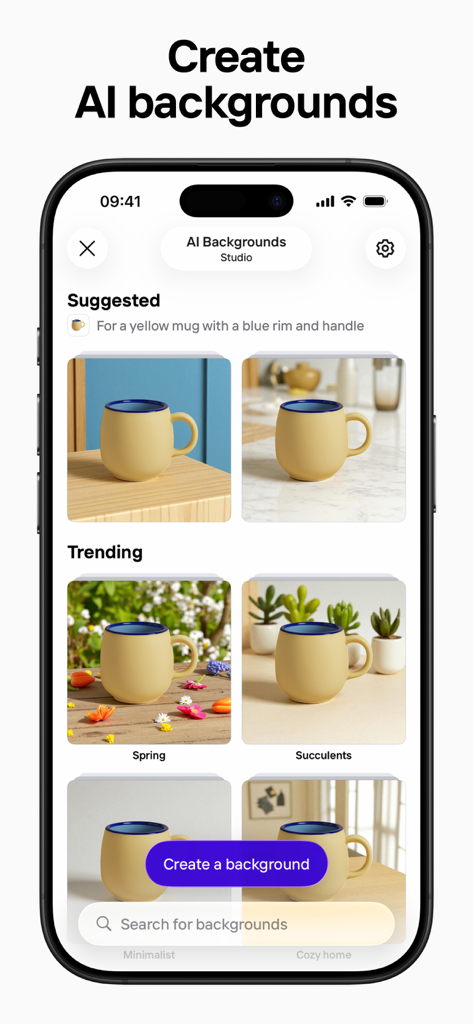
Photoroom app interface showing various AI generated backgrounds for a product photo of a mug

Photoroom app interface showing various AI generated backgrounds for a product photo of a mug

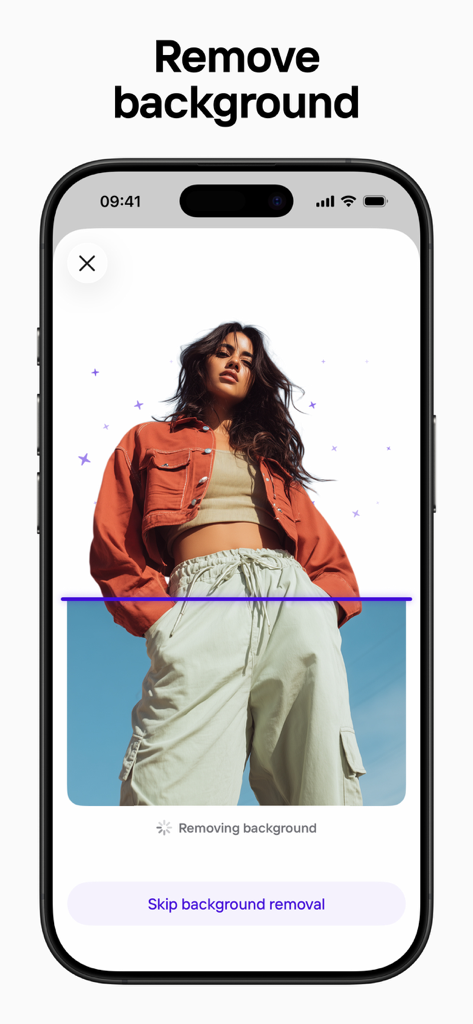
Photoroom app interface showing a mobile screen with an AI-powered background removal tool being applied to a fashion photo

Photoroom app interface showing a mobile screen with an AI-powered background removal tool being applied to a fashion photo

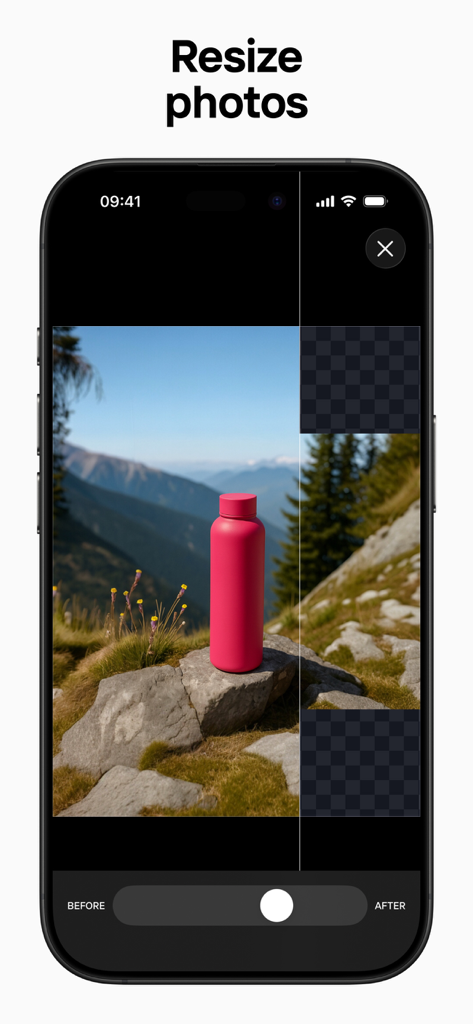
A smartphone screen showing the Photoroom app interface with the resize photos tool being used on a product image of a pink water bottle.

A smartphone screen showing the Photoroom app interface with the resize photos tool being used on a product image of a pink water bottle.

Photoroom app interface showcasing the AI virtual models feature with a blue sweater on different models

Photoroom app interface showcasing the AI virtual models feature with a blue sweater on different models

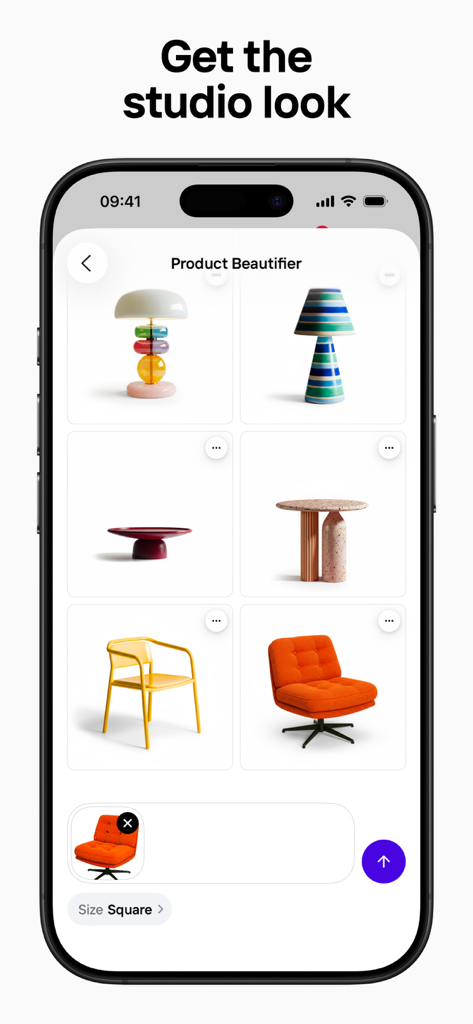
Mobile app interface showing the Product Beautifier feature with professional product photos of home decor items

Mobile app interface showing the Product Beautifier feature with professional product photos of home decor items

photoroom app screen showing the animate designs feature with a floating sneaker and product photos

photoroom app screen showing the animate designs feature with a floating sneaker and product photos

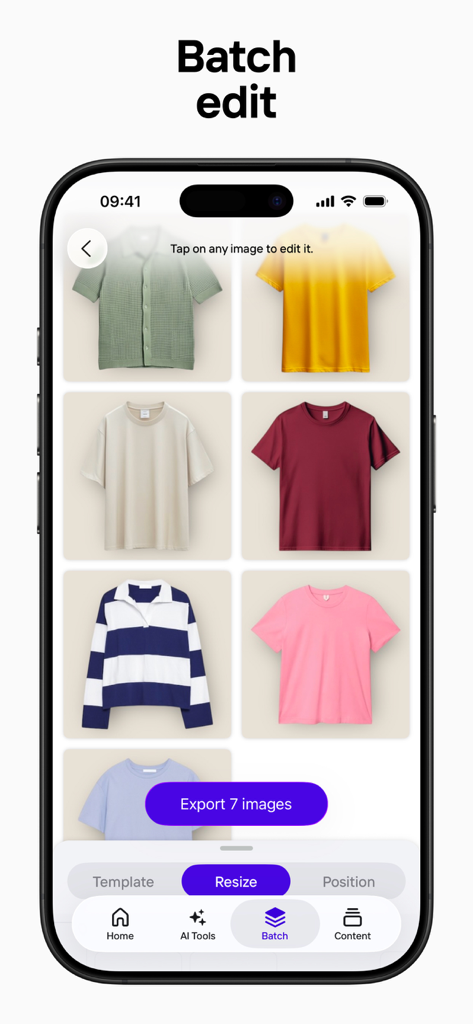
Interface of Photoroom app showing batch editing feature for multiple clothing items for ecommerce listings

Interface of Photoroom app showing batch editing feature for multiple clothing items for ecommerce listings

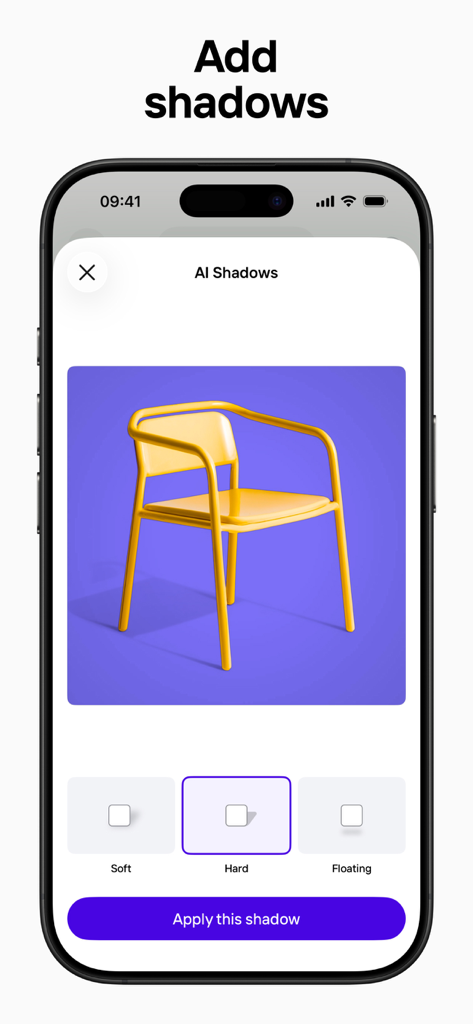
Smartphone screen displaying Photoroom AI shadows feature for professional product editing

Smartphone screen displaying Photoroom AI shadows feature for professional product editing

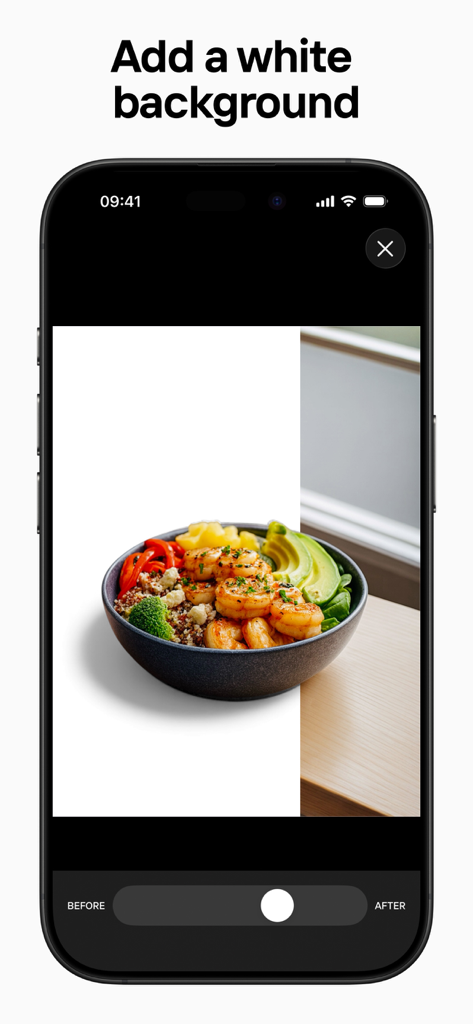
A before and after comparison showing the Photoroom app adding a white background to a photo of a food bowl.

A before and after comparison showing the Photoroom app adding a white background to a photo of a food bowl.

A smartphone screen showing the Photoroom app interface with suggested AI edits for a small character figurine including background removal and animation options.

A smartphone screen showing the Photoroom app interface with suggested AI edits for a small character figurine including background removal and animation options.

Professional Studio Results in One Tap

The tools that make this app stand out, trusted by 57M+ users.

🪄

Instant Background Magic

Remove cluttered backgrounds instantly and replace them with stunning, AI-generated scenes that make your products stand out on any marketplace.

Efficiency at Scale

Use Batch Mode to edit hundreds of photos at once. Apply consistent branding, lighting, and backgrounds to your entire inventory with a single click.

📈

Built for Sellers

Automatically resize and format your images for Amazon, Shopify, Etsy, and social media to ensure your listings meet every platform's professional standards.

Loved by users worldwide

Trusted by 57M+ people who love this app.

"

"Photoroom has completely changed how I run my Etsy shop. I used to spend hours trying to get the lighting right in my apartment, but now I just snap a photo and let the AI handle the rest. The background removal is flawless, and the batch editing saves me so much time when I have a big inventory drop!"

Sarah J., Vintage Boutique Owner
"

"As a social media manager, I need high-quality visuals fast. The AI background generation and virtual models allow me to create high-end lifestyle content for my clients without the cost of a full studio shoot. It’s the most essential tool in my creative kit for building brands that stand out on Instagram."

Marcus T., Digital Content Creator

About the app

Everything you need to know about Photoroom: AI Photo Editor.

Description

Photoroom is the ultimate AI-powered photo editing app, trusted by over 300 million users. Create studio-quality product photos in seconds with Photoroom’s advanced AI photo editing technology—no design skills required. WHY CHOOSE PHOTOROOM? - AI-powered visuals. Describe your idea, and AI generates custom scenes, logos, and more in seconds. - One-tap background removal. Remove or replace backgrounds for polished, professional images. - Virtual models. Showcase clothing on AI-generated models without the need for a photoshoot. - Stage products. Place products in realistic, on-brand scenes. - Beautify products. Enhance your shots with AI-powered lighting and detail improvements. - Batch editing. Edit multiple photos at once—perfect for e-commerce. - Optimized images for social & marketplaces. Resize for Instagram, YouTube, Amazon, Shopify, Etsy, Depop, Poshmark, and more. - Video generation. Turn any image into an animation. - AI Instagram Stories. Create eye-catching, ready-to-post Stories. - Professional templates. Customize designer-made templates for promotions and special events. - Advanced retouching. Remove objects, clean up images, and refine photos with ease. - Brand Kit. Keep your designs consistent with saved elements. - Team collaboration. Invite team members to edit and share designs. WHO IS PHOTOROOM FOR? - E-commerce sellers creating standout product listings. - Content creators building a recognizable brand. - Social media managers producing engaging posts. - Anyone who wants high-quality visuals. KEY FEATURES - AI background removal & generation. - AI-powered product visuals. - AI Instagram Stories. - Virtual models. - Batch editing. - Photo retouching tools. - E-commerce & social media resizing. - Video generation. - Editable templates. - Team collaboration. UPGRADE YOUR ACCOUNT Unlock advanced tools, premium templates, and extended export limits. Payment will be charged to your Apple ID account at confirmation of purchase. Subscriptions automatically renew unless cancelled at least 24 hours before the end of the current period. Your account will be charged for renewal within 24 hours prior to the end of the current period. You can manage or cancel your subscription anytime in your App Store account settings. Join 300M+ users and create pro-quality visuals effortlessly with Photoroom! Terms of Use: https://photoroom.app/legal/terms-and-conditions/

Latest Version

2025.52.01

Size

266.7 MB

First Released

Mar 26, 2019

Join 300M+ Creators and Boost Your Sales Today

Turn any photo into a professional listing in seconds. Download Photoroom and experience the power of AI-driven product photography at your fingertips.

Download on App StoreDownload on Google Play
FAQ

Frequently Asked Questions

Everything you need to know about Photoroom: AI Photo Editor

What is Photoroom: AI Photo Editor?

Photoroom is an AI-powered photo editing app that allows users to create studio-quality product photos, remove backgrounds, generate AI visuals, and enhance images. It serves over 300 million users.

Does Photoroom offer AI background removal?

Yes, Photoroom features one-tap AI background removal, allowing users to easily remove or replace backgrounds for polished and professional images. This functionality is a core feature of the app.

Can I create custom AI backgrounds with Photoroom?

Yes, Photoroom allows users to create custom AI backgrounds. You can describe your idea, and the AI generates custom scenes, logos, and more in seconds to stage products.

Can Photoroom generate virtual models for clothing?

Yes, Photoroom offers virtual models. Users can showcase clothing on AI-generated models without the need for a physical photoshoot, providing a versatile solution for e-commerce.

Does Photoroom support batch editing for photos?

Yes, Photoroom supports batch editing. This feature allows users to edit multiple photos at once, which is ideal for e-commerce businesses managing many product images.

How does Photoroom handle subscription renewals and cancellations?

Photoroom subscriptions automatically renew unless cancelled at least 24 hours before the current period ends. Payment is charged to your Apple ID, and you can manage or cancel it in your App Store account settings.

Can Photoroom resize images for social media and e-commerce platforms?

Yes, Photoroom optimizes images for social media and marketplaces. It can resize photos for platforms like Instagram, YouTube, Amazon, Shopify, Etsy, Depop, and Poshmark.

What kind of businesses or users benefit from Photoroom: AI Photo Editor?

Photoroom is designed for e-commerce sellers, content creators, and social media managers who need to produce high-quality visuals. It also caters to anyone seeking professional photo editing capabilities.

Does Photoroom offer tools for product beautification?

Yes, Photoroom provides AI-powered product beautification. This feature enhances shots with improved lighting and detail, helping products achieve a professional studio look.

Can I animate my designs using Photoroom?

Yes, Photoroom includes video generation capabilities. Users can turn any image into an animation, adding dynamic elements to their designs within the app.