Presets for Lightroom: Filters

Presets for Lightroom: Filters

Download on App Store
Spark by MWM logo
Logo of Presets for Lightroom: Filters

Presets for Lightroom: Filters – Create Your Dream Aesthetic Instantly

Turn your photos into professional masterpieces with curated, one-tap presets. Designed for creators who want a cohesive and stunning feed without the effort.

Publisher

Alenrom sp. z o.o.

Category

Graphics & Design

Downloads

715K+

User Rating

4.8/5

Total Ratings

9K+

Locales

21

Aesthetic Excellence

Discover the interface used by 715K+ users.
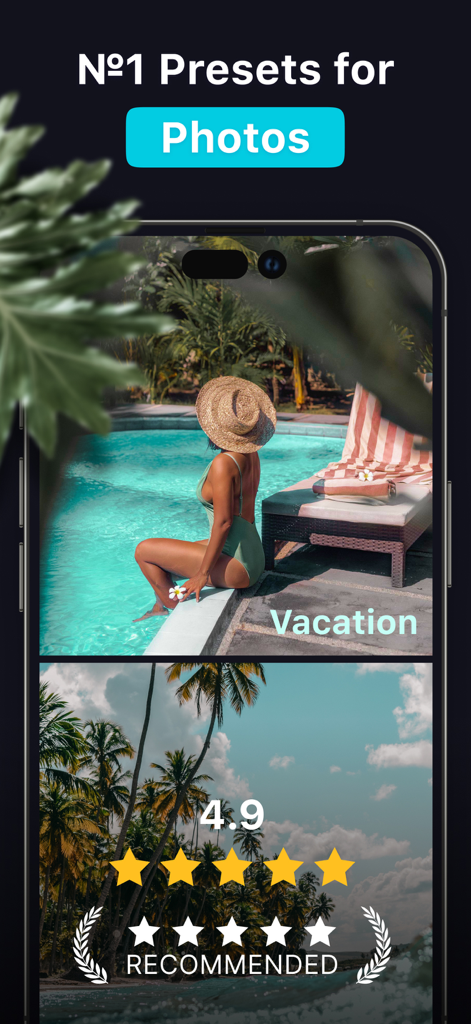
Lightroom presets for photos featuring a vacation aesthetic and high user ratings

Lightroom presets for photos featuring a vacation aesthetic and high user ratings

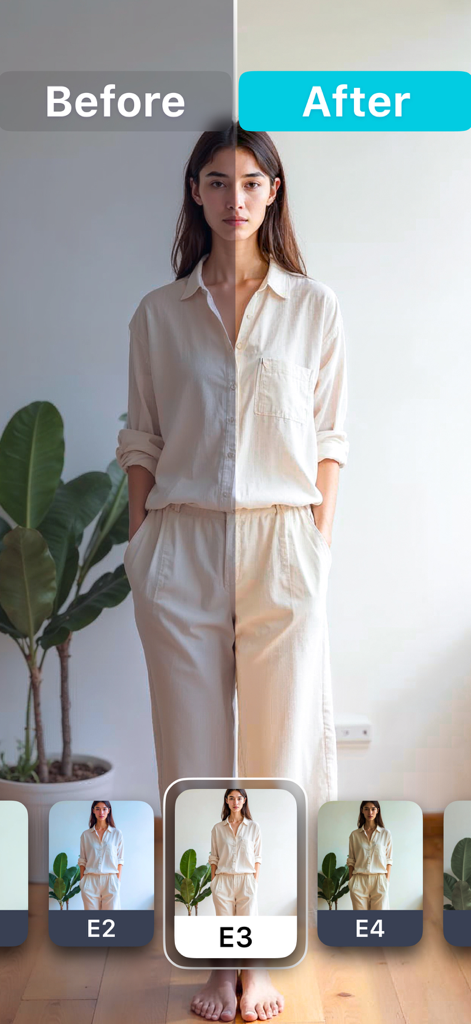
Comparison of a portrait photo before and after applying a Lightroom preset filter

Comparison of a portrait photo before and after applying a Lightroom preset filter

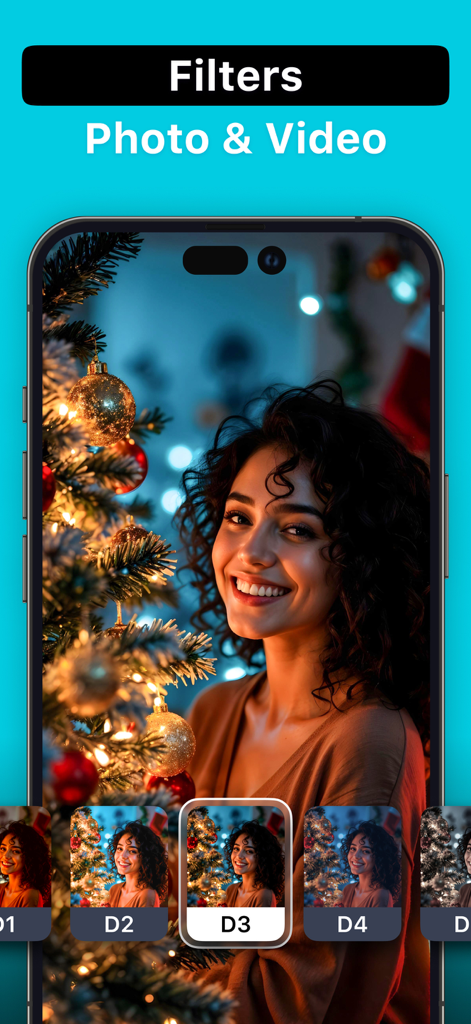
iPhone app interface showing various photo and video filters being applied to a portrait of a smiling woman by a Christmas tree

iPhone app interface showing various photo and video filters being applied to a portrait of a smiling woman by a Christmas tree

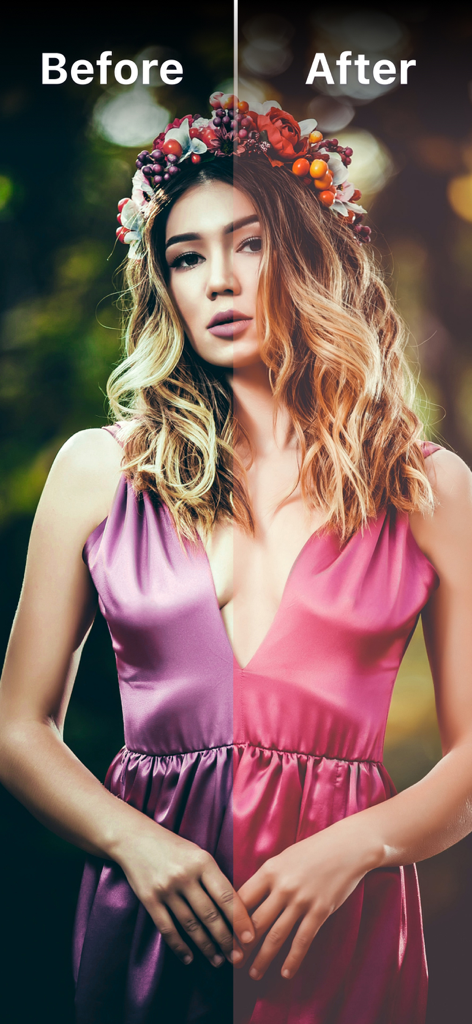
Side by side comparison of a woman portrait before and after applying an aesthetic Lightroom filter

Side by side comparison of a woman portrait before and after applying an aesthetic Lightroom filter

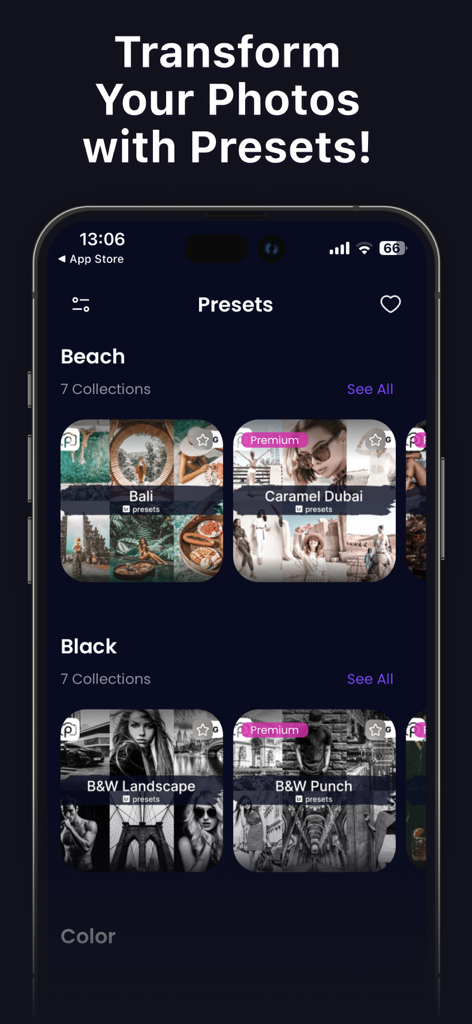
Mobile app interface showing organized photo preset categories like Beach and Black and White

Mobile app interface showing organized photo preset categories like Beach and Black and White

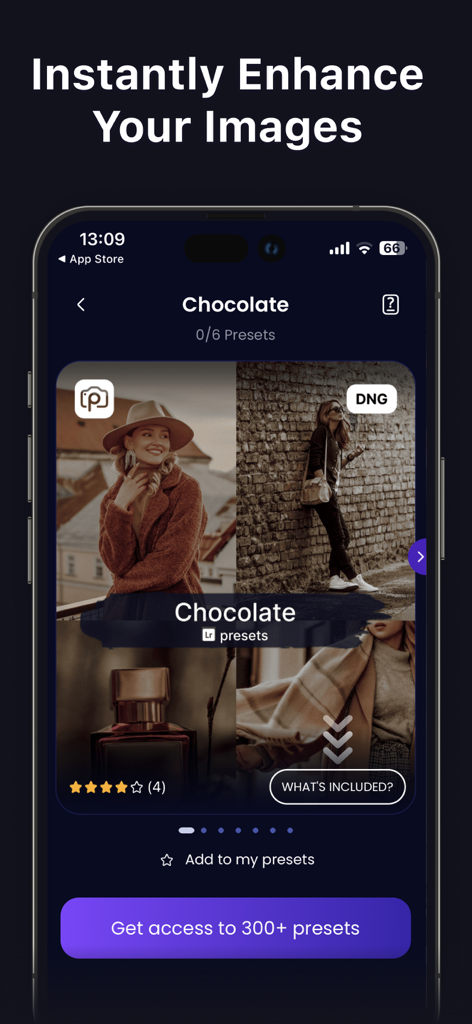
A mobile phone displaying a collection of warm chocolate-toned Lightroom presets for photo editing

A mobile phone displaying a collection of warm chocolate-toned Lightroom presets for photo editing

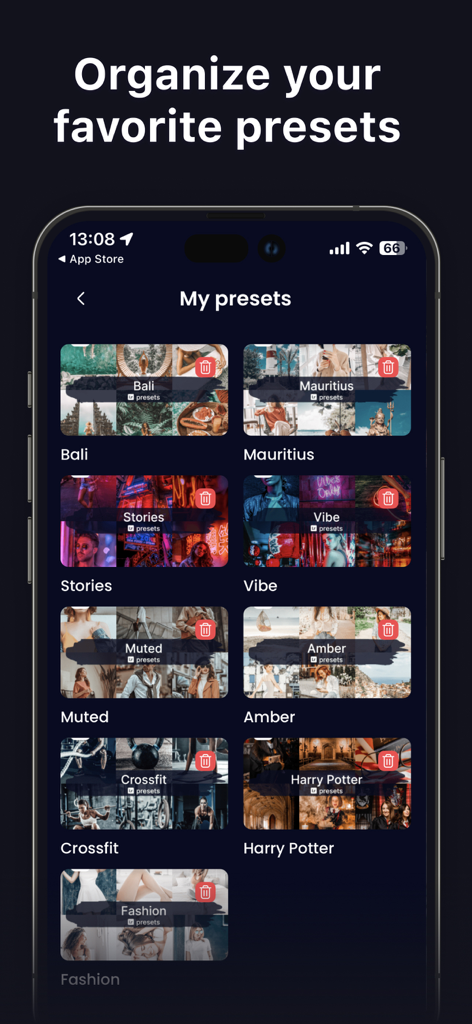
A mobile interface showing a collection of organized favorite photo presets in categories like travel and fashion.

A mobile interface showing a collection of organized favorite photo presets in categories like travel and fashion.

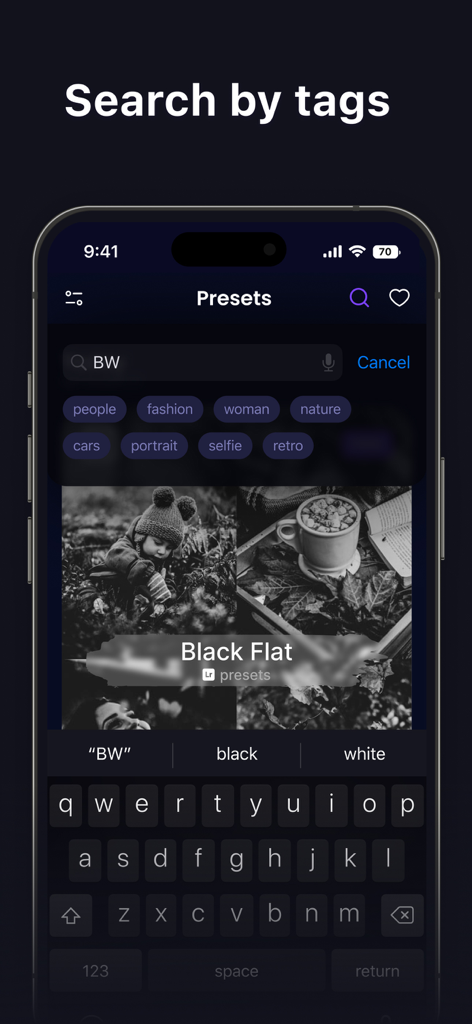
Mobile app interface showing search by tags for Lightroom photo presets including categories like fashion and portrait.

Mobile app interface showing search by tags for Lightroom photo presets including categories like fashion and portrait.

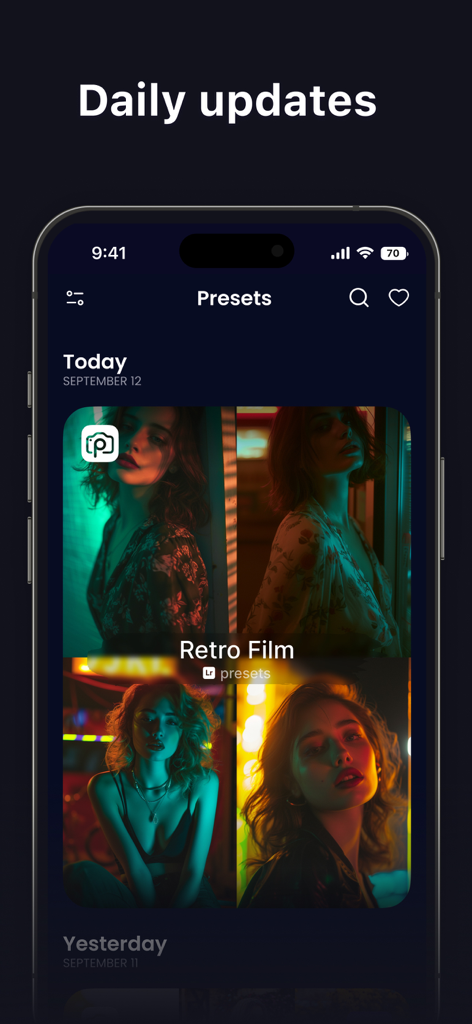
Interface of the Lightroom presets app showing daily updates and Retro Film filters for photos.

Interface of the Lightroom presets app showing daily updates and Retro Film filters for photos.

Elevate Your Aesthetic Effortlessly

The tools that make this app stand out, trusted by 715K+ users.

📸

Instant Professional Results

Skip the complex editing tools. Apply high-quality filters in a single tap to make your photos look like they were edited by a pro.

Trending Aesthetic Styles

From 'Light & Airy' to 'Moody Vintage,' find the perfect curated look to match your personal brand across Instagram and TikTok.

📂

Smart Category Browsing

Easily navigate through organized packs designed for portraits, landscapes, and urban shots to keep your digital gallery perfectly consistent.

Loved by users worldwide

Trusted by 715K+ people who love this app.

"

"This app is a literal life-saver for my Instagram feed! The presets are so high-quality and they give my photos that perfect, cohesive aesthetic without me having to spend hours in Lightroom. I love the organized categories—it makes finding the right look so fast and easy."

Chloe M.
"

"I'm not a professional editor, but these presets make my travel photos look incredible. The step-by-step instructions were perfect for getting started, and I love that I can save my favorite filters for quick access while I'm on the go. Definitely worth the subscription!"

Jordan R.

About the app

Everything you need to know about Presets for Lightroom: Filters.

Description

Create stunning, high-quality photos in just a few taps. Our app offers a curated collection of high-quality presets for Lightroom, designed to enhance your photos and give them a unique style. Whether you’re editing portraits, landscapes, or social media content, you’ll find the perfect preset to match your vision. All presets are neatly organized into categories, making it easy to browse and choose the right look. Save your favorite presets for quick access and reuse them anytime. Step-by-step instructions are included, so even beginners can achieve great results without prior editing experience. Edit photos directly on your phone, create eye-catching posts, and make your feed stand out with photos you’ll be proud to share. SUBSCRIPTION PLANS: App offers 3 types of subscriptions to choose from 1. Week plan with 3-day trial period 2. Monthly plan 3. Annual plan More Subscription Information: - Payment will be charged to your Apple ID account at confirmation of purchase. - Subscription automatically renews unless auto-renew is turned off at least 24 hours before the end of the current period. - Within 24-hours prior to the end of the current period, the account will be charged for the renewal of the subscription, indicating the cost of the renewal. - You can manage subscriptions and turn off auto-renewal after purchase by going to your App Store account settings. - Any unused portion of a free trial period, if offered, will be forfeited when purchasing a subscription. - The offer is limited to a 3-day trial for a weekly subscription. At the end of the 3-day trial period, the subscription will automatically renew according to the tariff, unless it is canceled at least 24 hours before the end of the 3-day trial. Privacy Policy https://appalenrom.eu/privacy.html Terms of Use https://appalenrom.eu/terms.html

Latest Version

1.0.29

Size

116.7 MB

First Released

May 3, 2022

Elevate Your Aesthetic in One Tap

Join 715,000+ creators using our professional Lightroom presets to craft the perfect feed. Download now and start your 3-day free trial today.

Download on App Store
FAQ

Frequently Asked Questions

Everything you need to know about Presets for Lightroom: Filters

What is Presets for Lightroom: Filters?

"Presets for Lightroom: Filters" is an app that provides a curated collection of high-quality presets for Lightroom. It helps users enhance photos and create unique styles for various content, including portraits, landscapes, and social media posts.

Does Presets for Lightroom: Filters offer presets for both photos and videos?

Yes, "Presets for Lightroom: Filters" offers filters for both photos and videos. The app allows users to apply these enhancements to various media types.

Can beginners use Presets for Lightroom: Filters without prior editing experience?

Yes, beginners can use "Presets for Lightroom: Filters" effectively. The app includes step-by-step instructions to help users achieve great results without requiring prior editing experience.

What types of subscription plans does Presets for Lightroom: Filters offer?

"Presets for Lightroom: Filters" offers three subscription plans: a weekly plan with a 3-day trial period, a monthly plan, and an annual plan.

How does the free trial work for Presets for Lightroom: Filters?

The app offers a 3-day trial period specifically for the weekly subscription. The subscription automatically renews after the trial unless canceled at least 24 hours before it ends.

Can users organize their favorite presets in Presets for Lightroom: Filters?

Yes, users can organize their favorite presets in "Presets for Lightroom: Filters." The app provides a dedicated "My presets" section where users can save and manage their preferred collections.

Are the presets in Presets for Lightroom: Filters organized into categories?

Yes, all presets in "Presets for Lightroom: Filters" are neatly organized into categories. This structure facilitates easy browsing and selection of the appropriate aesthetic.

Does Presets for Lightroom: Filters offer daily updates for new presets?

Yes, "Presets for Lightroom: Filters" provides daily updates for new presets. Users can find new collections in sections labeled "Today" and "Yesterday" within the app.

How many presets are available in Presets for Lightroom: Filters?

"Presets for Lightroom: Filters" provides access to over 300 presets. These are available across various categories and premium collections within the application.

Can I cancel my subscription to Presets for Lightroom: Filters?

Yes, you can manage your subscription to "Presets for Lightroom: Filters" and turn off auto-renewal after purchase. This management is performed through your Apple ID account settings.