Remote Desktop Manager

Remote Desktop Manager

Download on App Store
Spark by MWM logo
Logo of Remote Desktop Manager
Remote Desktop Manager: The Ultimate IT Command Center in Your Pocket

Centralize all your RDP, SSH, and VNC connections with professional-grade credential management. Securely monitor and manage your entire infrastructure from anywhere, ensuring zero downtime even when you are away from your desk.

Publisher

Devolutions inc.

Category

Utilities

Downloads

36K+

User Rating

3.8/5

Total Ratings

400

Locales

14

Your Command Center Anywhere

Discover the interface used by 36K+ users.
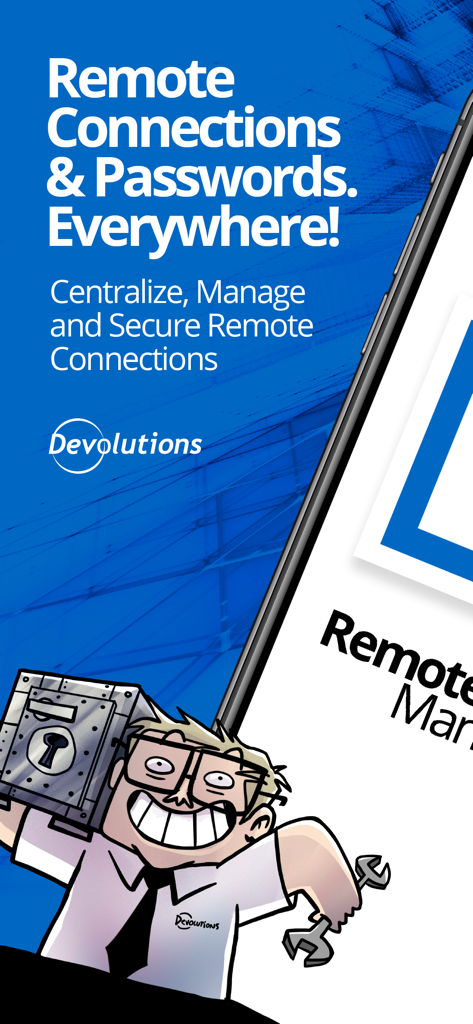
Remote Desktop Manager promotional screen showing text about centralizing remote connections and passwords with an IT professional illustration

Remote Desktop Manager promotional screen showing text about centralizing remote connections and passwords with an IT professional illustration

Remote Desktop Manager app on a smartphone with the Devolutions security slogan

Remote Desktop Manager app on a smartphone with the Devolutions security slogan

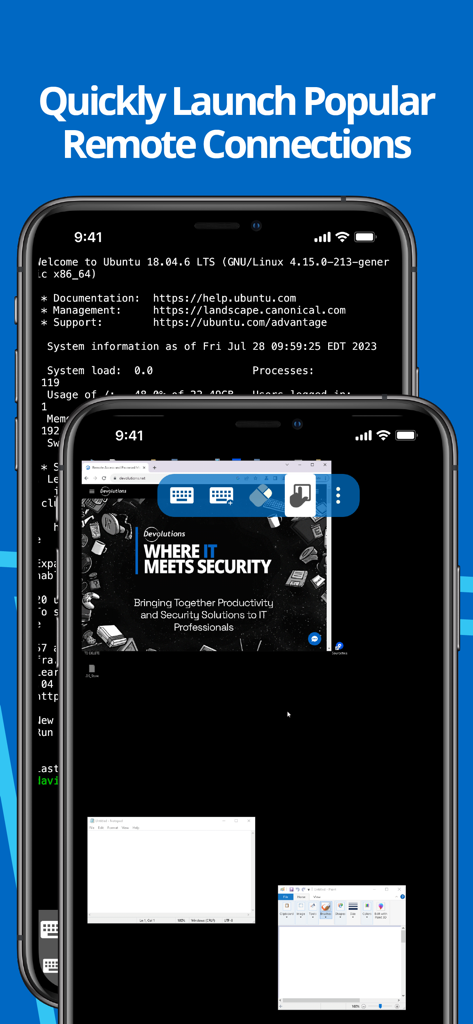
Remote Desktop Manager app interface showing SSH terminal and remote desktop on mobile devices

Remote Desktop Manager app interface showing SSH terminal and remote desktop on mobile devices

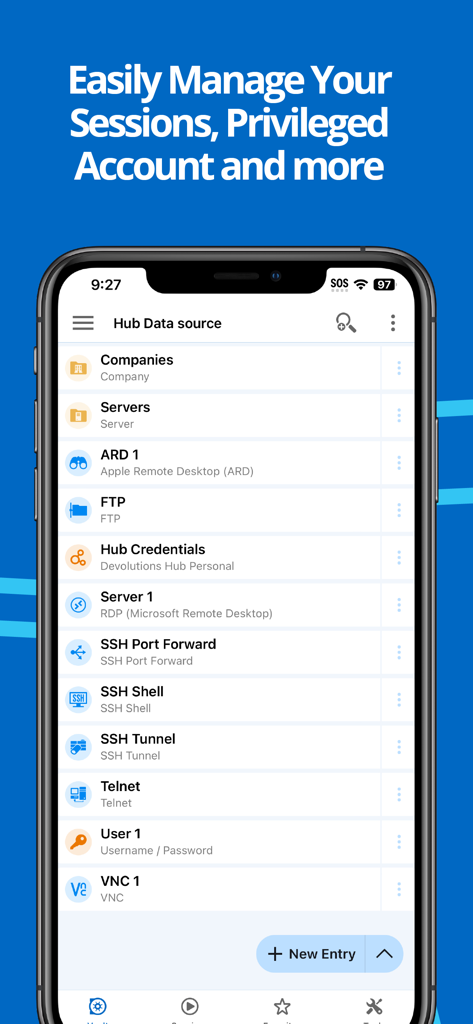
List of remote connections like RDP and SSH in the Remote Desktop Manager mobile app

List of remote connections like RDP and SSH in the Remote Desktop Manager mobile app

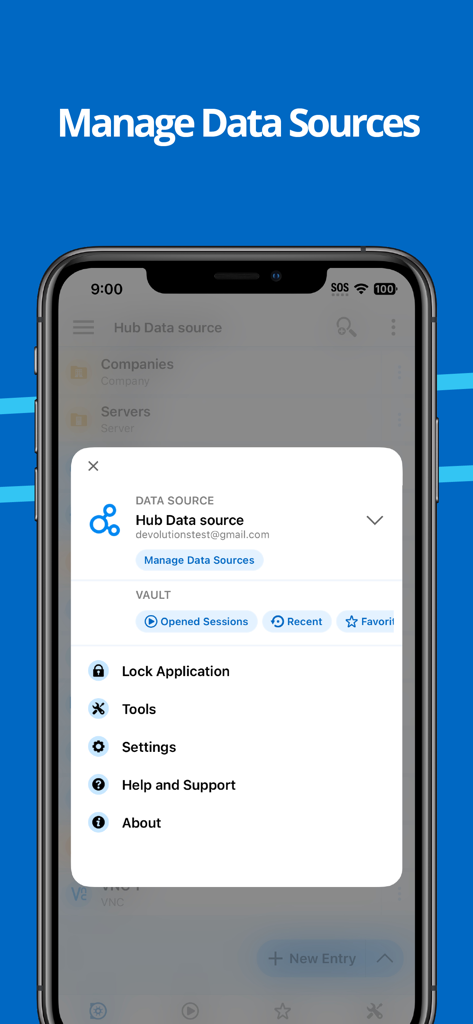
iPhone screen showing the Remote Desktop Manager app menu for managing data sources and application settings

iPhone screen showing the Remote Desktop Manager app menu for managing data sources and application settings

Your Infrastructure, Fully Centralized

The tools that make this app stand out, trusted by 36K+ users.

🔗

Multi-Protocol Command Center

Consolidate your workflow with support for RDP, SSH, VNC, and ARD. Launch connections to servers, VMs, and cloud storage from a single, unified dashboard.

🔐

Secure Credential Injection

Eliminate credential fatigue. Seamlessly integrate with Bitwarden, 1Password, and CyberArk to automatically sign in to remote sessions without manual entry.

👥

Team-Wide Synchronization

Stay in sync with your team by connecting to shared data sources like SQL Server or Devolutions Hub, ensuring your mobile connection list is always up to date.

Loved by users worldwide

Trusted by 36K+ people who love this app.

"

"As a Senior Systems Engineer managing over 200 servers across multiple client sites, RDM for iOS is my ultimate mobile command center. The ability to launch RDP and SSH sessions while synced to our central Devolutions Server database has made our on-call rotations significantly less stressful. It is the only app I trust for enterprise-level remote management."

Marcus Thompson, Senior Systems Engineer
"

"I have finally replaced my bulky laptop with an iPad for field audits and quick fixes. The integration with Bitwarden and Devolutions Hub is flawless, allowing me to access secure credentials on the fly. Whether I am tunneling into a private server or managing Azure storage, this app handles complex IT infrastructure with professional-grade precision."

Sarah Jenkins, Infrastructure Consultant

About the app

Everything you need to know about Remote Desktop Manager.

Description

Remote Desktop Manager for iOS is a free tool that enables access to all your remote connections and passwords. Centralize your connections in data sources and access your data from anywhere, from in the field with RDM mobile or in the office and at home with RDM desktop! Remote Connections ================ Remote Desktop Manager for iOS supports Microsoft Remote Desktop Protocol (RDP), VNC, Apple Remote Desktop (ARD), SSH Shell, SSH Tunnel, Proxy Tunnel, Telnet, FTP, TFTP, SFTP, SCP, Active Directory Console, WebDAV, Google Drive, Microsoft OneDrive, Microsoft RDP Gateway, Azure Blob Storage Explorer, Amazon AWS Dashboard, Amazon S3 Explorer, Website, Devolutions PAM Dashboard, SSH Port forward, Dell iDRAC, Dropbox Explorer, HP iLO, BeyondTrust Password Safe and BeyondTrust Password Safe Dashboard. Once configured, connections to your remote servers, virtual machines and other workstations can be easily launched using a single tap. Password Management ================= Along with remote connections, Remote Desktop Manager for iOS lets you save and manage your passwords and credentials from your centralized database or your local XML file. Easily input your credentials and automatically sign in everywhere. Credentials ========= RDM supports generic credentials as well as the following integrations: 1Password, Bitwarden, CyberArk, CyberArk AAM, Dashlane, Keeper, LastPass, One Time Password, Passportal, Password Manager Pro, Passwordstate, Pleasant Password Server, RoboForm, Secret Server, Sticky Password, TeamPass, True Key, and Zoho Vault, in addition to our own products, Devolutions Hub, Devolutions Server. Database ======= Remote Desktop Manager for iOS supports these data sources: For teams: - Devolutions Server (DVLS) - Devolutions Hub Business - Microsoft SQL Server For individuals: - Devolutions Hub Personal - XML File - Dropbox - Google Drive

Latest Version

2025.3.2

Size

218.5 MB

First Released

Sep 23, 2015

The Command Center That Fits in Your Pocket

Stop being chained to your desk. Access all your remote connections and credentials securely from your iPhone or iPad. Download the pro-grade tool for IT experts today.

Download on App Store