Reverse Image Search & AI Lens

Reverse Image Search & AI Lens

Download on App Store
Spark by MWM logo
Logo of Reverse Image Search & AI Lens
Reverse Image Search & AI Lens: Your All-in-One Visual Discovery and Verification Powerhouse

Uncover the truth behind any photo, identify products instantly, and navigate the world with AI. Powered by Google, Bing, Yandex, and TinEye to help you detect fakes, find original sources, and get instant answers from every image.

Publisher

Yajing Qian

Category

Utilities

Downloads

4M+

User Rating

4.5/5

Total Ratings

43K+

Locales

13

Visual Intelligence at a Glance

Discover the interface used by 4M+ users.
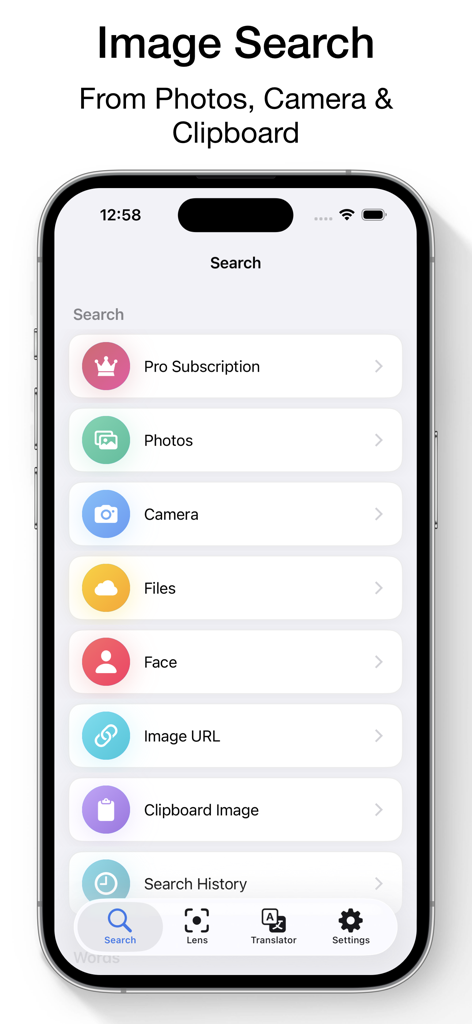
Main interface of the Reverse Image Search app on an iPhone showing options to search by photo camera and clipboard

Main interface of the Reverse Image Search app on an iPhone showing options to search by photo camera and clipboard

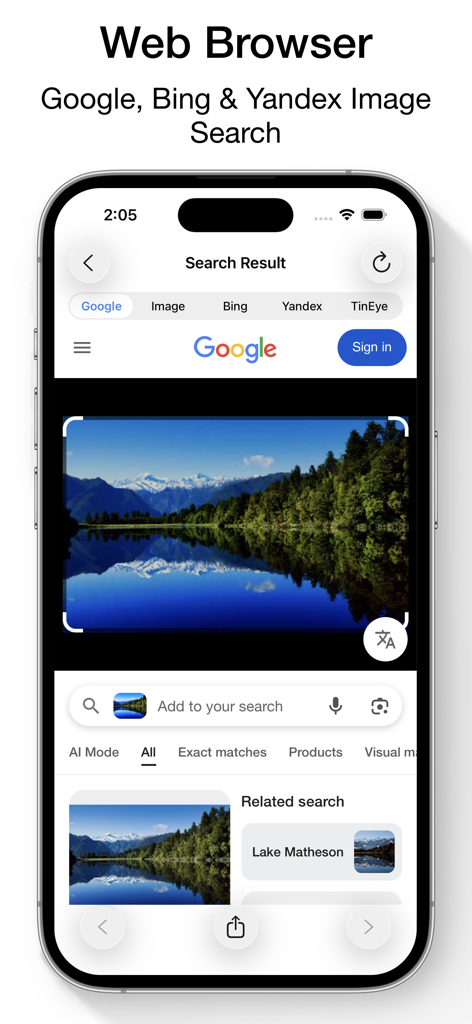
Smartphone screen showing reverse image search results for a lake using Google Bing and Yandex engines

Smartphone screen showing reverse image search results for a lake using Google Bing and Yandex engines

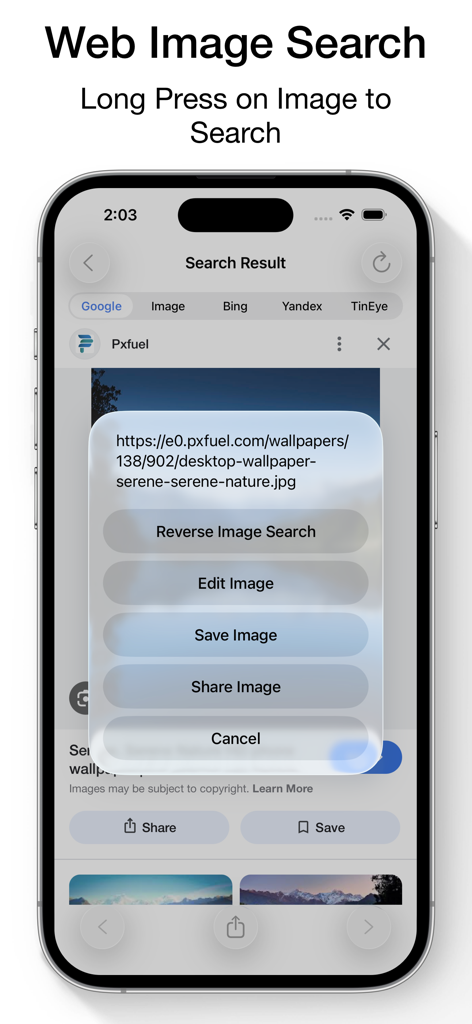
Interface showing a long-press context menu on a web image to perform a reverse search using multiple engines.

Interface showing a long-press context menu on a web image to perform a reverse search using multiple engines.

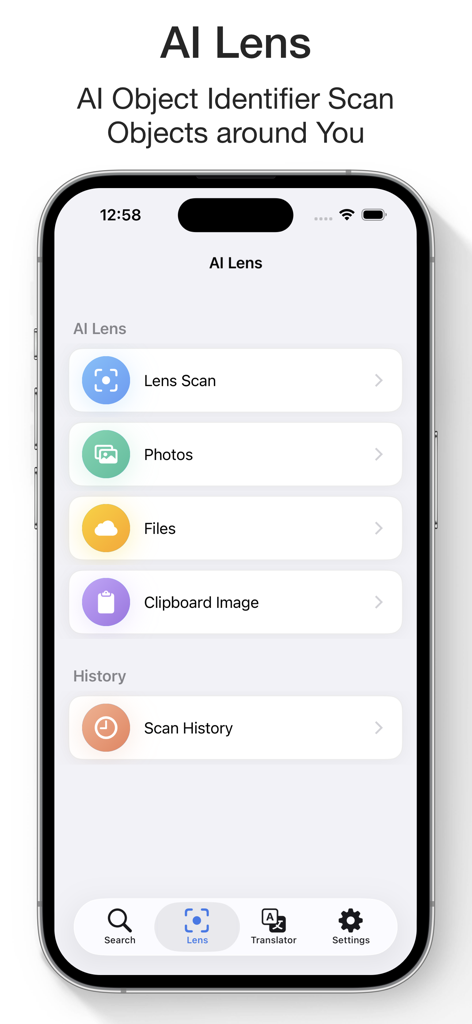
AI Lens interface for scanning and identifying objects via camera photos or files

AI Lens interface for scanning and identifying objects via camera photos or files

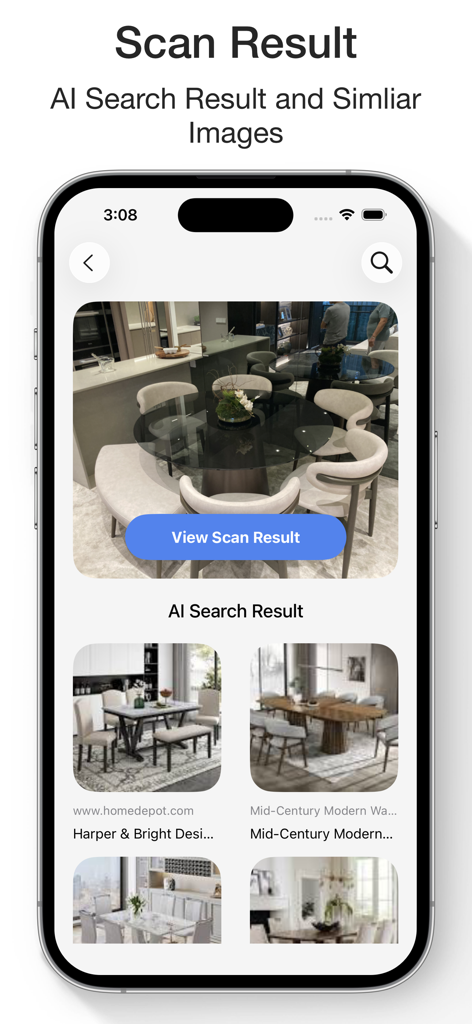
AI search results in the Reverse Image Search app showing similar furniture items

AI search results in the Reverse Image Search app showing similar furniture items

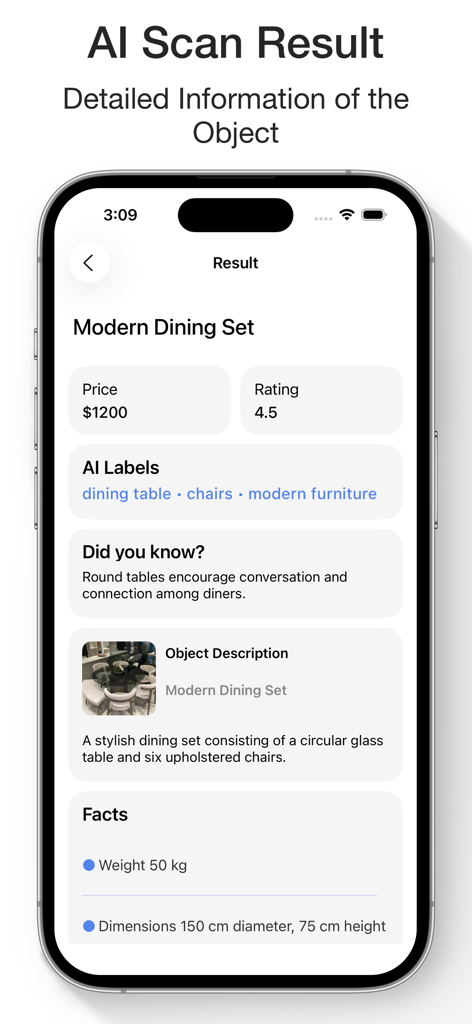
AI scan result for a modern dining set showing price rating and object details

AI scan result for a modern dining set showing price rating and object details

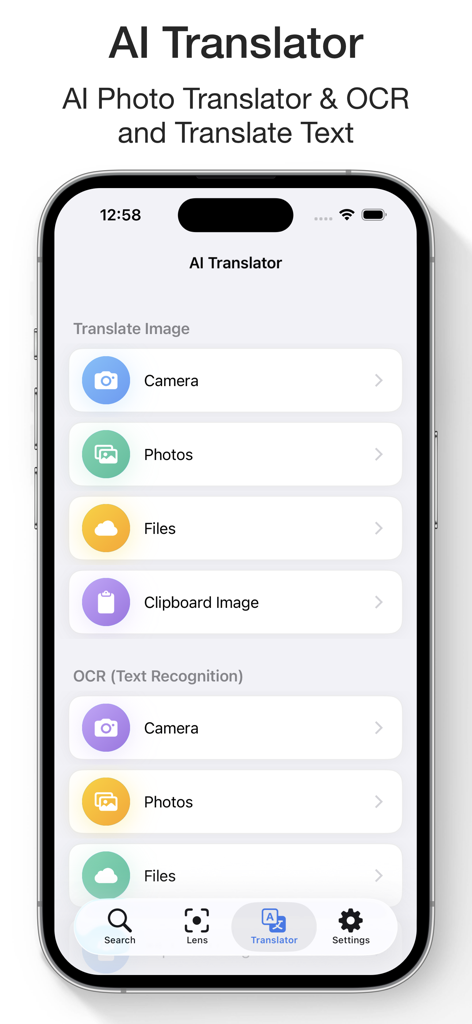
AI Translator and OCR interface for translating text from images and files

AI Translator and OCR interface for translating text from images and files

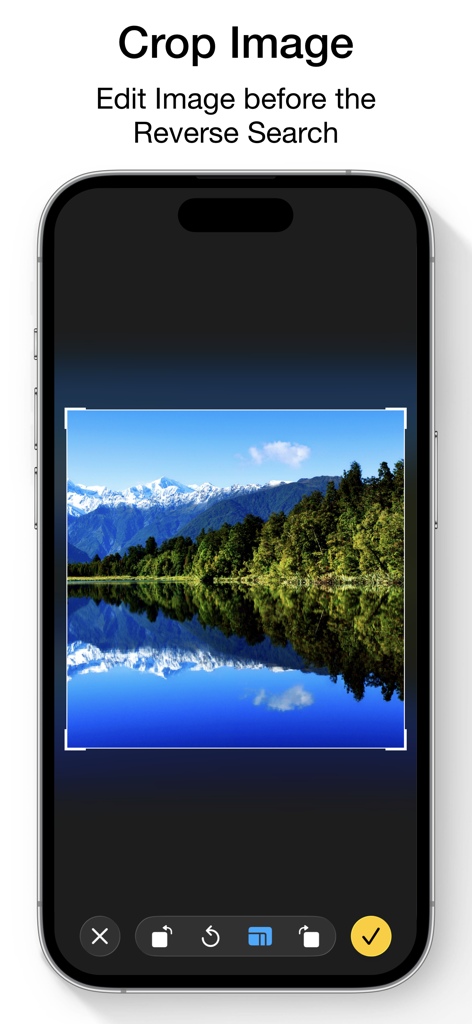
Mobile app interface showing the crop tool used to edit an image before performing a reverse search.

Mobile app interface showing the crop tool used to edit an image before performing a reverse search.

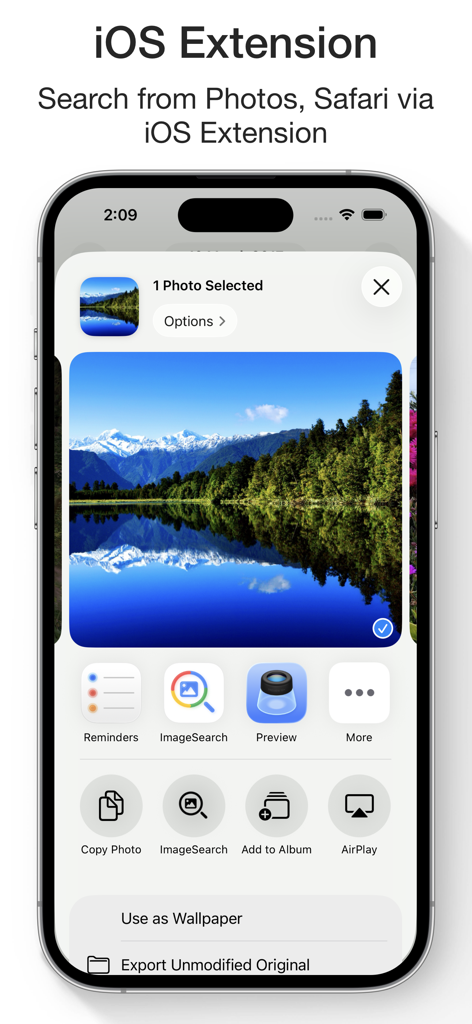
iPhone screen showing the iOS share extension for the Reverse Image Search app

iPhone screen showing the iOS share extension for the Reverse Image Search app

Master Your Visual World

The tools that make this app stand out, trusted by 4M+ users.

🛡️

Verify Authenticity & Stay Safe

Protect yourself from catfishing and misinformation. Trace the original source of any photo or dating profile using four powerful search engines: Google, Bing, Yandex, and TinEye.

🏷️

Instant Shopping & Discovery

See something you love? Skip the keywords. Instantly identify products, fashion, and furniture to find exactly where to buy them or discover high-resolution versions of your favorite images.

🤖

AI Lens & Smart Translation

Turn your camera into a genius assistant. Identify landmarks, plants, and animals on the go, or use the OCR translator to read menus and signs in over 40 languages instantly.

Loved by users worldwide

Trusted by 4M+ people who love this app.

"

"As someone who spends a lot of time on dating apps, this is a must-have for safety. I used the multi-engine search to verify a profile and found out the photos were stolen from a travel blogger. It's the most reliable way to spot catfishing and fake accounts instantly."

Sarah Miller
"

"The AI Lens is a game-changer for my home renovation project. I can snap a photo of a designer lamp or a unique tile pattern in a cafe, and it identifies the exact product and brand immediately. It has saved me hours of searching with keywords that don't work."

James Thompson

Review Analysis

Insights from user reviews.

Sentiment Score

25%
Negative

Summary

The app receives predominantly negative feedback, largely due to its recent shift from a free model to a mandatory subscription for features previously available, including access to multiple search engines. Users are highly frustrated by pervasive and unskippable advertisements, frequent reports of the app failing to deliver search results, and suspicions regarding unauthorized photo access. While a small number of users appreciate its ease of use, AI capabilities for image search, and general helpfulness, these positive aspects are significantly overshadowed by widespread complaints about cost, functionality issues, and intrusive user experience.

Common Themes

Overall Performance(6)
Search Capabilities(4)
Ease of Use(2)
AI Integration(1)
Helpfulness(1)

About the app

Everything you need to know about Reverse Image Search & AI Lens.

Description

Reverse Image Search & AI Lens Search by Image, Photo, or URL – Identify Anything Instantly Ever wondered where a photo came from or who’s in it? Want to verify content, find similar images, or identify products and places? Reverse Image Search & AI Lens lets you instantly search using any image — powered by Google Lens, Bing, Yandex, and TinEye. Perfect for detecting fake photos, tracing sources, discovering high-res versions, and identifying anything with AI. Reverse Image & Keyword Search • Search by image from Camera, Photo Library, Clipboard, or Files • Paste any image URL to search instantly • Use Google Lens, Bing, Yandex, and TinEye for best results • Crop and rotate images before searching • Search directly from Safari, Photos, and other apps via Share Extension • Long press images in the built-in browser to search • Search by keywords and phrases • View and reuse your image search history • Save images from results to your device AI Lens – Object Identifier • Identify landmarks, animals, plants, products, people, places and more • Get instant info: names, facts, background details • Auto-save your scan history • Ask AI Chat for more in-depth explanations and insights about your images • View and continue your AI Chat history anytime AI Translator with OCR • Translate text from images into 40+ languages • Extract text with high-accuracy OCR • Translate pasted or typed text instantly • Copy, save, and share translations • Access your translation history anytime WHY CHOOSE REVERSE IMAGE SEARCH & AI LENS? • Identify anything in a photo with AI • Trace photo origins and sources • Detect fake or edited images • Discover visually similar or higher-resolution versions • Great for verifying social media photos, memes, or dating profiles • All-in-one tool for reverse image search, object recognition, and text translation SUBSCRIPTION: Payment will be charged to your iTunes Account upon confirmation of purchase. Subscriptions automatically renew unless auto-renew is turned off at least 24 hours before the end of the current period. Your account will be charged for renewal within 24 hours prior to the end of the current period based on the selected plan. You can manage subscriptions and turn off auto-renewal by visiting your Account Settings. Any unused portion of a free trial period will be forfeited when purchasing a subscription. Terms of Service: https://www.ipopapp.com/image/terms-of-service/ Privacy Policy: https://www.ipopapp.com/image/privacy-policy/ DISCLAIMER: This app uses Google, Bing, Yandex, and TinEye within its built-in web browser to perform reverse image searches. It is not affiliated with or endorsed by any of these services.

Latest Version

9.4

Size

13.4 MB

First Released

Jun 21, 2015

Stop Guessing. Start Searching with AI Lens.

Join over 4 million users who rely on the ultimate visual toolkit to identify anything, verify profile authenticity, and translate the world in real-time. Download the most powerful multi-engine search tool today.

Download on App Store