SC Class Assistant Pro

SC Class Assistant Pro

Download on App Store
Spark by MWM logo
Logo of SC Class Assistant Pro

SC Class Assistant Pro: Effortless Classroom Management on Your Seating Chart

Track attendance, log behaviors, and ensure fair student participation with a few taps. The all-in-one visual tool for K-12 educators who value efficiency and actionable data.

Download on App Store

Publisher

Robert Wilkens

Category

Education

Downloads

400

User Rating

3.8/5

Total Ratings

0

Locales

12

Your Classroom, Visualized

Discover the interface used by 400 users.
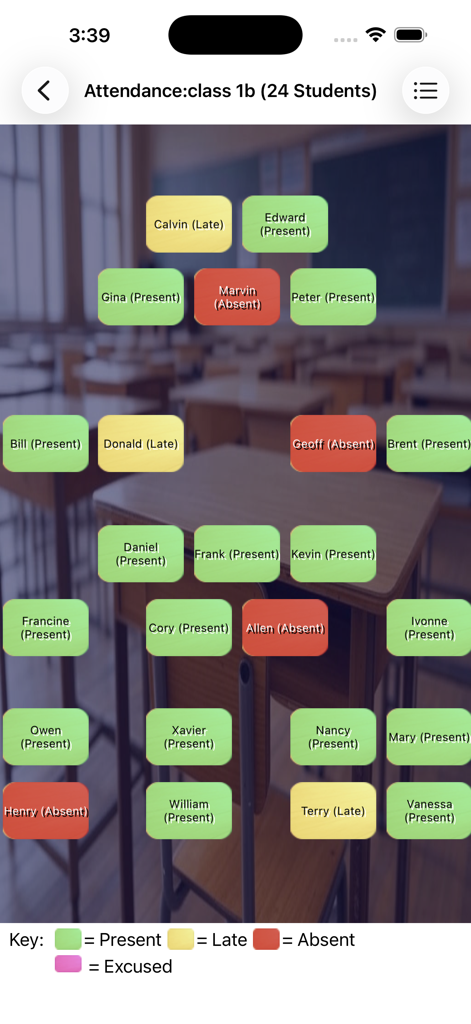
Visual seating chart showing student attendance status in SC Class Assistant Pro

Visual seating chart showing student attendance status in SC Class Assistant Pro

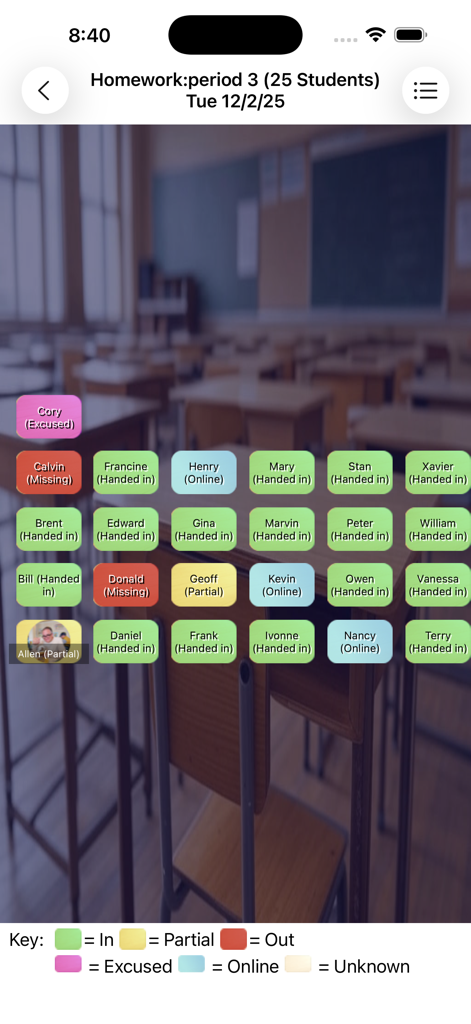
Seating chart interface for tracking student homework status with color coded labels.

Seating chart interface for tracking student homework status with color coded labels.

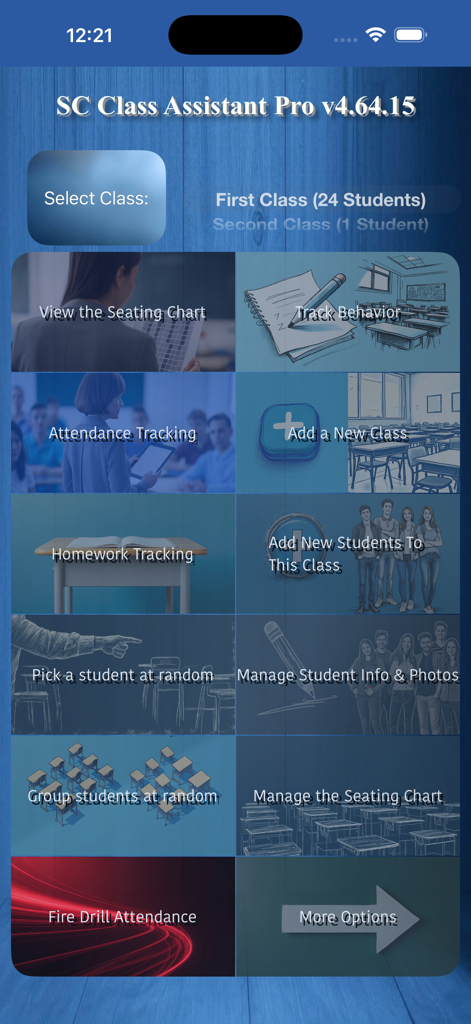
Main dashboard of SC Class Assistant Pro app featuring options for seating charts attendance and behavior tracking

Main dashboard of SC Class Assistant Pro app featuring options for seating charts attendance and behavior tracking

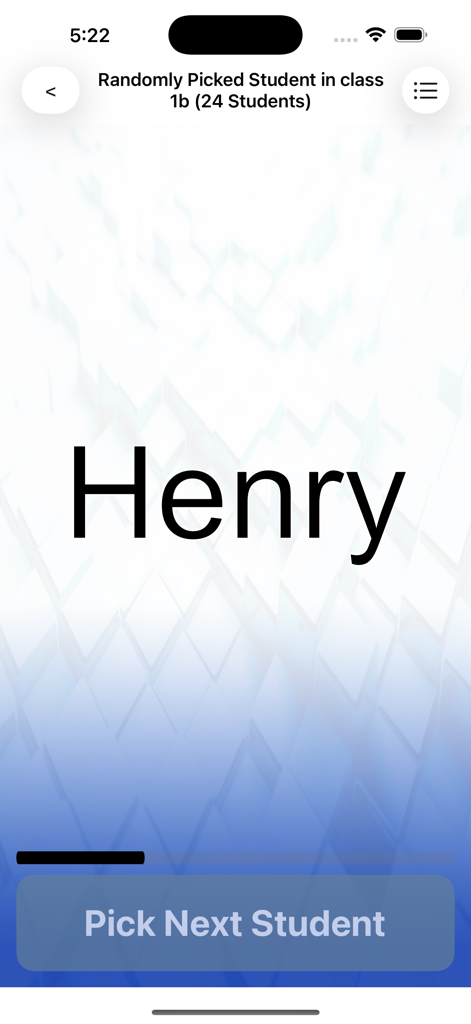
Random student picker interface in the SC Class Assistant Pro app

Random student picker interface in the SC Class Assistant Pro app

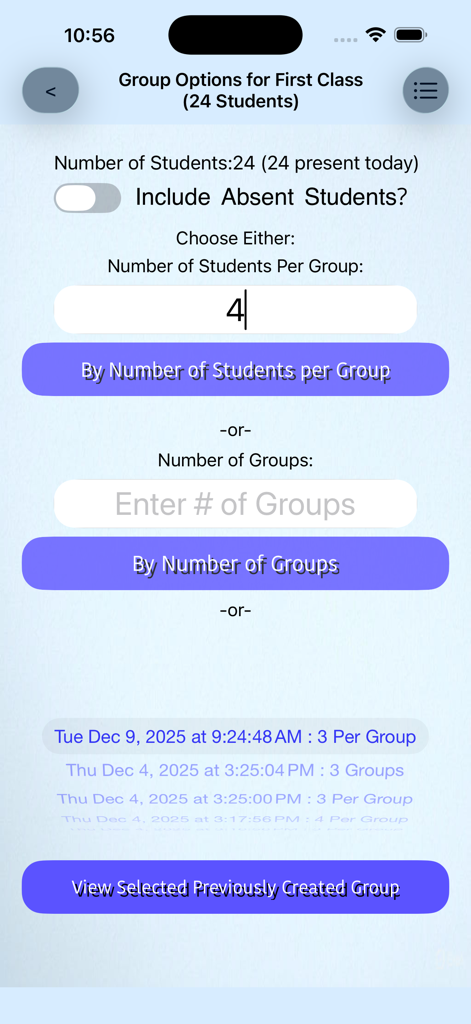
Random group generator screen in the SC Class Assistant Pro teacher utility app showing options to organize students into groups.

Random group generator screen in the SC Class Assistant Pro teacher utility app showing options to organize students into groups.

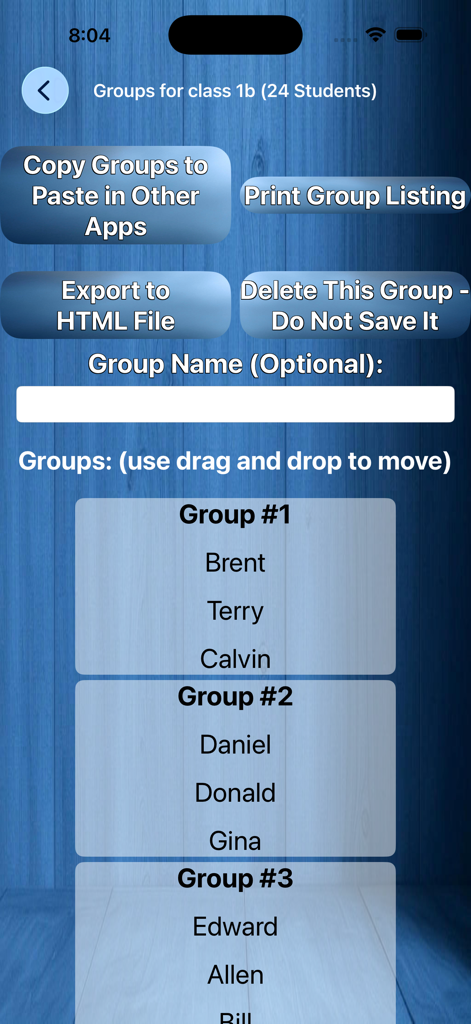
Interface showing students organized into three groups with management buttons

Interface showing students organized into three groups with management buttons

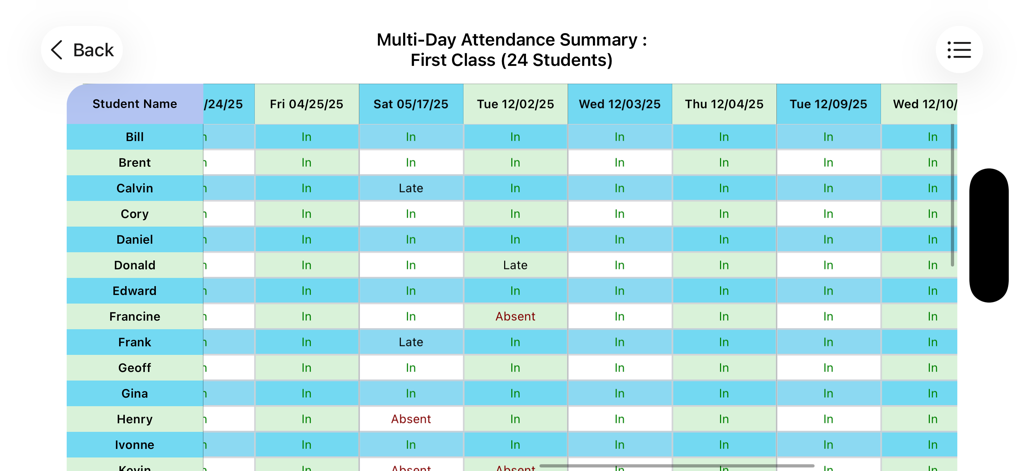
Multi day attendance summary report showing student names and their status in a table format

Multi day attendance summary report showing student names and their status in a table format

Master Your Classroom with Confidence

The tools that make this app stand out, trusted by 400 users.

🪑

Visual Seating Management

Track attendance and behavior by interacting directly with your actual classroom layout. No more scrolling through lists—just tap a student's photo to log data in seconds.

⚖️

Guaranteed Student Equity

Ensure every voice is heard with a truly fair random picker that automatically skips absentees and ensures every present student is selected once before anyone repeats.

📄

Instant Professional Reports

Be prepared for every parent-teacher conference or IEP meeting with printable behavior and attendance summaries that turn your daily notes into actionable documentation.

Loved by users worldwide

Trusted by 400 people who love this app.

"

"This app is a total game-changer for my classroom management. Being able to track participation and behavior directly on a visual seating chart makes documentation effortless. I used to dread gathering data for parent-teacher conferences, but now I can pull up a detailed multi-day summary in seconds. It is the most professional tool in my teaching kit."

Sarah M., High School Science Teacher
"

"The random student picker is truly fair and has completely changed the energy in my room—my students know everyone gets a turn! I also love that I can take attendance on my iPad during fire drills without lugging around a heavy binder. It is simple, reliable, and exactly what a busy educator needs to stay organized."

Marcus J., Middle School Educator

About the app

Everything you need to know about SC Class Assistant Pro.

Description

Empower your teaching with the classroom management app designed to make attendance and behavior tracking as easy as tapping on a seating chart, while boosting engagement with a random student picker and group maker. • Seating-Chart based Attendance & Homework Tracking Record attendance — even during fire drills — and log homework with one tap on your customizable seating chart. • Powerful Behavior Management Track any behavior (“Talkative,” “Helpful,” “Participated,” etc.) directly on the seating chart. Generate printable individual day or multi-day summaries. • Truly Fair Random Student Picker Call on students randomly while automatically skipping absentees. Every present student is selected exactly once per day before anyone repeats — ensuring fair participation. • Flexible Group Generator Create random groups in seconds and fine-tune them with drag-and-drop. Save multiple group sets and switch between them instantly. • Fully Customizable Seating Charts Recreate your exact classroom layout. Add student photos, drag and drop to rearrange seats, or reshuffle everything with a single tap. If there are extra empty seats, long-press the seat to pop up a menu option to delete that seat, or use the option to hide all empty seats if desired. • Easy Class Setup Getting started videos on support page. You can import your roster from a CSV (headers with field names required), plain text files supported (just names, no headers) — compatible with exports from most major Student Information System platforms. Manual entry is available too. • Multi-Day Reports & Printing View or print attendance, homework, and behavior summaries across multiple days. • Quick Exam Grade calculator included You select the number of questions on the exam, you then choose (by scrolling or viewing a table) the number of incorrect answers, and it gives you back a percentage of correct answers - this presumes all questions are equally rated, and was a requested feature. Seating charts support: * Pinch-to-Zoom (scale the whole chart) * Pinch-to-Adjust Text Size (scale only student name labels) Text-size pinch gestures are also supported in other views, like the random picker and group lists. Rotate to landscape for a better fit. On some macOS systems, a trackpad may be required for pinch gestures. Terms of Use (EULA): https://www.apple.com/legal/internet-services/itunes/dev/stdeula/

Latest Version

5.3

Size

50.9 MB

First Released

Oct 20, 2017

Ready to Reclaim Your Teaching Time?

Join organized educators who manage attendance, behavior, and fair participation with a single tap. Download SC Class Assistant Pro for iPad and iPhone today.

Download on App Store