School Timetable - class study

School Timetable - class study

Download on App Store
Spark by MWM logo
Logo of School Timetable - class study
School Timetable - class study: The Aesthetic Schedule Planner for Students

Master your college life with beautiful color-coded classes, interactive widgets, and seamless Apple Watch sync. The cleanest way to track exams, homework, and your busy academic week.

Download on App Store

Publisher

Pranoy Chowdhury

Category

Education

Downloads

130K+

User Rating

4.5/5

Total Ratings

200

Locales

1

Your Academic Aesthetic

Discover the interface used by 130K+ users.
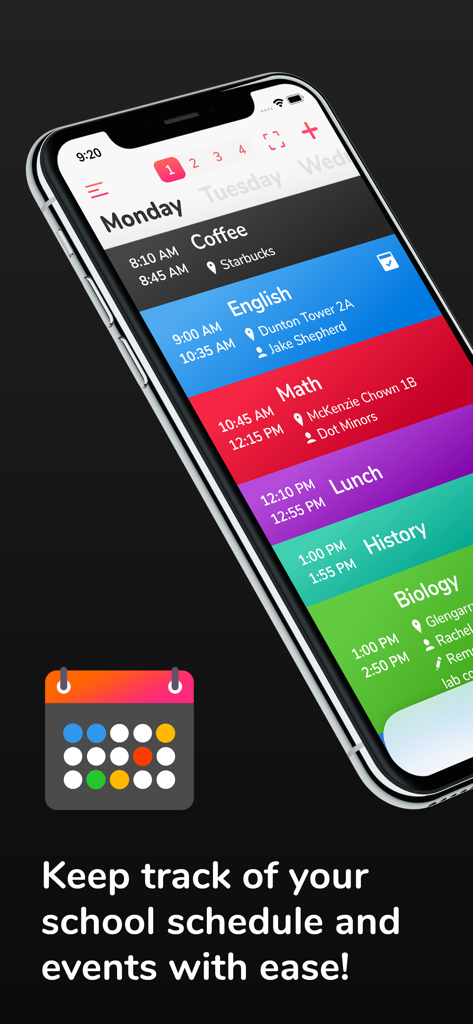
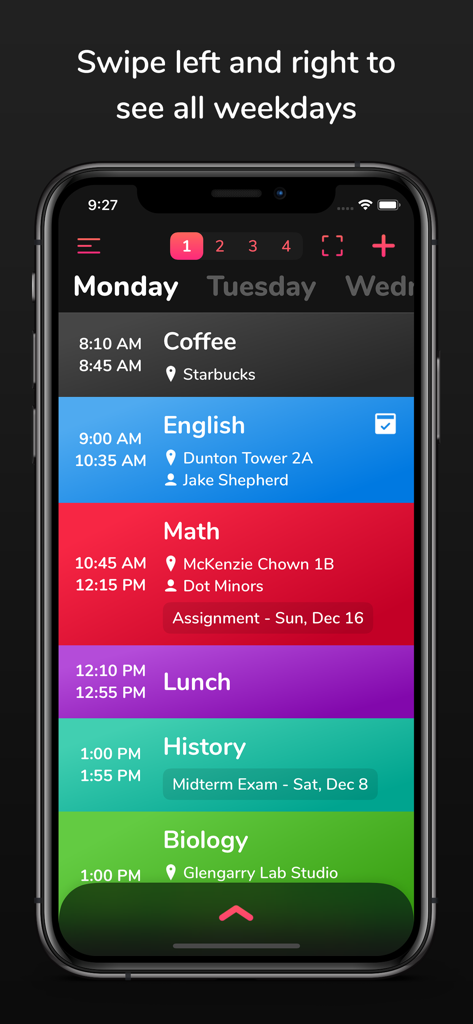
iPhone displaying a color coded daily school schedule with class times and locations

iPhone displaying a color coded daily school schedule with class times and locations

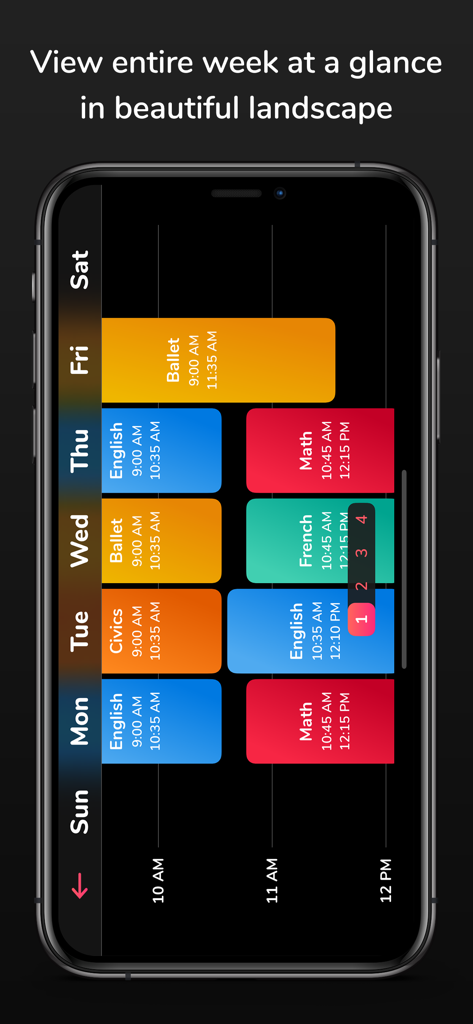
Weekly color coded student schedule in landscape view

Weekly color coded student schedule in landscape view

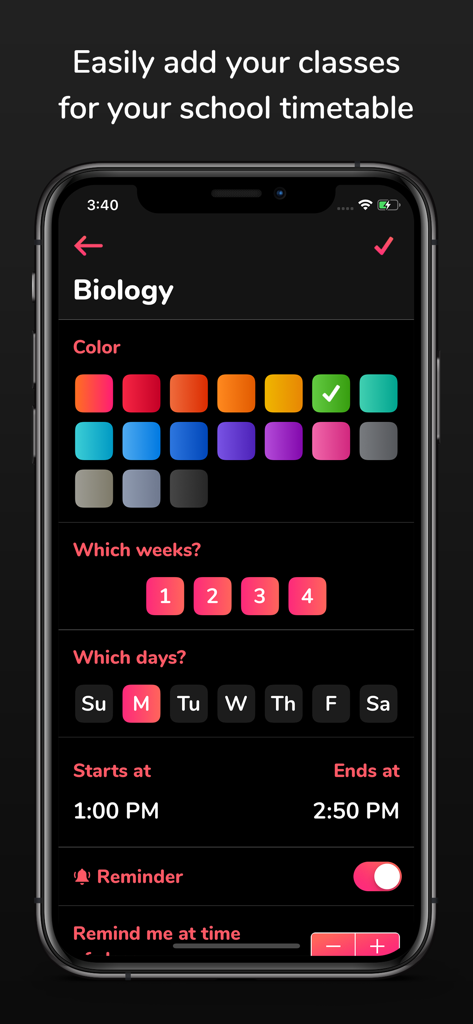
Mobile app interface for adding a biology class with color coding and schedule settings

Mobile app interface for adding a biology class with color coding and schedule settings

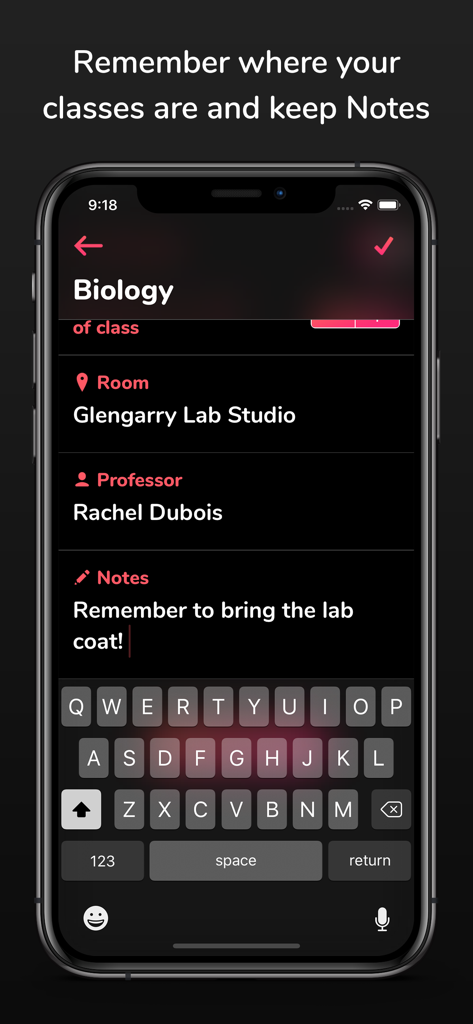
Smartphone screen showing Biology class details including room professor and study notes within the School Timetable app

Smartphone screen showing Biology class details including room professor and study notes within the School Timetable app

A color-coded daily school schedule on the School Timetable app showing classes and locations for a student.

A color-coded daily school schedule on the School Timetable app showing classes and locations for a student.

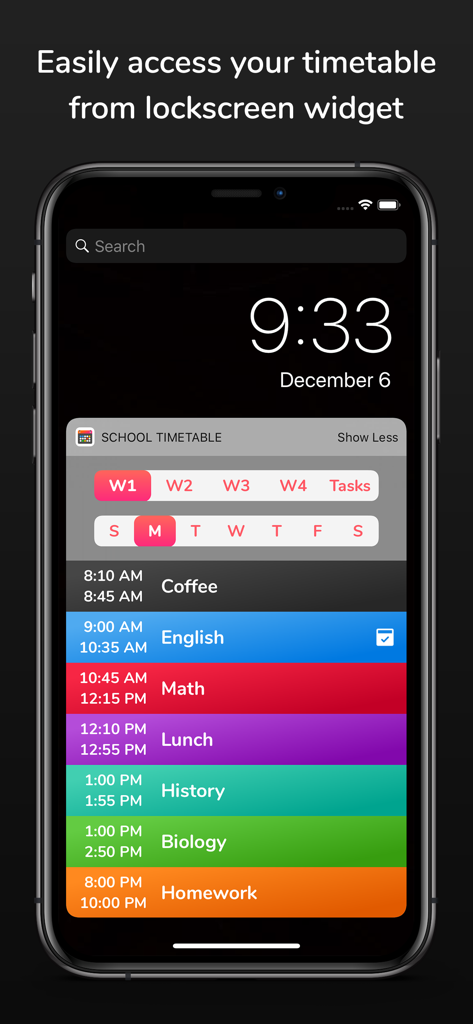
iPhone lockscreen displaying a color-coded daily class schedule widget.

iPhone lockscreen displaying a color-coded daily class schedule widget.

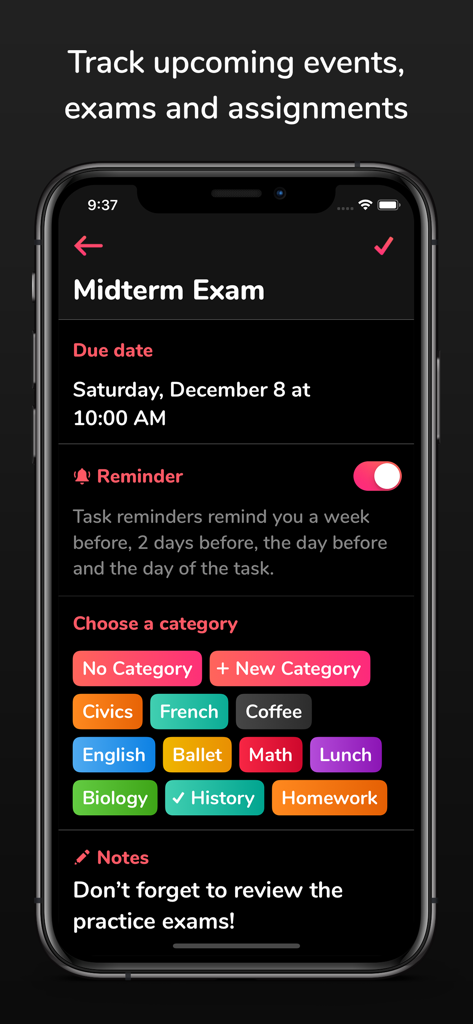
Mobile app interface showing a midterm exam entry with a due date, reminder toggle, and color-coded subject categories.

Mobile app interface showing a midterm exam entry with a due date, reminder toggle, and color-coded subject categories.

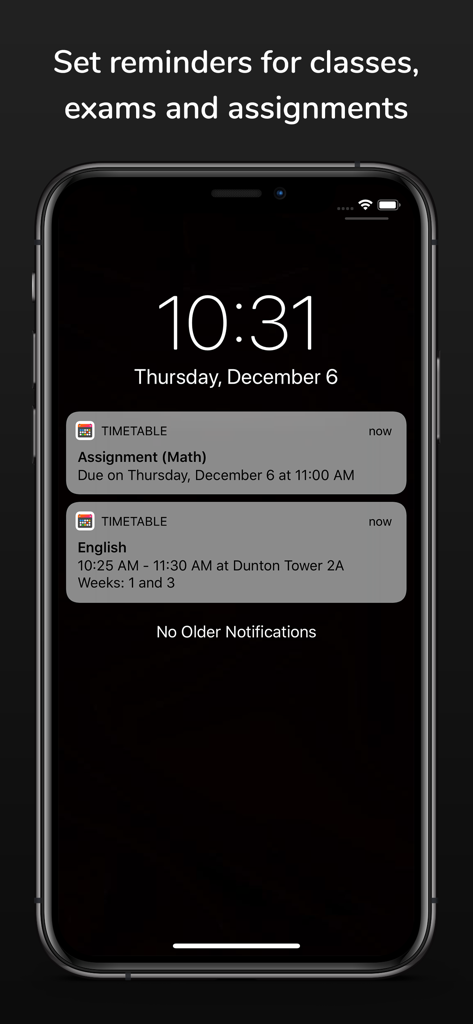
iPhone lock screen showing school timetable notifications for assignments and classes.

iPhone lock screen showing school timetable notifications for assignments and classes.

Your Academic Life, Perfectly Organized

The tools that make this app stand out, trusted by 130K+ users.

🎨

Aesthetic & Visual Planning

Personalize your timetable with vibrant color-coding and custom themes to turn your busy week into a clean, visual dashboard.

Glance-and-Go Integration

Check your next classroom or professor details instantly via Apple Watch complications and interactive iOS 17 widgets without unlocking your phone.

🚀

Built for Complex Schedules

Easily manage rotating multi-week timetables and set smart reminders for exams and assignments to ensure you never miss a deadline.

Loved by users worldwide

Trusted by 130K+ people who love this app.

"

"Finally a schedule app that doesn't look like it was made in 2010. The color-coding is perfect for my study aesthetic and being able to see my next class on my Apple Watch complications is honestly a lifesaver between lectures."

Chloe M., University Sophomore
"

"This app is dope for keeping track of my assignments and exam dates. The interactive widgets on my home screen mean I never have to hunt for my room number. Best tool for staying organized during a busy semester."

Hunter T., High School Senior

About the app

Everything you need to know about School Timetable - class study.

Description

School Timetable is the most easy to use, yet versatile scheduling app for students of school, college or university. Easily keep track of your weekly school schedule and events like homework assignments, exams and quizzes in this beautiful tracker accompanied by an Apple Watch app. Check out the following features which makes School Timetable the most complete schedule organizer app for students: - Simply swipe left and right to see all weekdays - Color coded classes - Add room and location, professor name, phone number, email and other information for each class with notes - Classes show break times and conflict time to next class - Multiple week timetable - If you have a very mixed up schedule with the same class at different times on different days, no need to add the same class multiple times. Simply add a variation and choose the days and time. Variations can be given a name too! - Reminder notifications can be set to remind you X minutes before the class where X can be set as 5, 10, 15...55 minutes. - Support for Apple Watch app and many complications - Interactive large widget for home screen for iOS 17+ devices. Legacy widget is still supported on older devices which can be added using steps described at the bottom. - Setup reminders for upcoming events, exams and homework assignments. These reminders will remind you a week before, 2 days before, 1 day before and the morning of the event to keep you on top of your game! - Beautiful landscape view of the entire week at once (Just tap the fullscreen landscape button on top) - Accent theme color settings - No need to unlock your phone as it comes with a lockscreen widget for all your classes and tasks - Force touch the Apple Watch app to change weeks and Tasks - Ability to customize the number of weeks between 1-4 and auto-switch weeks - Ability to customize reminder ringtone - Save timetable as image in photos. Tap the full screen button on top right and there you will see the button to save as image. - Export timetable - Search classes, tasks, professor, room, notes etc. Search screen can also be used to edit reminders of all classes and tasks at a common place. - App detects emails, sites, phone numbers and addresses in the notes and opens them in respective apps - multiple email and maps clients are supported - iCloud Backup and Restore! Tap the hamburger menu button on top left and tap "Backup to iCloud" from side menu. On another device signed in with same iCloud account, tap the "Restore from iCloud" button. Steps for legacy widget for older devices: - Now you can strikethrough your tasks when they are done by either tapping the done button next to the task name or swiping horizontally on it. Tasks marked Done won't receive notifications. - The app now supports importing timetable which has been exported from the app. - Updated the UI for selecting colors for classes and themes. Also added many new colors. - NOTE regarding widget on iOS 14+: 1. Unlock phone 2. Swipe left to the widget screen 3. Scroll all the way to the bottom 4. Tap the "Edit" button 5. Don't search for the widget. Scroll to the bottom again. 6. Tap "Customize" at the bottom. 7. Look for "School Timetable" in the list and add it. This should give you the widget. Reviews: "This is dope **insert 2 clapping emojis**" - Sarah "It looks good" - Tom "That's dope dude!!" - Rachel "So clean man, nice **insert thumbs up emoji**" - Nathan If you find this app useful, please leave us a positive rating on the app store as that helps get the word out to others! Thank you for the support! If you have any feature suggestions, bug reports or just wanna say good job, email me at: pran@pranapps.com

Latest Version

20

Size

18.3 MB

First Released

Jan 5, 2019

Ready to Master Your Semester?

Join 130,000+ students organizing their life with the most aesthetic, color-coded timetable. Sync seamlessly across your iPhone and Apple Watch to stay ahead of every class and quiz.

Download on App Store