SDR Receiver

SDR Receiver

Download on App Store
Spark by MWM logo
Logo of SDR Receiver

SDR Receiver: Professional-Grade Signal Monitoring on Your iPhone and iPad

Untether your radio setup. Demodulate and stream high-fidelity AM and FM signals from your RTL-SDR, Airspy, or SDRplay hardware with granular control and AirPlay 2 integration.

Download on App Store

Publisher

Transition Technology Ventures, LLC

Category

Utilities

Downloads

10K+

User Rating

4.3/5

Total Ratings

0

Locales

1

Precision at Your Fingertips

Discover the interface used by 10K+ users.
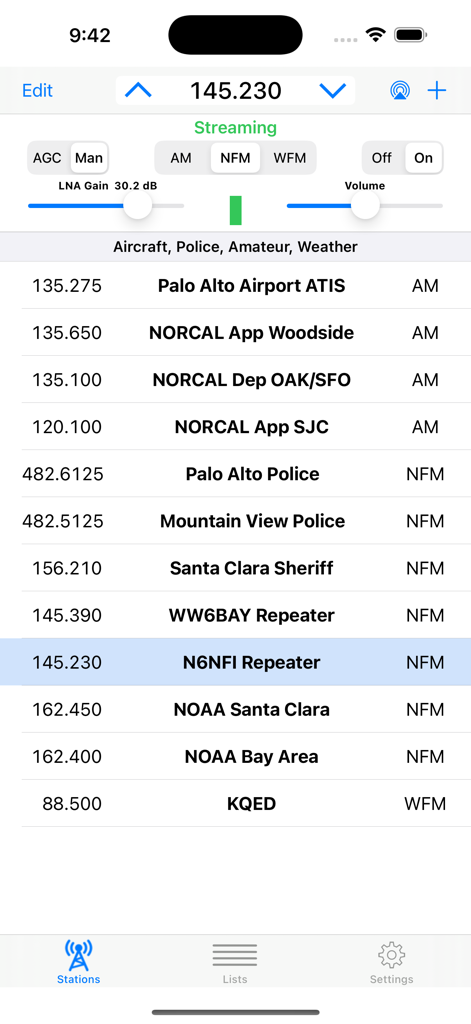
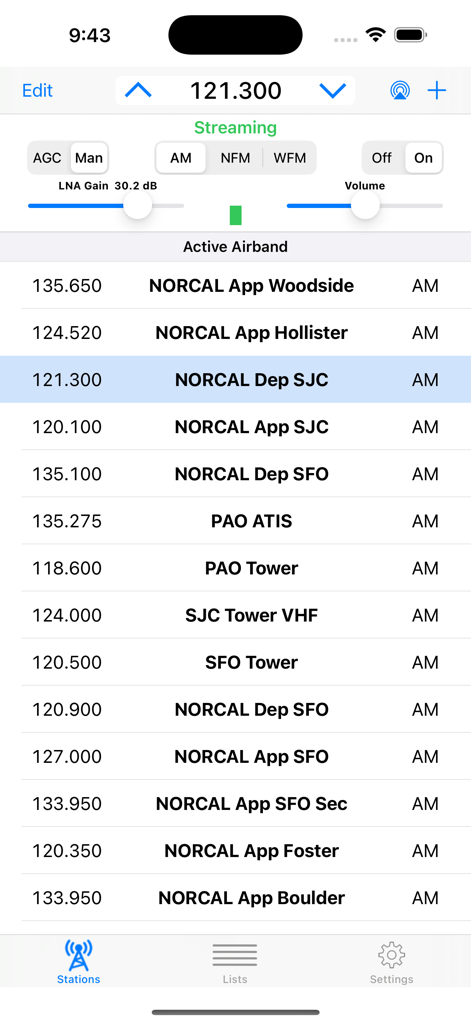
SDR Receiver app interface showing radio frequency list including airport, police, and weather stations with technical tuning controls.

SDR Receiver app interface showing radio frequency list including airport, police, and weather stations with technical tuning controls.

Interface of the SDR Receiver app showing a list of airband radio frequencies and manual signal controls.

Interface of the SDR Receiver app showing a list of airband radio frequencies and manual signal controls.

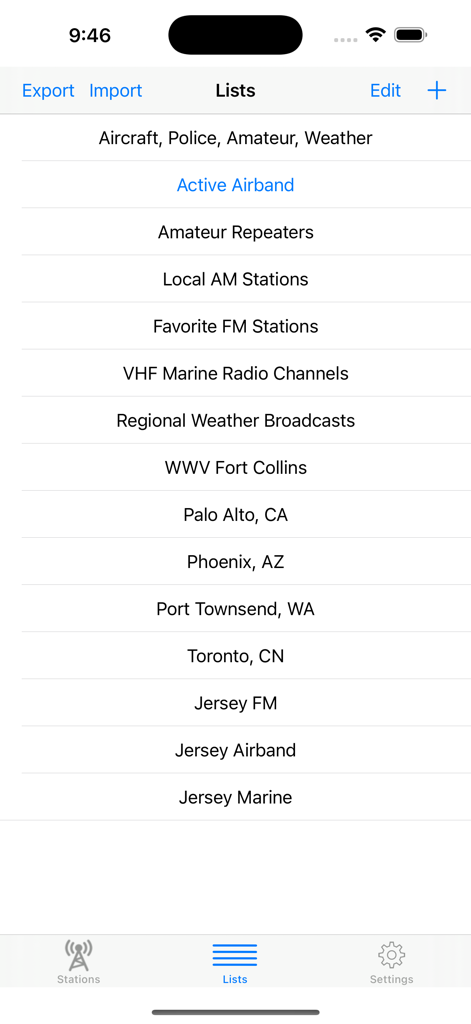
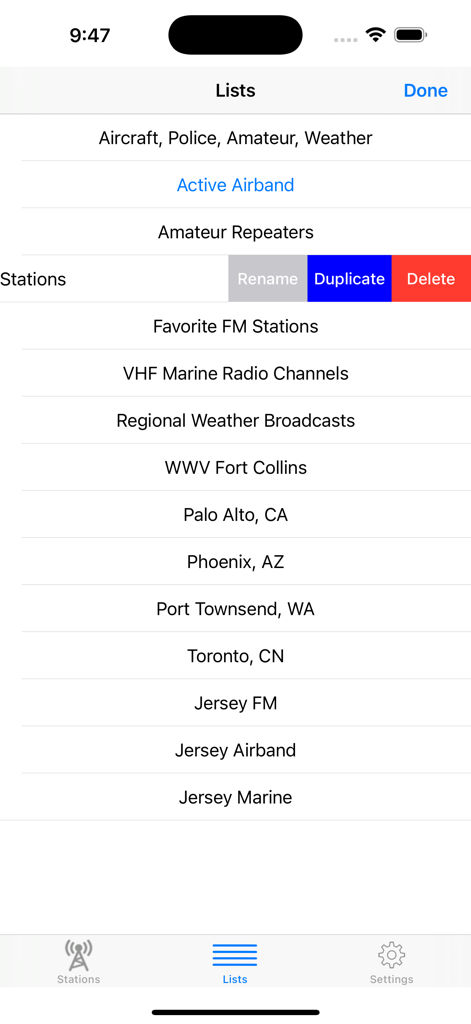
SDR Receiver app screen showing organized lists of radio stations including airband amateur repeaters and local AM stations

SDR Receiver app screen showing organized lists of radio stations including airband amateur repeaters and local AM stations

A screen showing the station lists in the SDR Receiver app with categories like Airband, Amateur Repeaters, and Weather.

A screen showing the station lists in the SDR Receiver app with categories like Airband, Amateur Repeaters, and Weather.

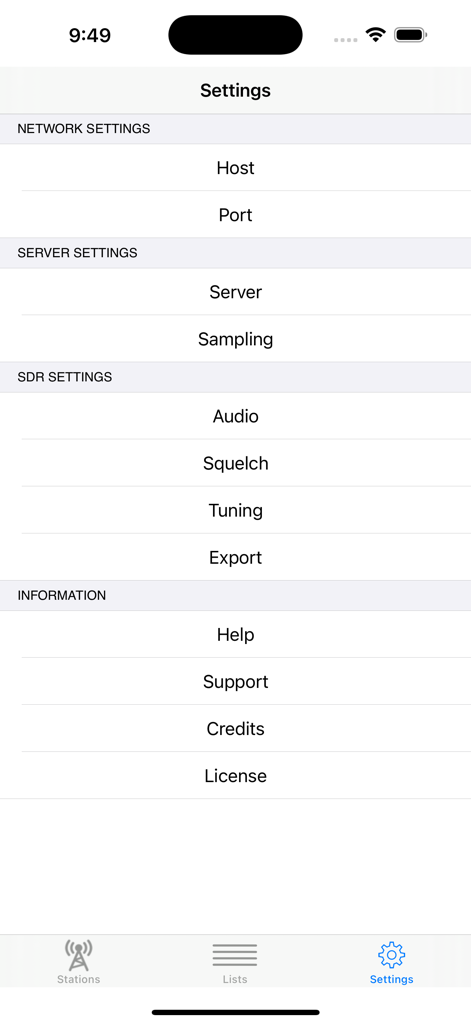
SDR Receiver mobile app settings screen showing network server and hardware configuration options

SDR Receiver mobile app settings screen showing network server and hardware configuration options

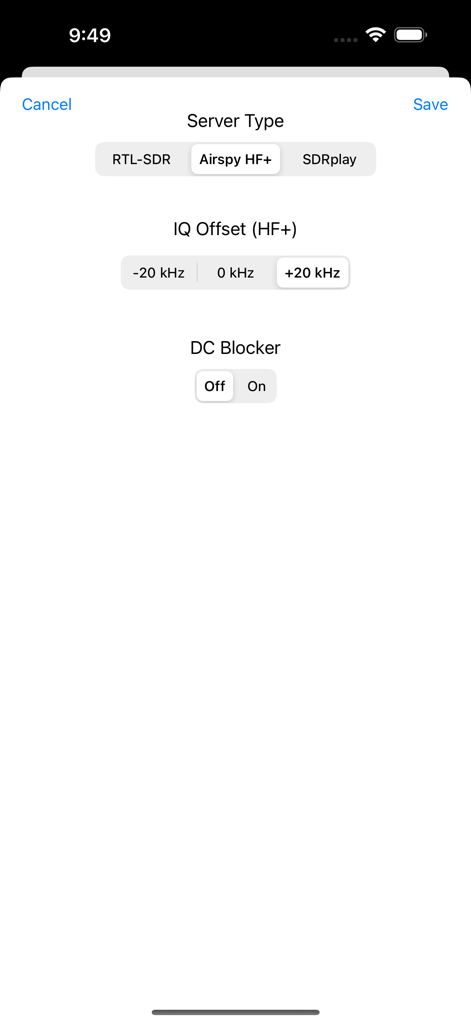
SDR Receiver app settings screen showing server type selection IQ offset and DC blocker controls

SDR Receiver app settings screen showing server type selection IQ offset and DC blocker controls

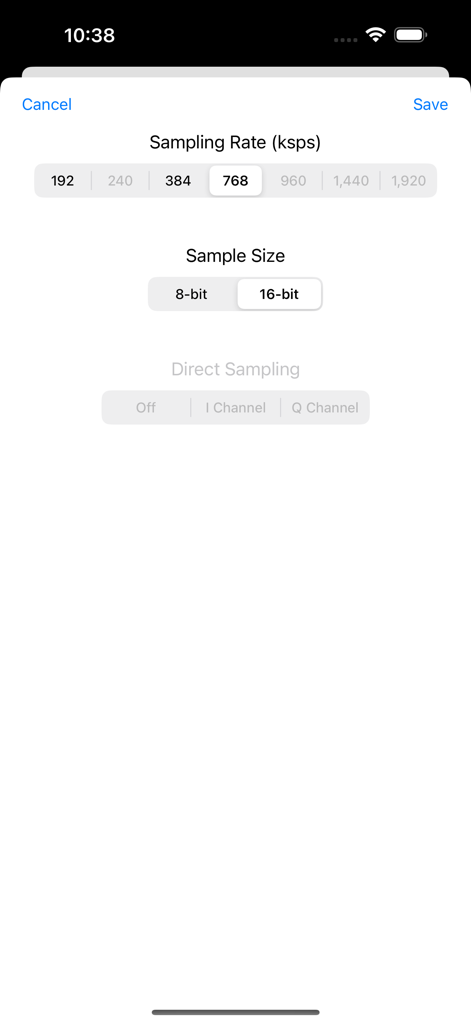
SDR Receiver app settings screen showing sampling rate and sample size configuration options.

SDR Receiver app settings screen showing sampling rate and sample size configuration options.

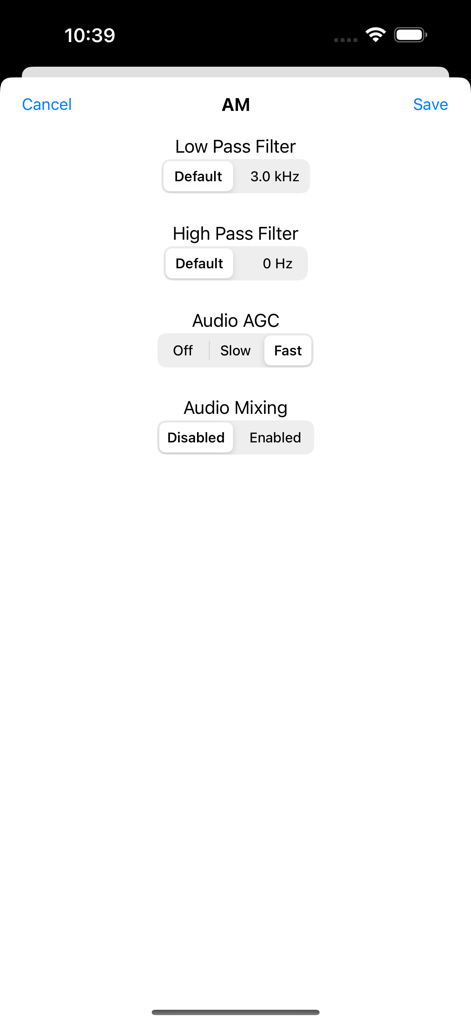
Technical audio settings for AM signals in the SDR Receiver app including filters and AGC.

Technical audio settings for AM signals in the SDR Receiver app including filters and AGC.

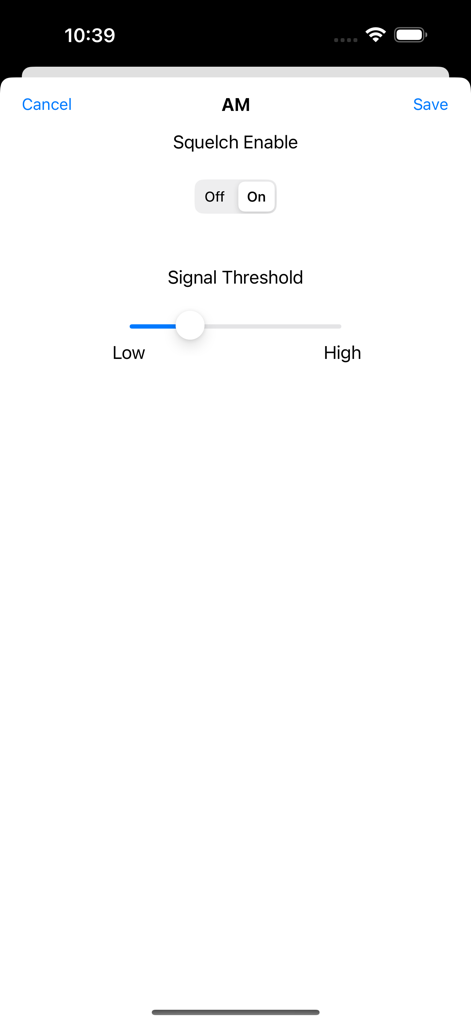
AM radio settings screen in the SDR Receiver app showing squelch toggle and signal threshold slider control.

AM radio settings screen in the SDR Receiver app showing squelch toggle and signal threshold slider control.

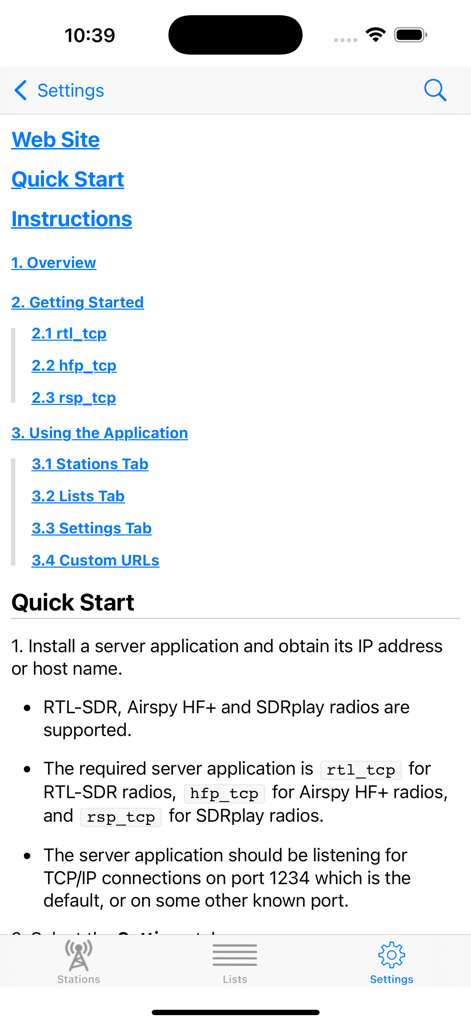
Quick Start guide and instructions on the settings screen of the SDR Receiver mobile app.

Quick Start guide and instructions on the settings screen of the SDR Receiver mobile app.

Professional SDR Monitoring in the Palm of Your Hand

The tools that make this app stand out, trusted by 10K+ users.

📡

Untethered Radio Monitoring

Break free from your PC shack. Stream raw data over your local network from your Raspberry Pi or host computer to monitor aircraft, amateur, and emergency bands from anywhere in your home.

🎚️

Precision Signal Control

Take total command with adjustable LNA gain, squelch, and selectable IQ offsets. Professional-grade high/low pass filters and Audio AGC ensure crystal-clear reception for technical enthusiasts.

🔊

High-Fidelity Connectivity

Support for up to 16-bit sample sizes and synchronized AirPlay 2 streaming. Broadcast your radio feeds to every compatible device in your house without losing signal integrity.

Loved by users worldwide

Trusted by 10K+ people who love this app.

"

"Finally, a way to untether from my desk shack! I have my SDRplay RSPdx connected to a Raspberry Pi in the attic, and this app streams the IQ data flawlessly over my home network. The granular control over LNA gain and the adjustable squelch are exactly what I needed for monitoring amateur repeaters while relaxing on the patio. The AirPlay 2 integration is a game-changer for hearing local fire dispatch throughout the house."

Robert H., Licensed Ham Operator
"

"As an aviation enthusiast living near a busy hub, this app is perfect for monitoring tower communications. I imported my entire frequency list via CSV in seconds. The Audio AGC is perfectly optimized for aircraft AM signals, and the interface is clean and functional without any unnecessary fluff. Being able to see the signal strength and adjust filters on the fly from my iPad makes my hobby much more mobile and enjoyable."

David L., Aviation & DX Enthusiast

About the app

Everything you need to know about SDR Receiver.

Description

Demodulate and play AM and FM signals received by an RTL-SDR, Airspy HF+ or SDRplay radio. Requires a radio and a host computer which are not provided with SDR Receiver and must be separately installed and configured. Streams data from an rtl_tcp, hfp_tcp or rsp_tcp server application which are free and open source applications. The appropriate server application must be installed on the host computer and configured for the attached radio. SDR Receiver is a Software Defined Radio (SDR) that processes, demodulates and plays AM, narrowband FM and wideband FM signals. Listen to communications from aircraft (AM), amateur repeaters and VHF handhelds, police and fire, NOAA weather reports (narrowband FM) and commercial broadcasts (wideband FM). • Easily entered and managed lists of stations simplify station selection. • Export and import lists of stations in CSV or TSV format. • Adjustable squelch that works for both AM and FM signals. • Adjustable LNA gain (for RTL-SDR and SDRplay radios). • Adjustable audio high pass and low pass filters. • Audio AGC for AM, optimized for aircraft communications. • Selectable IQ Offset eliminates DC errors. • DC Blocker option reduces spurious errors. • Signal strength indicator that shows power level in the signal passband. • Multiple sampling rates to accommodate different network bandwidths. • Selectable 8-bit or 16-bit sample size streaming from Airspy HF+ and SDRplay radios. • Option to play audio over AirPlay to a HomePod, HomePod mini or any AirPlay compatible device. • Stream synchronized audio to multiple AirPlay 2 compatible devices. • Lock Screen shows controls and streaming station information. • Custom URLs enable another application on the same device to set the station and start streaming. • Supports VoiceOver. SDR Receiver processes signals that are streamed over the network from a host computer (Mac, PC or Raspberry Pi) that is attached by USB bus to an RTL-SDR, Airspy HF+ or SDRplay radio. An rtl_tcp server or equivalent application running on the host computer receives baseband IQ data from the radio and streams the sampled signals over the network to the iPhone or iPad running SDR Receiver. Requires an RTL-SDR, Airspy HF+ or SDRplay radio and a host computer which are not provided with the application. Support for 192 ksps and 384 ksps Airspy HF+ sampling rates requires Airspy HF+ firmware version R3.0.7 or later, and hfp_tcp version v.1.2.117 or later.

Latest Version

1.3.4

Size

2.0 MB

First Released

Apr 28, 2018

Take Your Radio Shack Mobile

Connect to your rtl_tcp server and monitor aircraft, ham, and emergency frequencies with professional-grade control. Your signals, untethered.

Download on App Store