Speechify – Voice AI Assistant

Speechify – Voice AI Assistant

Download on App StoreDownload on Google Play
Spark by MWM logo
Logo of Speechify – Voice AI Assistant

Speechify: The AI Voice Assistant that Reads, Writes, and Thinks with You

Power through books, PDFs, and emails at 4.5x speed with natural AI voices like Snoop Dogg. Summarize documents, dictate notes, and conquer information overload across all your devices.

Download on App Store

Publisher

Speechify Inc.

Category

Productivity

Downloads

26M+

User Rating

4.7/5

Total Ratings

759K+

Locales

39

Efficiency in Motion

Discover the interface used by 26M+ users.

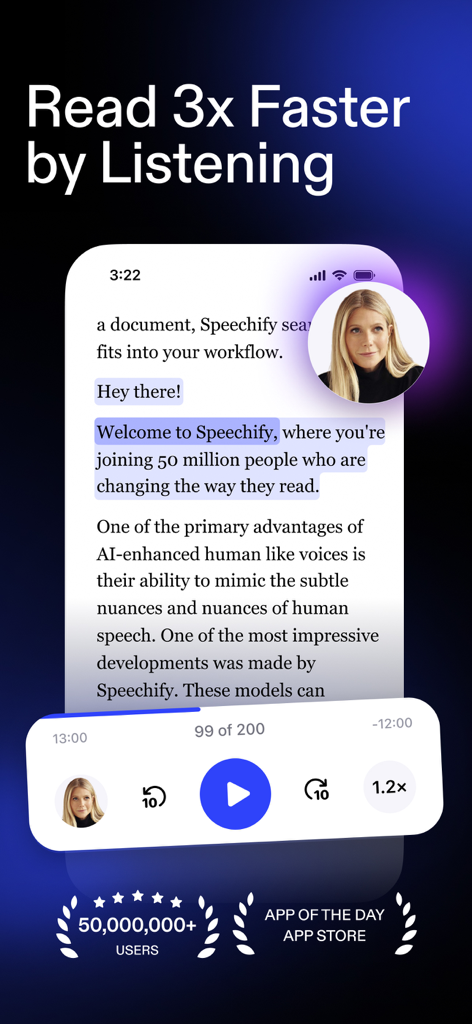
Speechify app interface showing text highlighting and celebrity voice selection with speed control

Speechify app interface showing text highlighting and celebrity voice selection with speed control

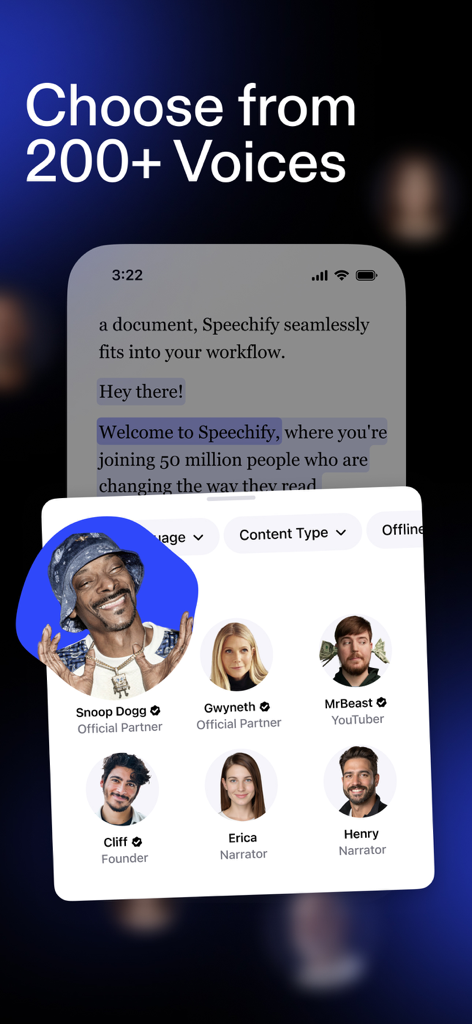
Speechify app interface showing a variety of AI voices including Snoop Dogg MrBeast and Gwyneth Paltrow

Speechify app interface showing a variety of AI voices including Snoop Dogg MrBeast and Gwyneth Paltrow

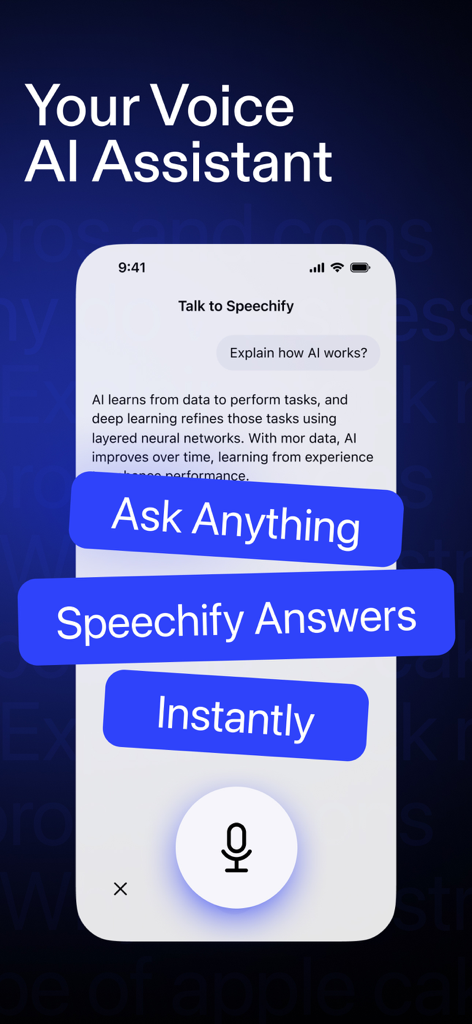
Smartphone screen showing the Speechify Voice AI Assistant answering a question about how AI works with overlaid text saying Ask Anything and Speechify Answers Instantly

Smartphone screen showing the Speechify Voice AI Assistant answering a question about how AI works with overlaid text saying Ask Anything and Speechify Answers Instantly

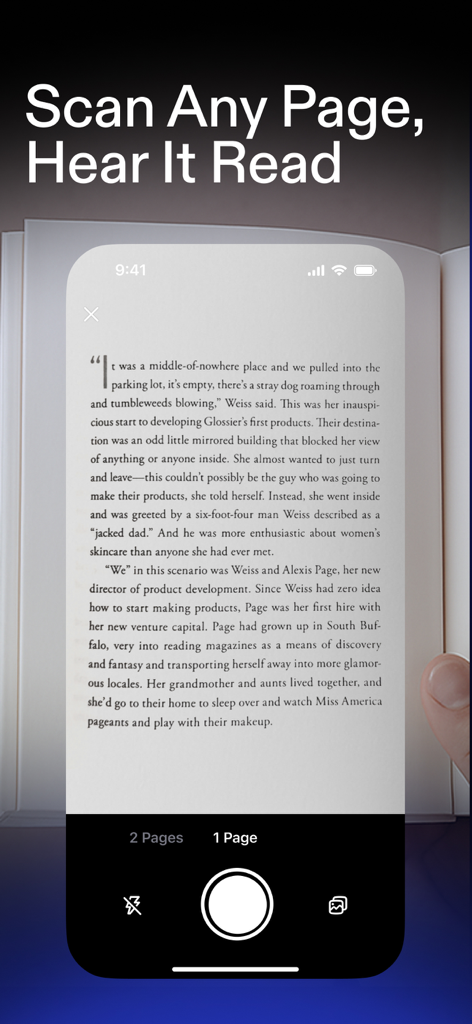
A mobile device using the Speechify app to scan a physical book page to be read aloud.

A mobile device using the Speechify app to scan a physical book page to be read aloud.

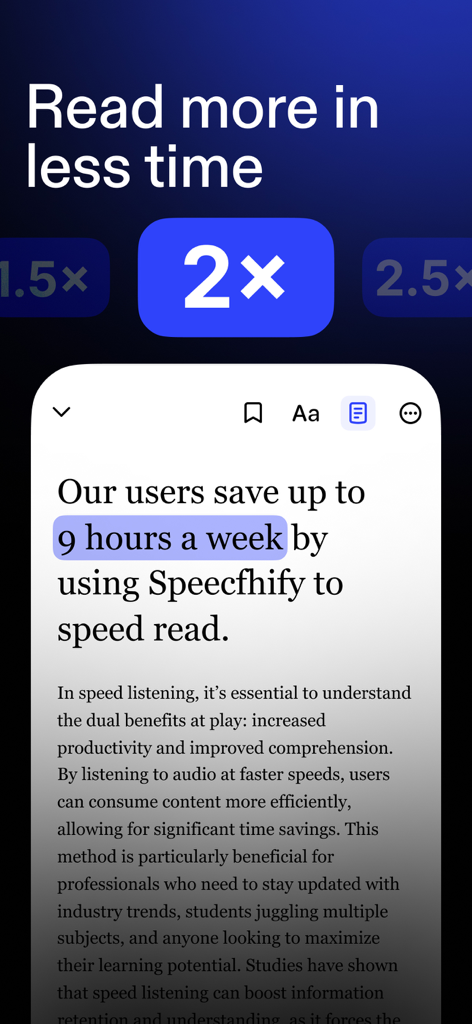
Speechify app interface showing the speed reading feature at 2x speed with a caption about saving nine hours a week.

Speechify app interface showing the speed reading feature at 2x speed with a caption about saving nine hours a week.

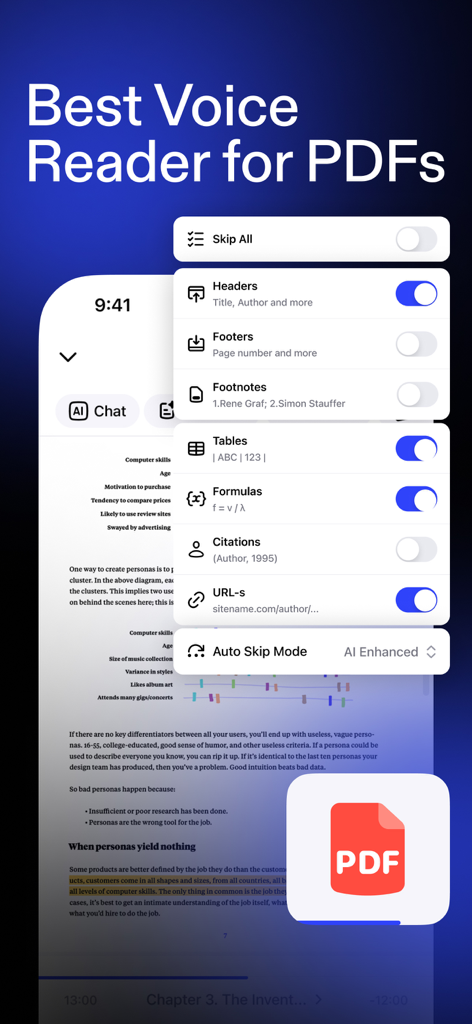
Speechify app interface showing advanced PDF reading settings to skip headers, footers, and tables.

Speechify app interface showing advanced PDF reading settings to skip headers, footers, and tables.

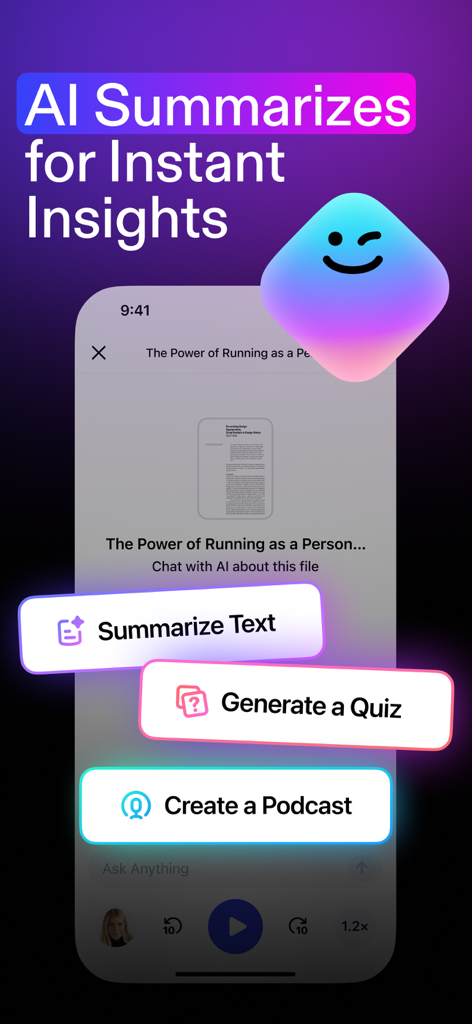
Speechify app interface showing AI features to summarize text, generate quizzes, and create podcasts from documents.

Speechify app interface showing AI features to summarize text, generate quizzes, and create podcasts from documents.

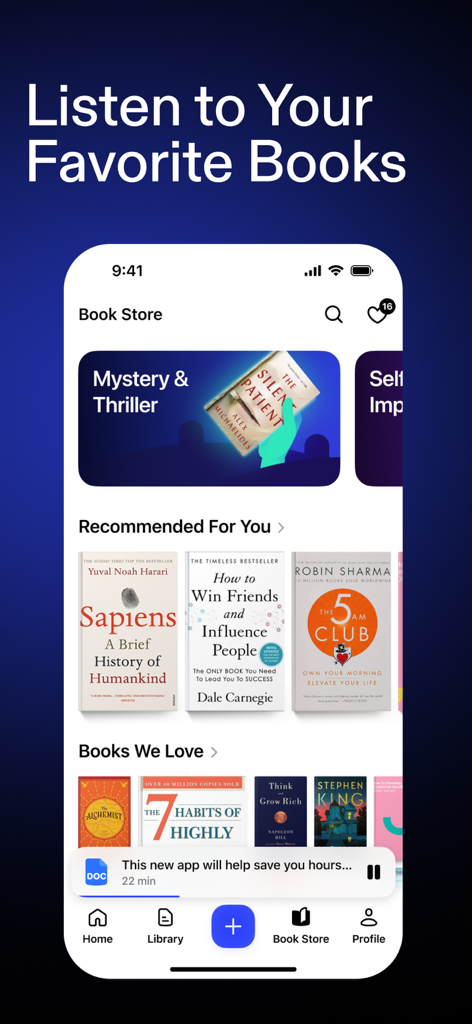
Speechify app screen showing the Book Store with recommended titles like Sapiens and The 5 AM Club for audio listening.

Speechify app screen showing the Book Store with recommended titles like Sapiens and The 5 AM Club for audio listening.

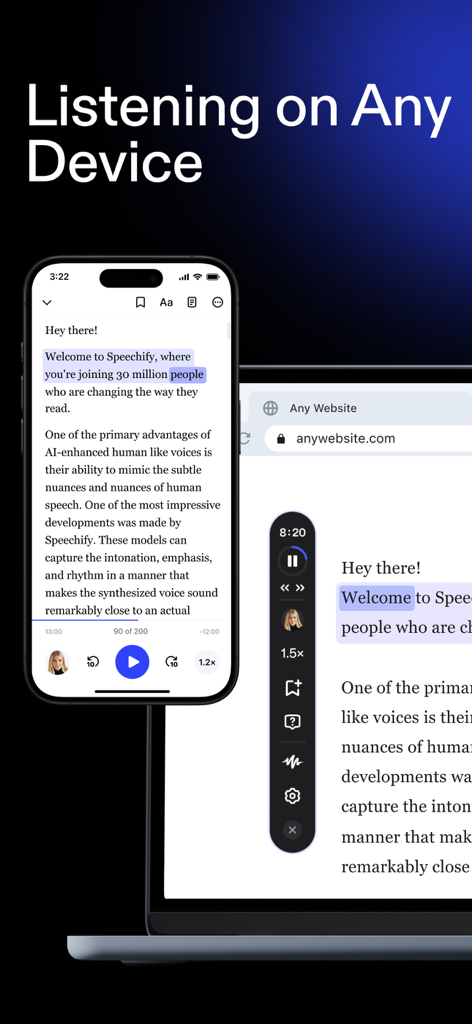
Speechify text to speech app synchronized on an iPhone and a laptop showcasing cross platform listening

Speechify text to speech app synchronized on an iPhone and a laptop showcasing cross platform listening

Master Your Information Overload

The tools that make this app stand out, trusted by 26M+ users.

🚀

Speed-Read with Your Ears

Listen at up to 4.5x speed (900 WPM). Turn hours of reading into minutes of productive listening with natural, celebrity-tier AI voices.

🧠

Your Personal AI Tutor

Ask questions, get instant summaries, or quiz yourself on any document. It’s like having a co-pilot that knows your reading list inside out.

📲

Seamless Multi-Device Sync

Capture text via camera or sync PDFs across iOS and Desktop. Turn your commute, gym session, or chores into high-value learning time.

Loved by users worldwide

Trusted by 26M+ people who love this app.

"

"As a law student with dyslexia, I used to spend hours struggling through dense case files. Speechify has completely transformed my study routine. The active text highlighting helps me follow along perfectly, and being able to listen at 2x speed while I commute has saved me so much time. It feels like I finally have a level playing field with my peers."

Sarah Jenkins
"

"Speechify is the ultimate productivity hack for my busy schedule. I use it to 'read' through industry reports and long email threads at 3x speed while I'm at the gym or driving. The AI assistant is a game-changer—I can just ask for a summary of a complex PDF and get the key takeaways instantly. It has easily doubled my daily output."

Marcus Thompson

About the app

Everything you need to know about Speechify – Voice AI Assistant.

Description

Speechify is the Voice AI Assistant you have always wanted. It reads books, PDFs, and articles aloud, types as you speak, and answers questions instantly. Trusted by 50+ million users. Have a question? Just ask – Speechify already has context from the articles, books, and documents on your screen. It’s like talking to ChatGPT, but faster and with more context. Want to read faster? Speechify reads any Google Doc, PDF, webpage, or book aloud in 200+ lifelike voices across 60+ languages, at up to 4.5x speed. Want to type faster? Speak naturally and Speechify will type every word for you. Speechify combines the world’s most human-sounding text to speech (TTS), voice typing dictation, and voice assistant technology. ==FEATURES YOU'LL LOVE==

 • Listen at any speed Hear anything up to 4.5× faster (900 wpm). Learn more in less time with voices that sound natural even at high speed. 
• Listen on mobile and desktop devices. Your library syncs instantly across desktop and mobile. Start reading on iOS, continue on desktop – anytime, anywhere. All included. • Human-like voices Speechify voices feel real, including official partners like Snoop Dogg, MrBeast, and Gwyneth Paltrow and 200+ others. • Screenshot image to audio Take a picture or screenshot of any text and Speechify will read it aloud instantly. • Active Text Highlighting The text is highlighted and perfectly synced, word for word, with the voice reader to help you read along. Reading & listening helps you retain more. 
• Voice Typing Dictate emails, essays, or prompts directly into any website. Type 5× faster just by talking. 
• Talk to Speechify AI Ask: “What are the main takeaways?” or “Quiz me on this essay.” Speechify understands your articles, documents, and anything on your screen – it’s your personal AI reader, assistant, and tutor in one. Like ChatGPT but specifically designed for voice. 
• AI Podcasts Create AI Podcasts on any topic, perfectly tailored to what you want to listen to at a given moment in time. Choose your style: Thoughtful Talk, Lecture, Late Night, Storytelling. Share podcasts you create with colleagues and friends. 
• One account across all devices Use Speechify across iOS, Chrome, Desktop, iPad, and any other device you use. 

 • Note Taking & Bookmarks Take notes on anything you’re reading and return back. 

 • Responsive Customer Service Have a question? We’ll always get back to you immediately. 

 == USE CASES == • Students Read, listen, and talk your way through study materials. Ask Speechify to summarize long readings, quiz you on key ideas, or type out your essays as you speak – perfect for faster learning and retention. • People with Dyslexia, ADHD, or Vision Challenges Originally built by founder Cliff Weitzman, who has dyslexia and ADHD, Speechify removes every barrier to reading and writing. It reads aloud, types what you say, and answers your questions about the text, helping 50M+ learn and communicate more easily. • Professionals Whether you’re drafting emails, summarizing reports, or reviewing PDFs, Speechify works like your personal AI assistant. Dictate notes hands-free, ask for quick takeaways, and breeze through reading-heavy workloads effortlessly. • Parents Turn story time or homework time into an interactive experience. Speechify can read aloud, help kids write by voice, and even answer their curious follow-up questions about the stories they love. • Productivity Hackers Automate your reading and your writing. Listen to webpages or dictate responses while multitasking, then ask Speechify to summarize, rephrase, or explain anything you’re working on. • Podcast & Audiobook Lovers Turn any article, PDF, or blog into something you can listen to or talk about. Ask Speechify to explain or expand on what you’re hearing – it’s like having a co-host that knows your reading list. Install Speechify today, for free! Privacy Policy: https://speechify.com/privacy/ Terms of Service: https://speechify.com/terms/

Latest Version

5.0.19

Size

456.5 MB

First Released

Mar 2, 2017

Ready to Conquer Your Reading List?

Join 50 million users who use Speechify to power through documents at up to 4.5x speed. Download the world's #1 AI voice assistant and reclaim your time today.

Download on App StoreDownload on Google Play
FAQ

Frequently Asked Questions

Everything you need to know about Speechify – Voice AI Assistant

What is Speechify – Voice AI Assistant?

Speechify is a Voice AI Assistant that reads books, PDFs, and articles aloud. It also types as you speak and answers questions instantly, leveraging text-to-speech, voice typing, and AI assistant technology.

How does Speechify help users read faster?

Speechify reads any document, webpage, or book aloud at speeds up to 4.5x faster. This feature, combined with over 200 lifelike voices, allows users to consume content efficiently and read more in less time.

Does Speechify provide human-like reading voices?

Yes, Speechify offers over 200 human-like voices across 60+ languages. It includes official partner voices like Snoop Dogg, MrBeast, and Gwyneth Paltrow for an enhanced and natural listening experience.

Can Speechify convert speech to text for typing?

Yes, Speechify features voice typing dictation. It converts spoken words into text, enabling users to type emails, essays, or prompts directly into any website up to 5 times faster just by talking.

Is Speechify accessible across different devices?

Yes, Speechify supports multiple devices. Your library syncs instantly across iOS, Chrome, desktop, and iPad, allowing you to continue reading and listening seamlessly on any device.

How does the Speechify AI Assistant work?

Speechify functions as an AI Assistant by understanding content on your screen. You can ask questions, request summaries, or ask for quizzes related to articles, documents, or books, receiving instant, context-aware answers.

Can Speechify read text from images or screenshots?

Yes, Speechify includes a 'Screenshot image to audio' feature. You can take a picture or screenshot of any text, and Speechify will instantly read it aloud, converting visual text into audio.

How does Speechify assist students in their studies?

Yes, Speechify significantly helps students. It reads study materials aloud, summarizes long texts, generates quizzes on key ideas, and allows voice typing for essays, enhancing learning and retention.

Can users create podcasts using Speechify?

Yes, Speechify allows you to create AI Podcasts. You can generate podcasts on any topic, choose from various styles like Thoughtful Talk or Storytelling, and share them with others.

Does Speechify offer note-taking and bookmarking features?

Yes, Speechify includes Note Taking & Bookmarks features. You can take notes directly on the content you are reading and add bookmarks to specific sections for easy future reference.

Who founded Speechify and what was the motivation?

Speechify was founded by Cliff Weitzman, who has dyslexia and ADHD. He created Speechify to remove barriers to reading and writing for himself and millions of others with similar challenges.

Can Speechify summarize documents and articles?

Yes, Speechify offers AI summarization. Its AI capabilities process documents and articles to provide instant insights, allowing users to quickly grasp the main takeaways from any text.

How many users currently trust Speechify?

Over 50 million users worldwide trust Speechify. This large user base reflects the app's effectiveness in providing solutions for reading, writing, and information consumption.

Does Speechify highlight text while it reads aloud?

Yes, Speechify features Active Text Highlighting. The text is highlighted and perfectly synced word-for-word with the voice reader, which helps users follow along and improve comprehension and retention.

Where can I find Speechify's privacy policy?

Speechify’s privacy policy outlines how user data is collected, used, and protected. For detailed information, users can review the full policy on the official website via the provided link: `https://speechify.com/privacy/`.