Text to Speech!

Text to Speech!

Download on App Store
Spark by MWM logo
Logo of Text to Speech!

Text to Speech! - Your Natural Voice for Communication and Creation

Bring your words to life with 178 premium voices and 63 accents. From everyday accessibility and phone calls to viral video narration, experience crystal-clear, natural speech that works entirely offline.

Publisher

Gwyn Durbridge

Category

Productivity

Downloads

3M+

User Rating

4.6/5

Total Ratings

41K+

Locales

1

Voices That Move You

Discover the interface used by 3M+ users.
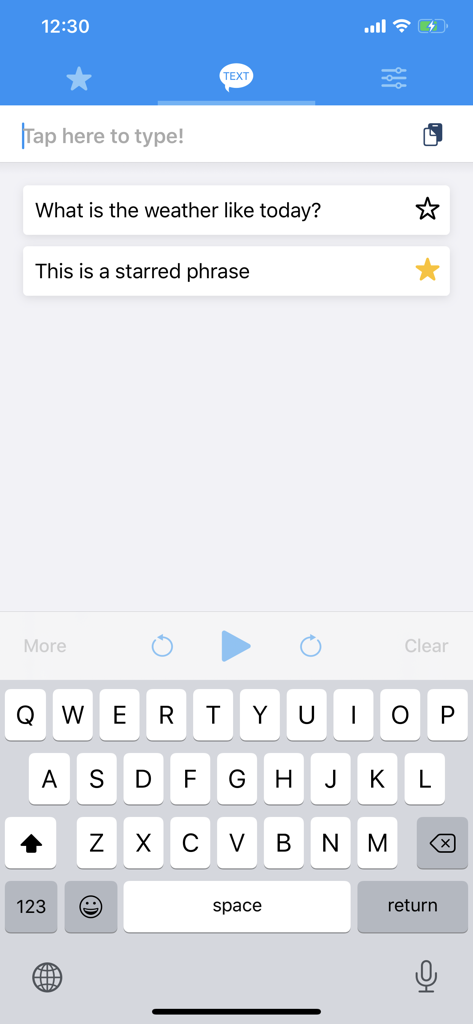
Text to Speech app interface with text input field and starred phrases for quick accessibility communication

Text to Speech app interface with text input field and starred phrases for quick accessibility communication

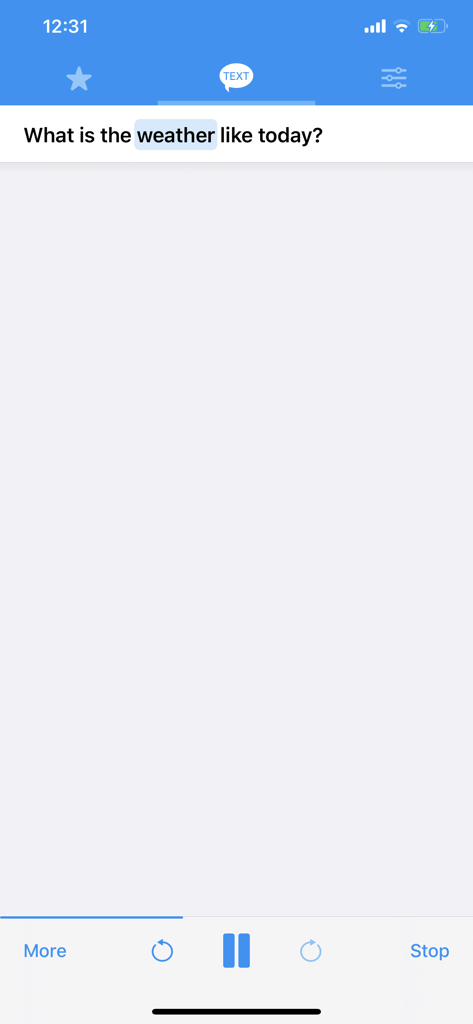
Interface of Text to Speech app highlighting a word while reading a sentence aloud

Interface of Text to Speech app highlighting a word while reading a sentence aloud

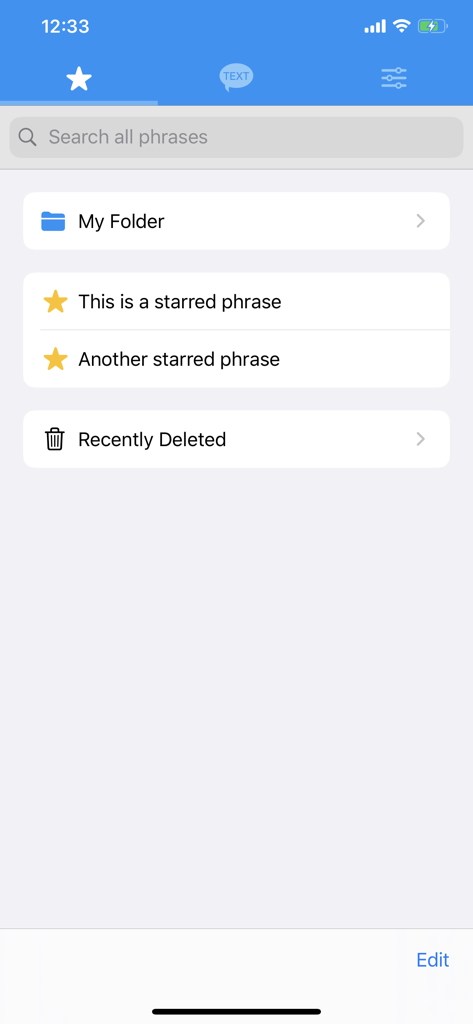
Text to Speech app interface showing saved and starred phrases with custom folders

Text to Speech app interface showing saved and starred phrases with custom folders

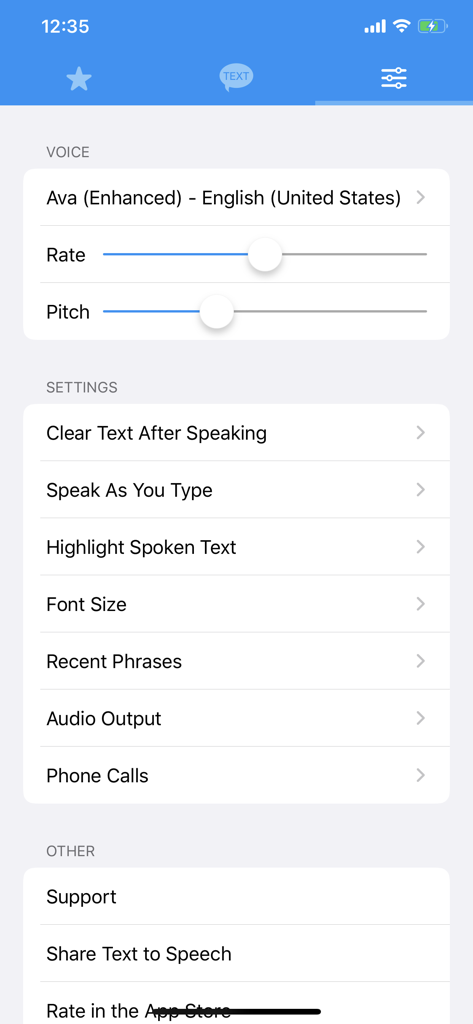
Text to Speech app settings menu showing voice selection and sliders for rate and pitch adjustment.

Text to Speech app settings menu showing voice selection and sliders for rate and pitch adjustment.

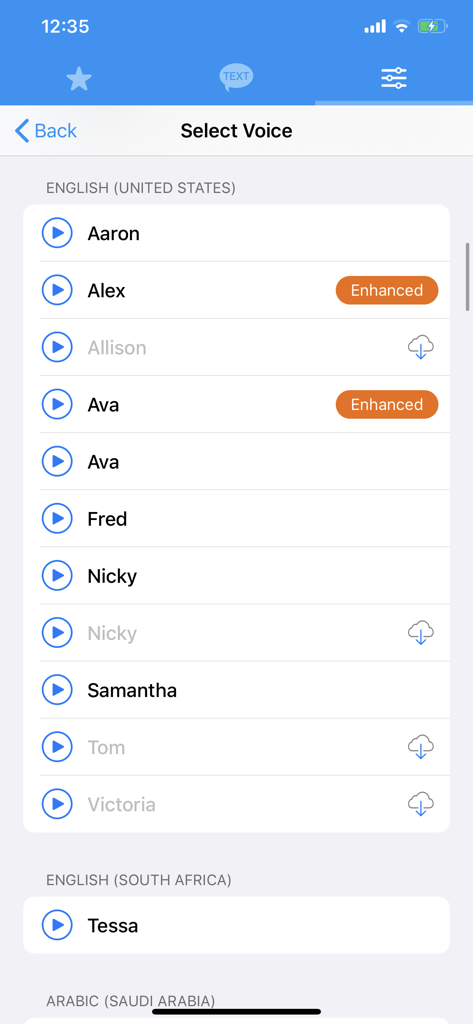
Selection screen showing various English voice options and accents in the Text to Speech app interface.

Selection screen showing various English voice options and accents in the Text to Speech app interface.

Everything You Need to Be Heard

The tools that make this app stand out, trusted by 3M+ users.

🗣️

Seamless Daily Communication

Regain your independence by starring favorite phrases and mixing synthesised speech directly into your phone calls for effortless conversation.

🎙️

Studio-Ready Audio Export

Perfect for creators: choose from 178 unique voices and export high-quality audio files for your videos without ever needing an internet connection.

Total Vocal Customization

Find your perfect sound with 63 global accents and precision controls for pitch and rate, ensuring your digital voice feels uniquely like yours.

Loved by users worldwide

Trusted by 3M+ people who love this app.

"

"As someone living with ALS, this app has been a true game-changer. The ability to mix my text directly into phone calls allows me to stay connected with my family and manage my own doctor appointments with dignity. Being able to use my own Personal Voice makes every conversation feel so much more natural."

David L.
"

"I use this app for all my faceless social media channels! The range of 178 voices is incredible for creating different characters, and the export feature makes it so easy to drop the audio straight into my editing software. Plus, it works offline, which is a lifesaver when I'm working while traveling."

Sarah T., Digital Creator

About the app

Everything you need to know about Text to Speech!.

Description

Bring your text to life with Text to Speech! Text to speech produces natural sounding synthesised text from the words that you have entered in. With 178 different voices to choose from and the ability to adjust the rate and pitch, there are countless ways in which the synthesised voice can be adjusted. Features ------------------------- - 178 Different voices to choose from - Voices are available in 63 different accents & languages - No internet required - The ability to adjust the pitch and rate - Speak as you type - Highlight spoken text - Star your favourite phrases - Group starred phrases into folders - Export speech into audio files - Mix speech into your phone calls - Supports personal voices (requires iOS 17) Voices ------------------------- Arabic (World) Basque (Spain) Bengali (India) Bhojpuri (India) Bulgarian (Bulgaria) Catalan (Spain) Chinese (China mainland) Chinese (Hong Kong) Chinese (Liaoning, Mainland China) Chinese (Shaanxi, Mainland China) Chinese (Sichuan, Mainland China) Chinese (Taiwan) Croatian (Croatia) Czech (Czechia) Danish (Denmark) Dutch (Belgium) Dutch (Netherlands) English (Australia) English (India) English (Ireland) English (Scotland, UK) English (South Africa) English (United Kingdom) English (United States) Finnish (Finland) French (Belgium) French (Canada) French (France) Galician (Spain) German (Germany) Greek (Greece) Hebrew (Israel) Hindi (India) Hungarian (Hungary) Indonesian (Indonesia) Italian (Italy) Japanese (Japan) Kannada (India) Korean (South Korea) Malay (Malaysia) Marathi (India) Norwegian Bokmål (Norway) Persian (Iran) Polish (Poland) Portuguese (Brazil) Portuguese (Portugal) Romanian (Romania) Russian (Russia) Shanghainese (China mainland) Slovak (Slovakia) Slovenian (Slovenia) Spanish (Argentina) Spanish (Chile) Spanish (Colombia) Spanish (Mexico) Spanish (Spain) Swedish (Sweden) Tamil (India) Telugu (India) Thai (Thailand) Turkish (Turkey) Ukrainian (Ukraine) Vietnamese (Vietnam) Notes ------------------------- - More voices are available in system settings Go Settings -> Accessibility -> Spoken Content -> Voices

Latest Version

4.60

Size

81.9 MB

First Released

Sep 27, 2013

Ready to Give Your Words a Voice?

Join 3 million people who rely on our 178+ natural voices for daily communication, professional content, and language learning. Download now and start for free.

Download on App Store
FAQ

Frequently Asked Questions

Everything you need to know about Text to Speech!

What is the Text to Speech! app?

Text to Speech! converts written text into natural-sounding synthesized speech. It offers 178 voices in 63 accents and languages, with adjustable rate and pitch.

Can I use Text to Speech! offline?

Yes, the Text to Speech! app operates without requiring an internet connection. Users can generate synthesized speech anytime and anywhere.

How many voices and languages does Text to Speech! support?

Text to Speech! supports 178 different voices across 63 distinct accents and languages. This provides extensive options for diverse speech synthesis needs.

Can I adjust the speaking rate and pitch in Text to Speech!?

Yes, the Text to Speech! app allows users to precisely adjust both the rate and pitch of the synthesized voice. This customization controls the vocal delivery.

Does Text to Speech! highlight words as it speaks?

Yes, Text to Speech! includes a 'Highlight spoken text' feature. As the app vocalizes the input, the corresponding words are visually highlighted on the screen.

Can I save favorite phrases in Text to Speech!?

Yes, Text to Speech! enables users to star their favorite phrases. These starred phrases can also be organized into custom folders for efficient management and quick access.

Does Text to Speech! support personal voices?

Yes, Text to Speech! supports personal voices for enhanced customization. This advanced feature requires iOS 17 to function correctly on your device.

Can Text to Speech! export audio files?

Yes, Text to Speech! allows exporting synthesized speech into audio files. This feature enables users to save and share their generated voice content outside the app.