Teleprompter

Teleprompter

Download on App Store
Spark by MWM logo
Logo of Teleprompter

Teleprompter: Record Professional Videos with Total Confidence

Join over 4 million creators and professionals who deliver flawless scripts with perfect eye contact. Whether for TikTok, YouTube, or Zoom meetings, get the tool trusted by industry leaders like Netflix and the BBC.

Publisher

Teleprompter Apps Ltd

Category

Productivity

Downloads

4M+

User Rating

4.8/5

Total Ratings

96K+

Locales

10

Professionalism in Focus

Discover the interface used by 4M+ users.
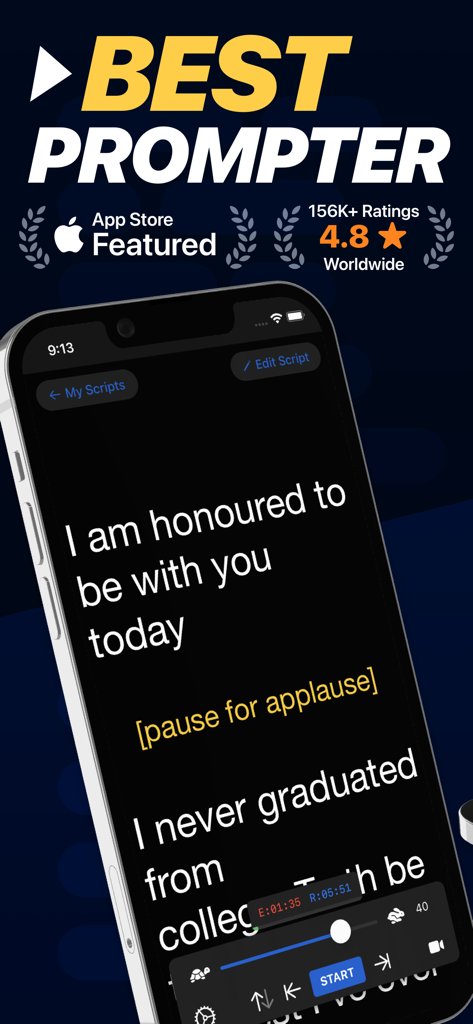
Teleprompter app interface on iPhone displaying a script for public speaking with scrolling and speed controls.

Teleprompter app interface on iPhone displaying a script for public speaking with scrolling and speed controls.

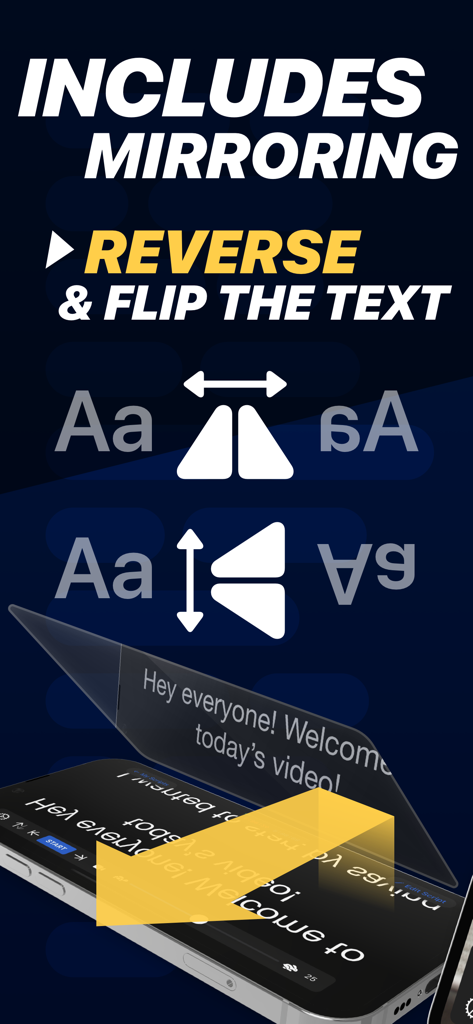
Teleprompter app feature to mirror and reverse text for professional camera rigs

Teleprompter app feature to mirror and reverse text for professional camera rigs

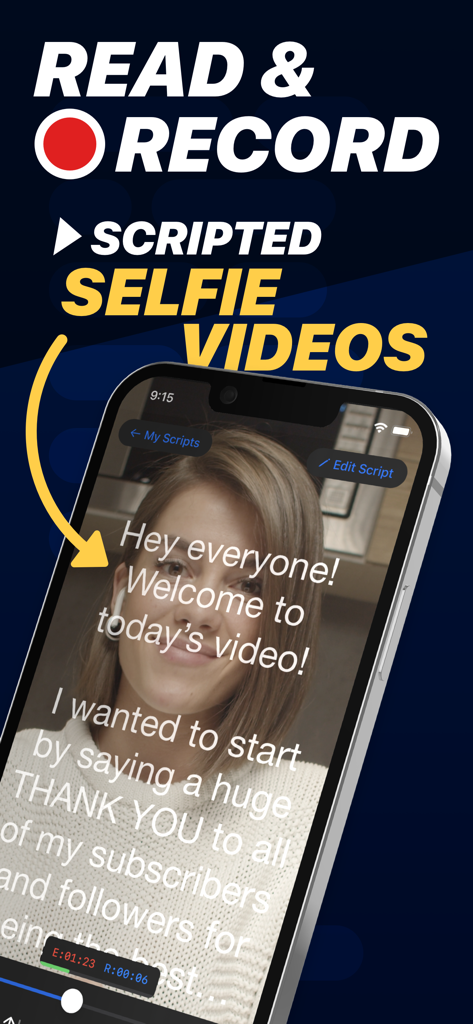
A woman recording a scripted selfie video using the Teleprompter app interface with scrolling text

A woman recording a scripted selfie video using the Teleprompter app interface with scrolling text

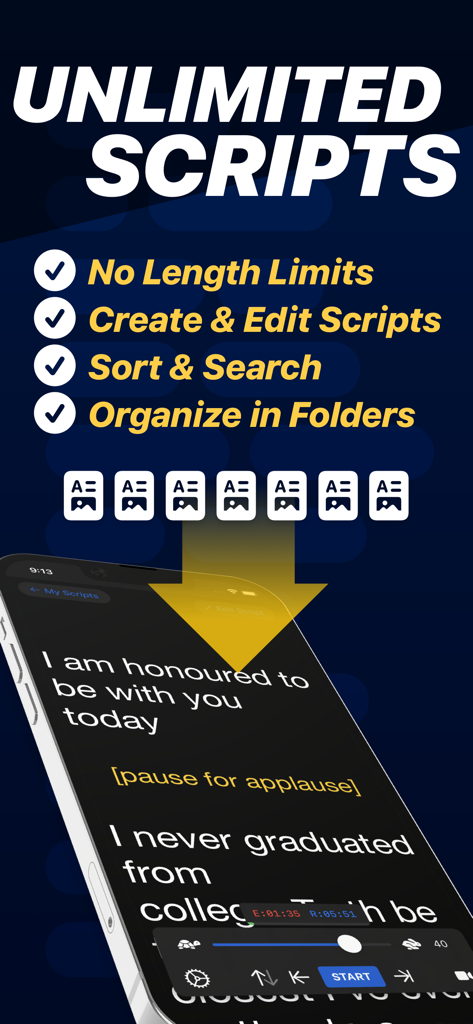
A smartphone showing the Teleprompter app with a scrolling script and features for managing unlimited scripts.

A smartphone showing the Teleprompter app with a scrolling script and features for managing unlimited scripts.

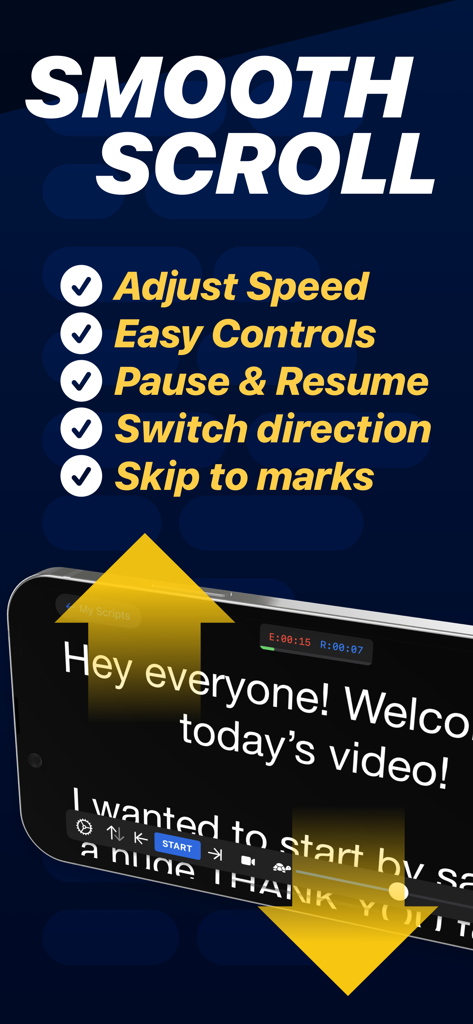
Teleprompter app interface showing smooth scroll features and script controls on an iPhone

Teleprompter app interface showing smooth scroll features and script controls on an iPhone

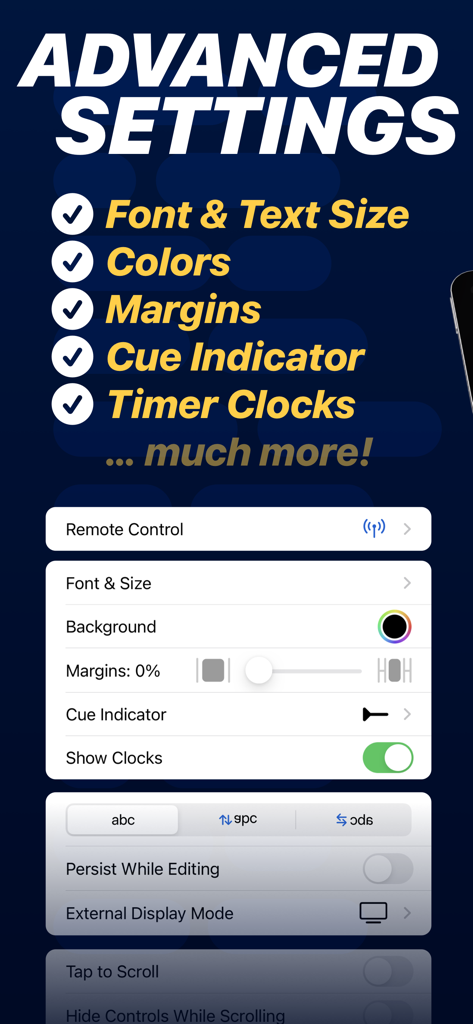
Advanced settings menu in the Teleprompter app showing customization options for fonts, margins, and cue indicators

Advanced settings menu in the Teleprompter app showing customization options for fonts, margins, and cue indicators

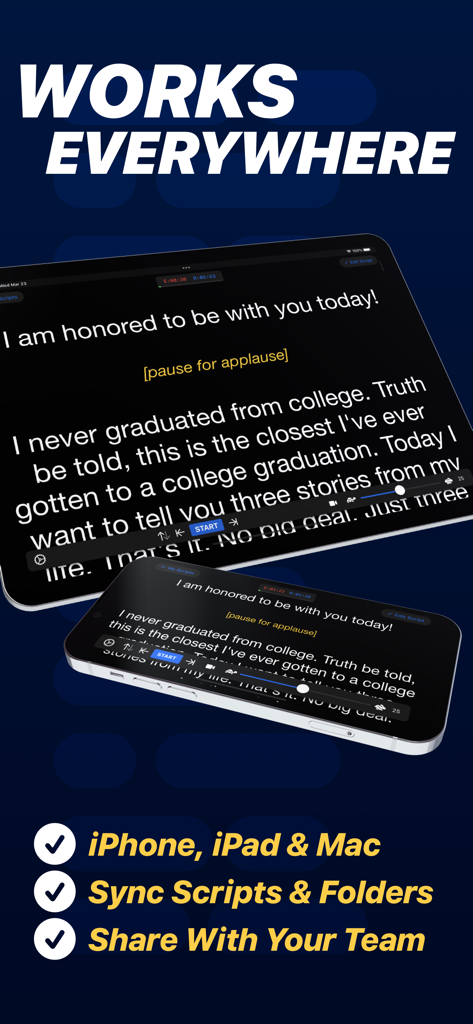
Teleprompter app displaying a script synchronized across an iPhone and an iPad for video content creation

Teleprompter app displaying a script synchronized across an iPhone and an iPad for video content creation

Master Your On-Screen Presence

The tools that make this app stand out, trusted by 4M+ users.

🤳

Record and Share in Seconds

Capture high-quality video while reading your script and post directly to TikTok, Instagram, or YouTube to keep your content flowing.

👁️

Perfect Eye Contact

Keep your eyes on the camera lens while reading, ensuring you look confident and engaged during Zoom calls or professional recordings.

🎮

Seamless Remote Control

Use your Apple Watch, keyboard, or even a gaming controller to adjust speed and scripts remotely for a hands-free, natural delivery.

Loved by users worldwide

Trusted by 4M+ people who love this app.

"

"Since I started using this app for my TikTok and YouTube content, my production time has been cut in half. I can record long, detailed scripts in one take while maintaining natural eye contact with my followers. The smooth scrolling and easy speed control make every recording feel professional."

Marcus Rivera, Social Media Creator
"

"This is an essential tool for my remote presentations. I use the Split View feature on my iPad to have my script right next to my Zoom meeting, ensuring I never miss a key point while looking directly at my clients. Importing my scripts from Word is fast and flawless."

Elena Rodriguez, Senior Marketing Director

About the app

Everything you need to know about Teleprompter.

Description

Turn your device into a Teleprompter for free... Teleprompter is the best free teleprompter app used by creators and studios including Netflix, ABC, CBS, BBC, Fox, ITV, Channel 4, UKTV and many more. Engineered for real-world reliability, Teleprompter is packed with everything you'll need for your content, production or presentation. Available for Free: • Compose, create, and manage unlimited scripts with NO character or length limits • Adjust text size, font, and colour to suit your setup • Import (up to 5) documents in Word, PDF, .txt, and .rtf formats from any app • Record videos using your device camera while reading from the Teleprompter • Save recorded videos directly to Photos or share to apps like Instagram, YouTube, and TikTok • Apply real-time video effects (Virtual Backgrounds, portrait mode) • Scripts scroll smoothly with easy speed control • Scroll up to 120Hz on ProMotion devices • Use any font installed on your device for your teleprompter scripts • Basic control options from connected keyboards and controllers • Export and share scripts easily, or save as backup files • Add cue points to jump to specific parts of your script • Add a countdown timer before scrolling begins • Re-arrange scripts by title, date, or custom order • AirDrop scripts to nearby devices • (Optional) Synchronise your scripts across all your devices automatically via cloud sync • Use Timed Scrolling to scroll your script over a set duration • Display elapsed and remaining time based on scroll speed • Display a reading guide arrow or line with customisable style and position • Set custom default settings (font, colour, layout) for new and imported scripts • Display your scripts full screen by hiding the controls while scrolling • Set a custom background colour behind your script • Adjust side margins to reduce eye movement or fit beam splitter glass • Select between "Continuous" or "Paging" scroll modes • Use the Teleprompter while participating in video meetings (e.g., Zoom or Google Meet) • Use Slide Over or Split View on iPad to multitask with other apps Extra features available with the optional Pro upgrade: • Import unlimited documents in Word, PDF, .txt, and .rtf formats from any app • Mirror or reverse the text for use in professional on-camera Teleprompter rigs • Control the Teleprompter from any web browser on the same WiFi network • Use other nearby iOS devices to monitor and control scrolling and speed via Bluetooth • Control the Teleprompter remotely using keyboard, handheld remote, foot pedal, or gaming controller (including PlayStation and Xbox) • Customisable button/key assignments for remote controls and keyboards • Use Apple Watch to control the scrolling of your script on iPhone • Use the IKAN Elite Remote for scrolling control • Display your script full screen on a connected display or AirPlay TV, with optional independent mirroring • Use the built-in script editor to format text with rich text features like bold, italic, underline, and text colour • Export scripts as Rich Text (.rtf) files for editing on other devices • Connect via HDMI or AirPlay to external displays with "clean feed" • Automatically generate '.srt' captions and subtitles for your videos • Retrieve backups of your recordings from the cloud Designed to be the best free Teleprompter app with mirroring. Teleprompter is designed for presentations, lectures, broadcasters, filmmakers, musicians & singers, business professionals, or any public speaking! Pro Upgrade Purchase: The Teleprompter Pro upgrade is available as a one-time in-app purchase forever, or as a subscription. If you chose to subscribe (optional), you can cancel anytime within the app, or from your Apple ID account settings. Terms: https://teleprompterpro.com/terms Privacy: https://teleprompterpro.com/privacy

Latest Version

3.57.0

Size

59.2 MB

First Released

Feb 17, 2015

Master Your Message in One Take

Join over 4 million creators and professionals who speak with confidence and authority. Download the world’s most trusted teleprompter for free on your iPhone or iPad today.

Download on App Store
FAQ

Frequently Asked Questions

Everything you need to know about Teleprompter

What is the Teleprompter app?

The Teleprompter app transforms your device into a free teleprompter. It is used by creators and studios like Netflix, ABC, and BBC, providing essential tools for content creation, production, and presentations.

Is the Teleprompter app free to use?

Yes, the Teleprompter app is free to download and use. It includes core features like unlimited script management, text adjustments, and video recording, with additional Pro features available via optional upgrade.

Can I record videos directly within the Teleprompter app?

Yes, the Teleprompter app allows you to record videos using your device camera while reading from the teleprompter. You can also apply real-time video effects and save recordings directly to Photos.

Does Teleprompter support text mirroring for professional setups?

Yes, the Teleprompter app supports mirroring or reversing text. This feature is available with the Pro upgrade and is designed for use with professional on-camera teleprompter rigs.

What file formats can the Teleprompter app import?

The free version of the Teleprompter app imports up to five documents in Word, PDF, .txt, and .rtf formats. The Pro upgrade allows for unlimited document imports in these formats.

Can I control the Teleprompter app remotely?

Yes, the Teleprompter app offers various remote control options with the Pro upgrade. These include control from a web browser, other iOS devices via Bluetooth, keyboards, foot pedals, gaming controllers, and Apple Watch.

How does Teleprompter handle scripts? Are there length limits?

The Teleprompter app allows users to compose, create, and manage unlimited scripts with no character or length limits. Users can also adjust script settings, add cue points, and re-arrange them.

Is the Teleprompter Pro upgrade a subscription or a one-time purchase?

The Teleprompter Pro upgrade is available as either a one-time in-app purchase for lifetime access or as an optional subscription. Subscriptions can be canceled at any time.

Can I use Teleprompter during video calls like Zoom or Google Meet?

Yes, the Teleprompter app integrates with video conferencing. Users can utilize the Teleprompter while participating in video meetings such as Zoom or Google Meet.

Does Teleprompter sync scripts across multiple devices?

Yes, the Teleprompter app offers optional cloud sync to automatically synchronize your scripts across all your devices. This feature helps manage scripts seamlessly across iPhone, iPad, and Mac.