To Do List - Reminders & Tasks

To Do List - Reminders & Tasks

Download on App Store
Spark by MWM logo
Logo of To Do List - Reminders & Tasks
To Do List: Simple, Aesthetic, and Ad-Free Task Management

The minimalist way to organize your life across your iPhone, iPad, and Mac. No sign-up required, no tracking, and zero ads—just pure productivity that looks as good as it feels.

Download on App Store

Publisher

Monelyze Inc.

Category

Productivity

Downloads

1M+

User Rating

4.7/5

Total Ratings

19K+

Locales

13

Productivity, Visualized

Discover the interface used by 1M+ users.
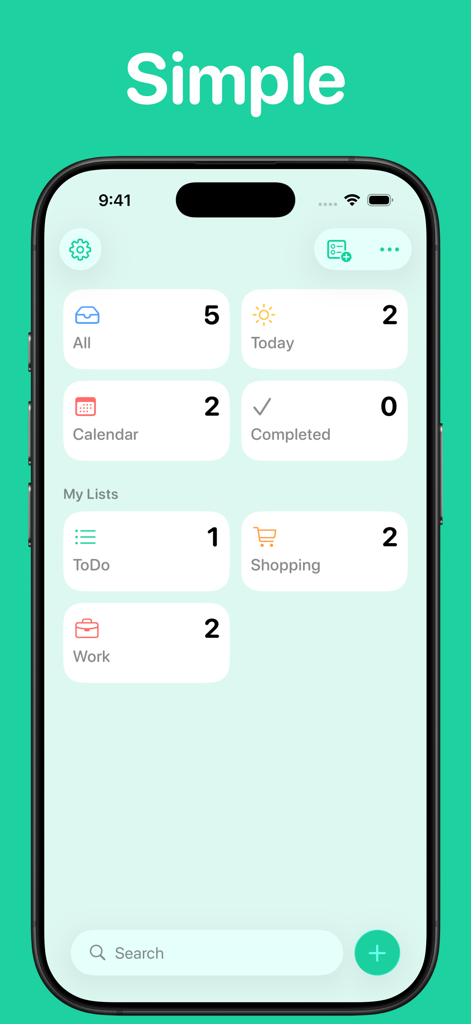
To Do List app interface on iPhone showing a minimalist dashboard with task categories like Today, Shopping, and Work

To Do List app interface on iPhone showing a minimalist dashboard with task categories like Today, Shopping, and Work

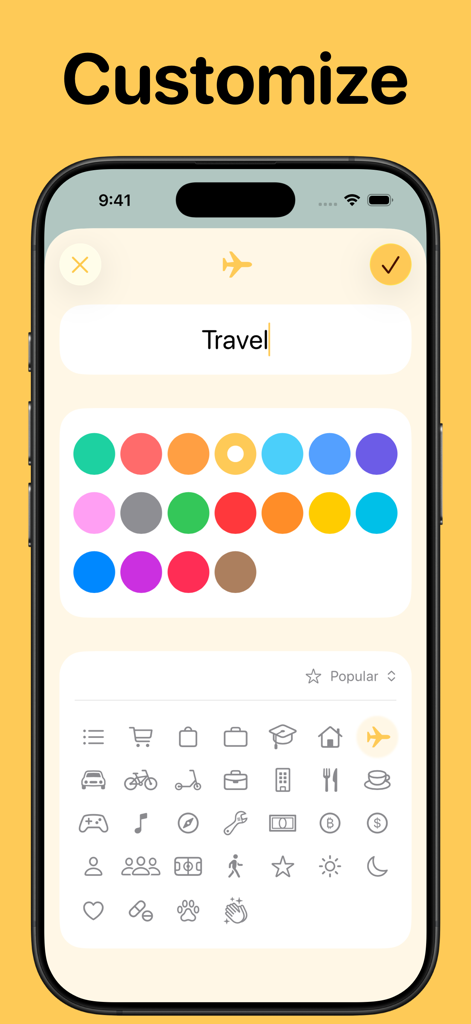
iPhone interface showing customization options for a travel list with various color and icon selections

iPhone interface showing customization options for a travel list with various color and icon selections

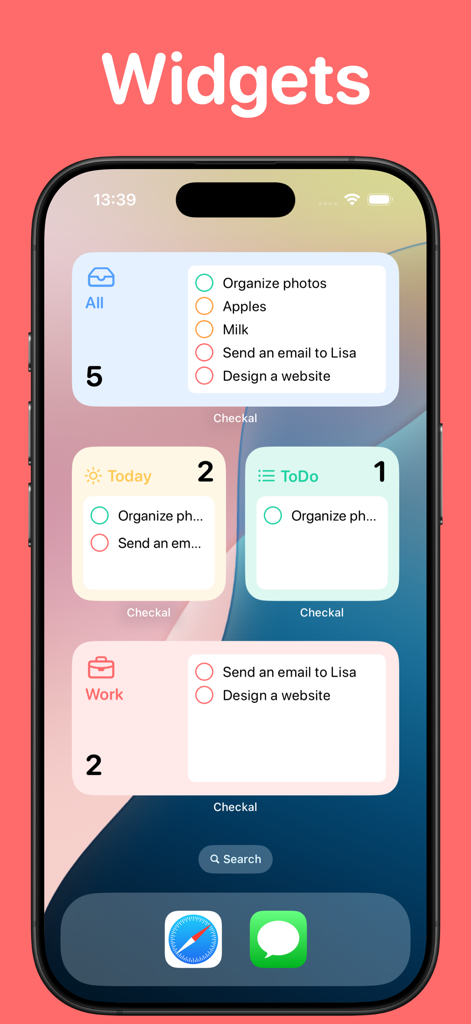
iPhone home screen with various customizable to-do list and task reminder widgets.

iPhone home screen with various customizable to-do list and task reminder widgets.

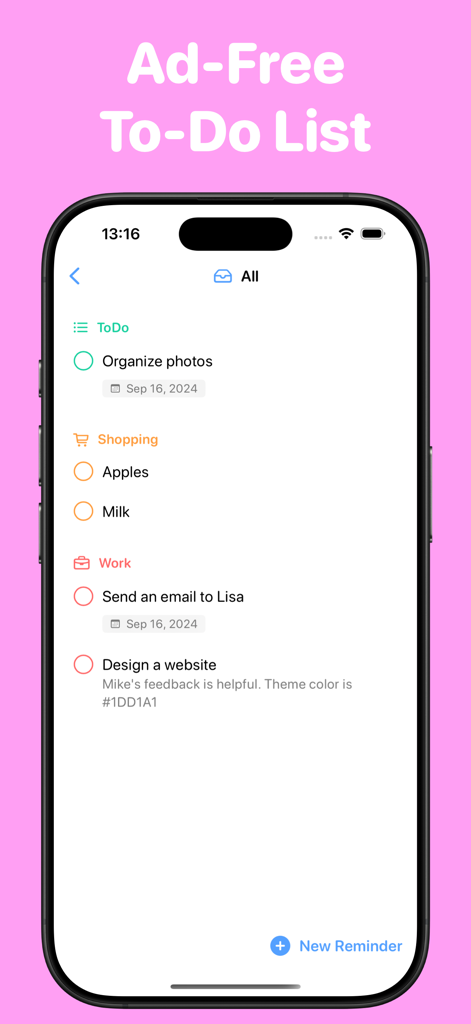
IPhone screen showing an ad-free to-do list with shopping and work categories

IPhone screen showing an ad-free to-do list with shopping and work categories

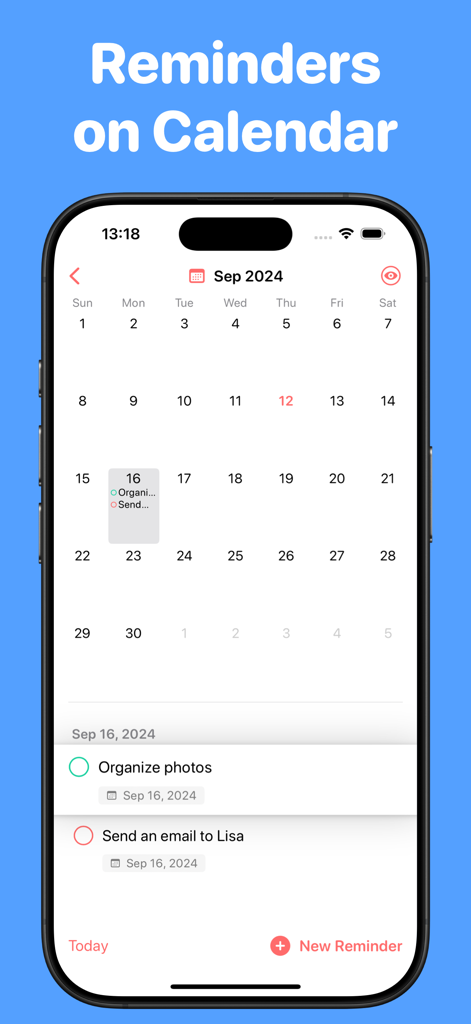
To Do List app calendar interface displaying scheduled tasks and reminders on an iPhone

To Do List app calendar interface displaying scheduled tasks and reminders on an iPhone

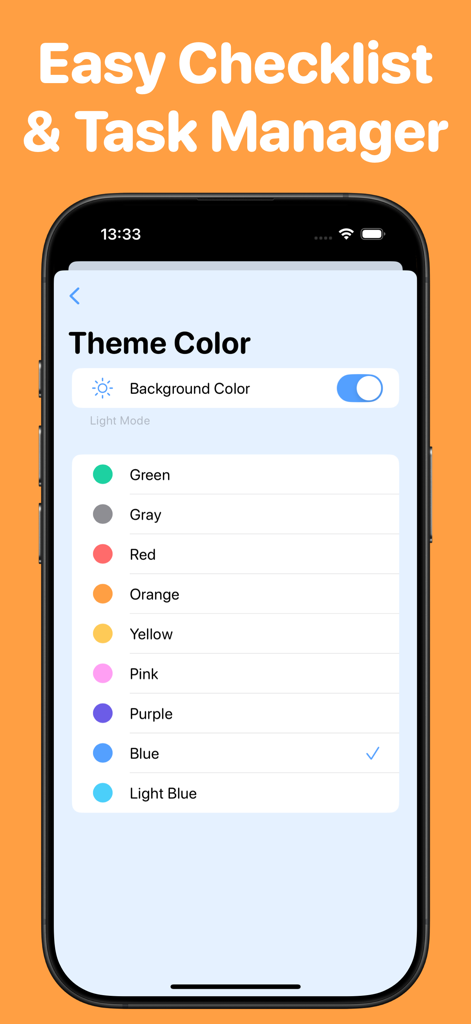
To Do List app theme color selection menu on an iPhone

To Do List app theme color selection menu on an iPhone

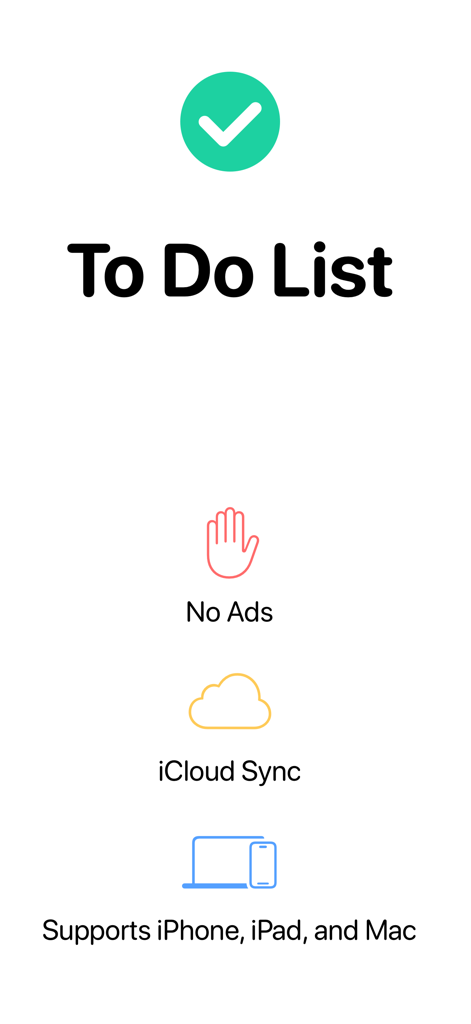
To Do List app introduction screen highlighting no ads, iCloud sync, and Apple device compatibility

To Do List app introduction screen highlighting no ads, iCloud sync, and Apple device compatibility

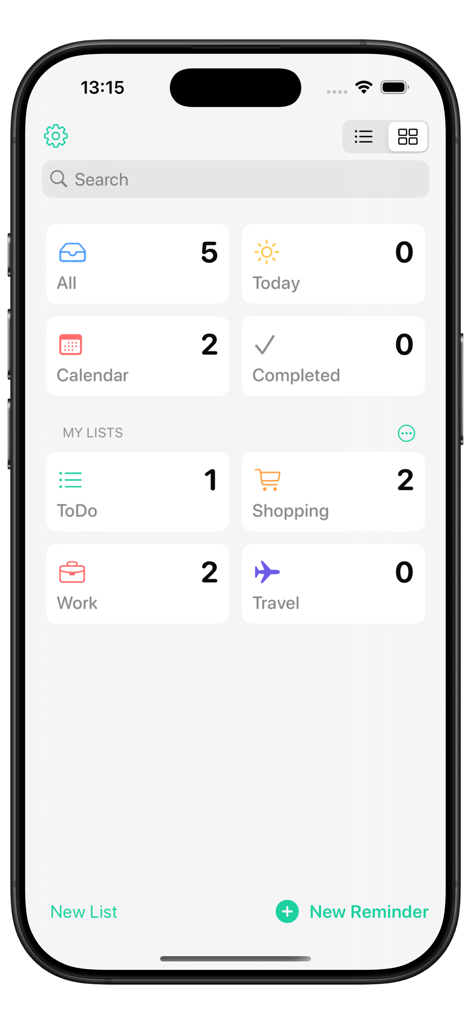
To Do List app home screen showing task lists for work and shopping

To Do List app home screen showing task lists for work and shopping

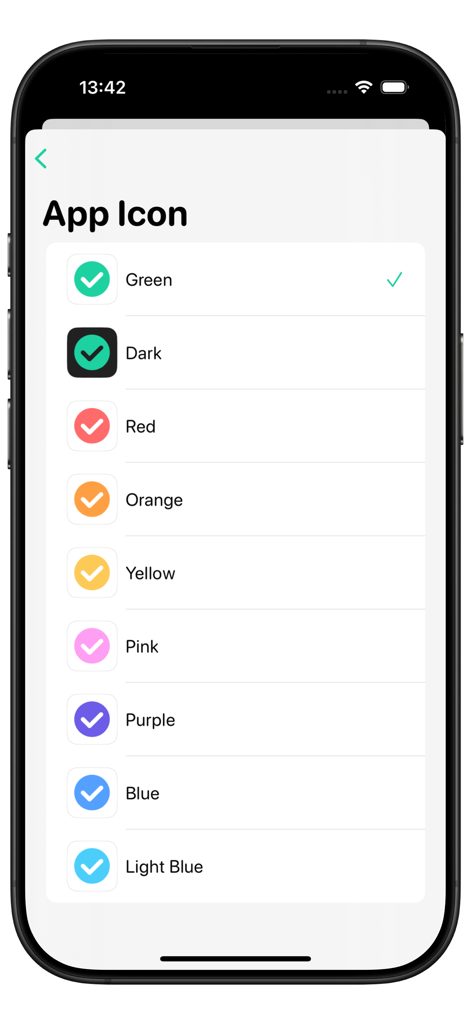
Interface showing multiple color options for the To Do List app icon

Interface showing multiple color options for the To Do List app icon

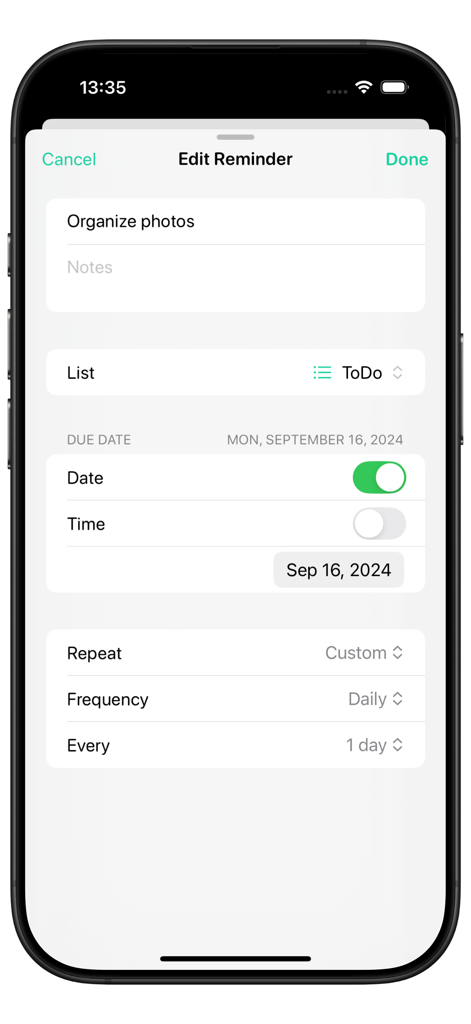
A screenshot showing the edit reminder screen of the To Do List app with options for setting dates and task repetition

A screenshot showing the edit reminder screen of the To Do List app with options for setting dates and task repetition

Organize Your Life, Without the Clutter

The tools that make this app stand out, trusted by 1M+ users.

🔒

Privacy-First & Frictionless

No sign-ups, no tracking, and zero ads. Respecting your digital boundaries while you get things done.

🎨

Aesthetic Personalization

Transform your lists into a visual experience with customizable icons, themes, and sleek home screen widgets.

📅

Seamless Visual Planning

View deadlines at a glance with the calendar view and re-prioritize instantly using intuitive drag-and-drop.

Loved by users worldwide

Trusted by 1M+ people who love this app.

"

"I've tried every productivity app out there, but this one is finally 'the one.' I love that I didn't have to create an account to start, and the minimalist design doesn't clutter my brain. Plus, being able to customize the app icon to match my home screen aesthetic is a total game changer for me!"

Sarah J.
"

"As someone who works across a Mac and iPhone, the iCloud sync is flawless. It is rare to find an app that respects privacy this much—no tracking and no annoying ads. I immediately went for the lifetime purchase because it is hard to find high-quality, one-time-buy tools in a world of endless subscriptions."

Marcus T.

About the app

Everything you need to know about To Do List - Reminders & Tasks.

Description

"To Do List" is a simple, intuitive reminder app that’s free to use, with no ads and no sign-up required! Manage everything from shopping lists to work tasks; see due dates at a glance with the calendar view and change dates quickly with drag and drop. Use widgets and notifications to stay on track, and customize the app with colors and icons. Built for iOS, iPadOS, and macOS, it delivers smooth performance and a beautiful design. Even in the free version, "To Do List" shows no ads and performs no tracking. If you like it, please consider upgrading to Premium. ● Main Features - Simple interface and clean design - Free to use, with no ads or tracking - Customizable colors and icons - Calendar view to see due dates at a glance - Easy-to-read widgets - Works on iPhone, iPad, and Mac - iCloud sync (Premium) ● Premium Premium unlocks all features. You can choose between a subscription or a one-time purchase (lifetime access). Prices vary by country or region. Premium Features - iCloud sync to share data across devices - Add notes to reminders for more details - Repeating reminders - Detailed calendar view - All themes and app icons - All list icons *Please check the app for details on pricing and features. *Prices and features may change without notice. Terms of Use: https://monelyze.app/en/terms/ Privacy Policy: https://monelyze.app/en/privacy/

Latest Version

6.0.2

Size

42.9 MB

First Released

Aug 16, 2019

Your Day, Simplified and Private.

Join over 1 million users who choose focus over clutter. No ads, no tracking, and no sign-up required—just a beautifully minimalist way to manage your tasks across all your Apple devices.

Download on App Store
FAQ

Frequently Asked Questions

Everything you need to know about To Do List - Reminders & Tasks

Is "To Do List - Reminders & Tasks" a free app?

Yes, "To Do List - Reminders & Tasks" is free to use. It offers a core set of features without any cost, advertisements, or sign-up requirements for basic functionality.

Does the "To Do List" app contain advertisements?

No, the "To Do List - Reminders & Tasks" app does not contain any advertisements. This applies to both the free and Premium versions of the application.

On which devices can I use "To Do List - Reminders & Tasks"?

The "To Do List - Reminders & Tasks" app supports iOS, iPadOS, and macOS devices. It works seamlessly across iPhone, iPad, and Mac.

Does "To Do List - Reminders & Tasks" offer customization options?

Yes, "To Do List - Reminders & Tasks" offers extensive customization. Users can personalize the app's appearance with various colors and icons to suit their preferences.

Can "To Do List" display reminders as widgets?

Yes, the "To Do List - Reminders & Tasks" app supports widgets. Users can add easy-to-read widgets to their home screen to monitor tasks and reminders efficiently.

How can I view due dates in "To Do List - Reminders & Tasks"?

Users can view due dates in "To Do List - Reminders & Tasks" through a dedicated calendar view. This feature allows for at-a-glance management and quick date changes via drag and drop.

What are the premium features of "To Do List - Reminders & Tasks"?

Premium features for "To Do List - Reminders & Tasks" include iCloud sync, adding notes to reminders, repeating reminders, a detailed calendar view, and access to all themes, app icons, and list icons.

Does "To Do List - Reminders & Tasks" support iCloud sync?

Yes, "To Do List - Reminders & Tasks" supports iCloud sync. This feature enables data sharing across all your devices, and it is available exclusively with a Premium subscription.

Can I add notes to reminders in "To Do List"?

Yes, users can add notes to reminders in "To Do List - Reminders & Tasks" to include additional details. This enhanced functionality is part of the Premium features package.

Does "To Do List - Reminders & Tasks" offer repeating reminders?

Yes, "To Do List - Reminders & Tasks" provides repeating reminders. Users can set tasks to recur at specified intervals, a feature exclusively offered within the Premium version.

How much does "To Do List" Premium cost?

The cost for "To Do List - Reminders & Tasks" Premium varies depending on the user's country or region. Specific pricing details are available within the app itself.

Does "To Do List - Reminders & Tasks" require a sign-up or account creation?

No, "To Do List - Reminders & Tasks" does not require any sign-up or account creation. Users can access and utilize its core features immediately without registration.

Is "To Do List - Reminders & Tasks" tracking my data?

No, "To Do List - Reminders & Tasks" does not perform any tracking of user data. This privacy-focused approach is maintained even in the free version of the app.