To Do List Widget

To Do List Widget

Download on App Store
Spark by MWM logo
Logo of To Do List Widget

To Do List Widget: Your Aesthetic Daily Planner

Master your tasks with beautiful, fully customizable widgets. Edit your lists directly from your Home Screen and match your phone’s vibe with custom colors and fonts.

Publisher

TAPUNIVERSE LLC

Category

Business

Downloads

668K+

User Rating

4.8/5

Total Ratings

13K+

Locales

1

Your Day, Styled

Discover the interface used by 668K+ users.
Aesthetic and colorful customizable to do list widgets on an iPhone screen

Aesthetic and colorful customizable to do list widgets on an iPhone screen

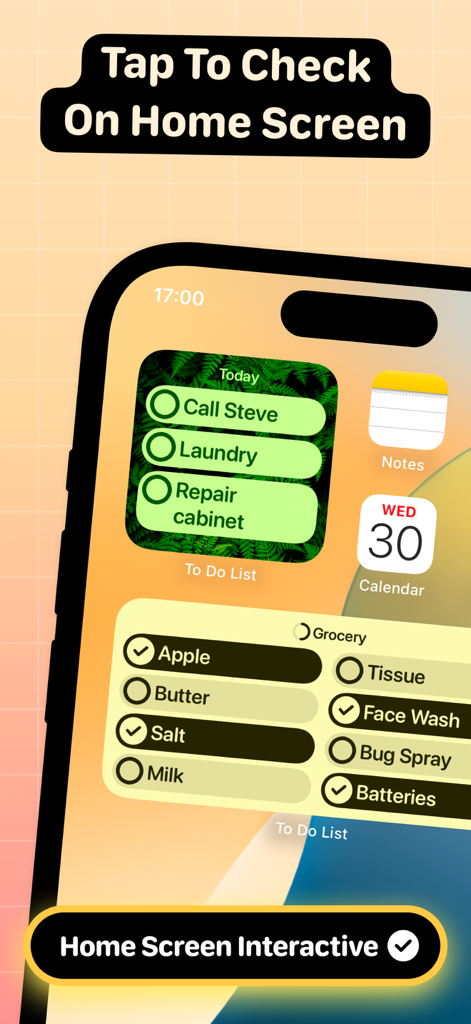
Interactive to do list widgets on an iPhone home screen showing tasks and grocery items

Interactive to do list widgets on an iPhone home screen showing tasks and grocery items

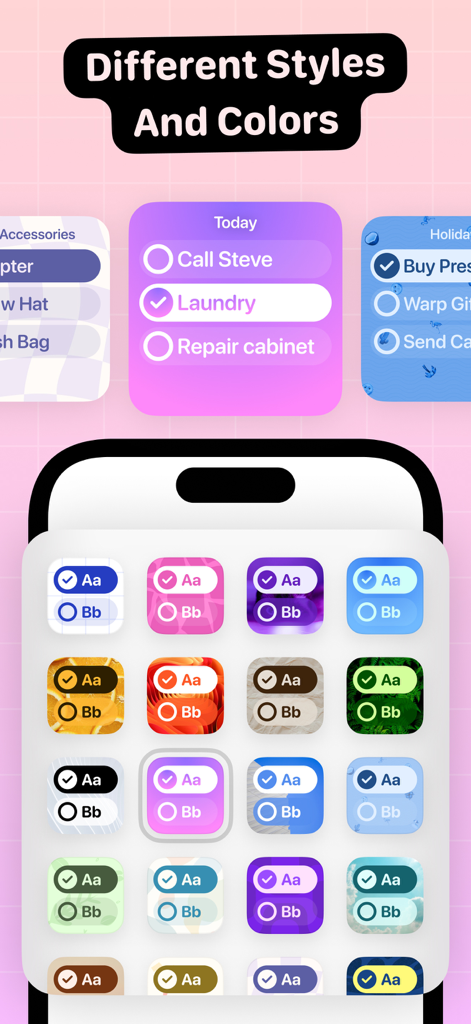
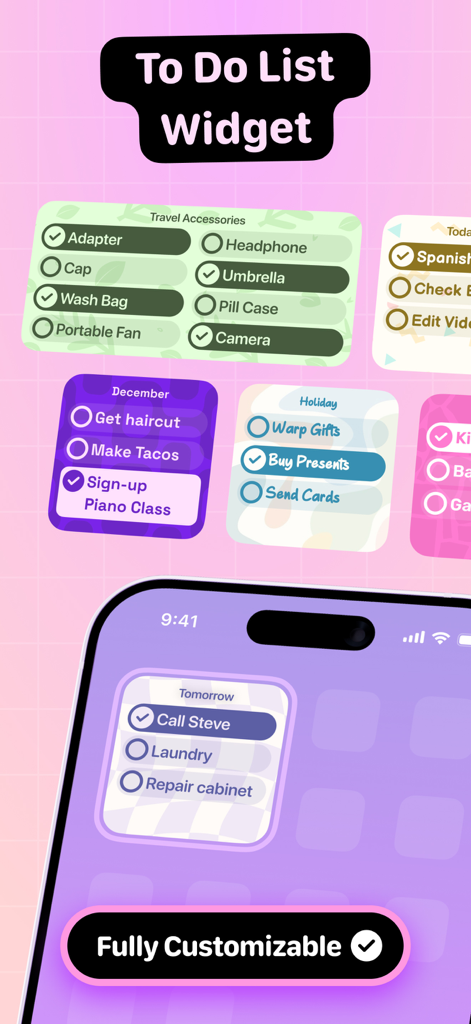
Selection of colorful and aesthetic to-do list widget styles and themes

Selection of colorful and aesthetic to-do list widget styles and themes

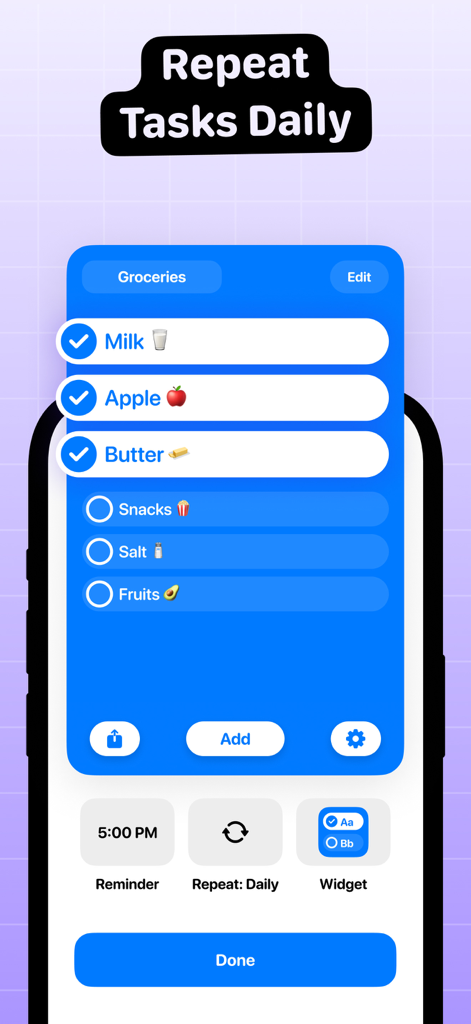
To Do List Widget interface showing a grocery list with daily task repetition and reminders.

To Do List Widget interface showing a grocery list with daily task repetition and reminders.

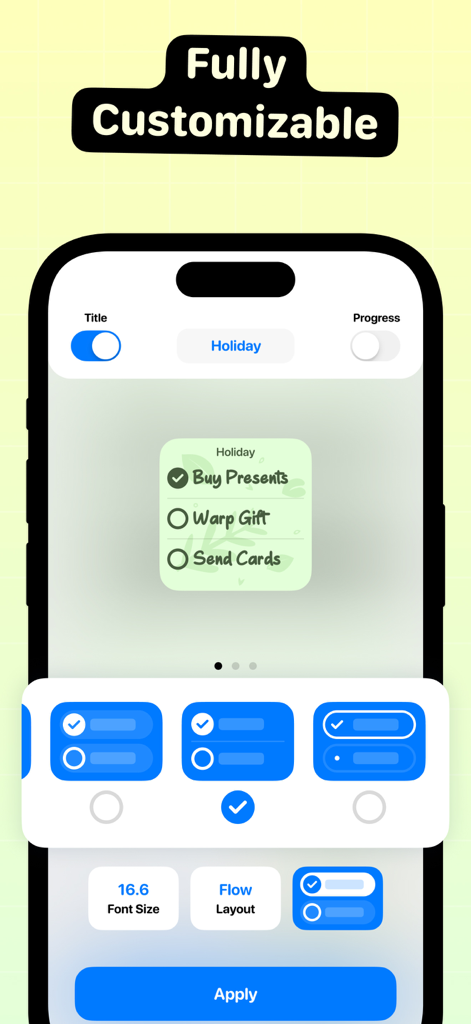
A smartphone screen showing the customization options for a To Do List Widget including font size and layout settings.

A smartphone screen showing the customization options for a To Do List Widget including font size and layout settings.

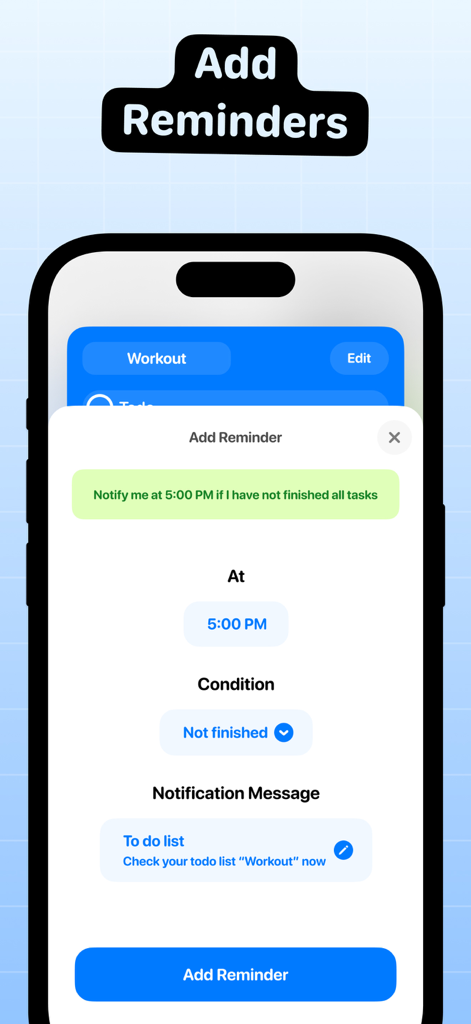
Interface for setting a reminder with time and conditions in the To Do List Widget app

Interface for setting a reminder with time and conditions in the To Do List Widget app

Efficiency Meets Aesthetics

The tools that make this app stand out, trusted by 668K+ users.

Instant Quick-Edits

Stop app-switching. Update, add, or check off tasks directly on your Home Screen for zero-friction productivity.

🎨

Designed for Your Vibe

Customize your widgets with curated color palettes and fonts to create a Home Screen that looks as good as it functions.

📱

Tailored Widget Layouts

Choose from multiple sizes and styles to prioritize what matters most, from quick grocery runs to major work deadlines.

Loved by users worldwide

Trusted by 668K+ people who love this app.

"

"I've tried so many productivity apps, but this is the first one that actually looks good on my Home Screen! I love that I can change the colors and fonts to match my aesthetic perfectly. It makes staying organized feel so much more personal and fun."

Sarah J.
"

"Finally, a to-do list that doesn't feel like a chore to use. Being able to edit my lists directly from the widget without even opening the app is a total game changer for my workflow. It's simple, clean, and exactly what I needed to stay on top of my daily tasks."

Marcus T.

About the app

Everything you need to know about To Do List Widget.

Description

Create unlimited To Do lists and add to your Home Screen. You can open and edit to list directly. Follow these 3 simple steps to get started: 1. Create a list in the app. 2. Add a widget in your preferred size. 3. Long press to configure the widget. FEATURES: - Create unlimited To Do lists. - Add and Edit lists directly from Home Screen. - Change colors & font size. - Support 3 different color styles. - Support 2 different layouts To Do List+: • You can subscribe to unlock all features and create unlimited notes. • Subscription auto-renew at the end of current period, unless cancelled 24-hours in advance prior to the end of the current period. The subscription fee is charged to your iTunes account at confirmation of purchase. You may manage your subscription and turn off auto-renewal by going to your Account Settings after purchase. Per Apple policy, no cancellation of the current subscription is allowed during active subscription period. Once purchased, refunds will not be provided for any unused portion of the term. Terms of use: https://tapuniverse.com/terms/ Privacy policy: https://tapuniverse.com/policy/

Latest Version

3.1.1

Size

299.9 MB

First Released

Oct 15, 2020

Design Your Most Productive Day Ever

Join over 668,000+ people who have turned their Home Screens into a beautiful, glance-and-go command center. Download now and start crossing things off with style.

Download on App Store