TP-Link Omada

TP-Link Omada

Download on App Store
Spark by MWM logo
Logo of TP-Link Omada

TP-Link Omada: Professional Network Management at Your Fingertips

Take complete control of your business or home network. Configure, monitor, and optimize your gateways, switches, and EAPs with enterprise-grade tools designed for mobile-first convenience.

Publisher

TP-Link Systems Inc.

Category

Utilities

Downloads

94K+

User Rating

4.4/5

Total Ratings

500

Locales

23

Your Network at a Glance

Discover the interface used by 94K+ users.
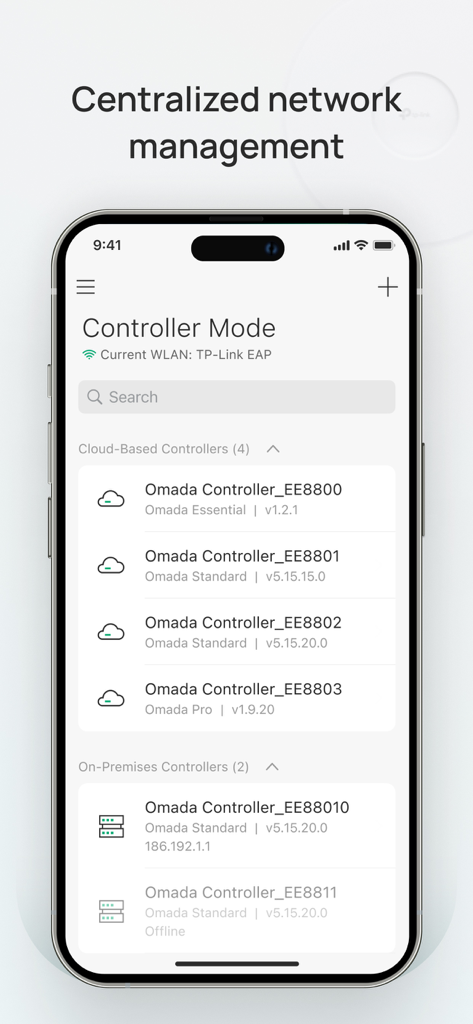
TP-Link Omada app showing the Controller Mode interface with a list of cloud-based and on-premises network controllers for centralized management.

TP-Link Omada app showing the Controller Mode interface with a list of cloud-based and on-premises network controllers for centralized management.

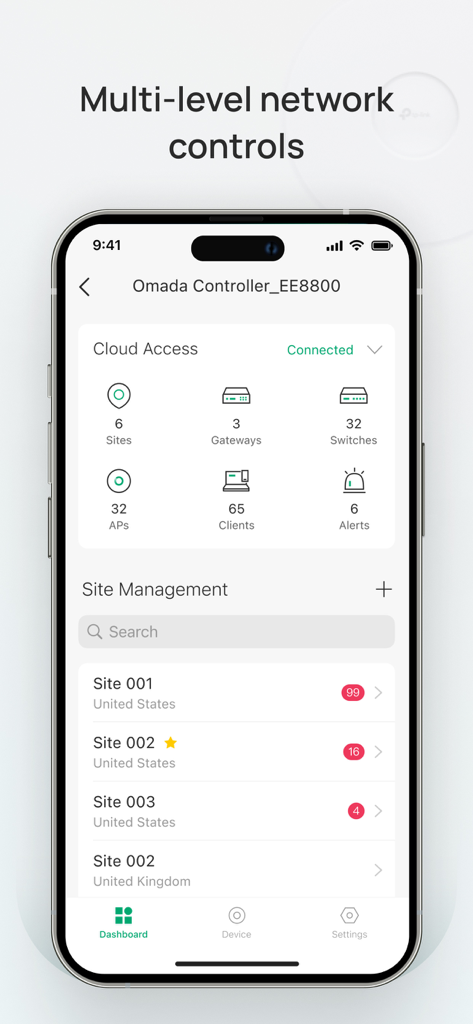
Smartphone screen showing the TP-Link Omada app dashboard with multi-level network controls and multiple site management.

Smartphone screen showing the TP-Link Omada app dashboard with multi-level network controls and multiple site management.

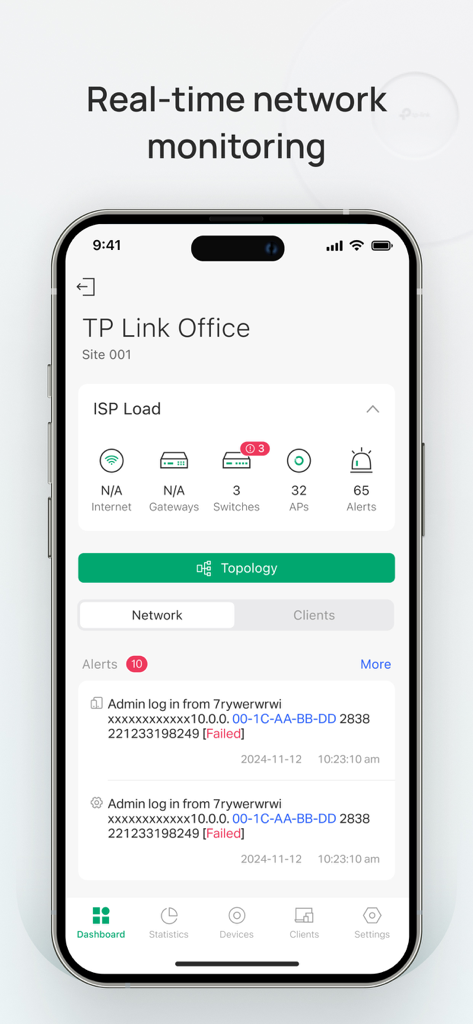
Smartphone screen displaying the TP-Link Omada app dashboard with real-time network health metrics and security alerts

Smartphone screen displaying the TP-Link Omada app dashboard with real-time network health metrics and security alerts

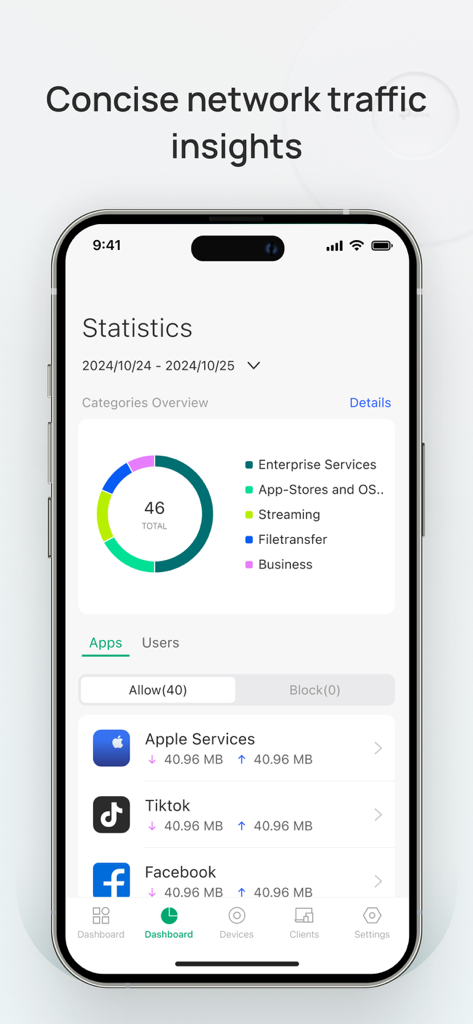
TP-Link Omada app screen showing network traffic insights and app data usage statistics

TP-Link Omada app screen showing network traffic insights and app data usage statistics

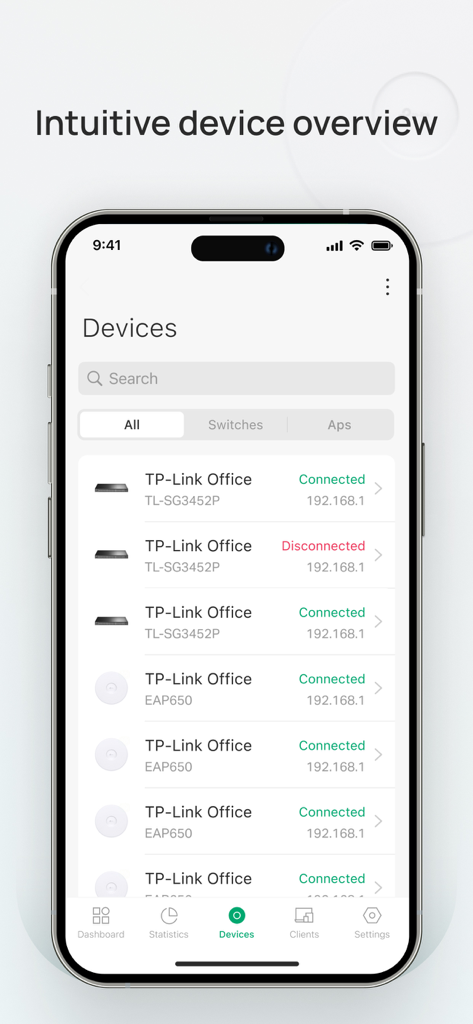
TP-Link Omada app screen showing a list of connected and disconnected network devices including switches and access points

TP-Link Omada app screen showing a list of connected and disconnected network devices including switches and access points

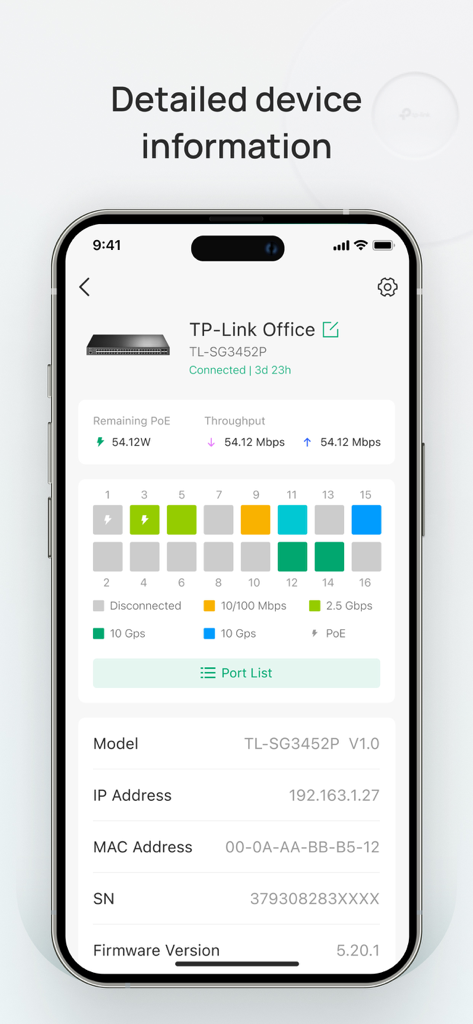
A mobile phone screen displaying detailed information for a network switch in the TP-Link Omada app including port status and throughput

A mobile phone screen displaying detailed information for a network switch in the TP-Link Omada app including port status and throughput

TP-Link Omada app interface displaying standalone mode settings for office gateways and access points.

TP-Link Omada app interface displaying standalone mode settings for office gateways and access points.

Professional Network Control, Redefined

The tools that make this app stand out, trusted by 94K+ users.

🌍

Global Cloud Management

Access and configure your networks from anywhere in the world. Manage multiple sites remotely without the need for expensive on-site visits.

📈

Deep Traffic Insights

Monitor client behavior and bandwidth usage in real-time. Identify bottlenecks and optimize network health through a single, intuitive dashboard.

🛠️

One-Touch Centralized Setup

Deploy unified settings to gateways, switches, and access points simultaneously. Effortlessly scale your infrastructure as your needs grow.

Loved by users worldwide

Trusted by 94K+ people who love this app.

"

"Managing multiple client sites used to require constant travel, but the Omada app has completely changed my workflow. The remote cloud access is incredibly reliable, allowing me to monitor network status and handle configurations on the fly from my phone. It is enterprise-level management made portable."

Marcus Thompson, IT Consultant
"

"I finally have the control over my home network that I always wanted. The interface is intuitive, and setting up separate SSIDs for my IoT devices was a breeze. I love being able to check my bandwidth usage and kick off unauthorized users with just a few taps. It is the ultimate tool for any prosumer."

David Chen, Tech Enthusiast

About the app

Everything you need to know about TP-Link Omada.

Description

Omada app is used for configuring and managing your Omada devices. You can change settings, monitor the network status and manage clients, all from the convenience of a smart phone or tablet. STANDALONE MODE Standalone mode is designed for managing EAPs or wireless routers right away without having to spend time configuring a controller. Each device is managed separately. This mode is recommended for networks which only have a few EAPs (or wireless routers) and require only basic functions, such as home network. CONTROLLER MODE Controller mode works together with a software Omada Controller or a hardware Cloud Controller, and is suitable for managing multiple devices (including gateways, switches and EAPs) centrally. Controller mode allows you to configure and automatically synchronize unified settings to the devices in the network. Compared to Standalone Mode, more configuration options are available and supports to manage more devices in Controller mode. You can manage devices in Controller mode in two ways: via Local Access or Cloud Access. In Local Access mode, the Omada app can manage devices when the Controller and your mobile device are in the same subnet; in Cloud Access mode, the Omada app can access the Controller across the internet so you can manage your devices wherever you are. Compatibility List: The controller mode currently supports hardware cloud controllers (OC200 V1, OC300 V1), software Omada Controller v3.0.2 and above. (To experience more features support and more stable services, we recommend that you upgrade your controller to a new version). Standalone Mode currently supports the following models (with latest firmware): EAP245 (EU)/(US) V1 EAP225 (EU)/(US) V3/V2/V1 EAP115 (EU)/(US) V4/V2/V1 EAP110 (EU)/(US) V4/V2/V1 EAP225-Outdoor (EU)/(US) V1 EAP110-Outdoor (EU)/(US) V3/V1 EAP115-Wall (EU) V1 EAP225-Wall (EU) V2 ER706W (EU)/(US) V1/V1.6 ER706W-4G (EU)/(US) V1/V1.6 *The latest firmware is required and can be downloaded from https://www.tp-link.com/omada_compatibility_list. More devices supported by the app are coming!

Latest Version

5.0.134

Size

185.6 MB

First Released

May 22, 2018

Take Full Control of Your Network, Anywhere

Join thousands of IT professionals and power users. Download the Omada app today for seamless, cloud-based management of your entire ecosystem.

Download on App Store