
TurboCollage Automatic



Don’t waste time with rigid grids and manual resizing. Simply select your photos and let our smart algorithm automatically design the perfect layout for your memories, whether you’re sharing 5 photos or 50.
Publisher
Category
Photo & VideoDownloads
54K+User Rating
Total Ratings
400Locales
6Discover the interface used by 54K+ users.


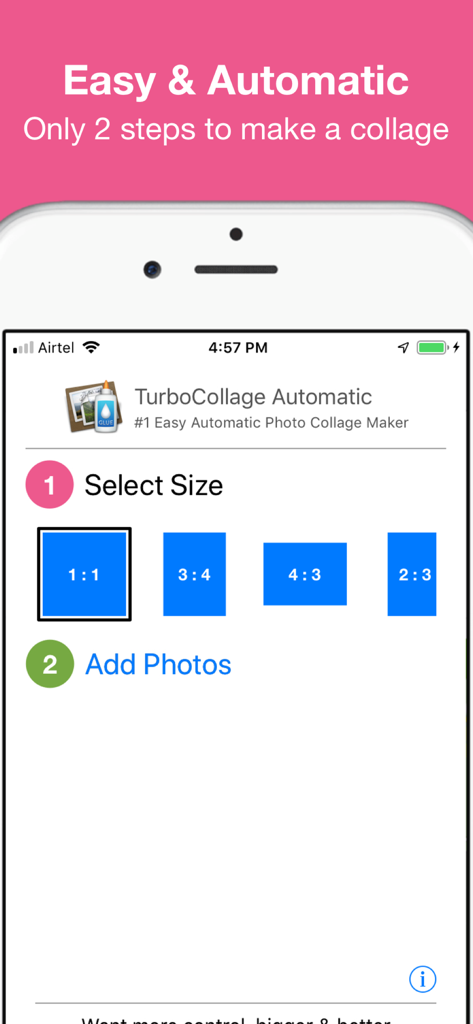
The tools that make this app stand out, trusted by 54K+ users.
Skip the manual frustration. Our smart algorithm does the hard work, instantly arranging your photos into a professional layout.
Don't settle for small grids. Add as many photos as you want to a single collage to capture every detail of your big events.
Just select your size and your photos. Optimized for iPhone and iPad, it’s the perfect tool for your digital scrapbooking.
Trusted by 54K+ people who love this app.
"As a busy mom of three, I have thousands of photos but never the time to organize them. TurboCollage is a lifesaver. I picked 25 photos from my daughter's birthday party, and the app instantly made a gorgeous collage for my Facebook. It is so much faster than trying to manually fit photos into those tiny grid apps!"
"I love using this on my iPad after a vacation. Unlike other apps that limit you to 9 pictures, I can throw in dozens of shots and let the app handle the layout automatically. It is incredibly intuitive and the results look professional without any effort. It is my go-to for making quick digital scrapbooks."
Everything you need to know about TurboCollage Automatic.
Description
Latest Version
1.2.4
Size
24.1 MB
First Released
Feb 1, 2016
Join 54,000+ busy memory-keepers who create stunning automatic collages in seconds. Stop scrolling through your camera roll and start sharing your favorite moments with our 2-step layout magic.
Top-ranked apps in the same category

BYTEDANCE PTE. LTD.

Instagram, Inc.

Google LLC

Canva Pty Ltd

Snap, Inc.

Beijing Kwai Technology Co., Ltd.

Instagram, Inc.

Xiamen Meitu Technology Co., Ltd.

Google LLC