Video Editor Pro: Merge Videos

Video Editor Pro: Merge Videos

Download on App Store
Spark by MWM logo
Logo of Video Editor Pro: Merge Videos

Video Editor Pro: Merge Videos - Create Stunning Content for Your Socials

Effortlessly merge clips, add aesthetic animated text, and apply pro filters to turn your memories into viral-ready stories.

Publisher

Vendi Mobile Technologies Private Limited

Category

Photo & Video

Downloads

93K+

User Rating

4.4/5

Total Ratings

2K+

Locales

21

See Your Story Come to Life

Discover the interface used by 93K+ users.
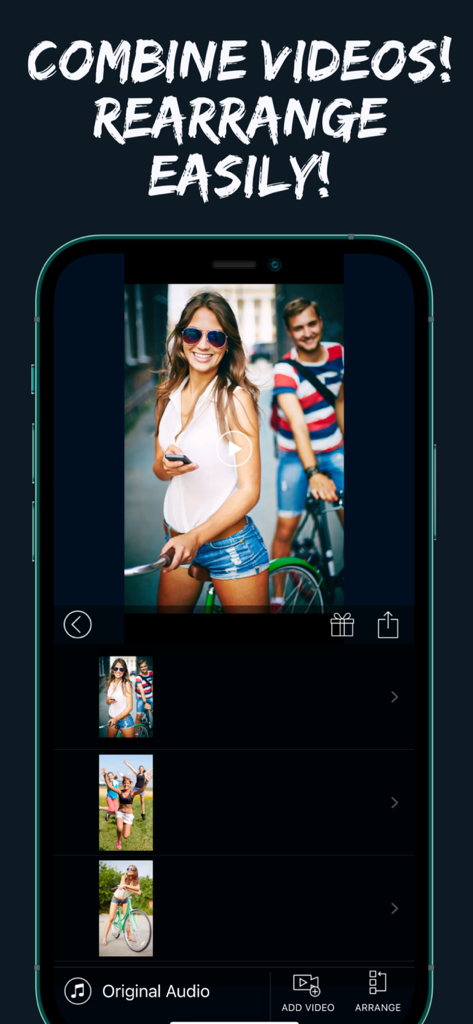
Interface of Video Editor Pro app showing how to combine and rearrange multiple video clips.

Interface of Video Editor Pro app showing how to combine and rearrange multiple video clips.

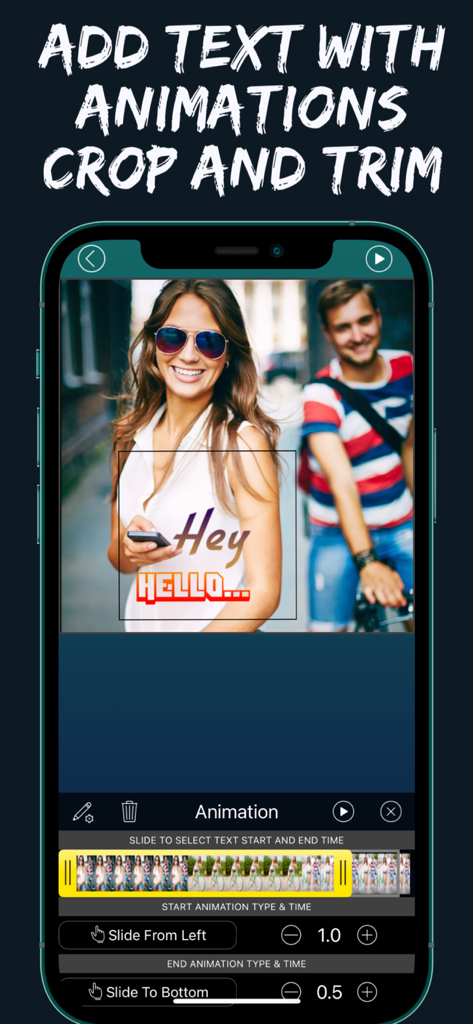
Mobile interface of the Video Editor Pro app showing animated text overlay and video cropping tools.

Mobile interface of the Video Editor Pro app showing animated text overlay and video cropping tools.

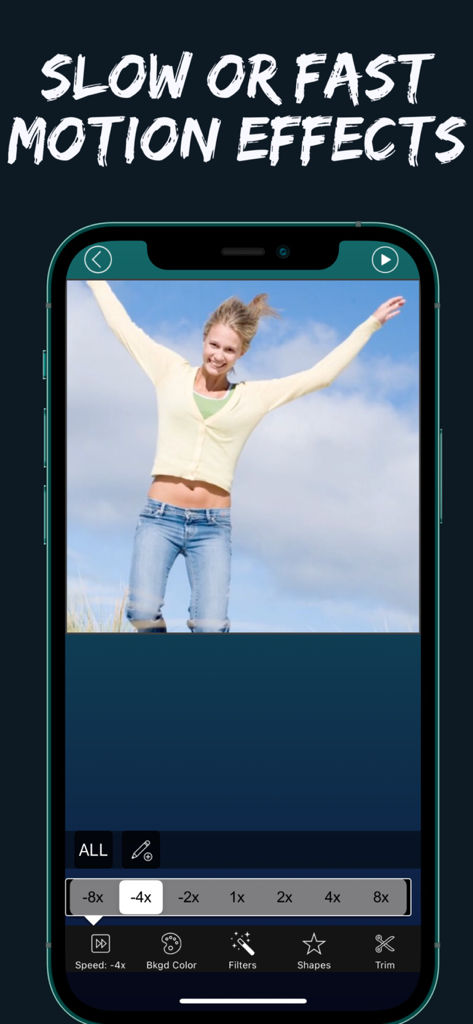
Video Editor Pro app interface showing slow and fast motion speed control settings

Video Editor Pro app interface showing slow and fast motion speed control settings

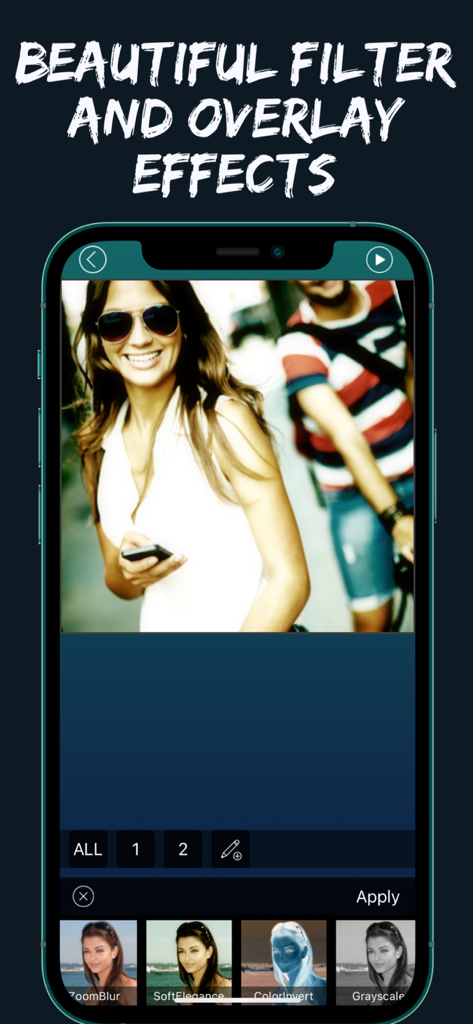
Mobile app interface showing aesthetic filter and overlay options for video editing

Mobile app interface showing aesthetic filter and overlay options for video editing

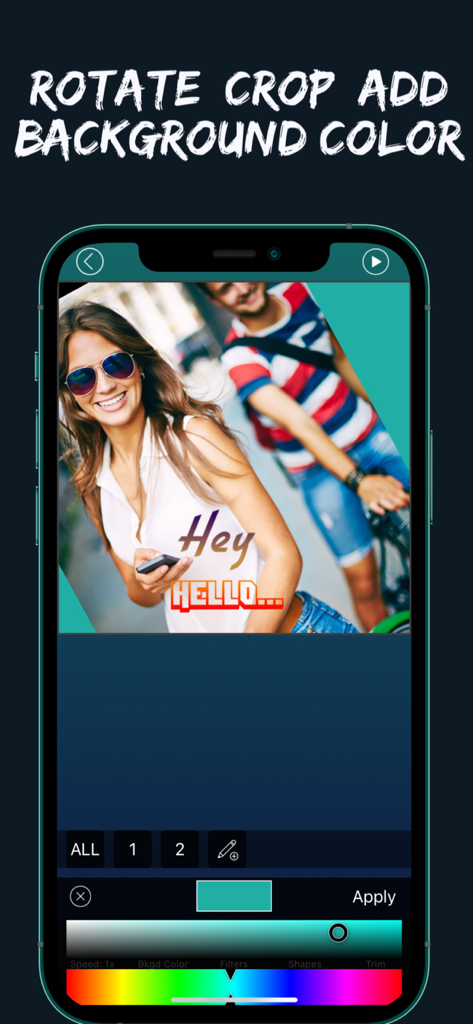
Video Editor Pro app interface for rotating cropping and adding background color to a video

Video Editor Pro app interface for rotating cropping and adding background color to a video

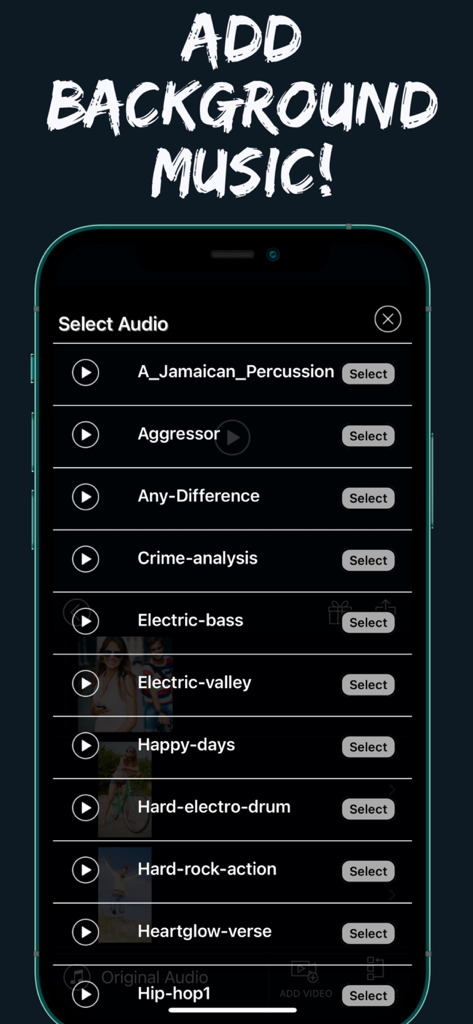
Interface for selecting background music tracks in the Video Editor Pro app

Interface for selecting background music tracks in the Video Editor Pro app

Professional Editing Made Effortless

The tools that make this app stand out, trusted by 93K+ users.

🎞️

Seamless Video Merging

Combine multiple clips into one cohesive story. Rearrange, trim, and edit each segment individually to capture the perfect flow of your memories.

Aesthetic Text & Typography

Elevate your videos with 100+ designer fonts and animated captions. Customize colors, shadows, and overlays to define your unique digital vibe.

Dynamic Speed & Filters

Master the mood with cinematic slow-mo or high-energy timelapses. Apply pro filters to ensure every frame looks stunningly consistent for your followers.

Loved by users worldwide

Trusted by 93K+ people who love this app.

"

"As a lifestyle influencer, I need my Reels to look aesthetic and professional. This app is a game-changer! The selection of over 100 fonts is actually stylish, and the ability to merge multiple clips while adjusting the speed for each one separately makes my editing workflow so much faster."

Sarah Jenkins, Content Creator
"

"I wanted a simple way to combine all the short videos of my kids into one memory video for the family. This app made it incredibly easy to trim the boring parts and add beautiful text overlays. I love that I can crop everything to a square format perfectly for sharing on my social feeds!"

David Miller, Memory Curator

About the app

Everything you need to know about Video Editor Pro: Merge Videos.

Description

One Video Editor for all your video editing needs! MERGER: -------------- - Combine multiple videos easily. Re-arrange, remove at will. - Edit each video separately! TEXT ON VIDEO: ------------------------ - Add multiple text messages on your video. - Animate each text with various effects. - Choose from more than 100 carefully selected beautiful fonts. - Add stroke, shadow, background, border, and various effects to your text. - Change colors for font, stroke, shadow, background, etc. VIDEO SPEED: ---------------------- - Change the speed for each video separately! - Supports speeds from -8x to +8x. FILTER EFFECTS: ------------------------- - Apply beautiful filters for each video. - You can always revert to original easily. OVERLAY SHAPES: ---------------------------- - Apply beautiful overlay shapes, alphabets or numbers to your video. - Customize each shape with any color you like. - Change transparency of the shape. VIDEO TRIM: ------------------ - Trim each video so you can only have the required portion. - Easily reset back to original full video. BACKGROUND COLOR: ---------------------------------- - Change the background color for each video when fitting different orientations, or when you rotate or zoom the video. CROP: --------- - Make Portrait, Landscape or Square videos! - Move, Zoom or rotate each video at will for a perfect position. - Crop as you need. We are planning to add lot more features going forward and your feedback would be greatly appreciated in the Review section!!

Latest Version

1.4

Size

58.7 MB

First Released

Nov 12, 2015

Ready to Create Your Best Video Yet?

Join over 93,000 creators turning simple clips into stunning, share-ready stories. Download Video Editor Pro on the App Store today and start styling your vision.

Download on App Store