Video Saver - Video Cache

Video Saver - Video Cache

Download on App Store
Spark by MWM logo
Logo of Video Saver - Video Cache

Video Saver - Video Cache: Your Ultimate Cloud and Local Video Hub

Effortlessly sync videos across Dropbox, Google Drive, and iCloud. Organize your library with custom folders and enjoy seamless offline playback while keeping your iPhone storage under control.

Download on App Store

Publisher

Jyoti Yadav

Category

Photo & Video

Downloads

453K+

User Rating

3.3/5

Total Ratings

0

Locales

1

A Glimpse Inside

Discover the interface used by 453K+ users.
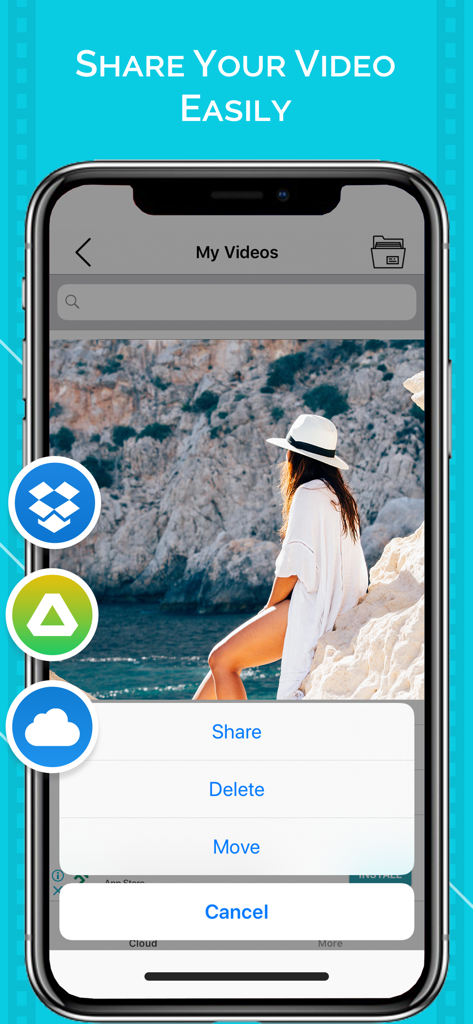
Mobile app interface showing video sharing and management options with cloud storage icons like Dropbox and Google Drive.

Mobile app interface showing video sharing and management options with cloud storage icons like Dropbox and Google Drive.

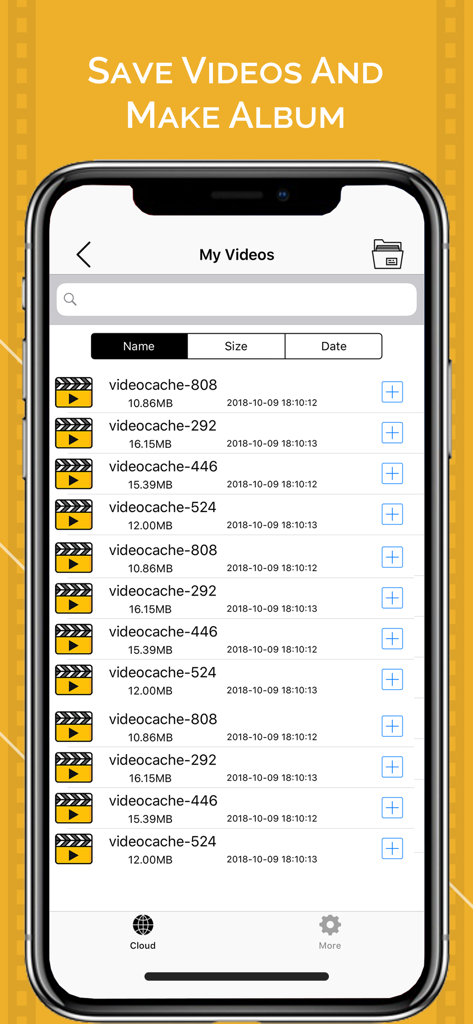
Smartphone screen showing the My Videos list in the Video Saver app with video file names, sizes, and dates.

Smartphone screen showing the My Videos list in the Video Saver app with video file names, sizes, and dates.

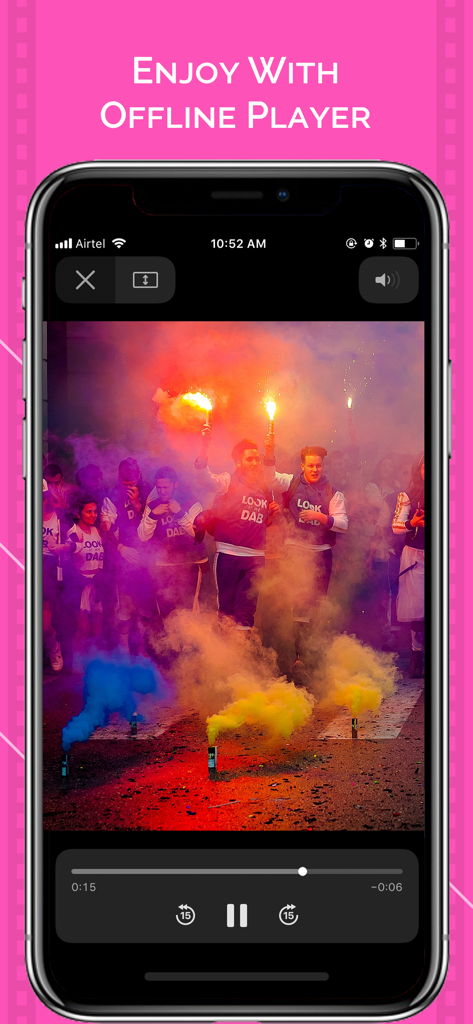
Video Saver app offline player interface playing a video on iPhone

Video Saver app offline player interface playing a video on iPhone

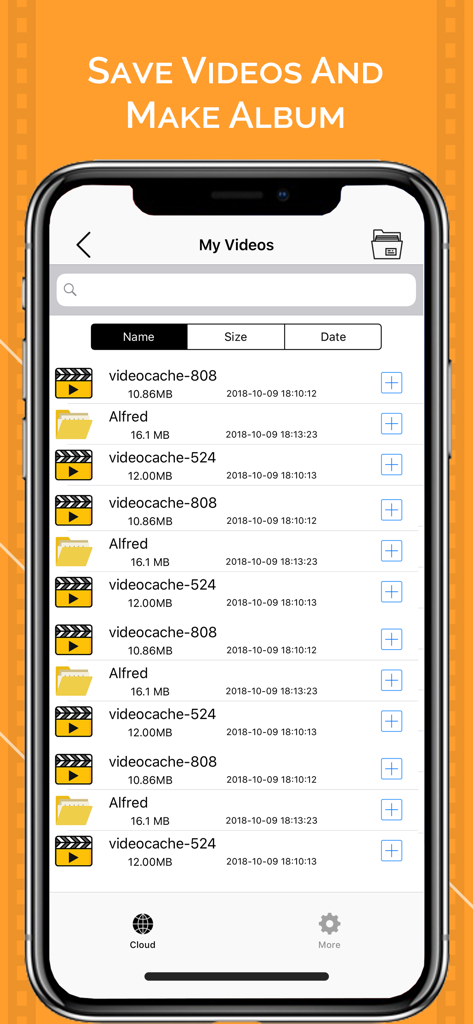
Mobile app interface showing a list of organized video files and custom albums

Mobile app interface showing a list of organized video files and custom albums

Master Your Mobile Media

The tools that make this app stand out, trusted by 453K+ users.

☁️

Unified Cloud Access

Effortlessly transfer videos between Google Drive, Dropbox, and iCloud to bridge the gap between your files and your device.

📁

Pro-Level Organization

Stop scrolling through thousands of photos; create custom folders to keep your projects and personal favorites neatly sorted.

🚀

Offline Freedom

Save your favorite videos to your local cache and enjoy high-quality playback during commutes or flights without using data.

Loved by users worldwide

Trusted by 453K+ people who love this app.

"

"As a freelance social media manager, I am constantly moving B-roll between Google Drive and my iPhone. Video Saver is a lifesaver for organizing clips into custom folders and sharing them directly to socials without cluttering my main photo gallery."

Sarah M., Social Media Manager
"

"The cloud integration is seamless. I use it to cache my study lectures from Dropbox so I can watch them offline during my subway commute. It is the most efficient way I have found to manage my video library without hitting storage limits."

David L., Graduate Student

About the app

Everything you need to know about Video Saver - Video Cache.

Description

Video Saver - Video Cache lets you manage your local videos and cloud videos. It helps to download and upload videos from Dropbox, Google drive and iCloud on your device. You can also create custom folders and manage and play different videos in them. How to Use: -Import videos from photo gallery. -Create new folder and keep your videos by tapping on create folder icon. -Press plus(+) icon to Delete,Rename and Move videos. -Press upload button for uploading on google drive, dropbox. -For sharing video, tap the plus icon on the video and share it on social media. App Features: - Play cloud video in your device. - Create different folders to mange different types of videos. - Video Uploader & Saver for Dropbox. - Video Uploader & Saver for Google drive. SUBSCRIPTION: You can subscribe to premium features, choosing from the following plans: – 1 month – 12 months – Lifetime (One Time Purchase) The subscription automatically renews unless auto-renewal is turned off at least 24 hours before the end of the current period. Payment will be charged to your iTunes account at confirmation of purchase. Account will be charged for renewal within 24 hours of the end of the current period, and the cost of the renewal will be provided.
 Subscriptions may be managed by the user. Auto-renewal may be turned off by going to the user’s Account Settings after purchase. No cancellation of the current subscription is allowed during active subscription period. Any unused portion of a free trial period, if offered, will be forfeited when the user purchases a subscription to that publication. TERMS OF USE: https://awesomeappleappsprivacy.blogspot.com/2019/12/terms-of-use.html PRIVACY POLICY: https://awesomeappleappsprivacy.blogspot.com/2019/12/privacy-and-policy.html

Latest Version

2.3

Size

38.2 MB

First Released

Oct 14, 2018

Ready to Take Control of Your Videos?

Join over 450,000 users who sync, organize, and watch their favorite content offline. Download now and start managing your cloud and local library like a pro.

Download on App Store