
VideoVerb Pro: Reverb on Video




The essential tool for creators and musicians to transform dry audio into immersive soundscapes. Add professional reverb and delay presets to your TikToks, Reels, and Shorts with a single tap.
Publisher
Category
Photo & VideoDownloads
12K+User Rating
Total Ratings
100Locales
23Discover the interface used by 12K+ users.
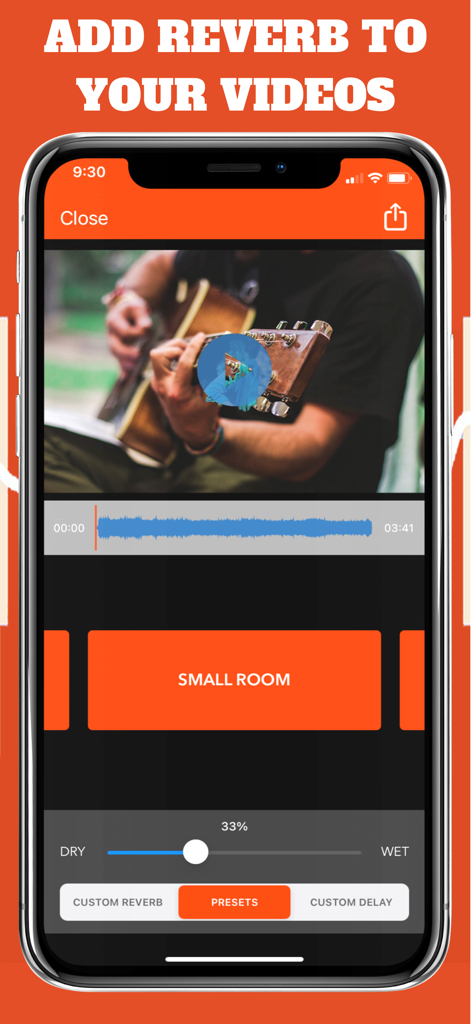
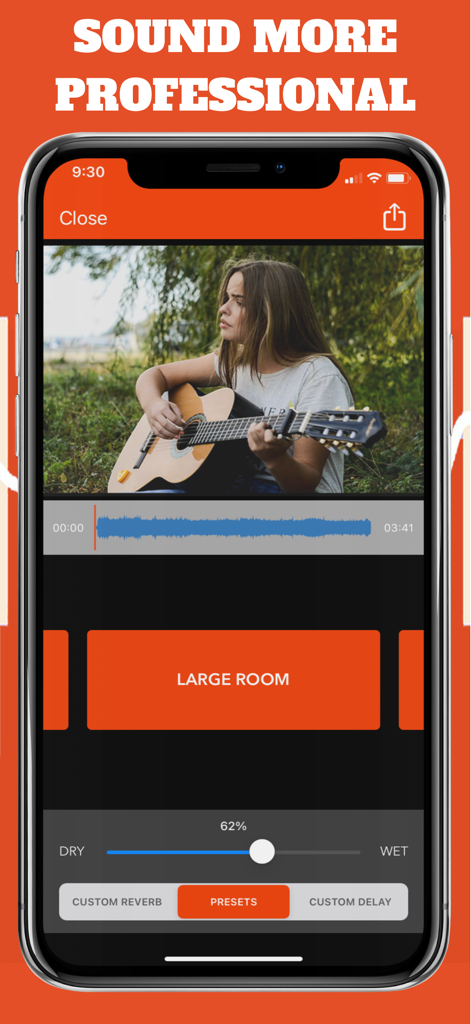
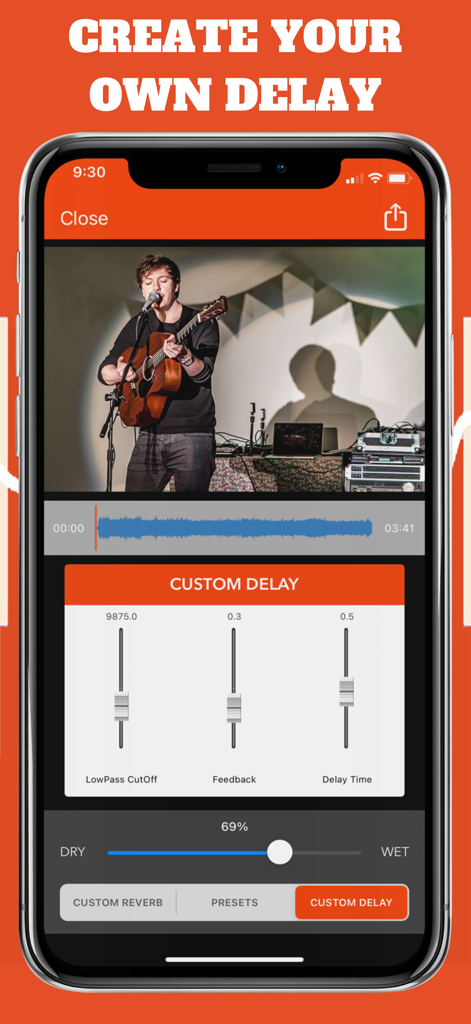
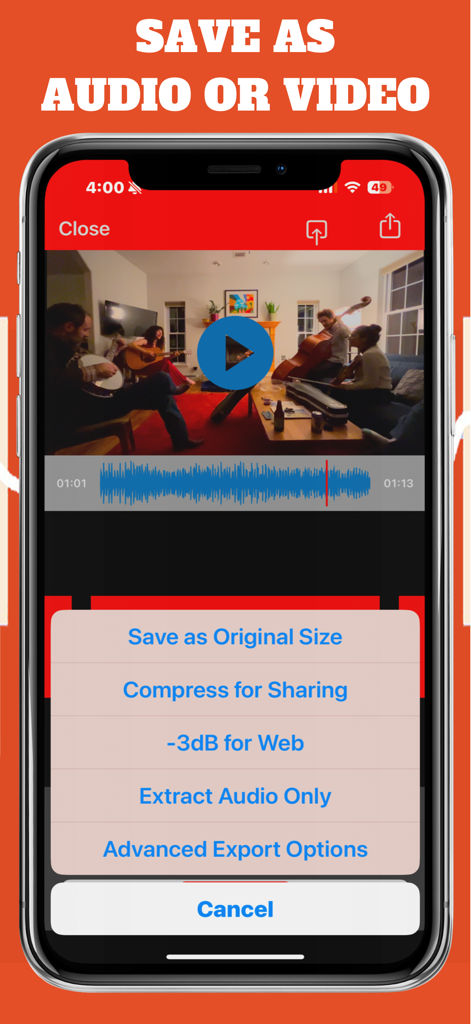
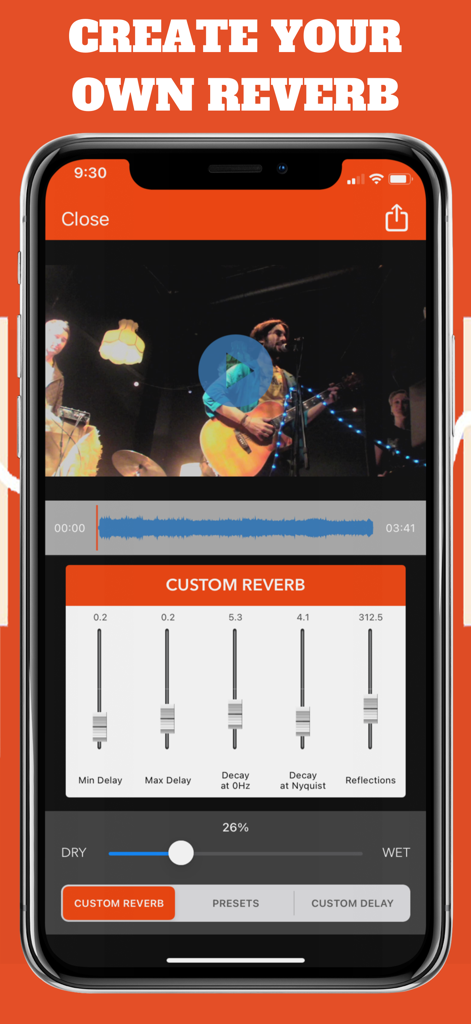
The tools that make this app stand out, trusted by 12K+ users.
Instantly transport your audience to a Cathedral, a Large Hall, or even Outer Space with expertly tuned acoustic environments.
Master your sound with adjustable Wet/Dry levels and custom delay settings to create your perfect signature brand vibe.
Export high-quality video optimized for TikTok and Reels, or extract processed audio for your next music project in seconds.
Trusted by 12K+ people who love this app.
"VideoVerb Pro is a game-changer for my acoustic covers. The 'Large Hall' preset instantly transforms my bedroom recordings into professional-sounding performances. It is incredibly intuitive and saves me hours of editing on my desktop."
"I use this app for all my atmospheric Instagram reels. The ability to mix the dry and wet signals means I can get the perfect amount of 'Outer Space' vibe without losing the clarity of my voice. Highly recommended for mobile creators!"
Everything you need to know about VideoVerb Pro: Reverb on Video.
Description
Latest Version
3.7
Size
68.3 MB
First Released
Feb 19, 2021
Don’t let thin audio or bad room acoustics ruin your vibe. Join 12,000+ creators using VideoVerb Pro to add professional depth and atmosphere to their videos in seconds.
Everything you need to know about VideoVerb Pro: Reverb on Video
VideoVerb Pro allows users to import videos and apply various reverb presets. Users can select a preset and adjust the Wet/Dry mix to control the reverb's intensity, adding subtle or significant effects to their video audio.
VideoVerb Pro offers a range of reverb presets including Small Room, Medium Room, Large Room, Medium Hall, Large Hall, Cathedral, Plate, Outer Space, and Underwater. These presets allow for quick application of diverse spatial effects.
Yes, VideoVerb Pro allows users to create their own custom reverb effects. The app provides dedicated controls to fine-tune parameters such as Min Delay, Max Delay, Decay at 0Hz, Decay at Nyquist, and Reflections.
Yes, VideoVerb Pro includes custom delay features. Users can create personalized delay effects by adjusting specific parameters like LowPass CutOff, Feedback, and Delay Time. This offers precise control over audio timing.
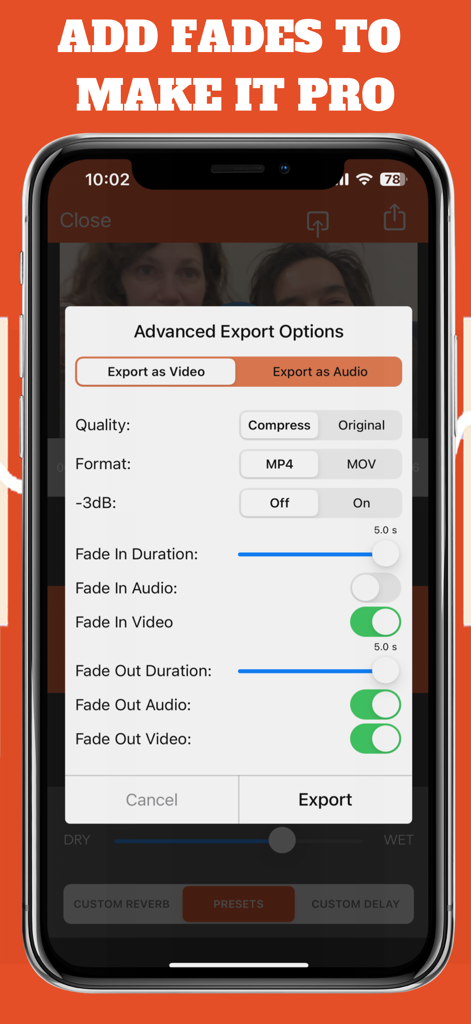
VideoVerb Pro offers flexible export options. Users can save videos at original size, compress them for sharing, export at -3dB for web use, or extract audio only. Advanced options include format selection and fade controls.
Users adjust the Wet/Dry mix in VideoVerb Pro using a dedicated slider. This control precisely balances the processed reverb effect (Wet) with the original audio signal (Dry), allowing for customized intensity.
Yes, users can try the app before purchasing. The store description directs potential users to 'Check out VideoVerb on the App Store,' indicating a separate, non-Pro version available for evaluation.
Top-ranked apps in the same category

BYTEDANCE PTE. LTD.

Instagram, Inc.

Google LLC

Canva Pty Ltd

Snap, Inc.

Beijing Kwai Technology Co., Ltd.

Instagram, Inc.

Xiamen Meitu Technology Co., Ltd.

Google LLC


