VST CoffeeTools PRO for iPhone

VST CoffeeTools PRO for iPhone

Download on App Store
Spark by MWM logo
Logo of VST CoffeeTools PRO for iPhone

VST CoffeeTools PRO: Precision Brewing Science for the Modern Barista and Roaster

Master the art of extraction with the industry-standard software for recipe design and data-driven coffee analysis. Eliminate guesswork using universal brewing control charts, automated yield calculations, and seamless professional workflow management.

Publisher

Voice Systems Technology, Inc.

Category

Food & Drink

Downloads

102K+

User Rating

4.0/5

Total Ratings

0

Locales

1

Precision in Every Pixel

Discover the interface used by 102K+ users.
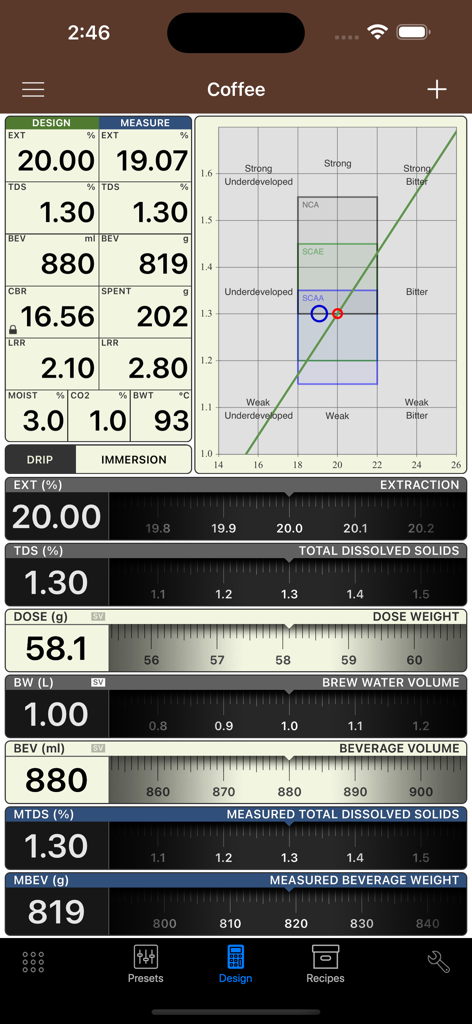
Dashboard showing coffee extraction and brewing control data in VST CoffeeTools PRO

Dashboard showing coffee extraction and brewing control data in VST CoffeeTools PRO

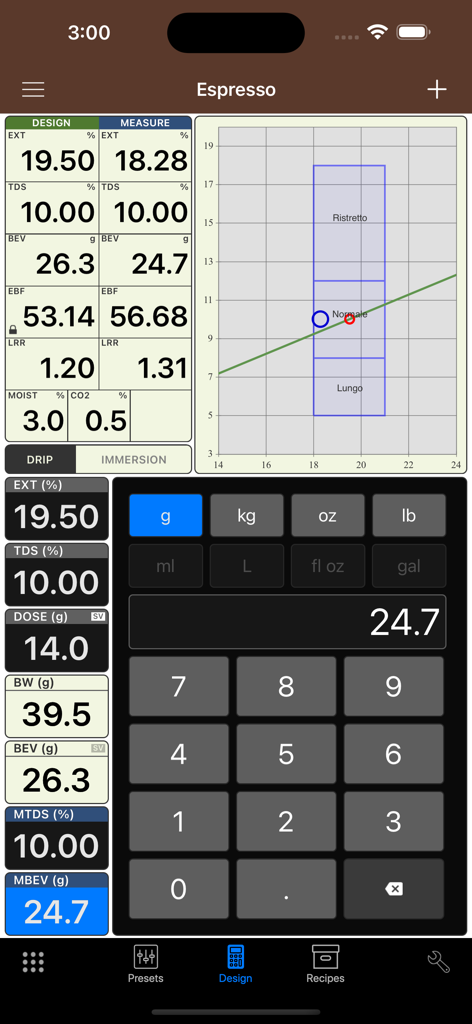
VST CoffeeTools PRO espresso recipe design and brewing control chart screen

VST CoffeeTools PRO espresso recipe design and brewing control chart screen

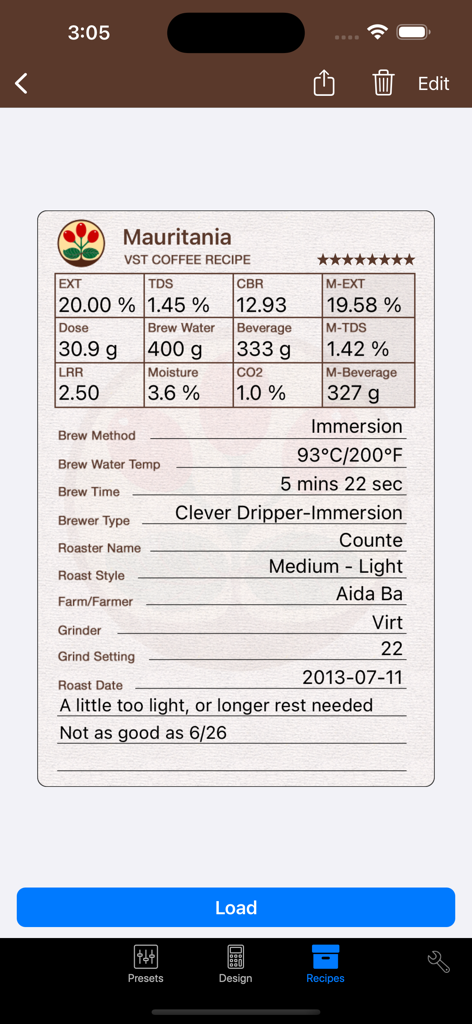
Professional coffee recipe log showing extraction metrics and immersion brew settings

Professional coffee recipe log showing extraction metrics and immersion brew settings

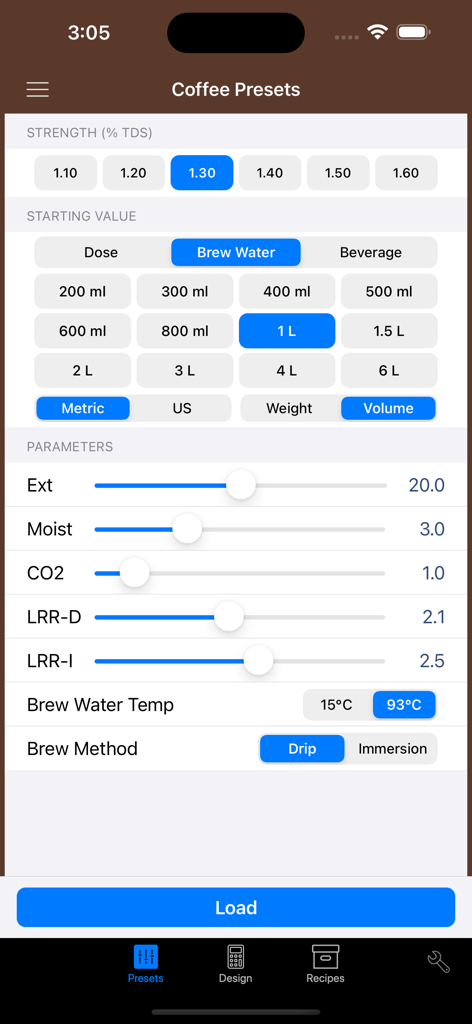
VST CoffeeTools PRO app interface showing coffee presets and brewing parameters including TDS strength and extraction yield

VST CoffeeTools PRO app interface showing coffee presets and brewing parameters including TDS strength and extraction yield

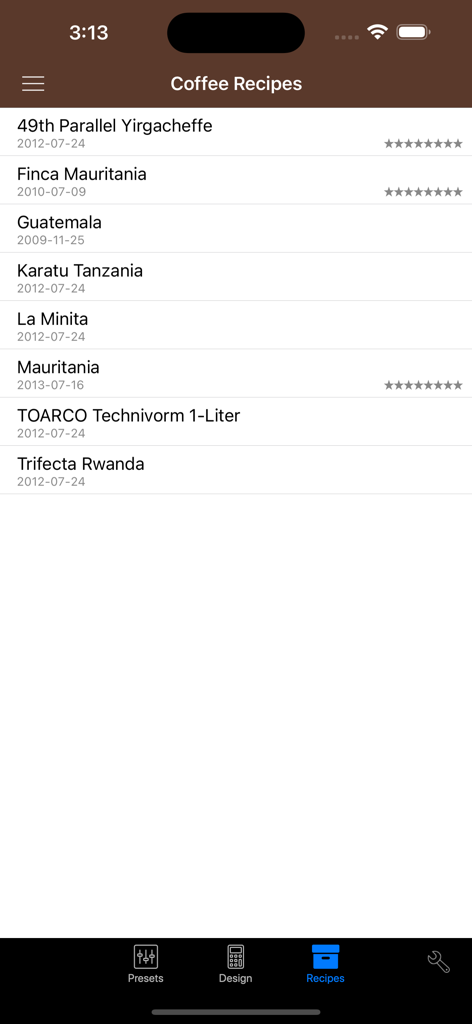
A list of saved coffee recipes within the VST CoffeeTools PRO app showing origin and dates

A list of saved coffee recipes within the VST CoffeeTools PRO app showing origin and dates

Master the Science of Extraction

The tools that make this app stand out, trusted by 102K+ users.

📈

Visual Extraction Mapping

Plot TDS and extraction yields on interactive charts to visualize exactly where your brew falls on the SCA standard.

🧬

Predictive Recipe Design

Eliminate guesswork with automatic calculations for dose, brew water, and liquid retention across all brewing methods.

📲

Seamless Pro Workflow

Share digital recipe profiles and export data logs to ensure flavor consistency across every roastery and cafe location.

Loved by users worldwide

Trusted by 102K+ people who love this app.

"

"VST CoffeeTools PRO is the only way we maintain consistency across all three of our locations. The drag-and-drop recipe design and the ability to plot TDS measurements against the Universal Brewing Control Chart makes dialing in scientific rather than just guesswork. It's an essential tool for any barista who takes their craft seriously."

Marcus Thorne, Head Barista
"

"Essential for our QC lab. The integration with our refractometer data allows us to precisely map extraction yields and optimize our roast profiles with absolute confidence. Being able to share recipe files and data across my team has completely eliminated the margin for error in our production."

Elena Rodriguez, Roastery Owner

About the app

Everything you need to know about VST CoffeeTools PRO for iPhone.

Description

PROFESSIONAL COFFEE TOOLS DESIGN SOFTWARE for the BARISTA, SPECIALTY ROASTER, CAFÉ and RESTAURANT OPERATOR and COFFEE & ESPRESSO BEVERAGE EQUIPMENT DESIGNER Based on MoJoToGo – Best New Product SCAA EXPO 2010 VST's UNIVERSAL BREWING CONTROL CHART SOFTWARE For Coffee, Espresso, Cupping and Equipment Design • Simple 2-Step Design Process with Direct Chart Data Entry Select the point on the Chart and the amount of Beverage, Brew Water or Coffee Dose. VST CoffeeTools™ does everything else. • Drag-and-Drop coffee recipe design works in all modes. All recipe values are automatically calculated and displayed for any brewing recipe protocol. Full conversions provided, including between brewing methods. • Portrait and Landscape mode charts supported • Works with all types of brewing methods including: drip and auto-drip; infusion and full-immersion, cupping and espresso methods. • Supports iTunes File Sharing. Import/Export all data and measurements. • Share individual recipes, data & measurements to/from other versions of VST CoffeeTools. • Fully functional with or without a coffee refractometer. Refractometer measurements may be plotted separately using measured total dissolved solids (% TDS) and Beverage amounts to chart and compare actual brew results to design target values. • Conversions for volume and weight measurements and U.S. Standard (English) to Metric units are supported in any combination. Design recipes for Drip can be directly converted to/from Infusion/Immersion methods, while maintaining identical extraction and strength relationships. •Extraction Yield normalization is automatically provided on the VST Universal Brewing Control Chart for all brew methods: Drip, Infusion, Espresso, Cupping; brew water temperature (volume measurements); liquid retained in spent grounds; CO2 & Moisture content of the ground coffee. Defaults are provided for all preferences, and may be customized separately for all modes as required. • A wide array of Presets are provided in all modes of operation that are typical of those found in home and commercial service. Each mode provides a full set of custom Presets that are user defined. • Full recipe details database maintained separately for Coffee, Espresso and Cupping. Sorting by Date, Name and Taste Score provided. • The VST Universal Brewing Control Chart supports direct touch-screen data input, pan and zoom functions, auto-scrolling of chart with ordinate and abscissa axis and reset functions. Design points for % TDS and % EXT are step-less with snap-to-grid increments provided (TDS @ 0.05% and EXT at 0.1% increments). Region of Interest (ROI) overlays are optionally provided for SCAA, SCAE, NCA regions with taste defect labels. Custom User defined ROI is also included separately for all modes. • Complete calculation results are displayed for: Dose, Brew Water, Beverage, Liquid Retained Ratio, Spent Grounds Weight, Coffee or Espresso Brew Ratio, Extraction Yield in both Design and Measured values.

Latest Version

2.0.9

Size

5.3 MB

First Released

Dec 18, 2015

Master the Science of Every Extraction

Join the world’s leading baristas and roasters. Equip your toolkit with the industry-standard software for data-driven brewing and mathematical consistency.

Download on App Store
FAQ

Frequently Asked Questions

Everything you need to know about VST CoffeeTools PRO for iPhone

What is VST CoffeeTools PRO for iPhone?

VST CoffeeTools PRO for iPhone is professional software for designing coffee, espresso, cupping, and equipment. It uses a Universal Brewing Control Chart for precise recipe creation and analysis.

What brewing methods does VST CoffeeTools PRO for iPhone support?

VST CoffeeTools PRO for iPhone supports various brewing methods, including drip, auto-drip, infusion, full-immersion, cupping, and espresso. It accommodates all types of brewing processes.

Does VST CoffeeTools PRO for iPhone require a coffee refractometer?

No, VST CoffeeTools PRO for iPhone functions fully both with and without a coffee refractometer. Refractometer measurements can be plotted separately for analysis.

How does VST CoffeeTools PRO for iPhone simplify coffee recipe design?

VST CoffeeTools PRO for iPhone features a simple 2-step design process with direct chart data entry. Users select a point on the chart and specify beverage, brew water, or coffee dose amounts.

Can users share recipes from VST CoffeeTools PRO for iPhone?

Yes, VST CoffeeTools PRO for iPhone allows users to share individual recipes, data, and measurements to and from other versions of VST CoffeeTools. It also supports iTunes File Sharing.

Does VST CoffeeTools PRO for iPhone handle unit conversions?

Yes, VST CoffeeTools PRO for iPhone supports conversions for volume and weight measurements, including U.S. Standard (English) to Metric units in any combination.

What features does the VST Universal Brewing Control Chart include?

The VST Universal Brewing Control Chart supports direct touch-screen input, pan and zoom, auto-scrolling of charts, and reset functions. It provides step-less design points with snap-to-grid increments.

Does VST CoffeeTools PRO for iPhone support custom Region of Interest (ROI) overlays?

Yes, VST CoffeeTools PRO for iPhone optionally provides SCAA, SCAE, and NCA region overlays. Custom User defined ROI is also included separately for all modes.

How does VST CoffeeTools PRO for iPhone manage coffee recipes?

VST CoffeeTools PRO for iPhone maintains a full recipe details database for Coffee, Espresso, and Cupping. Users can sort recipes by Date, Name, and Taste Score.

Does VST CoffeeTools PRO for iPhone offer pre-defined coffee presets?

Yes, VST CoffeeTools PRO for iPhone provides a wide array of presets for home and commercial service in all modes of operation. Users can also define custom presets.