Watch Browser with Keyboard

Watch Browser with Keyboard

Download on App Store
Spark by MWM logo
Logo of Watch Browser with Keyboard
Watch Browser with Keyboard: The Entire Web on Your Wrist

Unlock full browsing freedom with a custom QWERTY keyboard and 20+ search engines. Navigate the web, search Reddit, and sync bookmarks across devices—no iPhone required.

Publisher

Bitsbaker LLC.

Category

Utilities

Downloads

11K+

User Rating

4.3/5

Total Ratings

0

Locales

26

The Web on Your Wrist

Discover the interface used by 11K+ users.
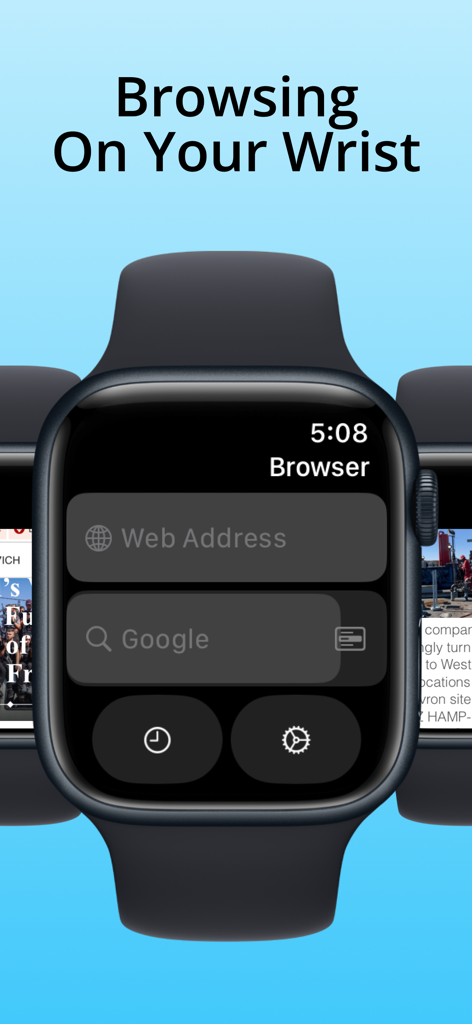
Apple Watch displaying the main interface of a web browser app with search and URL input fields

Apple Watch displaying the main interface of a web browser app with search and URL input fields

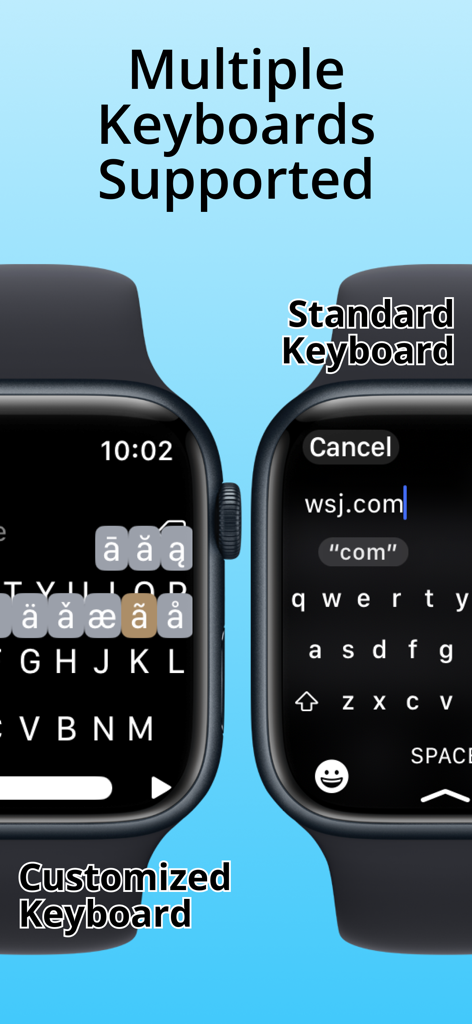
Comparison of standard and customized keyboards for web browsing on Apple Watch

Comparison of standard and customized keyboards for web browsing on Apple Watch

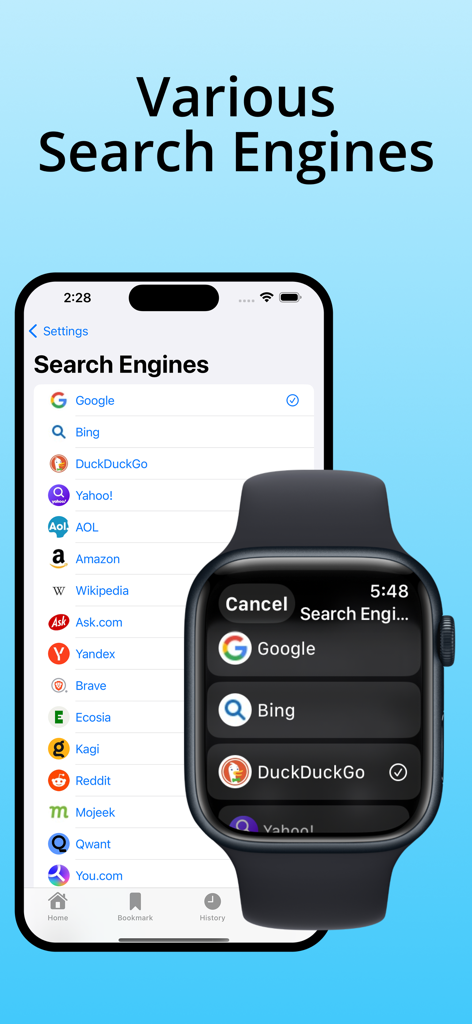
iPhone and Apple Watch showing a list of various search engine options in the Watch Browser app

iPhone and Apple Watch showing a list of various search engine options in the Watch Browser app

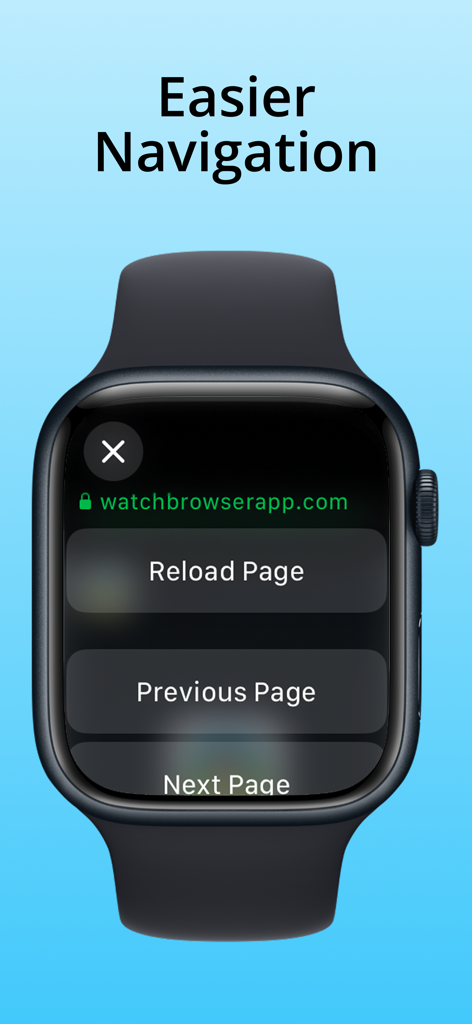
Apple Watch browser navigation screen showing reload and page buttons

Apple Watch browser navigation screen showing reload and page buttons

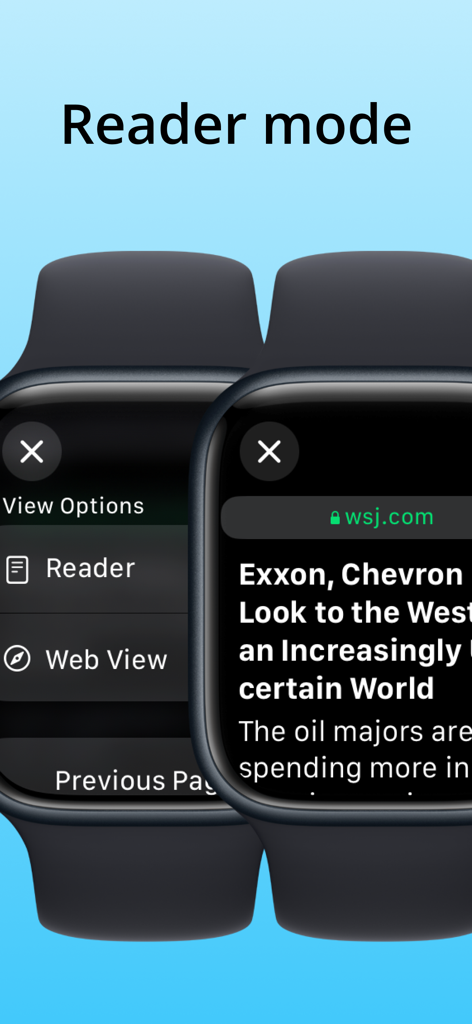
Apple Watch browser showing the reader mode interface with a news article

Apple Watch browser showing the reader mode interface with a news article

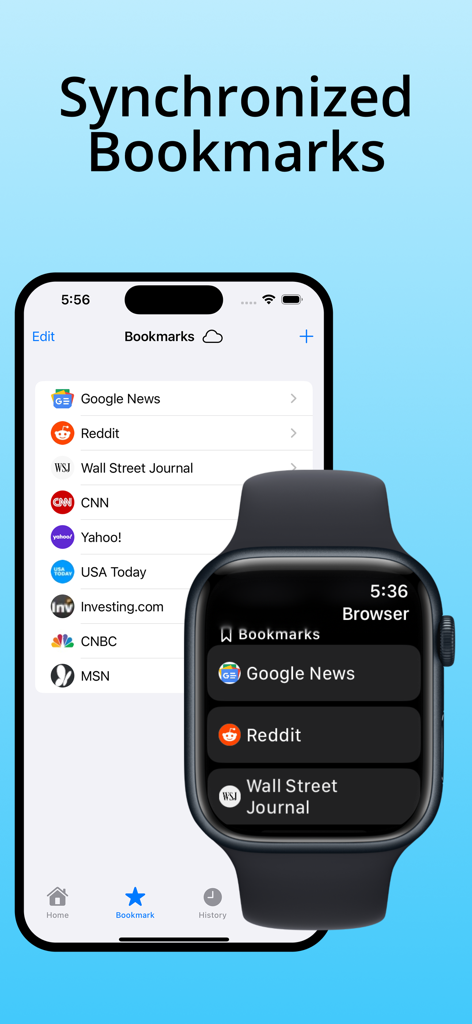
iPhone and Apple Watch showing synchronized web bookmarks through iCloud

iPhone and Apple Watch showing synchronized web bookmarks through iCloud

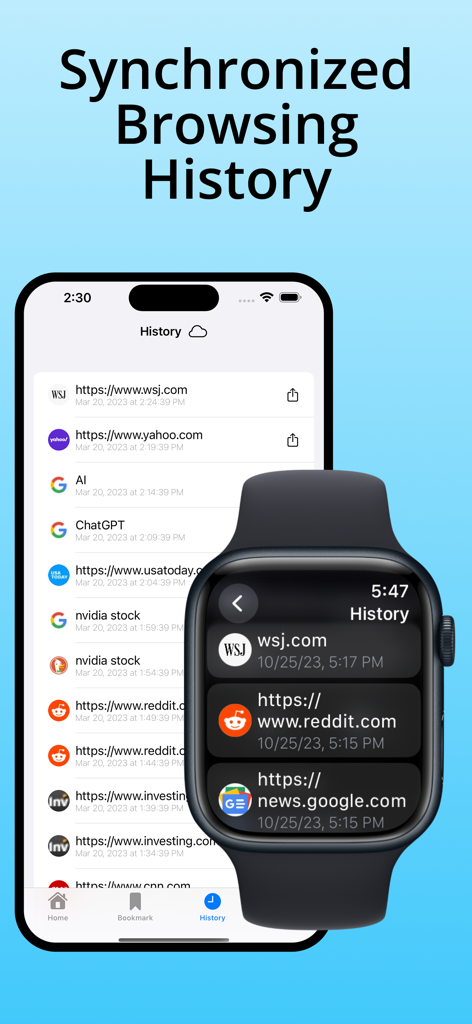
Browsing history synchronized between iPhone and Apple Watch

Browsing history synchronized between iPhone and Apple Watch

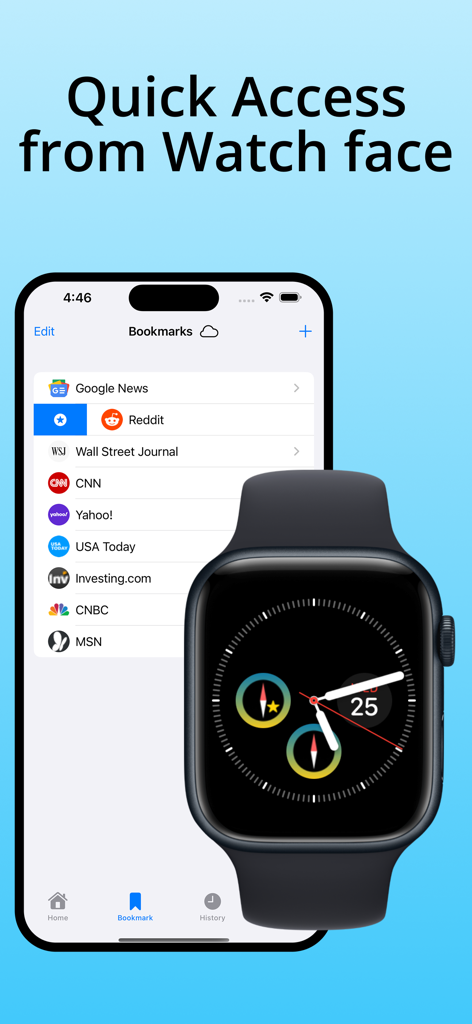
An iPhone screen displaying a bookmarks list next to an Apple Watch with a browser complication for quick access.

An iPhone screen displaying a bookmarks list next to an Apple Watch with a browser complication for quick access.

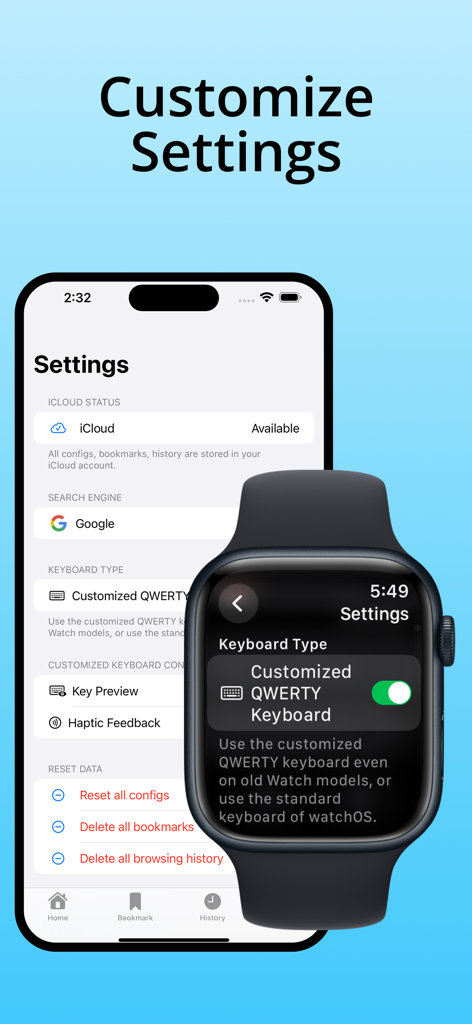
Settings menu for Watch Browser with Keyboard showing iPhone and Apple Watch customization options.

Settings menu for Watch Browser with Keyboard showing iPhone and Apple Watch customization options.

The Full Web, Now Within Reach

The tools that make this app stand out, trusted by 11K+ users.

⌨️

A Real Keyboard on Your Wrist

Type URLs and search terms with a custom QWERTY keyboard. Perfect for older Apple Watch models, giving you premium typing speed without the scribble frustration.

🔍

Pro-Level Search Flexibility

Go beyond Google. Access 20+ specialized search engines including Reddit, GitHub, and DuckDuckGo for the exact info you need in any situation.

☁️

Seamless iCloud Integration

Sync your bookmarks and history across your iPhone and Watch automatically. Save sites on your phone and launch them from a complication with a single tap.

Loved by users worldwide

Trusted by 11K+ people who love this app.

"

"I am still using a Series 6, so I never had the native keyboard. This app completely changed how I use my watch. The custom QWERTY keyboard is incredibly responsive, and being able to search Reddit or Wikipedia directly from my wrist during meetings without pulling out my phone is a total game-changer. It is the most useful utility I have downloaded this year."

Michael S., Software Engineer
"

"I love going for walks and leaving my iPhone at home, but I always felt disconnected if I needed to look something up quickly. This browser solved that. The iCloud sync for my bookmarks is seamless, and the complications allow me to launch my favorite sites with one tap. It's the perfect tool for anyone trying to spend less time on their phone without losing access to the web."

Sarah L., Digital Minimalist

About the app

Everything you need to know about Watch Browser with Keyboard.

Description

Watch Browser with Keyboard is a tiny browser with its own customized QWERTY keyboard for your Apple Watch. It's the #1 browser on your wrist when you don't have any other devices and want to browse the web. Multiple keyboards supported. Use the standard qwerty keyboard in watchOS if you use Series 7 or 8. But, there is no qwerty keyboard in older models, and there is only a scribble keyboard. But don't be disappointed! This app includes a customized QWERTY keyboard for typing web addresses or search keyboards. The customized QWERTY keyboard supports English and other Latin characters. # Features - Browse with any web address URL. - Multiple keyboards supported. The standard keyboard of watchOS or the customized QWERTY keyboard. - Search with your keyword with 20+ search engines. The supported search engines are Google, Microsoft Bing, DuckDuckGo, Amazon, Wikipedia, Baidu, AOL, Ask.com, Yandex, Brave, Ecosia, Kagi, Reddit, Mojeek, Qwant, You.com, Presearch, Swisscows, GitHub, Naver, Yahoo! Japan, and Dictionary.com. - The customized QWERTY keyboard on the watch is included for typing URLs or searching keywords. Or, you can use the standard keyboard if you want. - The customized QWERTY keyboard supports 162 extended Latin characters, including the following: à, á, â, ä, å, æ, ç, è, é, ê, ë, ì, í, î, ï, ð, ñ, ò, ..., for English, French, German, Spanish, Italian, Portuguese, Dutch, Swedish, Danish, Norwegian, Finnish, Icelandic, Polish, Czech, Slovak, Hungarian, Romanian, Croatian, Slovenian, Estonian, Latvian, Lithuanian, Malay, Indonesian, Turkish, Vietnamese. - Bookmarks are stored on your iCloud account; you can manage them on your watch or iPhone. - Your browsing history is stored on your iCloud account, and you can manage them on your watch or iPhone. - You can save a bookmark from history on your watch or iPhone. - Watch Complications is supported. You can launch this app or your top favorite site with only one tap from your Watch face. - All configurations are stored on your iCloud account. - Favicons are displayed on bookmarks and browsing history. - Support Reload Page, Previous Page, Next Page, Reader mode on watchOS 10 (when tapping the address bar in watchOS). - Double-tapping the spacebar adds a dot(.) to the text. - Long pressing with 2+ seconds backspace deletes all text. - All data are stored only in your device and your iCloud account. # Limitations - The browsing experience is limited, and you can have trouble on many complex sites because of the very small screen size and devices' lower power. - Most login processes do not work because of the limitation. - The session is not stored. You'll start a new session next time when you close the browsing view once. - There is no back or forward button, but you can go back or forward by swiping left or right.

Latest Version

1.7

Size

12.7 MB

First Released

Mar 1, 2023

The Entire Web, Right on Your Wrist.

Join 11,000+ power users who’ve unlocked full browsing autonomy. Type naturally with a QWERTY keyboard on any Apple Watch model and leave your phone in your pocket.

Download on App Store