
XMEye Pro



Take total control of your security hardware. Access live feeds, manage remote playback, and enjoy advanced PTZ control with no monthly subscriptions.
Publisher
Category
UtilitiesDownloads
1M+User Rating
Total Ratings
600Locales
15Discover the interface used by 1M+ users.
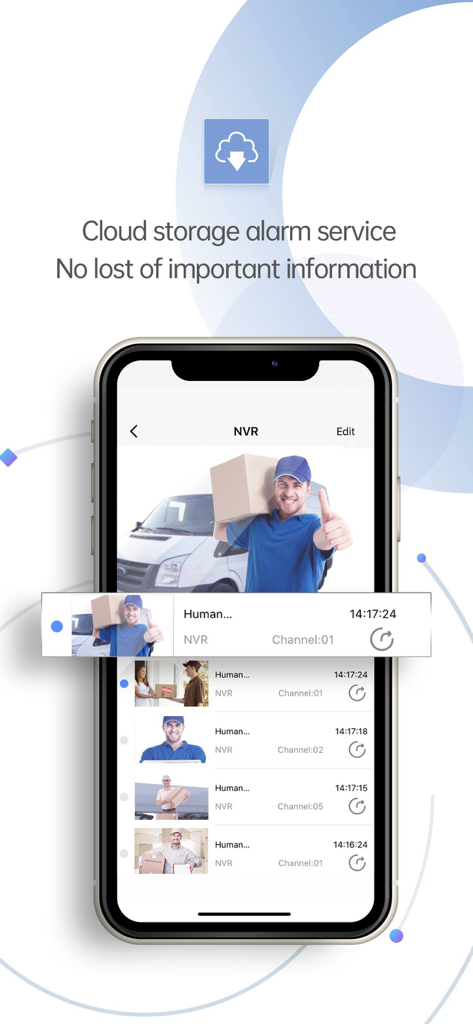

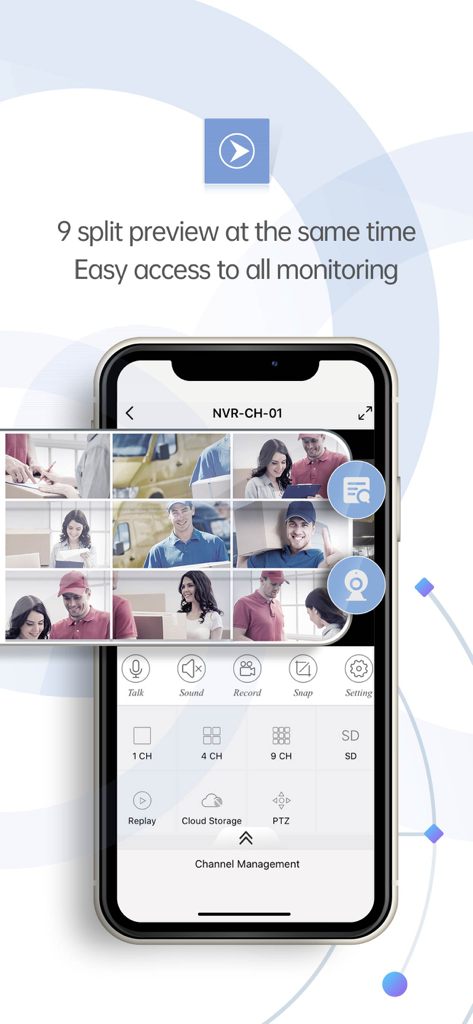
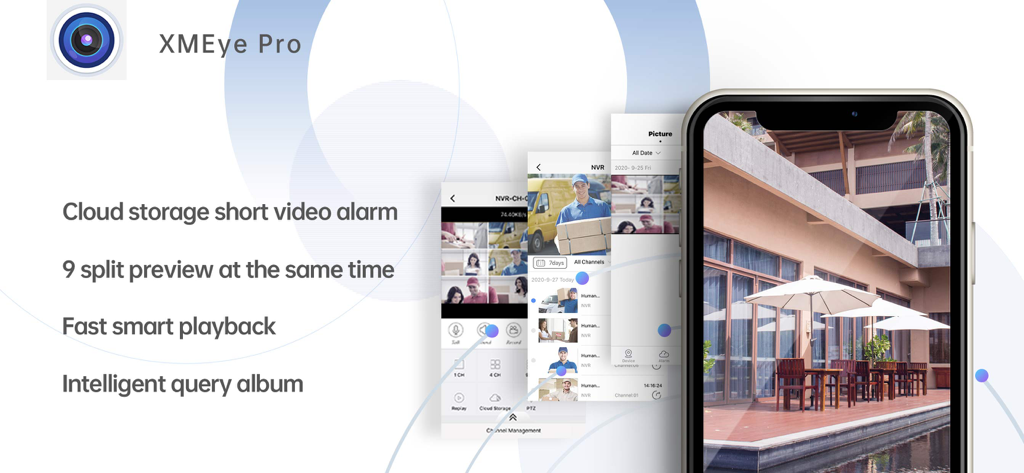
The tools that make this app stand out, trusted by 1M+ users.
Skip the complex networking and port forwarding. Simply scan your device's serial number to link your cameras via secure cloud technology and start viewing instantly.
Take charge of your security with real-time Pan-Tilt-Zoom controls. Move your cameras and use bidirectional talk to communicate with visitors or staff from anywhere in the world.
Access your recorded history on demand. Review local DVR footage and search through snapshots directly from your phone, ensuring you never miss a critical moment.
Trusted by 1M+ people who love this app.
"As a small business owner, I was tired of expensive monthly subscriptions for security. XMEye Pro lets me manage my entire 8-camera DVR system for free. The PTZ control is incredibly responsive, allowing me to check on my inventory and staff from anywhere. It's the perfect utility for anyone who wants professional-grade monitoring without the 'Big Tech' price tag."
"I'm a big fan of DIY home improvement, and this app made setting up my home security cameras a breeze. The QR code scanning feature bypassed all the usual networking headaches. I use my iPad as a dedicated monitoring station at night and check the live feed on my iPhone during the day. It's reliable, local, and gives me total control over my data."
Insights from user reviews.
Sentiment Score
Summary
The app receives overwhelmingly negative feedback from users, primarily due to critical functional deficiencies. Many users experience persistent connectivity issues, with cameras frequently appearing offline or failing to connect via mobile data, alongside severe performance problems like constant buffering, freezing, and app crashes. Recurring login difficulties, including automatic logouts and the specific 'Error 99988', are also widely reported, compounded by notification failures and a strong demand for urgent updates and improved features. A few positive comments mention stable operation, easy setup, and an ad-free experience, although these are exceptions.
Common Themes
Everything you need to know about XMEye Pro.
Description
Latest Version
3.4.6
Size
133.2 MB
First Released
Jan 7, 2019
Download XMEye Pro today to manage your IPC and DVR systems with professional-grade tools like PTZ control and remote playback, all from the palm of your hand.
Everything you need to know about XMEye Pro
XMEye Pro provides video monitoring for IPC and DVR. It uses cloud technology, allowing users to log in by device serial number to view live monitoring video on their phone.
Yes, XMEye Pro offers cloud storage alarm services. This feature ensures no important information is lost, providing secure storage for alarm events.
Yes, XMEye Pro supports a 9 split preview, allowing users to view up to nine camera feeds at the same time for comprehensive monitoring.
Yes, XMEye Pro supports remote playback of recorded videos. It features fast and intelligent retrieval for efficient viewing of past records directly from the app.
Yes, XMEye Pro supports bidirectional talk. This feature allows users to communicate directly through the monitoring device via the app.
Users can add devices in XMEye Pro by scanning the serial number via QR code, by entering the address, or through remote and local device management functions.
XMEye Pro supports logging in using cloud technology via the device's serial number. It also supports logging in with a WeChat account.
Yes, XMEye Pro supports PTZ (Pan, Tilt, Zoom) control. Users can remotely adjust camera angles and zoom levels directly through the application.
Apps with similar features and user experience

Hangzhou Dong Bin Information Technology Co., Ltd.

Shenzhen Jooan Technology Company

PHOTON SAIL TECHNOLOGIES PTE. LTD.

洪波 王

SimpliSafe, Inc.

JFL Equipamentos Eletronicos Industria e Comercio Ltda.

Shenzhen Weixi Technology Co., Ltd

Bot Home Automation, INC

Hangzhou Hikvision Digital Technology Co., Ltd.