Zapya - File Sharing

Zapya - File Sharing

Download on App Store
Spark by MWM logo
Logo of Zapya - File Sharing

Zapya - Fast & Free File Sharing Without Limits

Break free from the walled garden and transfer massive 4K videos, photos, and files instantly across any device. No cables, no cellular data, and no cloud needed—just pure, offline speed at 10MB/s.

Publisher

Lindong Network Technology(Beijing) Co.,Ltd.

Category

Utilities

Downloads

22M+

User Rating

4.6/5

Total Ratings

131K+

Locales

2

A Glimpse Inside

Discover the interface used by 22M+ users.
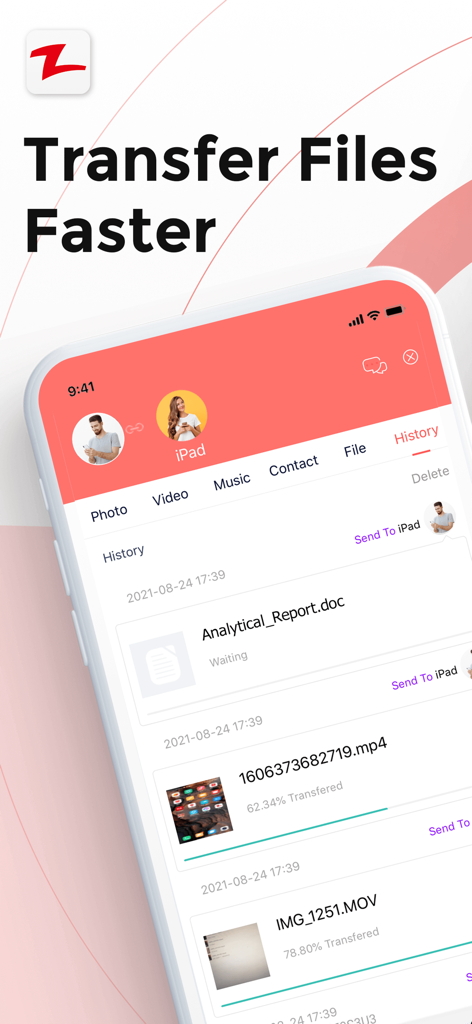
Zapya app interface displaying a history of transferred videos and documents with progress bars

Zapya app interface displaying a history of transferred videos and documents with progress bars

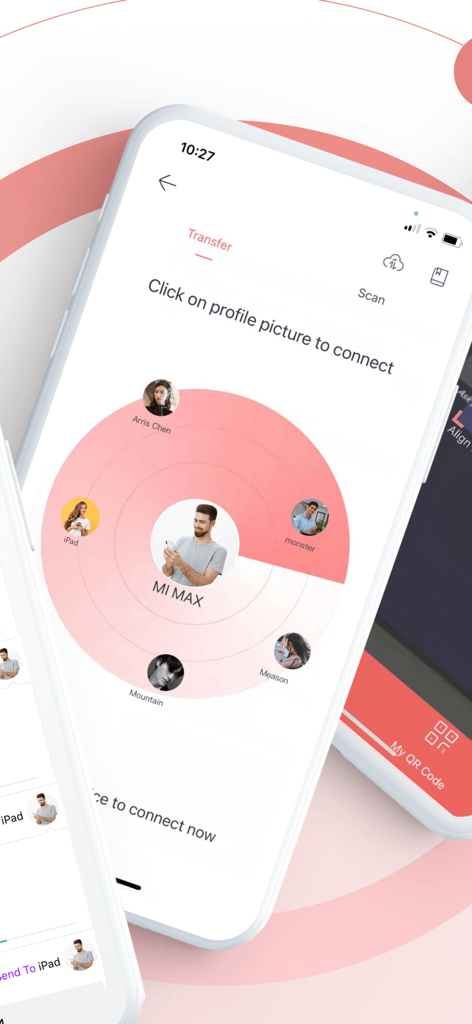
Zapya app interface showing a radar discovery screen to find and connect with nearby devices for file sharing

Zapya app interface showing a radar discovery screen to find and connect with nearby devices for file sharing

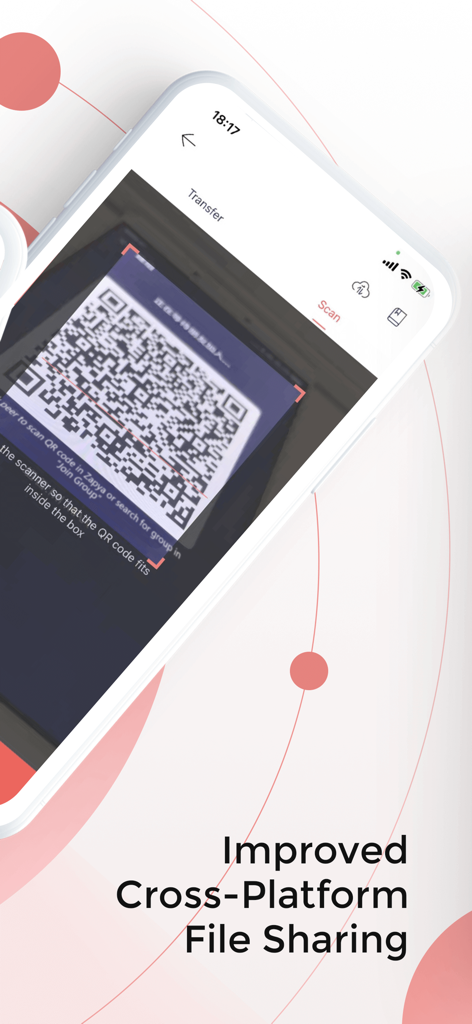
A smartphone using the Zapya app to scan a QR code for cross-platform file sharing.

A smartphone using the Zapya app to scan a QR code for cross-platform file sharing.

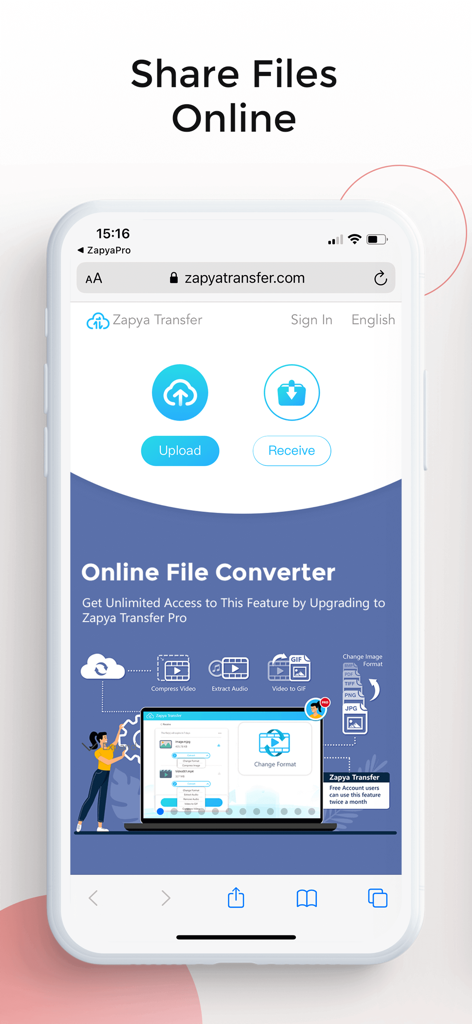
Zapya app online file transfer and media converter interface

Zapya app online file transfer and media converter interface

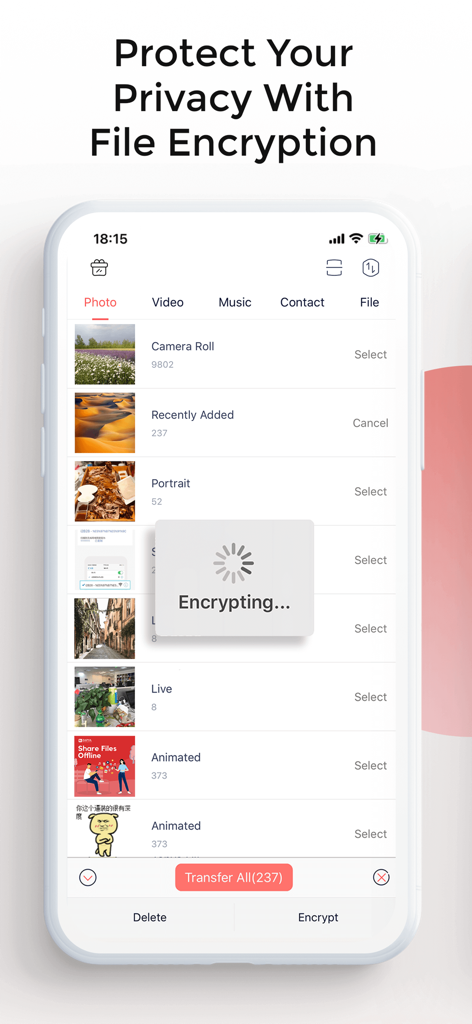
Zapya app interface showing a file encryption progress screen for protecting photos and videos

Zapya app interface showing a file encryption progress screen for protecting photos and videos

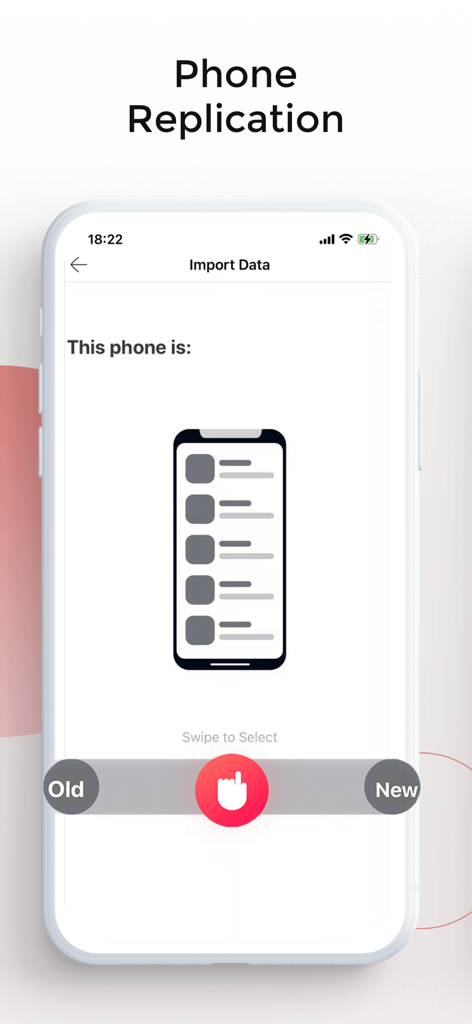
Zapya app phone replication screen for transferring data between old and new devices.

Zapya app phone replication screen for transferring data between old and new devices.

Mobile screen showing Zapya offline group chat interface with family and friends

Mobile screen showing Zapya offline group chat interface with family and friends

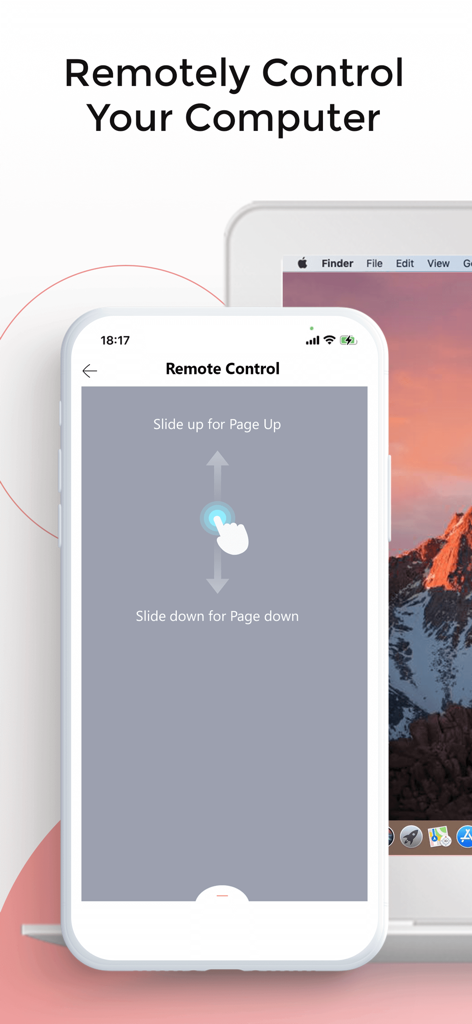
iPhone screen showing the Zapya remote control interface for a computer

iPhone screen showing the Zapya remote control interface for a computer

Unlock Limitless Sharing

The tools that make this app stand out, trusted by 22M+ users.

📱

Bridge the Ecosystem Gap

Share high-res videos and massive files between iOS, Android, and PC instantly—no AirDrop limits or platform barriers.

Blazing Speed, Zero Data

Transfer at speeds up to 10MB/s without touching your data plan. Perfect for festivals, campuses, and areas with spotty 5G.

🔒

Secure Vault & Easy Migration

Protect sensitive media in password-locked hidden folders and clone your entire digital life to a new device in minutes.

Loved by users worldwide

Trusted by 22M+ people who love this app.

"

"Being on a campus where everyone has a different phone is a nightmare for group projects. Zapya is basically AirDrop for everyone—I can send 1GB of footage to my Android and iOS friends simultaneously without using a byte of data. It is an absolute game changer for us."

Jordan M.
"

"I just upgraded my phone and the Phone Move feature saved me hours of frustration. I also use the hidden folder to keep my client's sensitive work files secure. It is the first app I install every time I switch devices."

Elena Vance

About the app

Everything you need to know about Zapya - File Sharing.

Description

File sharing has never been simpler! Without the need of a cable or cellular data, you can share files from device to device for free with Zapya. Zapya allows you to seamlessly transfer massive files across multiple platforms with speeds up to 10MB/second or up to 260 pictures in a minute. Looking to quickly connect with someone nearby? With the support of GPS location, Zapya provides a fast and accurate way to find nearby devices. You can also shake your devices at the same time in order to connect. Zapya can support USB Backup and Restore on iPad. Another way to connect on Zapya is via QR Codes. You can generate a personalized QR code in order to share multiple files at once. Others just need to scan the QR code to have the files to instantly start downloading onto their phone. Without touching your keyboard, you can share files to others! If you have important files on your device that you do not want others to have access to, you can select and lock those files into a hidden folder. By doing this, the next time you go to share files with someone; they will not be able to see or access those files. Besides sharing files, you can chat offline with up to five other devices using Zapya. You can also move the phone log and photos from your old device to your new phone in a matter of minutes. Or if you want to take photos remotely, you can use the PeerCam feature and control the camera of a connected device with peer permission. If you like Zapya, please give us reviews and high ratings. Your support is much appreciated! If you experience any issues or have any suggestions, please send feedback to us within the app or contact: feedback@dewmobile.net. Disclaimer: This app may use your location even when it is not open, which can decrease device battery life.

Latest Version

6.4.0

Size

94.4 MB

First Released

Dec 13, 2012

Ready to Share Without Boundaries?

Join 22 million users who transfer massive files across any platform without using cellular data. Fast, secure, and completely free—download Zapya today and experience the ultimate AirDrop alternative.

Download on App Store
FAQ

Frequently Asked Questions

Everything you need to know about Zapya - File Sharing

What is Zapya and what does it do?

Zapya is a file-sharing app that facilitates device-to-device transfers without cables or cellular data. It supports massive file transfers across multiple platforms.

How do I connect devices for file sharing with Zapya?

Zapya connects devices for sharing using GPS location, by shaking devices simultaneously, or through scanning personalized QR codes for instant downloads.

What are the file transfer speeds of Zapya?

Zapya achieves file transfer speeds of up to 10MB per second. This allows for the transfer of approximately 260 pictures within one minute.

Does Zapya provide features to protect my privacy or encrypt files?

Yes, Zapya offers a hidden folder feature. Users can select and lock important files into this folder to prevent unauthorized access during sharing.

Can I chat offline using Zapya?

Yes, Zapya supports offline chat functionality. Users can chat with up to five other devices without requiring an internet connection.

Can Zapya help transfer data between an old and a new phone?

Yes, Zapya can transfer phone logs and photos from an old device to a new phone efficiently, completing the process in minutes.

Does Zapya offer remote camera control?

Yes, Zapya includes a PeerCam feature. This allows users to remotely control the camera of a connected device, provided they have peer permission.

Is USB backup and restore supported by Zapya?

Yes, Zapya supports USB Backup and Restore capabilities. This feature is specifically available for iPad devices.

Does Zapya offer online file sharing and conversion services?

Yes, Zapya provides online file sharing through its zapyatransfer.com platform. It also offers an online file converter, with unlimited access for Zapya Transfer Pro users.

Can Zapya remotely control a computer?

Yes, Zapya features a "Remote Control" function. This allows users to remotely control a computer, for tasks like page navigation.

Does Zapya use location services and affect battery life?

Yes, Zapya may use your location even when the app is not actively open. This continuous location usage can lead to decreased device battery life.