Zoho Mail - Email and Calendar

Zoho Mail - Email and Calendar

Download on App StoreDownload on Google Play
Spark by MWM logo
Logo of Zoho Mail - Email and Calendar

Zoho Mail — Secure, Private, and Professional Email

The ad-free, HIPAA-compliant inbox built for modern businesses. Take back your privacy and master your productivity with a unified email and calendar experience.

Publisher

Zoho Corporation

Category

Productivity

Downloads

3M+

User Rating

4.7/5

Total Ratings

24K+

Locales

41

Productivity in Action

Discover the interface used by 3M+ users.

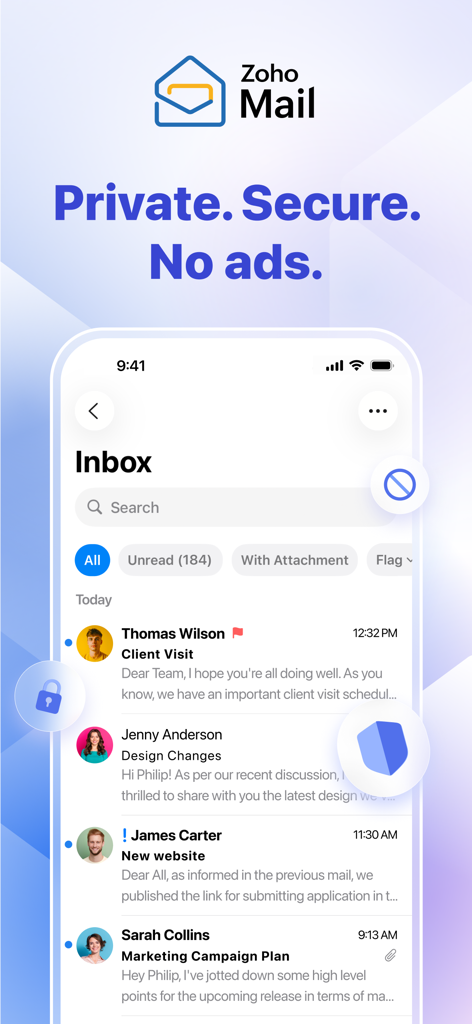
Zoho Mail mobile app interface on an iPhone displaying a private and secure ad free inbox

Zoho Mail mobile app interface on an iPhone displaying a private and secure ad free inbox

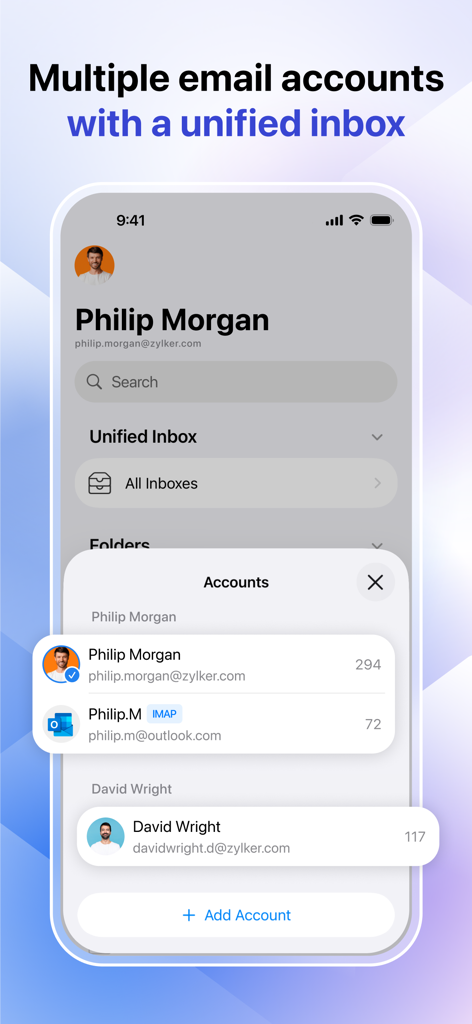
Zoho Mail app interface showing a unified inbox for managing multiple email accounts on a mobile device.

Zoho Mail app interface showing a unified inbox for managing multiple email accounts on a mobile device.

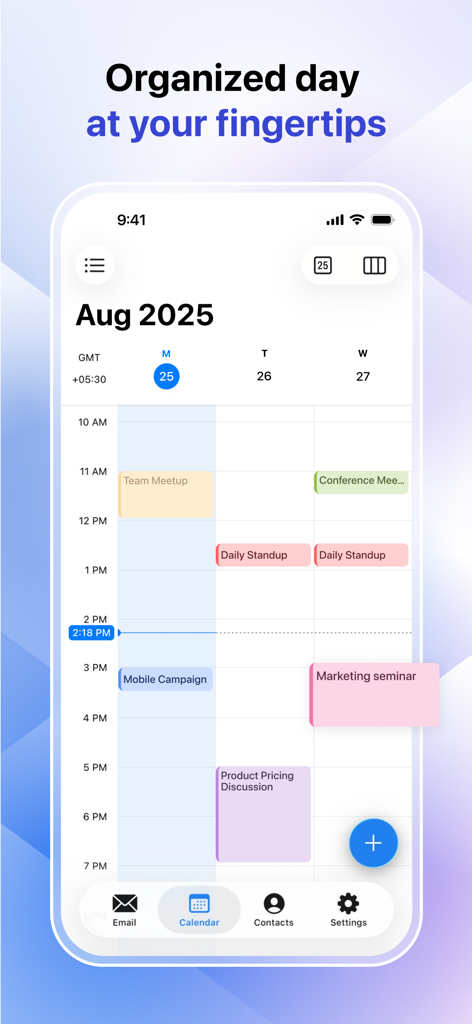
Integrated business calendar view in Zoho Mail showing a weekly schedule with meetings and task blocks.

Integrated business calendar view in Zoho Mail showing a weekly schedule with meetings and task blocks.

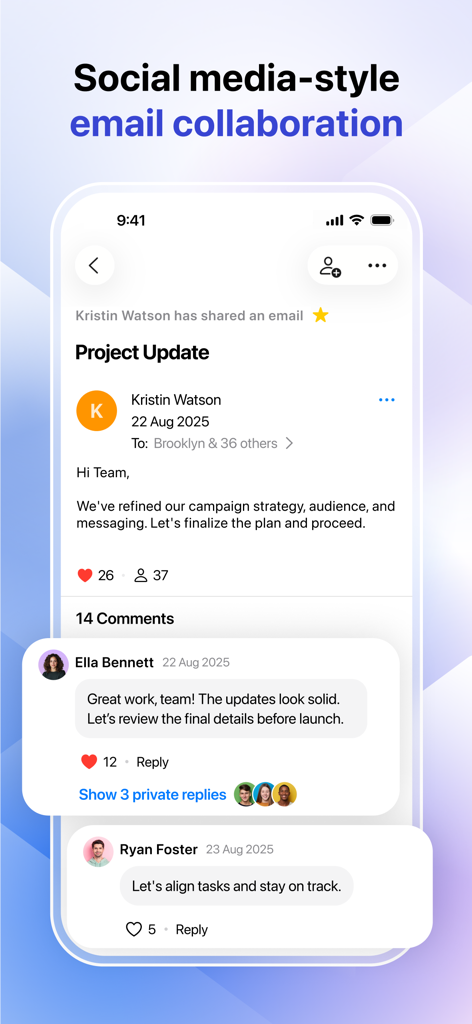
Zoho Mail app interface showing social media style email collaboration with comments and likes

Zoho Mail app interface showing social media style email collaboration with comments and likes

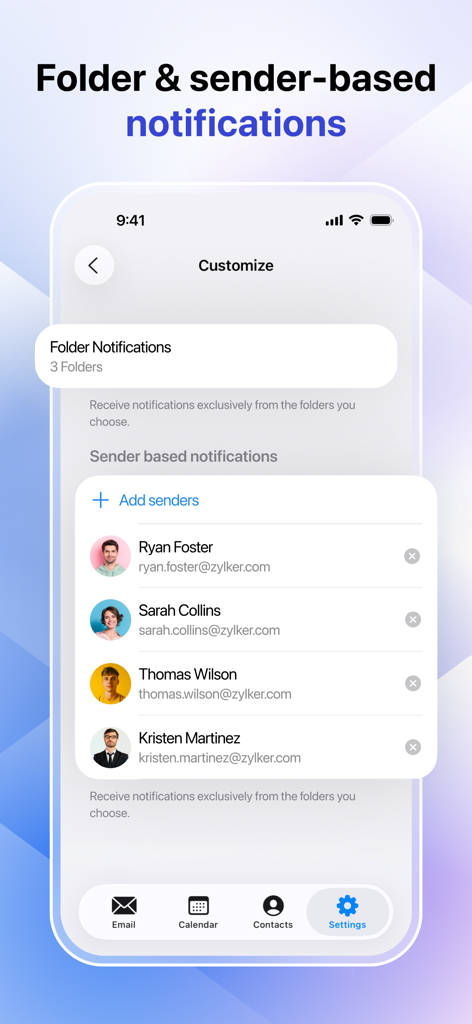
Zoho Mail app interface showing folder and sender based notification settings

Zoho Mail app interface showing folder and sender based notification settings

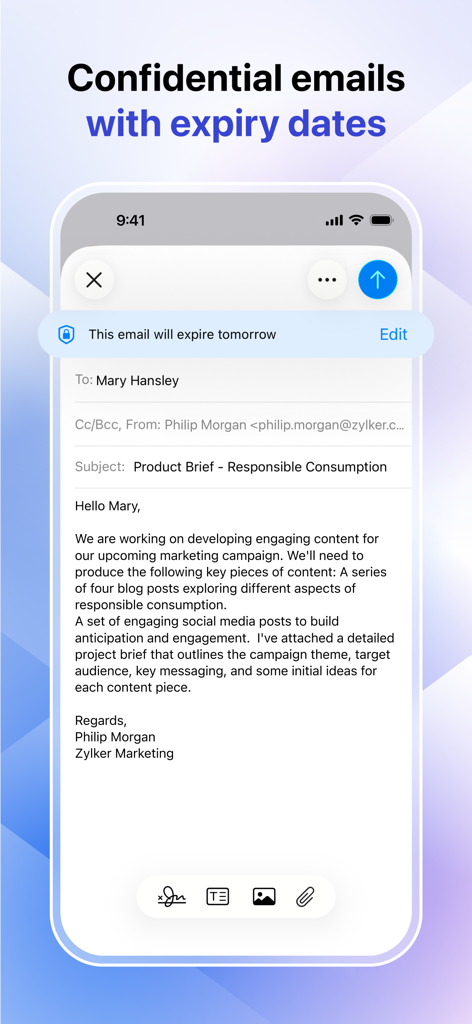
Zoho Mail app interface showing a confidential email with an expiration date notification

Zoho Mail app interface showing a confidential email with an expiration date notification

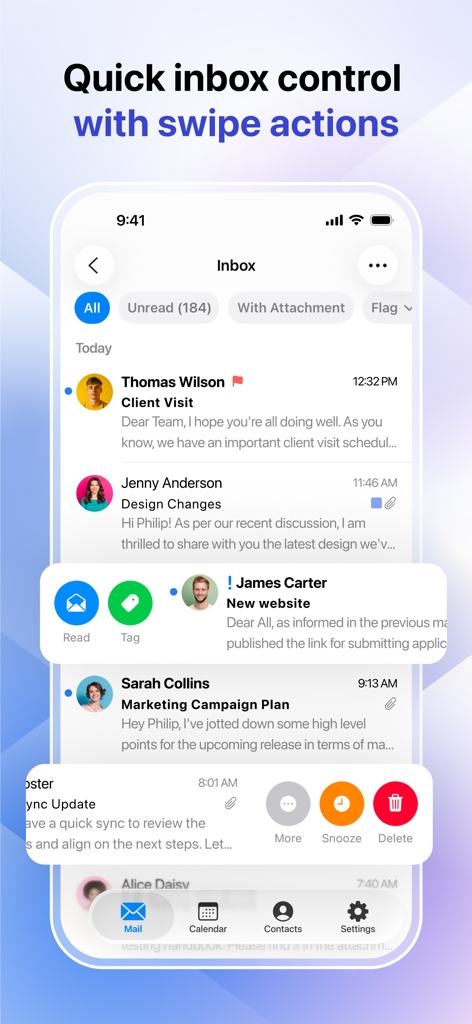
Zoho Mail app interface showing quick swipe actions to read, tag, snooze, and delete emails for efficient inbox management.

Zoho Mail app interface showing quick swipe actions to read, tag, snooze, and delete emails for efficient inbox management.

Elevate Your Business Communication

The tools that make this app stand out, trusted by 3M+ users.

🛡️

Unrivaled Privacy & Security

Experience an ad-free inbox with end-to-end encryption and enterprise-grade compliance including HIPAA and SOC 2 Type II.

🚀

Hyper-Efficient Workflow

Master your schedule and multiple accounts through a unified inbox with offline access and lightning-fast search capabilities.

🤝

Teamwork Without the Noise

Transform email into collaboration with Streams, allowing social-style team discussions without endless forwarding or CC chains.

Loved by users worldwide

Trusted by 3M+ people who love this app.

"

"Managing multiple client accounts used to be a nightmare until I found Zoho Mail. The unified inbox is a game-changer for my workflow, and I finally have a professional setup without the intrusive ads or data tracking of other providers."

Sarah Jenkins, Digital Consultant
"

"Finding a mobile email client that is both user-friendly and HIPAA-compliant was a challenge. Zoho Mail delivers on both fronts perfectly. The integrated calendar and secure encryption give me total peace of mind while managing my practice on the go."

Dr. Michael Rivera, Clinic Director

About the app

Everything you need to know about Zoho Mail - Email and Calendar.

Description

Zoho Mail—email and calendar Secure business email and calendar at your fingertips. Zoho Mail for mobile brings email, calendars, and contacts to your fingertips so you can achieve workplace productivity on the go. At Zoho, we're committed to delivering unparalleled privacy and security. With certifications like ISO/IEC 27001, 27017, 27018, ISO 9001, 22301, and SOC 2 Type II, we meet the highest global standards for cloud security, information, and risk management. As a GDPR- and HIPAA-compliant platform, we safeguard your personal and health data—giving you complete peace of mind. ‣ Multiple accounts, one inbox Manage all of your email accounts effortlessly with Zoho Mail’s unified inbox. See and organize everything in one place, no matter how many accounts you use. ‣ Offline? No problem Browse your inbox and compose and respond to emails even without internet connectivity. Your messages will be sent automatically once you're back online. ‣ Private and secure with no ads Experience true privacy with an ad-free inbox that offers end-to-end encryption, passcode protection for sensitive emails, and forwarding restrictions. ‣ Smarter inbox management Supercharge your email management with contextual menus and action sheets for faster and easier decision-making. ‣ Collaborate smarter Transform email collaboration by providing a social media style of communication with Streams. No more endless forwarding—just seamless teamwork. ‣ Tailored notifications Stay focused by setting custom alerts for your desired senders and folders. ‣ Lightning-fast search Find emails instantly with advanced filters for contacts, content, attachments, and more. ‣ Integrated calendar RSVP, schedule, and manage your day—all from your inbox. ‣ Connected contacts Access personal and work contacts effortlessly. Email, chat, or call with just a tap. ‣ Personalized for you Choose light or dark mode, tweak swipe actions, and set up your inbox your way. ‣ 24/7 customer service Enjoy hassle-free support by contacting a live agent through email, toll-free phone, or live chat. ‣ License requirements The Zoho Mail mobile app is available for free. With paid plans for businesses—Lite and Premium—you'll get access to more features and storage limits. Pricing: https://www.zoho.com/mail/zohomail-pricing.html Terms of service: https://www.zoho.com/terms.html Privacy policy: https://www.zoho.com/privacy.html Support: https://www.zoho.com/mail/contact.html

Latest Version

3.2

Size

192.6 MB

First Released

Aug 25, 2014

Experience Business Email, Redefined.

Switch to the secure, ad-free, and HIPAA-compliant inbox trusted by over 3 million professionals worldwide.

Download on App StoreDownload on Google Play
FAQ

Frequently Asked Questions

Everything you need to know about Zoho Mail - Email and Calendar
Is Zoho Mail private and secure?

Yes, Zoho Mail is private and secure, offering end-to-end encryption and compliance with GDPR, HIPAA, and ISO/IEC 27001. It ensures an ad-free inbox and protects personal and health data.

Can I manage multiple email accounts in Zoho Mail?

Yes, Zoho Mail allows users to manage multiple email accounts through its unified inbox feature. You can view and organize all your emails in one centralized location.

Does Zoho Mail work offline?

Yes, Zoho Mail provides offline functionality. You can browse your inbox, compose, and respond to emails without internet connectivity. Messages automatically send when back online.

Is the Zoho Mail mobile app free to use?

Yes, the Zoho Mail mobile app is available for free. Businesses can access more features and storage limits with paid Lite and Premium plans.

Does Zoho Mail offer customer support?

Yes, Zoho Mail offers 24/7 customer service. Users can contact a live agent via email, toll-free phone, or live chat for support.

Does Zoho Mail include collaboration tools for email?

Yes, Zoho Mail includes collaboration tools through its Streams feature, providing a social media-style communication experience. This transforms email collaboration and eliminates endless forwarding.

Does Zoho Mail integrate a calendar?

Yes, Zoho Mail integrates a calendar. Users can RSVP, schedule, and manage their daily activities directly from their inbox within the app.

Can I customize notifications in Zoho Mail?

Yes, Zoho Mail allows tailored notifications. Users can set custom alerts specifically for desired senders and folders to help maintain focus.

Does Zoho Mail support confidential emails with expiry dates?

Yes, Zoho Mail supports confidential emails with expiry dates. This feature ensures sensitive communications are time-limited for enhanced security.

How does Zoho Mail help with inbox management?

Zoho Mail supercharges inbox management with contextual menus and action sheets. It also offers quick inbox control through customizable swipe actions for faster decision-making.