TV Cast Pro for Samsung TV

TV Cast Pro for Samsung TV

Descargar en App StoreDescargar en Google Play
Spark by MWM logo
Logo de TV Cast Pro for Samsung TV

TV Cast Pro para Samsung TV: La Aplicación Nº 1 para Transmitir Cualquier Vídeo Web

Mira películas en línea, deportes en vivo y tus vídeos personales en tu Samsung Smart TV con bloqueo de anuncios integrado y reproducción avanzada, sin necesidad de hardware adicional.

Editor

Kraus und Karnath GbR 2Kit Consulting

Categoría

Photo & Video

Descargas

424K+

Valoración

3.9/5

Total valoraciones

7K+

Idiomas

1

Transmitiendo Sin Límites

Descubre la interfaz utilizada por 424K+ usuarios.

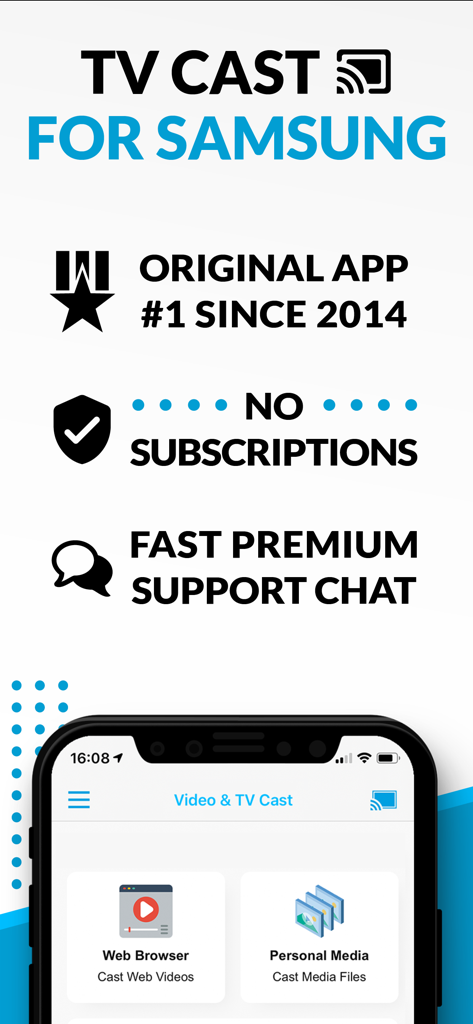
Pantalla promocional para TV Cast para Samsung destacando la ausencia de suscripciones y las funciones de transmisión de vídeo web

Pantalla promocional para TV Cast para Samsung destacando la ausencia de suscripciones y las funciones de transmisión de vídeo web

Transmitiendo vídeos y películas web desde un dispositivo móvil a un Samsung Smart TV

Transmitiendo vídeos y películas web desde un dispositivo móvil a un Samsung Smart TV

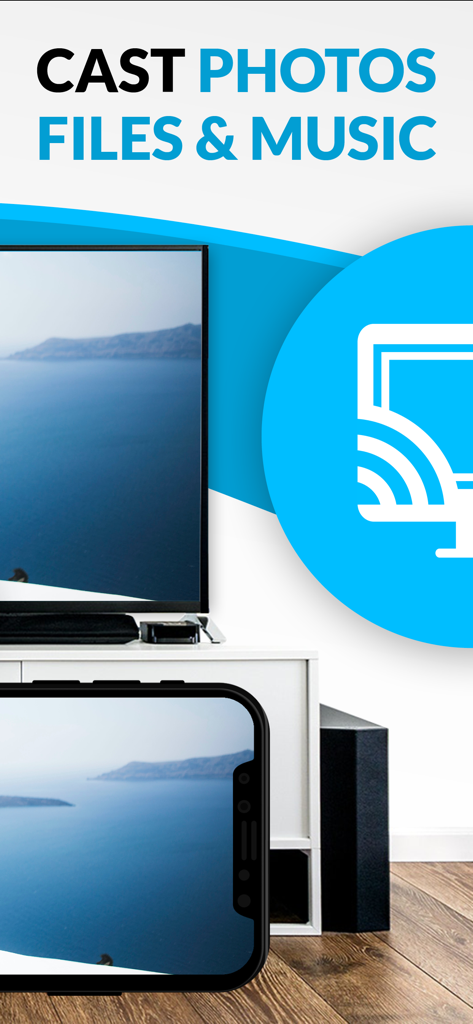
Transmitiendo fotos y medios desde un iPhone a un Samsung Smart TV

Transmitiendo fotos y medios desde un iPhone a un Samsung Smart TV

Libera Todo el Potencial de tu Samsung TV

Las herramientas que hacen destacar esta app, elegida por 424K+ usuarios.

🛡️

Experiencia Cinematográfica Sin Anuncios

Deja de luchar contra las intrusivas ventanas emergentes y los anuncios de vídeo. Nuestro Bloqueador de Anuncios Pro limpia la web, para que puedas concentrarte en la película, no en las distracciones.

🌐

Transmisión Web Universal

Si se reproduce en un navegador, se reproduce en tu TV. Transmite deportes de nicho, noticias en vivo y películas independientes que no tienen una aplicación dedicada para Smart TV.

📱

Tus Recuerdos en 4K

No te conformes con ver en la pequeña pantalla de un teléfono. Transmite tus vídeos y fotos de alta resolución de tu iPhone directamente a tu Samsung TV con un solo toque.

Amada por usuarios en todo el mundo

Con la confianza de 424K+ personas que aman esta app.

"

"Finalmente encontré una manera de transmitir mis documentales internacionales favoritos y deportes en vivo directamente desde la web a mi Samsung TV de 65 pulgadas. El bloqueador de anuncios integrado en la versión Pro es un cambio total, eliminando todas esas frustrantes ventanas emergentes. Es la herramienta de transmisión más confiable que he usado."

Marcus J.
"

"Nos encanta usar esto para ver vídeos caseros de la galería de nuestro iPhone en la pantalla grande durante las reuniones familiares. Es mucho más conveniente que pasarse el teléfono o comprar hardware adicional. La barra de reproducción remota facilita controlar todo desde el sofá."

Sarah L.

Análisis de reseñas

Información de las reseñas de usuarios.

Puntuación de sentimiento

10%
Negativo

Resumen

This mobile app receives overwhelmingly negative feedback from users, primarily due to significant issues with casting and screen mirroring functionality; many reviews report the app frequently fails to connect, freezes, or disconnects. Users also express frustration with the unintuitive interface and a perceived "scam" concerning unexpected additional costs for core features like screen mirroring after an initial purchase. While a few users praised its effectiveness for live streaming and noted a lack of lag, these positive experiences are rare amidst widespread complaints. The app's performance is also reported to have degraded following recent iOS software updates, leading to constant looping and an inability to cast specific content.

Temas comunes

Casting Functionality(3)
Past Reliability(2)
Ease of Use(1)
Performance (No Lag)(1)
Live Stream Support(1)

Sobre la app

Todo lo que necesitas saber sobre TV Cast Pro for Samsung TV.

Descripción

Watch any web-video, online movie, livestream or live tv show on your Samsung Smart TV or Blu-ray Player. Enjoy the show on your big screen with the no#1 web video streamer. With Video & TV Cast for Samsung Smart TV you can browse the web and stream any web video, online movie, livestream or live tv show you want on your Samsung Smart TV. Mp4, m3u8, hls livestreams and also video-over-https are supported. There is no time limit at all! You can watch videos of 2 minutes or 2 hours or even more. Just open Video & TV Cast, navigate to a website, wait for link detection and send the video with a single tap to your Samsung Smart TV. The discovered link will be shown below the browser. A tap on the link will start the show. You don't need to install a big media server like Plex or any other third party software. >>> Important Notes * To enable video casting please open the Samsung App Store (Smart Hub) on your TV or Blu-ray Player, search for 'TV Cast' and install the receiver app. * Please enter the ip-adress of your iPhone/iPad by using the number pad and up/down/left/right keys on your Samsung TV Remote. Just enter the numbers, no need to press the enter key. * iTunes movies, Flash video and other DRM protected videos like HBO now are not supported! * Please use the Remote Playbar for video control while browsing (see more info below) * The app streams only the video part of a website and not the whole website content (No screen or tab mirroring!). * Sometimes it is necessary to play the video on your iPad or iPhone first before it gets discovered by the app for streaming. It may also be neccessary to start casting multiple times until it works with specific videos. * If a specific video is not working, please check the FAQ on the app startpage. If that does not help you, please drop us an email before leaving a negative comment on the App Store. We will try to add support for that website as soon as possible. >>> PRO FEATURES * Remote Playbar: Use the Playbar for advanced video control while browsing, including video scrubbing, forward, rewind, play, pause, stop. The playbar works on all Samsung Smart TVs and Blu-ray Players. You can also use the included TV Remote for basic video control (play, pause, stop, forward and rewind videos) and navigating in Samsung Smart Hub. The TV Remote currently works on 2010 - 2013 TVs. * Local Videos: Cast your camera roll videos from an iPhone or iPad. Supports mp4, m4v and mov videos that were saved to the camera roll via Apples SD-Card/USB Adapter, iTunes Desktop Software or third party apps. * Ad-Blocker + No Sponsoring Ads: The Pro app version has no ads and the Ad-Blocker blocks ads & popups on most websites that you visit. You can update, enable/disable ad-blocking at any time in the settings. * Bookmarks: Save unlimited website bookmarks. Synchronize and transfer them between different TV Cast apps and iOS devices by using backup and restore via iCloud. * Desktop Mode: Change the browser user-agent and cloak your iPhone/iPad as a desktop PC to load the desktop website instead of a mobile website. Please note that this will NOT enable video casting on websites that serve Flash videos in desktop mode. * Change Homepage: Set your personal homepage in the settings. Disclaimer: This app is not affiliated with Samsung or any other trademark mentioned here.

Última versión

3.8

Tamaño

32.5 MB

Fecha de lanzamiento

5 jun 2016

¿Listo para Transmitir Sin Límites?

Únete a más de 424.000 usuarios y convierte tu Samsung TV en un potente centro de transmisión web. Bloquea anuncios, transmite vídeos locales y mira lo que quieras, cuando quieras.

Descargar en App StoreDescargar en Google Play
FAQ

Preguntas Frecuentes

Todo lo que necesitas saber sobre TV Cast Pro for Samsung TV
¿Qué es TV Cast Pro para Samsung TV?

TV Cast Pro para Samsung TV transmite videos web, películas en línea, transmisiones en vivo y archivos multimedia locales desde tu iPhone/iPad directamente a tu Samsung Smart TV o Blu-ray Player. Funciona sin suscripciones.

¿Requiere TV Cast Pro para Samsung TV alguna suscripción?

No, TV Cast Pro para Samsung TV no requiere ninguna suscripción. Es una compra única y ofrece funciones premium sin tarifas recurrentes.

¿Cómo configuro TV Cast Pro para Samsung TV?

Para configurar, instala la aplicación receptora 'TV Cast' desde la Samsung App Store en tu TV. Luego, ingresa la dirección IP de tu iPhone/iPad en el TV usando el teclado numérico del control remoto de Samsung TV.

¿Qué tipos de videos puede transmitir TV Cast Pro para Samsung TV?

TV Cast Pro transmite videos web, películas en línea, transmisiones en vivo y programas de TV en vivo, admitiendo formatos Mp4, m3u8 y hls. También transmite videos de la cámara, incluidos archivos mp4, m4v y mov.

¿Admite TV Cast Pro para Samsung TV la duplicación de pantalla?

No, TV Cast Pro para Samsung TV no admite la duplicación de pantalla o pestañas. La aplicación transmite solo el componente de video de un sitio web, no todo el contenido de la página web.

¿Puedo transmitir videos con protección DRM con TV Cast Pro para Samsung TV?

No, TV Cast Pro para Samsung TV no admite contenido protegido por DRM. Esta limitación se aplica a películas de iTunes, videos Flash y otros videos encriptados con DRM como HBO now.

¿Tiene TV Cast Pro para Samsung TV un bloqueador de anuncios?

Sí, la versión Pro de TV Cast Pro para Samsung TV incluye un Bloqueador de Anuncios. Bloquea anuncios y ventanas emergentes en la mayoría de los sitios web y no muestra anuncios de patrocinio dentro de la aplicación.

¿Puedo controlar la reproducción de video usando TV Cast Pro para Samsung TV?

Sí, puedes controlar la reproducción de video. La versión Pro proporciona una barra de reproducción remota para controles avanzados, que incluyen búsqueda, avance, retroceso, reproducción, pausa y parada. Los controles básicos están disponibles a través del control remoto del TV.