Noonlight: Feel Protected 24/7

Noonlight: Feel Protected 24/7

Télécharger sur App StoreTélécharger sur Google Play
Spark by MWM logo
Logo de Noonlight: Feel Protected 24/7

Noonlight : Votre filet de sécurité personnel pour chaque instant

Arrêtez de vous demander si vous devez appeler le 911. Que vous rentriez tard chez vous, que vous rencontriez un rendez-vous Tinder ou que vous preniez un Uber, bénéficiez d'une assistance professionnelle 24h/24 et 7j/7 et d'une aide instantanée en relâchant simplement un bouton.

Télécharger sur App Store

Éditeur

Noonlight, Inc.

Catégorie

Lifestyle

Téléchargements

2M+

Note

4.7/5

Nombre d'avis

18K+

Langues

1

La sécurité au bout des doigts

Découvrez l'interface utilisée par 2M+ utilisateurs.
Écran promotionnel de l'application Noonlight avec le texte Des humains attentionnés veillent sur vous

Écran promotionnel de l'application Noonlight avec le texte Des humains attentionnés veillent sur vous

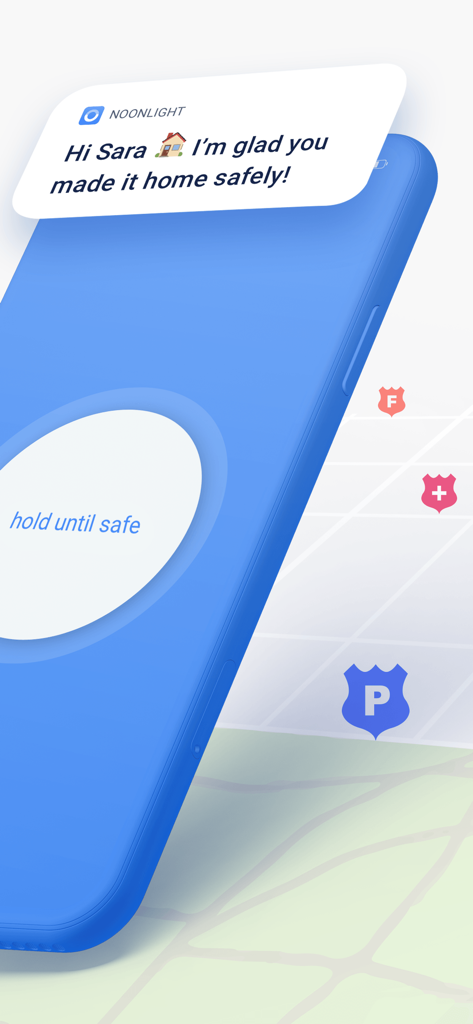
Écran de l'application mobile Noonlight affichant un bouton de maintien jusqu'à ce que ce soit sûr et une notification confirmant une arrivée sûre à la maison

Écran de l'application mobile Noonlight affichant un bouton de maintien jusqu'à ce que ce soit sûr et une notification confirmant une arrivée sûre à la maison

Image promotionnelle pour l'application de sécurité Noonlight présentant des logos de médias de CNN, TODAY et Rolling Stone, ainsi qu'une mention de partenariat avec Tinder.

Image promotionnelle pour l'application de sécurité Noonlight présentant des logos de médias de CNN, TODAY et Rolling Stone, ainsi qu'une mention de partenariat avec Tinder.

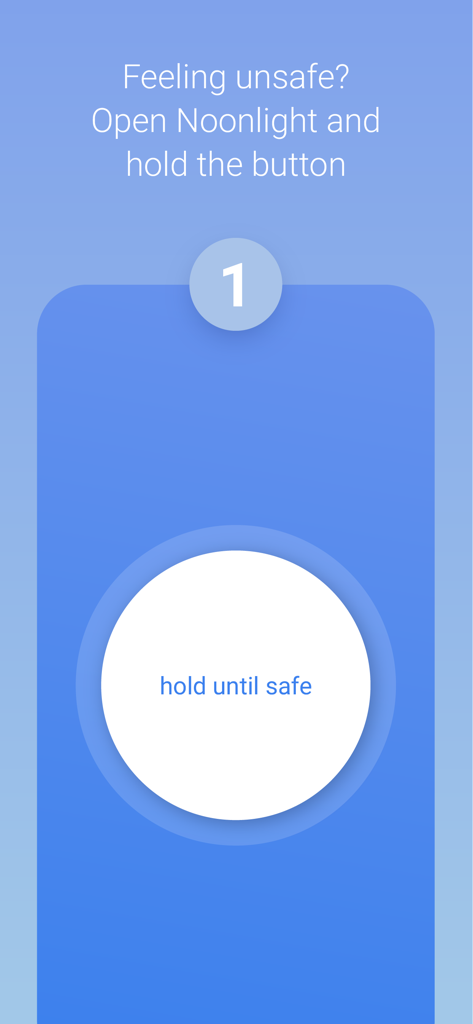
Interface de l'application Noonlight montrant un grand bouton blanc avec le texte « maintenir jusqu'à ce que ce soit sûr » pour la sécurité personnelle.

Interface de l'application Noonlight montrant un grand bouton blanc avec le texte « maintenir jusqu'à ce que ce soit sûr » pour la sécurité personnelle.

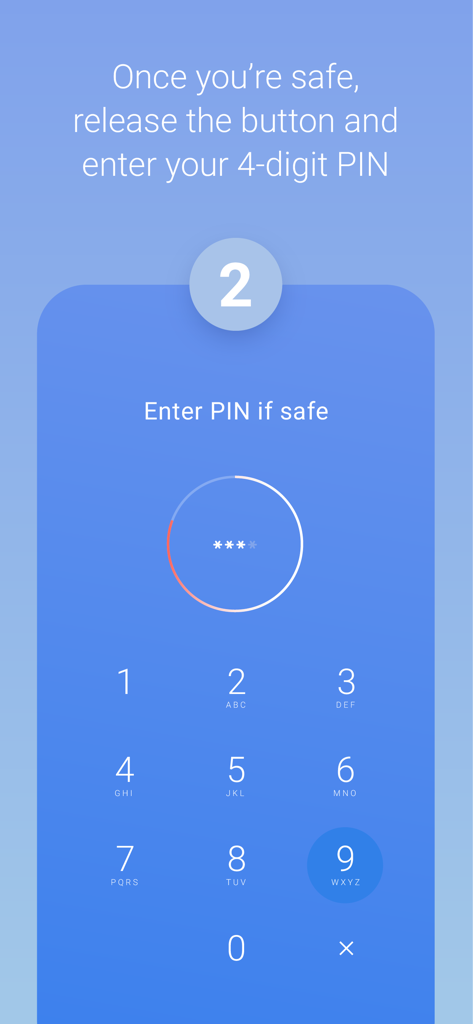
Écran de l'application Noonlight montrant un clavier numérique pour entrer un code PIN à 4 chiffres afin de confirmer la sécurité de l'utilisateur

Écran de l'application Noonlight montrant un clavier numérique pour entrer un code PIN à 4 chiffres afin de confirmer la sécurité de l'utilisateur

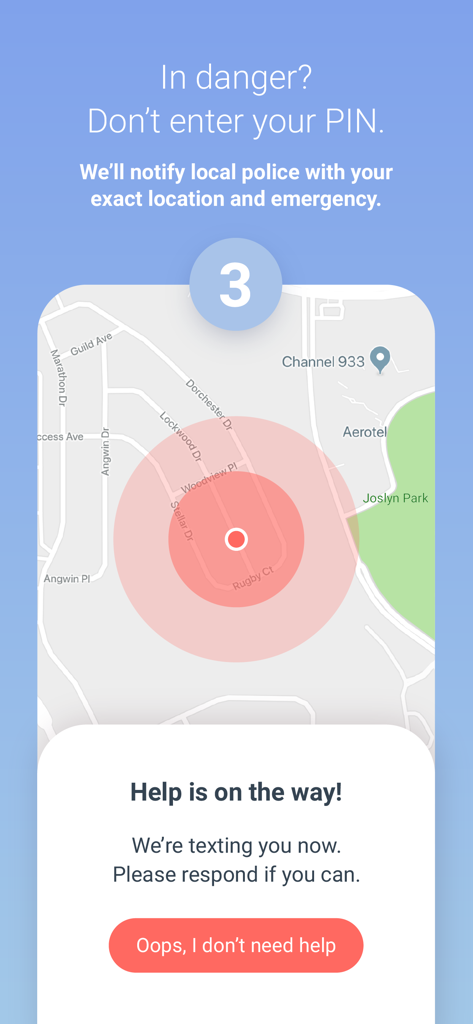
Écran d'alerte d'urgence de l'application Noonlight montrant le suivi de localisation sur une carte et une notification indiquant que l'aide est en route

Écran d'alerte d'urgence de l'application Noonlight montrant le suivi de localisation sur une carte et une notification indiquant que l'aide est en route

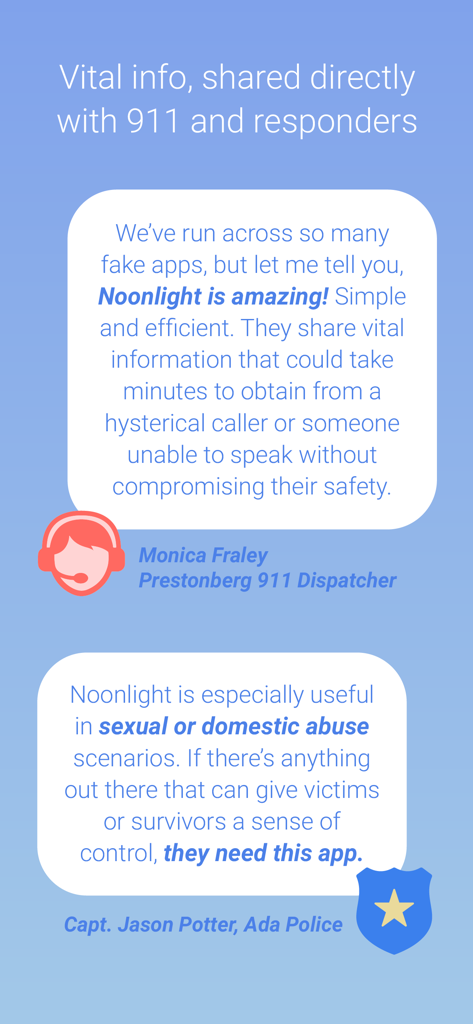
Témoignages d'un répartiteur du 911 et d'un policier sur la fiabilité de l'application de sécurité Noonlight et le partage d'informations vitales.

Témoignages d'un répartiteur du 911 et d'un policier sur la fiabilité de l'application de sécurité Noonlight et le partage d'informations vitales.

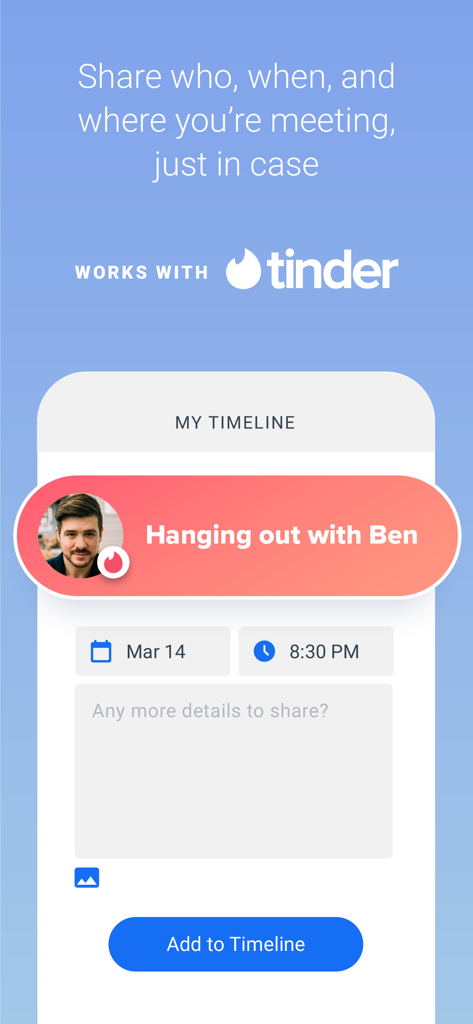
Interface de l'application Noonlight montrant une fonction d'intégration Tinder où les utilisateurs peuvent ajouter des détails de rendez-vous comme qui, quand et où à leur chronologie de sécurité.

Interface de l'application Noonlight montrant une fonction d'intégration Tinder où les utilisateurs peuvent ajouter des détails de rendez-vous comme qui, quand et où à leur chronologie de sécurité.

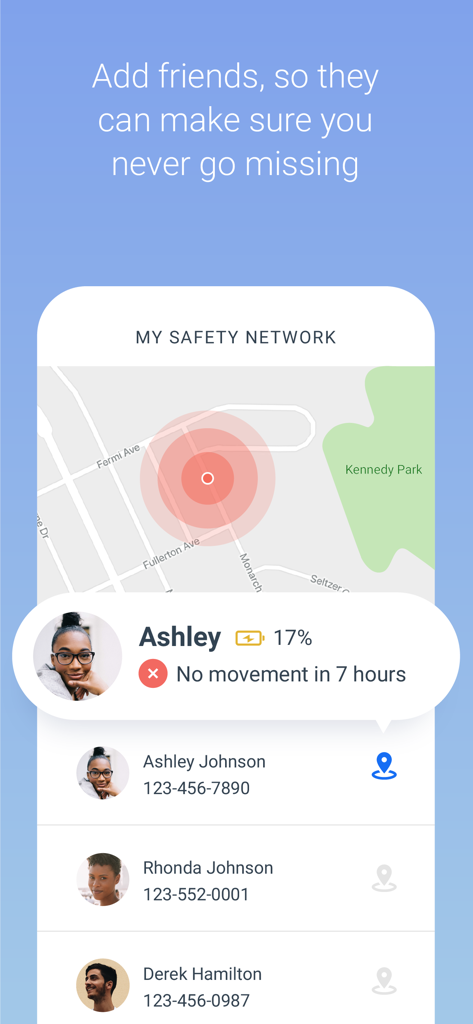
Interface de l'application Noonlight affichant la fonction Réseau de sécurité avec suivi de localisation en temps réel des amis

Interface de l'application Noonlight affichant la fonction Réseau de sécurité avec suivi de localisation en temps réel des amis

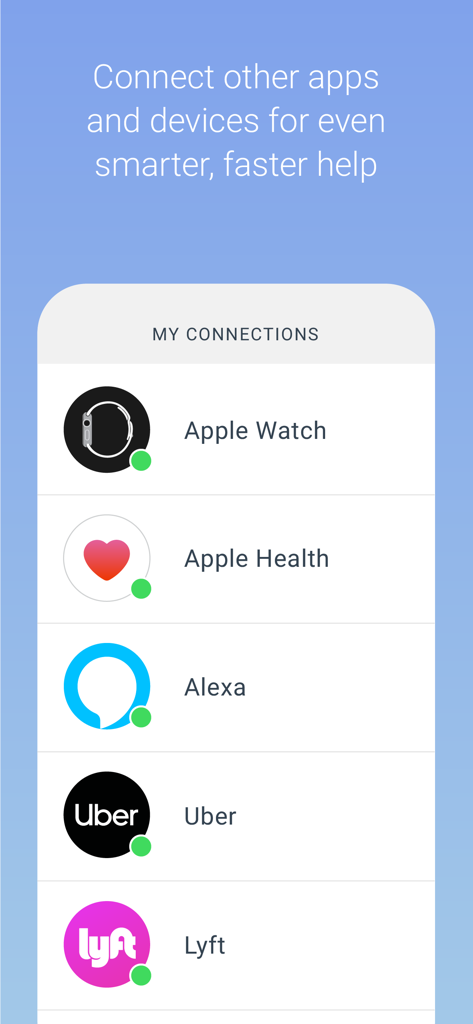
Écran de l'application Noonlight montrant les connexions à Apple Watch, Apple Health, Alexa, Uber et Lyft

Écran de l'application Noonlight montrant les connexions à Apple Watch, Apple Health, Alexa, Uber et Lyft

La sécurité au bout des doigts

Les outils qui font la différence, choisis par 2M+ utilisateurs.

🔘

Le bouton tactile de sécurité

Éliminez l'hésitation à appeler le 911. Maintenez simplement le bouton enfoncé lorsque vous vous sentez mal à l'aise et relâchez-le lorsque vous êtes en sécurité - si vous n'entrez pas votre code PIN, l'aide est en route.

🤝

Intégration intelligente des rendez-vous

Sortez en toute confiance en vous synchronisant avec Tinder pour partager les détails de la rencontre et les lieux avec nos répartiteurs certifiés, garantissant que quelqu'un a toujours votre dos.

🚗

Sécurité des trajets connectés

Synchronisez vos comptes Uber ou Lyft afin que les premiers intervenants connaissent les détails de votre véhicule et votre position GPS en temps réel en cas d'urgence, même si vous êtes en déplacement.

Plébiscitée par les utilisateurs du monde entier

Approuvée par 2M+ personnes qui adorent cette app.

"

"En tant qu'étudiante universitaire rentrant tard le soir sur le campus, cette application est mon véritable filet de sécurité. J'adore le bouton « maintenir pour protéger » – il me donne une tranquillité d'esprit immédiate sans la pression d'appeler le 911 à moins que je n'en aie vraiment besoin. C'est un must absolu pour quiconque vit dans une grande ville."

Sarah Jenkins
"

"Les intégrations Tinder et Uber sont incroyables. Je me sens tellement plus en sécurité lorsque je rencontre des gens pour des rendez-vous, sachant que mon emploi du temps est enregistré et que l'aide est à portée de main sur mon Apple Watch. C'est la première application que je recommande à toutes mes amies pour leur sécurité personnelle et leur indépendance."

Maya Rodriguez

À propos de l'app

Tout ce que vous devez savoir sur Noonlight: Feel Protected 24/7.

Description

Have you ever been in a situation where you question whether it’s dangerous enough to call 911? Instead of worrying yourself with indecision, use Noonlight. Noonlight uses advanced technology to get emergency help to your exact location with just the release of a button. It can be used in moments where you simply feel unsafe, as well as moments where you need immediate emergency help. Here’s how simple it is: 1. Press and hold the button whenever you feel uneasy. 2. Release the button when you have reached your home, car, or a safe destination and enter your 4-digit pin. 3. In danger? Simply release the button and do not enter your pin. Your local police will be notified of your location and emergency. Free Features: • Meeting a stranger? See something suspicious? Simply add information to your Timeline and we’ll share important details with first responders in an emergency. • We’ve partnered with Tinder to provide backup on your next date! Share details about who you’ll be meeting to your timeline, directly from the Tinder app. Or add a ‘Protected by Noonlight’ badge to your Tinder chat threads so everyone will know we have your back. • Prefer texting? If you can’t talk in an emergency, you can still communicate with us via text. • Can’t text or talk? No worries, we’re still sending help to your exact location. • On the move? We update your location even if you’re in a taxi, bus, running, or walking. • On-call team of friendly, certified dispatchers ready 24/7/365 to get you help. Instant Access Features: • Automatic Crash Response: Using the accelerometer, GPS, and gyroscope on your phone, Noonlight can detect if you’ve been in a car accident and automatically send first responders. • In a panic? Add the Noonlight widget to “Send help!” directly from your lock screen. • Apple Watch: Get emergency help from your wrist. In an emergency, tap “Send help!” to trigger an alarm. We’ll text and call to verify you need help. If you’re unable to answer, we’ll still send help to your location. • Wear OS: Get emergency help from your wrist using timer or panic mode. In an emergency, tap Trigger Alarm. Or Set Timer, and we’ll send help if you don’t enter your PIN when time’s up. • Connect the Apple Health app so first responders have more info to better help you in an emergency. • Connect your Lyft or Uber account to send your trip and driver information to first responders when you trigger a Noonlight alarm. • IFTTT Integrations: From home security to voice commands, Noonlight can send smarter, faster help in an emergency. If you choose to upgrade to Noonlight Instant Access, you’ll get unlimited access to all safety features and integrations. Payment will be charged to your iTunes account at confirmation of purchase, and will automatically renew at the end of each monthly period. You can turn off auto-renewal at any time from your account settings, but refunds will not be provided for any unused portion of the current period. Please note, if you wish to avoid auto-renewal, you must turn it off at least 24 hours prior to the end of the current period. We take the satisfaction and safety of our customers very seriously. Please check out our reviews to see how Noonlight is helping people just like you! Noonlight's Terms of Use: https://noonlight.com/terms Noonlight's Privacy Policy: https://noonlight.com/privacy Note: Continued use of GPS running in the background can dramatically decrease battery life. Noonlight will only use your GPS location in the background if you have an active alert, or if you've enabled Safety Network or crash detection.

Dernière version

2.19.2

Taille

111.0 MB

Date de sortie

5 oct. 2013

Marchez, sortez et déplacez-vous en toute confiance

Rejoignez plus de 2 millions de personnes qui font confiance à Noonlight pour les protéger 24h/24 et 7j/7. Téléchargez dès aujourd'hui et ne doutez plus jamais de votre sécurité.

Télécharger sur App StoreTélécharger sur Google Play