iFiles

iFiles

Scarica su App Store
Spark by MWM logo
Logo di iFiles

iFiles: Gestione File di Classe Desktop per Professionisti

Prendi il controllo totale del tuo spazio di lavoro digitale. Gestisci, modifica e trasferisci file senza interruzioni tra dozzine di servizi cloud e protocolli con lo strumento di produttività all-in-one definitivo per iOS.

Editore

Tom Biel

Categoria

Productivity

Download

507K+

Valutazione

3.3/5

Valutazioni totali

8K+

Lingue

1

Il Tuo Centro di Comando Digitale

Scopri l'interfaccia usata da 507K+ utenti.
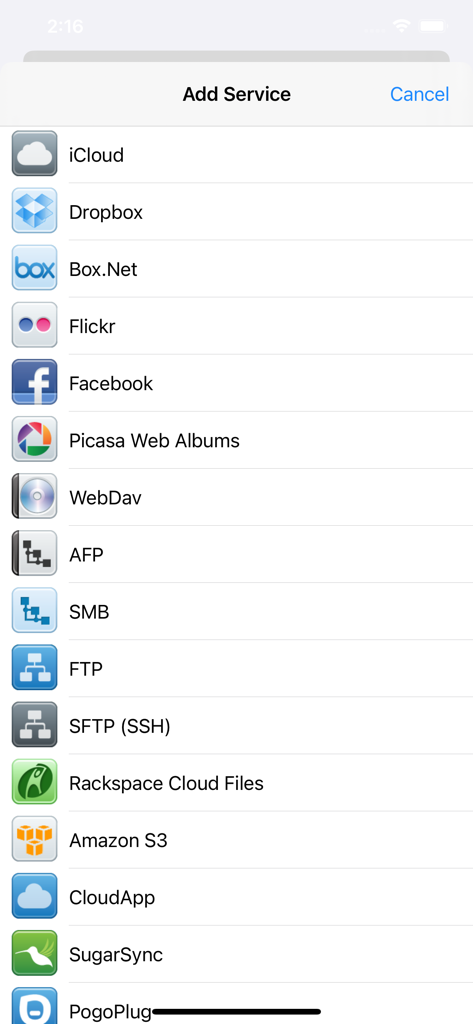
Un elenco di opzioni di archiviazione cloud e protocolli di rete tra cui Dropbox FTP SFTP e Amazon S3 nell'app iFiles

Un elenco di opzioni di archiviazione cloud e protocolli di rete tra cui Dropbox FTP SFTP e Amazon S3 nell'app iFiles

L'interfaccia dell'app iFiles che mostra un'immagine salvata di acqua che scorre in una mano

L'interfaccia dell'app iFiles che mostra un'immagine salvata di acqua che scorre in una mano

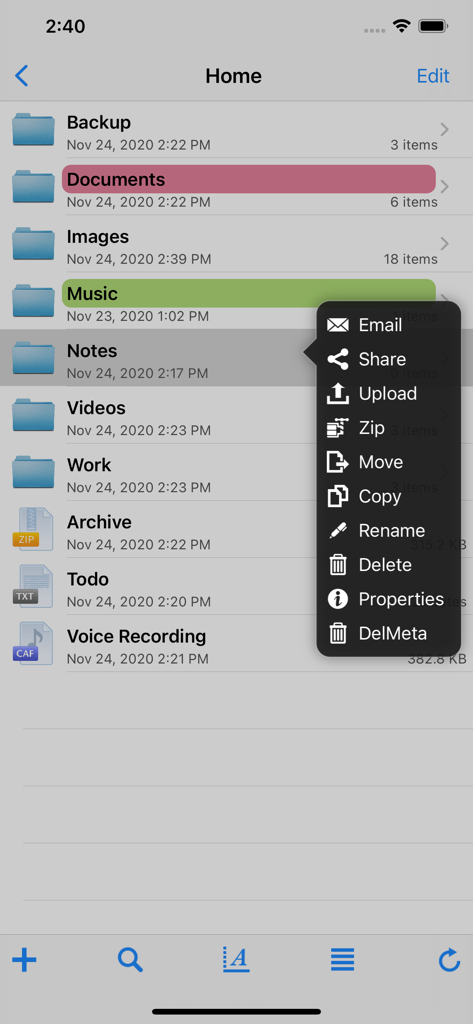
Uno screenshot dell'app iFiles che mostra un elenco di cartelle e un menu popup con opzioni di gestione file come condividi, carica, zippa e sposta.

Uno screenshot dell'app iFiles che mostra un elenco di cartelle e un menu popup con opzioni di gestione file come condividi, carica, zippa e sposta.

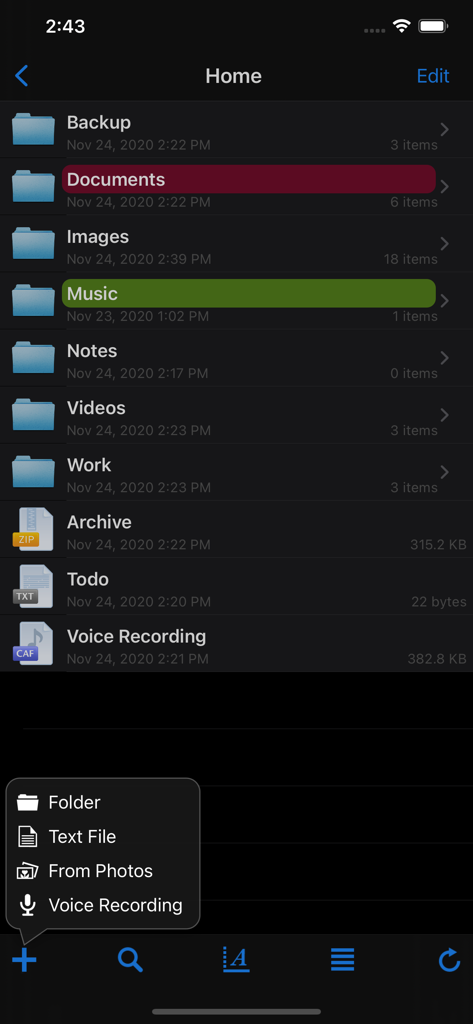
Interfaccia dell'app mobile iFiles che mostra un elenco di cartelle organizzate e un menu di creazione file

Interfaccia dell'app mobile iFiles che mostra un elenco di cartelle organizzate e un menu di creazione file

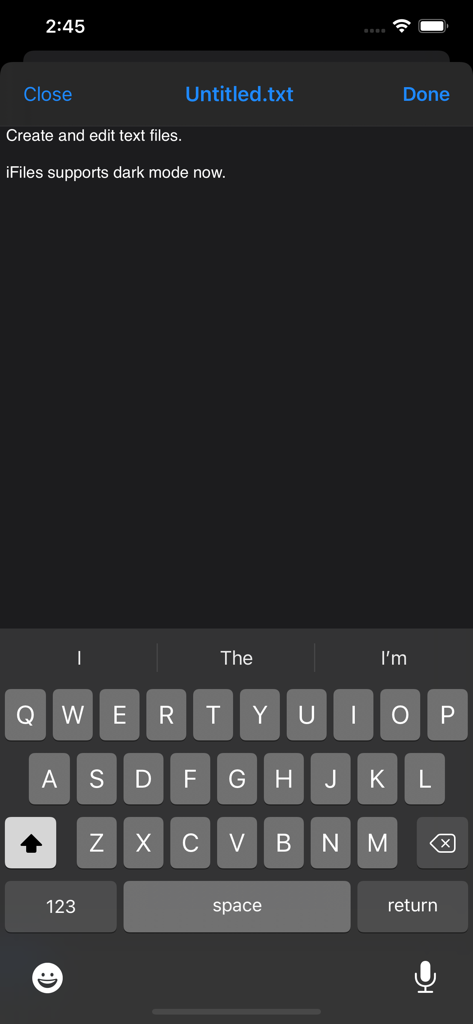
Interfaccia dell'editor di testo iFiles con supporto per la modalità scura

Interfaccia dell'editor di testo iFiles con supporto per la modalità scura

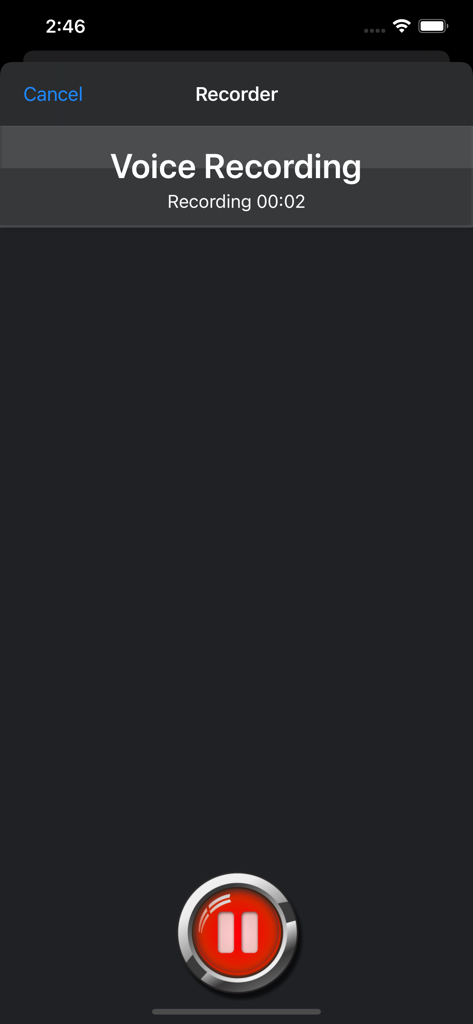
Screenshot della funzione registratore vocale integrata nell'app iFiles per iPhone.

Screenshot della funzione registratore vocale integrata nell'app iFiles per iPhone.

Controllo Totale sulla Tua Vita Digitale

Gli strumenti che rendono questa app unica, scelti da 507K+ utenti.

☁️

Gestione Cloud Unificata

Connettiti a Google Drive, Dropbox, SFTP e Amazon S3. Trasferisci file direttamente tra server senza sprecare spazio di archiviazione locale o larghezza di banda.

📝

Suite Documentale Avanzata

Annota PDF, modifica file di testo e gestisci archivi Zip o RAR. Trasforma il tuo iPhone o iPad in una postazione di lavoro professionale completa.

🛡️

Potenza in Background Sicura

Proteggi i tuoi dati con passcode locali e crittografia Keychain mentre gestisci trasferimenti di file ad alta velocità che continuano anche quando l'app è chiusa.

Amata dagli utenti di tutto il mondo

Scelto da 507K+ persone che amano questa app.

"

"Come amministratore di sistema, iFiles è il mio strumento di riferimento per la gestione di server remoti in movimento. Avere il supporto SFTP e WebDAV in tasca è essenziale per correzioni rapide, e il gestore di trasferimenti in background è incredibilmente affidabile. Fornisce veramente il controllo a livello desktop che manca all'app file nativa di iOS."

Marcus T., IT Solutions Architect
"

"iFiles ha completamente trasformato il modo in cui uso il mio iPad per il lavoro freelance. Adoro poter scaricare risorse direttamente dal web, annotare PDF per i clienti e comprimere tutto per inviarlo tramite S3 o Dropbox all'interno di un'unica interfaccia. È l'hub di produttività definitivo per chiunque tratti il proprio tablet come una workstation."

Elena R., Direttrice Creativa Indipendente

Info sull'app

Tutto quello che devi sapere su iFiles.

Descrizione

iFiles 2 is now available, this application is here to support legacy users. iFiles is the most intuitive file manager for iOS with features like connectivity to many file cloud services, transferring files between computer or cloud services, ability to view many file formats (PDF viewer now supports annotations, search and more), voice recorder, web downloader, text file editor and more. Supported Online Cloud Services and Protocols: Dropbox, Google Drive, iCloud, Box.net, SkyDrive, SugarSync, AFP (Mac Shares), FTP/FTPS, SFTP, Flickr, Picasa, Facebook, Rackspace CloudFiles, CloudApp, PogoPlug, WebDav, Amazon S3, Ubuntu One Files, ownCloud, 4Shared, also using Amazon S3: DreamObjects and UltiCloud. Key Features: • WEB DOWNLOADER - Download files from the web using the build in Web Browser or Safari using iFiles Bookmarks. (HTML5 Videos are now supported) • EMAIL - Send documents as email attachments directly from iFiles using iPhones email accounts or links to files stored in the cloud. (given service supports this feature) • VOICE RECORDER - Use iFiles build-in voice recorder to create voice notes. • POPUP MENU - Tap and hold on file to display context popup menu with file operations. • PROPERTIES -View and change folder and files properties: color label, icon, and rename. For services with supported API you can edit: comments, description, tags/keywords, privacy, copy/generate links. • SHARE FILES - Share files with other iOS users of iFiles over Wi-Fi or Bluetooth. • PDF VIEWER - Viewer now supports annotations, full-text search, bookmarks, highlighting, saving directly to a cloud service and more. • SECURE - If cloud services uses username and password they are stored using iOS Keychain, Remote access to your device can be secured with password, and device can be locked using passcode. (Your information is never send to any outside service) • FILE OPERATIONS - Move, Copy, Rename, Delete, and create New Folders (Operations are supported for all cloud services given that service API supports it) • ZIP/EXTRACT - Create archive files and unarchive many common archive formats: Zip, RAR, 7-zip, Tar, Gzip, and Bzip2. • TRANSFER MANAGER - Download, upload and transfer files directly between services without required to first download then upload files. Transfers support background mode and will resume if application is closed. • EASY UPLOAD - If your creating voice recording, importing photos or creating a text file, iFiles will automatically upload to the current location no matter if its local or remote. • CLIPBOARD PASTE - Paste text and photos/images directly to current folder. • OPEN IN - Open files in apps that support those file types. • PRINT - Print files using AirPrint. • TEXT FILES - Create and edit plain text files. (Locally or directly in the cloud) • PHOTO IMPORT - Take Photos, record movies or import from your Photo Library. (Multiple selection support is coming in next update) • MEDIA PLAYER - Playback audio and video files. • THUMBNAILS - Thumbnails are generated for local files: photos, videos and pdf files, thumbnails are displayed for cloud service if its supported. File Formats • iWorks (Pages, numbers, Keynote) ’08 and ’09 (with or without Preview) • Microsoft Office (Word, Excel, PowerPoint). • HTML web pages and Web archives (web pages downloaded by Safari) • PDF Documents. • RTF (Rich Text Format) and RTFD. • Plain text with auto-detection of character encoding. Text files can also be edited. • Movies (supported file formats by iPhone: MP4, MOV, MPV, 3GP, M4V) • Audio (WAV, MP3, M4A, CAF, AIF, AIFF, ACC) • Images (JPG, PNG, GIF, BMP, TIF, TIFF, ICO, CUR, XBM) Requirements A Wi-Fi connection is required to transfer files between home computer. ------------------ We're always excited to hear form you! If you have any feedback. questions, or concerns, please emails us at: support@imagam.com or visit http://www.ifilesapp.com or follow us on twitter: @ifilesapp

Ultima versione

1.18.0

Dimensione

37.6 MB

Data di lancio

5 dic 2009

Assumi il Pieno Controllo del Tuo Flusso di Lavoro Mobile

Unisciti a oltre 500.000 utenti esperti e sperimenta la libertà della gestione file di classe desktop sul tuo iPhone e iPad.

Scarica su App Store