Norton Family Parental Control

Norton Family Parental Control

Scarica su App Store
Spark by MWM logo
Logo di Norton Family Parental Control

Controllo Genitori Norton Family: Promuovi abitudini sane ed esplorazione più sicura

Gestisci il tempo davanti allo schermo, blocca le distrazioni durante l'orario scolastico e rimani connesso con il monitoraggio della posizione, tutto in un'unica app affidabile pensata per le famiglie moderne.

Scarica su App Store

Editore

Gen Digital Inc.

Categoria

Utilities

Download

10K+

Valutazione

3.9/5

Valutazioni totali

3K+

Lingue

23

Protezione che puoi vedere

Scopri l'interfaccia usata da 10K+ utenti.
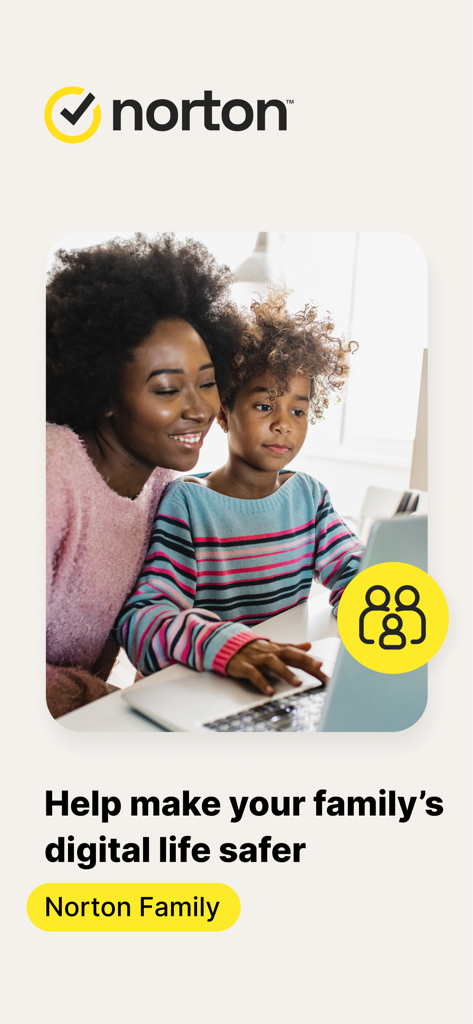
Madre e figlio guardano un laptop insieme con il marchio dell'app Norton Family

Madre e figlio guardano un laptop insieme con il marchio dell'app Norton Family

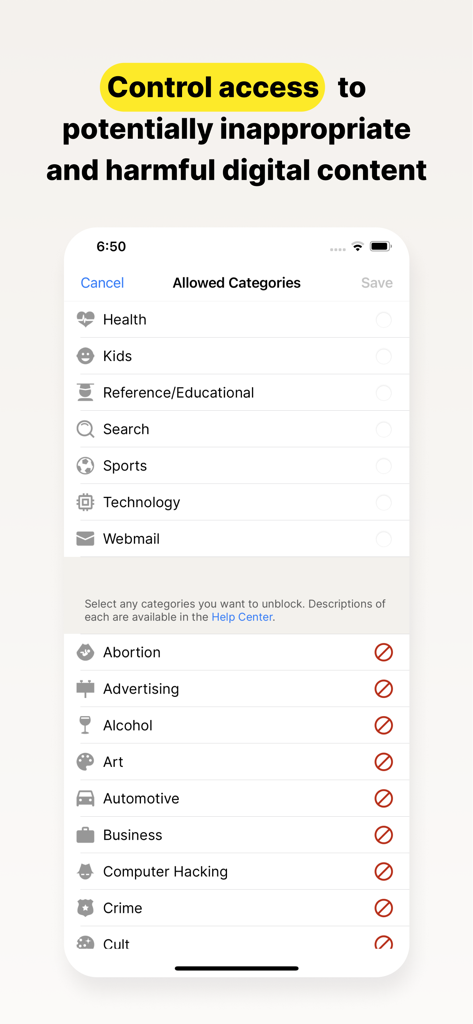
Schermata dell'app Norton Family per controllare l'accesso alle categorie di contenuti digitali

Schermata dell'app Norton Family per controllare l'accesso alle categorie di contenuti digitali

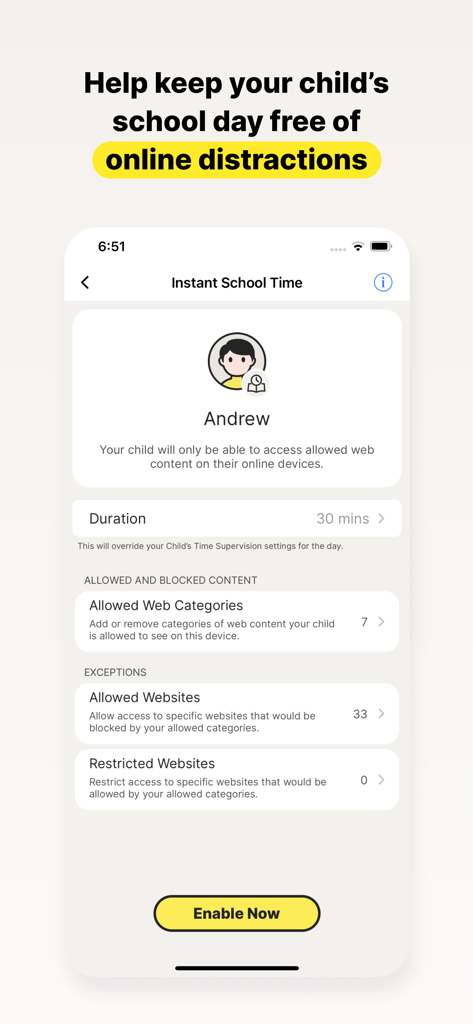
Screenshot dell'app Norton Family che mostra l'impostazione Orario Scolastico Istantaneo per bloccare le distrazioni online per i bambini durante l'orario scolastico

Screenshot dell'app Norton Family che mostra l'impostazione Orario Scolastico Istantaneo per bloccare le distrazioni online per i bambini durante l'orario scolastico

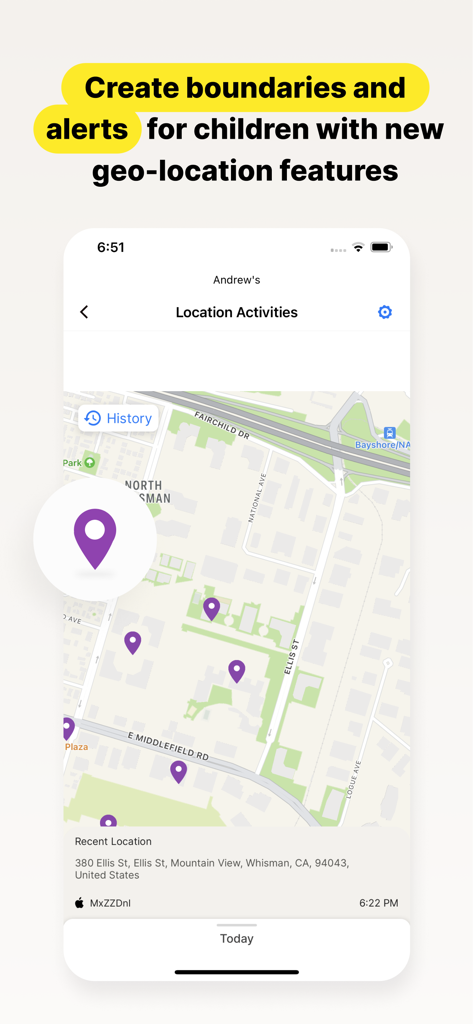
Interfaccia dell'app Norton Family che mostra la cronologia della posizione di un bambino e le attività recenti su una mappa

Interfaccia dell'app Norton Family che mostra la cronologia della posizione di un bambino e le attività recenti su una mappa

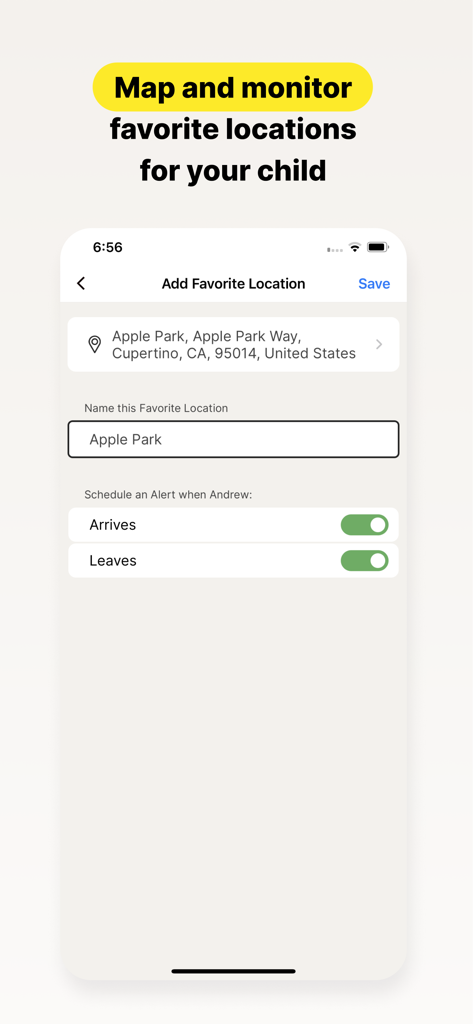
Interfaccia dell'app Norton Family che mostra le impostazioni per aggiungere un luogo preferito con avvisi di arrivo e partenza per un bambino

Interfaccia dell'app Norton Family che mostra le impostazioni per aggiungere un luogo preferito con avvisi di arrivo e partenza per un bambino

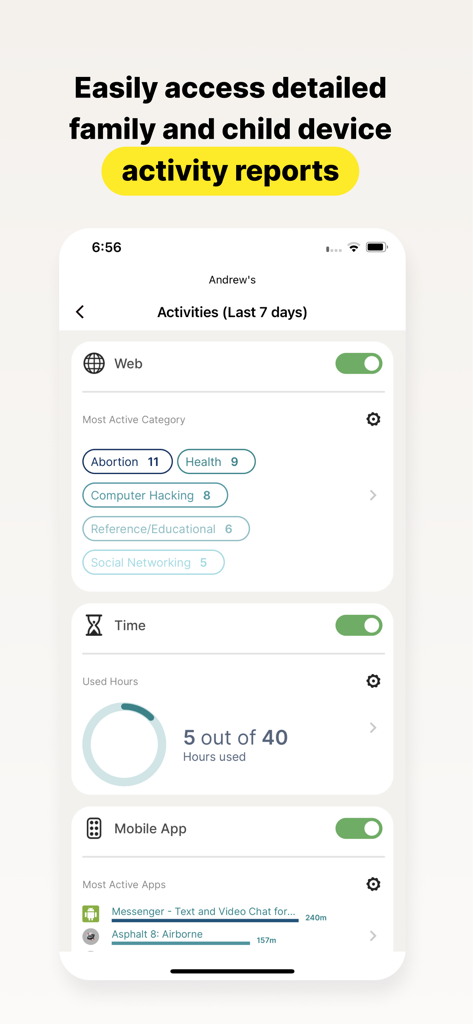
Un rapporto dettagliato sull'attività del bambino nell'app Norton Family che mostra le categorie web, il tempo trascorso sullo schermo e l'utilizzo delle app

Un rapporto dettagliato sull'attività del bambino nell'app Norton Family che mostra le categorie web, il tempo trascorso sullo schermo e l'utilizzo delle app

Strumenti intelligenti per il parenting moderno

Gli strumenti che rendono questa app unica, scelti da 10K+ utenti.

🎓

Massimizza la concentrazione con l'Orario Scolastico

Mantieni tuo figlio concentrato durante l'apprendimento a distanza gestendo l'accesso ai siti web educativi e bloccando social media e giochi di distrazione.

📍

Tranquillità nel mondo reale

Rimani informato sulla posizione fisica di tuo figlio con avvisi di geofencing che ti notificano quando arriva a scuola o alle attività extrascolastiche in sicurezza.

🛡️

Esplorazione sicura e guidata

Proteggi i tuoi figli da contenuti inappropriati monitorando i termini di ricerca e filtrando il traffico web, trasformando i rischi digitali in momenti di insegnamento.

Amata dagli utenti di tutto il mondo

Scelto da 10K+ persone che amano questa app.

"

"Norton Family è stato un toccasana per la nostra famiglia. La funzione Orario Scolastico garantisce che i miei figli rimangano concentrati sul loro apprendimento a distanza senza che io debba supervisionarli tutto il giorno. È perfetta per insegnare loro come gestire le proprie abitudini digitali, dandomi la tranquillità di cui ho bisogno durante l'orario di lavoro."

Sarah M., Genitore che lavora da remoto
"

"Gli avvisi di geolocalizzazione e Luoghi Preferiti sono incredibilmente accurati e utili. Ricevo una notifica non appena mia figlia arriva alla sua lezione di musica, il che è un grande sollievo. Insieme alla supervisione web che blocca i contenuti inappropriati, finalmente sento di avere il controllo sulla sua sicurezza sia online che offline."

David L., Padre di periferia

Analisi recensioni

Approfondimenti dalle recensioni degli utenti.

Punteggio sentimento

7%
Negativo

Riepilogo

This app receives overwhelmingly negative feedback from users, who frequently describe it as unreliable, buggy, and difficult to use. A major point of frustration is its poor compatibility with iOS devices, where many expected features like screen time control or comprehensive tracking are either missing or non-functional compared to Android. Users also report significant challenges with the app's configuration, an unintuitive interface, and the ease with which children can bypass its controls, often rendering it ineffective. Additionally, there are notable complaints regarding billing practices, including unexpected subscription charges and difficulties managing accounts post-cancellation.

Temi comuni

Functionality & Reliability(28)
Screen Time & App Management(10)
iOS Compatibility(8)
Configuration & User Interface(8)
Child Bypassing Controls(8)
Subscription & Billing Issues(4)

Info sull'app

Tutto quello che devi sapere su Norton Family Parental Control.

Descrizione

Norton Family provides tools that teach safe, smart, and healthy online habits. It also provides insights that help you foster a healthy online/offline balance for your children and their devices. At home, attending school, or on the go, Norton Family helps keep children focused on what’s most important. Norton Family empowers parents to keep track of their child’s online behavior. • Monitor the sites and content your child views Make the Web safer for your kids to explore — by keeping you informed of which sites your kids are visiting, and letting you block potentially harmful and inappropriate sites.‡ Norton Family also provides insights into the search terms and videos (3) that interest your kids and flags unsafe behavior so you can discuss online safety, as a family.‡ • Set limits on your child’s internet access Help your kids balance time spent online by scheduling screen time limits for their device usage.‡ This can helps you focus your child on schoolwork and avoid online distractions while remote learning or at bedtime.‡ • Stay informed about your child’s physical location Use geo-location features in the app to track your child’s location (4). Plus, receive alerts if you’re your child arrives in or goes beyond areas of interest established by you, using geo-location tools. • Access weekly/monthly reports Get detailed reports on what your kids are doing online, right in your Inbox or on the Parent Portal.‡ You can use these reports to foster dialog with your child about online safety. Here are some of the Norton Family features parents can use to help protect their child’s online activities. • School Time Remote learning requires the internet, so pausing the internet on your child’s device is not an option. Manage content access to relevant categories and websites to help your child maintain focus while school’s in session. • Favorite Locations This helps you establish approved boundaries for your child’s physical locations. When turned on, this feature will alert you when your child arrives in or goes beyond the permissible area or location established by you.1,2. • Web Supervision Let your kids explore the Web freely, with tools that help you block unsuitable websites while keeping you in the know about which sites they’re visiting. • Search Supervision See the words, terms, and phrases your kids are searching for to gain insights into their interests and help protect them from inappropriate content. ‡‡ Requires your device to have an Internet/data plan and be turned on. 1 Mobile app must be downloaded separately. However, parents can sign in to my.Norton.com or family.Norton.com and select Parental Control to view their child’s activity and manage settings from any supported browser on any device. 2 Location Supervision features are NOT available in all countries. Visit the feature support page here for details. To work, the child’s device must have Norton Family installed and be turned on. 3 Video Supervision monitors videos that your kids view on YouTube.com. It does not monitor or track YouTube videos that have been embedded in other websites or blogs. 4 Location Supervision requires parent activation before use. 5 Mobile app must be downloaded separately. Some features not available with in all countries. Privacy Statement Gen Digital respects your privacy and is dedicated to safeguarding your personal data. See https://www.gendigital.com/privacy​ for more information. No one can prevent all cybercrime or identity theft

Ultima versione

1.18.0

Dimensione

74.5 MB

Data di lancio

8 gen 2019

Inizia oggi stesso a creare abitudini digitali sane

Unisciti ai genitori che si affidano a Norton per aiutare i propri figli a rimanere al sicuro, concentrati ed equilibrati. Scarica l'app per gestire il benessere digitale della tua famiglia ovunque tu sia.

Scarica su App Store