TV Cast for Chromecast ‣

TV Cast for Chromecast ‣

Scarica su App StoreScarica su Google Play
Spark by MWM logo
Logo di TV Cast for Chromecast ‣

TV Cast per Chromecast ‣: Guarda qualsiasi video web sul grande schermo

Il ponte definitivo tra il tuo iPhone e il tuo Chromecast. Trasmetti senza sforzo film web, sport in diretta e i tuoi contenuti multimediali personali direttamente sulla tua TV con un singolo tocco.

Editore

Kraus und Karnath GbR 2Kit Consulting

Categoria

Photo & Video

Download

11M+

Valutazione

4.0/5

Valutazioni totali

94K+

Lingue

1

Il grande schermo, liberato

Scopri l'interfaccia usata da 11M+ utenti.

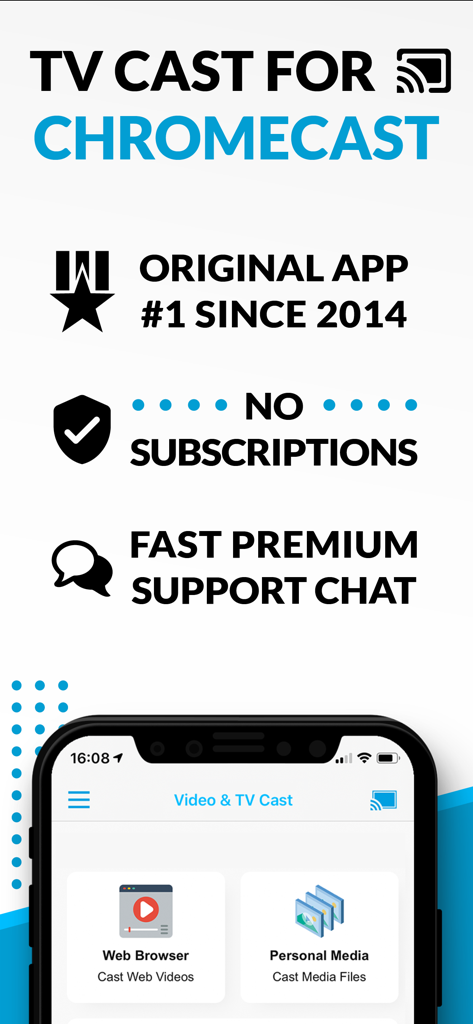
Schermata promozionale dell'app TV Cast for Chromecast che mostra le opzioni di trasmissione di video web e contenuti multimediali personali con le funzionalità chiave elencate

Schermata promozionale dell'app TV Cast for Chromecast che mostra le opzioni di trasmissione di video web e contenuti multimediali personali con le funzionalità chiave elencate

Un telefono cellulare che trasmette contenuti video a uno schermo televisivo

Un telefono cellulare che trasmette contenuti video a uno schermo televisivo

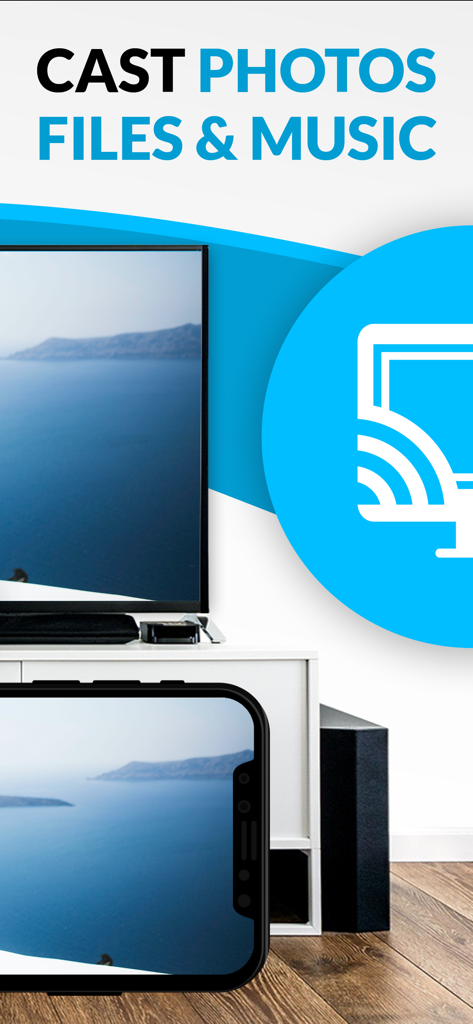
Uno schermo di iPhone che trasmette una foto panoramica della costa su un grande schermo televisivo

Uno schermo di iPhone che trasmette una foto panoramica della costa su un grande schermo televisivo

Sblocca il pieno potenziale del tuo Chromecast

Gli strumenti che rendono questa app unica, scelti da 11M+ utenti.

🌐

Trasmetti qualsiasi video dal Web

Non limitarti alle app ufficiali. Se è su un sito web, puoi trasmetterlo: dallo sport di nicchia in diretta alle notizie internazionali.

🎞️

I tuoi ricordi sul grande schermo

Proietta facilmente le tue foto e i tuoi video personali dal tuo iPhone, iCloud o Dropbox per condividerli con tutti nella stanza.

🛡️

Senza pubblicità e controllo senza sforzo

Blocca popup fastidiosi e usa il tuo telefono come un potente telecomando per avanzare velocemente, riavvolgere e navigare nei contenuti senza interruzioni.

Amata dagli utenti di tutto il mondo

Scelto da 11M+ persone che amano questa app.

"

"Finalmente ho trovato un modo per guardare le mie partite di calcio preferite dall'estero sul grande schermo! Dato che non c'è un'app ufficiale per il sito di streaming che uso, questo browser è una manna dal cielo. Trova il link del video all'istante e l'ad-blocker rende l'intera esperienza molto più pulita. Un must per chiunque abbia tagliato il cavo con un iPhone."

Mark Sterling
"

"Abbiamo solo iPhone in casa, ma la nostra TV Sony ha il Chromecast integrato. Questa app è il ponte perfetto. La uso ogni fine settimana per trasmettere video domestici dalla mia libreria iCloud e foto dei nostri ultimi viaggi. È molto più veloce e affidabile di qualsiasi altro strumento di trasmissione che abbia provato."

Sarah Jenkins

Analisi recensioni

Approfondimenti dalle recensioni degli utenti.

Punteggio sentimento

17%
Negativo

Riepilogo

This mobile app receives largely negative feedback, with many users reporting a significant decline in performance where the app no longer casts videos, fails to recognize Chromecast, or experiences frequent disconnections and crashes. A major point of contention is the aggressive monetization strategy, with users complaining about excessive ads that hinder functionality and being forced to pay for subscriptions or add-ons that still don't deliver the promised features. While some long-term users praise its past reliability and effectiveness for casting web videos to Chromecast, recent reviews highlight a widespread degradation in its core functionality, making it unusable for many.

Temi comuni

Casting Functionality(8)
User Experience(4)
Value for Money(3)
App Reliability(2)
Long-term User Satisfaction(2)
Dark Mode Request(1)

Info sull'app

Tutto quello che devi sapere su TV Cast for Chromecast ‣.

Descrizione

Watch any web video and your personal photos, videos & music on your Chromecast or Google Cast powered TV. Enjoy the show on your big screen. With Video & TV Cast you can browse through the web and stream any online video on your Chromecast (movies, tv shows, sports, music and more). Just navigate to your favorite website and send the embedded video with a single tap to your Chromecast. The discovered video will be shown below the browser. A tap on the video link will send it to your Chromecast immediately. Streaming personal media from your device is also supported. * The app only works with all Chromecast devices from Google and on devices with Google Cast or Chromecast built-in. * iTunes movies, Flash video and DRM protected videos like Amazon Prime, Netflix, Hulu, Vudu, DirecTV, Xfinity, HBO now are not supported! * Please test your favorite videos with the free edition before upgrading! * The app streams only the video part of a website and not the whole website content (No screen or tab mirroring!). * Sometimes it is necessary to play the video on your iPad or iPhone first before it gets discovered by the app for streaming. * If a specific video does not cast, please check our FAQ. If that does not help, please give us a chance to help you by dropping a mail to info@video-tv-cast.com instead of leaving a negative comment on the App Store. We will try to add support for your video as soon as possible. >>> UPGRADE FEATURES (available as in-app purchases) * Premium Edition: Unlocks all of the features listed here. Also future features are included, so you do not have to pay for them when they are released in an updated app version. * Remote Playbar: A remote control that allows you to fast forward or rewind videos while browsing. It syncs across all your iPads & iPhones that are connected to the same Chromecast. So your video can be controlled by different users in the same room. * Personal Media: Cast unlimited personal photos, videos and music directly from your device or from cloud services like iCloud and Dropbox. * Ad-Blocker: Blocks ads & popups on most websites and removes the sponsoring ads from the app. You can update and enable/disable ad-blocking at any time in the settings. * Bookmarks: Save unlimited website bookmarks. Synchronize and transfer them between different TV Cast apps and iOS devices by using backup and restore via iCloud. * Subtitles: Display subtitles & closed captions on TV. * Change Homepage: Set your personal homepage in the settings. >>> USER FEEDBACKS "You've brought the chromecast to life on iOS devices!! And you designed it work easily and quickly" Ryan, England “I looooove your app. It has taken my Chromecast to a whole new level.” Rosalind Romero, USA >>> A MESSAGE FROM THE DEVELOPERS We want to say thank you for all your great support and kindly invite you to honestly rate our app. This helps us to keep up our app development and support for you. Please do not trust other apps that ask you for 5-star ratings in exchange for premium upgrades. This is against good developer ethics and also against Apple guidelines. If you have any feedback, feature requests or other request, please notify us at info@video-tv-cast.com Disclaimer: This app is not affiliated with Google or any other trademark mentioned here. Chromecast is a trademark of Google LLC.

Ultima versione

3.12

Dimensione

31.5 MB

Data di lancio

27 ago 2014

Pronto a liberarti dal tuo piccolo schermo?

Unisciti a oltre 11 milioni di utenti che hanno tagliato il cavo e trasmettono qualsiasi video web, sport o ricordi personali dal loro iPhone direttamente sul grande schermo. Scarica ora e inizia a trasmettere senza limiti.

Scarica su App StoreScarica su Google Play
FAQ

Domande Frequenti

Tutto quello che devi sapere su TV Cast for Chromecast ‣

Cosa fa TV Cast for Chromecast?

TV Cast for Chromecast consente agli utenti di navigare sul web e trasmettere video online, foto personali, video e musica alla TV con Chromecast o Google Cast.

TV Cast for Chromecast funziona con tutti i dispositivi Chromecast?

Sì, TV Cast for Chromecast funziona con tutti i dispositivi Chromecast di Google e sui dispositivi con Google Cast o Chromecast integrato.

TV Cast for Chromecast può trasmettere video da Netflix o Amazon Prime?

No, TV Cast for Chromecast non supporta video protetti da DRM come Amazon Prime, Netflix, Hulu, Vudu, DirecTV, Xfinity o HBO now.

TV Cast for Chromecast richiede un abbonamento?

No, TV Cast for Chromecast non richiede alcun abbonamento. Le funzionalità sono disponibili tramite acquisti in-app.

TV Cast for Chromecast include un blocco degli annunci?

Sì, TV Cast for Chromecast offre un Ad-Blocker come funzionalità di upgrade, che blocca annunci e pop-up sulla maggior parte dei siti web e rimuove gli annunci sponsorizzati in-app.

Posso trasmettere foto e musica personali con TV Cast for Chromecast?

Sì, la funzionalità di upgrade Personal Media consente di trasmettere un numero illimitato di foto, video e musica personali direttamente dal dispositivo o da servizi cloud come iCloud e Dropbox.

Come posso ottenere supporto per TV Cast for Chromecast?

Gli utenti possono ottenere supporto via email all'indirizzo info@video-tv-cast.com. L'app offre anche una chat di supporto premium veloce per assistenza.

TV Cast for Chromecast esegue il mirroring dello schermo del mio dispositivo?

No, TV Cast for Chromecast trasmette solo la parte video di un sito web. Non esegue il mirroring dello schermo o della scheda dell'intero contenuto del sito web.

TV Cast for Chromecast supporta i sottotitoli?

Sì, l'app offre una funzionalità di upgrade per i sottotitoli, che consente la visualizzazione di sottotitoli e didascalie chiuse sulla TV.

Come posso sbloccare tutte le funzionalità in TV Cast for Chromecast?

Tutte le funzionalità di TV Cast for Chromecast vengono sbloccate acquistando l'Edizione Premium come acquisto in-app. Ciò include le funzionalità attuali e future.