NCalc Scientific Calculator +

NCalc Scientific Calculator +

ダウンロード: App Store
Spark by MWM logo
ロゴ: NCalc Scientific Calculator +

NCalc 関数電卓 +:高度な数学とグラフ作成のパワフルツール

かさばるTI-84はもう不要です。自然な教科書表示、記号代数ソルバー、プロフェッショナルなグラフ作成ツールを、600万人以上の学生やエンジニアに信頼されている高性能アプリで体験してください。

開発元

Tran Duy

カテゴリ

Education

ダウンロード

6M+

ユーザー評価

4.7/5

評価数

152K+

対応言語

51

数学を、視覚的に

このインターフェースを利用する 6M+ 人のユーザー.

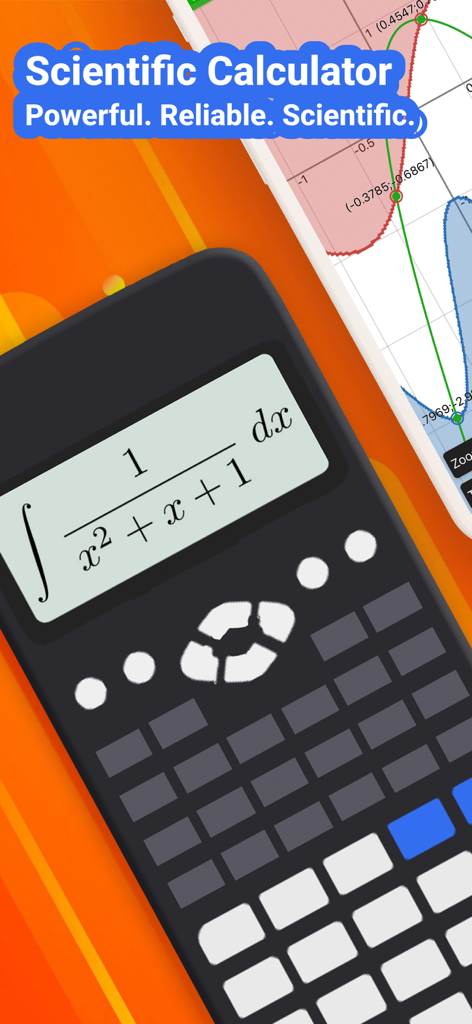
NCalc関数グラフ電卓アプリが積分数式と関数グラフを表示

NCalc関数グラフ電卓アプリが積分数式と関数グラフを表示

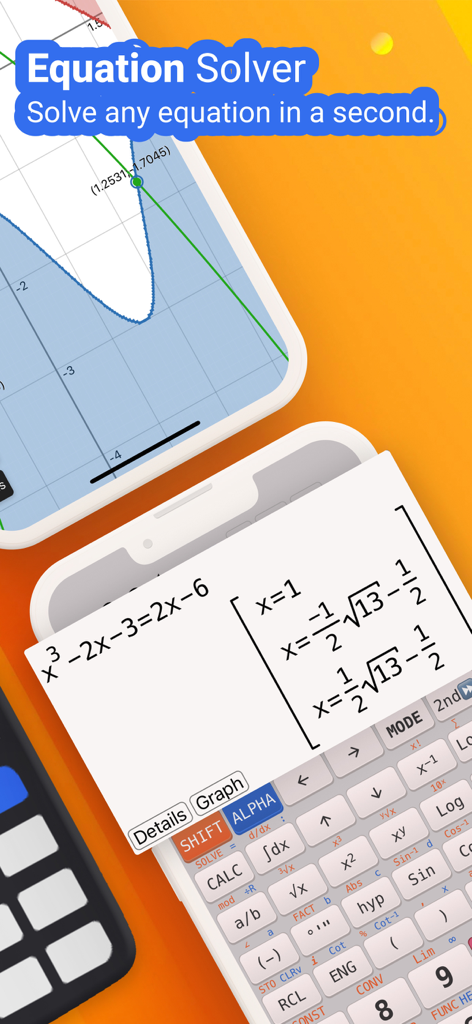
NCalcアプリインターフェースが自然表示の結果と数学グラフで方程式ソルバーを表示

NCalcアプリインターフェースが自然表示の結果と数学グラフで方程式ソルバーを表示

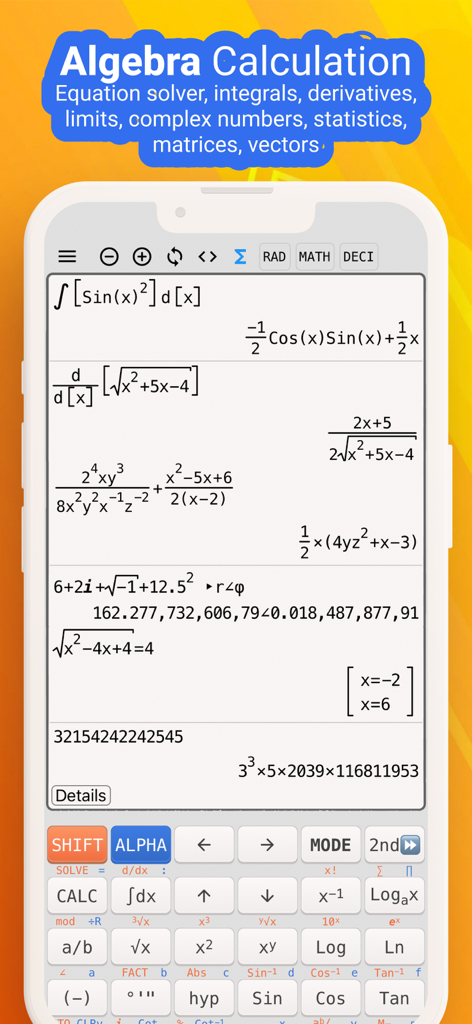
NCalcアプリインターフェースが自然表示で複雑な代数および微積分計算を表示

NCalcアプリインターフェースが自然表示で複雑な代数および微積分計算を表示

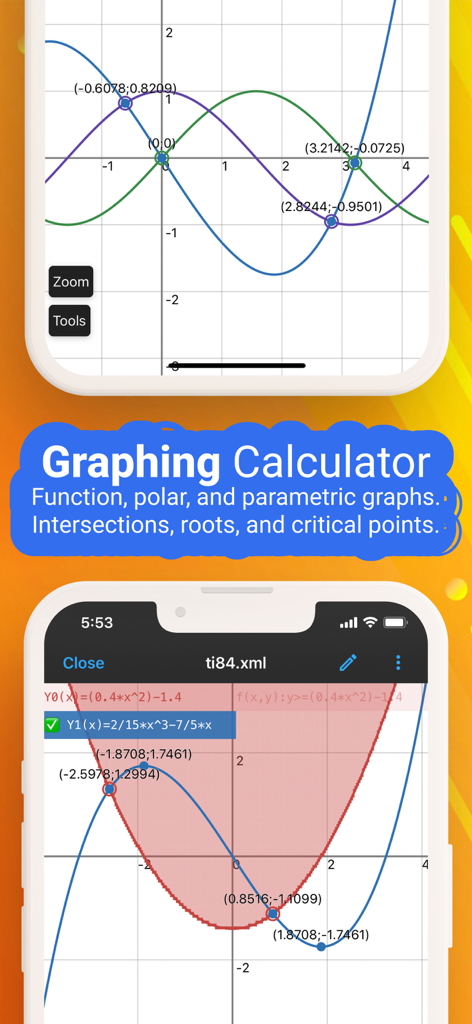
NCalcアプリインターフェースが座標グリッド上で関数グラフと交点表示

NCalcアプリインターフェースが座標グリッド上で関数グラフと交点表示

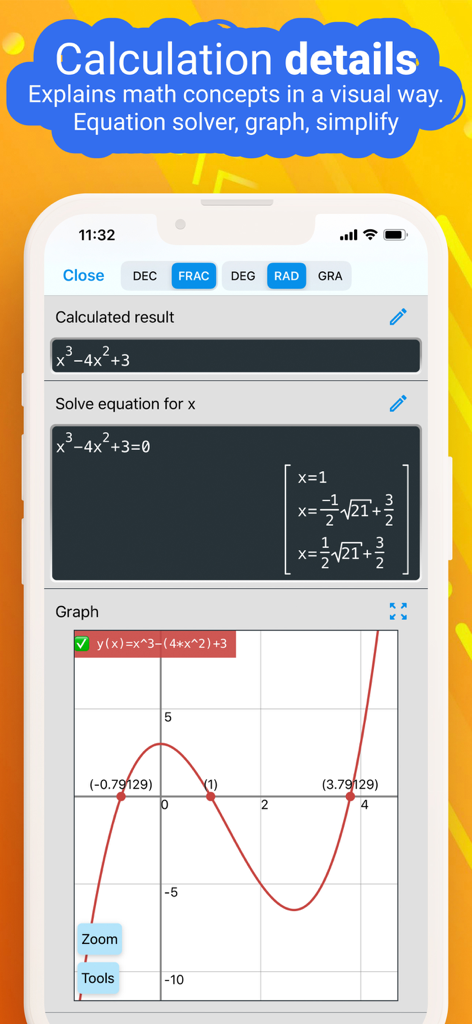
NCalcアプリ画面が3次方程式の解とその関数グラフを表示

NCalcアプリ画面が3次方程式の解とその関数グラフを表示

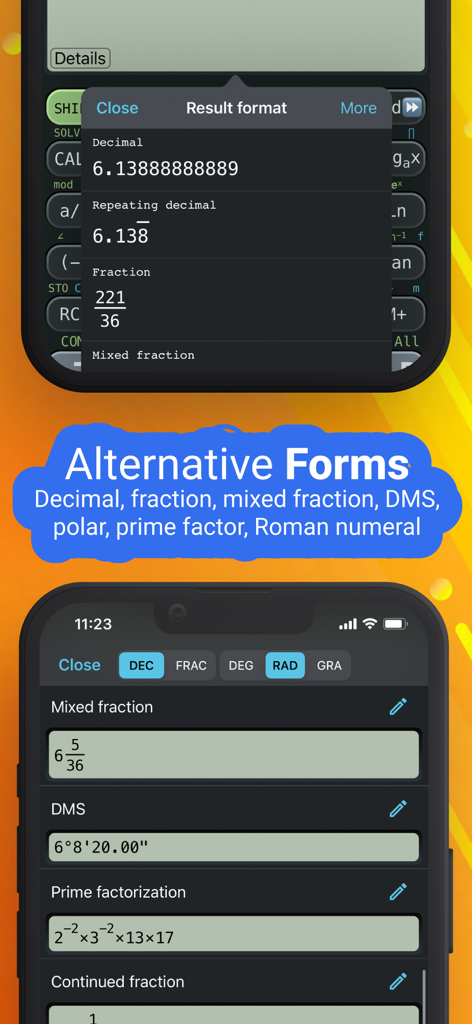
NCalcアプリインターフェースが小数、分数、素因数分解などのさまざまな数学的結果形式を表示

NCalcアプリインターフェースが小数、分数、素因数分解などのさまざまな数学的結果形式を表示

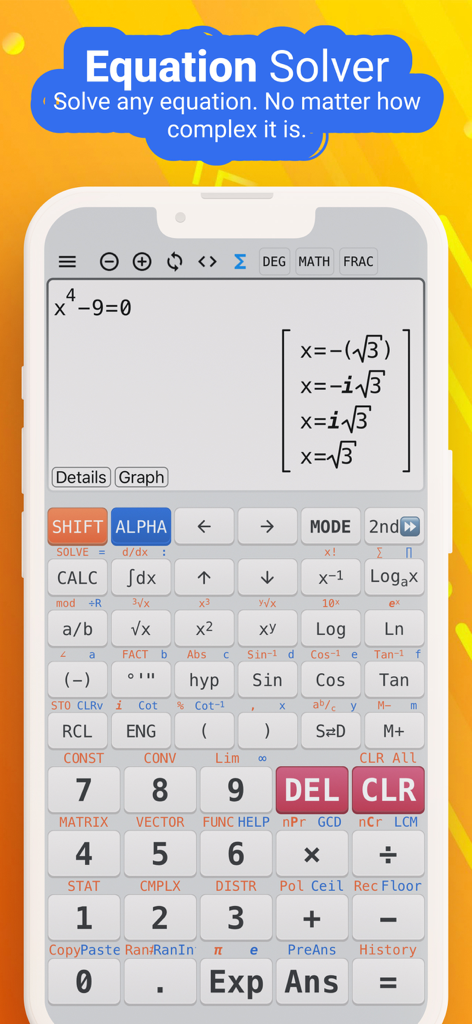
NCalc関数電卓アプリインターフェースがスマートフォンの画面で複雑な代数方程式を解く

NCalc関数電卓アプリインターフェースがスマートフォンの画面で複雑な代数方程式を解く

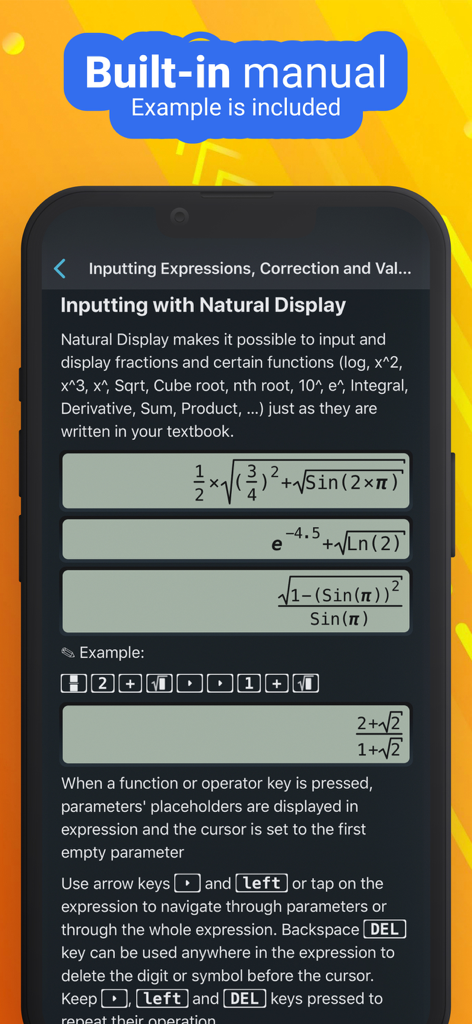
NCalcアプリの数式を自然表示で入力する方法を示す内蔵マニュアル

NCalcアプリの数式を自然表示で入力する方法を示す内蔵マニュアル

プロのように数学と科学をマスターする

このアプリを際立たせるツール、 6M+ 人のユーザーが選択.

📖

リアルな教科書表示

教科書に表示されるとおりに数式を入力して表示します。もう紛らわしい線形構文は不要です。純粋な数学的明瞭さだけがあります。

📈

プロのグラフ作成と分析

高価なTI-84はもう不要です。複雑な関数を視覚化し、交点を見つけ、導関数を直接画面上で評価します。

高度な代数と微積分

連立方程式、積分、行列を瞬時に解きます。最も難しい宿題に対して、記号の結果または数値精度を取得します。

世界中のユーザーに愛されています

Trusted by 6M+ 人がこのアプリを愛用しています.

"

"エンジニアリングを専攻する学生として、かさばるTI-84を持ち運ぶのにうんざりしていました。NCalcは完全にゲームチェンジャーです。自然表示により、物理的な電卓よりもはるかに直感的に複雑な微積分方程式を入力できます。行列から三重積分まで、すべてを簡単に処理し、数式ライブラリがiPadにあることで、夜遅くの勉強セッション中に役立ちました。"

Marcus T., 大学の学生
"

"これは間違いなくApp Storeで最も包括的な電卓アプリです。専門的な仕事で単位変換や統計分布のために毎日使用しています。記号モードは、小数近似ではなく正確な分数が必要な場合に最適です。強力で高速で、ハイエンドのハードウェアを購入するよりもはるかに手頃な価格です。同僚全員におすすめします。"

Elena G., リサーチアナリスト

アプリについて

について知っておくべきこと NCalc Scientific Calculator +.

説明

NCalc — Powerful Scientific Calculator, Graphing, and Converter NCalc combines a natural-display scientific calculator, advanced math tools, a full graphing module (as 83/84 calculator), a large formula library, and a comprehensive unit and currency converter—designed for students, engineers, and anyone who loves math. ◉ Main Calculator Features - Natural display: Enter expressions exactly as in textbooks—fractions, roots, exponents, and more—see results as written on paper. - Keyboard layout: Matches popular models for familiarity and speed: 115 ES Plus, 991 ES Plus, 300 ES Plus, and 991 EX. - Symbolic and numeric modes: Perform exact fraction calculation or evaluate numerically when needed. - Arbitrary precision integers: Work with very large integers without losing accuracy. - Output types: Choose from fraction, mixed fraction, decimal, repeating decimal, degrees/minutes/seconds, and polar coordinates. - Angle units: Degree, radian, and gradian (grade). - Decimal formatter: Display numbers in normal, engineering, engineering SI, scientific, or fixed formats. - Calculation history: Review and reuse past calculations with ease. - Copy and paste support for fast data entry and sharing. ◉ Algebra, Calculus, and Core Math - Algebra calculation: Expansion, factorization, simplification, and more. - Calculus calculator: Derivatives, integrals, and limits of expressions. - Complex number calculation: Arithmetic, polar/rectangular conversion, exponential, logarithm, powers, roots, and full trigonometric functions. ◉ Equations and Inequalities - Equation solver: Solve general equations, plus dedicated solvers for quadratic, cubic, and quartic equations. - System of equations solver: Solve systems with 2, 3, or 4 variables. - Inequality solvers: Quadratic, cubic, and quartic inequalities with interval-based solutions. ◉ Matrices and Vectors - Operations: Addition, subtraction, multiplication for matrices and vectors. - Advanced tools: Determinant, inverse, transpose, rank, eigenvalues, and eigenvectors. ◉ Statistics and Distributions - Statistical calculation: Descriptive stats and regression calculation (including a regression plotter). - Distribution calculation: Normal distribution, binomial distribution, Poisson distribution, t-distribution, chi-square distribution, and F-distribution. ◉ Number Bases and Formats - Base N calculation: Effortlessly switch between binary, octal, decimal, and hexadecimal, with arithmetic in each base. ◉ Tables, Variables, and Custom Functions - Table Generator: Generate value tables based on any expression and range. - Calculator variables: Store values and reuse them across calculations. - User-defined functions: Create your own functions to streamline repetitive work. - Built-in constants: A rich set of mathematical and physical constants. ◉ Formulas - Extensive formula collection: Math and Physics formulas, clearly categorized—ideal for secondary school, high school, and university students. ◉ Unit Converter - Currency Converter - 1000+ unit conversions ◉ Graphing as 83, 84 calculator - Cartesian functions, implicit plots, polar, and parametric. - Tracing, roots, intersections, extrema, derivative, and integral evaluations on graphs. ◉ Auto-renewing subscription You may purchase an auto-renewing subscription through an In-App Purchase. • Auto-renewable subscription • Your subscription will be charged to your AppStore account at confirmation of purchase and will automatically renew (at the duration selected) unless auto-renew is turned off at least 24 hours before the end of the current period. • Current subscription may not be cancelled during the active subscription period; however, you can manage your subscription and/or turn off auto-renewal by visiting your AppStore Account Settings after purchase • Privacy policy and terms of use: https://ncalc-app.web.app/terms-of-services.html

最新バージョン

3.5.1

サイズ

151.8 MB

リリース日

Apr 3, 2019

次の数学の課題をマスターする準備はできましたか?

600万人以上の学生やエンジニアの仲間入りをしましょう。高価なハードウェアは捨てて、今すぐiPhoneまたはiPadを究極の関数グラフ電卓に変えましょう。

ダウンロード: App Store
FAQ

よくある質問

について知っておくべきこと NCalc Scientific Calculator +

NCalc Scientific Calculator +とは何ですか?

NCalc Scientific Calculator +は、自然表示の科学計算機、高度な数学ツール、グラフ作成、豊富な公式ライブラリ、単位/通貨コンバーターを組み合わせた包括的なアプリで、学生やエンジニア向けです。

NCalc Scientific Calculator +はグラフ作成機能を提供しますか?

はい、NCalc Scientific Calculator +には、83/84計算機に似た完全なグラフ描画モジュールが含まれています。デカルト座標、陰関数、極座標、媒介変数表示の関数をサポートし、トレースや根の検索などの機能があります。

NCalc Scientific Calculator +は方程式を解くことができますか?

はい、NCalc Scientific Calculator +には方程式ソルバーが搭載されています。二次、三次、四次方程式を含む一般方程式や、最大4つの未知数を持つ連立方程式を解くことができます。

NCalc Scientific Calculator +の自然表示機能はどのように機能しますか?

NCalc Scientific Calculator +の自然表示機能により、ユーザーは教科書に表示される通りに、分数、根号、指数を含む数式を正確に入力でき、結果を明確に表示します。

NCalc Scientific Calculator +には単位換算機能が含まれていますか?

はい、NCalc Scientific Calculator +は、1000以上の単位換算と通貨換算を備えた包括的な単位換算機能を提供しており、さまざまな数学的および工学的なタスクに役立ちます。

NCalc Scientific Calculator +はどのような代数計算を実行できますか?

NCalc Scientific Calculator +は、展開、因数分解、単純化などの代数計算を実行します。また、微積分のための微分、積分、極限、および複素数計算も扱います。

NCalc Scientific Calculator +は無料のアプリケーションですか?

いいえ、NCalc Scientific Calculator +は自動更新サブスクリプションを通じてアクセスを提供します。ユーザーはアプリ内購入を通じてこのサブスクリプションを購入します。

NCalc Scientific Calculator +のサブスクリプションを管理できますか?

はい、ユーザーは購入後、AppStoreアカウント設定を通じてNCalc Scientific Calculator +のサブスクリプションを管理し、自動更新をオフにすることができます。自動更新は、現在の期間終了の24時間前までにオフにする必要があります。

NCalc Scientific Calculator +は複素数計算をサポートしていますか?

はい、NCalc Scientific Calculator +は複素数計算をサポートしています。複素数に関する算術演算、極座標/直交座標変換、指数、対数、べき乗、根、および完全な三角関数を扱います。

NCalc Scientific Calculator +のプライバシーポリシーはどこで見つけられますか?

NCalc Scientific Calculator +のプライバシーポリシーと利用規約は、https://ncalc-app.web.app/terms-of-services.htmlで入手できます。