Panecal Scientific Calculator

Panecal Scientific Calculator

ダウンロード: App Store
Spark by MWM logo
ロゴ: Panecal Scientific Calculator
Panecal科学計算機:あらゆる数式のための精密エンジニアリング

カーソルベースの数式エディタ、履歴追跡、高度な技術変換で入力エラーを排除します。STEM学生やエンジニアリング専門家向けの信頼できるモバイルツール。

開発元

Noriyasu Kutsuzawa

カテゴリ

Utilities

ダウンロード

5M+

ユーザー評価

4.7/5

評価数

44K+

対応言語

11

一目でわかる精度

このインターフェースを利用する 5M+ 人のユーザー.

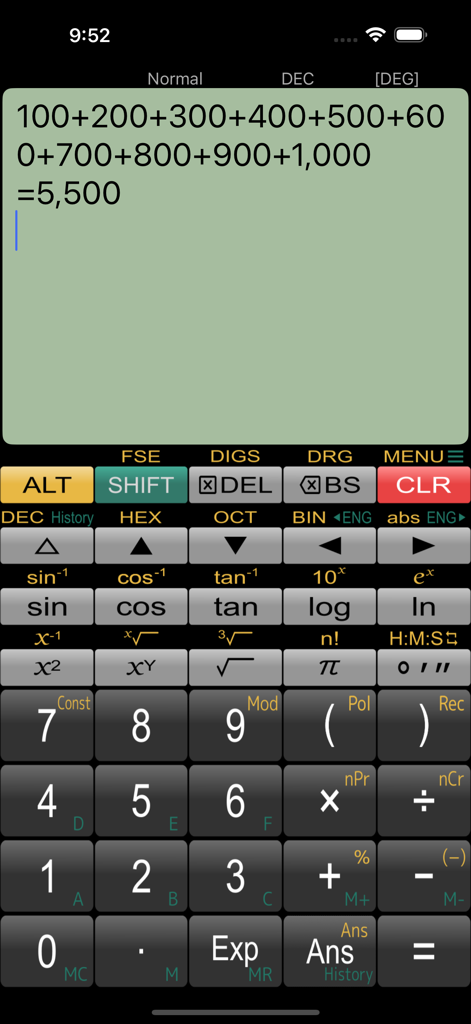
Panecal科学計算機のインターフェース。モバイル画面に複数行の数式と結果が表示されています。

Panecal科学計算機のインターフェース。モバイル画面に複数行の数式と結果が表示されています。

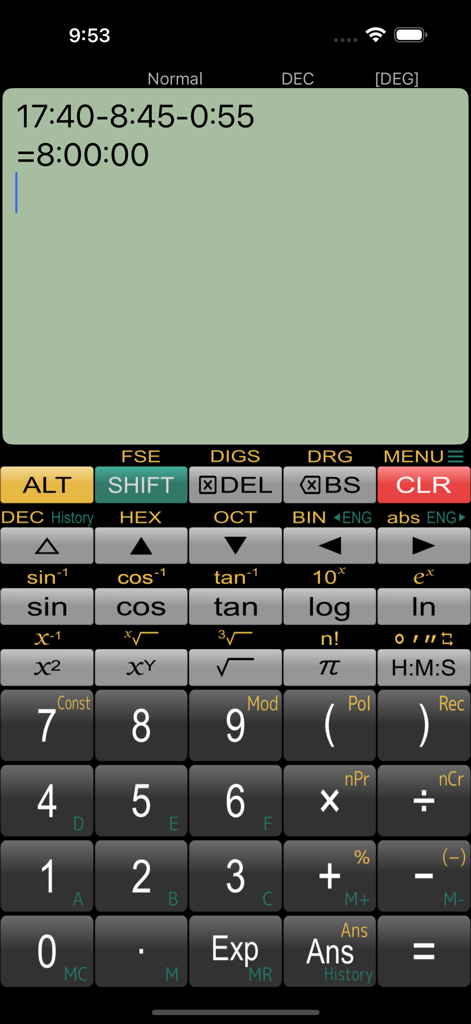
Panecal科学計算機アプリのインターフェース。数式表示と科学キーパッドが表示されています。

Panecal科学計算機アプリのインターフェース。数式表示と科学キーパッドが表示されています。

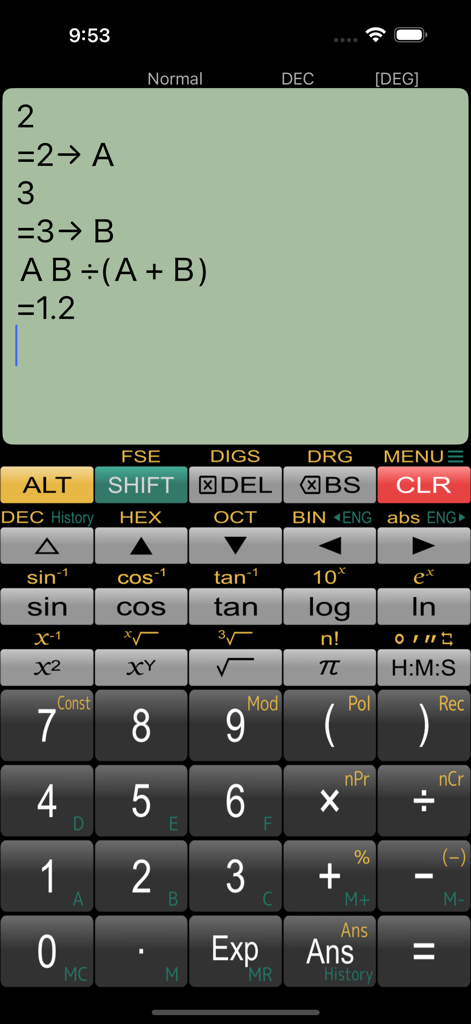
Panecal科学計算機アプリ。緑色の画面表示で、変数AとBを使用した数式計算が表示されています。

Panecal科学計算機アプリ。緑色の画面表示で、変数AとBを使用した数式計算が表示されています。

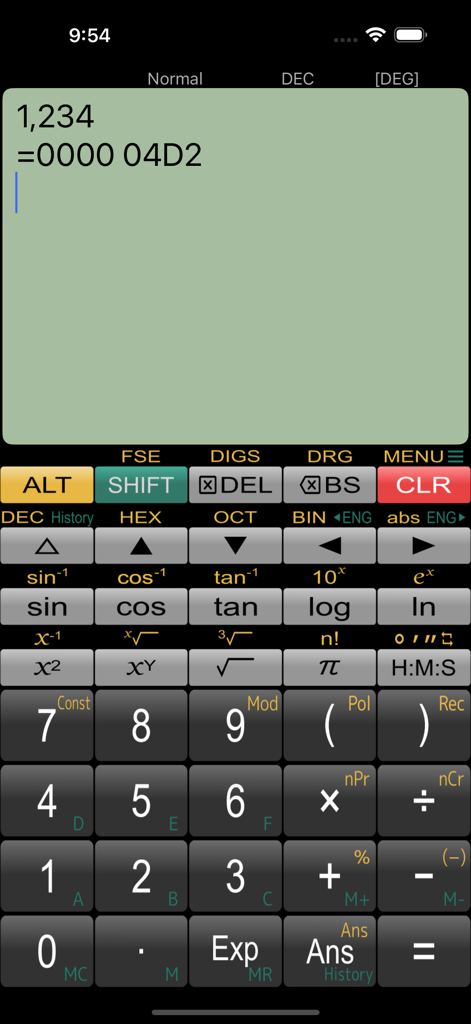
Panecal科学計算機のインターフェース。iPhoneで10進数から16進数への変換が表示されています。

Panecal科学計算機のインターフェース。iPhoneで10進数から16進数への変換が表示されています。

絶対的な精度でエンジニアリング

このアプリを際立たせるツール、 5M+ 人のユーザーが選択.

📝

視覚的な数式編集

ナビゲート可能なカーソルで数式全体を表示・編集します。もう、1つのタイポのために計算をやり直す必要はありません。

🕒

スマート履歴と変数

過去の数式を即座に呼び出したり、結果を変数A-Fに保存したりできます。複数ステップのエンジニアリング問題や反復テストに最適です。

💻

プログラマー向けロジック

ビット演算を実行し、2進数、8進数、10進数、16進数(最大32ビット)間でワンタップで変換できます。

世界中のユーザーに愛されています

Trusted by 5M+ 人がこのアプリを愛用しています.

"

"土木工学の学生として、Panecalは不可欠です。複数行表示とカーソルナビゲーションにより、1つのタイポのために長い計算をやり直す必要がありません。日々の授業で高価なハードウェア計算機を完全に置き換えました。"

Alex R., University Student
"

"16進数と2進数の変換機能は、私のファームウェア開発作業にとって画期的です。数式全体を直接ドキュメントにコピーできるのが気に入っています。App Storeで見つけた中で最も直感的で強力な科学計算機です。"

Marcus T., Software Engineer

アプリについて

について知っておくべきこと Panecal Scientific Calculator.

説明

[Description] Panecal is a scientific calculator app that allows you to display and modify formulas. It allows you to enter formulas while checking them, which prevents you from typing incorrectly or making calculation errors. It is also possible to reuse past formulas and use variable memory to change only certain values to calculate them.  The display shows the cursor, and you can tap or press the arrow keys to quickly navigate to where you want to edit. It has a powerful, flexible and intuitive user interface with support for swiping to scroll through formulas and long-tap to copy and paste.   [Features] - Re-calculation by using past formula - Easy editing by using a cursor operation and swipe the screen - Copy and paste formulas text - Formulas history and answers history table - Binary numbers, octal numbers, decimal numbers, hexadecimal numbers calculation and conversion (Max.32bits) - M+/M- memory functions and variable(A-F) memory - Arithmetic operations, inverse trigonometric functions, logarithmic functions, power functions, power root functions, factorials, absolute values, percent calculations, modulo calculation, polar and cartesian coordinate conversion - Angle units (DEG, RAD, GRAD) - Result format with Normal(standard), Fix (fixed decimal mode), Sci (significant figures), and Eng (index is in multiples of 3) - Decimal point character and grouping separator settings [Disclaimer] Please note in advance that Appsys is not responsible for any damage or lost profits caused by the use of this software, or any claims from third parties.

最新バージョン

7.6.6

サイズ

31.2 MB

リリース日

Jul 9, 2013

精密な数式をマスターしよう

ワークフローをアップグレードした500万人のエンジニアや学生に加わりましょう。数式を編集し、履歴を表示し、エラーを無料ですべて排除できる科学計算機をダウンロードしてください。

ダウンロード: App Store
FAQ

よくある質問

について知っておくべきこと Panecal Scientific Calculator

Panecal Scientific Calculatorとは何ですか?

Panecal Scientific Calculatorは、数式を入力中に表示、修正、確認できる関数電卓アプリです。これにより、入力ミスや計算ミスを防ぐことができます。

Panecal Scientific Calculatorで数式を編集するにはどうすればよいですか?

Panecal Scientific Calculatorでは、カーソルを使用して数式を簡単に編集できます。タップまたは矢印キーで移動し、画面をスワイプして式をスクロールできます。

Panecal Scientific Calculatorは変数を使用して値を保存し、再利用できますか?

はい、Panecal Scientific Calculatorは変数メモリ(A-F)とM+/M-メモリ機能をサポートしています。これにより、特定の値を保存して後続の計算で再利用できます。

Panecal Scientific Calculatorは16進数変換を提供していますか?

はい、Panecal Scientific Calculatorは、16進数、2進数、8進数、10進数の計算および変換を行います。32ビットまでの数値をサポートしています。

Panecal Scientific Calculatorで利用できる関数は何ですか?

Panecal Scientific Calculatorには、算術演算、逆三角関数、対数、べき乗、べき根、階乗、絶対値、パーセント、剰余、座標変換関数が含まれています。

Panecal Scientific Calculatorは過去の計算履歴を保持していますか?

はい、Panecal Scientific Calculatorは、入力された数式と計算結果の両方について、包括的な履歴テーブルを維持します。この機能により、再計算や過去の作業の確認が可能になります。

Panecal Scientific Calculatorはどのような角度モードを提供していますか?

Panecal Scientific Calculatorは、度(DEG)、ラジアン(RAD)、グラジアン(GRAD)の3つの角度単位モードを提供しています。ユーザーは計算に適した単位を選択できます。

Panecal Scientific Calculatorは時間ベースの計算を処理できますか?

はい、Panecal Scientific Calculatorは、アプリケーションのスクリーンショットで示されているように、期間の減算などの時間形式の計算を処理および表示できます。

Panecal Scientific Calculatorで結果の形式をカスタマイズするにはどうすればよいですか?

Panecal Scientific Calculatorでは、結果の形式をカスタマイズできます。オプションには、ノーマル、固定(固定小数点モード)、Sci(有効数字)、Eng(3の倍数の指数)が含まれます。

開発者はPanecal Scientific Calculatorによって引き起こされた損害について責任がありますか?

いいえ、Appsysは、Panecal Scientific Calculatorの使用によって引き起こされたいかなる損害または利益損失についても責任を負わないことを明確に免責事項で述べています。