Philips HomeRun Robot App

Philips HomeRun Robot App

ダウンロード: App Store
Spark by MWM logo
ロゴ: Philips HomeRun Robot App
Philips HomeRun ロボットアプリ:家と庭を楽々マスター

ロボット掃除機、モップ、芝刈り機をどこからでも完全にコントロール。カスタムクリーニングスケジュールを設定し、正確に空間をマッピングして、完璧に管理された家と庭のために時間を確保しましょう。

開発元

Versuni Netherlands B.V

カテゴリ

Lifestyle

ダウンロード

262K+

ユーザー評価

4.7/5

評価数

17K+

対応言語

32

視覚でわかるコントロール

このインターフェースを利用する 262K+ 人のユーザー.

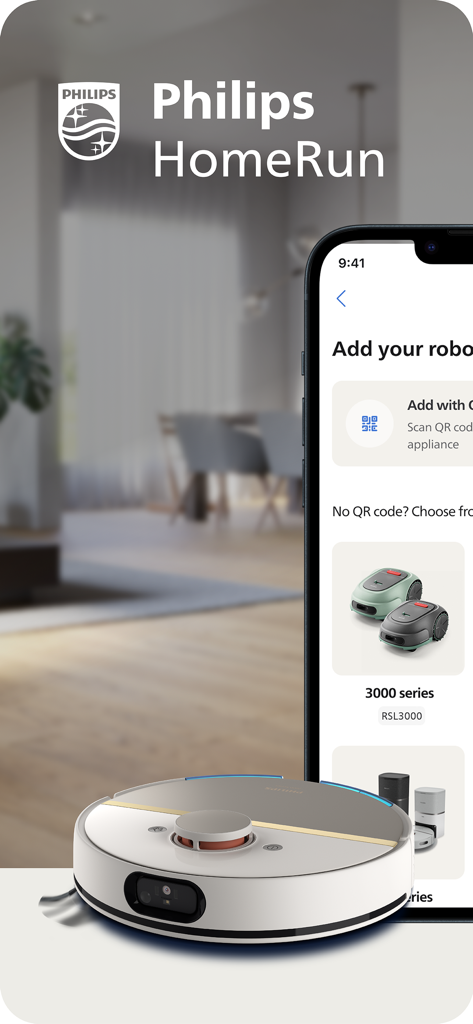
ロボット掃除機と芝刈り機のセットアップオプションを表示するPhilips HomeRunアプリ

ロボット掃除機と芝刈り機のセットアップオプションを表示するPhilips HomeRunアプリ

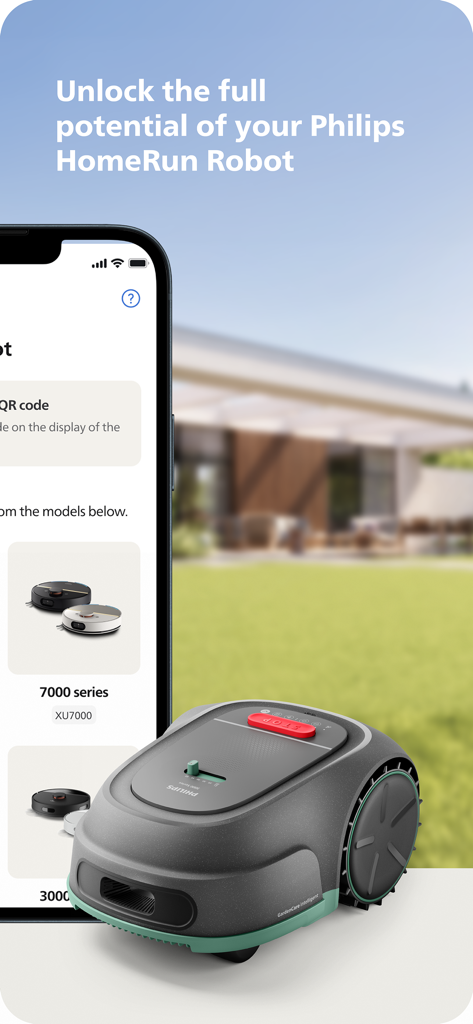
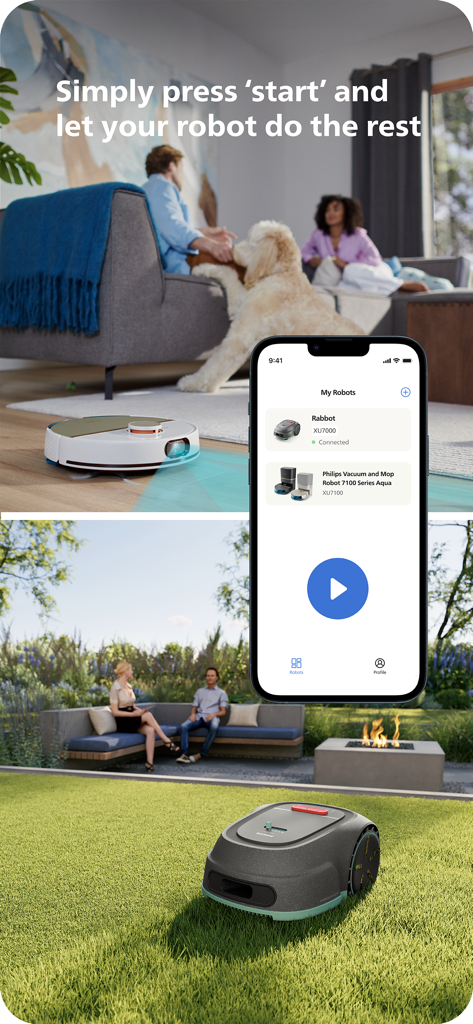
緑の芝生の上にあるロボット芝刈り機の隣に、Philips HomeRun Robotアプリを表示するスマートフォン

緑の芝生の上にあるロボット芝刈り機の隣に、Philips HomeRun Robotアプリを表示するスマートフォン

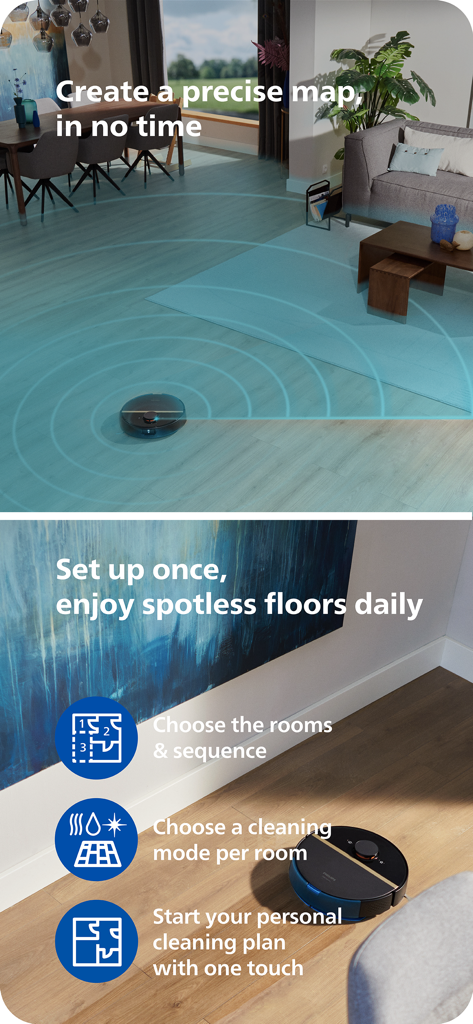
リビングルームをマッピングし、アプリの機能ハイライトで木製の床を掃除するPhilips HomeRunロボット掃除機

リビングルームをマッピングし、アプリの機能ハイライトで木製の床を掃除するPhilips HomeRunロボット掃除機

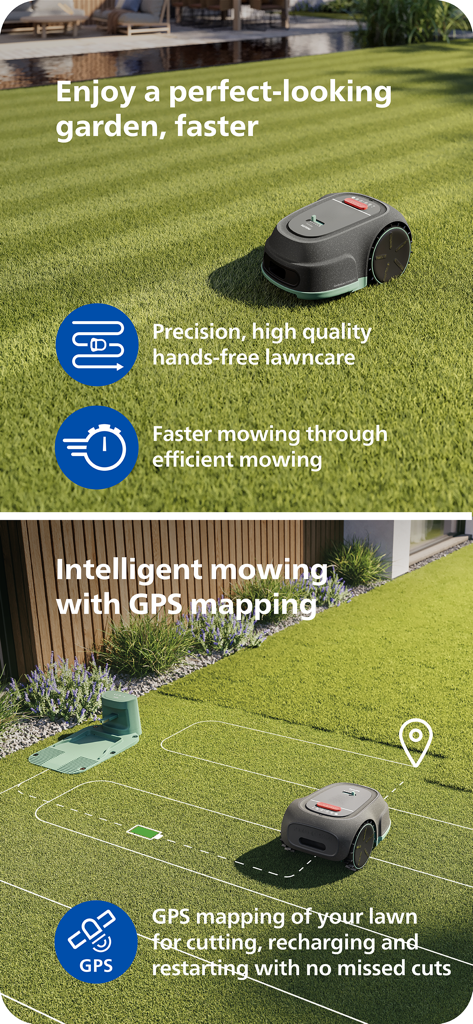
インテリジェントで効率的な芝生の手入れのためにGPSマッピングを使用するPhilips HomeRunロボット芝刈り機。

インテリジェントで効率的な芝生の手入れのためにGPSマッピングを使用するPhilips HomeRunロボット芝刈り機。

ロボット掃除機と芝刈り機の遠隔操作を示すPhilips HomeRunアプリのインターフェース

ロボット掃除機と芝刈り機の遠隔操作を示すPhilips HomeRunアプリのインターフェース

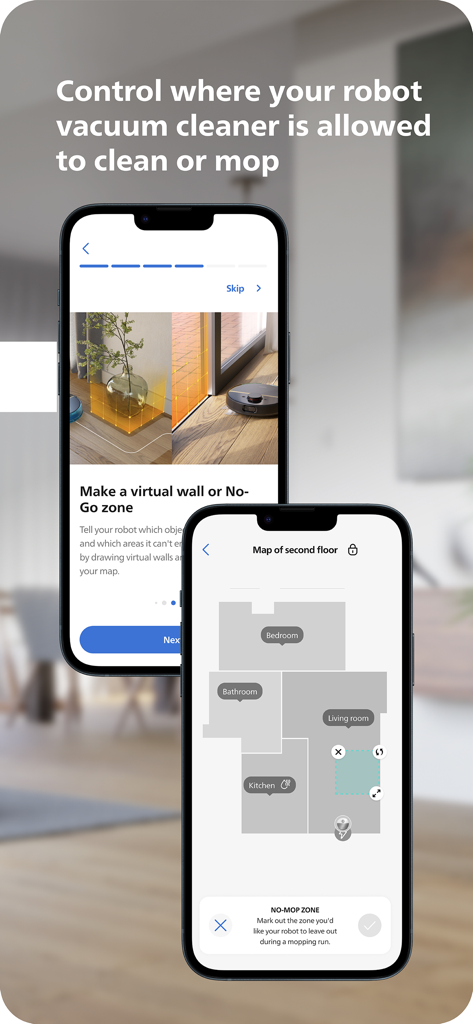
クリーニングとモッピングのためのフロアマッピングと仮想進入禁止ゾーンを表示するPhilips HomeRun Robot Appインターフェース

クリーニングとモッピングのためのフロアマッピングと仮想進入禁止ゾーンを表示するPhilips HomeRun Robot Appインターフェース

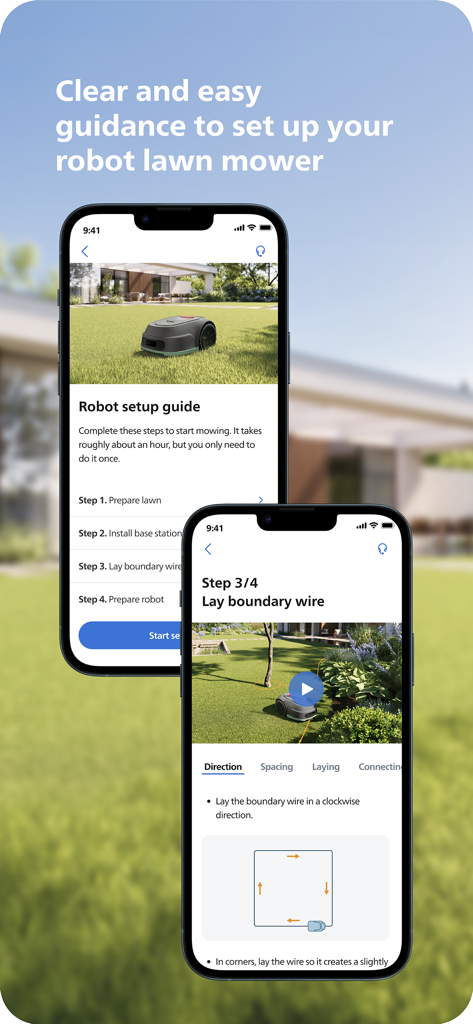
Philips HomeRunアプリでロボット芝刈り機のステップバイステップセットアップガイドを表示するスマートフォンの画面

Philips HomeRunアプリでロボット芝刈り機のステップバイステップセットアップガイドを表示するスマートフォンの画面

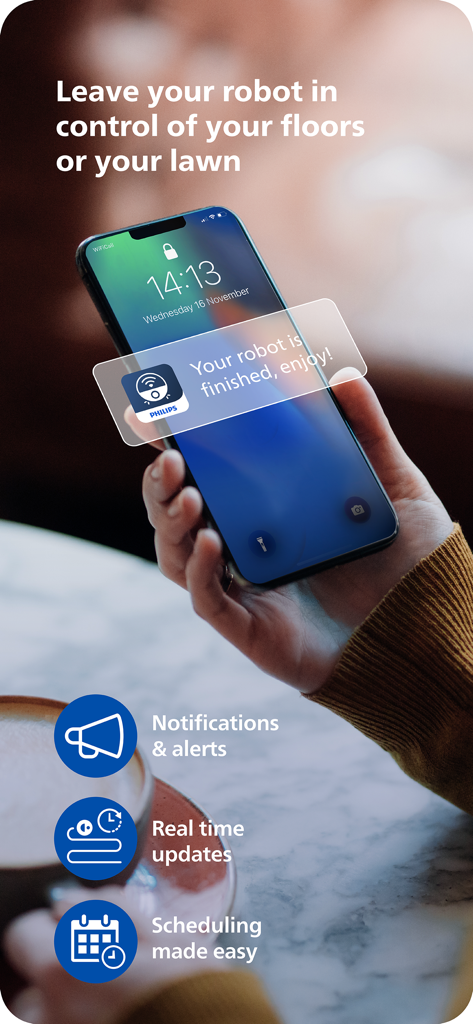
ロボットが終了したというPhilips HomeRunアプリの通知を表示するスマートフォンを持っている人。お楽しみください。

ロボットが終了したというPhilips HomeRunアプリの通知を表示するスマートフォンを持っている人。お楽しみください。

モダンな暮らしのためのスマートオートメーション

このアプリを際立たせるツール、 262K+ 人のユーザーが選択.

🏠

統合された家と庭のコントロール

屋内の掃除と屋外の芝刈りを同時に管理できる唯一のアプリで、いつでもゲストを迎えられる状態の家を維持します。

🗺️

インテリジェントゾーンマッピング

異なる部屋ごとにカスタムクリーニングモードを定義し、繊細な花壇やラグを保護するために芝刈り機の正確な境界を設定します。

📅

リモートケア&オートメーション

どこからでもロボットを開始、一時停止、またはスケジュール設定できます。スマートフォンでリアルタイムの進捗状況とメンテナンスアラートを直接受信できます。

世界中のユーザーに愛されています

Trusted by 262K+ 人がこのアプリを愛用しています.

"

"フルタイムの仕事と広大な庭の管理は、かつては週末の大きな負担でした。今では、オフィスから芝刈り機をスケジュール設定し、完璧に手入れされた庭で家に帰ることができます。マッピングは信じられないほど正確で、場所を逃したり、花壇にぶつかったりすることはありません。"

Mark Stevens
"

"ゴールデンレトリバーが2匹いるので、「集中モード」はキッチンの床の救世主です。アプリで直接犬の水飲みボウルのための進入禁止エリアを設定できるのが気に入っています。私が持っている中で最も直感的なスマートホームツールです。"

Sarah Jenkins

アプリについて

について知っておくべきこと Philips HomeRun Robot App.

説明

Unlock the full potential of your Philips HomeRun robot. Tell it exactly how and when to clean each room and mow your lawn. Then, relax. With the Philips HomeRun Robot app you can: ● Start, pause or stop cleaning and mowing remotely ● Make a precise map of your home to clean each room in no time ● Control where your robot cleans and mows ● Choose a cleaning mode per room and mowing mode per lawn ● Set up once, enjoy spotless floors and lawns daily ● Custom clean and mow for specific situations ● Receive progress updates on each clean and mow ● Keep your data secure Start, pause or stop your robot remotely Come home to clean floors and a perfect-looking garden every day by using your Philips HomeRun vacuum, mop, and lawn mowing robot in combination with the app. Set it up once—to clean each room and mow your lawn just the way you like it—touch ‘Start’, anytime, anywhere, and let your robot do the rest. On its first run, your robot will map your floor plan and garden. Now you have an interactive map of your home that you can use to tell your robot how and when to clean each room or to monitor how your lawn is mowed. The robot vacuum cleaner can store up to five maps. Control where your robot vacuum cleaner cleans Only want your robot to clean the kitchen, bathroom, living room? With the app, you can tell your robot which rooms you want cleaned, and in what order. If there are areas or things you’d like it to avoid—like precious items or a rug in an area you want to mop—you can tell it where not to go, or not to mop, as well. Choose a cleaning mode for each room and mowing mode for each lawn Give each room unique attention with one of the cleaning modes and mowing modes for your lawn. Use Dry mode to vacuum the bedroom and Wet & Dry mode to vacuum and mop hard floors. Put your robot on Quiet mode if, say, you have a meeting, or give the kitchen an extra thorough clean by using Intensive mode. Choose a mowing mode for your lawn to get the perfect looking garden. Set up once. Enjoy spotless floors and lawns every day Once you’ve created a cleaning and mowing plan, clean floors and perfectly mowed lawns are always a tap away. Tap ‘Start’ when you want your robot to begin - every day if you like, and at a time that suits your schedule. Custom clean for specific situations Had friends over and need an extra thorough clean? Or maybe the dog left paw prints in your hallway. Again. Schedule a custom clean and mow that targets specific rooms, areas. Get step-by-step guidance to setup easily From connecting to Wi-Fi to the first clean and mow, we’ll guide you through every step of getting started. You’ll find easy-to-follow instructions and how-to-videos as well. Always have support at your fingertips Have extra questions about the HomeRun app and robot? You’ll find a user manual in the app, answers to FAQs and easy access to Customer Care if need be. Receive progress updates As your robot cleans and mows, you’ll receive in-app updates. See where your robot currently is in your home and what the robot mowing progress is in your garden. Check on its battery levels and, most importantly, get notified as soon as the cleaning run or mowing is done Maintain high performance Get the best performance from your robot by replacing parts on time. Our app lets you know when it’s time to replace parts like filters, mops, and blades, and makes it easy to order them. Keep your data secure Philips adheres to a strict privacy policy. We recommend creating an account to ensure you can save your preferences. If you prefer, you can use the app as a guest. WiFi Philips HomeRun robot vacuum cleaners have dual band Wi-Fi so they are easy to connect to your home Wi-Fi, whether it's to 2.4 or 5.0GHz. Robot lawn mowers only connect to your 2.4GHz home Wi-Fi. Need help? Visit www.Philips.com to find answers to our most frequently asked questions, or get in touch with our Consumer Care team.

最新バージョン

1.4.3

サイズ

168.9 MB

リリース日

Jan 17, 2024

どこからでも家と庭をマスター

デジタル執事の究極の便利さを体験してください。Philips HomeRunアプリをダウンロードして、クリーニングと芝刈りを自動化し、あなたにふさわしいライフスタイルを取り戻しましょう。

ダウンロード: App Store
FAQ

よくある質問

について知っておくべきこと Philips HomeRun Robot App

What is the primary function of the Philips HomeRun Robot App?

Philips HomeRunロボットアプリを使用すると、Philips HomeRunロボットを完全に制御でき、部屋の掃除と芝生の草刈りの正確なスケジュール設定と実行が可能になります。

Can I control my Philips HomeRun robot remotely using the app?

はい、Philips HomeRunロボットアプリを使用すると、どこからでもPhilips HomeRunロボットの掃除と草刈り操作をリモートで開始、一時停止、または停止できます。

How does the Philips HomeRun Robot App create maps?

最初の実行時に、Philips HomeRunロボットが自宅と庭のインタラクティブマップを作成します。このマップをアプリ内で使用して、掃除と草刈りのタスクを管理できます。

How many maps can the Philips HomeRun robot vacuum cleaner store?

Philips HomeRunロボット掃除機は、カスタマイズされた掃除のために、Philips HomeRun Robot App内で最大5つの異なるフロアプランのインタラクティブマップを保存できます。

Can I set no-go zones with the Philips HomeRun Robot App?

はい、Philips HomeRun Robot Appを使用すると、仮想壁または「進入禁止」ゾーンを定義して、ロボットが特定のエリアや貴重品を掃除またはモップしないようにすることができます。

What cleaning modes does the Philips HomeRun Robot App offer?

Philips HomeRun Robot Appは、ドライ、ウェット&ドライ、サイレント、インテンシブな掃除モードを提供します。各部屋に適したモードと、芝生用の特定の草刈りモードを選択できます。

Does the Philips HomeRun Robot App provide setup guidance?

はい、Philips HomeRun Robot Appは、Wi-Fi接続や初回操作を含む簡単なセットアップのための明確なステップバイステップガイドを提供しており、多くの場合、ハウツービデオも含まれています。

Does the Philips HomeRun Robot App use GPS for mowing?

はい、Philips HomeRun Robot AppはGPSマッピングを使用したインテリジェントな芝生草刈りをサポートしています。これにより、正確なカット、効率的な充電、および漏れのない継続的なカバレッジが保証されます。

How does the Philips HomeRun Robot App secure user data?

Philipsは、HomeRun Robot App内でのユーザーデータのセキュリティを確保するために、厳格なプライバシーポリシーを遵守しています。ユーザーはゲストとしてアプリを使用することもできます。

What Wi-Fi frequencies do Philips HomeRun robots connect to?

Philips HomeRunロボット掃除機はデュアルバンドWi-Fi(2.4または5.0GHz)に接続します。ロボット芝刈り機は、Philips HomeRun Robot Appを介して2.4GHzのホームWi-Fiにのみ接続します。