Roomba Home

Roomba Home

ダウンロード: App Store
Spark by MWM logo
ロゴ: Roomba Home

Roomba Home:インテリジェントで簡単な掃除で空間をマスター

高度なマッピング、カスタムルーチン、リアルタイムの洞察で2025+シリーズロボットを完全に制御—あなたにとって大切なことに集中しながら、家を spotless に保つように設計されています。

開発元

iRobot Corporation

カテゴリ

Lifestyle

ダウンロード

1M+

ユーザー評価

4.6/5

評価数

40K+

対応言語

21

インテリジェンスをアクションで

このインターフェースを利用する 1M+ 人のユーザー.

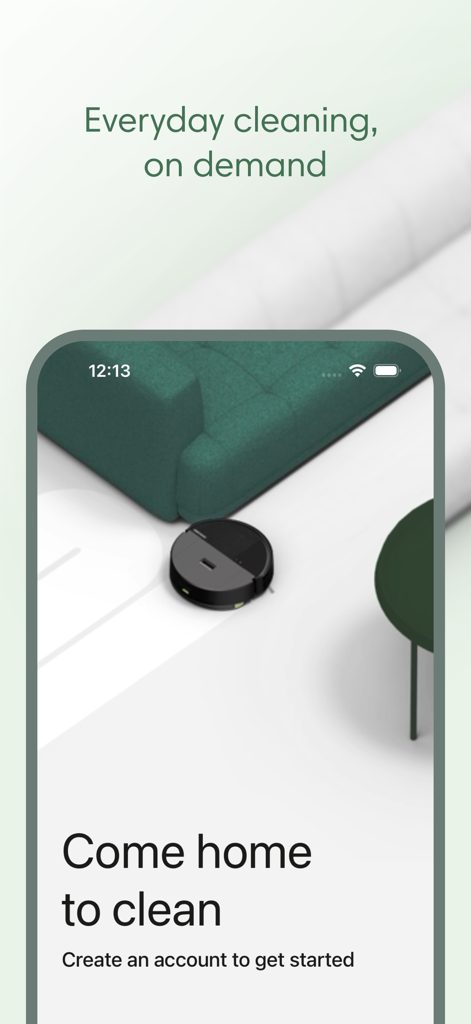
Roomba Homeアプリのウェルカムスクリーン。モダンなリビングルームを掃除するロボット掃除機が特徴。

Roomba Homeアプリのウェルカムスクリーン。モダンなリビングルームを掃除するロボット掃除機が特徴。

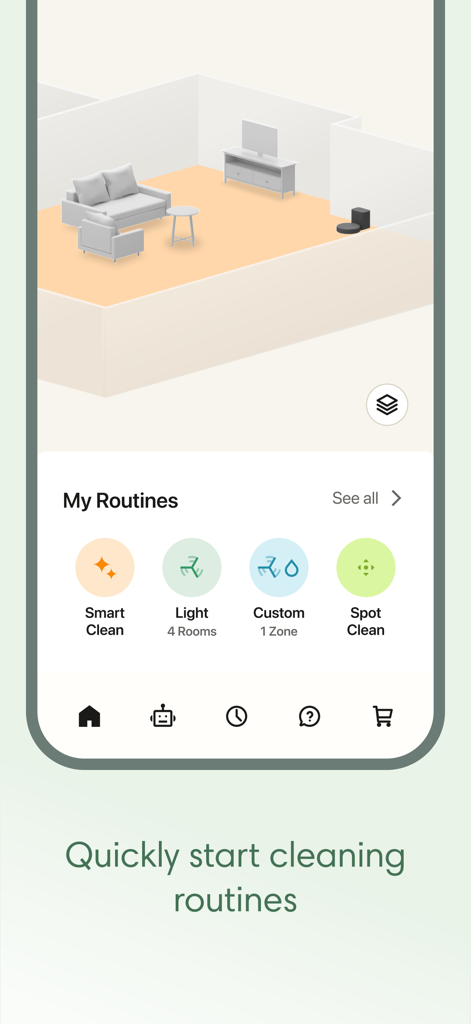
3Dマッピングとクリーニングルーチンを表示するRoomba Homeアプリのインターフェース。

3Dマッピングとクリーニングルーチンを表示するRoomba Homeアプリのインターフェース。

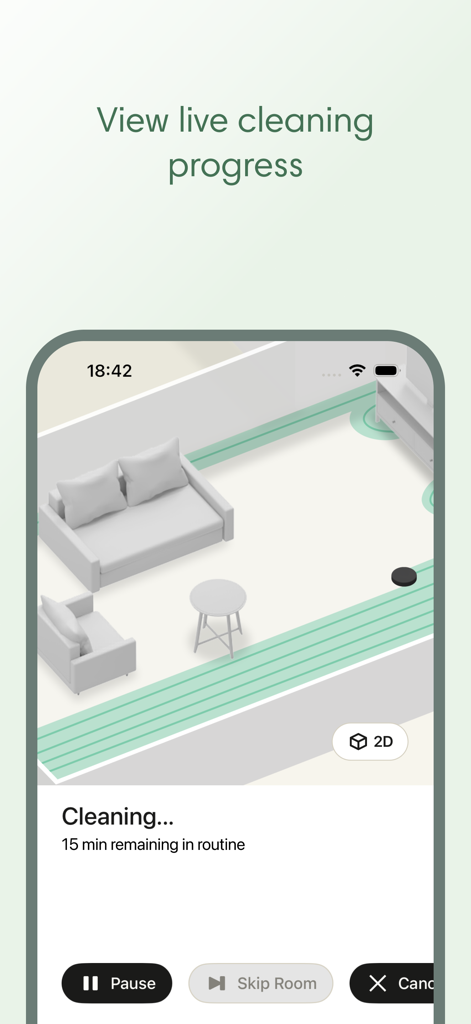
デジタルルームマップでリアルタイムのクリーニング進捗状況を示すRoomba Homeアプリのスクリーンショット。

デジタルルームマップでリアルタイムのクリーニング進捗状況を示すRoomba Homeアプリのスクリーンショット。

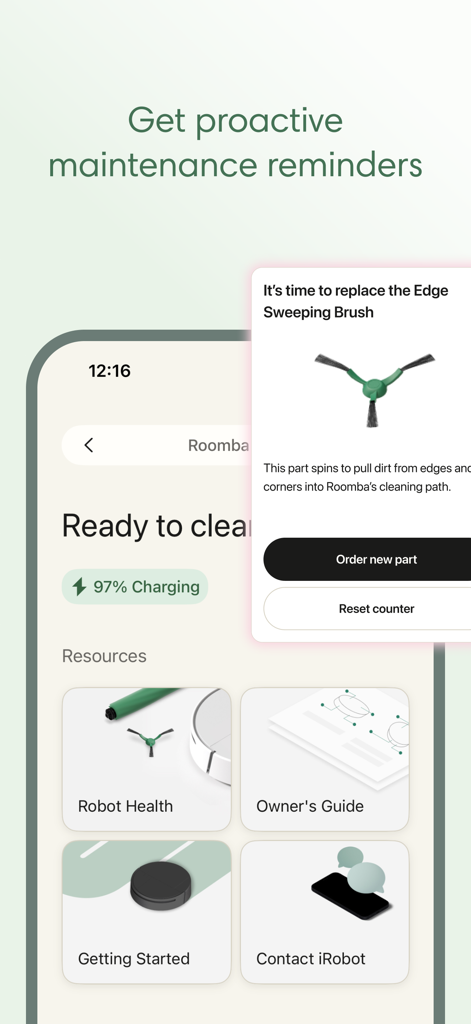
Roomba Homeアプリのプロアクティブメンテナンスリマインダー。エッジスイープブラシの交換用。

Roomba Homeアプリのプロアクティブメンテナンスリマインダー。エッジスイープブラシの交換用。

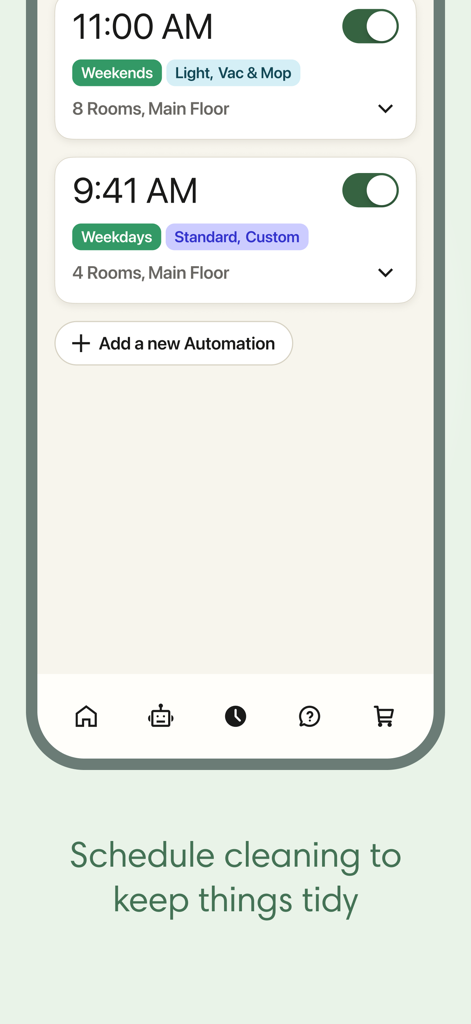
Roomba Homeアプリのスケジュール画面のスクリーンショット。掃除とモップの平日と週末の自動化プリセットを表示。

Roomba Homeアプリのスケジュール画面のスクリーンショット。掃除とモップの平日と週末の自動化プリセットを表示。

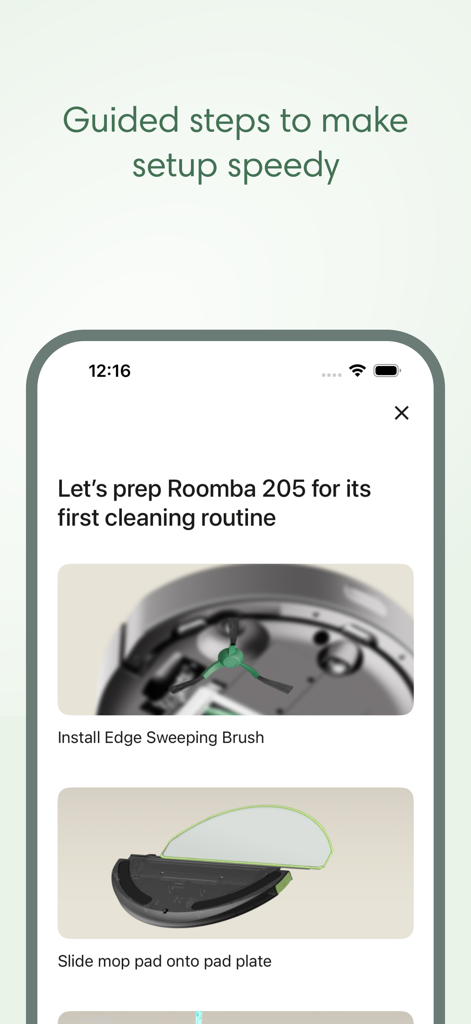
Roomba Homeアプリのオンボーディング画面。Roomba 205ロボット掃除機のガイド付きセットアップ手順を表示。

Roomba Homeアプリのオンボーディング画面。Roomba 205ロボット掃除機のガイド付きセットアップ手順を表示。

あなたのために掃除するインテリジェンス

このアプリを際立たせるツール、 1M+ 人のユーザーが選択.

📍

カスタムマップコントロール

5つの異なるフロアマップに部屋をラベル付けし、「進入禁止」ゾーンを定義して、空間を尊重する超ターゲットクリーニングを実現します。

パーソナライズされたルーチン

部屋のタイプ、ペットの活動、またはあなたの特定の毎日のスケジュールに基づいて、吸引力と湿度のレベルを調整する自動ワークフローを構築します。

📈

プロアクティブなヘルスインサイト

リアルタイムのメンテナンスアラートと、ロボットが常に最高のパフォーマンスを発揮することを保証するヘルスダッシュボードで、あなたの投資を保護します。

世界中のユーザーに愛されています

Trusted by 1M+ 人がこのアプリを愛用しています.

"

"ルーチンビルダーは私の精神的負担を完全に解消してくれました。朝食後、交通量の多いエリアのディープクリーンをスケジュールしており、2匹の毛の抜ける犬がいても、正確なマッピングによりハードウッドの床が spotless に保たれています。"

サラ・ジェンキンス
"

"ホームオートメーションが好きな者として、音声統合とリアルタイムの洞察は最高です。ヘルスダッシュボードをチェックしてメンテナンスの先を行くことができるので、推測なしでロボットが最高の状態を維持することを保証します。"

デビッド・チェン

アプリについて

について知っておくべきこと Roomba Home.

説明

The Roomba® Home App is compatible with Roomba® 100, 200, 400, 500 and 700 series robots sold after March 2025. For other models, please download the iRobot Home (Classic) app. Get ready to elevate your cleaning game with the intuitive Roomba® Home app! Easily start, stop, or schedule your robot, adjust cleaning settings, customize detailed maps of your home, and create personalized cleaning routines. Dirty rooms are noted based upon previous cleaning jobs to help you clean more effectively without having to think about it. See where and how your robot is cleaning in real-time, proactive product maintenance, and seamless smart home integrations. From setup to daily use, the Roomba® Home app offers intelligent recommendations and a user-friendly experience to keep your home spotless with minimal effort. - Easy, Seamless Setup: Easy-to-follow onboarding guides you from unboxing to your first cleaning run with helpful tips along the way. - Cleaning Routines: Effortlessly create cleaning routines with Routine Builder. Select which rooms to clean, adjust settings, and turn on advanced scrubbing to clean just the way you like. - Schedules: Easily adjust the days and times your robot cleans so it runs when it’s most convenient for you. - Cleaning Settings: Choose to vacuum, mop or both, and adjust settings like suction & mopping liquid levels, number of cleaning passes and turn on advanced scrubbing to clean each room just the way you like. - Maps: Save up to 5 maps, label rooms, add zones and furniture for more targeted cleaning control, and start cleaning specific areas with a click. - Real-Time Insights: See where and how your robot is cleaning and manage it along the way with real-time controls. - Voice Control: Hands full? No need to stop what you're doing. Alexa, Siri or Google Assistant-enabled* compatibility allows you to clean with a simple command. - Robot Maintenance & Health Dashboard: Keep your robot operating smoothly and in tip-top shape with a list of maintenance and troubleshooting suggestions, while the Health Dashboards monitors robot and accessories health. Note: Roomba® 100 series products require a 2.4 GHz Wi-Fi® network. Not compatible with 5GHz Wi-Fi® networks. *Works with Alexa, Siri, and Google Assistant-enabled devices. Alexa and all related logos are trademarks of Amazon.com or its affiliates. Google and Google Home are trademarks of Google LLC. Siri is a registered trademark of Apple Inc., registered in the U.S. and other countries and regions.

最新バージョン

1.7.2

サイズ

588.5 MB

リリース日

Feb 19, 2025

時間を有効活用しませんか?

Roomba Homeアプリを今すぐダウンロードして、高度なマッピング、インテリジェントな掃除ルーチン、そしてあなたにとって大切なことに集中している間に自分で管理する spotless な家をアンロックしましょう。

ダウンロード: App Store
FAQ

よくある質問

について知っておくべきこと Roomba Home

Which Roomba models are compatible with the Roomba Home app?

The Roomba Home app is compatible with Roomba® 100, 200, 400, 500, and 700 series robots sold after March 2025. For other models, use the iRobot Home (Classic) app.

Does the Roomba Home app provide guidance for initial setup?

Yes, the Roomba Home app offers easy-to-follow onboarding guides. These guides assist users from unboxing their robot to performing their first cleaning run.

Can users schedule cleaning times with the Roomba Home app?

Yes, the Roomba Home app allows users to easily adjust the days and times their robot cleans. This ensures the robot runs when it is most convenient for them.

What mapping features does the Roomba Home app offer?

The Roomba Home app allows users to save up to 5 maps, label rooms, add zones, and include furniture for targeted cleaning control. Users can start cleaning specific areas with a click.

Does the Roomba Home app support voice commands?

Yes, the Roomba Home app is compatible with Alexa, Siri, and Google Assistant-enabled devices. Users can control their Roomba robot with simple voice commands.

Can I view my Roomba's cleaning progress in real-time using the Roomba Home app?

Yes, the Roomba Home app provides real-time insights. Users can see where and how their robot is cleaning and manage it with live controls during the process.

Does the Roomba Home app assist with robot maintenance?

Yes, the Roomba Home app includes a Robot Maintenance & Health Dashboard. It offers maintenance and troubleshooting suggestions, monitoring the robot's and its accessories' health.

What are the Wi-Fi requirements for Roomba 100 series with the Roomba Home app?

Roomba® 100 series products require a 2.4 GHz Wi-Fi® network. The Roomba Home app is not compatible with 5GHz Wi-Fi® networks for these models.

How does the Roomba Home app manage cleaning routines?

The Roomba Home app features a Routine Builder. Users can effortlessly create cleaning routines, select specific rooms, adjust settings, and enable advanced scrubbing for a customized clean.