365-day savings plan-Easy Goal

365-day savings plan-Easy Goal

ダウンロード: App Store
Spark by MWM logo
ロゴ: 365-day savings plan-Easy Goal

365日貯金計画-Easy Goal:大きな夢を日々の達成感に変える

視覚的な進捗管理、カスタム目標、そしてストレスなく貯金額を増やせるシンプルな365日チャレンジで、家計管理をゲーム化しましょう。

開発元

永文 胡

カテゴリ

Finance

ダウンロード

21K+

ユーザー評価

1.0/5

評価数

0

対応言語

7

進捗を視覚化

このインターフェースを利用する 21K+ 人のユーザー.

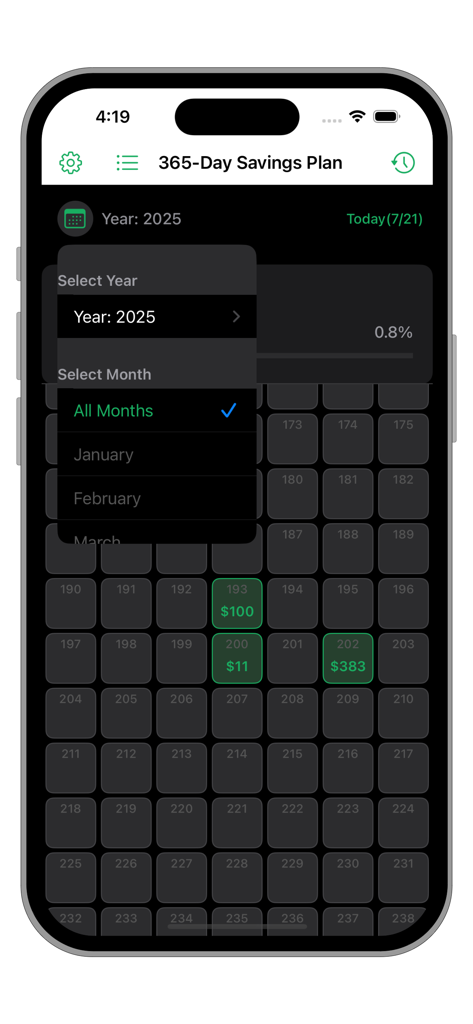
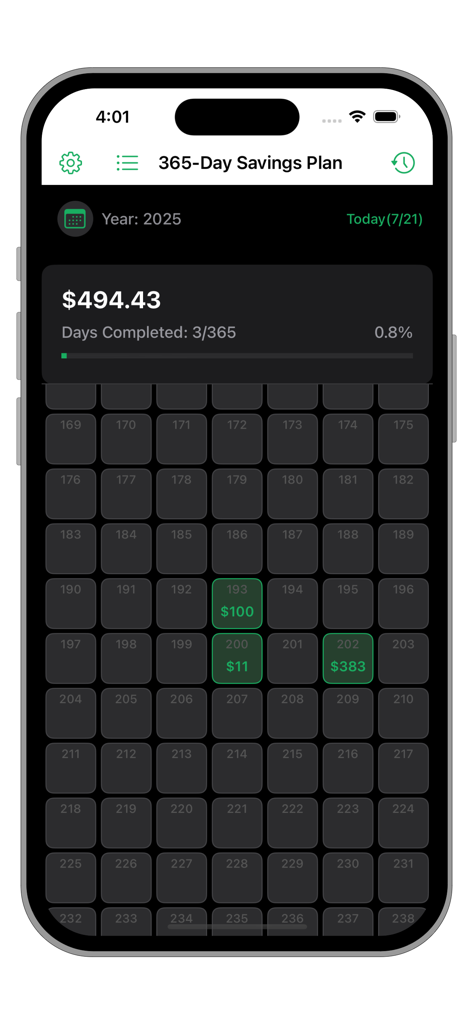
365日貯金計画アプリのインターフェース。貯金額が緑色で強調表示された日々の進捗グリッド。

365日貯金計画アプリのインターフェース。貯金額が緑色で強調表示された日々の進捗グリッド。

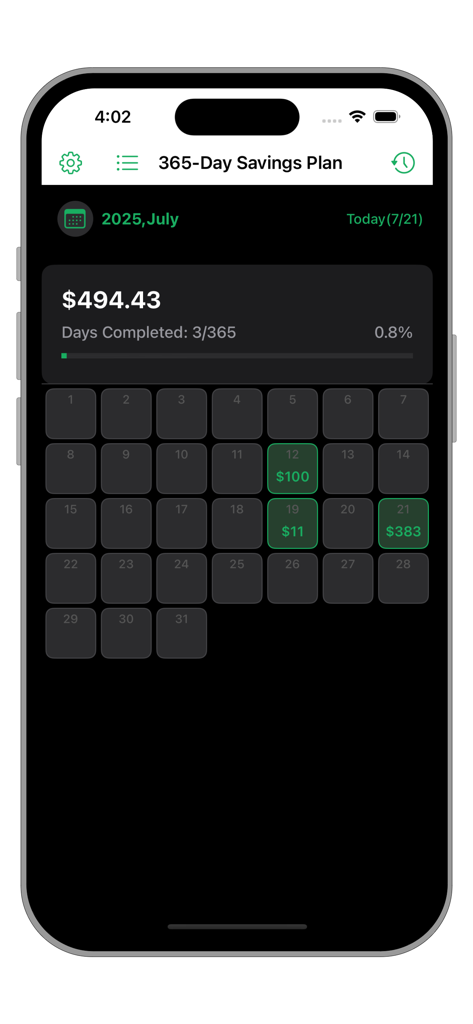
365日の進捗バーと月間カレンダーグリッドが表示された貯金管理画面。

365日の進捗バーと月間カレンダーグリッドが表示された貯金管理画面。

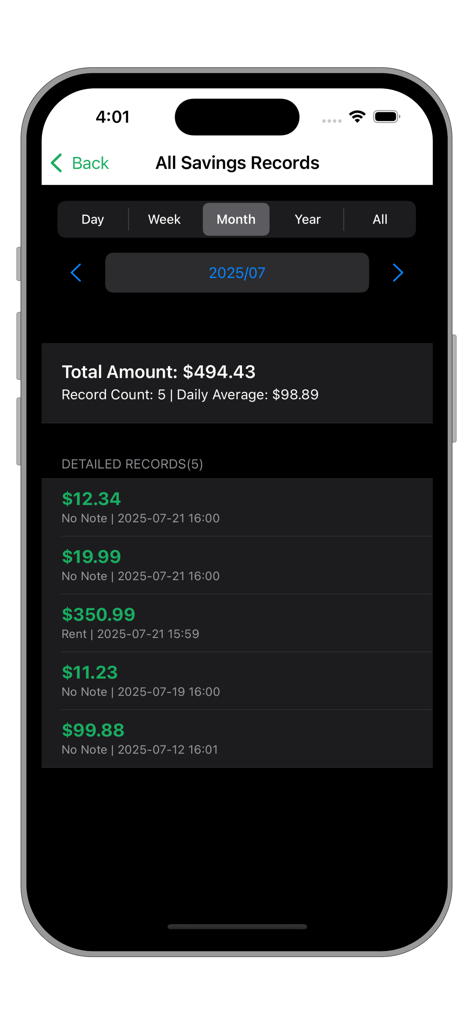
合計金額と詳細な取引リストを含む、月間貯金記録のサマリーを表示するアプリ画面。

合計金額と詳細な取引リストを含む、月間貯金記録のサマリーを表示するアプリ画面。

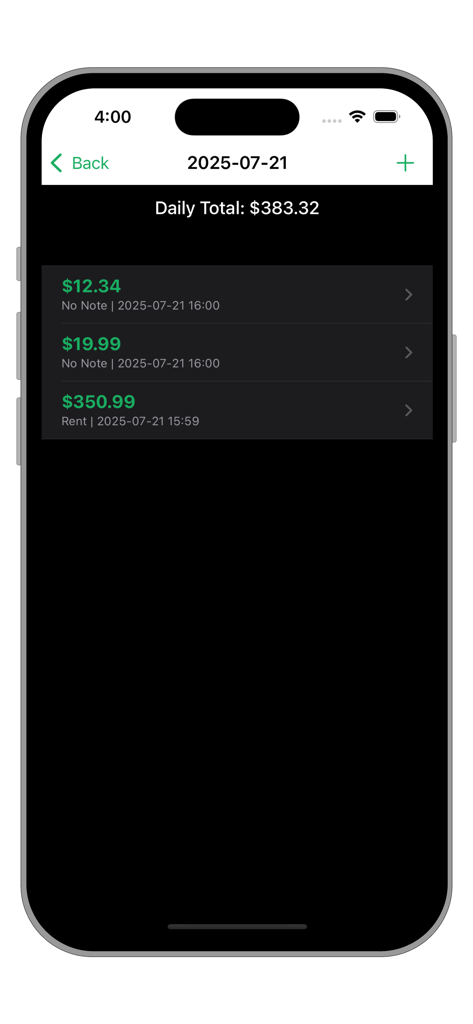
合計383.32ドルと個別の入力項目が表示された日次貯金リストのアプリ画面。

合計383.32ドルと個別の入力項目が表示された日次貯金リストのアプリ画面。

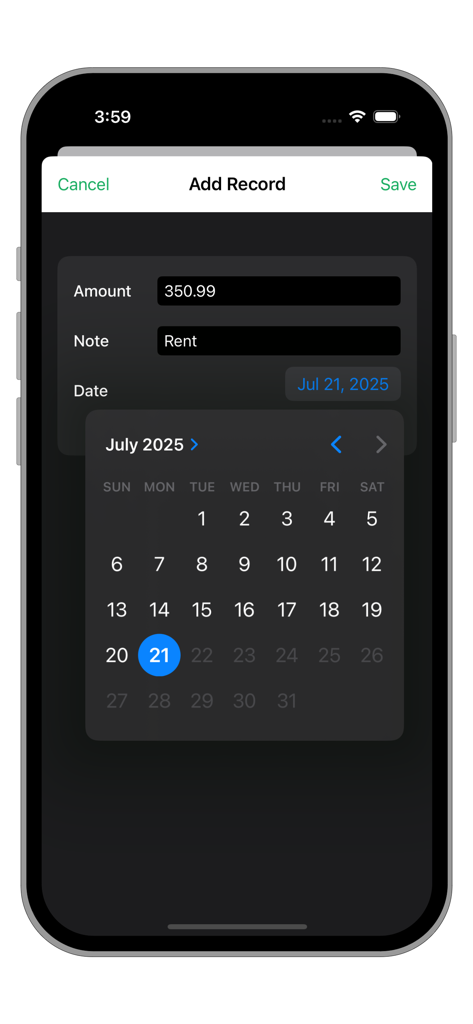
金額、メモ、カレンダーの日付選択フィールドがある貯金記録追加画面。

金額、メモ、カレンダーの日付選択フィールドがある貯金記録追加画面。

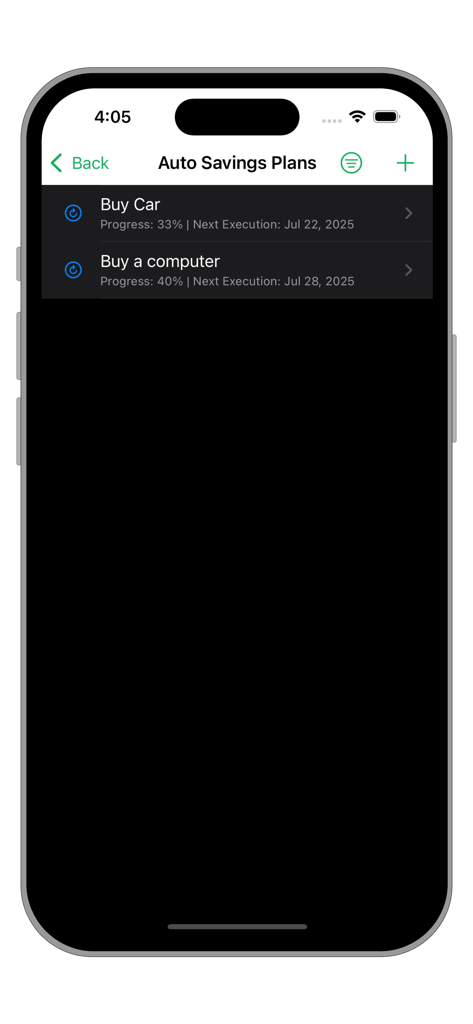
車とパソコンのための自動貯金計画を表示するアプリのインターフェース。

車とパソコンのための自動貯金計画を表示するアプリのインターフェース。

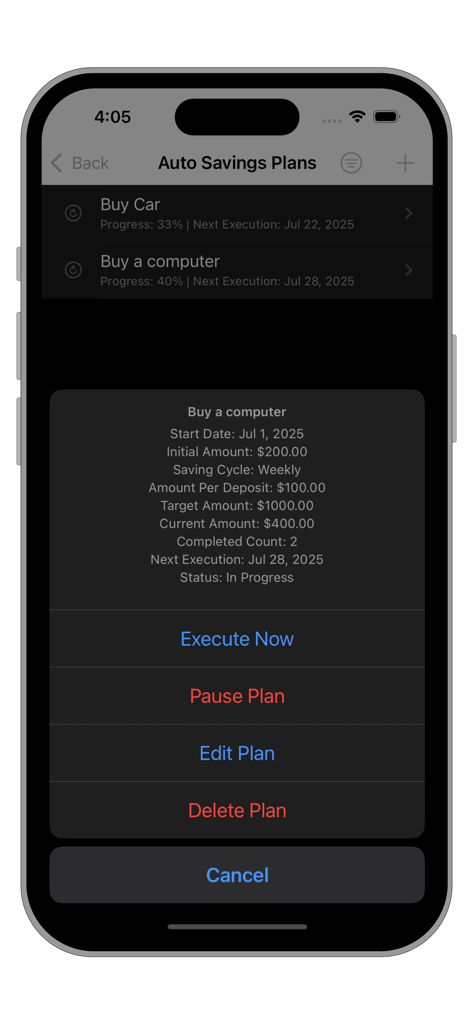
目標金額と進捗状況を含む、パソコンの自動貯金目標の詳細を表示するインターフェース。

目標金額と進捗状況を含む、パソコンの自動貯金目標の詳細を表示するインターフェース。

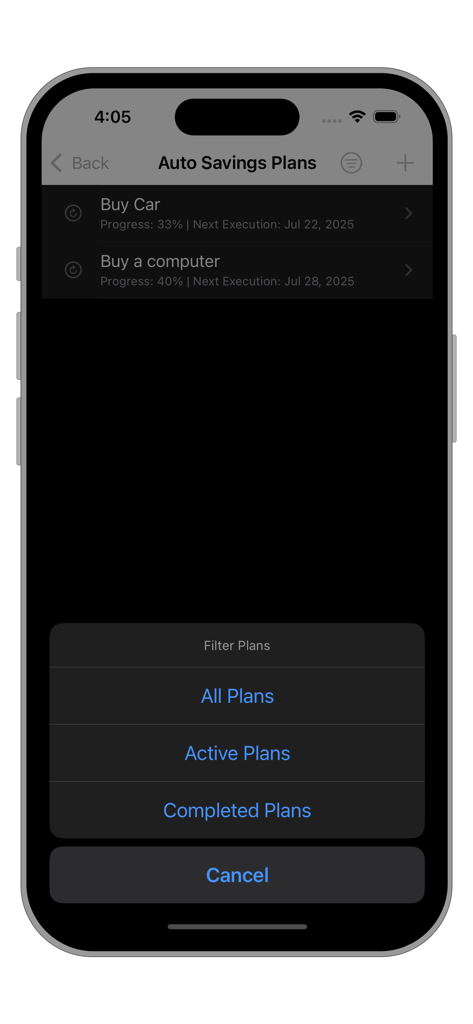
進行中および完了した計画のフィルターメニューが表示された貯金目標一覧画面。

進行中および完了した計画のフィルターメニューが表示された貯金目標一覧画面。

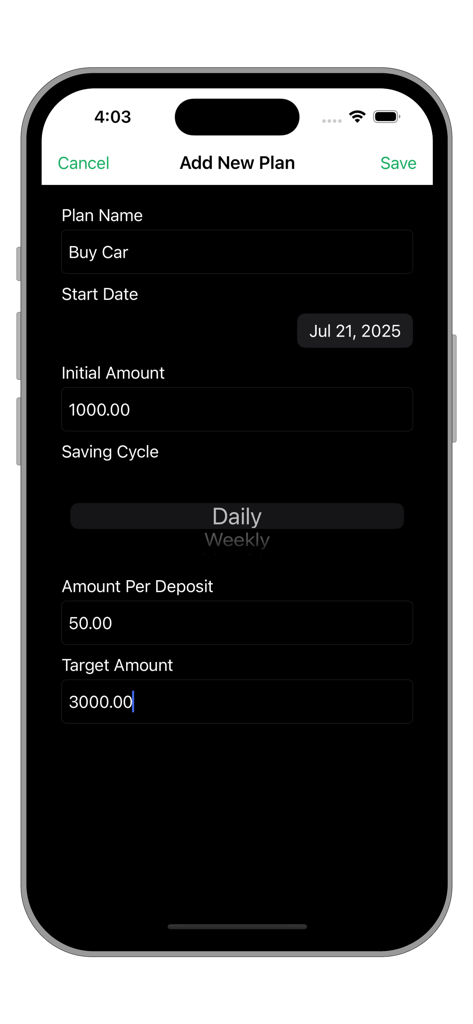
計画名、開始日、目標金額、入金頻度のフィールドがある、新しい貯金目標作成画面。

計画名、開始日、目標金額、入金頻度のフィールドがある、新しい貯金目標作成画面。

貯金の進捗グリッドと貯金総額を表示するダッシュボード。

貯金の進捗グリッドと貯金総額を表示するダッシュボード。

楽しい貯金チャレンジでお金をマスター

このアプリを際立たせるツール、 21K+ 人のユーザーが選択.

🎯

貯金目標を達成しよう

新車、マイホーム、旅行など、カスタム目標を設定。大きな夢を、毎日または毎週の管理しやすい小さな目標に分割します。

視覚的な進捗管理

365日のグリッドを埋めて、進捗バーが100%になるのを確認。貯金するたびに達成感を味わえます。

🔒

プライバシー重視の管理

銀行との連携は不要。手動入力とiPhone/iPad間のスムーズなiCloud同期で、安心して利用できます。

世界中のユーザーに愛されています

Trusted by 21K+ 人がこのアプリを愛用しています.

"

"多くの家計簿アプリを試してきましたが、唯一続いているのがこれです。グリッドを埋めていくのがとても楽しい!日本への念願の旅行のために使いましたが、進捗バーが100%になった時は最高の気分でした。貯金が作業ではなくゲームのように感じられます。"

Sarah Miller
"

"ついに銀行のログイン情報を求めない貯金アプリに出会えました!フリーランスなので収入が不安定ですが、仕事で臨時収入があった時に手動で記録できるのが気に入っています。iCloud同期もスムーズで、インターフェースも非常にクリーン。シンプル、安全、そして効果的です。"

James Lindquist

アプリについて

について知っておくべきこと 365-day savings plan-Easy Goal.

説明

The 365-Day Savings Plan APP is a simple and easy-to-use savings management app that combines daily savings records and periodic savings plans.  It features intuitive progress visualization, flexible time filtering, multi-currency support, and iCloud sync functionality, while prioritizing user experience and operational security. Easy to Use: Example: I want to buy an SUV, priced around 50,000. 1. First, use the 365-Day Savings Plan to create a periodic (monthly) savings plan for buying a car (Plan A), setting the target amount and the amount to deposit each time. 2. When you have disposable assets each month, select Plan A and execute it immediately to add a new deposit. 3. The progress will gradually approach 100%, and you can track the current progress, next execution date, number of executions, remaining amount, etc. 4. Once completed, it will automatically be categorized under "Completed." Simple and convenient! You only need to focus on the progress of your savings goal and the remaining amount. You can have as many different savings goals as you need—unlimited new goals to strive for! Main Features: Intuitive Progress Display The top of the main interface shows the total savings amount, completed days (e.g., "100/365 days"), and progress percentage. Click the "Today" button to quickly scroll to today's date. The progress bar updates dynamically, with colors indicating completion status. Custom currency symbols. Daily Record Management: Supports adding, deleting, editing, and viewing records. Displays the total amount, number of records, and average daily savings. Click on a specific day to view detailed records, with support for adding, editing, or deleting individual entries. Records are sorted in descending chronological order, showing the amount, notes, and creation time. Daily Savings Records: Record savings amounts by day, with support for adding notes and dates. Grid view provides an intuitive display of 365-day savings progress, with saved dates highlighted. Filter records by year or month, and quickly jump to the current day or a specified month. Automatic Savings Plans: Create periodic savings plans (daily/weekly/monthly), setting the target amount and the amount to deposit each time. Plans support activation, pausing, immediate execution, editing, and deletion. Plan progress is displayed via percentage and the next execution date. List of automatic savings plans, with filtering options (All/Active/Completed). Data & Export: iCloud data backup and synchronization, with automatic mode available. Provides a summary view of all records, with filtering options by day, week, month, year, or all records. Supports selecting a date range to export data in CSV format. Customizable currency symbols, with all amounts displayed accordingly. Compatible with both dark mode and light mode.

最新バージョン

3.3

サイズ

1.1 MB

リリース日

2016年10月26日

今日から365日貯金への旅を始めましょう

毎日の習慣を大きなマイルストーンに。何千人ものユーザーと一緒に、貯金目標が0%から100%に近づく様子を見守りましょう。

ダウンロード: App Store