Ableton Note

Ableton Note

ダウンロード: App Store
Spark by MWM logo
ロゴ: Ableton Note

Ableton Note:音楽のアイデアのためのモバイルスケッチパッド

インスピレーションが湧いたその瞬間に捉えましょう。厳選されたサウンドでアイデアを形成し、周囲の環境からサンプルを録音し、プロジェクトをAbleton Liveにシームレスに同期してトラックを完成させましょう。

開発元

Ableton AG

カテゴリ

Music

ダウンロード

391K+

ユーザー評価

4.2/5

評価数

600

対応言語

5

ひらめきを捉えよう

このインターフェースを利用する 391K+ 人のユーザー.

Ableton Noteアプリが表示されたスマートフォン。ピンクのドラムシーケンサーグリッドと「ビートから始める」というテキストが表示されています。

Ableton Noteアプリが表示されたスマートフォン。ピンクのドラムシーケンサーグリッドと「ビートから始める」というテキストが表示されています。

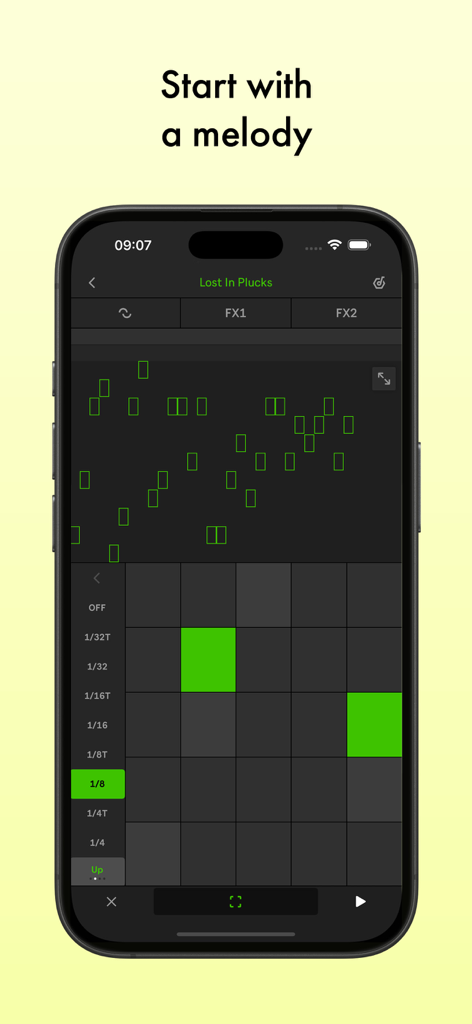
Ableton Noteモバイルアプリのインターフェース。緑色のMIDIグリッドを備えたメロディーエディターがスマートフォンの画面に表示されています。

Ableton Noteモバイルアプリのインターフェース。緑色のMIDIグリッドを備えたメロディーエディターがスマートフォンの画面に表示されています。

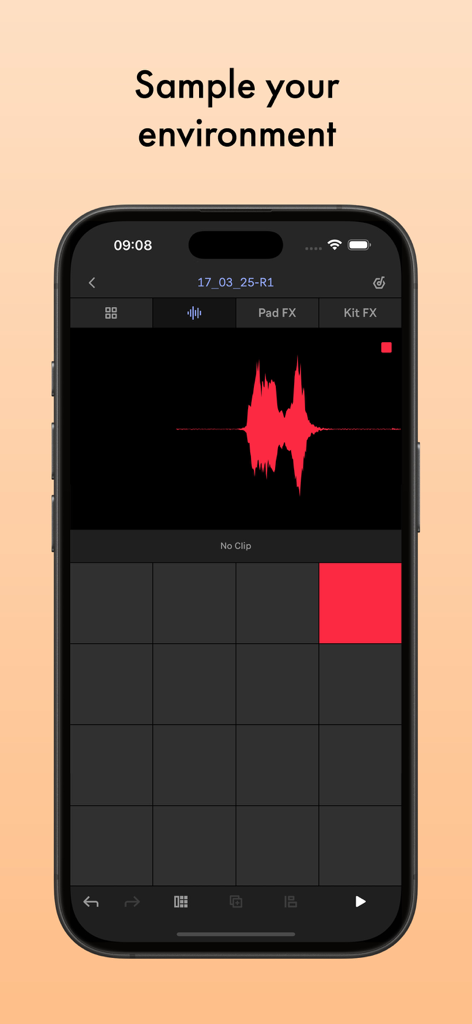
Ableton Noteアプリのインターフェース。オーディオ波形とサンプリングサウンド用のドラムパッドが表示されています。

Ableton Noteアプリのインターフェース。オーディオ波形とサンプリングサウンド用のドラムパッドが表示されています。

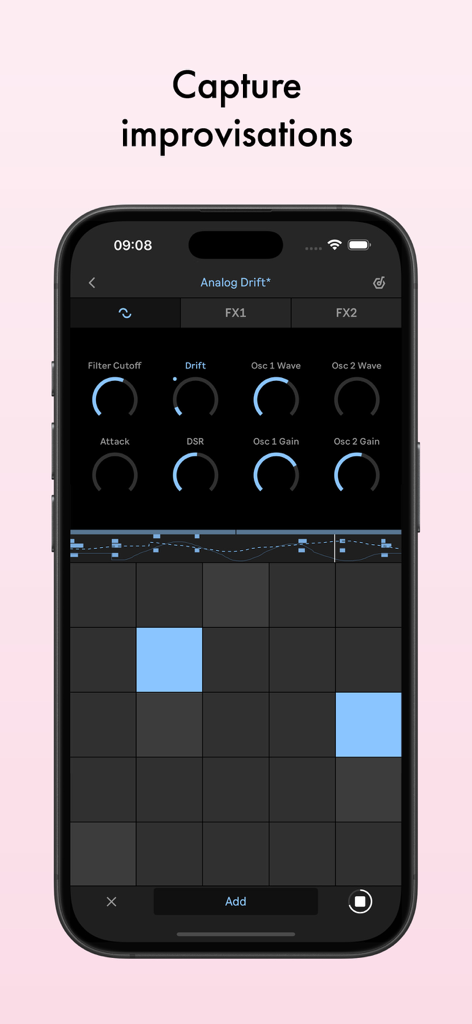
Ableton Noteアプリのインターフェース。シンセパラメータと、スマートフォンで音楽の即興演奏をキャプチャするためのMIDIグリッドが表示されています。

Ableton Noteアプリのインターフェース。シンセパラメータと、スマートフォンで音楽の即興演奏をキャプチャするためのMIDIグリッドが表示されています。

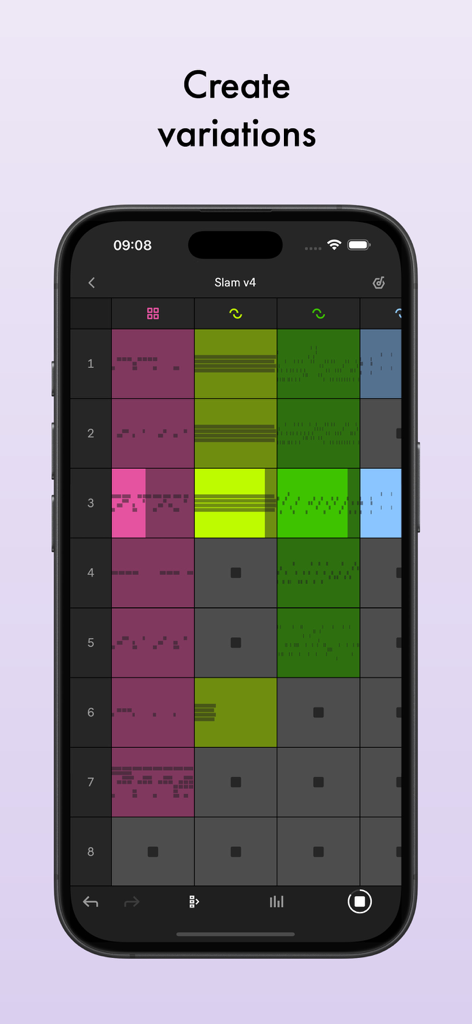
iPhone上のAbleton Noteセッションビュー。曲のバリエーションを作成するためのカラフルなミュージッククリップのグリッドが表示されています。

iPhone上のAbleton Noteセッションビュー。曲のバリエーションを作成するためのカラフルなミュージッククリップのグリッドが表示されています。

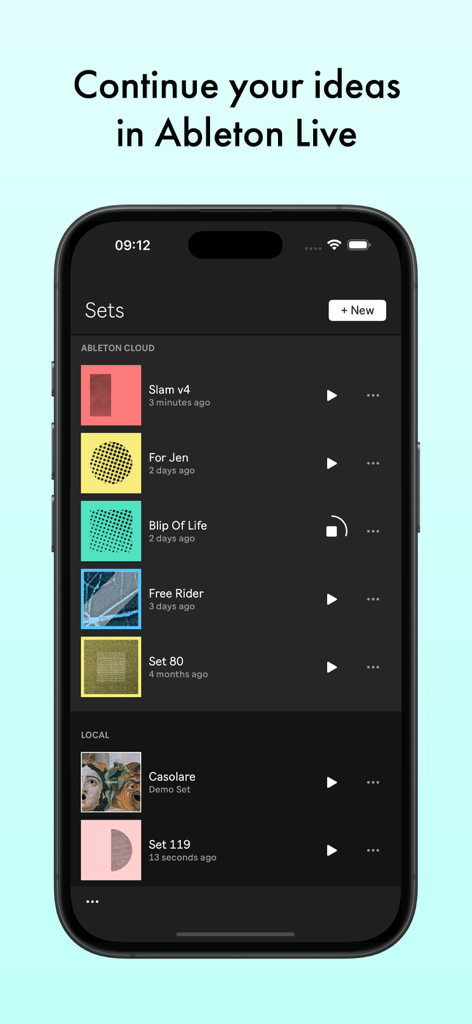
スマートフォンの画面に、Ableton Noteアプリと、音楽セットのリストおよびクラウド同期オプションが表示されています。

スマートフォンの画面に、Ableton Noteアプリと、音楽セットのリストおよびクラウド同期オプションが表示されています。

クリエイティブなひらめきを捉えよう

このアプリを際立たせるツール、 391K+ 人のユーザーが選択.

🎙️

周囲の環境をサンプリング

あなたの周りのあらゆる音をユニークな楽器に変えましょう。携帯電話の内蔵マイクを使用してテクスチャを録音、カット、シェイプし、カスタムサウンドパレットを作成しましょう。

あらゆる雰囲気を捉えよう

メロディーを二度と失わないようにしましょう。私たちの「キャプチャ」テクノロジーは、演奏した後でも最高の即興演奏を復元し、クリエイティブな流れを維持します。

☁️

スタジオ対応の同期

移動中に始め、スタジオで完成させましょう。Ableton Cloudを使用して、モバイルプロジェクトをAbleton Liveで直接開き、プロフェッショナルなプロダクションを行いましょう。

世界中のユーザーに愛されています

Trusted by 391K+ 人がこのアプリを愛用しています.

"

"Ableton Noteは私の通勤時間を完全に変えました。以前はボイスメモにアイデアを録音していましたが、今では地下鉄で実際にグルーヴを構築でき、スタジオに戻る頃にはMIDIがLiveで待っています。サンプリング機能は、街のテクスチャを捉えるためのゲームチェンジャーです。"

Marcus J., Music Producer
"

"デスクトップDAWが少し圧倒的だと感じていた私にとって、Noteは完璧な入門点です。キャプチャボタンは魔法のようで、録音を押すのを忘れても演奏したものを記憶しています。突然のメロディーを技術的な摩擦なしに完全な音楽スケッチに変えるための、最も直感的なツールです。"

Elena R., Singer-Songwriter

アプリについて

について知っておくべきこと Ableton Note.

説明

Start new musical ideas with a curated selection of sounds and effects. Create beats and melodic parts, sample your world, and continue your tracks in Ableton Live. Note is a place to form ideas, explore new sounds and find direction. Get your ideas out or just experiment until inspiration hits, using a selection of Ableton Live’s drum kits, synths and melodic instruments. Create your own sound palette by sampling with your phone’s built-in microphone. And use Note’s built-in MIDI Editor to sequence notes, beats and chords or make tweaks as you listen back Follow your ideas wherever they lead by sending your projects to Live without leaving the app with the help of Ableton Cloud. Open projects from Live’s browser and keep working – you can edit all your MIDI notes, and all your samples and sounds from Note are exactly the same. Ableton Note users get a free license for Ableton Live Lite – simple, intuitive software used by musicians, producers and DJs around the world to write, record, and perform. For Ableton Move users, Note also offers the chance to keep working on a Set from your phone. Begin with a beat: • Choose from 76 Drum Sampler kits • Tap out a beat using the 16-pad grid, or sequence one with the MIDI Editor • Play each drum hit melodically using 16 Pitches mode • Quantize your beat or nudge notes to fix loose timing or mistakes • Add more layers of rhythm • Create beat repetitions with Note Repeat • Change parameters to shape your sound • Experiment with effects or apply swing for variations Start with a melody: • Choose from 317 synth sounds and 60 Melodic Sampler instruments • Play or program your melody or chord progression with the 25-pad grid, piano roll or MIDI Editor • Set a key and scale to get instantly harmonic results • Add more layers of harmony • Change parameters to shape your sound • Add effects to experiment with sound design Sample your environment: • Create your own kits by recording percussive sounds into Note’s Drum Sampler • Record tonal sounds to create your own Melodic Sampler instruments • Manipulate your samples by cutting, filtering or repitching them • Sequence samples into beats, melodies and chords using the MIDI Editor • Shape or transform your sounds with effects • Import your own samples or audio directly from videos Capture improvisations: • Play something, then tap the Capture button to keep it • Play at a tempo that feels comfortable and Note will detect it • Note will recognize the length of the phrase and create a loop • Quantize it, add to it, or change the sound • Connect MIDI hardware to play keys and change the sound of your instruments Create variations: • Note features a grid-based Session View layout • Double your loops to create variation within clips • Duplicate your clips and create different versions of your ideas • Add, delete or adjust multiple notes at once with the MIDI Editor • Create eight tracks with up to eight clips on eight scenes • Try different clip combinations and song structures • Export your work as an audio file to listen and share

最新バージョン

1.7.3

サイズ

907.5 MB

リリース日

2022年10月18日

今日の次のトラックを始めよう

Ableton Noteで音楽のアイデアを現実にしましょう。プロジェクトをLiveにシームレスに同期し、インスピレーションがどこにいてもクリエイティブな流れを続けましょう。

ダウンロード: App Store
FAQ

よくある質問

について知っておくべきこと Ableton Note

Ableton Noteとは何ですか?

Ableton Noteは、外出先で新しい音楽のアイデアを生成するためのアプリです。ビートやメロディーを作成したり、サウンドをサンプリングしたり、Ableton Liveでさらにトラックを開発したりできます。

Ableton NoteのプロジェクトをAbleton Liveに転送できますか?

はい、Ableton Cloudを使用してAbleton NoteプロジェクトをAbleton Liveに転送できます。これにより、デバイス間でシームレスにアイデアの作業を続けることができます。

Ableton NoteにはAbleton Live Liteの無料ライセンスが含まれていますか?

はい、Ableton NoteユーザーはAbleton Live Liteの無料ライセンスを受け取ります。このソフトウェアは、ミュージシャン、プロデューサー、DJが音楽の作曲、録音、パフォーマンスに使用します。

Ableton Noteでビートを作成するにはどうすればよいですか?

Ableton Noteは、76のドラムサンプラーキットを使用してビート作成を容易にします。16パッドのグリッドでビートをタップしたり、MIDIエディターでシーケンスしたり、その後クオンタイズしたりノートを調整したりできます。

Ableton Noteでメロディーを作成するにはどうすればよいですか?

Ableton Noteは、メロディー作成のために317のシンセサウンドと60のメロディックサンプラーインストゥルメントを提供します。ユーザーは、25パッドのグリッド、ピアノロール、またはMIDIエディターでメロディーとコード進行をプログラムできます。

Ableton Noteで自分のサンプルを録音できますか?

はい、Ableton Noteでは、スマートフォンの内蔵マイクを使用してパーカッシブまたはトナルなサウンドを録音し、カスタムキットまたはインストゥルメントを作成できます。既存のサンプルをインポートすることもできます。

Ableton Noteは外部MIDIハードウェアをサポートしていますか?

はい、Ableton Noteは外部MIDIハードウェア接続をサポートしています。これにより、ユーザーはキーを演奏したり、インストゥルメントのサウンドを変更したりして、アプリ内での即興演奏と作成プロセスを強化できます。

Ableton Noteから音楽をエクスポートするにはどうすればよいですか?

Ableton Noteから作成したものをオーディオファイルとしてエクスポートできます。これにより、音楽のアイデアや作品を聴いたり、他の人と共有したりできます。

Ableton NoteはAbleton Moveと連携しますか?

はい、Ableton Noteを使用すると、スマートフォンのセットを直接操作し続けることができます。この機能は、Ableton Moveとの統合のために特別に設計されています。

Ableton Noteのセッションビューとは何ですか?

Ableton Noteは、グリッドベースのセッションビューレイアウトを備えています。これにより、ユーザーはループをダブルにしたり、クリップを複製したり、最大8トラックに8クリップを8シーンに配置して、バリエーションや曲の構造を作成したりできます。