Audio / Spectrum Analyzer

Audio / Spectrum Analyzer

ダウンロード: App Store
Spark by MWM logo
ロゴ: Audio / Spectrum Analyzer
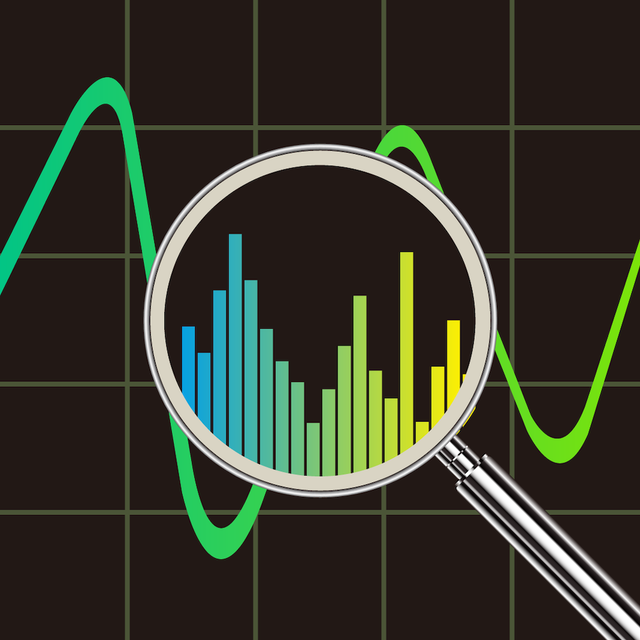
オーディオ/スペクトルアナライザー:サウンドプロフェッショナルのための高精度リアルタイム分析

プログレードのFFT、RTA、信号生成のパワーを活用して、どこでも実験室レベルの精度でオーディオをキャリブレーション、トラブルシューティング、視覚化します。

開発元

Loop-Sessions.LLC.

カテゴリ

Music

ダウンロード

297K+

ユーザー評価

4.5/5

評価数

1K+

対応言語

2

すべてのフレームに精度を

このインターフェースを利用する 297K+ 人のユーザー.

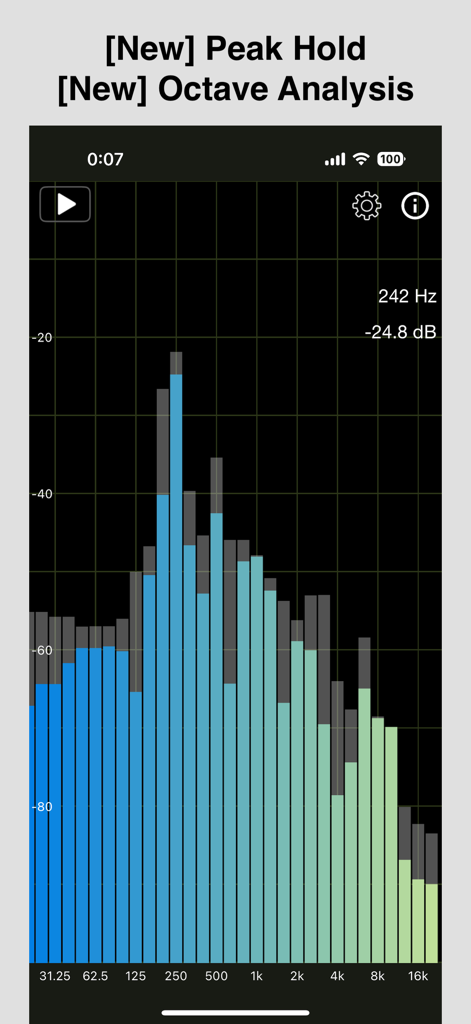
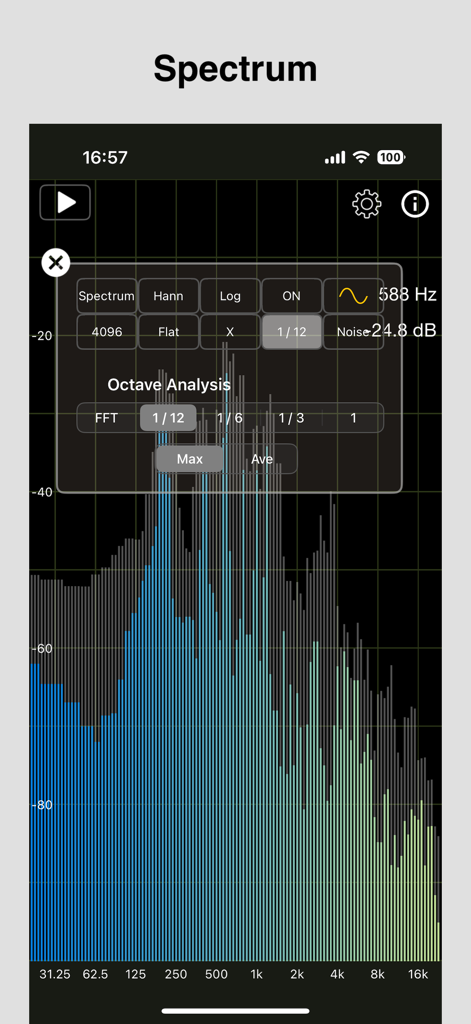
オクターブ分析とピークホールド表示を示すオーディオスペクトルアナライザーアプリ

オクターブ分析とピークホールド表示を示すオーディオスペクトルアナライザーアプリ

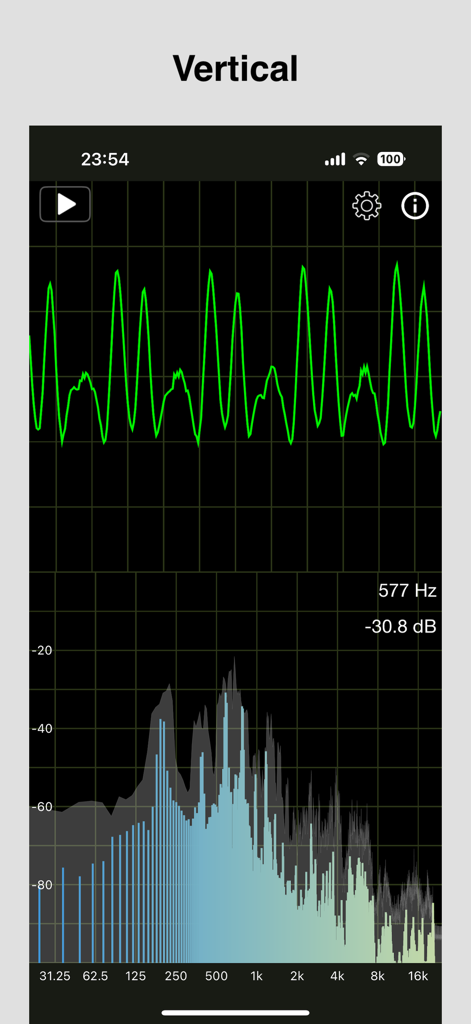
オーディオ波形と周波数スペクトル分析を示すリアルタイム垂直表示。

オーディオ波形と周波数スペクトル分析を示すリアルタイム垂直表示。

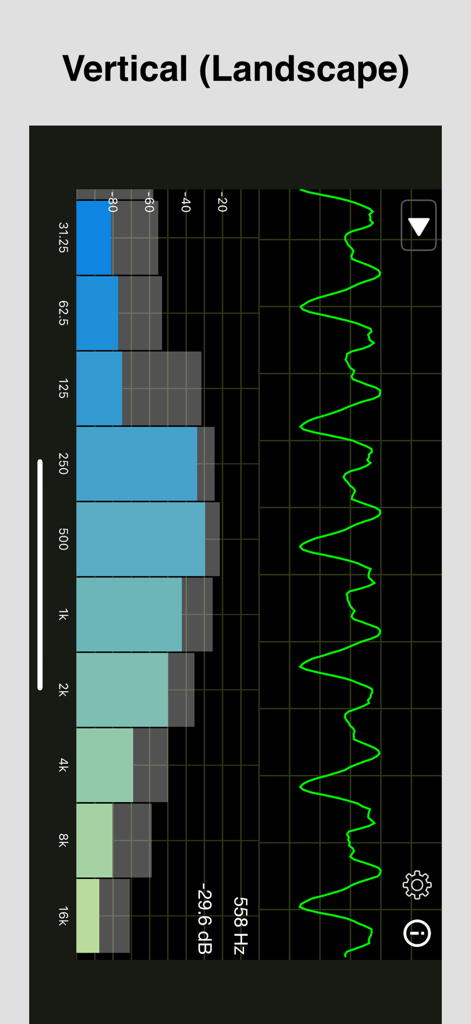
周波数スペクトルバーと波形線を示すリアルタイムオーディオアナライザー

周波数スペクトルバーと波形線を示すリアルタイムオーディオアナライザー

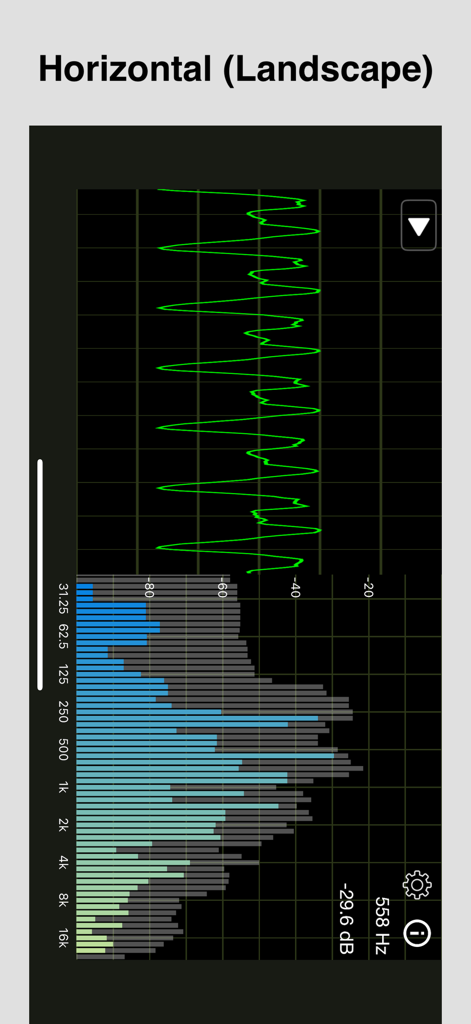
横向きモードで波形と周波数スペクトルを示すオーディオスペクトルアナライザーアプリインターフェース

横向きモードで波形と周波数スペクトルを示すオーディオスペクトルアナライザーアプリインターフェース

プロフェッショナルオクターブ分析設定メニューオーバーレイを備えたリアルタイム周波数スペクトルグラフ。

プロフェッショナルオクターブ分析設定メニューオーバーレイを備えたリアルタイム周波数スペクトルグラフ。

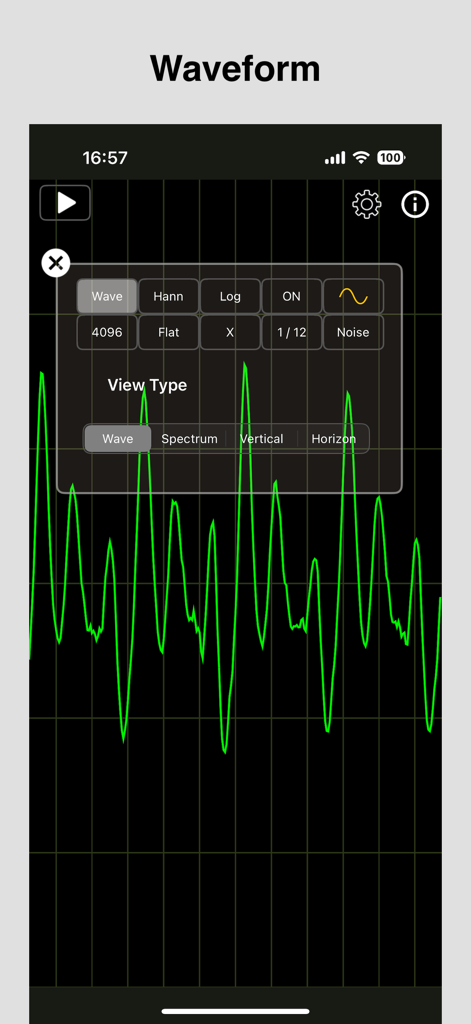
アナライザーアプリの黒いグリッド上に表示されるリアルタイムの緑色のオーディオ波形

アナライザーアプリの黒いグリッド上に表示されるリアルタイムの緑色のオーディオ波形

サウンドプロフェッショナルのための精密エンジニアリング

このアプリを際立たせるツール、 297K+ 人のユーザーが選択.

📊

高解像度FFT分析

最大8192の調整可能なFFTサイズと複数のウィンドウ関数を使用して、外科的な精度でオーディオ信号を視覚化し、ラボグレードの精度を実現します。

🔊

内蔵信号・ノイズジェネレーター

ピンクノイズ、ホワイトノイズ、または特定の波形を生成して、外部ハードウェアなしで環境を調整することにより、キャリブレーションワークフローを効率化します。

📏

高度な音響指標

詳細なオクターブバンド分析を実行し、A、C、またはZ重み付けフィルターを適用して、プロフェッショナルスタジオキャリブレーションの業界標準に適合させます。

世界中のユーザーに愛されています

Trusted by 297K+ 人がこのアプリを愛用しています.

"

"このアプリは、私のライブサウンドツールキットの不可欠な部分になりました。FFTの解像度とリアルタイム応答は、サウンドチェック中にフィードバック周波数をその場で特定するのに驚異的です。ピンクノイズを生成しながら、ログスケールとリニアスケールを切り替えることができるため、部屋のキャリブレーションが大幅に効率化されます。これは、モバイルで私が使用した中で最も信頼性の高いRTAです。"

Marcus Thorne, Live Sound Engineer
"

"これを使用してホームシアターのクロスオーバー設定を微調整したところ、結果は劇的に改善しました。オクターブ分析とピークホールド機能により、部屋のモードが低域にどのように干渉しているかを正確に把握できました。これは、ハイエンドオーディオキャリブレーションに必要な技術的な深さのデータを提供するプログレードのスペクトルアナライザーです。"

Elena Rodriguez, Acoustic Consultant

アプリについて

について知っておくべきこと Audio / Spectrum Analyzer.

説明

This RTA app supports simultaneous display of "audio waveform" and "amplitude spectrum" (size of FFT calculation result for each frequency) for audio signals input from a microphone. (FFT: Fast Fourier Transform, RTA: Real Time Analyzer) [Features] - Supports simultaneous display of audio waveform / amplitude spectrum. - Supports orientation both portrait and landscape. - Selectable configuration of "audio waveform" / "amplitude spectrum" display. - Selectable FFT size. - Selectable window function. (used in amplitude spectrum calculation) - Selectable frequency weighting. (A-weighting, C-weighting, Flat/Z-weighting) - Selectable the type of expressing the X direction (frequency) of the amplitude spectrum. (Linear, Log) - Displays the peak level and its frequency of the amplitude spectrum. - Peak Hold (displays the results of holding past peak values ​​of the amplitude spectrum). - Octave Analysis (displays the amplitude spectrum divided into octave bands). - Generates the audio signal (4 types of waveform) - Generates the noise signal (white noise, pink noise) [Setting items] 1. Screen structure : Screen configuration can be selected. - Wave: Display audio waveform only. - Spectrum: Display amplitude spectrum only. - Vertical: Display audio waveform / amplitude spectrum vertically. - Horizon: Display audio waveform / amplitude spectrum horizontally. 2. FFT size : Selectable FFT size. (number of samples used when performing FFT) 1024, 2048, 4096, 8192 3. Window function : Selectable window function (multiplication just before FFT) used for amplitude spectrum calculation. Hanning, Hamming, Blackman, No window 4. Frequency Weighting : Selectable frequency weighting. - Flat (Z-weighting): No frequency weighting is applied. - A-weighting: Frequency response that takes into account human hearing. - C-weighting: Relatively flat response. 5. Spectrum X Scale Type : Selectable the type of expressing the X direction (frequency) of the amplitude spectrum. - Linear: Distributed at equal intervals - Log: The intervals increase logarithmically 6. Spectrum Zoom Direction : Select the zoomable direction of the amplitude spectrum from the X direction (frequency) or Y direction (amplitude). (For ease of use, we have made it possible to zoom only in the selected direction.) 7. Peak Hold : Displays the results of holding the past maximum values ​​(peak values) of the amplitude spectrum. 8. Octave Analysis : Displays the results of classifying the amplitude spectrum into octave bands. Division method: - FFT: Spectral display - 1/12, 1/6, 1/3, 1 octave: Display divided into octave bands Calculation method: - Max: Displays the maximum spectrum value in each band - Average: Displays the average spectrum value in each band 9. Generates the audio signal : Set the audio signal to be generated. - There are 4 types of waveform. (Sine, Triangle, Squire, Saw) - It can set the value of the frequency in 20Hz - 20000Hz. 10. Generates the noise signal : Set the noise signal to be generated. - There are 2 types of noise. (White noise, pink noise) - The volume can be adjusted. [Other] - Supports background color selection (black, white). - Supports adjusting the waveform line width. (1 ~ 5 px) - Supports amplitude spectrum bar color selection (solid, colorful). - Supports Bluetooth connection policy selection (disabled, HFP, A2DP). - Supports scaling of waveform/spectrum screens in the Y direction (magnification: 0.5 - 2.0). - Supports scaling of spectrum screens in the X direction (magnification: 1.0 - 16.0). [Information] - The vertical line spacing in the audio waveform display is 2 mSec. - The amplitude spectrum calculation uses the vDSP library. If you need multi audio signals, please try "Multiple Tone Generator" from the link on the setting screen in this app. This app generates the audio signal (Sine, Triangle, Squire, Saw) of 6 ch (Up to 16 ch). This app can hide ads by In-App Purchase. If you like this app, we hope you can use it.

最新バージョン

1.9.3

サイズ

4.9 MB

リリース日

2020年5月18日

プログレードの精度でサウンド環境をマスターする

オーディオ信号を分析、キャリブレーション、完璧にするために、高度なRTAおよびFFTツールを使用している何千人ものサウンドエンジニアおよびオーディオ愛好家に加わりましょう。

ダウンロード: App Store
FAQ

よくある質問

について知っておくべきこと Audio / Spectrum Analyzer

「Audio / Spectrum Analyzer」アプリとは何ですか?

「Audio / Spectrum Analyzer」アプリは、マイク入力からのオーディオ波形と振幅スペクトルを同時に表示するRTA(リアルタイムアナライザ)ツールです。解析には高速フーリエ変換(FFT)を使用します。

「Audio / Spectrum Analyzer」アプリは、オーディオ波形と振幅スペクトルの両方を同時に表示できますか?

はい、「Audio / Spectrum Analyzer」アプリは、オーディオ波形と振幅スペクトルの両方を同時に表示することをサポートしています。ユーザーは異なる画面構成を選択することもできます。

「Audio / Spectrum Analyzer」アプリはどのFFTサイズをサポートしていますか?

「Audio / Spectrum Analyzer」アプリは、1024、2048、4096、8192サンプルのFFTサイズを選択可能です。これらは高速フーリエ変換を実行するために使用されます。

「Audio / Spectrum Analyzer」アプリは画面の向きをどのように扱いますか?

「Audio / Spectrum Analyzer」アプリは、縦向きと横向きの両方の画面方向をサポートしています。ユーザーは、波形/スペクトルの複合表示のために、垂直または水平レイアウトを選択することもできます。

「Audio / Spectrum Analyzer」にはピークホールド機能が含まれていますか?

はい、「Audio / Spectrum Analyzer」アプリにはピークホールド機能が含まれています。これは、時間経過に伴う振幅スペクトルの最大ピーク値を表示し、履歴データを提供します。

「Audio / Spectrum Analyzer」アプリにおけるオクターブ分析とは何ですか?

「Audio / Spectrum Analyzer」アプリにおけるオクターブ分析は、オクターブ帯域に分割された振幅スペクトルを表示します。FFT、1/12、1/6、1/3、1オクターブなどの分割方法を提供します。

「Audio / Spectrum Analyzer」アプリはオーディオ信号を生成できますか?

はい、「Audio / Spectrum Analyzer」アプリは、サイン波、三角波、矩形波、のこぎり波の4種類のオーディオ波形を生成できます。ユーザーは周波数を20Hzから20000Hzの間で設定できます。

「Audio / Spectrum Analyzer」アプリで生成できるノイズ信号の種類は何ですか?

「Audio / Spectrum Analyzer」アプリは、ホワイトノイズとピンクノイズの2種類のノイズ信号を生成します。これらの生成されたノイズ信号の音量は、アプリ内で調整可能です。

「Audio / Spectrum Analyzer」アプリは周波数重み付けオプションを提供していますか?

はい、「Audio / Spectrum Analyzer」アプリは、重み付けなしのフラット(Z特性)、人間の聴覚に対応するA特性、比較的フラットな応答のC特性を含む、選択可能な周波数重み付けオプションを提供しています。

「Audio / Spectrum Analyzer」アプリで広告を削除するにはどうすればよいですか?

「Audio / Spectrum Analyzer」アプリで広告を削除するには、アプリ内購入を通じて行うことができます。これは、アプリをサポートしたいユーザー向けのオプションです。