Authenticator App - SafeAuth

Authenticator App - SafeAuth

ダウンロード: App Storeダウンロード: Google Play
Spark by MWM logo
ロゴ: Authenticator App - SafeAuth

認証アプリ SafeAuth:オールインワン2FAセキュリティシールド

Instagram、Coinbase、仕事用アカウントを1分未満で保護。セキュアで使いやすい二要素認証にクラウドバックアップを加え、アカウントからロックアウトされることを防ぎます。

ダウンロード: App Store

開発元

Brilliant App Limited

カテゴリ

Productivity

ダウンロード

3K+

ユーザー評価

4.8/5

評価数

0

対応言語

9

一目でわかるセキュリティ

このインターフェースを利用する 3K+ 人のユーザー.

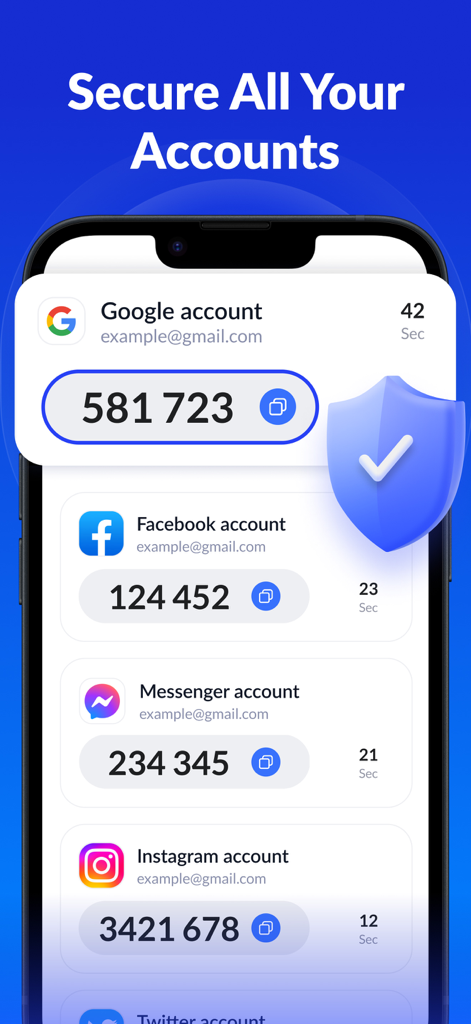
SafeAuth認証アプリのインターフェース。Google、Facebook Messenger、Instagramの2FAコードが表示され、保護的なセキュリティシールドアイコンが付いています。

SafeAuth認証アプリのインターフェース。Google、Facebook Messenger、Instagramの2FAコードが表示され、保護的なセキュリティシールドアイコンが付いています。

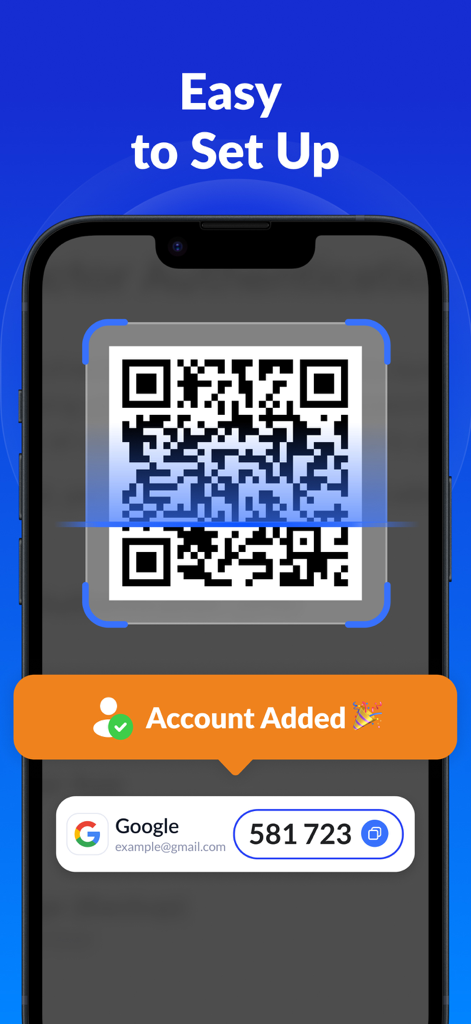
SafeAuth認証アプリのインターフェース。簡単な2FAセットアップのためにQRコードをスキャンする方法を示しています。

SafeAuth認証アプリのインターフェース。簡単な2FAセットアップのためにQRコードをスキャンする方法を示しています。

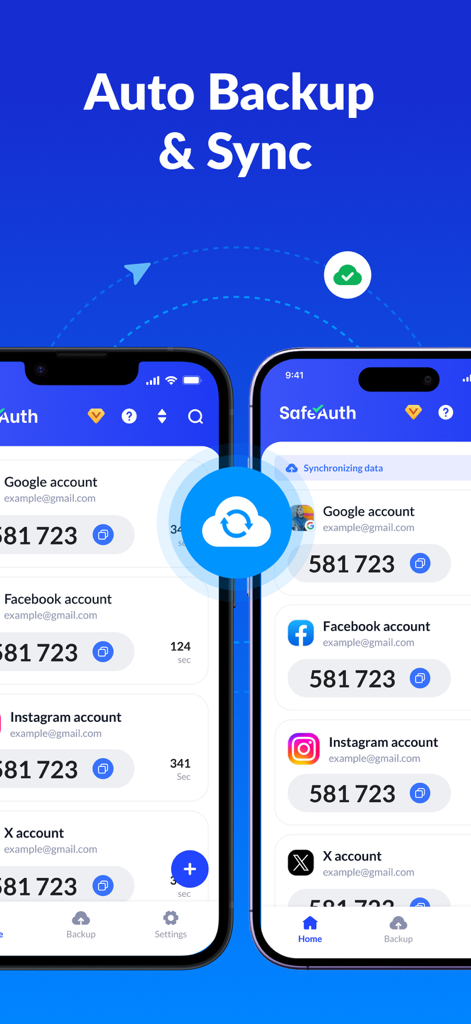
2台のiPhoneにSafeAuth認証アプリが表示され、複数の2FAアカウントでクラウドバックアップと同期機能が有効になっています。

2台のiPhoneにSafeAuth認証アプリが表示され、複数の2FAアカウントでクラウドバックアップと同期機能が有効になっています。

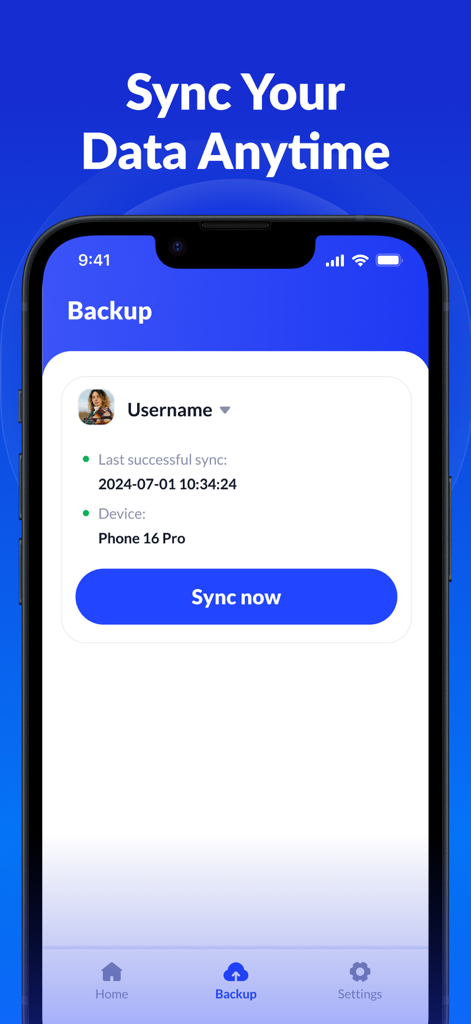
SafeAuth認証アプリのクラウドバックアップとデータ同期のインターフェース。

SafeAuth認証アプリのクラウドバックアップとデータ同期のインターフェース。

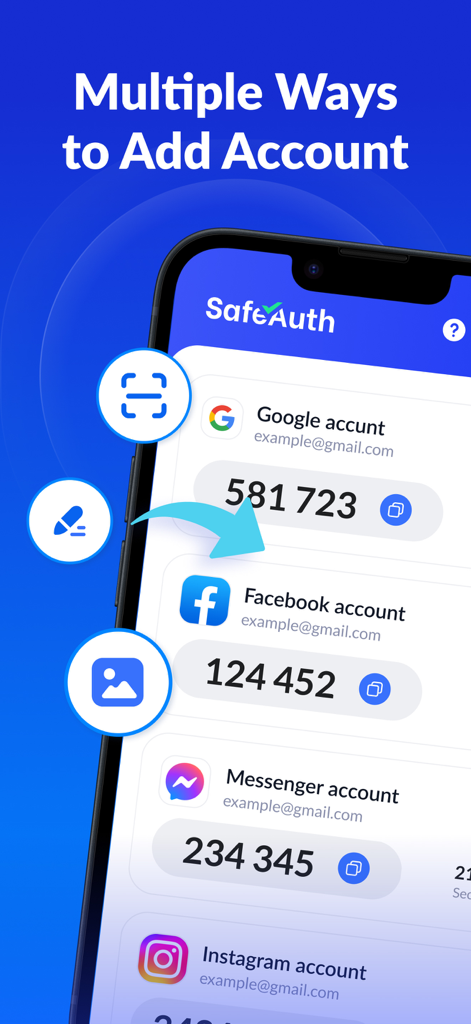
SafeAuth認証アプリのインターフェース。新しい2FAアカウントを追加するためのさまざまなオプションが表示されています。

SafeAuth認証アプリのインターフェース。新しい2FAアカウントを追加するためのさまざまなオプションが表示されています。

デジタルライフのための妥協なきセキュリティ

このアプリを際立たせるツール、 3K+ 人のユーザーが選択.

☁️

二度とアクセスを失わない

2FAトークンをクラウドに安全にバックアップします。電話をアップグレードまたは紛失しても、アカウントは安全で即座にアクセス可能です。

🛡️

すべてを1つのアプリで

Coinbase、Tesla、Instagram、GitHubなど、数千ものサービスと互換性があります。セキュリティを一元管理します。

60秒以内にセットアップ完了

専門知識は不要です。直感的なQRスキャナーとステップバイステップガイドを使用して、あらゆるアカウントに即座に2段階認証を追加します。

世界中のユーザーに愛されています

Trusted by 3K+ 人がこのアプリを愛用しています.

"

"複数の仮想通貨ウォレットと機密性の高い仕事用アカウントを管理している者として、クラウドバックアップ機能はまさにゲームチェンジャーです。最近iPhoneをアップグレードしましたが、すべての2FAコードの同期はシームレスでした。これまでに使った中で最も信頼性が高く、ユーザーフレンドリーな認証アプリです。"

Marcus T.、フィンテックアナリスト
"

"以前は2段階認証が苦手でしたが、SafeAuthのガイド付きセットアップのおかげで、ソーシャルメディアや銀行口座を簡単に保護できるようになりました。デバイスを紛失しても、クラウド同期機能を通じてアクセスを復旧できるという安心感が気に入っています。シンプルさにおいて高く評価できます!"

Elena G.、中小企業オーナー

アプリについて

について知っておくべきこと Authenticator App - SafeAuth.

説明

SafeAuth Authenticator is a perfect two-factor authentication (2FA) solution for all your online accounts. Very easy to use, 100% secure, with cloud backup to prevent account loss. It adds an extra layer of protection for your personal and work accounts by generating one-time 6-digit codes for 2-step verification. Its user-friendly design and detailed 2FA guides make it easy for anyone to set up and use. Give this free and secure authenticator app a try! Protect your account in just 1 minute with simple and efficient two-factor authentication. WHY CHOOSE SAFEAUTH ►Enhance Security SafeAuth secures all your online accounts on your device by 2-step verification. It generates a unique time-based one-time password (TOTP) for each login, ensuring that only authorized users can access your account. ►Easy-to-use & Efficient Adding an account to SafeAuth has never been easier thanks to the detailed 2FA guides. You can scan 2FA QR codes or enter private keys to add accounts. It even supports offline code generation, streamlining the authentication process. ►Protect Your Account SafeAuth provides reliable protection against unauthorized access, hacking, phishing attacks, and other security threats. Even if someone has your username and password, he/she cannot access your account without the 2FA code generated by SafeAuth on your device. ►Back up and Sync Across Devices You can log in with your Google account to back up all account data to the cloud. This means that when changing devices, you only need to log in to easily sync all data, without worrying about data loss or the hassle of re-binding accounts. ►Available for All Services SafeAuth's 2FA tokens are universally accepted across a wide range of popular online services such as Google, Instagram, Facebook, Twitter, LinkedIn, Dropbox, Snapchat, Github, Tesla, Coinbase and thousands of others, and can also secure your Bitcoin wallet. Look no further than Authenticator App - SafeAuth, the best 2FA solution you can trust! Please feel free to contact us at support@safeauth.services if you have any questions or feedback. We'd be happy to hear from you! Payment and Subscription - Payment will be charged to your iTunes account upon purchase confirmation. - The subscription will automatically renew unless you disable auto-renew at least 24 hours before the end of the current billing cycle. - You can manage your subscription and turn off auto-renewal by accessing Account Settings after purchase. - Your account will be charged for renewal up to 24 hours before the current period ends. - Any unused portion of the free trial will be forfeited upon purchasing a subscription. Privacy Policy: https://mauther.safeauth.services/privacypolicy.html Terms of Use: https://mauther.safeauth.services/terms.html

最新バージョン

1.0.3

サイズ

42.1 MB

リリース日

2023年6月28日

デジタルライフを1分未満で保護

SafeAuthの簡単な2FAを信頼する何千人ものユーザーに加わりましょう。暗号化されたクラウドバックアップとすべてのデバイスでのシームレスな同期により、絶対的な安心感を得られます。

ダウンロード: App Storeダウンロード: Google Play
FAQ

よくある質問

について知っておくべきこと Authenticator App - SafeAuth
SafeAuth Authenticatorとは何ですか?

SafeAuth Authenticatorは、安全なアカウント検証のための6桁のワンタイムコードを生成する2要素認証(2FA)ソリューションです。追加のセキュリティレイヤーを提供することで、オンラインアカウントを不正アクセス、ハッキング、フィッシングから保護します。

SafeAuth Authenticatorはアカウントのセキュリティをどのように向上させますか?

SafeAuth Authenticatorは、ログインごとにユニークな時間ベースのワンタイムパスワード(TOTP)を生成することでセキュリティを向上させます。この2段階認証により、許可されたユーザーのみがアカウントにアクセスできるようになり、不正アクセスやセキュリティ上の脅威から保護されます。

SafeAuth Authenticatorは2FAコードのクラウドバックアップを提供していますか?

はい、SafeAuth Authenticatorはすべてのアカウントデータのクラウドバックアップを提供しています。ユーザーはGoogleアカウントでログインしてデバイス間でデータを同期し、データ損失を防ぎ、再バインドなしでアカウント移行を簡素化できます。

SafeAuth Authenticatorに新しいアカウントを追加するにはどうすればよいですか?

ユーザーは、2FA QRコードをスキャンするか、秘密鍵を手動で入力することで、SafeAuth Authenticatorにアカウントを追加します。このアプリは詳細な2FAガイドを提供しており、セットアップを効率的かつユーザーフレンドリーにします。

SafeAuth Authenticatorは一般的なオンラインサービスと互換性がありますか?

はい、SafeAuth Authenticatorの2FAトークンは、Google、Instagram、Facebook、Twitter、Dropbox、Coinbaseなど、数千の一般的なオンラインサービスで広く受け入れられています。

SafeAuth Authenticatorはオフラインでコードを生成できますか?

はい、SafeAuth Authenticatorはオフラインでのコード生成をサポートしています。この機能により、ユーザーはアクティブなインターネット接続なしで時間ベースのワンタイムパスワード(TOTP)を生成でき、いつでもどこでも認証プロセスを合理化できます。

Authenticator App - SafeAuthのサブスクリプションを管理するにはどうすればよいですか?

ユーザーは、購入後にアカウント設定からAuthenticator App - SafeAuthのサブスクリプションを管理し、自動更新を無効にすることができます。自動更新は、現在の請求期間が終了する少なくとも24時間前に無効にする必要があります。

Authenticator App - SafeAuthのサブスクリプション条件は何ですか?

Authenticator App - SafeAuthの支払いは、購入時にiTunesに請求されます。サブスクリプションは、期間終了の24時間前に無効にしない限り自動的に更新されます。更新料金は、期間終了の最大24時間前に請求されます。

Authenticator App - SafeAuthのプライバシーポリシーはどこで確認できますか?

Authenticator App - SafeAuthのプライバシーポリシーは、次のリンクから直接アクセスできます:https://mauther.safeauth.services/privacypolicy.html。このドキュメントでは、アプリケーションによる個人データの処理方法について説明しています。