Blur Photo Editor

Blur Photo Editor

ダウンロード: App Store
Spark by MWM logo
ロゴ: Blur Photo Editor

ぼかし写真加工:プロフェッショナルな美しさのぼかしとAIプライバシー ツール

これ1つの強力なアプリで、SNS向けに一眼レフ品質のボケ味を実現したり、AI搭載の顔・オブジェクトぼかし機能で機密情報を瞬時に隠したりすることができます。

ダウンロード: App Store

開発元

Sohel Ibna Saad

カテゴリ

Photo & Video

ダウンロード

4M+

ユーザー評価

4.6/5

評価数

43K+

対応言語

33

大切なものにフォーカス

このインターフェースを利用する 4M+ 人のユーザー.

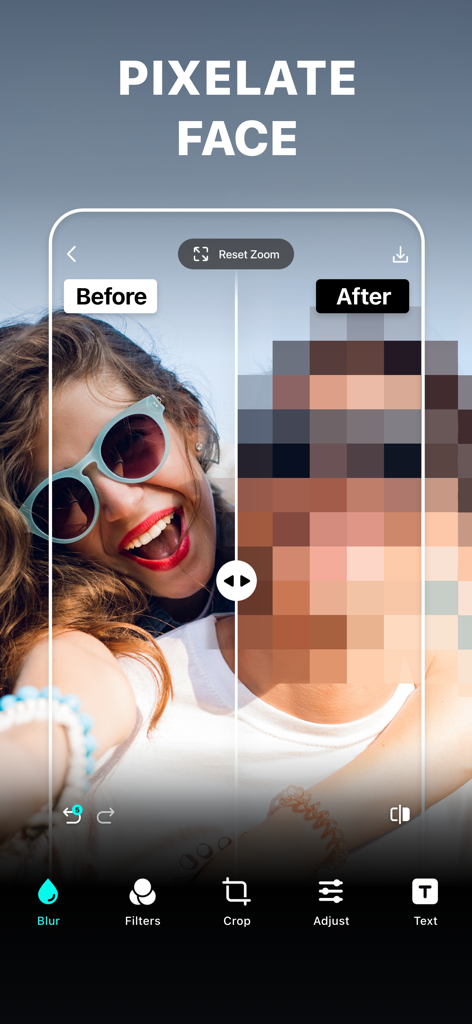
『ぼかし写真加工』アプリでプライバシーのために顔にモザイクをかけた前後の比較

『ぼかし写真加工』アプリでプライバシーのために顔にモザイクをかけた前後の比較

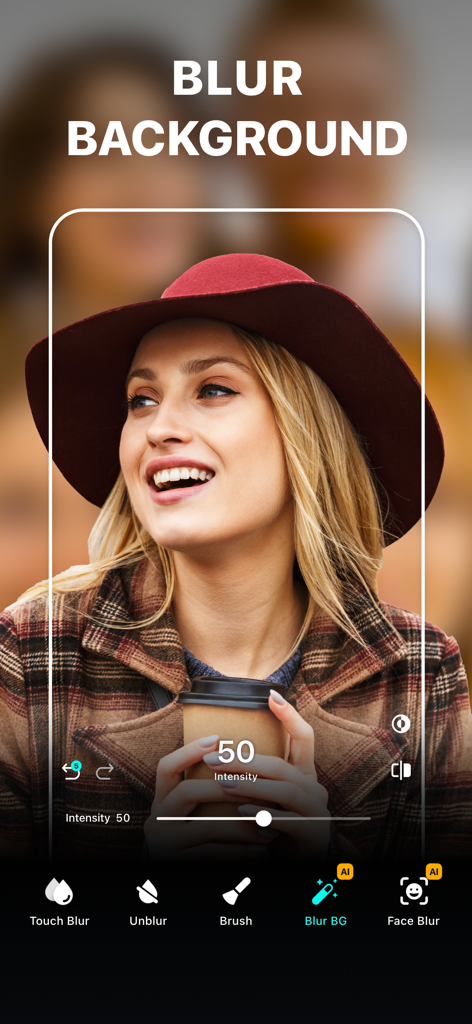
帽子をかぶった女性のポートレートに背景ぼかしツールを適用した『ぼかし写真加工』アプリのインターフェース

帽子をかぶった女性のポートレートに背景ぼかしツールを適用した『ぼかし写真加工』アプリのインターフェース

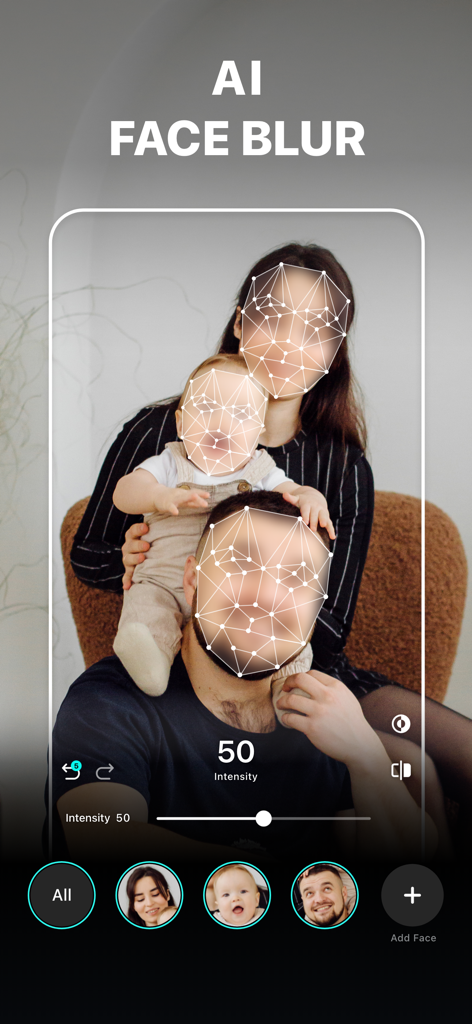
プライバシーのために家族写真にAI顔ぼかし機能を適用した『ぼかし写真加工』アプリのインターフェース

プライバシーのために家族写真にAI顔ぼかし機能を適用した『ぼかし写真加工』アプリのインターフェース

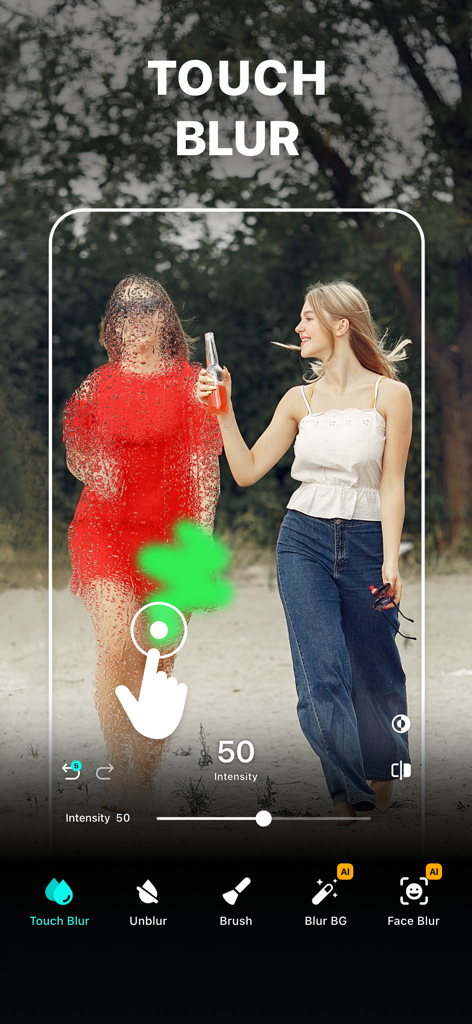
『ぼかし写真加工』アプリのタッチぼかしツールを使用して、写真内の人物を手動で隠している様子

『ぼかし写真加工』アプリのタッチぼかしツールを使用して、写真内の人物を手動で隠している様子

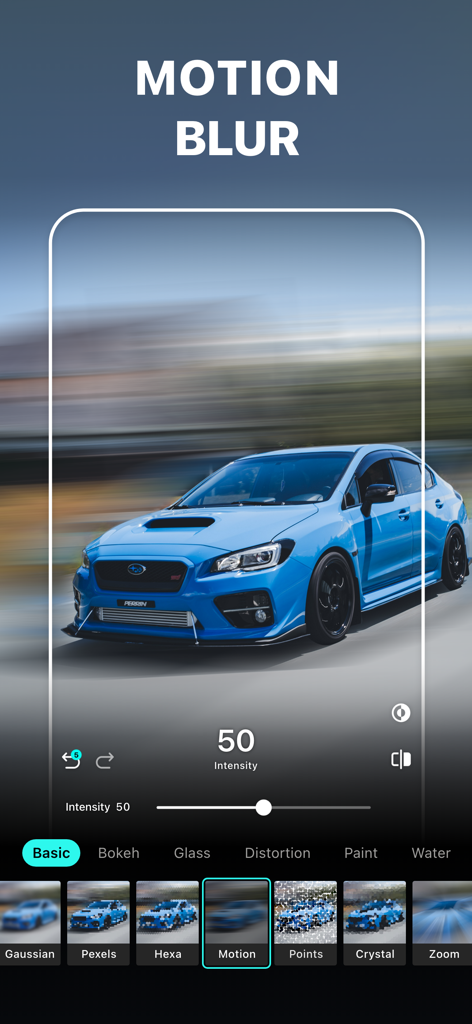
『ぼかし写真加工』アプリのインターフェースで、青いスポーツカーにモーションブラー効果を適用した様子

『ぼかし写真加工』アプリのインターフェースで、青いスポーツカーにモーションブラー効果を適用した様子

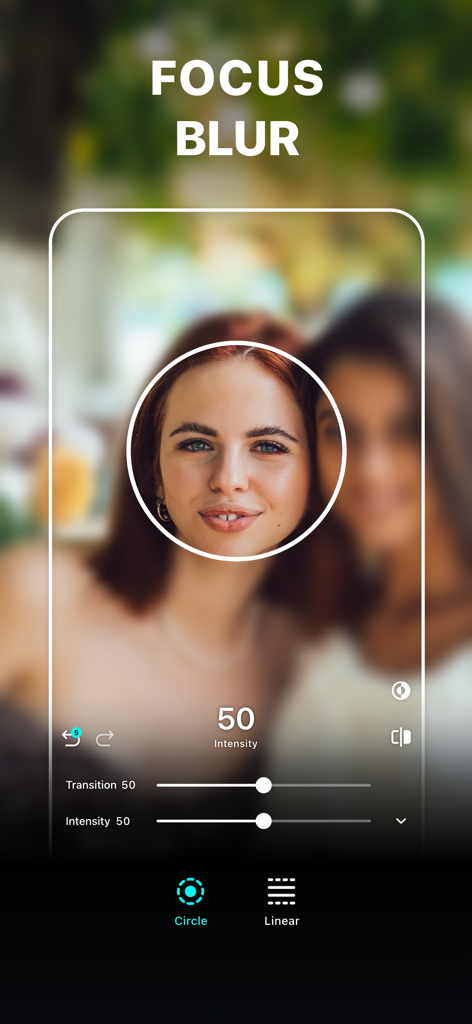
女性のポートレートに円形のフォーカス領域を設定したフォーカスぼかしツール

女性のポートレートに円形のフォーカス領域を設定したフォーカスぼかしツール

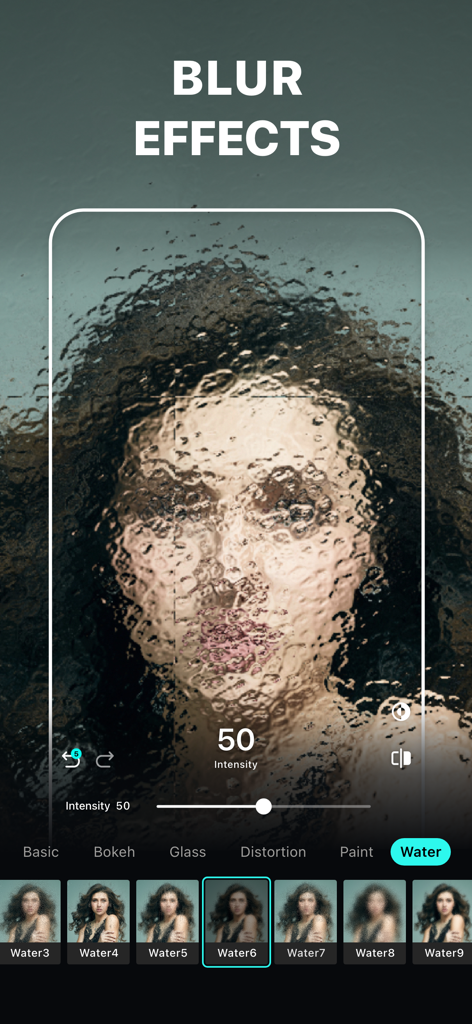
ポートレート写真にアーティスティックなウォーターぼかし効果を適用した『ぼかし写真加工』アプリのインターフェース

ポートレート写真にアーティスティックなウォーターぼかし効果を適用した『ぼかし写真加工』アプリのインターフェース

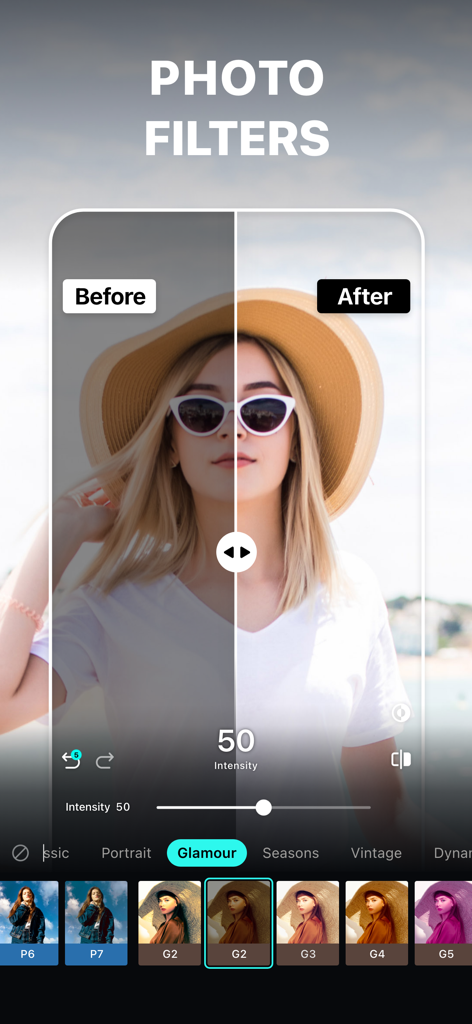
『ぼかし写真加工』アプリで、帽子をかぶった女性の写真にフィルターを適用した前後の比較

『ぼかし写真加工』アプリで、帽子をかぶった女性の写真にフィルターを適用した前後の比較

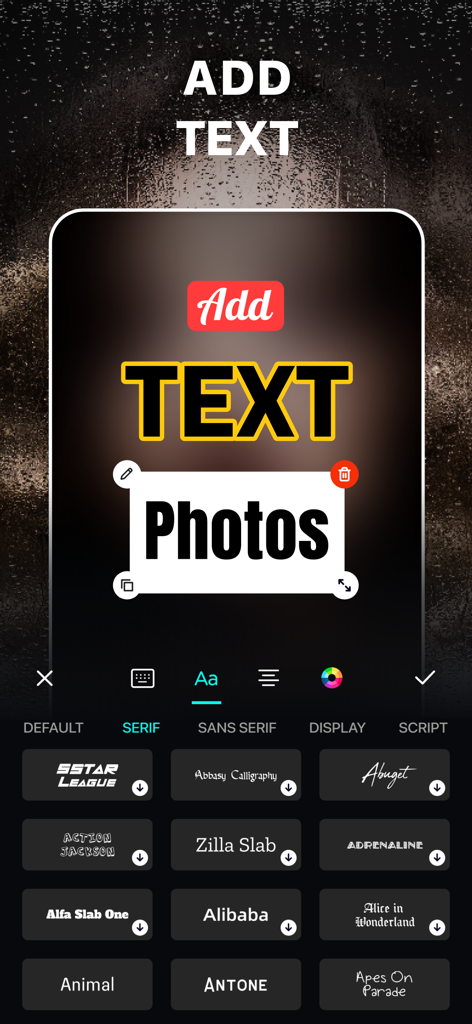
多彩なフォントオプションを使用して写真にテキストを追加・カスタマイズする方法を示す『ぼかし写真加工』アプリのインターフェース

多彩なフォントオプションを使用して写真にテキストを追加・カスタマイズする方法を示す『ぼかし写真加工』アプリのインターフェース

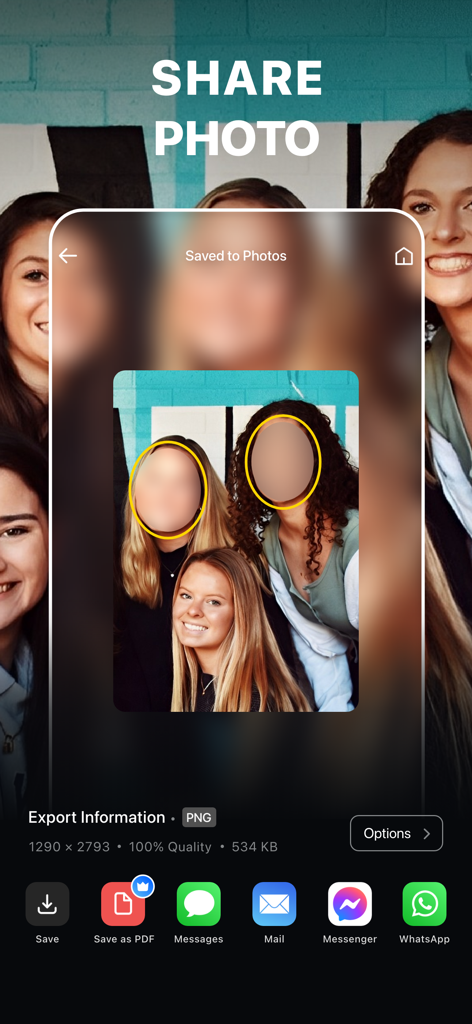
顔を隠した写真をさまざまなプラットフォームに書き出すための共有画面を表示したモバイルアプリのインターフェース

顔を隠した写真をさまざまなプラットフォームに書き出すための共有画面を表示したモバイルアプリのインターフェース

プライバシーとスタイルを極める

このアプリを際立たせるツール、 4M+ 人のユーザーが選択.

📸

映画のような一眼レフ効果

ハイエンドなボケ味、モーション、レンズぼかしツールを使用して、普通の写真をプロ級のポートレートに変貌させます。

🛡️

スマート・プライバシー・シールド

AI搭載のモザイク機能で、顔、ナンバープレート、プライベート情報を瞬時に隠し、機密データを安全に保ちます。

🎯

ピクセル単位の精密なコントロール

ズーム編集と手動のぼかし解除ブラシにより、強調したい部分だけを正確に捉え、完璧な精度を実現します。

世界中のユーザーに愛されています

Trusted by 4M+ 人がこのアプリを愛用しています.

"

"完璧なボケ味を求めてたくさんのアプリを試してきましたが、これが最高です。精密なツールのおかげで、通常のポートレートモードでは見落とされがちな境界線も修正でき、フィードがプロの一眼レフで撮影したような仕上がりになります。Instagramの投稿が劇的に変わりました!"

Chloe M.
"

"親として思い出をシェアするのは大好きですが、子供のプライバシーには細心の注意を払っています。AIによる顔の隠し機能は高速で、スタンプを貼るよりもずっと自然に見えます。Facebook Marketplaceに出品する際のナンバープレートのぼかしにも使っています。デジタル安全のための必須ツールです。"

Sarah J.

アプリについて

について知っておくべきこと Blur Photo Editor.

説明

Blur Photo Editor is the best photo blurring app for iPhone and iPad to precisely blur backgrounds, license plates, or credit card numbers. Easily pixelate or censor faces, hide unwanted objects, apply stunning blur effects and filters, crop and rotate photos, adjust brightness and contrast, and add custom text to create clean, share-ready photos. Key Features of Blur Photo Editor: • Wide range of blur effects for professional results • One-tap background blur • AI-powered face censoring • Unblur part of the images that you accidentally blurred • Zoom in for precise editing • Apply depths using lens blur, featuring circle and linear blurs • Use shape blurs to highlight or hide parts creatively • Large catalog of photo filters • Edit with tools like crop, rotate, and fine-tune using brilliance, denoise, etc. • Photo collage maker with multiple layouts • Add custom text to photos with fonts, colors, and styles. • Blend images with artistic double exposure effects. • "My Project" to save work in progress Amazing Blur Effects Effectively blur out the backgrounds or parts of an image that you want to hide using blur effects. Add Gaussian, bokeh, motion, and mosaic blur effects to make your selfies or photos stand out from the rest. You can also make fuzzy backgrounds by applying water, glass, distortion, and the paint blur effect. Powerful Photo Blur tools Using the Blur Photo Editor, make your photos more striking by applying the Lens Blur effect. Replicate DSLR-like shallow depth of field using the circle blur or linear blur. Shift the center of attention for any photos and create a cinematic look. You can also unblur part of a photo that may have been blurred unintentionally with the help of the unblurring feature. Unique Photo Filters Try out a huge collection of filters, including B&W, sepia, classic, portrait, vintage, and more, to give your clicks the desired effects. Tap into your creativity and add the desired artistic photo effects to already edited, blurred backgrounds. How to blur a picture on iPhone or iPad using the Blur Photo Editor app? To blur an object in a picture, follow these steps. • Tap the (+) button and select a photo. • Tap on Blur and swipe your finger across the photo to blur it. • Go to Effects and select the desired blur effect. • Adjust blur intensity as needed. • Tap tick and then save the photo by using the save button in the top right corner. Auto-Renewable Subscription Terms: Subscribe to get unrestricted access to all the features outlined above. • Subscription Length: Weekly, Yearly • Subscription with a free trial period will automatically renew to a paid subscription unless it is canceled at least 24 hours before the end of the trial period. • Payment will be charged to iTunes Account at confirmation of purchase. • Your Apple ID account will be charged for renewal within 24 hours before the end of the trial period. • You can manage and cancel your subscriptions by going to your account settings on the App Store. • Any unused portion of a free trial period, if offered, will be forfeited when the user purchases a subscription to that publication, where applicable. • By signing up for this subscription, you agree to our Terms of Use and Privacy Policy. Terms of Use: https://pixeltouch.net/legal/blurphoto/terms.html Privacy Policy: https://pixeltouch.net/legal/blurphoto/privacy.html Disclaimer: This app is free to download, but you will be required to sign-up for an auto-renewing subscription to access the app's full functionality.

最新バージョン

5.8.7

サイズ

244.3 MB

リリース日

2015年11月13日

写真をアップグレード。プライバシーを保護。

400万人以上のクリエイターが愛用する『ぼかし写真加工』。ワンタップでプロ級の一眼レフ効果を実現し、機密情報を安全に保護しましょう。

ダウンロード: App Store
FAQ

よくある質問

について知っておくべきこと Blur Photo Editor

Blur Photo Editorとは何ですか?

Blur Photo Editorは、背景をぼかしたり、顔をピクセル化したり、オブジェクトを隠したり、さまざまなぼかし効果やフィルターを写真に適用したりできるiOSアプリです。iPhoneやiPadでの正確な写真編集のために設計されています。

Blur Photo Editorで画像の特定の部分をぼかすことはできますか?

はい、Blur Photo Editorでは、背景、顔、ナンバープレート、クレジットカード番号など、特定の領域を正確にぼかすことができます。タッチぼかしやAI搭載ツールなどの機能が含まれており、ターゲットを絞った編集が可能です。

Blur Photo EditorにはAI機能はありますか?

はい、Blur Photo EditorにはAI搭載機能があります。AIによる顔の検閲やワンタップでの背景ぼかしなどが含まれており、ユーザーの写真編集プロセスを簡素化および強化します。

Blur Photo Editorアプリを使って写真をぼかすにはどうすればいいですか?

写真をぼかすには、Blur Photo Editorを開き、(+)ボタンをタップして写真を選択し、[ぼかし]をタップして指で写真上をスワイプし、効果を選択して強度を調整し、写真を保存します。

Blur Photo Editorで利用できるぼかし効果にはどのような種類がありますか?

Blur Photo Editorには、ガウスぼかし、ボケ、モーション、モザイク、ウォーター、ガラス、ディストーション、ペイントぼかしなど、さまざまな効果があります。円形や線形などのレンズぼかしオプションや、シェイプぼかしも備えています。

Blur Photo Editorで写真にテキストやフィルターを追加できますか?

はい、Blur Photo Editorでは、白黒、セピア、ビンテージなどのさまざまな写真フィルターを適用できます。また、異なるフォント、色、スタイルで写真にカスタムテキストを追加することもできます。

Blur Photo Editorは無料アプリですか?

いいえ、Blur Photo Editorは無料でダウンロードできますが、アプリの全機能と高度な機能すべてにアクセスするには、自動更新サブスクリプションが必要です。

Blur Photo Editorはどのようなサブスクリプションオプションを提供していますか?

Blur Photo Editorは、週次および年次の自動更新サブスクリプションオプションを提供しています。これらのサブスクリプションには無料トライアル期間が含まれており、24時間前までにキャンセルされない限り、自動的に有料プランに移行します。

Blur Photo Editorで画像のぼかしを解除できますか?

はい、Blur Photo Editorにはぼかし解除機能が含まれています。このツールを使用すると、編集中に誤ってぼかしてしまった画像の特定の部分を正確に復元またはぼかし解除できます。

Blur Photo Editorは写真コラージュ作成をサポートしていますか?

はい、Blur Photo Editorには写真コラージュメーカーが搭載されています。複数のレイアウトを提供しており、ユーザーはアプリケーション内で直接、さまざまな画像を1つのコラージュにまとめることができます。