Blur Video - AI Blur Maker

Blur Video - AI Blur Maker

ダウンロード: App Store
Spark by MWM logo
ロゴ: Blur Video - AI Blur Maker

Blur Video - AI Blur Maker: ソーシャルコンテンツのためのプロフェッショナルなプライバシー

インテリジェントAIトラッキングにより、顔、ナンバープレート、機密オブジェクトを自動的にぼかします。ワンタップでTikTokやInstagram向けの安全で高品質な4Kビデオを作成します。

ダウンロード: App Store

開発元

Sohel Ibna Saad

カテゴリ

Photo & Video

ダウンロード

742K+

ユーザー評価

4.6/5

評価数

11K+

対応言語

16

動きの中のプライバシー

このインターフェースを利用する 742K+ 人のユーザー.

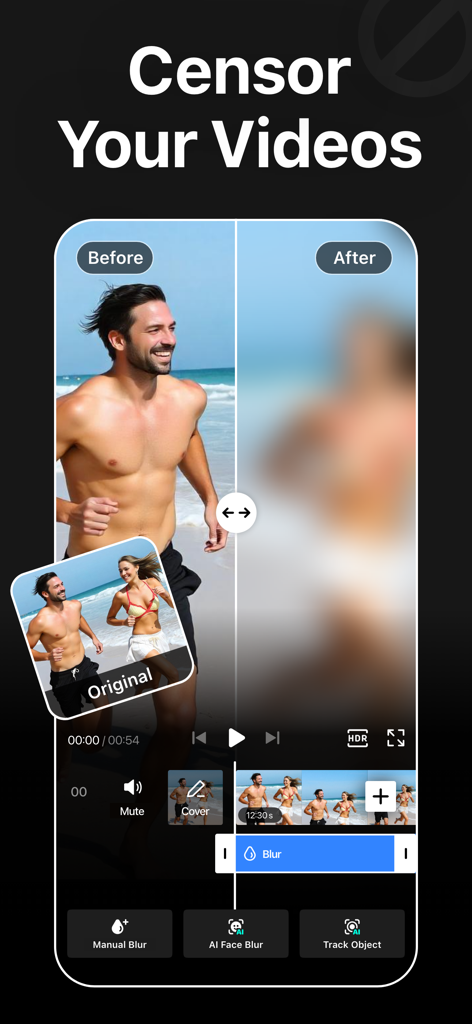
AIぼかし効果を人に適用する前後のビデオのサイドバイサイド比較

AIぼかし効果を人に適用する前後のビデオのサイドバイサイド比較

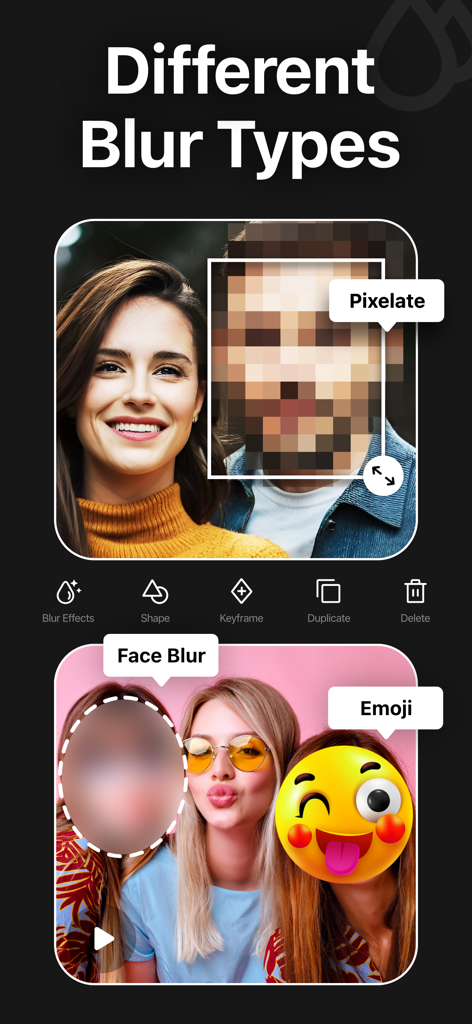
ビデオ編集アプリでピクセル化、顔ぼかし、絵文字などのさまざまなぼかし効果を紹介。

ビデオ編集アプリでピクセル化、顔ぼかし、絵文字などのさまざまなぼかし効果を紹介。

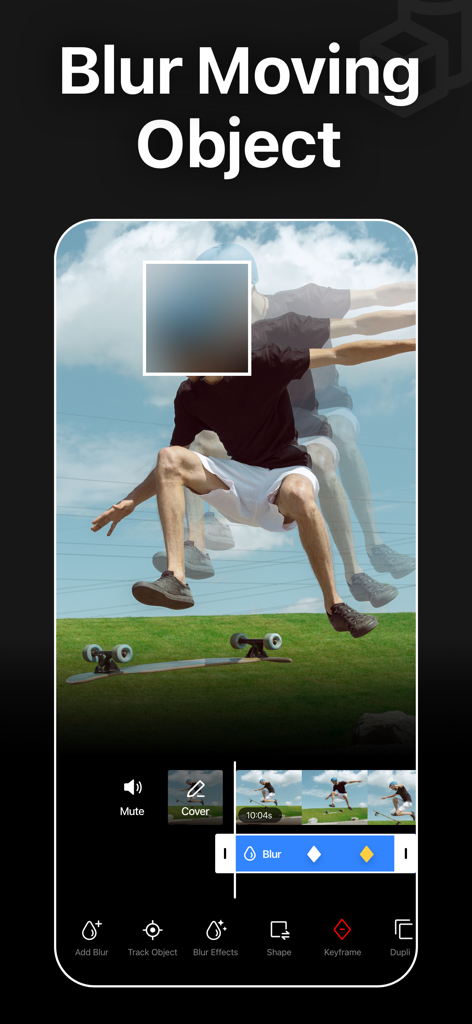
移動する人をぼかすAIトラッキングとぼかしを表示するモバイルアプリインターフェース。

移動する人をぼかすAIトラッキングとぼかしを表示するモバイルアプリインターフェース。

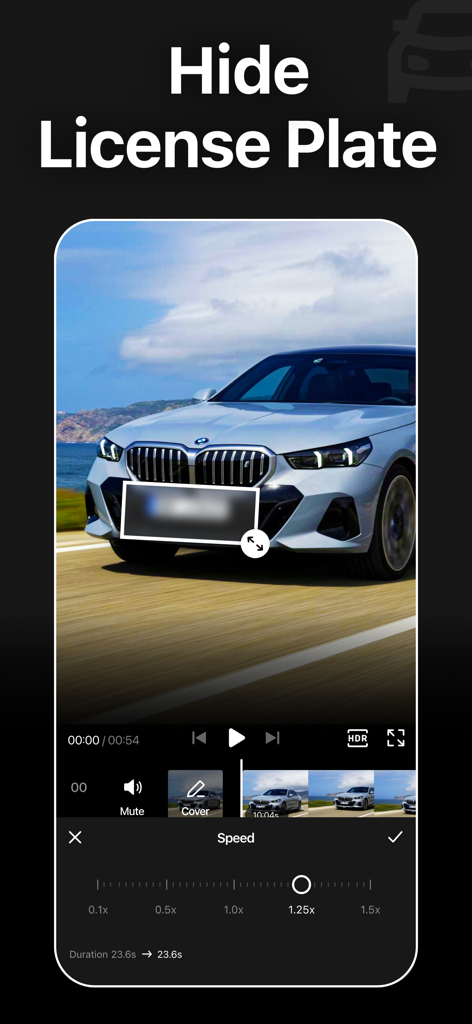
ビデオ編集ツールで車のナンバープレートをぼかすBlur Videoアプリインターフェース

ビデオ編集ツールで車のナンバープレートをぼかすBlur Videoアプリインターフェース

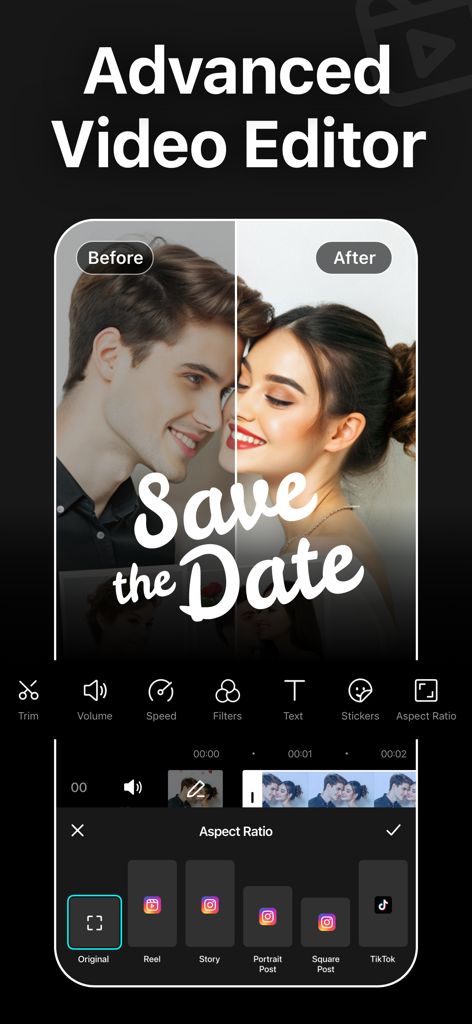
TikTokやInstagramなどのソーシャルメディアプラットフォームのアスペクト比プリセットを表示する高度なビデオエディターインターフェース

TikTokやInstagramなどのソーシャルメディアプラットフォームのアスペクト比プリセットを表示する高度なビデオエディターインターフェース

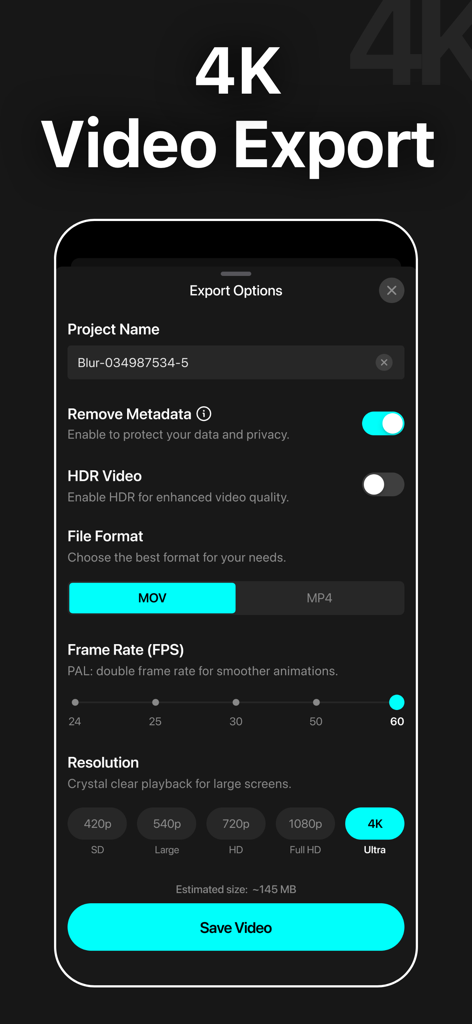
Blur Videoアプリのエクスポートオプションのスクリーンショット。4K解像度とメタデータ削除プライバシー設定が表示されています

Blur Videoアプリのエクスポートオプションのスクリーンショット。4K解像度とメタデータ削除プライバシー設定が表示されています

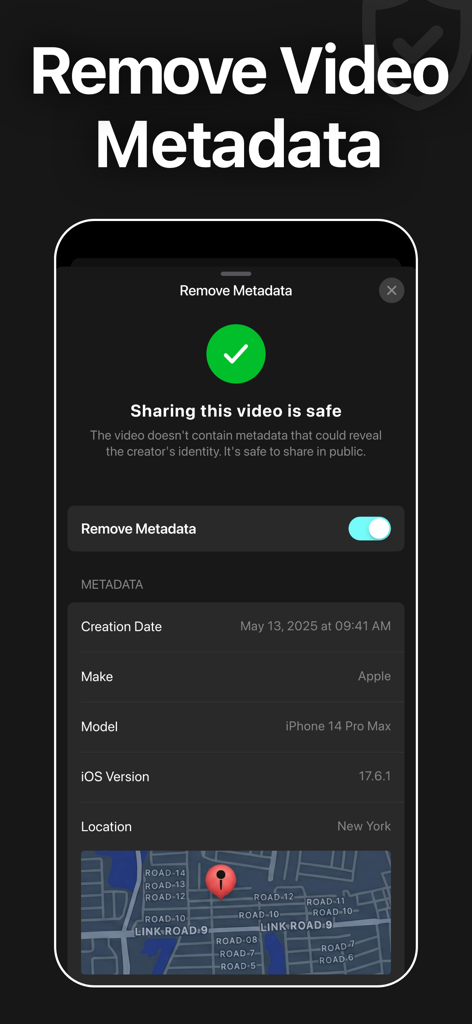
安全な共有のためにビデオメタデータと位置情報を削除する機能を表示するBlur Videoアプリのインターフェース

安全な共有のためにビデオメタデータと位置情報を削除する機能を表示するBlur Videoアプリのインターフェース

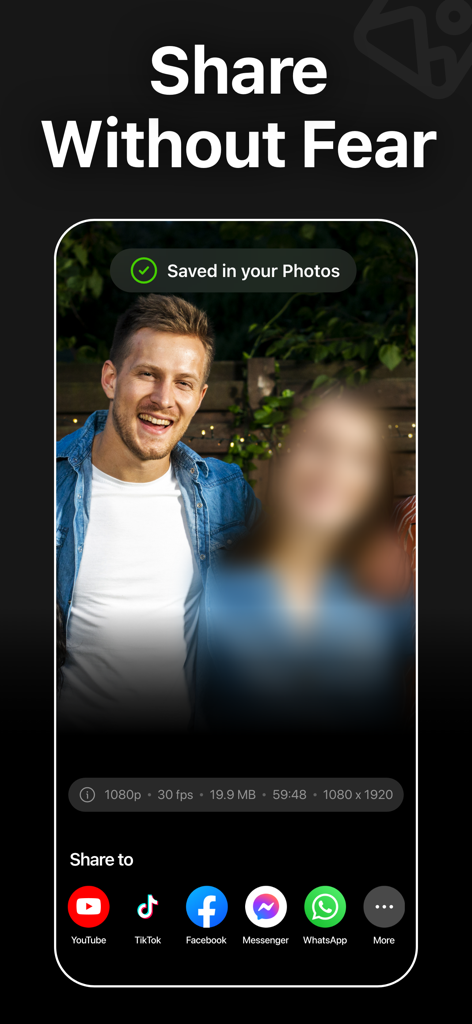
TikTokやYouTubeなどのソーシャルメディアプラットフォームでの共有オプションと、ビデオ内のぼかし顔を表示するBlur Videoアプリのインターフェース。

TikTokやYouTubeなどのソーシャルメディアプラットフォームでの共有オプションと、ビデオ内のぼかし顔を表示するBlur Videoアプリのインターフェース。

AIによるプロフェッショナルなプライバシー

このアプリを際立たせるツール、 742K+ 人のユーザーが選択.

🤖

ワンタップAI顔ぼかし

ビデオ全体で顔を瞬時に検出し、ぼかします。手作業なしでプライバシーを保護したい保護者やVloggerに最適です。

🎯

スマートモーショントラッキング

移動する車、ナンバープレート、ロゴを自動的に追跡します。高度なAIにより、激しいアクションシーンでもぼかしをターゲットに固定します。

🛡️

セキュア4K HDRエクスポート

機密性の高い場所のメタデータを削除しながら、高品質のビジュアルを維持します。見た目も感触も良いプロレベルの保護。

世界中のユーザーに愛されています

Trusted by 742K+ 人がこのアプリを愛用しています.

"

"フルタイムのトラベルVloggerとして、私はしばしば人々のプライバシーを尊重する必要がある混雑した公共の場所で撮影します。Blur VideoのAIオブジェクトトラッキングは信じられないほど正確で、手動でのキーフレーム作成に何時間も節約してくれます。コンテンツをプロフェッショナルかつ倫理的に保ちながら4K品質を維持するために私が信頼する唯一のアプリです。"

Alex Rivera, Content Creator
"

"オンラインで家族と子供たちのビデオを共有したいのですが、彼らの顔を世界中に公開したくはありませんでした。このアプリは命の恩人です!AI顔ぼかしは魔法のようで、彼らの顔を瞬時に見つけて隠してくれます。シンプルで速く、今日のデジタル時代に私の家族が必要とするプライバシーを提供してくれます。"

Sarah Jenkins, Parenting Blogger

アプリについて

について知っておくべきこと Blur Video - AI Blur Maker.

説明

Blur Video is one of the best free video blurring apps for iPhone to quickly hide persons, faces, texts, logos, objects, and license plates in videos like a pro. This powerful video blur app can pixelate unwanted objects or obscure any parts of a video. You can also apply various filters, add stickers, add texts, and draw to enhance your videos. Key Features of Blur Video Background: - Gaussian and Pixelate blur effects - Blur faces in videos quickly and intelligently - Detect and track moving objects using AI - Rectangle and oval blur shapes - Use color, emoji, or photos to censor - Change the intensity of the blur - Use video keyframes to blur moving objects manually - Apply multiple stickers over your video - Add custom texts over video - Export videos in 480p, 540p, 720p, 1080p and Ultra HD - 4K resolution - Save in MP4 or MOV video format - HDR export for enhanced video quality - Remove metadata to protect data and privacy - Share videos to Instagram, TikTok, Facebook, YouTube, and other apps Robust Video Blurring Blur Video app simplifies the whole blurring process. Censor faces or track objects in your videos with advanced artificial intelligence. Getting blurry faces or censored videos has never been this simple. AI Face Blur Automatically blur faces in your videos using intelligent AI detection. The app instantly identifies faces and keeps them accurately tracked throughout the entire clip, ensuring consistent, seamless blurring without any manual effort or setup. Blur Multiple Moving Objects Blur multiple objects in your videos with ease. Use AI-powered tracking to automatically follow moving elements, or take full control with manual keyframe tracking. Simply place keyframes where you want to hide content and fine-tune the position as the video plays for precise, professional results. How to blur faces in a video using the Blur Video app? With this app, you can get censored faces in videos without any hassle. Just follow the steps below to know how to blur faces in videos easily. - Open the app - Select a video from Photos - Tap the AI Face Blur button, and the app instantly detects and automatically blurs all faces in your video - Select the blur for more control - Choose the blur shape: rectangular or oval - Change the blur effects to Gaussian or Pixelate - Adjust the intensity of your blur with the slider - After getting the desired output, tap on the Export button to save the video Auto-Renewable Subscription Terms: Subscribe to get unrestricted access to all the features outlined above. • Subscription Length: Weekly, Yearly • Subscription with a free trial period will automatically renew to a paid subscription unless it is canceled at least 24 hours before the end of the trial period. • Payment will be charged to iTunes Account at confirmation of purchase. • Your Apple ID account will be charged for renewal within 24 hours before the end of the trial period. • Manage and cancel your subscriptions by going to your account settings on the App Store. • Any unused portion of a free trial period, if offered, will be forfeited when the user purchases a subscription to that publication, where applicable. • By signing up for this subscription, you agree to our Terms of Use and Privacy Policy. Terms of Use: https://pixeltouch.net/blurvideo/legal/terms.html Privacy Policy: https://pixeltouch.net/blurvideo/legal/privacy.html

最新バージョン

2.0.0

サイズ

167.0 MB

リリース日

2021年9月12日

あなたのストーリーを共有し、彼らのプライバシーを守りましょう

AI搭載のブラーを使用してビデオを保護している742,000人以上のクリエイターに加わりましょう。数秒でプロフェッショナルな4Kの結果を得て、心の安らぎとともにTikTokやInstagramに投稿しましょう。

ダウンロード: App Store
FAQ

よくある質問

について知っておくべきこと Blur Video - AI Blur Maker

What is the Blur Video - AI Blur Maker app?

Blur Videoは、iPhone向けの無料の動画ぼかしアプリです。AIを活用したぼかし機能で、動画内の人物、顔、テキスト、ロゴ、オブジェクト、ナンバープレートを隠し、その他の動画編集ツールも提供します。

Does Blur Video - AI Blur Maker automatically blur faces?

はい、Blur Video - AI Blur Makerは、インテリジェントなAI検出を使用して動画内の顔を自動的にぼかします。このアプリは、クリップ全体で顔を識別および追跡し、一貫性のあるシームレスなぼかしを実現します。

Can Blur Video blur multiple moving objects?

はい、Blur Videoは動画内の複数の移動オブジェクトをぼかすことができます。AIを活用した追跡機能を使用して移動要素を自動的に追跡するか、手動キーフレーム追跡で完全に制御して正確な結果を得ることができます。

What video export resolutions does Blur Video support?

Blur Videoは、480p、540p、720p、1080p、Ultra HD - 4K解像度を含む動画エクスポート解像度をサポートしています。また、ビデオ品質を向上させるためにHDRエクスポートも提供しています。

Does Blur Video - AI Blur Maker remove video metadata?

はい、Blur Video - AI Blur Makerは、ユーザーデータとプライバシーを保護するためにメタデータを削除します。ユーザーは、安全な共有のために動画エクスポートプロセス中にこの機能を有効にできます。

How does the Blur Video app subscription work?

Blur Videoアプリは、すべての機能への無制限アクセスを提供するために、自動更新サブスクリプション(週次、年次)を提供しています。無料トライアル付きのサブスクリプションは、少なくとも24時間前にキャンセルしない限り、有料に自動更新されます。

What blur effects are available in Blur Video - AI Blur Maker?

Blur Videoは、ガウスぼかしとピクセル化ぼかしエフェクトを提供します。ユーザーはぼかしの強度を調整し、長方形または楕円形のぼかし形状を選択することもできます。

Does Blur Video include other editing features besides blurring?

はい、Blur Videoには、ぼかし以外の追加の編集機能が含まれています。ユーザーはさまざまなフィルターを適用したり、複数のステッカーを追加したり、カスタムテキストを追加したり、描画して動画を強化したりできます。

What video file formats does Blur Video support for export?

Blur Videoは、MP4またはMOVのいずれかのファイル形式で動画をエクスポートすることをサポートしています。ユーザーは、動画エクスポートオプション中に希望の形式を選択できます。

Is it safe to share videos after using Blur Video - AI Blur Maker?

はい、Blur Video - AI Blur Makerを使用した後に動画を共有しても安全です。このアプリはプライバシーを保護するためにメタデータを削除し、共有コンテンツが安全であることを保証します。