Boger

Boger

ダウンロード: App Store
Spark by MWM logo
ロゴ: Boger

Boger:プロフェッショナルホメオパスのための高度なレパートリゼーション

CM Bogerの3つのコアレパートリーを1つの強力な臨床ツールに統合します。精度評価グリッド、極性ルーブリック、iPhone、iPad、Mac間でのシームレスなiCloud同期でBoenninghausenメソッドをマスターしましょう。

ダウンロード: App Store

開発元

Michel Ramillon

カテゴリ

Medical

ダウンロード

1K+

ユーザー評価

1.0/5

評価数

0

対応言語

3

実践における精度

このインターフェースを利用する 1K+ 人のユーザー.

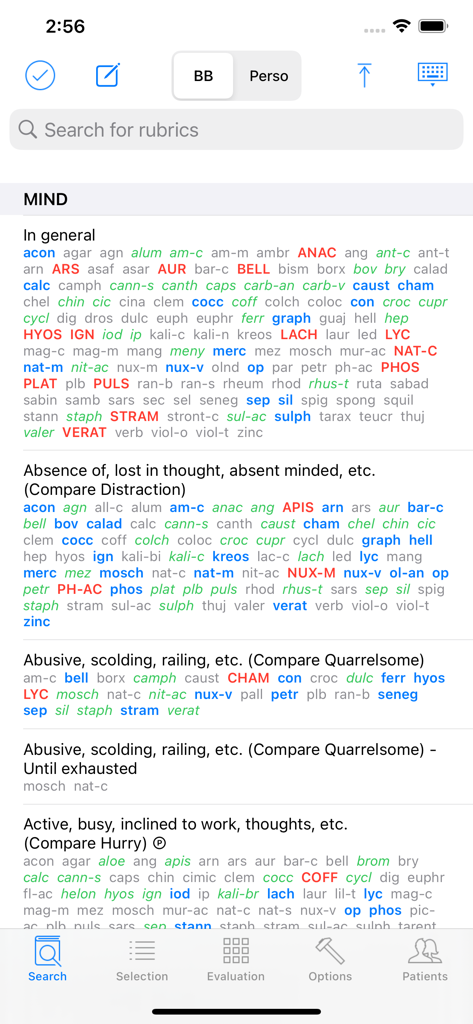
ホメオパシーのルーブリックとレメディが表示されているBogerアプリの検索ページのスクリーンショット

ホメオパシーのルーブリックとレメディが表示されているBogerアプリの検索ページのスクリーンショット

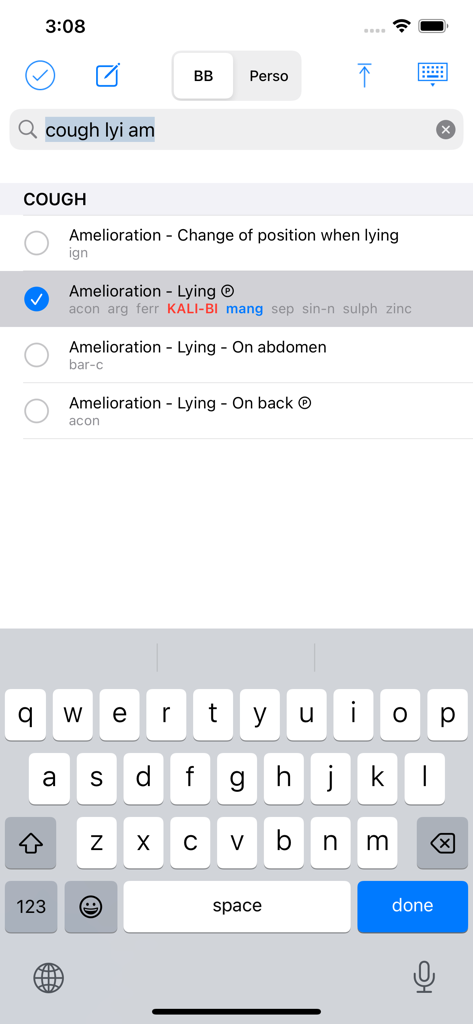
Bogerアプリの検索インターフェース。咳の症状のホメオパシーのルーブリックと選択された緩和オプションを表示しています。

Bogerアプリの検索インターフェース。咳の症状のホメオパシーのルーブリックと選択された緩和オプションを表示しています。

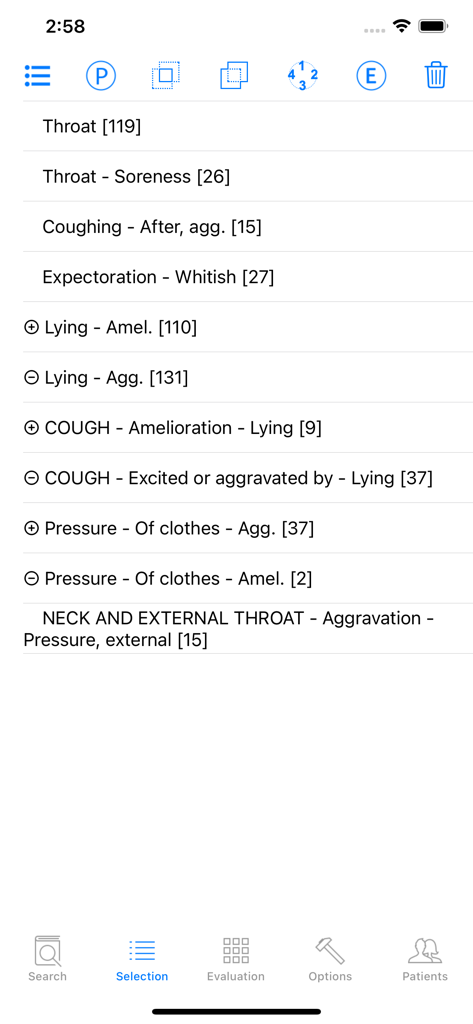
Bogerアプリの選択ページ。ホメオパシーのルーブリックのリストを表示しています。

Bogerアプリの選択ページ。ホメオパシーのルーブリックのリストを表示しています。

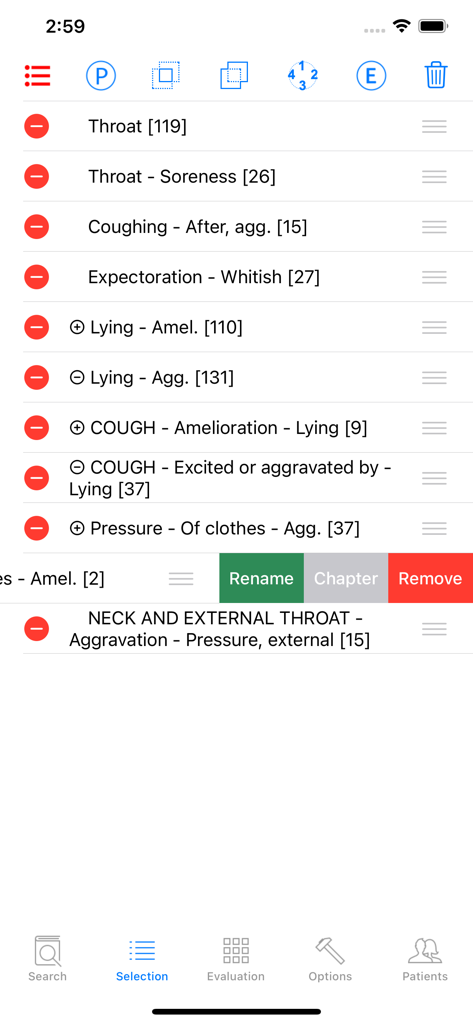
Bogerアプリの選択ページ。ホメオパシーのルーブリックのリストと症状管理ツールを表示しています。

Bogerアプリの選択ページ。ホメオパシーのルーブリックのリストと症状管理ツールを表示しています。

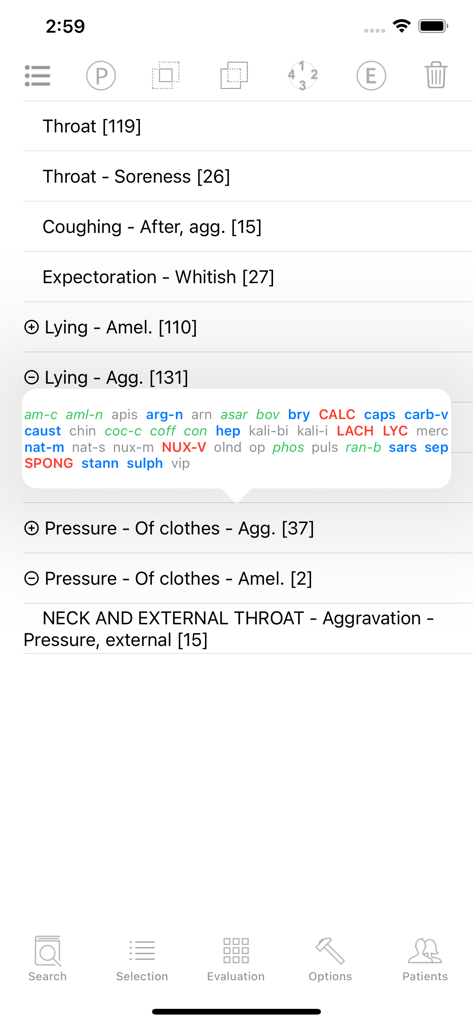
Bogerアプリの選択画面。症状ルーブリックと詳細なレメディリストのポップアップを表示しています。

Bogerアプリの選択画面。症状ルーブリックと詳細なレメディリストのポップアップを表示しています。

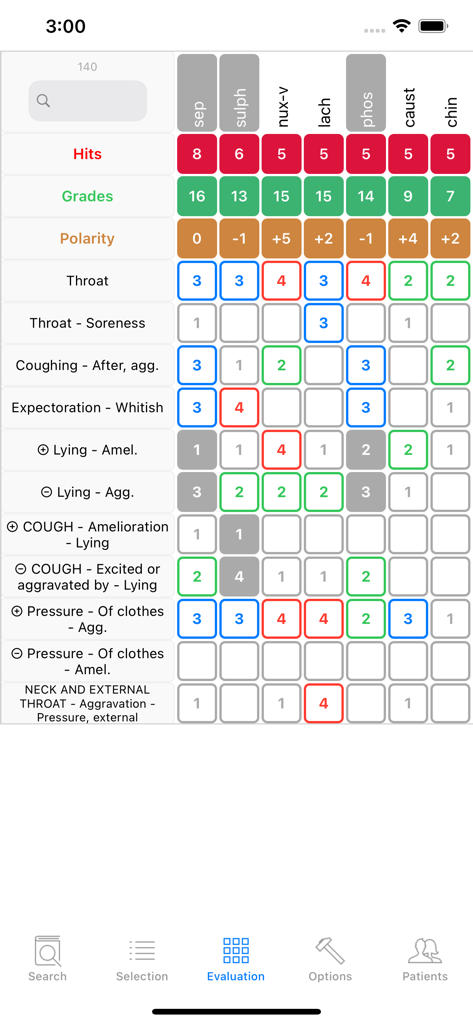
Bogerアプリの評価グリッド。臨床症状とルーブリックに基づいてホメオパシーのレメディを比較しています。

Bogerアプリの評価グリッド。臨床症状とルーブリックに基づいてホメオパシーのレメディを比較しています。

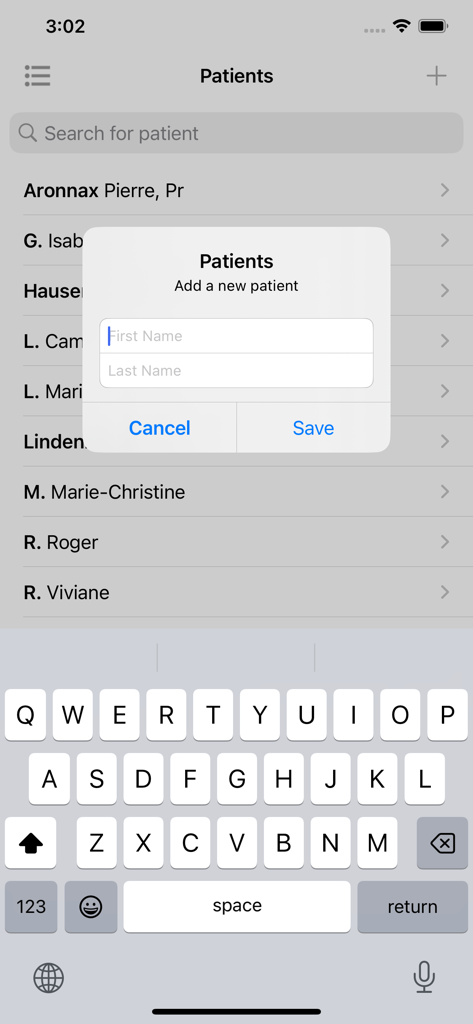
Bogerアプリの患者管理画面。新しい患者の姓と名を追加するためのポップアップフォームが表示されています。

Bogerアプリの患者管理画面。新しい患者の姓と名を追加するためのポップアップフォームが表示されています。

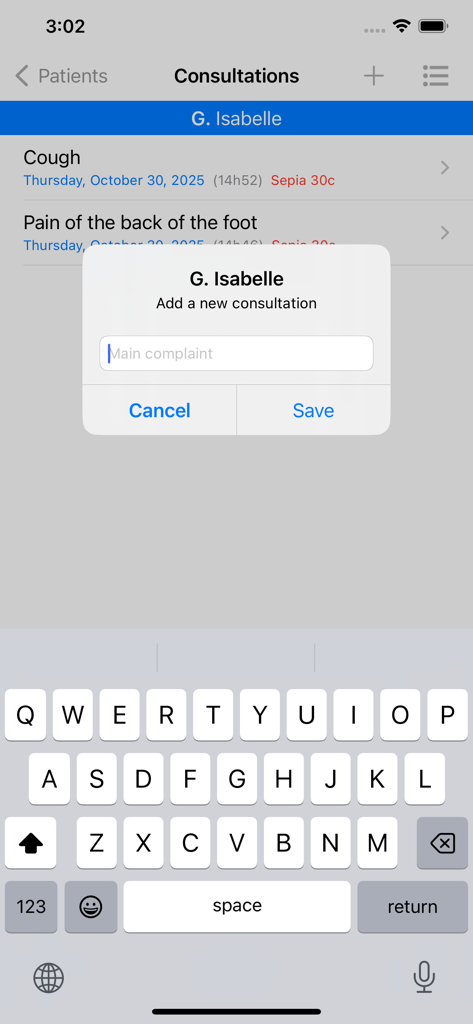
Bogerホメオパシーアプリのスクリーンショット。新しい患者の相談を追加するためのインターフェースが表示されています。

Bogerホメオパシーアプリのスクリーンショット。新しい患者の相談を追加するためのインターフェースが表示されています。

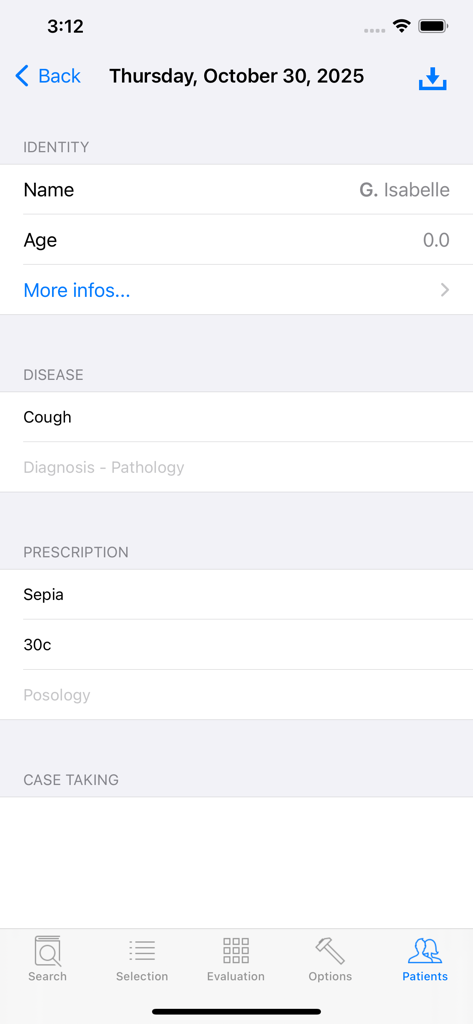
Bogerホメオパシーアプリの患者記録画面。臨床データと処方が表示されています。

Bogerホメオパシーアプリの患者記録画面。臨床データと処方が表示されています。

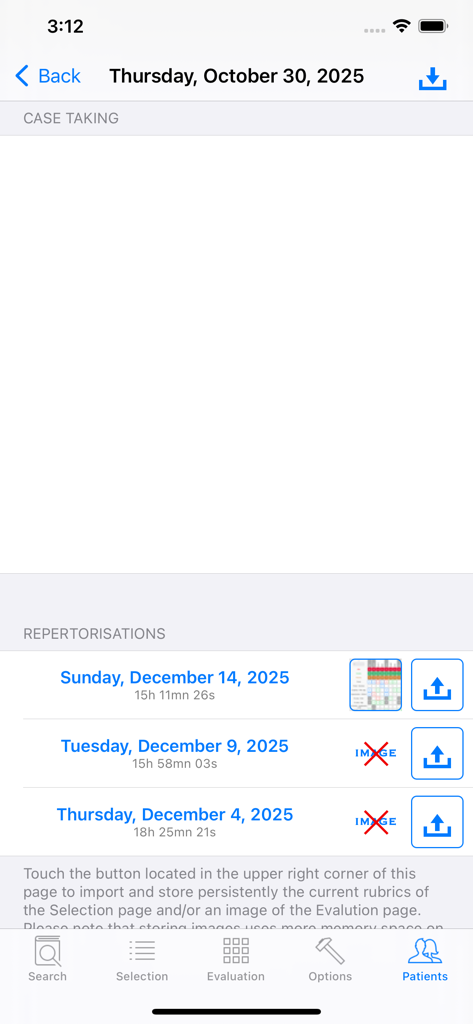
Bogerホメオパシーアプリの患者ケーステイクおよびレパートリゼーション履歴記録。

Bogerホメオパシーアプリの患者ケーステイクおよびレパートリゼーション履歴記録。

現代の実践者のための精密レパートリゼーション

このアプリを際立たせるツール、 1K+ 人のユーザーが選択.

🔍

統合されたBogerメソッド

General Analysis、Synoptic Key、Boger-Boenninghausenレパートリーを1つのインターフェースで利用でき、正確なレメディ選択のための標準化された4段階評価システムを備えています。

📊

高度な評価グリッド

レメディのランキングを即座に視覚化し、極性ルーブリックを活用して、自動化された臨床ロジックと禁忌管理により複雑な症例をナビゲートします。

📁

安全な実践管理

iPhone、iPad、Mac間のシームレスなiCloud同期により、包括的な患者データベースと相談履歴を維持し、モバイルクリニックワークフローを実現します。

世界中のユーザーに愛されています

Trusted by 1K+ 人がこのアプリを愛用しています.

"

"Bogerアプリは私のクリニックにとって不可欠なツールになりました。General AnalysisとSynoptic Keyが4段階評価システムと完全に統合されているため、手動での相互参照にかかる時間を節約できます。評価グリッドで極性ルーブリックを視覚化できることは、複雑な症例に必要な臨床精度を提供してくれます。iPadにぴったり収まるプロフェッショナルグレードのソフトウェアです。"

Dr. Elena Vance, ND
"

"このアプリを際立たせているのは、「Perso」モードの柔軟性と強力な検索ロジックです。ハイエンドのデスクトップスイートで行うように、「AND/OR」演算子でルーブリックを組み合わせることができます。iPhoneとMac Silicon間のiCloud同期はシームレスで、どこにいても患者データベースや相談記録を管理できます。真剣な古典的ホメオパスにとって必須のアプリです。"

Sarah Miller, CCH

アプリについて

について知っておくべきこと Boger.

説明

The App offers users the capacity to repertorise symptoms using jointly CM Boger's 3 repertories: General Analysis (GA), Synoptic Key (SK) and Boger-Boenninghausen (BB). The general part of Times of remedies was appended to Boger-Boenninghausen. These repertories are in English only. Polar rubrics are available to help search for the best indicated remedy. The grades of the remedies are standardised throughout GA, SK and BB so that users can select rubrics from any of these repertories for repertorisation. The Boenninghausen's grading system with 4 levels is used. The Kent-type 3 levels grading system originally found in GA and SK has been converted to this 4 levels system. There are 5 main pages: 1) Search page: • Enter a combination of (bits of) words to reach the searched rubrics. Select them with a Touch. A minimum of 2 successive characters is required to give a correct search. The space character stands for the logical AND operator whereas the coma stands for the OR operator. OR takes priority over AND. Here is a complex example of search: foreh,occip heav,load,weight. • Enter Edit mode to modify a rubric's name and its remedies list in the currently selected repertory. This repertory is indicated with the abbreviation GA, SK or BB in the upper title bar. • Enter Perso where you can create your own repertories, add your own chapters and rubrics with their remedies lists. In Perso you have the possibility of setting your own polar rubrics. You can also easily copy a rubric with all its remedies from any repertory and paste it in Perso. The Perso data are saved in iCloud and are so available on your iPhone, iPad and Mac silicon. 2) Selection page • Manage the rubrics previously selected in the Search page: eliminating rubric, combination of rubrics (union or intersection of remedies sets), modify polar status, show chapter (in case the rubric name alone is not explicit), rename rubric, reorder the list of rubrics, delete rubric. 3) Evaluation page • Display the Evaluation grid with contraindications. Touching the Polarity header shows its maximal value in the grid. Touching a remedy header shows the complete name of the remedies and its place in the grid. 4) Options page: • Lists of remedies: you can append or withdraw remedies. There are 4 built-in lists of remedies corresponding to the remedies found in the 3 Boger's repertories plus an extended list which contains the remedies found in all these repertories. It is possible to restore a list of remedies to its original state. • Browse the currently selected repertory. • Restore a repertory to its original state. • Modify the font sizes and other parameters of the Search, Selection and Evaluation pages. • Manage the Contraindications facility • Manage the priorities sequence used in the Evaluation page. • Hide the cross-references to see clearer the rubrics names. It is especially important in the Evaluation grid where the room of the first column containing the rubric's name is limited. • Activate Visible Touch. This feature is useful when showing the use of the App to others. • Contact us and rate the App. 5) Patients database. • It is possible to register the patient's personnel and clinical data, to create consultations and record the list of rubrics of the current Selection page. A recorded list of rubrics can later be sent back to the Selection page for possible further modifications before being displayed in the Evaluation grid. These data are synchronised via iCloud so that you can find them on your iPhone, iPad and Mac silicon. Using the Boger App for self-medication cannot be an alternative to the diagnosis and treatment provided by a registered Heath Care Professional. The developer of Boger disclaims all responsibility for all consequences of any person using Boger as a medical tool.

最新バージョン

1.1

サイズ

12.4 MB

リリース日

2023年11月5日

処方ごとに精度をもたらす

ワークフローを近代化したエリート実践者の仲間入りをしましょう。Bogerを今すぐダウンロードして、iPhone、iPad、Macで決定版のレパートリゼーションツールと患者データベースにアクセスしましょう。

ダウンロード: App Store