Calculator - Pad Edition

Calculator - Pad Edition

ダウンロード: App Store
Spark by MWM logo
ロゴ: Calculator - Pad Edition
iPad用電卓 - Pad Edition: 失われていたプロ仕様の電卓

学生や専門家向けの究極のオールインワンツール。洗練されたネイティブデザインで、科学計算やプログラミングから通貨換算、割り勘計算まで、あらゆるニーズに対応します。

開発元

Ratha Sou

カテゴリ

Utilities

ダウンロード

19M+

ユーザー評価

4.6/5

評価数

724K+

対応言語

34

一目でわかるパワー

このインターフェースを利用する 19M+ 人のユーザー.

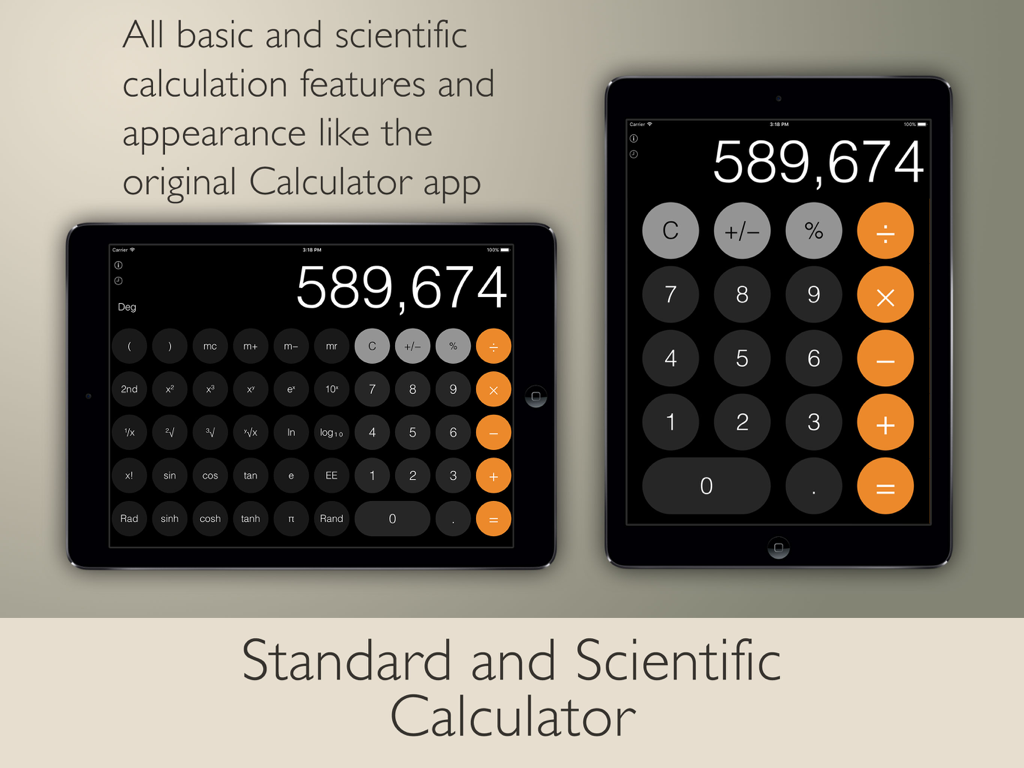
標準的な縦向きと科学計算の横向きモードの両方で、フラットなUIデザインのiPad用電卓Pad Editionを表示する2台のiPad。

標準的な縦向きと科学計算の横向きモードの両方で、フラットなUIデザインのiPad用電卓Pad Editionを表示する2台のiPad。

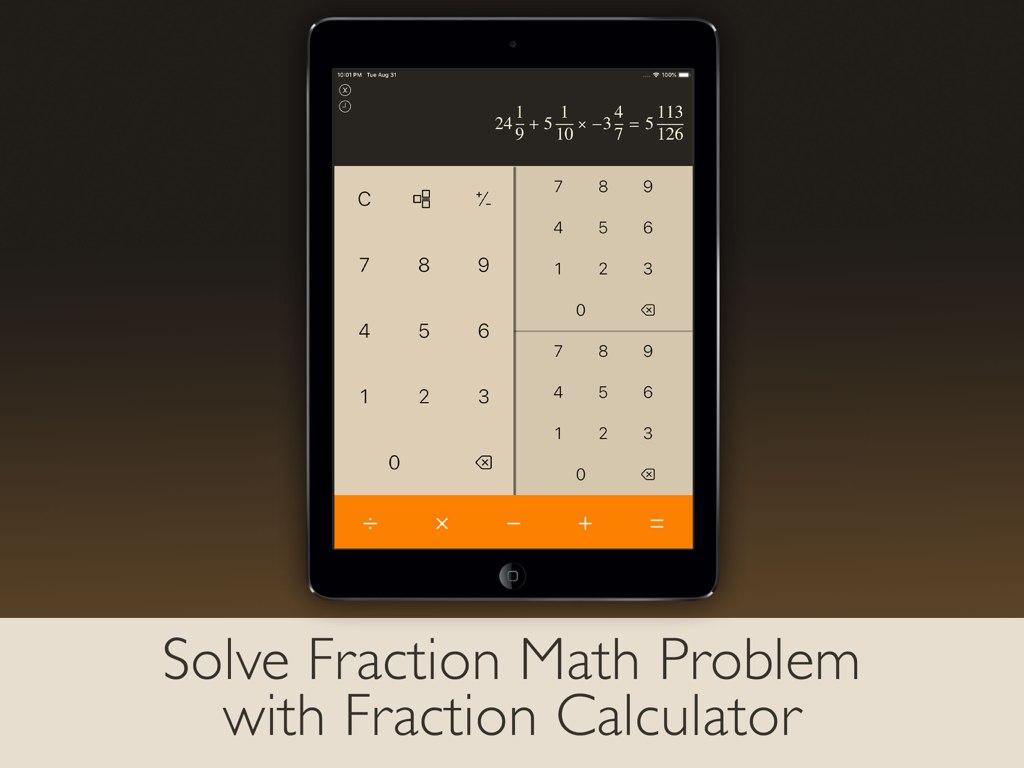
複雑な分数方程式が解かれた、iPad用電卓Pad Editionの分数計算モードを表示するiPad画面。

複雑な分数方程式が解かれた、iPad用電卓Pad Editionの分数計算モードを表示するiPad画面。

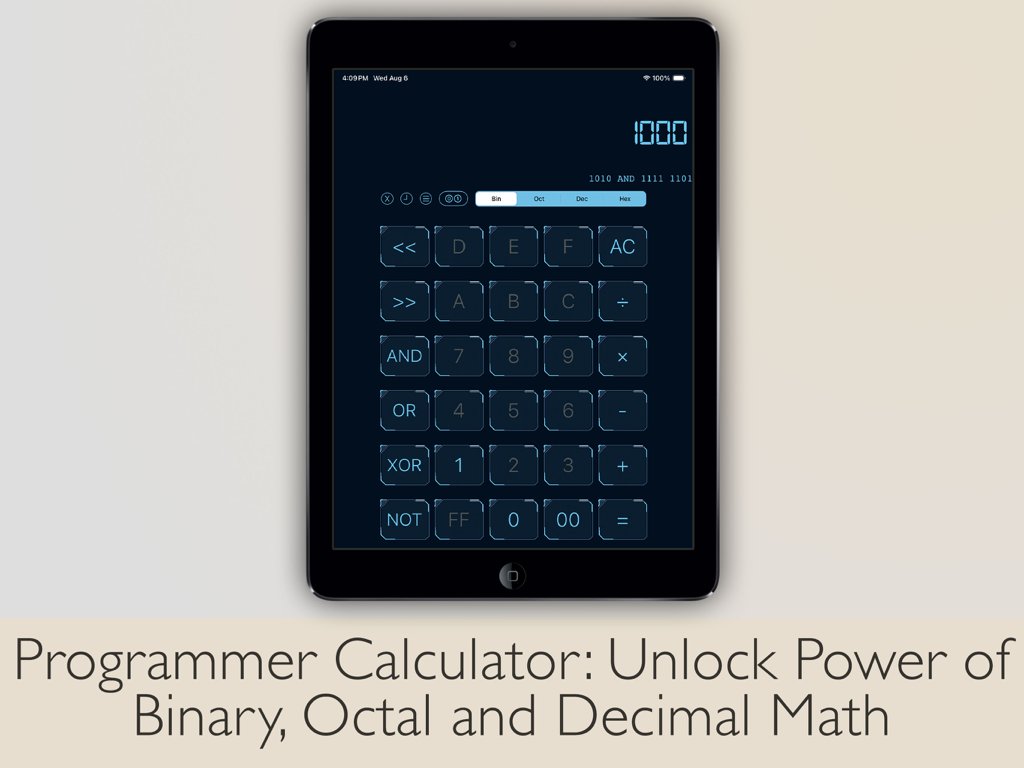
iPadでのバイナリ、八進数、十進数計算用のプログラマー電卓インターフェース。

iPadでのバイナリ、八進数、十進数計算用のプログラマー電卓インターフェース。

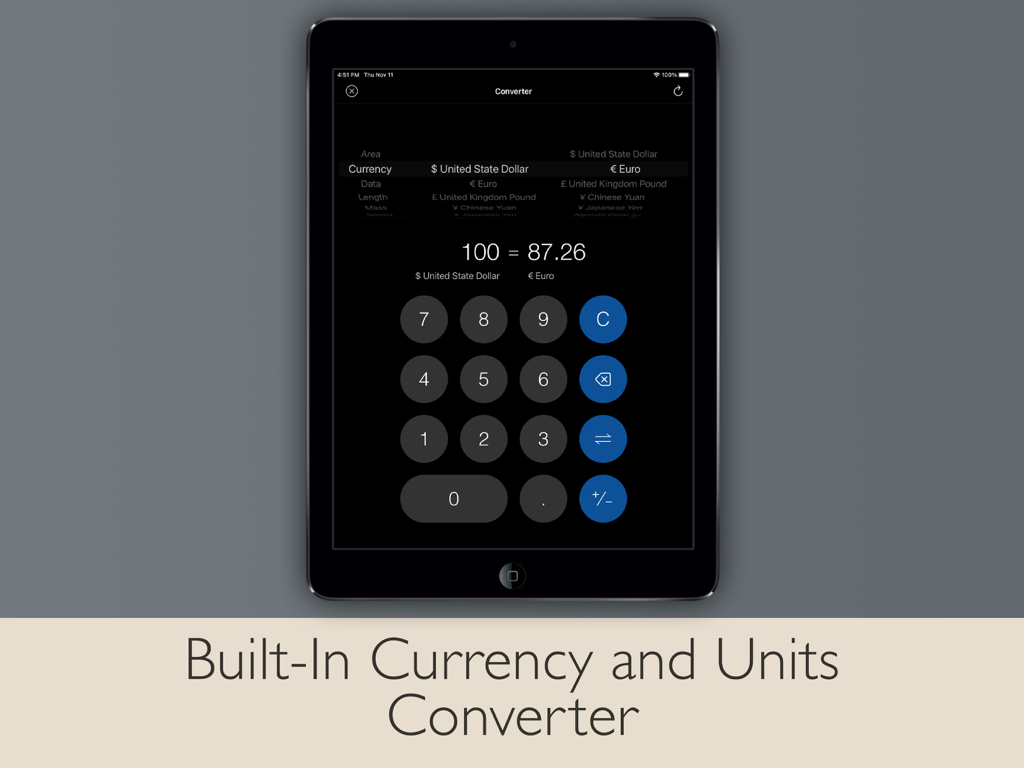
iPad画面で通貨および単位コンバーターを表示する、iPad用電卓Pad Editionアプリのインターフェース。

iPad画面で通貨および単位コンバーターを表示する、iPad用電卓Pad Editionアプリのインターフェース。

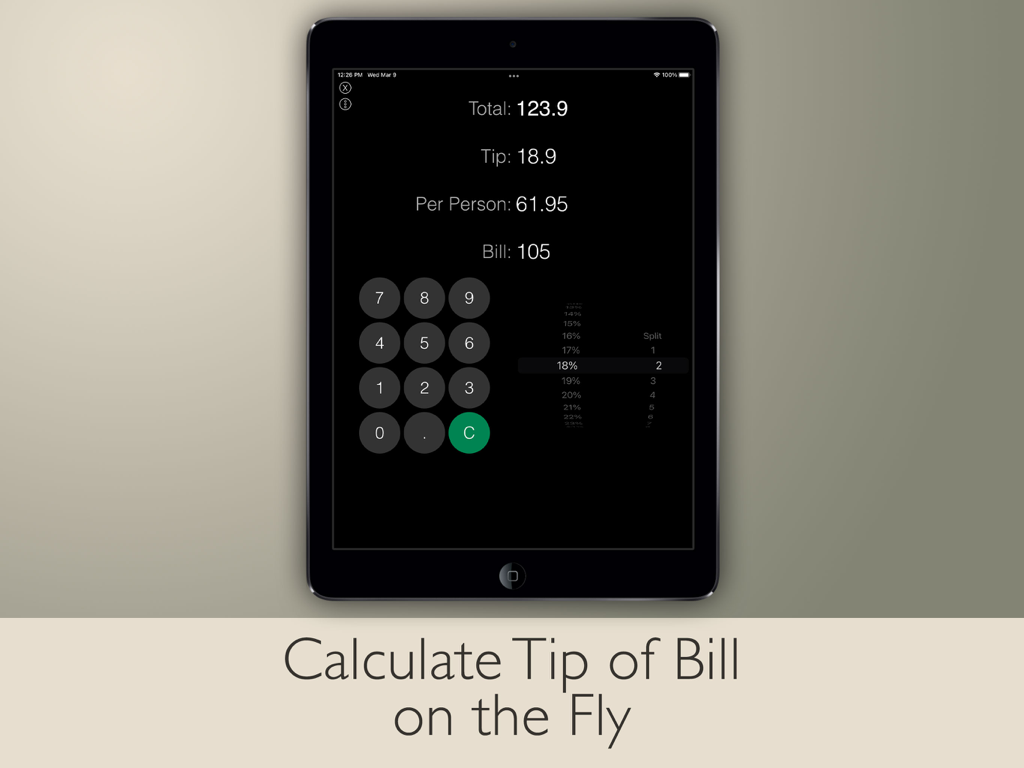
iPadのチップ電卓と割り勘計算インターフェース。合計チップと1人あたりの金額の計算が表示されます。

iPadのチップ電卓と割り勘計算インターフェース。合計チップと1人あたりの金額の計算が表示されます。

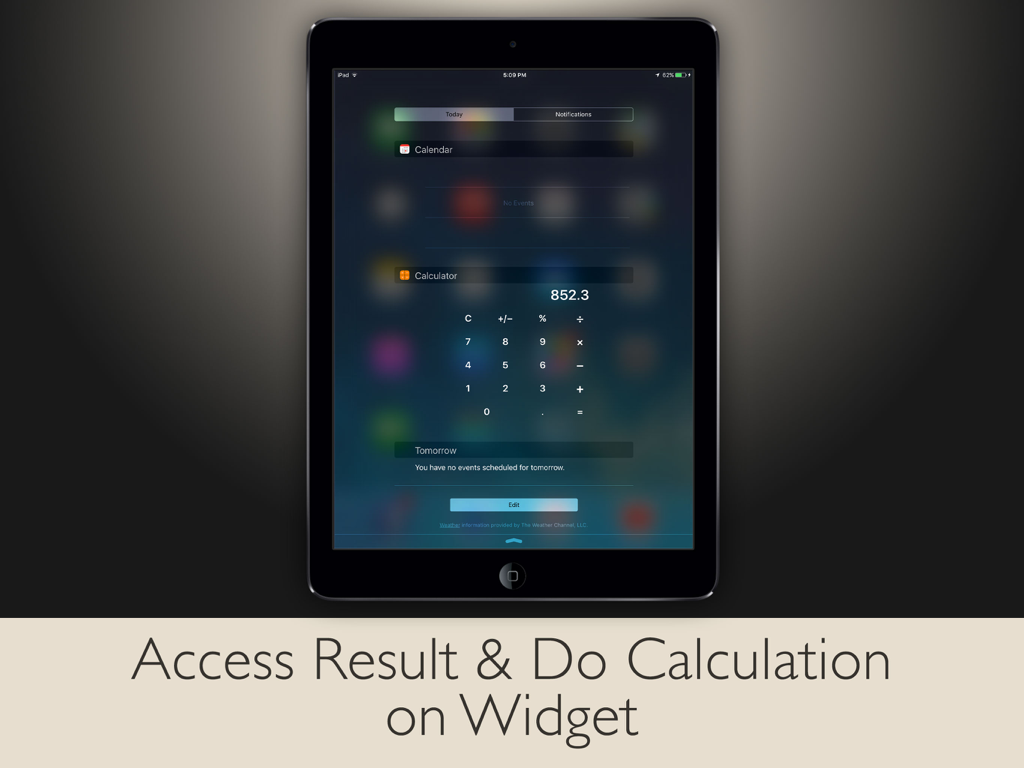
クイックアクセスと計算のための、今日の表示にあるiPad電卓ウィジェット。

クイックアクセスと計算のための、今日の表示にあるiPad電卓ウィジェット。

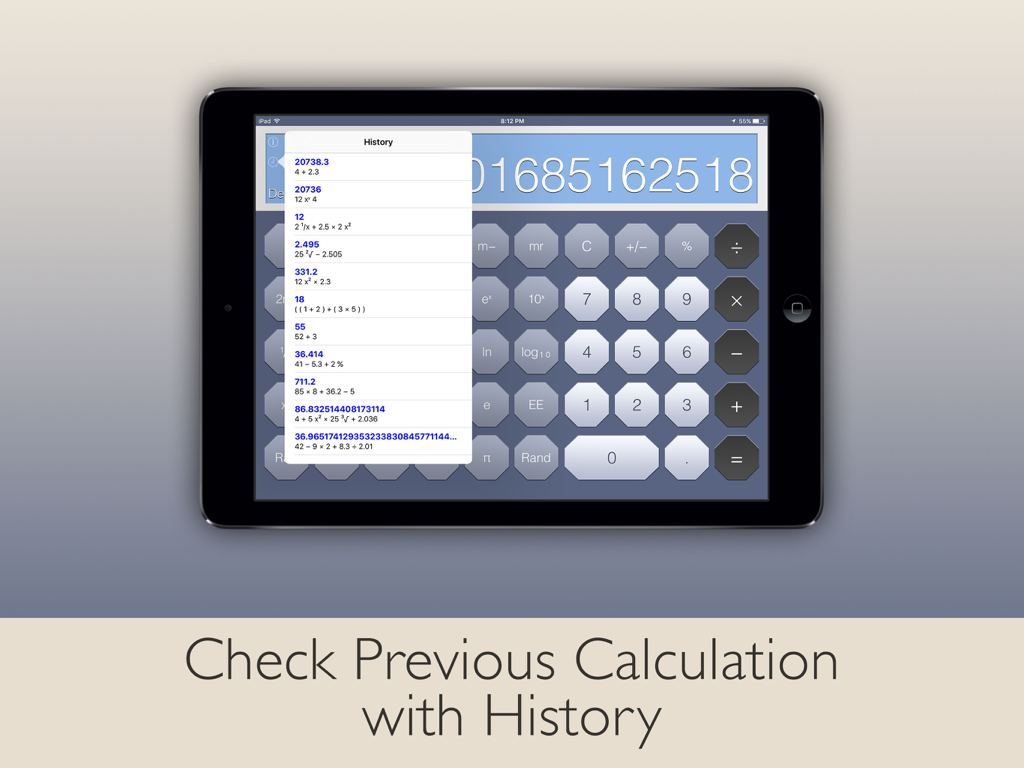
ポップアップメニューで以前の計算履歴を表示するiPad用科学計算電卓。

ポップアップメニューで以前の計算履歴を表示するiPad用科学計算電卓。

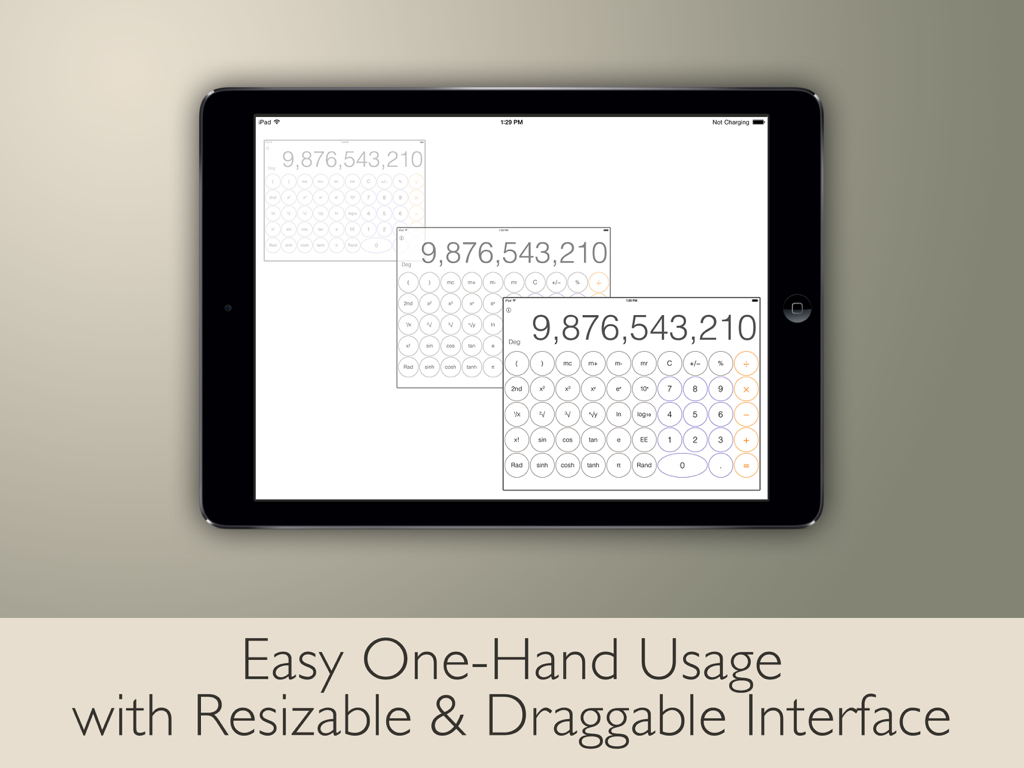
片手での簡単な使用のために、リサイズ可能でドラッグ可能なインターフェースを備えたiPad電卓。

片手での簡単な使用のために、リサイズ可能でドラッグ可能なインターフェースを備えたiPad電卓。

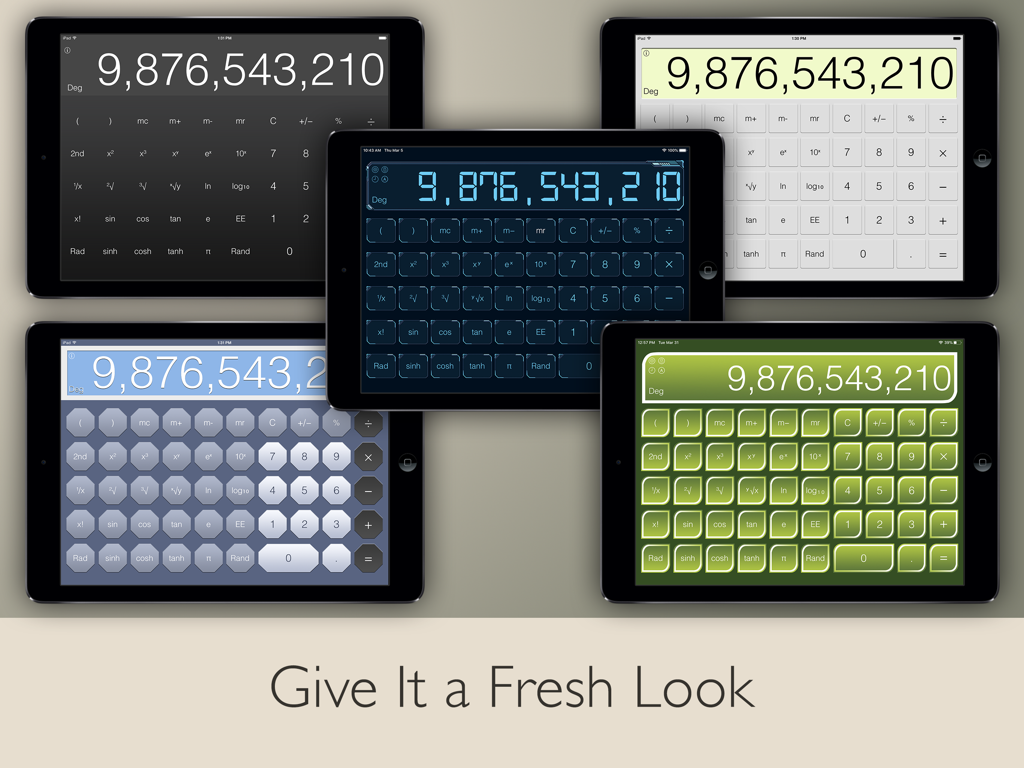
ダーク、ライトブルー、グリーンなど、iPad用電卓Pad Editionアプリのさまざまなカラースキームを表示する5台のiPad。

ダーク、ライトブルー、グリーンなど、iPad用電卓Pad Editionアプリのさまざまなカラースキームを表示する5台のiPad。

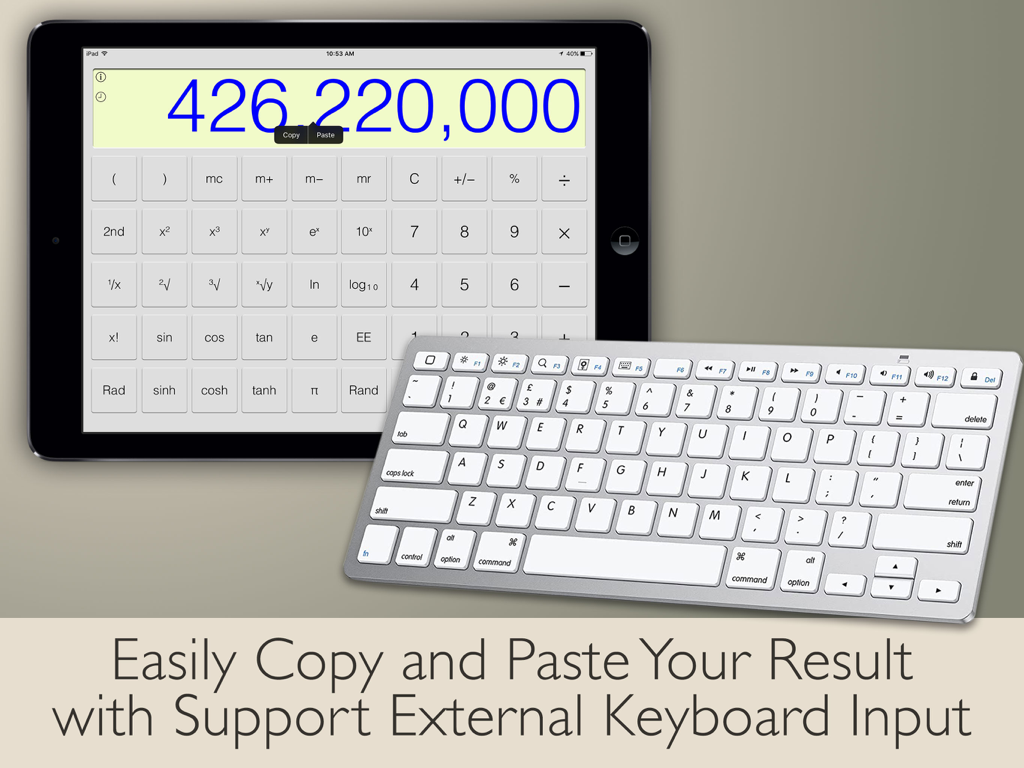
外部ワイヤレスキーボードを備えた、大きな数字を表示するiPad上の科学計算アプリ。 ipad-calculator-app-external-keyboard-support

外部ワイヤレスキーボードを備えた、大きな数字を表示するiPad上の科学計算アプリ。 ipad-calculator-app-external-keyboard-support

iPadにふさわしいオールインワンユーティリティ

このアプリを際立たせるツール、 19M+ 人のユーザーが選択.

📐

高度な科学計算 & 分数ツール

専用の分数計算モードと完全な科学計算機能で、複雑なSTEM課題やエンジニアリングタスクをマスターしましょう。

🔄

ユニバーサルコンバーター スイート

日々の通貨レートと、長さ、質量、温度を含む20以上の単位カテゴリに即座にアクセスできます。

💻

プロの生産性のために構築

ラップトップのような体験のために、Split Viewマルチタスクサポートと外部ハードウェアキーボード入力を活用して、ワークフローを最大化します。

世界中のユーザーに愛されています

Trusted by 19M+ 人がこのアプリを愛用しています.

"

"工学専攻の学生として、分数モードと科学計算モードは私のコースワークにとって絶対的な救世主です。Split Viewをサポートしているため、デジタル教科書を読んでいる間、複雑な方程式を計算でき、途切れることがありません。"

Sarah M., STEM学生
"

"これはまさにiPadに欠けていたものです。クリーンなインターフェースはiOSの美学に完全に一致しており、単位変換機能には、旅行用の通貨からDIYプロジェクトのトルクまで、すべてが揃っています。究極のオールインワンユーティリティです。"

David R., プロジェクトマネージャー

アプリについて

について知っておくべきこと Calculator - Pad Edition.

説明

Designed to fill in for the missing calculator app on the iPad with simplicity and functionality. This app features the modern design of flat UI of iOS which look like original built-in app. Users can make basic calculation in portrait and handy scientific calculation in landscape. It provides all scientific functions such as root, power, factorial, exponential, divisions, and logarithm are supported. Including trigonometric functions like sine, cosine, tangent, arch, and more. Unlock the power of binary, octal, decimal, and hexadecimal math with Programmer Calculator. Solve fraction math problem quickly and easily with Fraction Calculator. Includes international currency conversion and variety of units conversion categories. Tip calculator to calculate tip percentage for food and drink on the fly. Save time when use bill splitter, and tip exactly what you mean to, no more, no less. BASIC/SCIENTIFIC CALCULATOR • All functions like the original calculator app • Basic calculation in portrait • Scientific calculation in landscape • Manual basic & scientific calculator switching in portrait or landscape orientation • Access result and do calculation on widget • Switch between Degrees and Radians calculations • Make more complex calculations with Memory buttons • Simply swipe on the digits to delete a single wrong digit UNIT CONVERTER • Currency converter with daily updated exchange rates in the universal currency • Freely convert units from variety of categories • All catalogs in converter include: Currency, Area, Data, Length, Mass, Velocity, Temperature, Time, Volume, Acceleration, Angle, Current, Energy, Force, Illumination, Inductance, Magnitude, Power, Pressure, Radiation and Torque FRACTION CALCULATOR • Built-in fraction calculator to solve fraction math • Display result in proper fraction, improper fraction or decimal number PROGRAMMER CALCULATOR • Multi-base calculations with seamlessly switch between binary, octal, decimal and hexadecimal • Perform arithmetic and logical operations • Directly view and manipulate the individual bits of the binary number with built-in Bit Editor TIP CALCULATOR • Calculate tip of bill on the fly • Split the bill to share with others • Simply swipe to round any number of total, tip, or per person • Built-in share function to easily share the number with others SIMPLICITY • View whole calculation equation in calculator • Check previous calculation with history • Copy and paste numbers from or into display • Support split view multitasking • Support external hardware keyboard input INTERFACE • Get new feel of different looks with multiple themes • Easy one-hand usage with resizable and draggable interface • Pinch to scale calculator size • Quick actions by tap and hold calculator area • Buttons feedback sound to ensure you touch the buttons correctly NOTES: • To add widget in iOS 14 or later, scroll to the bottom of the widget list, tap Edit, tap Customize, add Calculator widget, and tap Done.

最新バージョン

7.0.2

サイズ

45.6 MB

リリース日

2013年8月14日

iPad体験を今日から完成させましょう

iPad専用に設計された最も強力なオールインワン電卓で、生産性を向上させた1900万人以上のユーザーに加わりましょう。

ダウンロード: App Store
FAQ

よくある質問

について知っておくべきこと Calculator - Pad Edition

電卓 - Pad Editionは科学計算に対応していますか?

はい、電卓 - Pad Editionは基本的な計算と科学計算の両方に対応しています。基本的な機能は縦向きモードで利用でき、三角法や対数などの科学的な機能は横向きモードで表示されます。

電卓 - Pad Editionには単位変換機能が含まれていますか?

はい、電卓 - Pad Editionには包括的な単位変換機能が含まれています。通貨は毎日更新される為替レートで対応し、面積、データ、長さ、質量、温度などのさまざまなカテゴリも扱います。

電卓 - Pad Editionは分数計算を処理できますか?

はい、電卓 - Pad Editionには分数計算機能が組み込まれています。分数の数学の問題を解決し、結果を真分数、仮分数、または小数として表示します。

電卓 - Pad Editionはプログラマーズ電卓を提供していますか?

はい、電卓 - Pad Editionはプログラマーズ電卓を提供しています。複数の基数計算に対応しており、算術演算と論理演算のために2進数、8進数、10進数、16進数の基数間をシームレスに切り替えることができます。

電卓 - Pad Editionにはチップ計算機能と割り勘機能がありますか?

はい、電卓 - Pad Editionにはチップ計算機能があります。チップの割合をその場で計算し、請求書分割機能も含まれているため、複数人で簡単に費用を共有できます。

電卓 - Pad EditionはiOSウィジェットからアクセスできますか?

はい、電卓 - Pad Editionはウィジェットからのアクセスに対応しています。ユーザーは電卓ウィジェットを追加して、iOSウィジェットリストから直接結果を表示したり、計算を実行したりできます。

電卓 - Pad Editionは計算履歴を保存しますか?

はい、電卓 - Pad Editionは過去の計算を記録します。ユーザーは計算履歴を確認して、アプリ内で過去の数式と結果をレビューできます。

電卓 - Pad Editionは外部キーボード入力をサポートしていますか?

はい、電卓 - Pad Editionは外部ハードウェアキーボード入力をサポートしています。この機能により、ユーザーは数字や演算を簡単に​​入力でき、使いやすさが向上します。