Call Recorder for iPhone.

Call Recorder for iPhone.

ダウンロード: App Store
Spark by MWM logo
ロゴ: Call Recorder for iPhone.
iPhone向け通話レコーダー。すべての言葉を記録し、重要な詳細を確実にします。

重要な会話の記録に最適なプロフェッショナルな選択肢。通話を簡単にテキストに文字起こし、会話を翻訳し、あらゆるビジネス契約の安全なデジタル記録を維持します。

開発元

JatApp LLC

カテゴリ

Business

ダウンロード

12M+

ユーザー評価

4.5/5

評価数

194K+

対応言語

17

一目でわかる精度

このインターフェースを利用する 12M+ 人のユーザー.

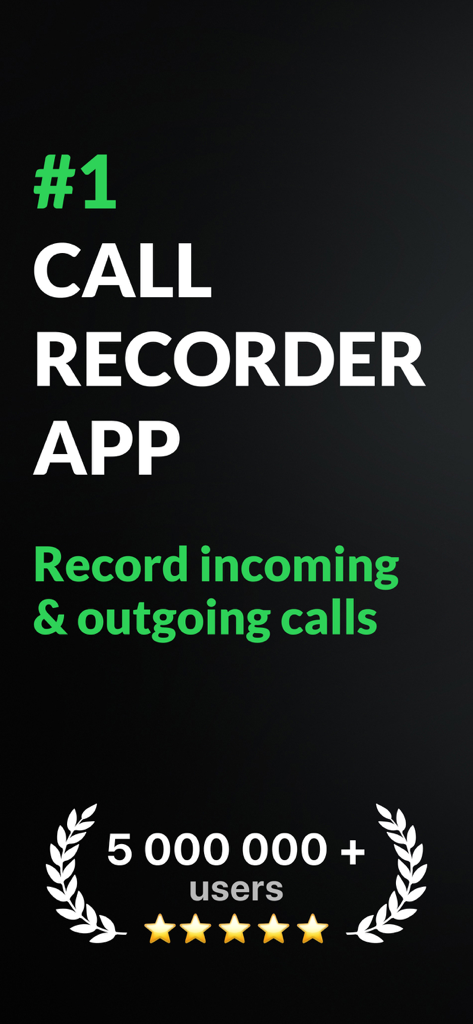
500万人以上のユーザーと5つ星評価でトップランキングを示しているiPhone向け通話レコーダーのプロモーション画面。

500万人以上のユーザーと5つ星評価でトップランキングを示しているiPhone向け通話レコーダーのプロモーション画面。

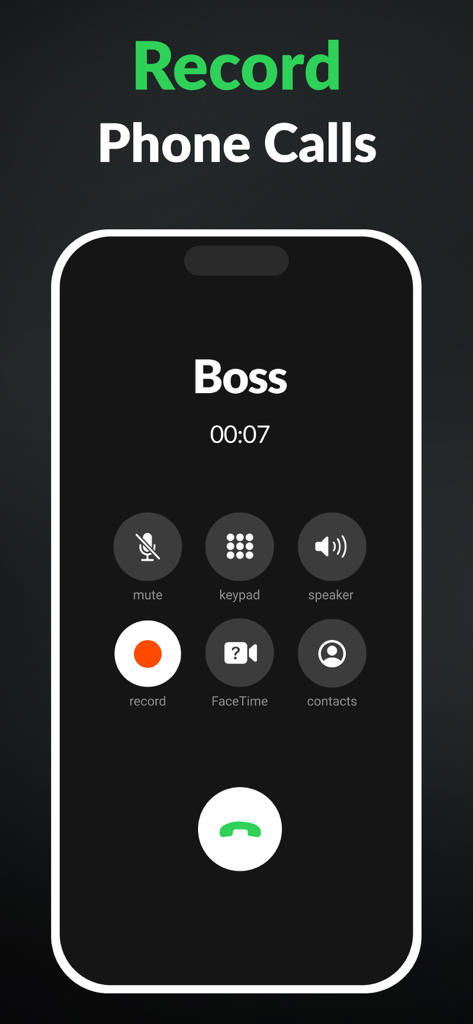
録音ボタンがハイライトされた、ボスとのアクティブな通話を示すiPhone画面

録音ボタンがハイライトされた、ボスとのアクティブな通話を示すiPhone画面

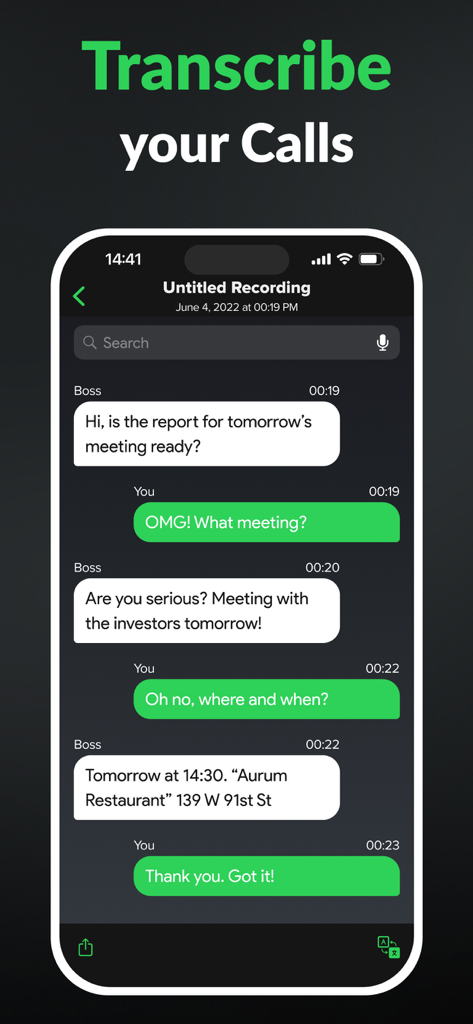
iPhone通話レコーダーアプリの自動音声テキスト文字起こし画面

iPhone通話レコーダーアプリの自動音声テキスト文字起こし画面

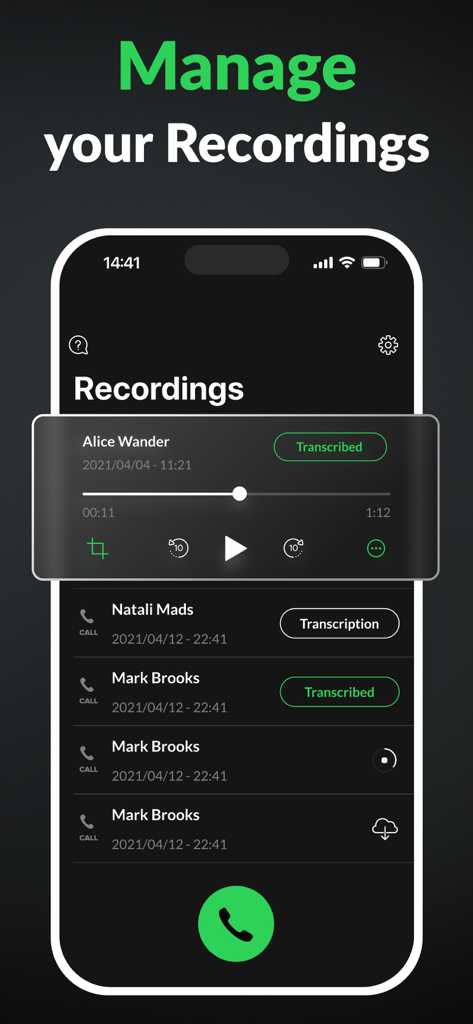
文字起こしステータスと再生コントロールを備えた録音通話リストを示すiPhone通話レコーダーアプリのインターフェース

文字起こしステータスと再生コントロールを備えた録音通話リストを示すiPhone通話レコーダーアプリのインターフェース

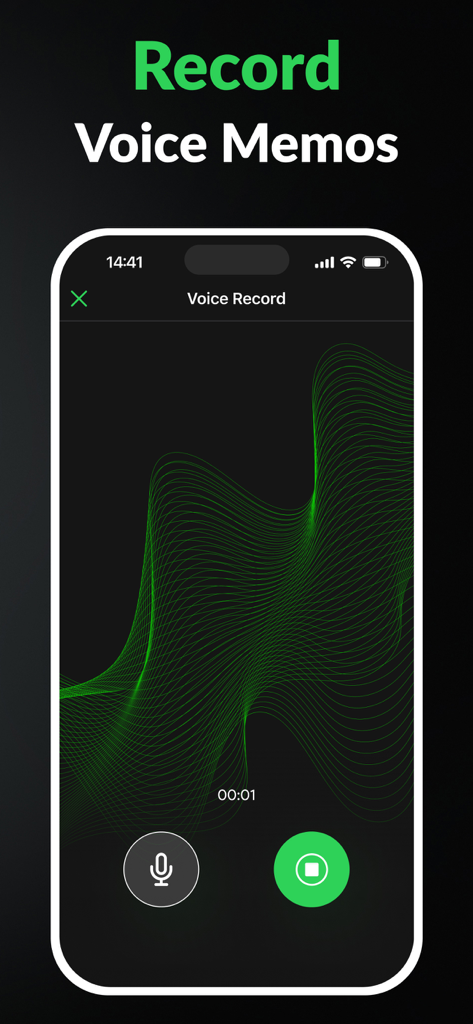
グリーン波形が表示されたボイスメモ録音セッションを示すiPhone通話レコーダーアプリのインターフェース

グリーン波形が表示されたボイスメモ録音セッションを示すiPhone通話レコーダーアプリのインターフェース

すべての言葉を正確に記録

このアプリを際立たせるツール、 12M+ 人のユーザーが選択.

⏺️

無制限のビジネス録音

クライアントへの説明で重要な詳細を逃さないように、期間制限なしで高解像度で着信および発信通話をキャプチャします。

🤖

AI搭載文字起こし

会話を瞬時に検索可能なテキストに変換します。手作業でのメモ取りなしで引用を引用する必要があるジャーナリストや弁護士に最適です。

🛡️

プロフェッショナルな説明責任

録音を安全に整理およびエクスポートして、紛争を瞬時に解決し、あらゆる口頭契約の確定的なデジタル記録を維持します。

世界中のユーザーに愛されています

Trusted by 12M+ 人がこのアプリを愛用しています.

"

"法律コンサルタントとして、正確さがすべてです。このアプリは、口頭での合意を記録し、詳細が失われないようにするために不可欠です。文字起こし機能は信じられないほど正確で、手作業でのメモ取りの時間を数時間節約してくれます。私の業務にとって、必要だと知らなかった安心感を与えてくれます。"

Sarah M., Independent Legal Consultant
"

"通勤中に常にディスカバリーコールを受けており、メモを取ることができません。国際的なクライアントとの会話を録音し、後で翻訳できることは、まさにゲームチェンジャーです。使いやすく、信頼性があり、あらゆるビジネス取引のセカンドメモリになりました。"

David L., Creative Agency Founder

アプリについて

について知っておくべきこと Call Recorder for iPhone..

説明

Call Recorder for iPhone allows you to save any incoming and outgoing call in seconds. Easily turn your phone conversations into handy voice notes for later use. Ever forgot names, numbers, dates, or places that were mentioned during the call? Don't always have a notebook to write important details that come up in a phone conversation? Tired of people denying their own words? Wouldn't it be nice to have a phone call recording to resolve any dispute? Call Recorder for iPhone - a must-have app for personal as well as business calls. Hiring managers, journalists, lawyers, businessmen, other professionals, and anyone wanting to record phone calls will enjoy using the call recorder app. Get Call Recorder for iPhone now to: - Save every detail of each personal or business call - Access and listen to your recordings anytime, anywhere - Share phone calls with other people and apps Best features of Call Recorder for iPhone: - No limits on the recording of incoming and outgoing calls; - Enjoy clear calls with a high-quality recording; - Easily add the contacts you need and start recording; - Listen to your calls in the background, you don't need the application open; - Manage your records, search and find them with ease; - Automated voice to text transcription: turn your call recordings into text with just one tap.Rename records if you need to; - Translation to all languages: translate your transcribed conversations; - Take care about the memory of your iPhone and delete records you don't need. Call Recorder for iPhone ensures outstanding experience by being user-friendly and very easy to use. The configuration process is as simple as possible so that you could enjoy your call recording right away. Call Recorder For iPhone" uses the "Conference" function of the user's operator to record calls. We offer a wide range of subscription options so that you can choose the right one for you (annual access renewal, monthly access renewal, weekly renewal with a 3-day free trial). You can cancel your subscription at any moment in your iTunes account settings, but refunds will not be provided for any unused portion of the terms. Payment will be charged to your iTunes Account at purchase confirmation. Any unused portion of a free trial period, if offered, will be forfeited when the user purchases a subscription to that publication, where applicable. Detailed information on our Terms of Use and Privacy Policy is available here: https://callrecorderios.com/privacy-policy https://callrecorderios.com/terms-of-use https://callrecorderios.com/license-agreement

最新バージョン

2.8.0

サイズ

219.8 MB

リリース日

2020年4月20日

すべての詳細を記録する準備はできましたか?

1200万人のプロフェッショナルが、通話レコーダーを利用して契約を確保し、メモを自動化しています。今すぐ録音を開始しましょう。

ダウンロード: App Store
FAQ

よくある質問

について知っておくべきこと Call Recorder for iPhone.

What is Call Recorder for iPhone?

Call Recorder for iPhoneは、着信および発信通話を保存し、ボイスメモに変換するアプリです。重要な詳細を記憶するのに役立ち、個人的またはビジネス目的で録音された電話会話を提供することで紛争を解決できます。

Does Call Recorder for iPhone record both incoming and outgoing calls?

はい、Call Recorder for iPhoneは、無制限に着信および発信通話を録音します。この機能により、ユーザーは個人またはビジネスの通話のすべての詳細を後でアクセスおよび使用できるように保存できます。

Can Call Recorder for iPhone transcribe recorded calls?

はい、Call Recorder for iPhoneは、自動音声テキスト文字起こしを提供します。ユーザーはワンタップで通話録音をテキストに変換でき、これらの文字起こしされた会話をさまざまな言語に翻訳することもできます。

How does Call Recorder for iPhone record calls?

Call Recorder for iPhoneは、ユーザーのモバイルオペレーターが提供する「会議」機能を利用して通話を録音します。この方法により、着信および発信通話の両方のオーディオをキャプチャできます。

What are the subscription options for Call Recorder for iPhone?

Call Recorder for iPhoneは、さまざまなサブスクリプションオプションを提供しています。年間のアクセス更新、月間のアクセス更新、および3日間の無料トライアルを含む週間の更新です。支払いはiTunesアカウントに請求されます。

Can I cancel my Call Recorder for iPhone subscription?

はい、ユーザーはいつでもCall Recorder for iPhoneのサブスクリプションをキャンセルできます。キャンセルはiTunesアカウント設定を通じて処理されます。サブスクリプション期間の未使用分に対する返金はありません。

Does Call Recorder for iPhone offer a free trial?

はい、Call Recorder for iPhoneは3日間の無料トライアルを提供しています。このトライアルは、週間の更新サブスクリプションオプションの一部です。無料トライアル期間の未使用分は、サブスクリプションを購入すると失効します。

Can Call Recorder for iPhone users share recordings?

はい、Call Recorder for iPhoneでは、ユーザーは電話の通話録音を他のユーザーやアプリケーションと共有できます。この機能により、重要な会話を便利に配布できます。

Can I manage my recordings within the Call Recorder for iPhone app?

はい、ユーザーはCall Recorder for iPhone内で録音を管理できます。これには、整理されたコレクションを維持するために、録音を検索、検索、名前変更、削除することが含まれます。

Does Call Recorder for iPhone record voice memos?

はい、Call Recorder for iPhoneにはボイスメモを録音する機能が含まれています。この機能により、ユーザーはアプリのインターフェイスを介して直接すばやくオーディオノートをキャプチャできます。