Castro: Podcast App & Player

Castro: Podcast App & Player

ダウンロード: App Store
Spark by MWM logo
ロゴ: Castro: Podcast App & Player

Castro:ポッドキャストをマスターし、時間を取り戻す

パワーリスナーのためのエリートプレーヤー。プロのように受信トレイを選別し、無音を自動的にカット、毎日の通勤に最適なキューをキュレートします。

ダウンロード: App Store

開発元

Bluck Podcast LLC

カテゴリ

News

ダウンロード

604K+

ユーザー評価

4.6/5

評価数

20K+

対応言語

1

すべてのピクセルに効率を

このインターフェースを利用する 604K+ 人のユーザー.

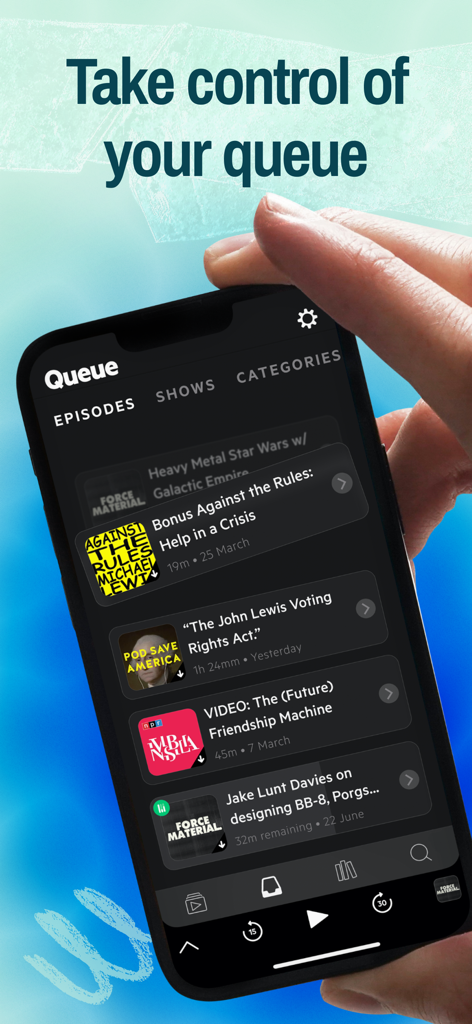
洗練されたダークモードインターフェースで複数のエピソードが表示されたCastroポッドキャストアプリのキュー画面。

洗練されたダークモードインターフェースで複数のエピソードが表示されたCastroポッドキャストアプリのキュー画面。

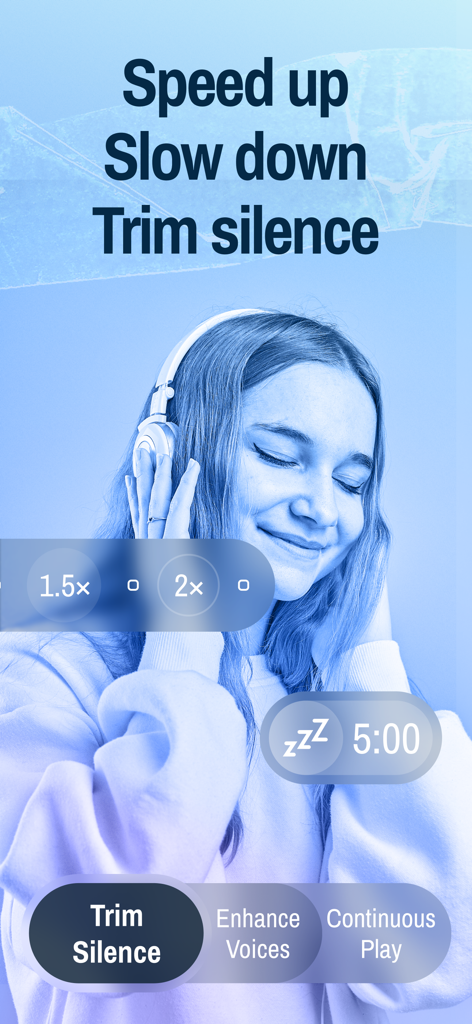
無音の短縮、再生速度、音声を強調の機能を表示するCastroポッドキャストアプリのインターフェース

無音の短縮、再生速度、音声を強調の機能を表示するCastroポッドキャストアプリのインターフェース

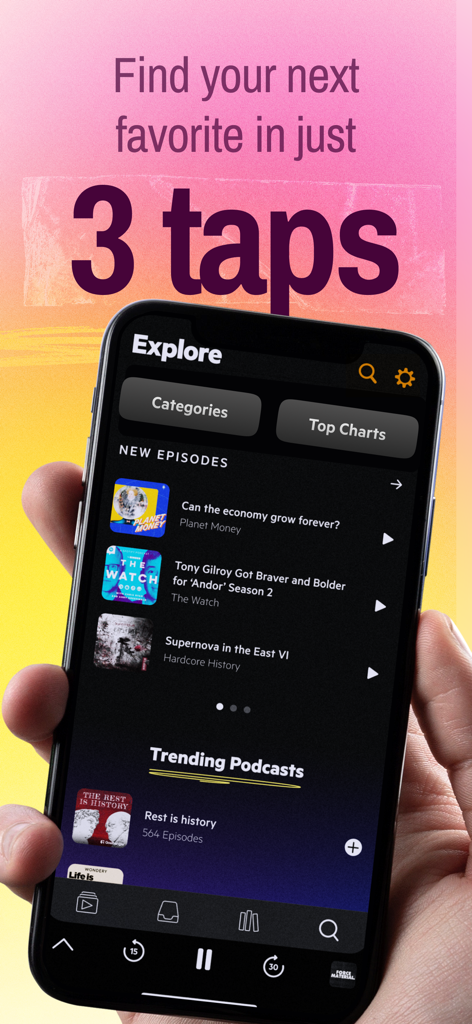
トレンドのエピソードが表示されたCastroポッドキャストアプリの「見つける」タブを表示しているiPhoneを持つ手

トレンドのエピソードが表示されたCastroポッドキャストアプリの「見つける」タブを表示しているiPhoneを持つ手

「混乱なし、ポッドキャストだけ」というテキストとともにヘッドフォンを着用した女性

「混乱なし、ポッドキャストだけ」というテキストとともにヘッドフォンを着用した女性

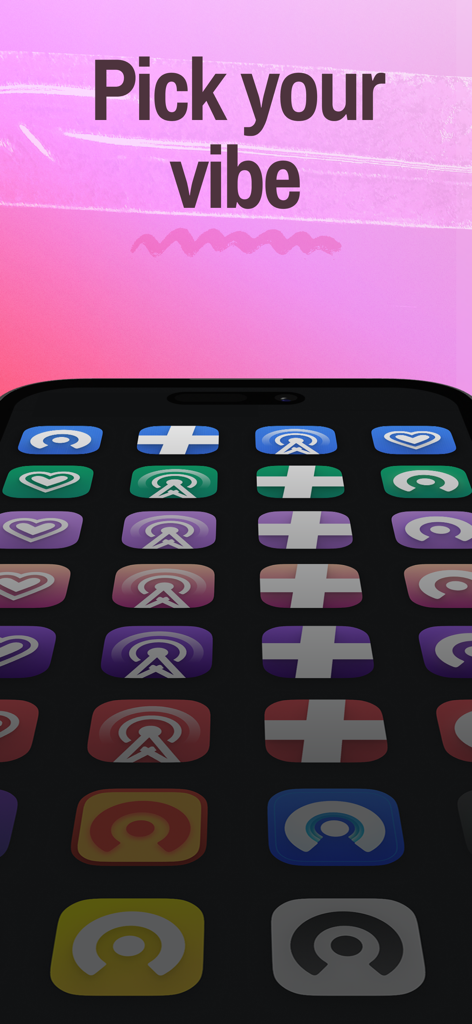
「あなたのバイブスを選んで」というテキストとともにiPhoneに表示された、Castroポッドキャストプレーヤーの多彩でカラフルなカスタムアプリアイコン

「あなたのバイブスを選んで」というテキストとともにiPhoneに表示された、Castroポッドキャストプレーヤーの多彩でカラフルなカスタムアプリアイコン

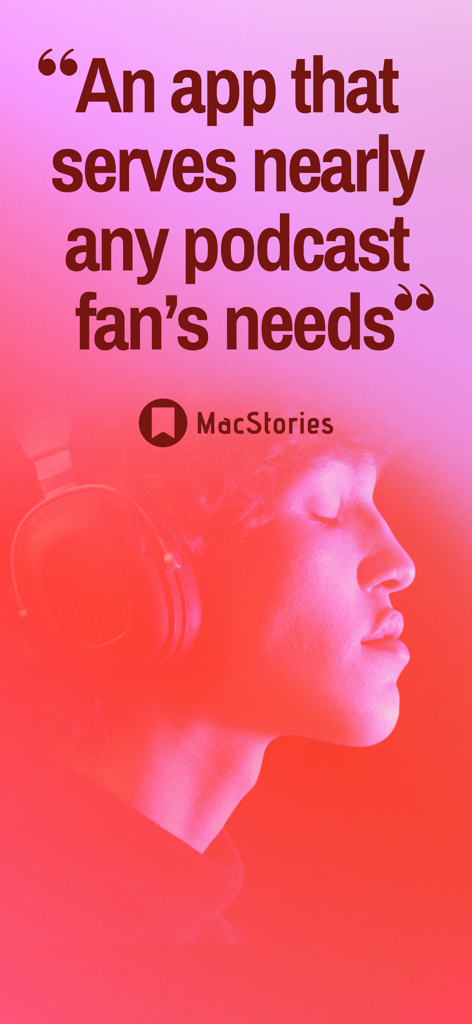
ヘッドフォンをつけたリスナーをフィーチャーした、MacStoriesによるCastroポッドキャストアプリのレビュー引用

ヘッドフォンをつけたリスナーをフィーチャーした、MacStoriesによるCastroポッドキャストアプリのレビュー引用

情報フローをマスターする

このアプリを際立たせるツール、 604K+ 人のユーザーが選択.

📥

購読の罪悪感を克服する

メールのようにポッドキャストを選別。新しいエピソードは受信トレイに届きます。関連性のあるものをキューに入れ、残りはアーカイブ。未再生数が増えるストレスはありません。

効率を最大化

「無音を短縮」と「音声を強調」で毎週数時間を節約。プロ仕様のオーディオ最適化により、より短い時間でより多くのコンテンツを聴くことができます。

🚗

摩擦のない日常のルーチン

シンプルなドラッグ&ドロップのキューで一日を計画。朝のコーヒーからCarPlay、そしてApple Watchへと、リスニングをシームレスに切り替えられます。

世界中のユーザーに愛されています

Trusted by 604K+ 人がこのアプリを愛用しています.

"

"60以上のテック系ポッドキャストをフォローしている開発者として、以前は購読の罪悪感に悩まされていました。Castroの受信トレイシステムがそれを完全に変えてくれました。数秒でエピソードを選別でき、『無音を短縮』機能のおかげで、内容を逃さず毎日のキューを20%早く消化できています。情報を主要な燃料とするすべての人にとって究極のツールです。"

Marcus T., シニアソフトウェアエンジニア
"

"このアプリのデザインは完璧です。市場で最も美しく直感的なプレーヤーであることは間違いありません。通勤中のCarPlayから、夜のランニング中のApple Watchへの切り替えがとてもスムーズで気に入っています。『音声を強調』機能は、都会の騒音の中でもお気に入りの番組をはっきりと聴くための画期的な機能です。"

Sarah J., クリエイティブディレクター

アプリについて

について知っておくべきこと Castro: Podcast App & Player.

説明

Castro is a beautiful, full-featured podcast player that makes it easy to track and manage lots of podcasts at the same time. Only listen to the episodes you want and easily skip the rest, queue up hours of podcasts at a time and enjoy a seamless listening experience with carplay compatibility, chapter support, trim silence and much, much more! HOW IT WORKS 1. New episodes land in the NEW tab. Read their descriptions, add episodes you like to your QUEUE, and clear the rest. 2. Press play to listen to episodes from your QUEUE in order. Queued episodes are downloaded automatically. 3. Re-order your QUEUE to plan your next few hours of listening at any time. Browse your LIBRARY to review the back catalogue, quickly access starred shows, and see your listening history. Subscribing to a podcast is no longer a commitment to listen to every episode. You don’t have to manage a huge list of subscriptions or choose a few shows and miss the rest. WHY OUR USERS LOVE CASTRO • Drag and drop podcasts to plan your listening with Castro’s unique queue • An elegant dark mode and thoughtfully designed sleep timer offer the best in night time podcast listening. • CarPlay support makes it easy to pick up where you left off while driving. • Apple Watch app to control playback and select another episode from your queue. • Episode notifications include a summary of the episode to help you decide if it interests you. Play, queue or clear the episode directly from the notification without opening the app. CASTRO PLUS Castro Plus is an optional paid subscription available for $24.99/year (includes a one-week trial). Plus unlocks a range of advanced features: • Trim Silence — With this option on, the app will analyze audio as it plays to detect silent parts and accelerate those parts. Get through more episodes faster. • Enhance Voices improves the listening experience for many podcasts and makes it easier to hear in loud environments. Under the hood, Enhance Voices applies a dynamic compressor to increase volume just where it’s needed. • Sideloading: Import audio files directly, just by dropping them in iCloud Drive • Mono-Mix — Mixes a stereo podcast to mono, which makes it easier to hear podcasts that pan some guests on left/right channels. • Chapter Support: Artwork, Skipping & Pre-selection. • Custom settings per-podcast: Episode Limit, Trim Silence, Enhance Voices, Mono Mix, Skip Intros, Playback Speed. WHAT PEOPLE ARE SAYING “Castro 3 is an incredible app.” — The Sweet Setup “Castro 3 is everything Castro already was, but better.” — MacStories Castro 3 Is a Great Modern Podcast App” — Beautiful Pixels “Unlike other podcatchers, Castro's primary virtue is its simplicity and ease of use. The app combines sleek visual design with crystal clear audio.” — Tom’s Guide CASTRO PLUS SUBSCRIPTION TERMS Castro Plus costs $24.99 per year. Prices are in US dollars and may vary in countries other than the US. Castro Plus is charged to your iTunes Account at confirmation of purchase. It will renew on the day before the current subscription period ends. You can cancel auto-renewal any time from the Castro settings screen. You can switch between the two subscription periods after you pick one, but your trial period will end immediately if you do, so it's best to wait till your free week is over before changing. Subscription automatically renews unless auto-renew is turned off at least 24-hours before the end of the current period. Your account will be charged for renewal within 24-hours prior to the end of the current period. Subscriptions may be managed by the user and auto-renewal may be turned off by going to the user's Account Settings after purchase. Any unused portion of a free trial period, if offered, will be forfeited when the user purchases a subscription to that publication, where applicable. Privacy Policy & Terms of Use: https://castro.fm/privacy-policy

最新バージョン

2025.12.2

サイズ

162.5 MB

リリース日

2016年8月15日

今すぐ情報過多を克服しましょう

購読の罪悪感を完璧にキュレートされたキューに替えた、数千人のパワーリスナーの仲間入りをしましょう。Castroをダウンロードして、iPhone、Apple Watch、CarPlayでリスニング時間を取り戻しましょう。

ダウンロード: App Store
FAQ

よくある質問

について知っておくべきこと Castro: Podcast App & Player

What is Castro: Podcast App & Player?

Castroは、ポッドキャストを追跡、管理、視聴できる、機能満載のポッドキャストプレーヤーです。エピソードのキューイング、CarPlay互換性、無音部分のトリミングなどの機能を提供します。

How does the Castro app manage podcast episodes?

新しいエピソードは「NEW」タブに届きます。ユーザーは希望するエピソードを「QUEUE」に追加し、残りはクリアします。エピソードは「QUEUE」から順番に再生され、自動的にダウンロードされます。

Does Castro support CarPlay?

はい、CastroはCarPlayをサポートしています。この機能により、運転中にポッドキャストの再生を簡単に再開でき、スムーズな体験を保証します。

What is Castro Plus and what features does it include?

Castro Plusは、高度な機能をアンロックするオプションの有料サブスクリプションです。これには、無音部分のトリミング、音声の強調、サイドローディング、モノラルミックス、チャプターサポート、ポッドキャストごとのカスタム設定が含まれます。

How much does Castro Plus cost?

Castro Plusの料金は年間24.99ドルです。この価格は米ドルでの適用となり、他の国では異なる場合があります。

Can I try Castro Plus before subscribing?

はい、Castro Plusには1週間の無料トライアルが含まれています。トライアル期間中にサブスクリプション期間を変更した場合、トライアルは直ちに終了します。

How does the 'Trim Silence' feature work in Castro?

「無音部分のトリミング」が有効になっている場合、Castroはオーディオを分析して無音部分を検出し、加速します。これにより、ユーザーはより多くのエピソードをより速く消化できます。

Does the Castro app offer an Apple Watch app?

はい、CastroはApple Watchアプリを提供しています。ユーザーはApple Watchから直接再生を制御したり、キューからエピソードを選択したりできます。

Can I import audio files into Castro?

はい、Castro Plusはサイドローディング機能を提供しています。ユーザーはiCloud Driveにオーディオファイルをドロップすることで、直接インポートできます。

Does Castro allow users to control episode playback speed?

はい、Castroではエピソードの再生速度を制御できます。スクリーンショット#2には、エピソードを聴くための1.5倍速や2倍速などのオプションが示されています。

How do episode notifications work in Castro?

Castroのエピソード通知には、概要が含まれています。ユーザーはアプリを開かずに、通知から直接エピソードを再生、キューに追加、またはクリアできます。

How can users discover new podcasts in Castro?

ユーザーはCastroの「Explore」タブを通じて新しいポッドキャストを発見できます。このセクションには、カテゴリやトップチャートが表示され、3回のタップで発見できます。

Does Castro have a dark mode or sleep timer?

はい、Castroにはエレガントなダークモードと、考え抜かれたスリープタイマーが搭載されています。これらのオプションは、夜間のポッドキャストリスニングを向上させます。

What is the benefit of 'Enhance Voices' in Castro Plus?

「音声の強調」は、ダイナミックコンプレッションを適用することでリスニングを改善します。この機能は、必要な場所で音量を上げ、騒がしい環境でもポッドキャストを聴きやすくします。

Can I customize settings for individual podcasts in Castro?

はい、Castro Plusではポッドキャストごとにカスタム設定が可能です。オプションには、エピソード制限、無音部分のトリミング、音声の強調、モノラルミックス、イントロスキップ、再生速度が含まれます。

What is Mono-Mix in Castro Plus?

Castro Plusのモノラルミックスは、ステレオポッドキャストをモノラルに変換します。これにより、左右のチャンネルにパンされたゲストがいるポッドキャストでも、聴きやすくなります。

How do I manage my Castro Plus subscription?

ユーザーは購入後、アカウント設定を通じてCastro Plusサブスクリプションを管理し、自動更新をオフにすることができます。自動更新は、Castroの設定からいつでもキャンセルできます。

Does Castro have chapter support for podcasts?

はい、Castro Plusはチャプターサポートを提供しています。これには、ポッドキャストチャプター内のアートワーク、スキップ、事前選択機能が含まれます。