
Citrix Workspace



iPhone または iPad から、すべてのビジネスアプリ、仮想デスクトップ、ファイルに安全にアクセスできます。現代の企業のプロフェッショナル向けにカスタマイズされた、シームレスなエクスペリエンスで生産性を維持しましょう。
開発元
カテゴリ
Businessダウンロード
5M+ユーザー評価
評価数
19K+対応言語
12このインターフェースを利用する 5M+ 人のユーザー.
このアプリを際立たせるツール、 5M+ 人のユーザーが選択.
ネイティブのような高性能エクスペリエンスで、iPhone または iPad 上でミッションクリティカルな Windows アプリやレガシーアプリケーションを実行できます。
機密性の高い企業データに安全なコンテナ経由でアクセスし、煩雑な VPN なしで安心とコンプライアンスを実現します。
デスクで始めたタスクを、通勤中に完了できます。アクティブなセッションはデバイス間で引き継がれるため、進捗が失われることはありません。
Trusted by 5M+ 人がこのアプリを愛用しています.
"Citrix Workspace は、私のハイブリッドワークフローにとってゲームチェンジャーです。オフィス PC から iPad Pro へ、通勤中にシームレスに切り替えることができ、すべてのアプリとファイルはそのままの状態を保つことができます。デスクに縛られずに生産性を維持するための究極のツールです。"
"セキュリティは私の最優先事項であり、Citrix は通常の VPN の煩わしさなしにそれを実現します。iPhone から当社の社内レガシーソフトウェアや機密文書に安全にアクセスでき、どこにいてもクライアントに緊急の更新を提供できます。"
ユーザーレビューの分析.
感情スコア
概要
The Citrix Workspace app is currently receiving predominantly negative feedback, largely due to a series of critical bugs and regressions following recent updates. Users widely report that the essential pinch-to-zoom functionality is broken on mobile devices, rendering the app unusable for many, with specific issues noted on iPhone 17, iPadOS 26, iOS 18.2, and iOS 18.4.1. The application also suffers from frequent crashes, freezing, and unreliable login processes, hindering productivity. While some users acknowledge its core utility for remote access to company portals and general work-related tasks, the app's current instability and usability issues are causing significant frustration.
主なテーマ
について知っておくべきこと Citrix Workspace.
説明
最新バージョン
25.9.0
サイズ
109.0 MB
リリース日
2010年4月1日
すべてのプロフェッショナルアプリとデータに安全かつ即座にアクセスして、ハイブリッドライフスタイルを強化しましょう。外出先でよりスマートに仕事をする何百万人ものエグゼクティブに加わりましょう。
について知っておくべきこと Citrix Workspace
Citrix Workspaceアプリは、SaaS、Web、モバイル、仮想アプリケーション、ファイル、デスクトップへの安全なアクセスを提供します。これにより、ユーザーは会社のリソースに接続することで、どのデバイスからでも、どこからでも生産的に作業できます。
Citrix Workspaceアプリの使用を開始するには、アプリを開き、「開始する」をタップします。次に、IT部門から提供されたサーバーまたはメールアドレス、ユーザー名、パスワードを入力します。
はい、Citrix Workspaceアプリに複数のアカウントを追加できます。「設定」に移動し、「アカウントの管理」をタップして、追加のアカウントをアプリケーションに追加します。
Citrix Workspaceアプリから問題を報告するには、「設定」に移動し、「問題の報告」をタップします。詳細ログを構成し、問題を説明して、生成されたログファイルを電子メールで会社のITサポートチームに送信します。
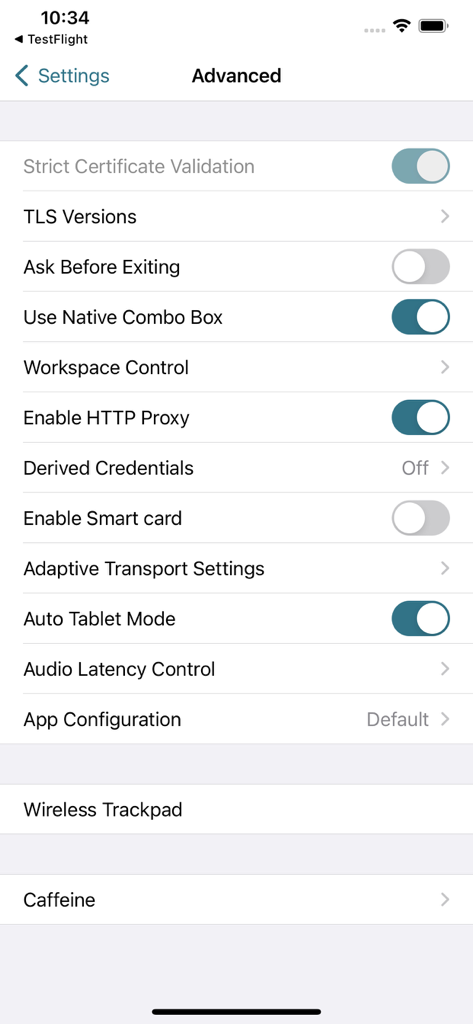
Citrix Workspaceアプリには、厳格な証明書検証、TLSバージョン、Workspace Control、HTTPプロキシの有効化、スマートカードおよびアダプティブトランスポートのオプションなどの高度な設定が含まれています。
はい、Citrix Workspaceアプリはスマートカード認証をサポートしています。ユーザーは、高度な設定内の「スマートカードを有効にする」オプションを有効にすることで、このセキュリティ機能を利用できます。
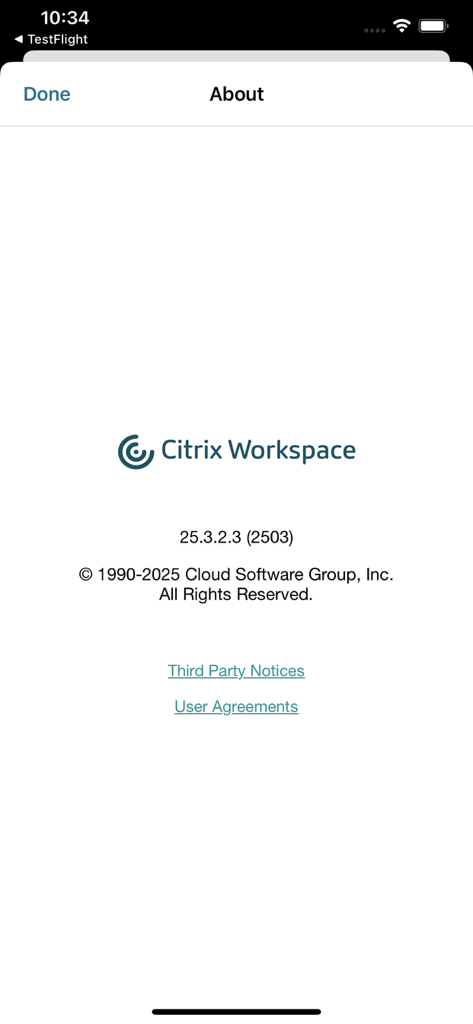
表示されているCitrix Workspaceアプリのバージョンは25.3.2.3 (2503)です。これはCloud Software Group, Inc.によって1990年から2025年まで著作権で保護されています。
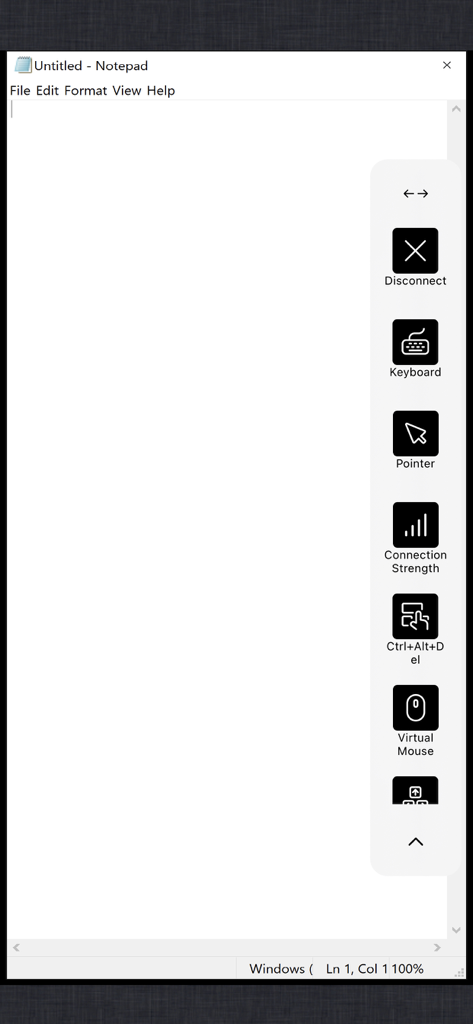
ユーザーは、画面上のコントロールを使用して、セッション内で仮想マウスとキーボードにアクセスできます。これらのコントロールは、切断、接続強度の確認、Ctrl+Alt+Delコマンドの送信オプションも提供します。
似た機能とユーザー体験を持つアプリ

Shanghai best oray information s&t co.,ltd

Guangzhou NetEase Computer System Co.Ltd

AWERAY PTE. LTD.

AnyDesk Software GmbH

TeamViewer Germany GmbH

Hainan Youqu Technology Co., Ltd.

ZULER TECHNOLOGY PTE. LTD.

Termius Corporation

RealVNC Limited