Commerzbank photoTAN

Commerzbank photoTAN

ダウンロード: App Store
Spark by MWM logo
ロゴ: Commerzbank photoTAN

Commerzbank photoTAN:どこからでも安全かつシームレスな取引承認

Commerzbankのバンキングにおける究極のセキュリティを体験してください。ワンクリックのプッシュ通知とデジタルファーストのアクティベーションで、数秒で取引を承認できます。国際的なライフスタイルに合わせてカスタマイズされています。

ダウンロード: App Store

開発元

Commerzbank AG

カテゴリ

Finance

ダウンロード

3M+

ユーザー評価

4.7/5

評価数

242K+

対応言語

15

一目でわかるシームレスなセキュリティ

このインターフェースを利用する 3M+ 人のユーザー.

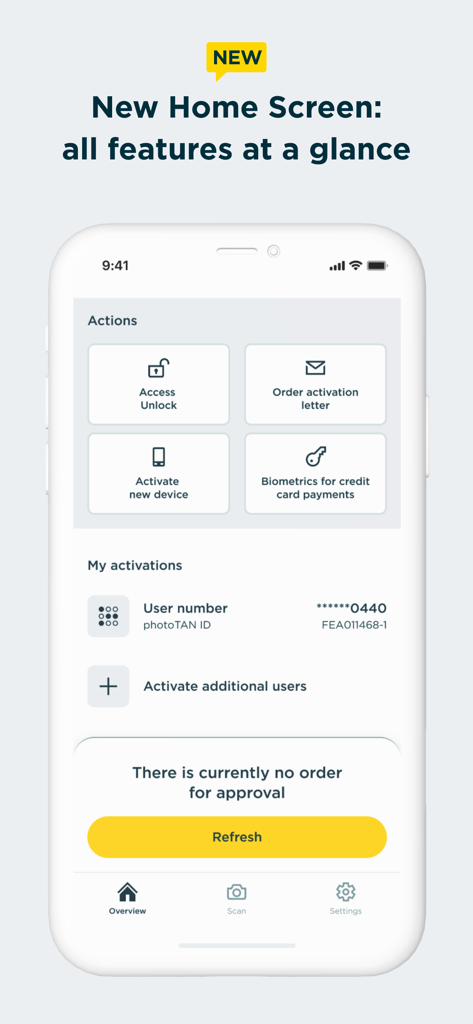
Commerzbank photoTANアプリのホーム画面。アクションショートカットとアカウントのアクティベーション状態が表示されています。

Commerzbank photoTANアプリのホーム画面。アクションショートカットとアカウントのアクティベーション状態が表示されています。

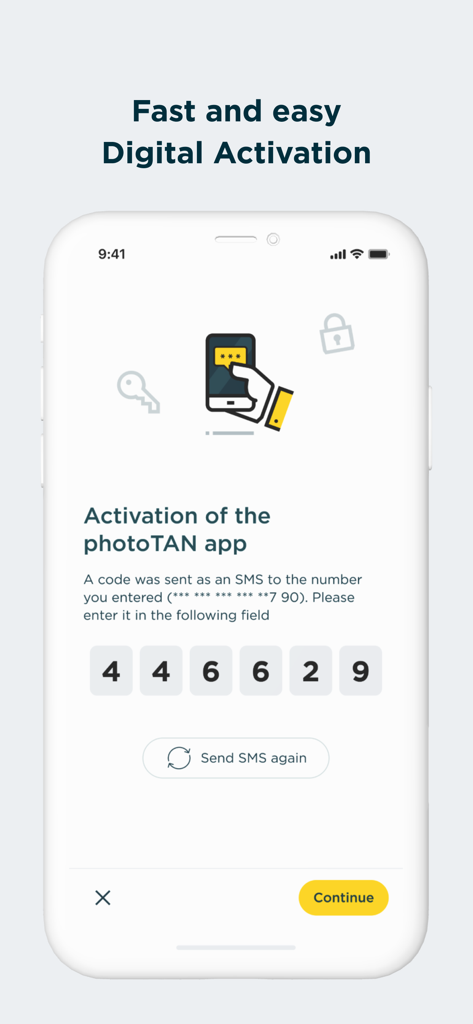
Commerzbank photoTANアプリのデジタルアクティベーション画面。6桁のSMSコード入力フィールドが表示されています。

Commerzbank photoTANアプリのデジタルアクティベーション画面。6桁のSMSコード入力フィールドが表示されています。

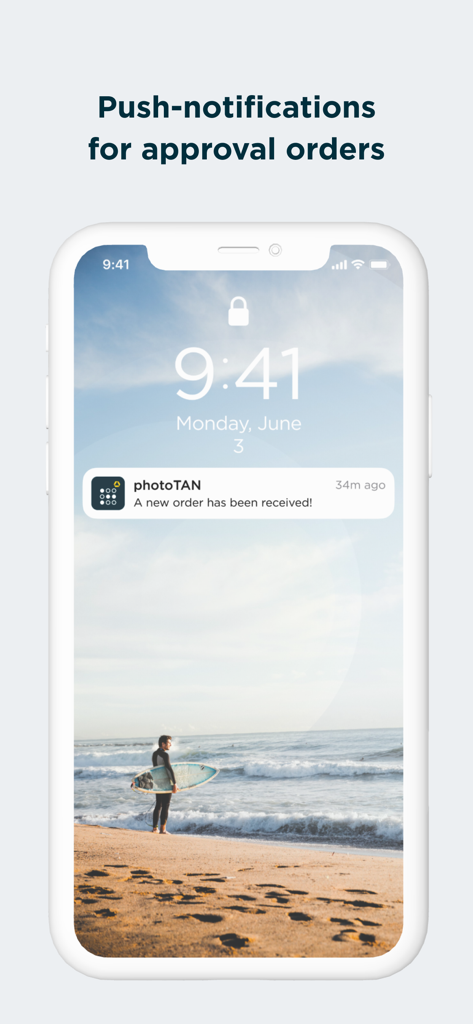
Commerzbank photoTANのプッシュ通知。注文承認用です。

Commerzbank photoTANのプッシュ通知。注文承認用です。

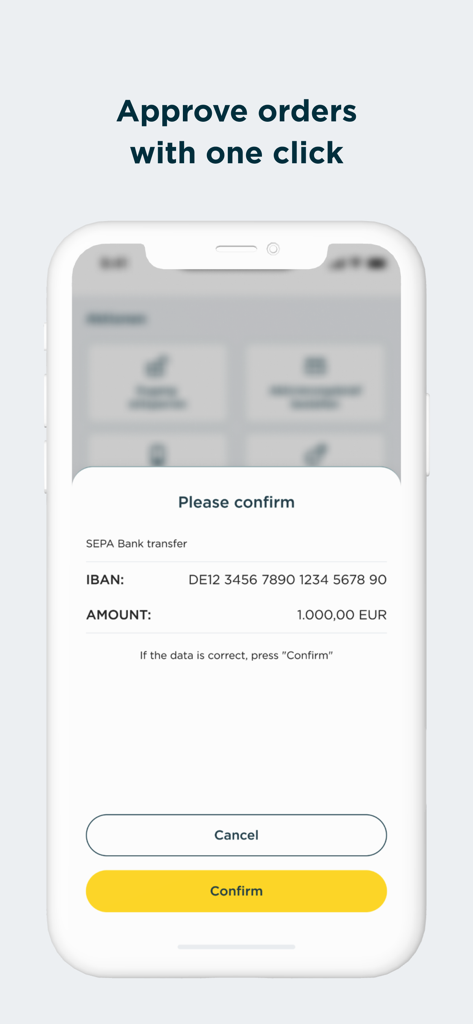
Commerzbank photoTANアプリのモバイル画面。1000ユーロのSEPA銀行振込確認リクエストと、黄色い確認ボタンが表示されています。

Commerzbank photoTANアプリのモバイル画面。1000ユーロのSEPA銀行振込確認リクエストと、黄色い確認ボタンが表示されています。

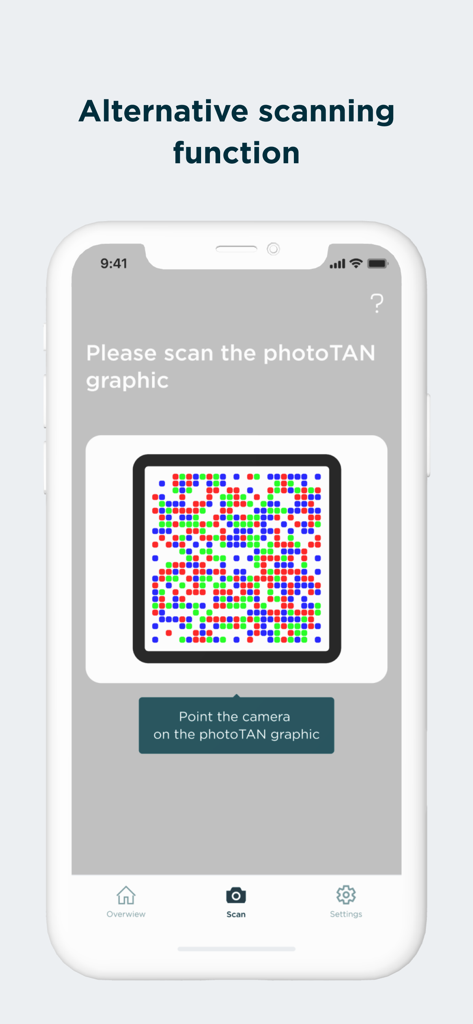
Commerzbank photoTANアプリの画面。セキュリティグラフィックスの代替スキャン機能が表示されています。

Commerzbank photoTANアプリの画面。セキュリティグラフィックスの代替スキャン機能が表示されています。

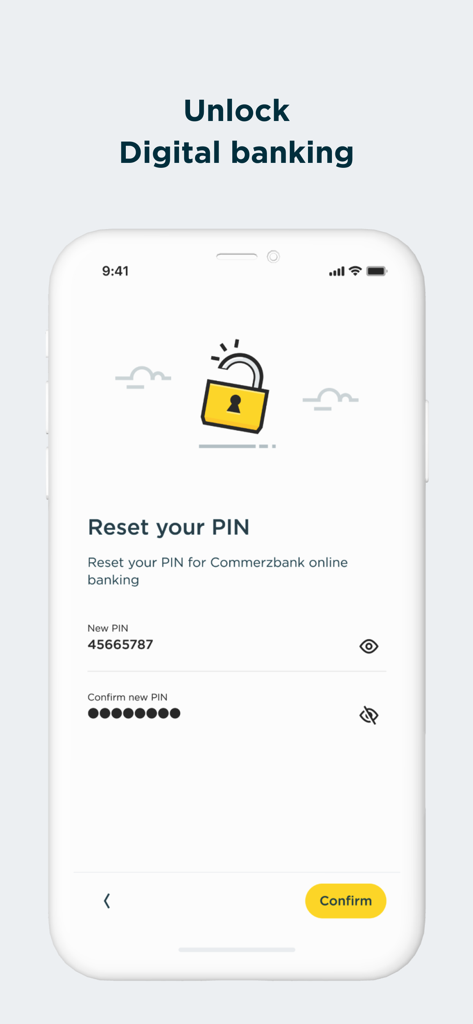
Commerzbank photoTANアプリの画面。デジタルバンキングのPINをリセットします。

Commerzbank photoTANアプリの画面。デジタルバンキングのPINをリセットします。

妥協のないセキュリティ、簡単なアクセス

このアプリを際立たせるツール、 3M+ 人のユーザーが選択.

ワンタップのプッシュ承認

photoTAN-Pushでシームレスなバンキングを体験してください。手動でのコード入力なしで、安全な通知を通じて即座に送金を承認できます。

🛡️

エリートセキュリティ基準

ドイツで最も革新的なセキュリティ技術を活用してください。リアルタイムのハードウェアチェックと高度な暗号化を利用して、大西洋を跨いだ資産を保護します。

🌍

グローバルデジタルアクティベーション

国際郵便は不要です。VideoIdentを使用して数時間以内に迅速にデジタルアクティベーションを行い、デバイスがオフラインでも取引を認証できます。

世界中のユーザーに愛されています

Trusted by 3M+ 人がこのアプリを愛用しています.

"

"米国からドイツの銀行口座を管理するのは、物理的なTANジェネレーターでは面倒でした。VideoIdentによる新しいデジタルアクティベーションは、国際郵便を待つ時間を数週間節約してくれました。今では、iPhoneでワンタップで送金を承認できます。速く、安全で、駐在員に最適です。"

Lukas M.
"

"私はビジネスで頻繁に旅行するため、データ通信が限られていることがよくあります。オフラインスキャン機能は救世主であり、接続されていない場合でも取引を承認できます。厳格なセキュリティチェックには本当に感謝しています。金融データが最高の技術で保護されていることを知って、完全に安心できます。"

Sarah J.

レビュー分析

ユーザーレビューの分析.

感情スコア

27%
ネガティブ

概要

Users widely report critical functionality issues with the app, particularly regarding camera scanning and activation on newer iOS devices like the iPhone 15 Pro Max and iPhone 16 Pro. Many encounter a persistent camera focus problem, preventing them from scanning activation graphics or photoTANs, leading to frequent error codes such as E-L-020 and E-X-001. A major frustration is the recurring need to reinstall and reactivate the app, often after iOS updates (e.g., iOS 26.0.1, 18.7, 18.3.1), which sometimes requires a new, and often expired, physical activation letter. This unreliability significantly hampers online banking access and results in a highly frustrating user experience, compounded by inadequate customer support.

主なテーマ

Bugs & Reliability(20)
Activation Process(17)
Camera Functionality(15)
iOS Compatibility(10)
Reinstallation Frequency(10)
Online Banking Access(8)
Customer Support(5)

アプリについて

について知っておくべきこと Commerzbank photoTAN.

説明

Commerzbank's new photoTAN app. Receive push message, check order, approve - with the new photoTAN push function, you can approve orders quickly and securely with just one click. With the photoTAN scan function, you still have the option of scanning a photoTAN graphic to generate a TAN. It is now possible to fully legitimize yourself from the comfort of your own home with the VideoIdent app. With our new feature, the digital first activation, you can after the legitimation with VideoIdent in the next 3 hours easily and quickly activate the photoTAN app with a code that you receive by SMS. This means you no longer have to wait for the activation graphic The photoTAN app is our most innovative security method. The app offers the highest possible security through a modern and convenient TAN procedure - for all customers who use Commerzbank's online and / or mobile banking. ####################### Hard-/software checks of your device: At runtime, we check known, security-relevant attack vectors (e.g. rooted/jailbreak, malicious apps, etc.) To do this, we need your consent. If you do not agree to do such a security checks, we kindly ask you not to install our photoTAN app and instead to use our reading device to use the online banking offer on the Internet (https://www.commerzbank.de/). You can also revoke your consent at any time for the future by uninstalling our photoTAN app from your device. ####################### What do I need the photoTAN app for? The photoTAN app is one of our security factors. The photoTAN is an important part of every login and transaction in your online and mobile banking. It is used to verify the order data you have entered and to generate the transaction number (TAN). How does photoTAN-Push work? The push function of our new photoTAN app is particularly convenient. As soon as a new order is available for you to approve, we send you a notification to your smartphone when you use photoTAN-Push. When you then open the photoTAN app, the order to be approved is displayed directly for you to check. If the data displayed is correct, you release the order with just one click. How does photoTAN scan work? After placing an order in Online Banking, a mosaic-like colorful graphic appears on the monitor. You scan this with the photoTAN app. A TAN is displayed immediately. To check, you then see the essential details of your order again in the app. If everything is correct, simply enter the TAN on the computer and the order is confirmed. By the way: With our mobile banking, you can make transfers even faster and easier than on your computer. To do this, use the free Commerzbank banking app! The advantages of the new photoTAN app at a glance: • Security: Commerzbank's most innovative TAN procedure. • Uncomplicated: You receive a notification on your smartphone when a new order is ready for approval. • Fast: You can approve orders with just one click. • Free of charge: The use of photoTAN is free of charge for you. • Mobile banking: Quick order approvals via the banking app using the App2App function. • Offline usability: If your smartphone is offline, you can continue to approve orders easily with the scan function. For more information on the new photoTAN process, visit http://www.commerzbanking.de/phototan.

最新バージョン

15.1.0

サイズ

61.5 MB

リリース日

2012年11月23日

ワンクリックでバンキングを安全に

今すぐphotoTANアプリをダウンロードして、グローバルな取引においてドイツで最も革新的なセキュリティ手順を信頼する300万人以上のユーザーに加わりましょう。

ダウンロード: App Store
FAQ

よくある質問

について知っておくべきこと Commerzbank photoTAN

CommerzbankのphotoTANアプリは何に使われますか?

CommerzbankのphotoTANアプリは、オンラインバンキングおよびモバイルバンキングのセキュリティ方法です。トランザクション番号(TAN)を生成し、プッシュ通知またはグラフィックスキャンを使用して、注文データの検証とログインおよびトランザクションの保護を行います。

CommerzbankアプリのphotoTANプッシュ機能はどのように機能しますか?

photoTANプッシュ機能は、新しい注文の通知を送信します。ユーザーはアプリを開き、注文を確認して、ワンクリックで承認します。これにより、Commerzbankアプリ内で迅速かつ安全なトランザクション承認が可能になります。

CommerzbankのphotoTANアプリをデジタルで有効化できますか?

はい、ユーザーはVideoIdentアプリを使用して完全に本人確認を行うことができます。本人確認後、SMSでコードを受け取り、3時間以内にphotoTANアプリを迅速にデジタルで有効化できます。これにより、アクティベーショングラフィックを待つ必要がなくなります。

CommerzbankのphotoTANアプリは無料で利用できますか?

はい、CommerzbankのphotoTANアプリの利用は、すべてのユーザーに無料で提供されます。これは、アプリのサービスにおける主な利点の1つとして明確に記載されています。

CommerzbankのphotoTANアプリはどのようなセキュリティチェックを実行しますか?

CommerzbankのphotoTANアプリは、ルート化/ジェイルブレイクされたデバイスや悪意のあるアプリなどの既知の攻撃ベクトルに対して、実行時のセキュリティチェックを実行します。アプリのインストールと使用には、これらのチェックへの同意が必要です。

CommerzbankのphotoTANアプリをオフラインで使用できますか?

はい、CommerzbankのphotoTANアプリはオフラインでの使用をサポートしています。スマートフォンがオフラインの場合でも、スキャン機能を使用して注文を簡単に承認できます。

CommerzbankアプリのphotoTANスキャン機能はどのように機能しますか?

オンラインで注文を行うと、モザイクのようなグラフィックが表示されます。これをphotoTANアプリでスキャンしてTANを生成します。アプリは、TANを入力する前に検証のために注文の詳細を表示します。

CommerzbankのphotoTANアプリを通じて、CommerzbankのオンラインバンキングのPINをリセットできますか?

はい、CommerzbankのphotoTANアプリには、CommerzbankのオンラインバンキングのPINをリセットする機能が含まれています。この機能は、アプリのインターフェースから直接アクセスできます。

CommerzbankのphotoTANアプリは、クレジットカード決済のために生体認証をサポートしていますか?

はい、CommerzbankのphotoTANアプリは、クレジットカード決済のために生体認証をサポートしています。この機能は、ユーザーの利便性とセキュリティのために、新しいホーム画面で利用可能なアクションの1つとして記載されています。