Compass 55. Map & GPS kit.

Compass 55. Map & GPS kit.

ダウンロード: App Store
Spark by MWM logo
ロゴ: Compass 55. Map & GPS kit.

Compass 55。あなたのプロフェッショナル級GPS、マッピング、ナビゲーションキット。

高精度のMGRS座標、オフラインマップ、テクニカルな追跡ツールで、あらゆる地形を制覇。完全なコントロールとデータ共有ゼロを求める冒険家やプロフェッショナルのために構築された、堅牢でプライバシー優先のナビゲーションスイート。

開発元

Kalimex-Consulting s.r.o.

カテゴリ

Navigation

ダウンロード

987K+

ユーザー評価

4.7/5

評価数

5K+

対応言語

7

テクニカル・エッジ

このインターフェースを利用する 987K+ 人のユーザー.

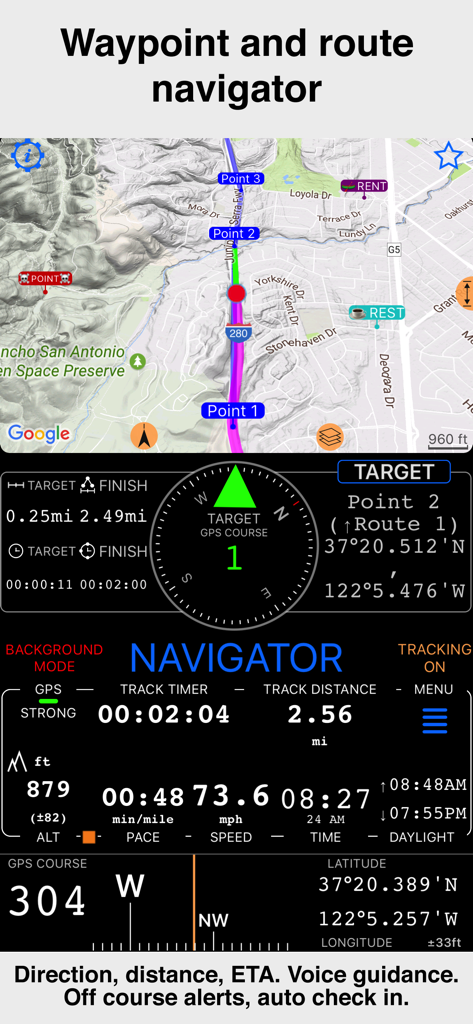
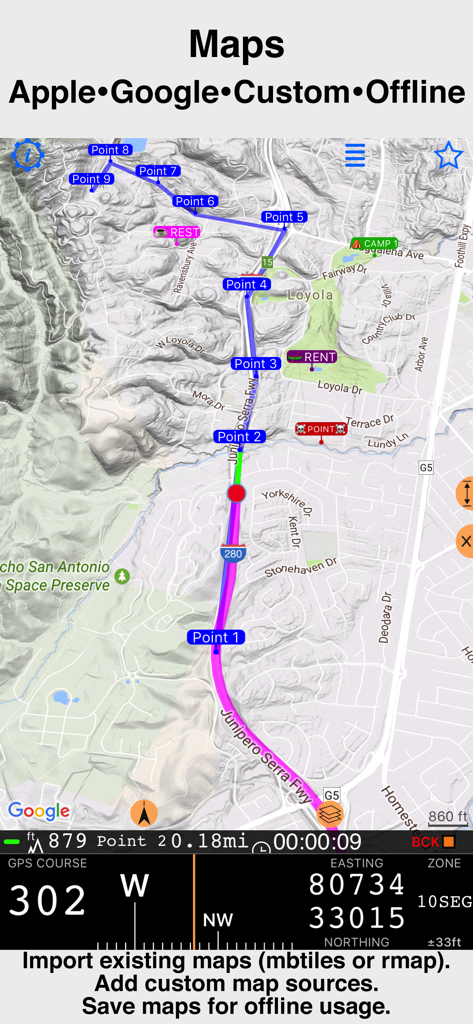
速度と高度のデータを備えたウェイポイントとルートナビゲーションを表示するCompass 55のインターフェース

速度と高度のデータを備えたウェイポイントとルートナビゲーションを表示するCompass 55のインターフェース

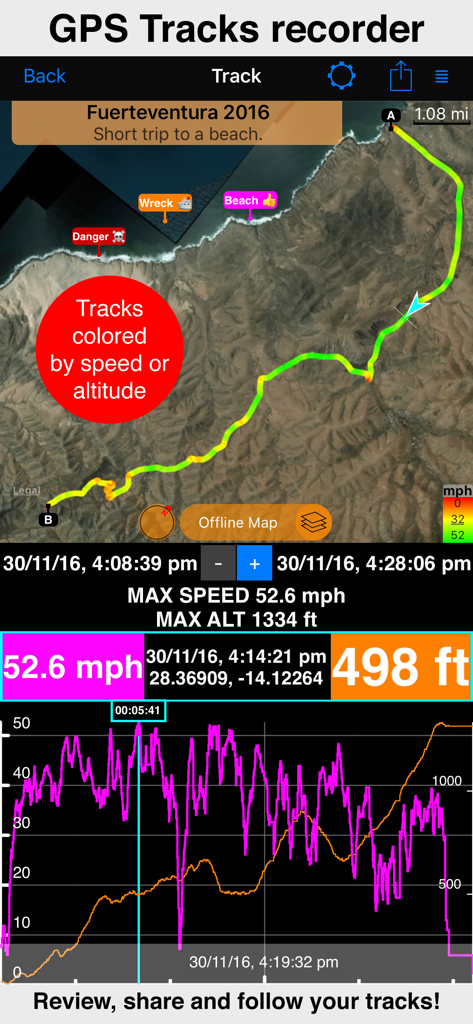
マップ、速度、高度の統計を表示するGPSトラック記録画面

マップ、速度、高度の統計を表示するGPSトラック記録画面

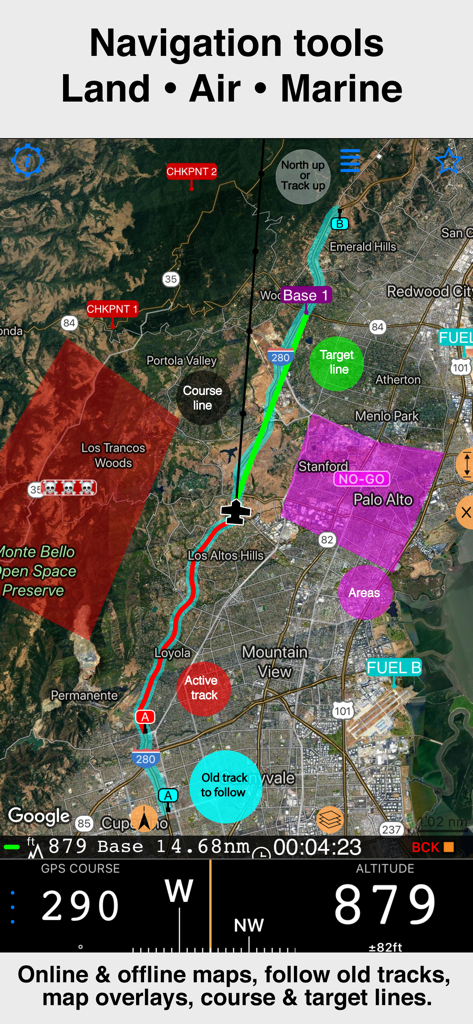
トラックオーバーレイと高度データを備えた衛星マップを表示するCompass 55プロフェッショナルナビゲーションインターフェース

トラックオーバーレイと高度データを備えた衛星マップを表示するCompass 55プロフェッショナルナビゲーションインターフェース

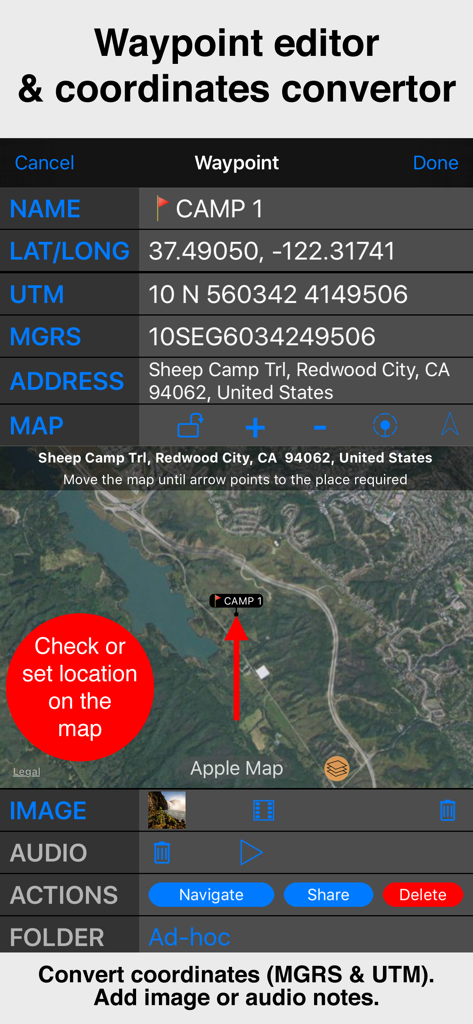
衛星マップビューとともにMGRSおよびUTM座標を表示するCompass 55ウェイポイントエディタのインターフェース。

衛星マップビューとともにMGRSおよびUTM座標を表示するCompass 55ウェイポイントエディタのインターフェース。

テクニカルなGPS座標を備えたCompass 55プロフェッショナルナビゲーションマップ

テクニカルなGPS座標を備えたCompass 55プロフェッショナルナビゲーションマップ

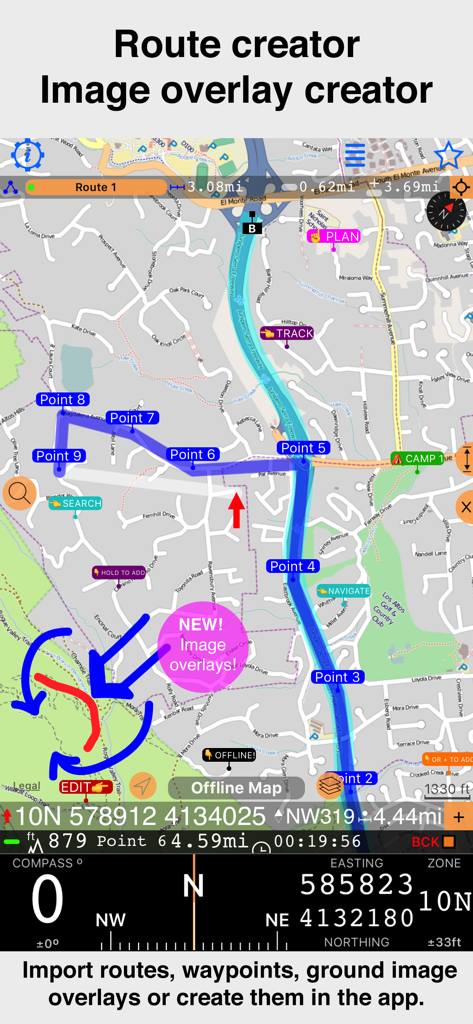
地形図上でのウェイポイントと新しい画像オーバーレイ機能によるルート作成を表示するCompass 55アプリのインターフェース。

地形図上でのウェイポイントと新しい画像オーバーレイ機能によるルート作成を表示するCompass 55アプリのインターフェース。

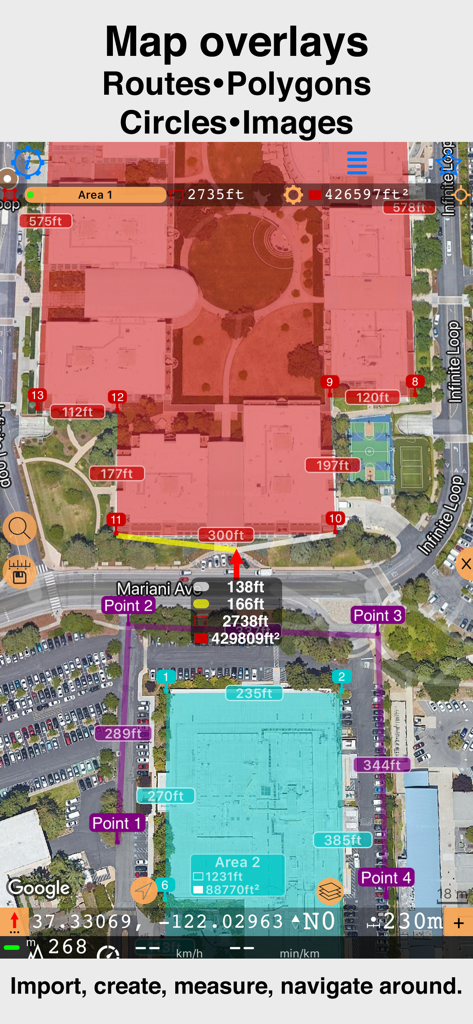
Compass 55でカスタムポリゴンと距離測定を表示する衛星マップインターフェース

Compass 55でカスタムポリゴンと距離測定を表示する衛星マップインターフェース

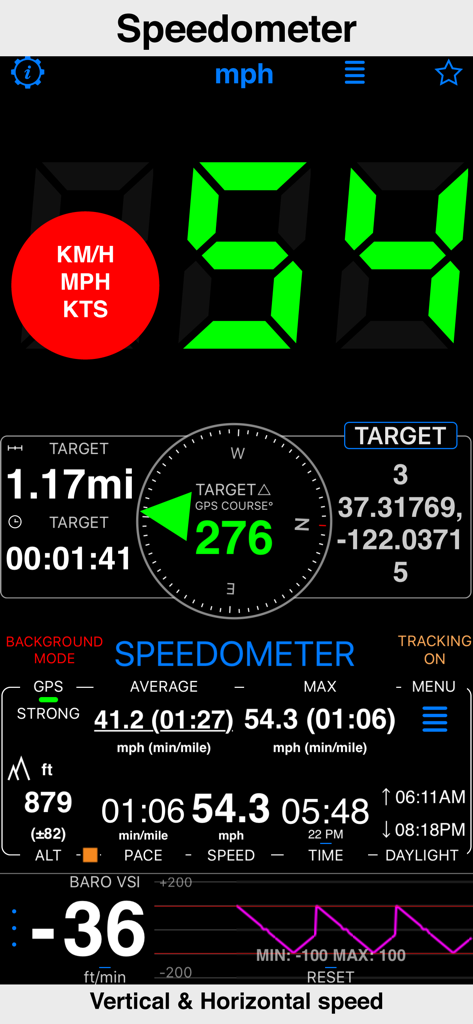
GPSデータによる水平および垂直速度を表示するCompass 55アプリのスピードメーターインターフェース

GPSデータによる水平および垂直速度を表示するCompass 55アプリのスピードメーターインターフェース

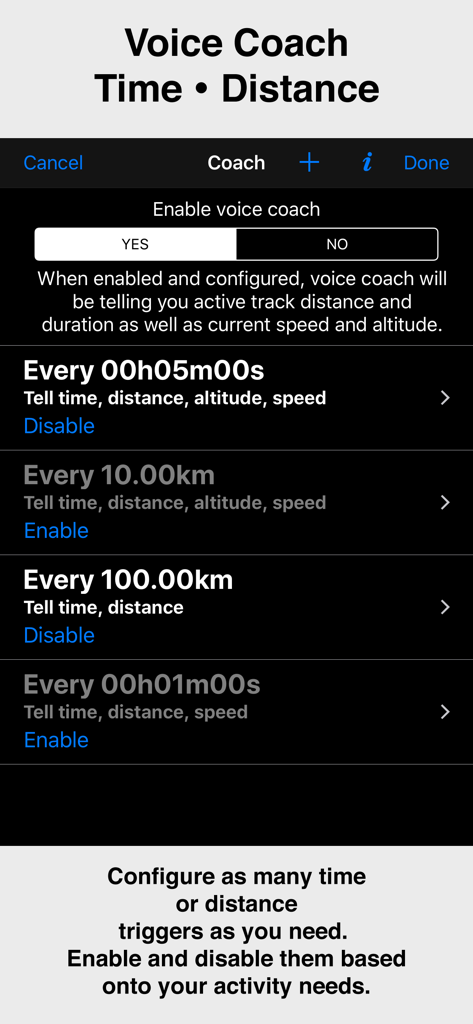
時間と距離のトリガーを表示するCompass 55アプリのボイスコーチ機能の設定画面

時間と距離のトリガーを表示するCompass 55アプリのボイスコーチ機能の設定画面

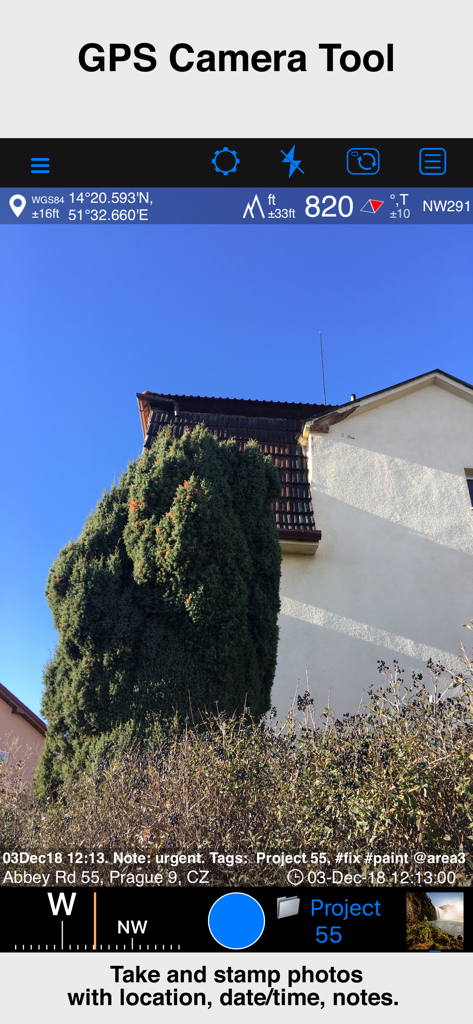
位置座標、高度、日付、メモのオーバーレイが含まれた写真を表示するCompass 55アプリのGPSカメラツール

位置座標、高度、日付、メモのオーバーレイが含まれた写真を表示するCompass 55アプリのGPSカメラツール

テクニカルな冒険者のために構築

このアプリを際立たせるツール、 987K+ 人のユーザーが選択.

🧭

プロフェッショナル級の精度

MGRS、UTM、緯度/経度座標で現在地を把握。ミリタリーレベルの精度でウェイポイントを変換、編集、共有できます。

🗺️

グリッドを超えて

オフラインマップをダウンロードし、カスタムタイルサーバーをインポート。携帯電話の信号が不要で、人里離れた荒野や大海原をナビゲートできます。

🔒

信頼できるプライバシー

位置データはデバイス内に保持されます。トラックや座標を第三者と共有することは決してありません。純粋で安全なナビゲーションのみを提供します。

世界中のユーザーに愛されています

Trusted by 987K+ 人がこのアプリを愛用しています.

"

"バックカントリーで数週間過ごすオーバーランダーとして、Compass 55は最も信頼できるツールです。携帯電話のサービスが消えたとき、オフラインマップのサポートとMGRS座標の精度は命綱となります。これほど強力でありながら、プライバシーも尊重してくれるアプリは滅多にありません。"

Mark S.、テクニカルな冒険家
"

"私は、正確さが譲れない捜索救助活動にCompass 55を使用しています。KMLファイルをエクスポートする機能や気圧式VSIは、通常、高価なハードウェア専用の機能です。これは本質的に、ポケットに入るプロ級のGPSユニットです。"

Sarah J.、SARボランティア

アプリについて

について知っておくべきこと Compass 55. Map & GPS kit..

説明

All-in-one assistant with a map, compass, GPS coordinates to view and share in 6 formats, altitude, distance, sunset/sunrise, speedometer with top and average speed, navigator to your target or along the route and a whole lot more! + Advanced target/waypoint editor. Can be also used as a coordinates converter. You can use map to check or set waypoint location and add photo or audio note. + Share your location via email, text message, Facebook or Twitter. This includes UTM, MGRS and Latitude/Longitude (MENU>Share my location). + You can use UTM, MGRS or Lat/Long, just pick your preference in settings (Coordinate Format). + Speedometer. Shows you the speed and pace. Speedometer also gives you options to control average and max speed and pace counters (MENU > RESET and PAUSE/RESUME counters). + Compass. Instant reaction compass, no delays. Automatically pickups the direction based on magnetic or GPS course. If you mostly walk or drive, you can change this automatic mode in app settings > Compass or GPS course. NATO mils? Same place in settings to set. + Magnetic declination δ for the current location and any location on the map (via World Magnetic Model, WMM, no need for data/internet). + Sunset and sunrise. So you can plan your travel better. + Arrow pointing to your target waypoint. Distance and bearing to it. + Create/measure routes and areas. + Barometric Vertical Speed Indicator (VSI, IVSI) in both scale and graph forms. + Integration of bluetooth sensors: Cycling cadence, Heart rate, Cycling speed. All above belong to a basic version. PRO Pack upgrade will add following capabilities: + Recording and sharing GPS tracks. + Moving waypoints between folders. + Showing ETA to a target as this requires GPS tracking. + Native Google map with fantastic terrain map, amazing 3D and real night mode. + Adding own/custom tile map servers. + Downloading offline maps. Offline maps import in .sqlitedb, rmaps, mbtiles formats. Support for overzoom and underzoom - offline map is shown even for zoom levels that are not downloaded. + GPX import and export for waypoints, tracks and routes. + Google Earth KML support for waypoints and tracks import/export. KMZ support for waypoints and tracks export, waypoints import. + Ground overlays. Import KMZ ground overlay or draw your own on the map in the app and share as kmz files! + CSV import/export for waypoints. + Voice coach to tell you active track distance and duration, current speed and altitude without need to open the app. + Support for Siri shortcuts in IOS 12 for starting and stopping GPS tracks. + From version 4.2 - support for OSGB (including grid shifts) and SK 42 in the coordinates converter. + BACKGROUND MODE. App will work in background automatically when tracking. You can use other apps while Compass 55 does its job in the background! + PRIVACY. Compass 55 never shares your location data with 3rd parties or ad agencies. Location data is used solely for telling you direction to a target and recording GPS tracks and never leave the app unless you decide to share by means of a track export. It always lets you know when background mode is on and never runs in background unless the track is being recorded. ! You can use this app on your iPhone as well as on any cellular iPad. **App will not work properly on iPods and wifi only iPads as they don't have GPS (external GPS module is required). As quite a lot of us are using external GPS modules, app is available for wifi only iPads and iPods. ! Please note that as with all GPS apps, continued use of GPS running in the background can dramatically decrease battery life. Terms of Use: https://www.apple.com/legal/internet-services/itunes/dev/stdeula/

最新バージョン

5.2.3

サイズ

70.2 MB

リリース日

2016年9月23日

次回のオフグリッド・ミッションの準備はできていますか?

987,000人以上のテクニカルな冒険者の仲間に加わりましょう。プロフェッショナルなナビゲーション、オフラインマッピング、そして完全なデータプライバシーのための究極のGPSツールキットをダウンロードしてください。

ダウンロード: App Store