Construction Master Pro Calc

Construction Master Pro Calc

ダウンロード: App Storeダウンロード: Google Play
Spark by MWM logo
ロゴ: Construction Master Pro Calc

建設マスターPro計算機:プロフェッショナルのための業界標準数学ツール

現場での高額なエラーをなくし、時間を節約しましょう。世界で最も信頼されている建設電卓の精度で、フィート・インチ・分数、複雑な直角配置、体積推定をマスターしましょう。この機能がデバイスで利用可能になりました。

ダウンロード: App Store

開発元

Calculated Industries, Inc.

カテゴリ

Utilities

ダウンロード

606K+

ユーザー評価

4.8/5

評価数

38K+

対応言語

1

指先での精度

このインターフェースを利用する 606K+ 人のユーザー.

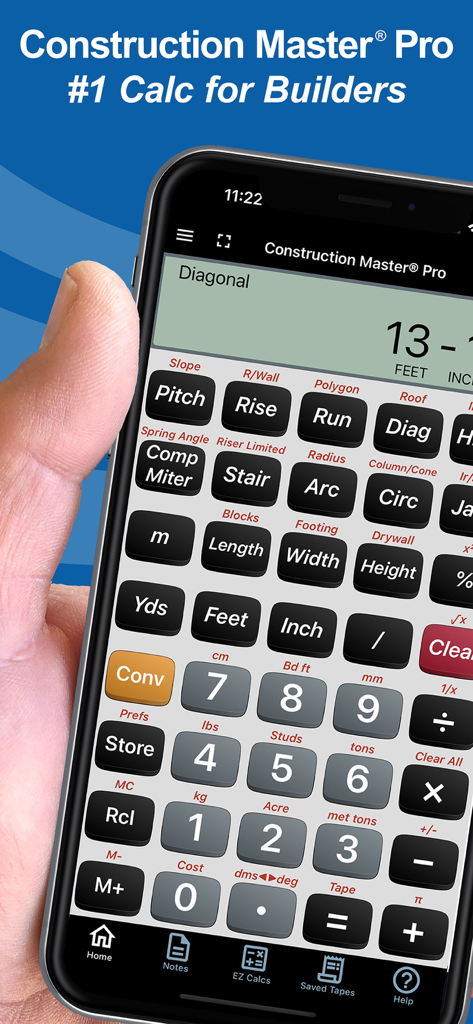
建設プロフェッショナル向けの建設マスターPro計算機アプリが表示されたスマートフォンを持つ手

建設プロフェッショナル向けの建設マスターPro計算機アプリが表示されたスマートフォンを持つ手

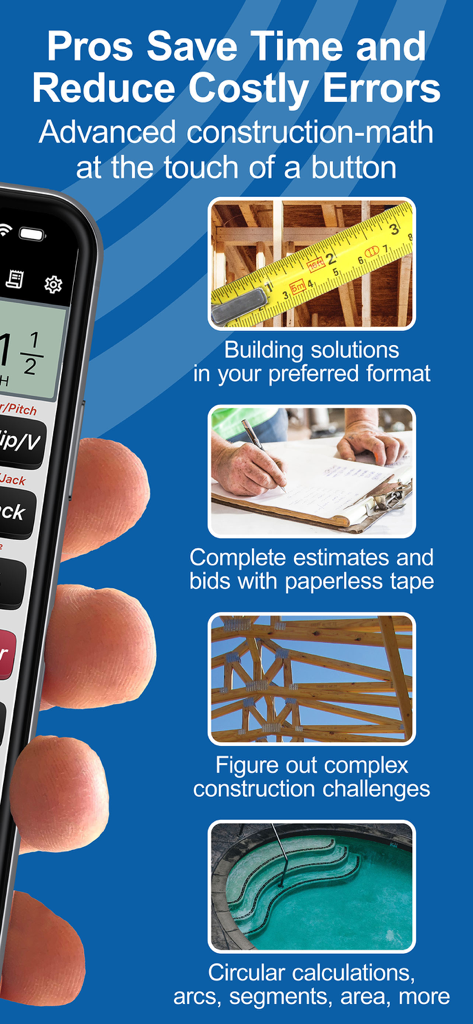
建設ソリューション、見積もり、プロ向けの複雑な数学を含む建設マスターProアプリ機能の概要。

建設ソリューション、見積もり、プロ向けの複雑な数学を含む建設マスターProアプリ機能の概要。

建設マスターPro計算機アプリのユーザーレビューと5つ星評価

建設マスターPro計算機アプリのユーザーレビューと5つ星評価

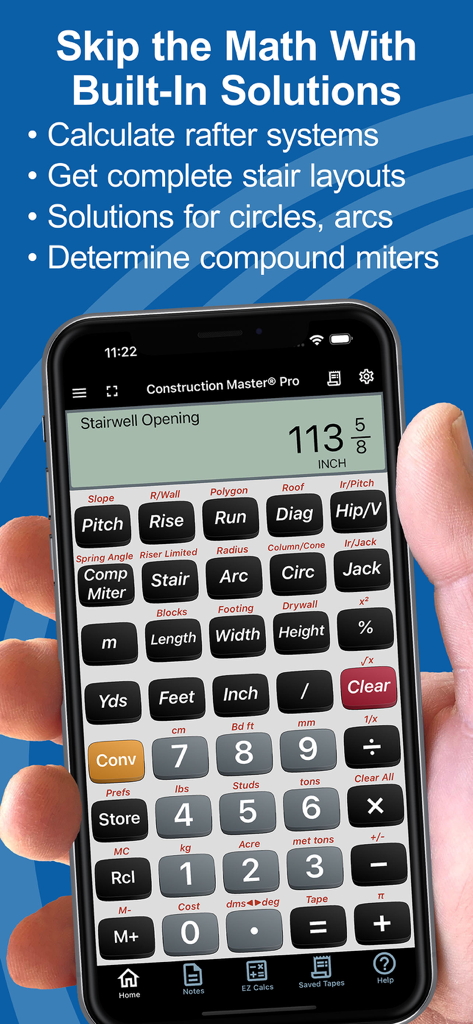
階段の開口部計算が表示された建設マスターPro計算機アプリが表示されたスマートフォンを持つ手

階段の開口部計算が表示された建設マスターPro計算機アプリが表示されたスマートフォンを持つ手

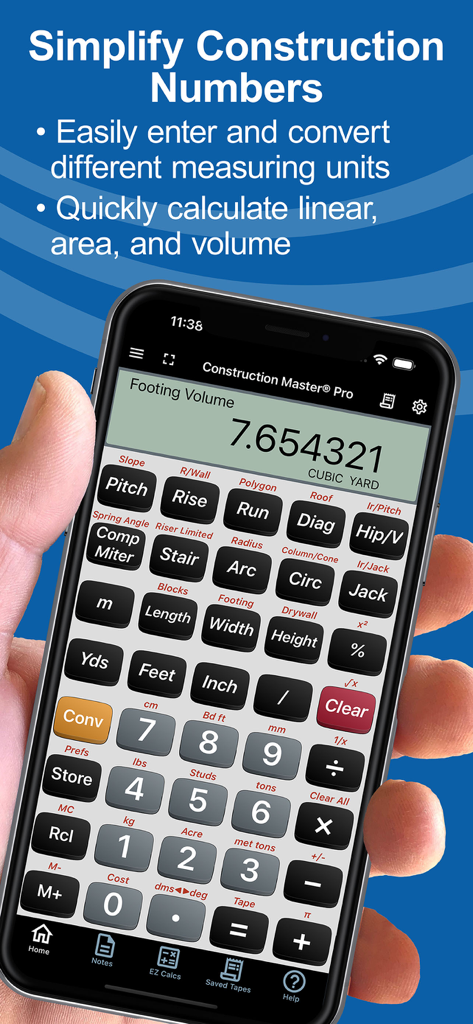
基礎体積計算が表示された建設マスターPro計算機アプリが表示されたスマートフォン

基礎体積計算が表示された建設マスターPro計算機アプリが表示されたスマートフォン

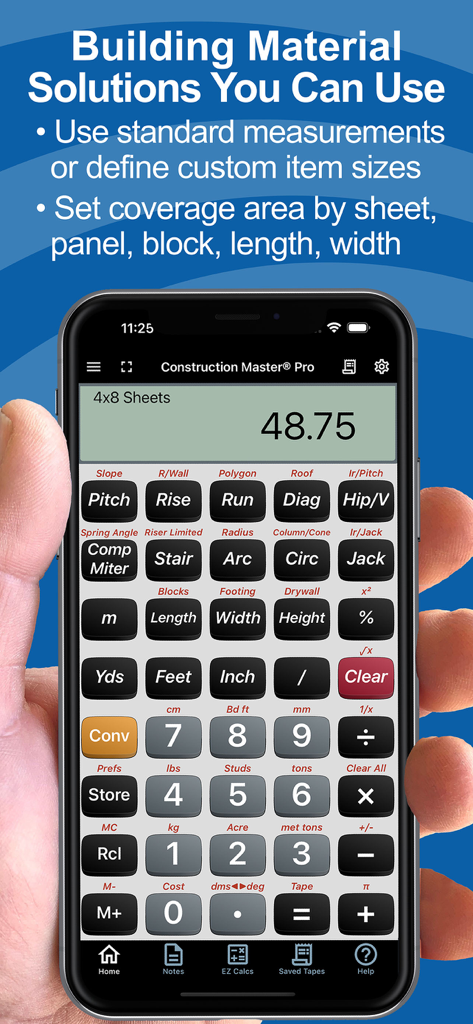
スマートフォンに材料数量計算が表示されている建設マスターPro Calcアプリ

スマートフォンに材料数量計算が表示されている建設マスターPro Calcアプリ

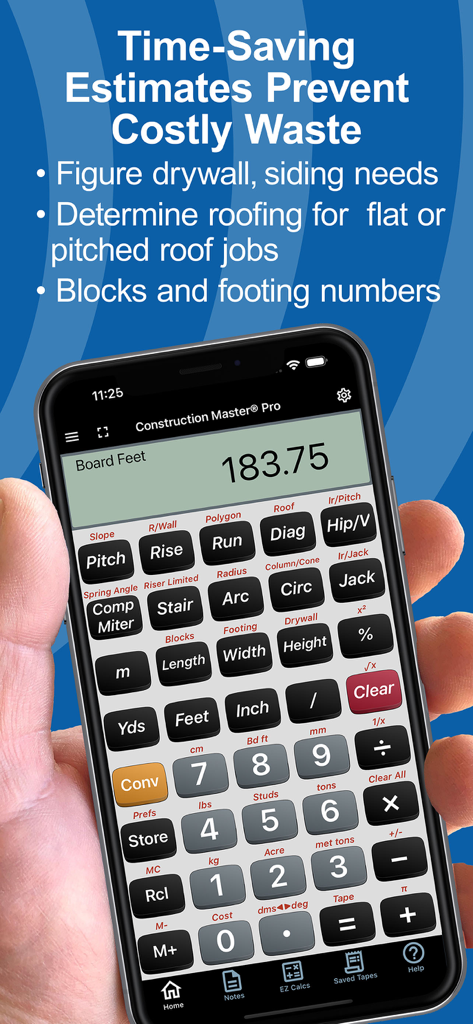
材料見積もり機能が表示された建設マスターPro計算機アプリが表示された電話を持つ手

材料見積もり機能が表示された建設マスターPro計算機アプリが表示された電話を持つ手

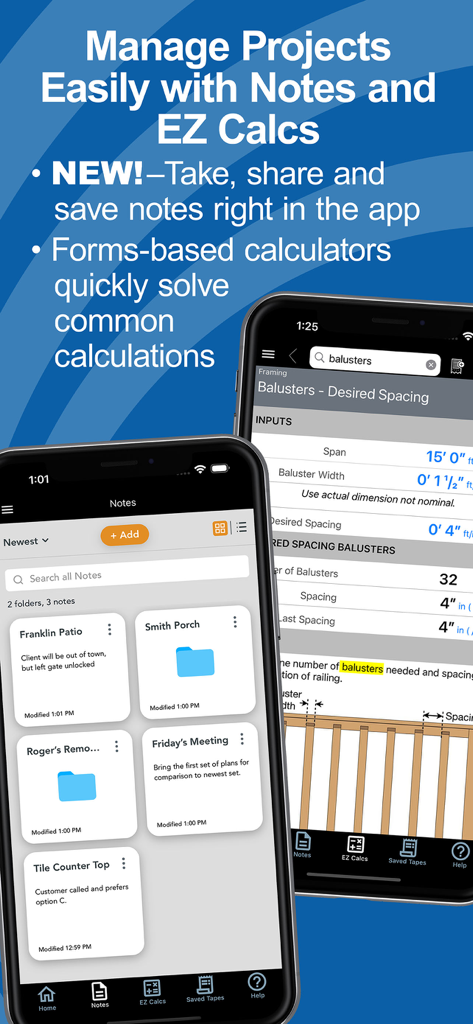
プロジェクトノートと手すり子間隔用のEZ Calcsフォームが表示されている建設マスターProアプリインターフェイス

プロジェクトノートと手すり子間隔用のEZ Calcsフォームが表示されている建設マスターProアプリインターフェイス

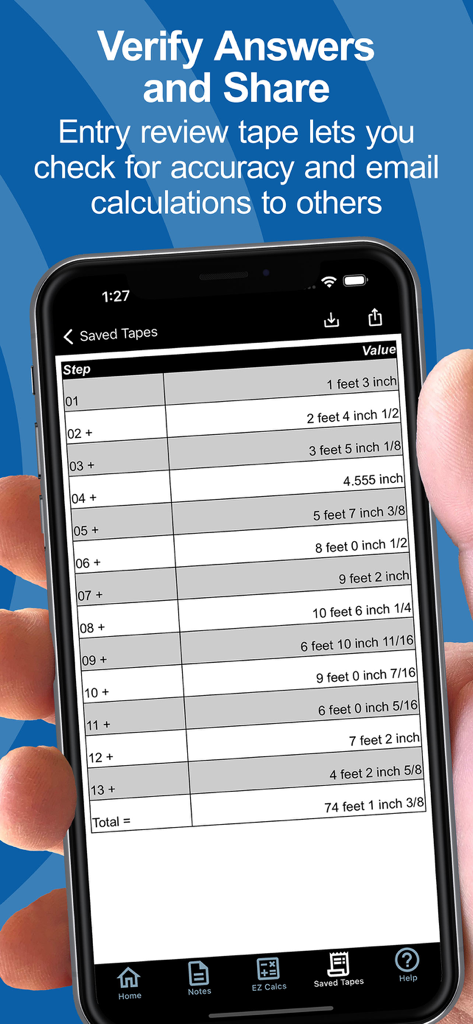
寸法建設計算のリストと合計が表示された保存されたテープ機能が表示されたスマートフォンの画面

寸法建設計算のリストと合計が表示された保存されたテープ機能が表示されたスマートフォンの画面

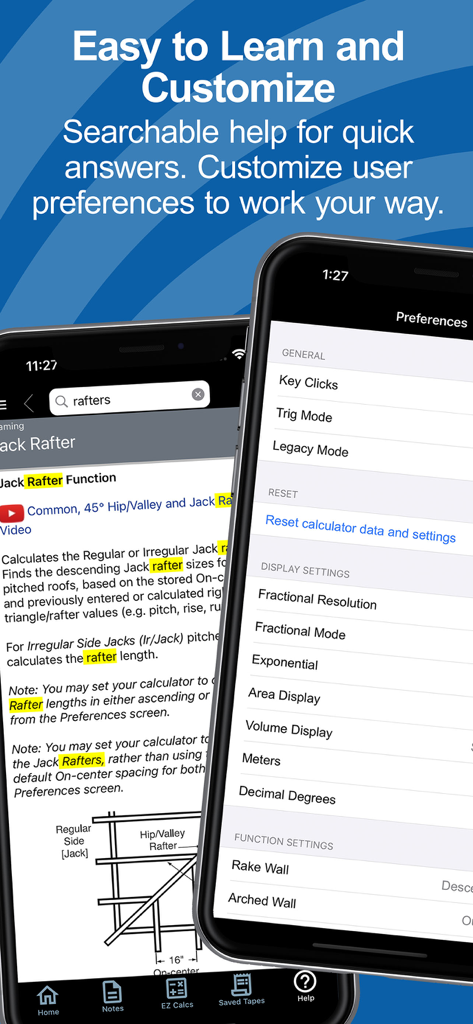
建設マスターProアプリの検索可能なヘルプとユーザー設定画面

建設マスターProアプリの検索可能なヘルプとユーザー設定画面

あらゆるものを建てるプロのために

このアプリを際立たせるツール、 606K+ 人のユーザーが選択.

📏

分数の手間をなくす

フィート・インチ・分数およびメートル単位で直接作業できます。手動換算エラーをなくし、あらゆる見積もりとカットリストの時間を節約します。

📐

複雑な配置をマスターする

垂木、階段、勾配のインスタントソリューション。マニュアルを見なくても、直角計算と三角関数を処理できます。

📲

接続された現場テクノロジー

Bluetooth経由でBoschレーザー測定器と同期し、正確な計算またはプロジェクトノートを直接フレーミングクルーと共有できます。

世界中のユーザーに愛されています

Trusted by 606K+ 人がこのアプリを愛用しています.

"

"現場リーダーとして、BoschレーザーとのBluetooth統合は完全にゲームチェンジャーです。寸法を直接アプリに取り込み、正確なカットリストをテキスト経由でクルーと共有できます。実質的に物理的な電卓を置き換え、フレーミング配置における人的エラーのリスクをなくしました。"

Marcus T., Site Foreman
"

"20年以上、物理的な建設マスターProを使用してきたので、切り替えることにためらっていました。しかし、アプリのレイアウトは同一で、「EZ Calcs」(階段のささら桁や屋根用)は信じられないほど直感的です。これは私のポケットにある最も信頼できるツールです。1つの誤計算されたヘッダーは、サブスクリプション自体よりも高くつきます。"

Jim R., Custom Home Builder

アプリについて

について知っておくべきこと Construction Master Pro Calc.

説明

FREE Try Before You Buy trial; your App Store account is not charged by Apple during the free trial. The award-winning and industry-leading Construction Master® Pro saves time and reduces costly errors! As an app for your phone or tablet, it is ideal for anyone who works with dimensions and is interested in improving speed, accuracy, and productivity. You get two apps: Construction Master Pro & Construction Master Pro Trig. Both include a built-in full User’s Guide and the ability to press and hold a key for specific help! Built with the same core engine that powers the industry-standard advanced construction-math handheld calculators from Calculated Industries. ----- WHY IT'S A MUST-HAVE TOOL ----- • Powerful built-in solutions make it ideal for completing layouts, plans, bids, and estimates • Work in and convert between all common building dimensional formats US & Metric • Built-in right angle functions simplify square-ups, rafters, slopes, and more • Full trigonometric functions ----- BUILT-IN SOLUTIONS ----- • Dimensional Math and Conversions • Feet-Inch-Fraction, Inch Fraction, Yards • Decimal Feet and Inches (10ths, 100ths) • Preset Fractions (1/2" through 1/64") • D:M:S, Decimal Degree Entry and Conversions • Full Metric Function (m, cm, mm) ----- RIGHT ANGLE SOLUTIONS ----- • Complete Right Angle/Rafter Calculations • Pitch Key (Slope and Grade) • Rise, Run, Diagonal/Common Rafter Keys • Regular and Irregular Hip/Valley & Jack Rafter Keys • Rafter Cutting Angles (Plumb, Cheek, and Level Cuts) • Stair Layouts (including – Riser Limit, Stairwell Opening, Headroom, Floor Thickness) • Rake-Wall (including Arched) ----- AREA AND VOLUME SOLUTIONS ----- • Square and Cubic • Roof – Bundles, Squares, 4x8 Sheets, Pitch, Plan Area • Drywall, Siding and Paneling 4x8, 4x9 and 4x12 • Column/Cone Area and Volume • Basic & Advanced Circular Calculations • Weight per Volume Conversions • Length, Width, and Height Keys • Blocks, Footings ----- SPECIAL FUNCTIONS ----- • Trigonometric Function Keys: Sine, Cosine, Tangent, Arcsine, Arccosine, Arctangent • Board Feet • Studs: Find number On-center • User-Definable Preferences • Cost per Unit (total costs based on unit price) • Equal-Sided Polygon • Compound Miters • Crown Angle • Advanced Paperless Tape for all functions • 4 Memories ----- APP-ENHANCED FEATURES ----- • Entry-editing Backspace Key – enable with Legacy Mode or double-tap the display • Context-sensitive Help -- just press and hold any function key for Help text, diagrams, videos • Ability to Save and Share calculations and outputs (e.g., cut-lists) to File or others on your crew • NEW! Project Notes – Create text or voice-to-text notes & lists. Set up Folders by Project or Client. Attachments! Shareable! • NEW! EZ Calcs -- Easy forms-based calculators with illustrations to quickly and easily calculate quantities & costs for all kinds of common construction projects from balusters to blocks, rafters to rebar. Shareable! • NEW! Refreshed look and feel for faster & simpler navigation and access. • NEW! Searchable Help and additional how-to videos. ----- INTEGRATIONS ----- Now connects via Bluetooth® to Bosch Professional GLMs so you can send measured values directly into live calculations or Notes SUBSCRIPTION INFORMATION Your Free Trial period is free of charge. Subscriptions offered will automatically renew at the end of the chosen period. Upon purchase confirmation and completion of a free trial, payment will be charged to your Apple account. The subscription will automatically renew unless auto-renew is turned off or the subscription is canceled in settings at least one day (24 hours) before the subscription period ends. You can manage your subscription and turn off auto-renewal in your Apple account Settings > Account (Apple ID) > Subscriptions. TRADEMARKS Construction Master® and Calculated Industries® are registered trademarks of Calculated Industries, Inc. Copyright 2025

最新バージョン

12.10.17

サイズ

95.3 MB

リリース日

2010年5月5日

業界標準をあらゆる現場に

高額なエラーをなくし、あらゆる寸法をマスターした60万人以上のプロフェッショナルに加わりましょう。今すぐ無料トライアルを開始し、精度の力をあなたのポケットに入れましょう。

ダウンロード: App Storeダウンロード: Google Play